ThinkPad T14s Gen 5 vs T14 Gen 5: Is the Slim Model Worth It?
ThinkPad T14s Gen 5 is slimmer and lighter, while T14 Gen 5 offers upgradeable RAM and broader configuration flexibility. Here’s which ThinkPad makes more sense.

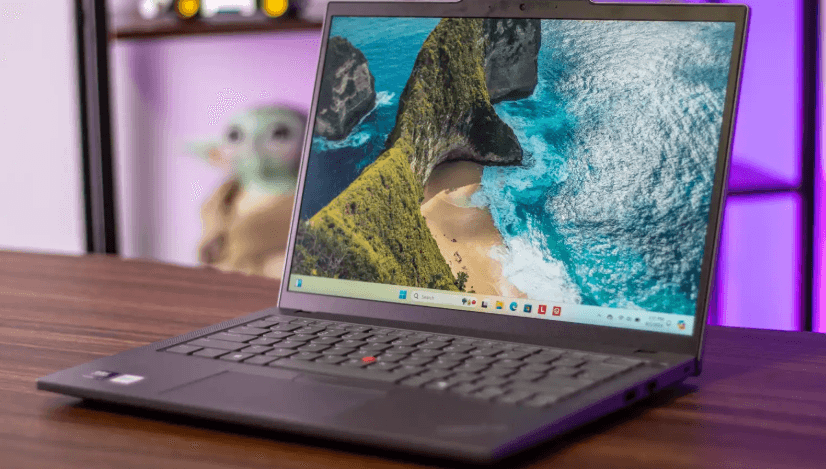
TL;DR The ThinkPad T14s Gen 5 is slimmer and lighter, but the ThinkPad T14 Gen 5 is more flexible, especially if you want upgradeable RAM and long-term serviceability. Both belong to Lenovo’s business-focused T-series and can be configured with Intel Core Ultra processors, fast PCIe 4.0 SSD storage, 14-inch 16:10 displays, Thunderbolt 4, and familiar ThinkPad input features. The biggest difference is the philosophy behind each laptop: the T14s prioritizes a thinner chassis, lower weight, and a larger 58Wh battery, while the T14 Gen 5 emphasizes modularity, including two DDR5 SODIMM slots and support for up to 64GB RAM on supported configurations. For frequent travelers who want a premium, lightweight business laptop, the T14s Gen 5 makes more sense. For professionals who expect to upgrade or service their laptop over several years, the T14 Gen 5 is the smarter choice.
ThinkPad T14s Gen 5 vs T14 Gen 5
The easiest way to understand the difference is to stop thinking of the "s" in T14s as simply meaning a slightly thinner T14. Lenovo designed the two machines around different priorities. The ThinkPad T14s Gen 5 is the more portable member of the family, with a slimmer chassis and soldered LPDDR5X memory. The regular ThinkPad T14 Gen 5 is slightly larger and heavier, but its two DDR5 SODIMM slots give it an important advantage for buyers who want to upgrade memory later. Lenovo's own specifications show that the T14s Gen 5 can be configured with up to 64GB of soldered LPDDR5X memory, while the T14 Gen 5 supports up to 64GB through two SODIMM slots on supported Intel configurations. Lenovo PSREF
The distinction becomes more important when you look at ownership rather than the first day of use. A T14s with 32GB of RAM may be the better choice for someone who wants a light laptop and already knows that 32GB is enough for their workload. The T14 gives you more room to change that equation later. If your work gradually moves from browser tabs and Office documents to virtual machines, development environments, large spreadsheets, or heavier professional applications, being able to replace or add memory can extend the useful life of the laptop. This is one of the biggest reasons the standard T14 remains attractive despite being slightly less sleek.
There is also a configuration caveat that buyers should not ignore. Both models were sold in multiple processor, display, memory, storage, wireless, and battery configurations, and Lenovo notes that availability varies by model and region. The T14 Gen 5 was available with both Intel and AMD platforms, while the T14s Gen 5 was an Intel-only design. That means you should compare the exact configuration and not assume that every T14s or T14 has identical performance, battery capacity, or display quality. Lenovo PSREF
| Feature | ThinkPad T14s Gen 5 | ThinkPad T14 Gen 5 |
|---|---|---|
| Positioning | Slim, premium business laptop | Flexible business workhorse |
| Processor options | Intel Core Ultra 5/7 | Intel Core Ultra 5/7 and AMD Ryzen options |
| RAM | Soldered LPDDR5X | 2x DDR5 SODIMM slots |
| Maximum RAM | Up to 64GB, configuration dependent | Up to 64GB, configuration dependent |
| Storage | Up to 2TB M.2 SSD | Up to 2TB M.2 SSD |
| Battery | Up to 58Wh | Configuration dependent, including 52.5Wh Intel models |
| Display | Up to 2.8K OLED, 120Hz | Up to 2.8K OLED, 120Hz |
| Upgradeability | Limited RAM upgradeability | Stronger RAM upgradeability |
| Best for | Travel and portability | Long-term flexibility |
Design And Portability
The T14s Gen 5 wins the portability argument, although the difference is not enormous. Lenovo's specifications put the T14s at roughly 16.6 to 16.9mm thick depending on configuration, while comparison data places the T14 Gen 5 around 17.7mm. A tested T14s configuration weighed about 1.31kg, while the T14 Gen 5 is typically around the 1.3kg range depending on its exact configuration. In other words, neither machine is a heavy desktop replacement, but the T14s is designed to feel more refined when you are carrying it between meetings, classrooms, airports, or different workspaces. Lenovo PSREF
The difference is more noticeable when you combine weight with chassis thickness. The T14s has the cleaner ultrathin profile, while the T14 has a slightly more conventional business-laptop footprint. That extra space is not wasted, though. The standard T14's design accommodates two RAM slots and maintains useful business connectivity, including RJ45 Ethernet on supported configurations. For someone working from a desk most of the time, the T14's slightly larger body is hardly a disadvantage. In fact, it can be a worthwhile trade if it gives you easier servicing and upgrades.
Build quality is strong on both machines, but their appeal is slightly different. The T14s feels more premium because its design is centered around thinness and portability, while the T14 feels more like a traditional business workhorse. Reviews of both models consistently highlight their ThinkPad keyboards, business features, and practical connectivity. The T14s review from Notebookcheck particularly praised its compact, robust construction and keyboard, while reviews of the T14 Gen 5 highlighted its durable design and extensive port selection. Notebookcheck
Portability Winner
If your laptop spends more time inside a backpack than on a desk, the T14s Gen 5 is the more appealing choice. The thinner profile and lightweight design make a difference when you carry the machine every day, particularly for consultants, students, sales professionals, and employees who regularly move between offices. The T14 Gen 5 is still portable enough for everyday travel, but it prioritizes flexibility over shaving every possible millimeter from the chassis.
Performance And Processor Options
Performance is where the comparison becomes more complicated because neither model has one fixed processor configuration. The T14s Gen 5 supports Intel Core Ultra 5 and Core Ultra 7 processors from the Series 1 generation, including U-series chips and selected H-series configurations. Lenovo's specifications list processors such as the Core Ultra 5 125U and 135U and Core Ultra 7 155H and 165H. The T14 Gen 5 Intel similarly offered several Core Ultra options, while AMD configurations used Ryzen processors. Lenovo PSREF
For normal business work, both machines are more than capable. A workload involving Microsoft Word, Excel, PowerPoint, dozens of browser tabs, video meetings, email, and productivity software does not require an especially aggressive processor. That is why the choice should not be based on the T14s name suggesting that it is automatically faster. The processor configuration matters more than the chassis label. A T14 Gen 5 with a stronger processor can outperform a lower-end T14s, while a well-configured T14s can deliver excellent responsiveness for everyday productivity.
Graphics performance follows the same logic. Neither family is designed as a dedicated gaming laptop, and most configurations rely on integrated graphics. Certain T14s configurations with H-series Core Ultra processors can use Intel Arc graphics, while the T14 Gen 5 also had configurations with integrated Intel Arc graphics and AMD Radeon graphics depending on the platform. This makes either laptop suitable for office work, light creative applications, media consumption, and moderate graphical workloads, but neither should be confused with a workstation or gaming machine. Lenovo PSREF
| Performance Factor | T14s Gen 5 | T14 Gen 5 |
|---|---|---|
| CPU platform | Intel Core Ultra Series 1 | Intel Core Ultra Series 1 / AMD Ryzen |
| Heavy multitasking | Very good with higher configurations | Very good with higher configurations |
| Integrated graphics | Intel Graphics or Arc, configuration dependent | Intel Graphics, Arc or AMD Radeon, configuration dependent |
| Dedicated GPU | No | No |
| Best advantage | Efficient premium design | Wider configuration flexibility |
| Performance verdict | Strong for business use | Strong, especially with higher-end configurations |
Display And Everyday Experience
Both laptops can be configured with a 14-inch 16:10 display, but the exact panel matters enormously. Lenovo offered standard WUXGA IPS options alongside higher-end panels, including 2.2K and 2.8K OLED configurations. The top OLED option reaches 2880 x 1800 resolution, 400 nits, 100% DCI-P3 coverage, and a 120Hz refresh rate. That means a T14s or T14 with the right display can look dramatically better than an entry-level 1920 x 1200 panel. Lenovo PSREF
This is one area where buyers should avoid making assumptions based on the laptop name. A T14 Gen 5 with a basic WUXGA display can have a very different visual experience from a T14s Gen 5 with the 2.8K OLED panel. For spreadsheets, email, documents, and browser work, a 1920 x 1200 IPS panel is perfectly functional, particularly when it has 100% sRGB coverage and low-power characteristics. For photo editing, video work, entertainment, or anyone who simply cares about a more premium screen, the 2.8K OLED option is much more compelling.
The 16:10 aspect ratio is a practical strength for both models. Compared with older 16:9 business laptops, the taller display gives you more vertical space for documents, web pages, spreadsheets, and long emails. That sounds like a small change, but it becomes noticeable when the laptop is your primary work machine. Reviews of the T14 Gen 5 have praised its usefulness for productivity, although some tested configurations used less impressive displays. Laptop Mag
Display Winner
There is no clear winner between the T14s and T14 because Lenovo offered overlapping display choices. Instead, the smarter buying decision is to prioritize the exact panel. If two similarly priced listings are available, a 100% sRGB low-power IPS screen is preferable for general work, while the 2.8K OLED panel makes sense for buyers who prioritize color, contrast, and entertainment.
Battery Life And Charging
Battery capacity gives the T14s Gen 5 an important advantage in the comparison. Lenovo lists a 58Wh battery for the T14s Gen 5, while Intel T14 Gen 5 configurations included options such as a 52.5Wh battery. That does not automatically mean the T14s will last a fixed number of hours longer, because processor selection, display resolution, brightness, background applications, and workload all influence battery life. Still, the T14s has a useful hardware advantage for mobile workers. Notebookcheck
Independent testing also supports the idea that the T14s can deliver strong everyday endurance. Notebookcheck's tested T14s Gen 5 with a Core Ultra 5 125U and 58Wh battery lasted almost 12 hours in its Wi-Fi web-browsing test at 150 nits, while maintaining more than 10 hours at maximum brightness. Those results apply to that specific configuration, not every T14s model, but they show what the combination of efficient hardware, a low-power display, and a 58Wh battery can achieve. Notebookcheck
The T14 Gen 5 is not a poor battery performer, but results vary considerably by configuration. A higher-resolution OLED panel or a more power-hungry processor can change endurance significantly compared with a low-power IPS configuration. This is another reason to avoid buying purely from a model name. If battery life is a priority, look for the battery capacity, processor and display combination rather than assuming that every T14s will automatically beat every T14.
| Battery Consideration | T14s Gen 5 | T14 Gen 5 |
|---|---|---|
| Typical listed battery capacity | 58Wh | Up to 52.5Wh on referenced Intel configuration |
| Battery advantage | Larger capacity in common configurations | Depends heavily on configuration |
| Low-power display option | Yes | Yes |
| Fast charging | Supported | Supported |
| Best for | Frequent travel | Desk-based and mixed use |
| Verdict | Slight advantage | Good, configuration dependent |
Upgradeability And Long-Term Value
This is where the regular T14 Gen 5 makes its strongest case. The T14 Gen 5 uses two DDR5 SODIMM slots, allowing users to upgrade memory rather than being locked to the amount purchased at checkout. Lenovo lists support for up to 64GB DDR5-5600 on supported Intel configurations. That flexibility is particularly valuable if you intend to keep the laptop for several years. You can start with 16GB and move to 32GB or 64GB later if your workload grows. Lenovo PSREF
The T14s takes a different approach by using soldered LPDDR5X memory. Lenovo lists up to 64GB depending on configuration, but the important point is that the memory is soldered and there are no user-accessible RAM slots. If you buy a 16GB T14s, you should treat 16GB as the long-term memory configuration. If you expect to use demanding applications years from now, choosing 32GB or 64GB at purchase is therefore much more important. Lenovo PSREF
Storage is less restrictive on both models because Lenovo provides an M.2 PCIe 4.0 x4 SSD slot, with configurations supporting up to a 2TB M.2 SSD. This gives both machines a useful upgrade path for storage. The distinction is therefore not that the T14s is completely non-upgradable. Instead, the key difference is that its RAM is fixed while the T14 gives you considerably more memory flexibility. For long-term ownership, that distinction can be more important than a few millimeters of chassis thickness.
Upgradeability Winner
The T14 Gen 5 wins clearly. If you like upgrading laptops, repairing them, or keeping them for many years, its SODIMM design is a major advantage. The T14s is better suited to buyers who are comfortable choosing the right RAM configuration upfront.
Ports And Business Features
ThinkPads are often purchased because of their practical connectivity, and both models preserve that business-first approach. The T14s Gen 5 includes two Thunderbolt 4 ports, two USB-A ports, HDMI, a headphone/microphone combo jack, and optional features such as a smart card reader and Nano-SIM support depending on configuration. The T14 Gen 5 also offers two Thunderbolt 4 ports, two USB-A ports, HDMI, Ethernet, and optional business features. Lenovo PSREF
The RJ45 Ethernet port is particularly useful on the standard T14. It can save you from carrying an adapter when working in offices, hotels, labs, or other environments that still rely on wired networks. The T14s focuses more heavily on its slim profile, so buyers who specifically need Ethernet should check the exact configuration and port layout before purchasing. This is one of those details that looks minor in a specification comparison but can become extremely important once you are actually using the laptop.
Both machines retain the ThinkPad features that make the series popular with professionals, including the TrackPoint, spill-resistant keyboard, business-oriented security options, and Windows 11 Pro configurations. The T14s Gen 5 also received praise for its keyboard and connectivity in independent testing, while the T14 Gen 5 was similarly recognized for its extensive selection of ports. Notebookcheck
| Connectivity | T14s Gen 5 | T14 Gen 5 |
|---|---|---|
| Thunderbolt 4 | 2 | 2 |
| USB-A | 2 | 2 |
| HDMI | Yes | Yes |
| Headphone jack | Yes | Yes |
| RJ45 Ethernet | Configuration dependent | Yes on supported configurations |
| Smart card | Optional | Optional |
| Nano-SIM/LTE | Optional | Optional |
| Business security | Strong | Strong |
Which ThinkPad Should You Buy?
The T14s Gen 5 makes the most sense when portability is your primary concern. If you travel frequently, carry your laptop between meetings, or simply dislike heavier business machines, its thinner design and 58Wh battery make it attractive. It is also a good choice if you want a more premium-feeling machine and are willing to pay attention to the configuration before buying. The biggest rule is simple: choose enough RAM from day one because the memory is soldered. For most professionals, 32GB is the safer long-term choice if the price difference is reasonable.
The T14 Gen 5 is the better option when flexibility matters more than thinness. Its two SODIMM slots are a significant advantage for anyone who expects their workload to change. A professional who currently uses 16GB but later starts running virtual machines, larger datasets, development tools, or demanding multitasking workloads can upgrade the RAM rather than replace the entire laptop. The T14 also makes sense for office users who value RJ45 Ethernet, repairability, and a more traditional business-machine design.
The price difference between individual listings can ultimately change the recommendation, especially because these models are now older generations and Lenovo's PSREF pages identify both the T14s Gen 5 and T14 Gen 5 Intel as withdrawn. That means buyers in 2026 should be particularly careful about stock age, exact configuration, warranty coverage, and whether a listing is new, refurbished, or old inventory. Lenovo PSREF
| Your Priority | Better Choice | Why |
|---|---|---|
| Frequent travel | T14s Gen 5 | Thinner and highly portable |
| Upgradeable RAM | T14 Gen 5 | Two SODIMM slots |
| Long-term flexibility | T14 Gen 5 | Easier memory upgrades |
| Premium portability | T14s Gen 5 | Slimmer design |
| Ethernet connectivity | T14 Gen 5 | RJ45 available on supported models |
| Best display | Either | Depends on exact panel |
| Battery-focused travel | T14s Gen 5 | 58Wh configuration advantage |
| Business productivity | Both | Strong ThinkPad features |
| Repairability | T14 Gen 5 | More modular memory design |
| Buy for many years | T14 Gen 5 | Easier to expand RAM |
Frequently Asked Questions
Q. Is the ThinkPad T14s Gen 5 better than the T14 Gen 5?
The T14s Gen 5 is better for buyers who prioritize portability, a slimmer chassis, and a larger 58Wh battery. The T14 Gen 5 is better for buyers who prioritize upgradeability, especially because it has two DDR5 SODIMM slots. Neither is universally better, so the right choice depends on whether portability or long-term flexibility matters more.
Q. Does the ThinkPad T14s Gen 5 have upgradeable RAM?
No. The T14s Gen 5 uses soldered LPDDR5X memory and does not provide RAM slots. Lenovo offered configurations up to 64GB, but the amount of RAM needs to be selected when purchasing because it cannot be upgraded like the SODIMM memory in the T14 Gen 5.
Q. How much RAM can the ThinkPad T14 Gen 5 support?
Supported T14 Gen 5 configurations can support up to 64GB of DDR5 memory through two SODIMM slots. This makes the T14 Gen 5 more flexible than the T14s Gen 5 if you expect your memory requirements to increase over time.
Q. Which ThinkPad is lighter, T14s Gen 5 or T14 Gen 5?
The T14s Gen 5 is the slimmer, more portability-focused model and is generally slightly lighter depending on configuration. The exact weight varies with the display, battery, and other options, so buyers should check the specific model number rather than relying only on the family name.
Q. Does the T14 Gen 5 have better performance than the T14s Gen 5?
Not necessarily. Performance depends on the exact processor and configuration. The T14s Gen 5 and T14 Gen 5 were available with different Intel Core Ultra processors, while the T14 Gen 5 also had AMD Ryzen configurations. A higher-end T14 can therefore outperform a lower-end T14s, and vice versa.
Q. Which ThinkPad has better battery life?
The T14s Gen 5 has a hardware advantage in common configurations because it uses a 58Wh battery. Independent testing of one Core Ultra 5 125U configuration recorded almost 12 hours of Wi-Fi browsing. Actual battery life varies with processor, display, brightness, and workload.
Q. Can you upgrade the SSD on the ThinkPad T14s Gen 5?
Yes. The T14s Gen 5 uses an M.2 PCIe 4.0 x4 SSD slot, with Lenovo listing support for up to a 2TB M.2 SSD in its specifications. This means that although the RAM is soldered, storage has an upgrade path.
Q. Does the ThinkPad T14 Gen 5 have an Ethernet port?
Supported T14 Gen 5 configurations include an RJ45 Ethernet port. This is one of its practical advantages for office environments and wired networks. Because Lenovo produced multiple configurations, check the exact model before purchasing if Ethernet is essential to you.
Q. Is the OLED display better on the T14s Gen 5?
The T14s Gen 5 and T14 Gen 5 could both be configured with a 2.8K OLED display offering 2880 x 1800 resolution, 100% DCI-P3 coverage, and a 120Hz refresh rate. The better choice therefore depends on the exact configuration and price rather than the T14s name alone.
Q. Is the ThinkPad T14 Gen 5 worth buying in 2026?
It can still make sense if you find a well-priced configuration with warranty and the features you need. Its biggest advantage is upgradeability, particularly the two SODIMM slots. However, both the T14 Gen 5 Intel and T14s Gen 5 are listed as withdrawn by Lenovo, so buyers should carefully verify stock condition, warranty, configuration, and price before purchasing.
Final Recommendation
The ThinkPad T14s Gen 5 is worth choosing if portability is your priority, but it is not automatically the better laptop just because it is thinner. Its 58Wh battery, slim design, strong ThinkPad keyboard, business features, and optional 2.8K OLED display make it an excellent machine for professionals who spend a lot of time moving between locations. The catch is soldered RAM, so a 16GB configuration should only be considered if you are confident that 16GB will remain sufficient throughout the laptop's useful life. For most buyers planning several years of ownership, 32GB is the safer starting point.
The ThinkPad T14 Gen 5 is the better overall choice for long-term value and flexibility. Its two SODIMM slots allow memory upgrades up to 64GB on supported configurations, and its broader platform options make it easier to tailor the machine to a particular workload. It is slightly less sleek than the T14s, but that trade-off buys you something much more useful than aesthetics: upgradeability. If you are buying a business laptop for several years and want the ability to adapt it as your workload grows, the standard T14 is the model I would pick.
The final verdict is simple: choose the T14s Gen 5 for portability, and choose the T14 Gen 5 for flexibility. If both are similarly priced and you do not specifically need the slimmer chassis, the T14 Gen 5 is the safer long-term purchase. If carrying comfort is more important and you are happy to buy the right RAM configuration upfront, the T14s Gen 5 is worth the premium.
Ready to upgrade your tech?
Browse our collection of quality refurbished products at unbeatable prices.