



Buy Refurbished AMD Ryzen Laptops in India: From Everyday Productivity to High-Performance Computing
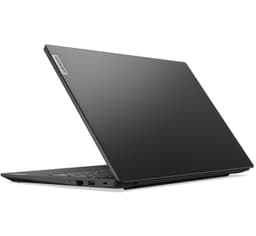
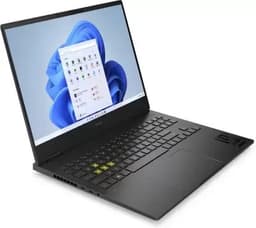
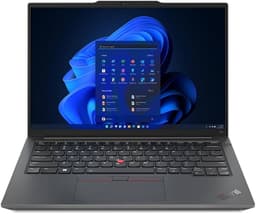
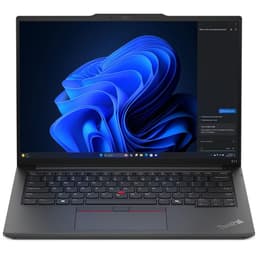
AMD Ryzen laptops cover a wide range of use cases, from affordable business machines to powerful gaming and professional systems. Refurbo’s current inventory includes Ryzen 3, Ryzen 5, Ryzen 7, Ryzen 9, and Ryzen PRO configurations across HP, Lenovo, ASUS, Microsoft, and other laptop families.
The right choice depends on the complete configuration rather than the Ryzen name alone. RAM, SSD capacity, graphics, processor generation, display, and the intended workload all affect how a refurbished Ryzen laptop performs in everyday use.
AMD Ryzen Laptops Available on Refurbo
The current inventory spans older Ryzen PRO business laptops, newer Ryzen 7000-series machines, and dedicated-GPU gaming laptops. This gives buyers options across different budgets and workloads.
| Laptop | Configuration | Shop |
|---|---|---|
| HP 255 G10 | Ryzen 3 7330U, 8GB RAM | View Laptop |
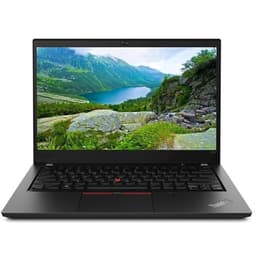
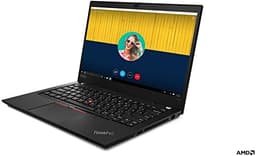
| Lenovo ThinkPad T495 | Ryzen 5 PRO 3500U, 8GB RAM | View Laptop |
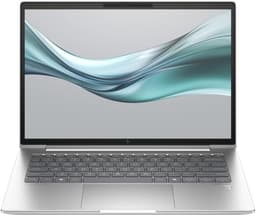
| HP EliteBook 845 G10 | Ryzen 5 PRO 7540U, 8GB RAM | View Laptop |
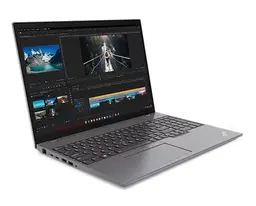
| Lenovo ThinkPad T16 Gen 2 | Ryzen 7 PRO 7840U, 32GB RAM | View Laptop |
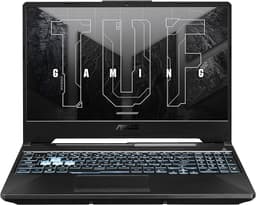
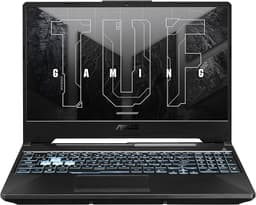
| ASUS TUF Gaming A16 | Ryzen 7, 16GB RAM, RTX 4060 | View Laptop |
Understanding the Ryzen Range
Ryzen 3, Ryzen 5, Ryzen 7, and Ryzen 9 represent different performance tiers, but the generation and exact processor model matter just as much. For example, the inventory includes older Ryzen PRO processors as well as newer 7000-series and 9000-series processors.
| Ryzen Tier | Typical Use |
|---|---|
| Ryzen 3 | Basic productivity and study |
| Ryzen 5 | Work, coding and multitasking |
| Ryzen 7 | Professional and demanding workloads |
| Ryzen 9 | High-performance computing and gaming |
This is a general guide rather than a direct performance ranking. Always compare the exact processor model and generation before purchasing.
Ryzen Laptops for Students and Everyday Computing
Students who primarily use a laptop for browsing, documents, presentations, online classes, research, and entertainment do not necessarily need a high-end Ryzen configuration.
An entry-level Ryzen 3 system can handle many everyday workloads, while a Ryzen 5 configuration gives additional room for multitasking and programming. For students working with heavier software, choosing more RAM can be more useful than simply moving to a higher processor tier.
Ryzen 5 for Work, Coding and Multitasking
Ryzen 5 occupies a broad section of the current inventory. There are older Ryzen 5 PRO business laptops as well as newer Ryzen 5 systems such as the HP EliteBook 645 G11 and Lenovo ThinkPad E14 Gen 6.
For programming, office applications, browser-heavy workflows, and general professional use, a Ryzen 5 laptop with 16GB RAM can provide a practical configuration for sustained multitasking.
Ryzen 7 for More Demanding Workloads
Ryzen 7 systems in the inventory range from integrated-graphics business laptops to dedicated-GPU gaming machines. This makes the exact configuration particularly important.
For example, the Lenovo ThinkPad T16 Gen 2 combines a Ryzen 7 PRO 7840U with 32GB RAM and integrated Radeon 780M graphics, while gaming models pair Ryzen 7 processors with dedicated NVIDIA GPUs. The processor is therefore only one part of the overall performance picture.
Ryzen PRO for Business Laptops
AMD Ryzen PRO processors appear across several business-oriented laptops in the inventory, including ThinkPad and EliteBook models. These systems are designed around professional computing rather than gaming performance.
Business users can consider factors such as keyboard quality, portability, connectivity, memory, SSD capacity, battery condition, and physical condition alongside the Ryzen PRO processor.
Ryzen Laptops for Programming
Ryzen laptops can support a wide range of development workloads, including Python, Java, JavaScript, web development, databases, IDEs, and local development environments.
For developers, RAM becomes increasingly important when running an IDE alongside browsers, databases, Docker containers, virtual machines, and other development tools. A 16GB or 32GB configuration can provide substantially more working room than an 8GB system.
Ryzen Laptops With Dedicated Graphics
Not every Ryzen laptop is designed for graphics-intensive workloads. Some use integrated AMD Radeon graphics, while gaming models in the inventory pair Ryzen processors with NVIDIA GPUs.
| Laptop | Graphics | RAM |
|---|---|---|
| ASUS TUF Gaming A15 | RTX 3050 | 16GB |
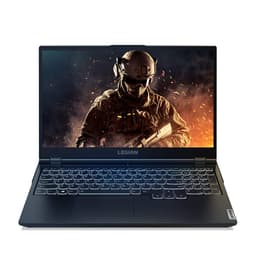
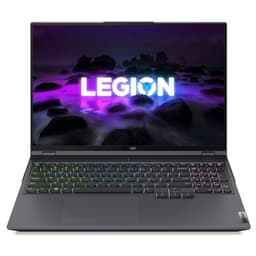
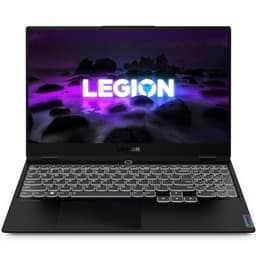
| Lenovo Legion S7 | RTX 3060 | 32GB |
| ASUS TUF Gaming A16 | RTX 4060 | 16GB |
These configurations are more relevant for gaming, 3D applications, GPU-accelerated creative software, and other graphics-heavy workloads.
Ryzen Laptops for Gaming
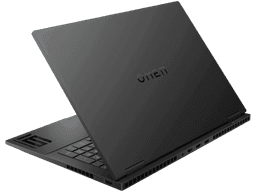
The refurbished Ryzen gaming inventory includes ASUS TUF, Lenovo Legion, and HP OMEN systems. Configurations range from Ryzen 5 with RTX 3050 graphics to Ryzen 7 systems with RTX 3060, RTX 4060, and RTX 3070 Ti GPUs.
For gaming, compare the GPU first alongside the processor, RAM, display refresh rate, storage, and cooling design. A higher Ryzen tier does not automatically mean a better gaming experience if the graphics hardware is significantly weaker.
Ryzen Laptops for Content Creation
For video editing, photography, graphic design, and other creator workloads, the complete hardware configuration matters.
CPU performance helps with processing and encoding, while RAM provides room for large applications and projects. Dedicated graphics can accelerate supported workloads, and a larger SSD can be important when working with high-resolution photos and video files.
RAM Can Change the Experience
Two Ryzen laptops with similar processors can feel very different when their RAM capacities differ significantly. This is particularly noticeable when running several applications simultaneously.
| RAM | Suitable Workloads |
|---|---|
| 8GB | Study, browsing and basic productivity |
| 16GB | Multitasking, coding and professional work |
| 32GB+ | Heavy development and demanding workloads |
The current inventory includes Ryzen systems with 8GB, 16GB, 24GB, 32GB, and even 64GB RAM configurations.
SSD Storage for Faster Everyday Work
SSD capacity affects how much software, media, projects, and personal data you can keep locally. It also contributes to fast system startup and application loading.
For basic productivity, 256GB can be workable. A 512GB SSD provides more flexibility, while users working with large media files, games, or development environments may prefer 1TB or more.
Ryzen Laptops for Professional and Remote Work
Remote and hybrid workers often need more than processor performance. Battery condition, webcam functionality, microphone quality, Wi-Fi connectivity, keyboard comfort, display quality, and portability can all affect the daily experience.
Business-focused Ryzen laptops such as ThinkPad and EliteBook models are designed around this type of productivity-oriented usage.
Ryzen vs Intel: What Should You Compare?
AMD Ryzen and Intel processors are both available across multiple generations and laptop categories. Comparing only the processor brand does not provide enough information to choose between two refurbished laptops.
Instead, compare the exact CPU model, generation, RAM, SSD, graphics, display, battery condition, and overall laptop design. This approach is particularly important when comparing refurbished systems from different generations.
What to Check Before Buying a Refurbished Ryzen Laptop
Start with the exact processor model and generation. Then check RAM, SSD, graphics, display resolution, screen size, battery condition, keyboard, trackpad, webcam, ports, charger, and physical condition.
For gaming or creative workloads, pay close attention to the dedicated GPU. For programming and professional multitasking, RAM and SSD capacity may be more relevant. For students and mobile professionals, portability and battery condition can have a larger impact on daily use.
AMD Ryzen Laptop Prices in India
Prices vary considerably across refurbished Ryzen laptops because the inventory covers multiple generations and performance classes. A Ryzen 5 business laptop and a Ryzen 7 gaming laptop can have very different prices even though both belong to the Ryzen family.
The current inventory includes entry-level Ryzen systems as well as high-performance configurations, so buyers can compare complete hardware setups rather than choosing solely by processor branding.
Why Consider a Refurbished Ryzen Laptop?
Refurbished laptops can make older business and performance hardware available at different price points from equivalent new systems. This can be useful for buyers who care more about the specifications and capabilities of the machine than having the latest retail model.
The condition and testing of the individual unit remain important. Check the listed specifications, physical condition, battery status, accessories, warranty, and applicable support terms before purchasing.
EMI and Easy Payment Options
EMI can make it easier to spread the cost of a refurbished laptop over multiple payments, subject to the payment options available at checkout. Compare the total payable amount and select a configuration that matches your actual workload.
| Offering | Details |
|---|---|
| Warranty | 6 Months warranty included |
| Support | 24 by 7 customer support for order and service assistance |
| Condition | Refurbished laptops with verified testing |
Frequently Asked Questions
Q. Are AMD Ryzen laptops good for everyday use?
Yes. Ryzen laptops can handle browsing, documents, video calls, streaming, productivity applications, and other everyday workloads when appropriately configured.
Q. Is Ryzen 5 good for coding?
Yes. Ryzen 5 laptops can handle programming, IDEs, web development, databases, and many software development workloads.
Q. Is Ryzen 7 suitable for professional work?
Yes. Ryzen 7 laptops are available in both business and performance-oriented configurations, making them suitable for workloads that require additional processing capacity.
Q. Are AMD Ryzen laptops good for gaming?
Some Ryzen laptops are well suited to gaming, particularly configurations with dedicated NVIDIA graphics. The GPU, RAM, display, and cooling system should be checked alongside the processor.
Q. Do AMD Ryzen laptops have dedicated graphics?
Some do and some do not. Many business Ryzen laptops use integrated Radeon graphics, while gaming models can include dedicated NVIDIA GPUs.
Q. What RAM should I choose for a Ryzen laptop?
8GB can work for basic usage, while 16GB is more suitable for multitasking, coding, and professional workloads. Heavy development and demanding applications can benefit from 32GB or more.
Q. Is Ryzen better than Intel?
There is no single answer based only on the processor brand. Compare the exact processor model, generation, RAM, graphics, storage, and laptop configuration.
Q. What should I check when buying a refurbished Ryzen laptop?
Check the processor, generation, RAM, SSD, graphics, display, battery condition, ports, keyboard, webcam, charger, physical condition, testing information, and warranty.
Q. Do refurbished Ryzen laptops come with warranty?
Refurbo refurbished laptops include 6 Months warranty support, subject to the applicable product terms.
