
Is a Dell Precision Overkill for a Remote Work-From-Home Setup?
A Dell Precision can be more powerful than most remote workers need, but its professional graphics, strong processors, upgrade options, and reliability can make sense for demanding workloads.

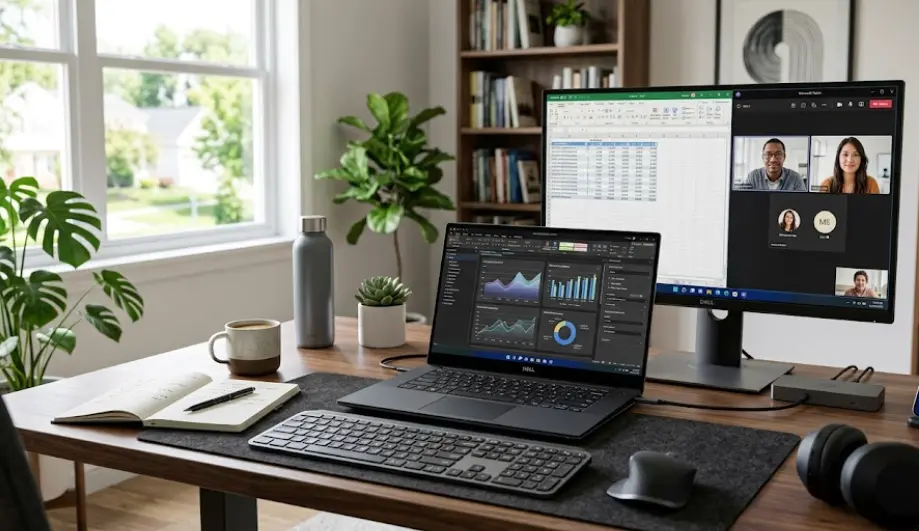
TL;DR A Dell Precision can be overkill for a basic work-from-home setup, but that depends entirely on what you do remotely. If your day mainly involves Microsoft Office, Google Workspace, video meetings, email, browser tabs, and cloud-based applications, you may not need workstation-class hardware. Precision laptops are designed for professional workloads such as CAD, engineering, content creation, simulation, and other demanding applications, and some configurations include professional NVIDIA graphics and large memory capacities. For a remote worker who regularly handles 3D applications, large datasets, video editing, software development environments, or other intensive workloads, the extra performance can be useful rather than excessive. The important point is to buy the specific Precision configuration that matches your workload, because Dell offers very different Precision systems with different memory designs, graphics options, sizes, and upgrade paths.
What Is A Dell Precision Laptop?
Dell Precision laptops are mobile workstations rather than conventional mainstream business laptops. Dell positions its Precision workstation family for advanced applications and professional workloads, with configurations designed around high-performance processors, professional graphics, large amounts of memory, and storage. Dell also maintains an Independent Software Vendor certification program for supported workstation configurations, covering professional applications used in areas such as CAD, engineering, content creation, simulation, and related workloads. That positioning explains why a Precision can look excessive when the only requirement is joining Teams meetings and answering emails.
Workstation Hardware Has A Purpose
The hardware inside a Precision is designed to give users more headroom when their software demands it. Depending on the model, Dell has offered options ranging from integrated graphics to professional NVIDIA RTX graphics, along with high-end processors and substantially larger memory configurations. For example, the Precision 7680 can be configured with professional NVIDIA RTX graphics and memory options reaching 128GB through its CAMM configuration, while the Precision 5690 supports up to 64GB of integrated LPDDR5x memory. These are capabilities that can be useful for demanding professional applications but are unnecessary for many everyday remote-work tasks.
That does not mean a Precision is automatically a bad choice for working from home. A workstation can also be useful when a remote employee wants one machine that can handle both ordinary office work and demanding professional applications. Someone who spends the morning in meetings and the afternoon working in CAD, Adobe applications, engineering software, virtual machines, or large datasets has a very different hardware requirement from someone whose entire day takes place in a browser. The question is therefore less about whether Precision is powerful and more about whether your workload can actually use that power.
| Remote Workload | Typical Hardware Requirement | Precision Useful? |
|---|---|---|
| Email, documents, spreadsheets | Mainstream CPU, 16GB RAM | Usually unnecessary |
| Video meetings and browser work | Mainstream CPU, 16GB RAM | Usually unnecessary |
| Heavy multitasking | Strong CPU, 16GB to 32GB RAM | Potentially useful |
| Photo and video editing | Strong CPU, 32GB+ RAM, capable GPU | Can be useful |
| CAD and 3D work | High-performance CPU and professional GPU | Strong use case |
| Engineering and simulation | High-end CPU, GPU and expandable memory | Strong use case |
| Large virtual machines | High RAM capacity and strong CPU | Can be useful |
When A Dell Precision Makes Sense For Remote Work
A Precision becomes easier to justify when your remote job involves software that benefits directly from workstation-class hardware. A designer working with large Photoshop or Premiere Pro projects, an architect using CAD, an engineer running simulations, or a developer working with several virtual machines can encounter limitations on a conventional thin-and-light laptop. In these cases, having additional processing power, graphics capability, memory, and storage can reduce the need to compromise on the applications you use every day.
The distinction is particularly important for people whose home office is also their professional workstation. If you are connected to multiple displays, external storage, a docking station, specialized peripherals, or other equipment, a Precision can provide a more appropriate foundation. The Precision 5690, for example, includes two Thunderbolt 4 ports, another USB-C port with DisplayPort functionality, HDMI 2.1, and an optional SD card slot. The Precision 7680 adds a broader physical connection set that includes Thunderbolt 4, USB-C, USB-A, HDMI, Ethernet, and an SD card slot.
Performance Can Be Useful Beyond Gaming
Another reason to consider Precision is that workstation performance is not primarily about gaming. Dell's workstation portfolio is built around professional applications, and its ISV certification program specifically identifies hardware and software combinations tested for supported professional applications. That can matter more to a CAD engineer or video professional than a gaming benchmark ever would. If your employer requires a specific professional application or certified configuration, the Precision name can have practical relevance rather than simply adding prestige to the laptop.
For ordinary remote work, however, the difference may be difficult to notice. Opening a Word document, answering an email, joining a video call, and working inside a web application do not suddenly become dramatically better because the laptop has a professional GPU. A Precision can perform these tasks extremely well, but the extra capability may remain unused. That is where the idea of overkill becomes relevant: if your workload never reaches the limits of a mainstream business laptop, workstation hardware is solving a problem you do not have.
Precision Vs A Regular Business Laptop
For many remote employees, a conventional business laptop is a more natural match. Business-oriented machines typically focus on portability, battery efficiency, webcam quality, connectivity, security features, and comfortable everyday use rather than providing the graphics and compute capacity required by professional workstation applications. If your work revolves around Microsoft 365, Google Workspace, Slack, Zoom, Teams, CRM software, browser-based applications, and spreadsheets, you can often get everything you need without moving into workstation territory.
A Precision starts to separate itself when the workload becomes more demanding. The Precision 5690, for example, has a minimum weight of about 2.01kg and can be configured with an NVIDIA RTX 5000 Ada Generation Laptop GPU with 16GB of GDDR6 memory. That is a very different design target from a lightweight laptop intended primarily for commuting between a home office and a coffee shop. The larger Precision 7680 starts at roughly 2.60kg in its thin configuration, with performance configurations starting slightly heavier.
Portability Is Part Of The Equation
Weight becomes especially important for remote workers who move around frequently. If your laptop spends most of its life on a desk connected to a monitor, keyboard, mouse, and charger, carrying an extra kilogram may not matter much. If you regularly move between home, coworking spaces, client offices, and travel locations, the same weight becomes much more noticeable.
Battery and power requirements also deserve attention. The Precision 5690, for example, has a 99.5Wh battery, while the Precision 7680 offers 83Wh and 93Wh battery options depending on configuration. However, battery capacity alone does not tell you how long a workstation will actually run. Dell explicitly notes that battery operating time varies with operating conditions and can decrease significantly under power-intensive workloads. A powerful workstation can therefore make sense for demanding work while still being less convenient than a mainstream laptop for someone who prioritizes mobility.
| Factor | Dell Precision | Typical Business Laptop |
|---|---|---|
| Office applications | More than enough | Usually sufficient |
| Video meetings | More than enough | Usually sufficient |
| Heavy multitasking | Strong | Varies by configuration |
| Professional graphics | Available on selected models | Usually limited |
| CAD/3D applications | Strong use case | Model-dependent |
| Portability | Model-dependent, often heavier | Usually a priority |
| Memory expansion | Depends on model | Depends on model |
| Long-term workstation workloads | Strong fit | Depends on hardware |
How Much Performance Do You Actually Need?
The most useful way to decide whether a Precision is overkill is to start with the applications rather than the laptop. Write down what you actually use during a normal working week. If that list consists of Chrome, Excel, Word, Teams, Zoom, Slack, Gmail, a CRM platform, and cloud storage, there is little reason to buy a workstation simply because it has a higher specification. A good mainstream business laptop with sufficient RAM and an SSD can handle that workload comfortably.
The calculation changes if your work regularly involves large files, professional creative applications, software development environments, local databases, virtual machines, 3D models, engineering applications, or other demanding workloads. In those situations, processor performance, GPU capability, memory capacity, and cooling can become meaningful factors. A workstation gives you more room to run demanding applications without constantly working around hardware limitations.
RAM And Storage Matter More Than The Logo
RAM is particularly important because remote workers often underestimate how quickly multitasking can consume memory. A person running a browser with dozens of tabs, Teams, Excel, PowerPoint, Photoshop, and other applications simultaneously may benefit from 32GB rather than 16GB. That does not mean everyone needs 32GB, but it shows why the right configuration matters more than simply buying a Precision because it is a workstation.
Storage should be considered in the same way. If most of your files live in OneDrive, Google Drive, Dropbox, or another cloud platform, you may not need several terabytes of local storage. A creative professional working with large video files or a technical professional managing substantial project files may have a very different requirement. The important point is to match the configuration to your actual workflow instead of paying for capacity that will sit unused.
| Work Style | Sensible Starting Point |
|---|---|
| Basic office and browser work | 16GB RAM, 512GB SSD |
| Heavy office multitasking | 16GB to 32GB RAM, 512GB to 1TB SSD |
| Photo and video editing | 32GB+ RAM, 1TB+ SSD, capable GPU |
| CAD and 3D | 32GB+ RAM, professional GPU, 1TB+ SSD |
| Virtual machines and development | 32GB+ RAM, fast SSD |
| Engineering and simulation | Higher-end CPU, GPU and expandable memory |
Upgradeability Can Change The Buying Decision
One of the most important things to understand before buying a Precision is that the Precision name does not guarantee upgradeable RAM. Dell's specifications show significant differences between models. The Precision 5690 uses dual-channel LPDDR5x memory integrated into the system board, with 16GB, 32GB, and 64GB configurations, and Dell explicitly states that the memory is not replaceable or upgradeable. That means you need to choose the amount of RAM you expect to need when purchasing the machine.
The Precision 7680 is a completely different example. Dell documents both CAMM and SODIMM memory configurations for this model, with supported configurations extending to 128GB using CAMM and up to 64GB using SODIMM. Dell also provides a memory replacement procedure for the Precision 7680. This is why buyers should never assume that one Precision model behaves like another when it comes to future upgrades.
Check The Exact Model Before Buying
This distinction matters for remote workers who plan to keep their laptop for several years. If you purchase a machine with soldered or integrated memory, upgrading later may not be possible. If you purchase a model with replaceable memory, you may have more flexibility if your workload grows. For someone buying a Precision primarily for ordinary remote work, paying for a high-memory configuration may not be necessary. For a professional expecting increasingly demanding workloads, choosing a model with a more flexible memory architecture can be more valuable.
The same principle applies to storage. Dell's Precision documentation shows M.2 NVMe SSD options on models such as the 5690 and 7680, but the exact configuration and serviceability depend on the model. Before purchasing, check the specific service manual and configuration rather than relying on the Precision branding alone. This is especially important for refurbished or older Precision laptops, where the original configuration may differ from what you expect from a newer model.
| Precision Model | Memory Type | Upgradeability |
|---|---|---|
| Precision 5690 | Integrated LPDDR5x | Not replaceable or upgradeable |
| Precision 5680 | Integrated LPDDR5 | Not designed as a user-upgradeable RAM platform |
| Precision 7680 | CAMM and SODIMM options | Upgradeable, configuration dependent |
Who Should Buy A Dell Precision For Remote Work?
A Dell Precision makes the most sense for remote professionals whose work actually benefits from workstation hardware. Engineers, architects, 3D designers, video editors, technical consultants, developers working with demanding local environments, and professionals using large datasets may have a genuine reason to choose one. In these situations, the extra hardware is not simply sitting there unused. It can directly support the applications that form the core of the job.
It can also make sense for someone who wants one laptop to cover both ordinary remote work and demanding professional work. You may spend the morning in Teams meetings and spreadsheets and then spend the afternoon inside a CAD application or editing high-resolution footage. In that scenario, buying separate machines is not necessarily more convenient. A suitably configured Precision can act as the single system for both environments.
Who Does Not Need One?
A Precision is harder to justify if your work is almost entirely browser-based. Someone who spends the day answering emails, preparing documents, attending video calls, updating spreadsheets, using Slack, and working in cloud applications is unlikely to gain much from a professional GPU or workstation-class configuration. A well-configured business laptop can provide the responsiveness and connectivity needed without carrying the additional workstation hardware.
There is also a financial consideration. Spending more on a workstation does not automatically make ordinary work faster in a way that you will notice every day. If the applications you use are lightweight, the money may be better allocated toward a larger external monitor, better webcam, ergonomic chair, docking station, or other equipment that directly improves the home-office experience. The right laptop is therefore the one that removes the limitations you actually encounter.
Common Mistakes When Buying A Precision
The biggest mistake is buying based on the word "workstation" instead of the workload. A Precision can be an excellent professional machine, but the same hardware that is valuable to an engineer may be unnecessary for someone whose work is entirely web-based. A second mistake is assuming that every Precision has the same memory and upgrade design. Dell's own specifications demonstrate that models such as the 5690 and 7680 have fundamentally different memory architectures.
Another mistake is ignoring weight and desk setup. A workstation that stays permanently on a desk has very different practical requirements from one that needs to travel every day. The Precision 5690 starts at about 2.01kg, while the Precision 7680 starts at around 2.60kg in its thin configuration. Those figures are manageable for many people, but they are worth considering before buying a machine that will be carried around frequently.
Look At The Complete Setup
Remote work also means the laptop is only one part of the experience. If you spend eight hours a day in meetings, webcam quality, microphones, speakers, display quality, docking support, and external-monitor connectivity may matter more than having the fastest available processor. The Precision 5690 includes a 1080p FHD IR camera and multiple USB-C and Thunderbolt 4 connections, while the Precision 7680 offers a broader selection of ports including Ethernet.
The practical approach is to look at the complete home-office setup. If you already have a powerful desktop workstation and only need a portable machine for email and meetings, buying another workstation may be unnecessary. If the laptop is your only computer and it needs to handle both ordinary remote work and professional applications, a Precision can be much easier to justify.
Frequently Asked Questions
Q. Is a Dell Precision overkill for working from home?
For basic remote work involving email, documents, browser applications, spreadsheets, and video meetings, a Precision can provide more performance than you need. It becomes more useful when your remote workload includes demanding professional applications such as CAD, 3D design, video editing, engineering software, or virtual machines.
Q. Is Dell Precision a gaming laptop?
Dell Precision laptops are mobile workstations rather than gaming-focused laptops. Some configurations can include powerful NVIDIA graphics, but the Precision family is designed primarily around professional workloads and supported professional applications.
Q. Is Dell Precision good for Microsoft Office?
Yes. A Precision can handle Microsoft Word, Excel, PowerPoint, Teams, Outlook, and similar applications easily. However, those applications alone generally do not require workstation-class hardware, so a less expensive business laptop may provide enough performance.
Q. How much RAM is enough for remote work?
For ordinary office work, 16GB is a practical starting point for many users. People who regularly run many applications simultaneously, use creative software, virtual machines, or other demanding workloads may benefit from 32GB or more.
Q. Can you upgrade RAM on a Dell Precision?
It depends on the exact Precision model. The Precision 5690 uses integrated LPDDR5x memory that Dell states is not replaceable or upgradeable, while the Precision 7680 supports CAMM and SODIMM configurations with higher-capacity options.
Q. Is a Dell Precision good for video editing?
A suitably configured Precision can be well suited to professional video editing, particularly when configured with sufficient RAM, fast SSD storage, and an appropriate discrete GPU. The exact model and configuration matter because Precision systems vary considerably.
Q. Is Dell Precision portable enough for remote work?
Some Precision models are relatively portable for workstations, while larger performance-focused models are substantially heavier than mainstream laptops. For example, the Precision 5690 starts at about 2.01kg, while the Precision 7680 starts at around 2.60kg in its thin configuration.
Q. Does Dell Precision have good connectivity for a home office?
Many Precision models offer extensive connectivity. The Precision 5690 includes Thunderbolt 4, USB-C, HDMI 2.1, and an optional SD card slot, while the Precision 7680 includes Thunderbolt 4, USB-C, USB-A, HDMI, Ethernet, and an SD card slot.
Q. Is a Dell Precision worth buying for programming from home?
It depends on the development workload. Web development and ordinary software development may not require workstation hardware, while workloads involving virtual machines, containers, large codebases, local databases, simulation, or GPU computing can benefit from additional CPU and RAM capacity.
Q. Should I buy a Dell Precision if I only use Chrome and Teams?
Probably not based on those applications alone. Chrome and Teams can be demanding when used heavily, but a well-configured business laptop can generally handle browser-based work and video meetings without requiring a professional workstation.
Final Recommendation
A Dell Precision is not automatically overkill for a remote work-from-home setup, but it is also not automatically the right choice. The answer depends on whether your work can use workstation-class hardware. If your day is mostly email, documents, spreadsheets, browser applications, and video meetings, a conventional business laptop with a capable processor, 16GB of RAM, an SSD, a good webcam, and strong connectivity is likely to be a more sensible fit. A Precision can perform those tasks extremely well, but much of its additional capability may remain unused.
The case for Precision becomes much stronger when the laptop is also your professional workstation. CAD, 3D design, engineering applications, professional video editing, demanding development environments, virtual machines, and other compute-heavy workloads can justify the additional processor, graphics, memory, and storage options available on Precision systems. Dell's ISV certification program also makes workstation configurations relevant for specific professional applications where validated hardware and software combinations matter.
The most important buying rule is to check the exact Precision model and configuration, rather than assuming all Precision laptops offer the same capabilities. The Precision 5690, for example, uses non-upgradeable integrated LPDDR5x memory, while the Precision 7680 offers CAMM and SODIMM memory configurations with significantly greater expansion potential. For a remote worker, that difference can matter more than the Precision badge itself. If your workload is ordinary office work, look beyond the workstation category. If your home office doubles as a professional engineering, design, editing, or development environment, a properly configured Dell Precision can be a practical long-term work machine rather than unnecessary hardware.







