
HP ZBook Firefly 14 Display And Speakers In 2026: Pro Visuals And Media Quality
HP ZBook Firefly 14 delivers reliable IPS visuals, anti-glare comfort, and clear conferencing audio for professional productivity workflows in 2026.

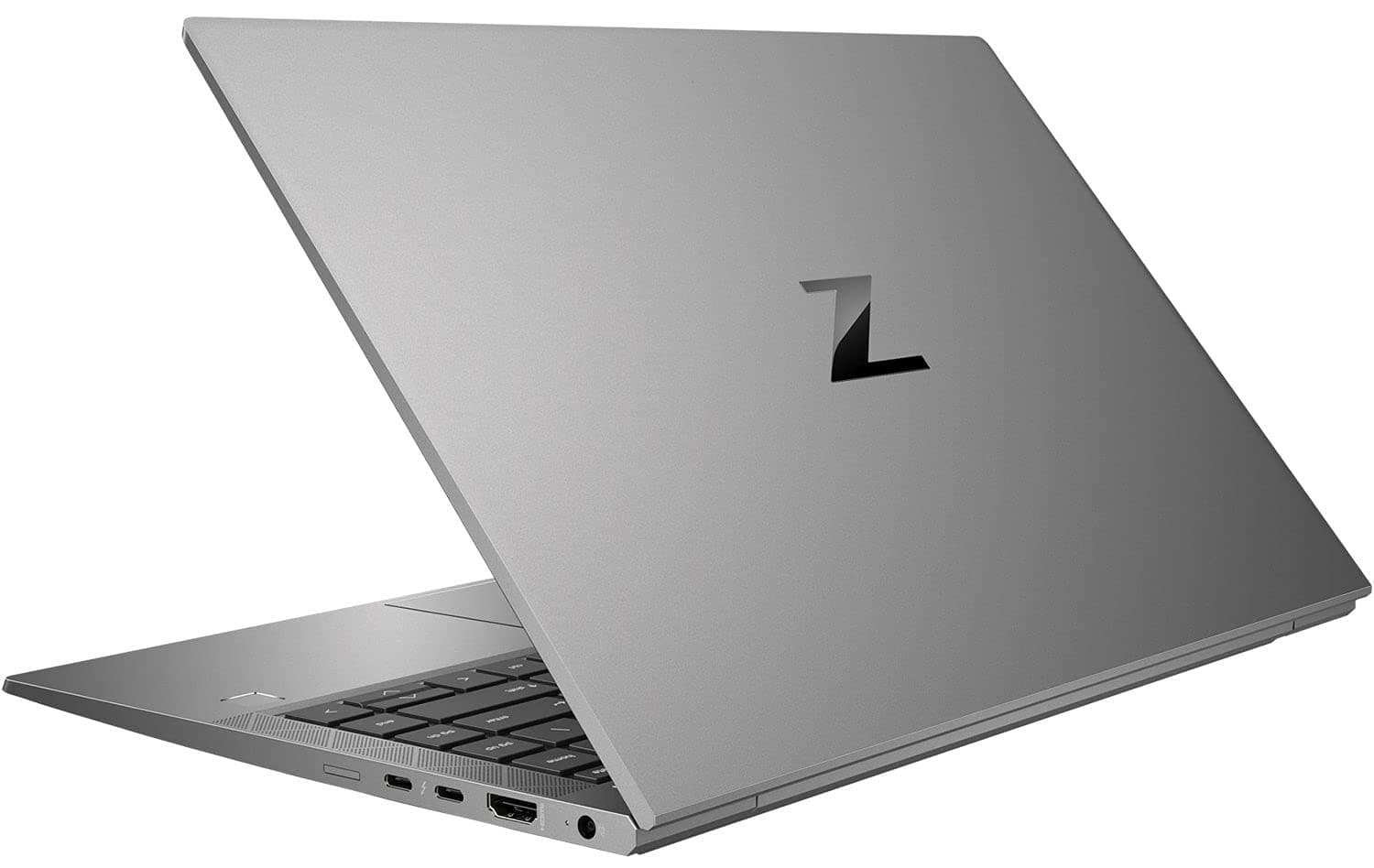
TL;DR In 2026, the HP ZBook Firefly 14 Workstation Laptop continues to deliver one of the most balanced professional visual and media experiences available in a lightweight mobile workstation. Rather than targeting entertainment-focused display tuning, the system prioritizes color stability, anti-glare usability, and long-duration viewing comfort required in enterprise workflows. Multiple IPS and optional DreamColor display configurations provide reliable color reproduction suitable for business analytics, design review, documentation, and content workflows. Combined with clear conferencing-focused speakers and enterprise audio optimization, the Firefly 14 remains highly practical for hybrid work environments. For buyers evaluating HP ZBook Firefly 14 Specs, HP ZBook Firefly 14 Review, and HP ZBook Firefly 14 Price in India, refurbished enterprise units increasingly represent the strongest value proposition in 2026.
HP ZBook Firefly 14 Display Overview in 2026
The HP ZBook Firefly 14 display philosophy differs significantly from consumer ultrabooks that emphasize brightness or saturation primarily for entertainment. Instead, HP engineered this workstation panel lineup around visual consistency, professional readability, and reduced fatigue during extended productivity sessions. Even several years after release, Firefly 14 panels remain relevant because enterprise-grade displays age far better than typical consumer laptop screens.
In 2026 workflows dominated by spreadsheets, browser dashboards, CAD documentation, analytics tools, and video conferencing, display clarity matters more than extreme resolution. The Firefly 14 typically ships with 14-inch IPS panels offering Full HD or WUXGA resolution, anti-glare coating, and stable viewing angles exceeding 170 degrees. These characteristics ensure readable visuals under office lighting, home setups, and mobile environments such as client locations or shared workplaces.
Professionals exploring refurbished workstation options through platforms such as Refurbooften prioritize panel reliability over marketing specifications. Corporate deployment history shows that ZBook displays maintain brightness uniformity and color stability even after multi-year enterprise usage cycles. This durability explains why Refurbished HP ZBook Firefly 14 systems continue to remain visually competitive against many newer thin laptops.
Another major advantage in 2026 is scaling efficiency. Windows 11 productivity environments function smoothly at native resolutions without excessive UI scaling adjustments, allowing analysts, consultants, developers, and designers to maintain efficient workspace layouts. The Firefly 14 display therefore succeeds not through visual exaggeration but through predictable professional usability, a defining trait of workstation-class engineering.
Panel Technology Explained: IPS, DreamColor, and Standard Displays
The HP ZBook Firefly 14 Specs include multiple display technologies designed to serve different professional requirements rather than a single universal configuration. Understanding these panel options helps explain why the system continues to perform strongly in modern visual workflows.
Most Firefly 14 configurations use high-quality IPS panels. IPS technology enables consistent color reproduction across wide viewing angles, which is essential in collaborative professional environments. During presentations, shared reviews, or client discussions, screen visibility remains stable even when viewed from off-center positions. Compared to older TN panels commonly used in budget laptops, IPS significantly improves contrast stability and readability.
Higher-end variants introduce HP DreamColor displays. DreamColor technology, originally developed for film and broadcast industries, focuses on factory calibration and expanded color gamut accuracy. These panels typically provide near-100% sRGB coverage and improved color uniformity across brightness levels. For professionals handling digital marketing visuals, UI design previews, or media editing workflows, DreamColor ensures that colors displayed on screen closely match final output across external monitors and print environments.
Standard enterprise panels found in many refurbished units still remain highly practical in 2026. Even without DreamColor certification, these displays maintain balanced brightness levels around 300 to 400 nits and reliable anti-glare treatment. Importantly, workstation panels prioritize long-term consistency rather than exaggerated contrast seen in consumer OLED screens.
From a professional standpoint, the Firefly 14 display lineup reflects workstation intent: accuracy first, comfort second, and visual durability third. This approach explains why many HP ZBook Firefly 14 Review and many other evaluations continue to rate its display experience highly for productivity-driven users rather than entertainment-focused buyers.
Resolution Options and Real Workspace Usability (FHD vs UHD vs WUXGA)
Display resolution directly affects workflow efficiency on compact workstation laptops, and the HP ZBook Firefly 14 demonstrates why resolution selection matters more than raw pixel count in professional environments. The most commonly deployed configuration uses a WUXGA resolution panel, offering a 16:10 aspect ratio that increases vertical workspace compared to traditional Full HD displays. This additional screen height significantly improves usability in Excel sheets, financial dashboards, coding environments, and document-heavy workflows.
Compared with standard FHD (1920 × 1080), WUXGA provides roughly 11 percent more vertical viewing area. This seemingly small difference translates into fewer scroll actions during spreadsheet modeling or ERP usage. Professionals working with Tally, GST portals, analytics dashboards, or long technical documents benefit immediately from improved information density without requiring external monitors.
Ultra-high-resolution panels theoretically offer sharper visuals, but on 14-inch displays they often introduce scaling challenges within enterprise software ecosystems. Many legacy accounting tools and CAD interfaces still behave inconsistently under aggressive scaling settings. As a result, WUXGA remains the most practical resolution for workstation mobility in 2026.
Workspace Usability Comparison
For most Refurbished HP ZBook Firefly 14 buyers in India, WUXGA delivers the best balance between battery efficiency, readability, GPU load management, and sustained professional usability, especially when mobility remains a priority.
Color Accuracy, sRGB Coverage, and Professional Calibration Performance
Color accuracy determines whether a laptop display can be trusted for professional output, and this is where the HP ZBook Firefly 14 Review consistently positions the device as a productivity-focused workstation rather than a creator-centric multimedia machine. Standard Firefly panels typically provide around 45% NTSC coverage, translating roughly to mid-range sRGB performance suitable for enterprise workloads but not advanced color-critical production.
In practical terms, this level of color reproduction is fully adequate for corporate presentations, data visualization, UI mockups, documentation design, and web-based workflow environments. Financial analysts, MBA students, consultants, and developers rarely require cinema-grade color accuracy, and HP intentionally optimizes the Firefly series for consistency instead of artistic saturation.
Another advantage lies in factory calibration stability. Enterprise workstation displays undergo stricter quality control compared to consumer ultrabooks, meaning color drift over time tends to be lower. Even refurbished enterprise units maintain predictable white balance behavior after years of professional deployment, provided panel health remains intact.
Professionals engaged in photography, video grading, or print production may require higher gamut displays available in larger ZBook Studio or DreamColor-enabled systems. However, for mainstream professional environments across India where Excel modeling, browser analytics, engineering diagrams, and presentation development dominate workflows, the Firefly 14 display remains dependable and visually consistent.
This balance explains why Refurbished HP ZBook Firefly 14 systems continue to hold strong relevance in 2026 despite rapid advances in OLED consumer panels. Reliability, calibration stability, and reduced visual fatigue often outweigh raw color percentage numbers in long-duration enterprise usage scenarios.
Eye Comfort, Anti-Glare Coating, and Long Working Hours Usage
One of the most overlooked strengths of the HP ZBook Firefly 14 is its long-duration viewing comfort, which becomes increasingly important in 2026 as professionals spend extended hours working across digital platforms. Unlike consumer laptops that often use glossy panels to enhance perceived vibrancy, the Firefly 14 employs a matte anti-glare coating specifically designed for enterprise productivity environments. This coating diffuses reflections from overhead lighting, windows, and bright office surroundings, significantly reducing visual distraction during prolonged work sessions.
For Indian professionals working in mixed lighting environments such as offices with tube lighting, home setups near windows, or shared co-working spaces, glare management directly impacts fatigue levels. Anti-glare IPS panels help maintain readability without forcing users to increase brightness unnecessarily. Lower brightness requirements indirectly improve battery efficiency while also minimizing eye strain during continuous spreadsheet or documentation work.
Extended usage scenarios such as financial modeling, coding, auditing, or research workflows often involve uninterrupted screen exposure lasting six to eight hours. The Firefly 14 display maintains stable brightness distribution and avoids aggressive PWM flickering commonly observed in cheaper panels. Reduced flicker contributes to improved viewing comfort, especially for users sensitive to headaches or dry-eye fatigue.
In real enterprise deployments, workstation displays are tuned for neutral color temperature rather than overly cool tones. This improves readability of white backgrounds common in Excel, browser dashboards, ERP portals, and documentation software. As hybrid work continues expanding across India in 2026, the Firefly 14’s display design supports sustained productivity rather than short entertainment sessions, reinforcing its identity as a professional workstation rather than a multimedia laptop.
Speaker Quality and Audio Output for Meetings and Media
Audio performance on workstation laptops prioritizes clarity over loudness, and this philosophy is evident in the HP ZBook Firefly 14 Workstation Laptop. The system integrates Bang & Olufsen-tuned stereo speakers positioned to optimize voice projection rather than bass-heavy media playback. This design decision aligns with enterprise usage patterns where communication reliability outweighs entertainment acoustics.
During conferencing applications such as Microsoft Teams, Zoom, and Google Meet, speech frequencies remain clear even at moderate volume levels. Voice separation performs well enough to distinguish conversation during multi-participant meetings without distortion. This becomes especially useful for professionals attending long virtual meetings or online classes where speech intelligibility matters more than cinematic sound reproduction.
Speaker loudness is sufficient for personal workspace environments including home offices and meeting rooms. While the system does not aim to replace external speakers for multimedia consumption, dialogue-heavy content such as webinars, training sessions, lectures, and recorded presentations remains comfortably audible. HP’s enterprise audio tuning also prevents vibration or chassis resonance at higher volume levels, maintaining professional acoustic stability.
Another important aspect in 2026 workflows is microphone-speaker interaction. The Firefly 14 minimizes echo feedback during calls, allowing users to participate in meetings without mandatory headset usage. For consultants, students, and remote professionals who frequently switch between collaboration platforms and media playback, the audio system delivers consistent everyday usability without exaggeration. The focus remains clear communication performance, reinforcing the workstation’s professional intent.
Real-World Audio Performance for Video Calls and Professional Usage
In real professional environments, audio quality is evaluated less by music playback and more by communication reliability. The HP ZBook Firefly 14 performs strongly in this regard due to enterprise-grade microphone arrays combined with software-based noise management. Modern hybrid workflows demand clear communication across unpredictable environments including homes, shared offices, and travel locations.
Dual-array microphones capture voice directionally while suppressing background noise such as typing sounds, ceiling fans, or ambient office chatter. This becomes particularly valuable in Indian home-office setups where complete acoustic isolation is uncommon. Voice pickup remains natural without requiring users to sit extremely close to the device, improving comfort during extended meetings or online training sessions.
Speaker output complements microphone performance by maintaining vocal clarity even at mid-range volume levels. During long conference sessions, speech remains intelligible without sharp treble peaks that cause listening fatigue. Professionals conducting client presentations, remote interviews, or consulting discussions benefit from predictable audio delivery without constant volume adjustments.
Another practical advantage appears during multimedia multitasking. Users frequently switch between recorded webinars, documentation review, and live meetings throughout the workday. The Firefly 14 maintains stable audio transitions without latency or distortion spikes. While media enthusiasts may still prefer headphones for movies or music, the integrated system performs exceptionally well for business communication workflows.
In 2026, where virtual collaboration defines professional productivity, reliable conferencing audio often matters more than entertainment sound quality. The Firefly 14 succeeds by delivering dependable voice-focused performance tailored for real workplace usage rather than marketing-driven multimedia emphasis.
Display and Audio Comparison With Similar Workstations in 2026
In the thin mobile workstation category, the HP ZBook Firefly 14 competes directly with enterprise-focused systems such as the Dell Precision 3470 and the Lenovo ThinkPad P14s Gen 3. All three machines target professionals who require certified hardware reliability combined with portability, but their display and audio philosophies differ slightly depending on enterprise priorities.
The Firefly 14 emphasizes balanced brightness, anti-glare usability, and visual consistency across long productivity sessions. HP’s workstation display calibration focuses on readability rather than high saturation, making it especially effective for spreadsheet-heavy workflows and documentation environments. Lenovo’s ThinkPad P14s typically offers similarly accurate IPS panels but often prioritizes durability and conservative brightness tuning. Dell Precision models occasionally offer slightly brighter panels depending on configuration, though thermal tuning sometimes influences sustained brightness stability under load.
Audio performance across these systems also reflects enterprise design. The Firefly 14’s Bang & Olufsen tuning produces clearer vocal projection compared to many business laptops, improving meeting clarity. ThinkPad systems traditionally deliver balanced but quieter speaker output, while Precision models lean toward functional conferencing performance rather than acoustic refinement.
Thin Workstation Display & Audio Comparison
In practical enterprise usage, differences remain incremental rather than dramatic. However, the Firefly 14 achieves one of the strongest balances between visual comfort and communication clarity, making it particularly suitable for hybrid professionals in 2026.
External Monitor Support and Multi-Display Productivity
Modern professional workflows rarely rely on a single display, and the HP ZBook Firefly 14 Workstation Laptop is engineered to function as a central productivity hub rather than a standalone portable device. Through Thunderbolt-enabled USB-C connectivity and HDMI output, the system supports multiple external monitors without requiring specialized docking hardware.
In 2026 office environments, professionals commonly operate dual or triple-monitor setups combining laptops with external displays ranging from 24-inch productivity panels to ultrawide monitors. The Firefly 14’s integrated Intel graphics architecture comfortably handles multi-display workflows involving spreadsheets, browser dashboards, communication tools, and presentation windows simultaneously. This capability significantly improves efficiency for analysts, consultants, and finance professionals managing parallel applications.
A key advantage lies in display scaling consistency. Enterprise GPU drivers maintain stable resolution output across connected displays, preventing UI inconsistencies that sometimes appear on consumer laptops. Professionals working with CAD drawings, financial dashboards, or development environments benefit from predictable rendering behavior across screens.
USB-C charging compatibility further enhances workspace flexibility. A single docking cable can simultaneously provide power, display output, peripherals, and networking connectivity. This simplifies workstation transitions between office desks and remote work environments, which has become increasingly common across Indian corporate setups.
For users evaluating Refurbished HP ZBook Firefly 14 systems, strong external display capability effectively extends device lifespan. Even if the internal screen size feels compact, multi-monitor support allows the laptop to function as a full desktop replacement while retaining mobility advantages when required.
Who Should Buy Based on Display and Audio Needs?
Display and audio requirements vary significantly depending on professional workflow, and the HP ZBook Firefly 14 aligns best with productivity-centered users rather than media-focused creators. Professionals whose daily work involves documentation, analytics dashboards, consulting presentations, and extended video conferencing sessions benefit most from its visual and acoustic balance.
Chartered accountants, MBA students, analysts, corporate managers, and developers typically prioritize readability and comfort over cinematic visuals. The Firefly 14’s anti-glare IPS display enables long working hours without excessive eye fatigue, while its clear conferencing audio supports frequent meetings and remote collaboration. In hybrid work environments where communication tools dominate daily workflows, reliable speaker clarity often proves more valuable than entertainment-grade sound systems.
Consultants and traveling professionals also represent an ideal user group. The laptop maintains consistent visibility under varied lighting conditions including offices, airports, client locations, and home setups. Built-in microphones and tuned speakers allow effective participation in meetings without external accessories, simplifying mobile productivity.
However, professionals engaged in advanced color grading, cinematic video production, or studio audio work may prefer higher-gamut DreamColor or OLED-equipped systems. The Firefly 14 is not designed as a creator-first multimedia device but rather as a dependable professional workstation optimized for clarity, comfort, and communication reliability.
For most Indian buyers evaluating HP ZBook Firefly 14 Price in India or considering Refurbished HP ZBook Firefly 14 options, the system delivers an ideal balance between professional visuals and practical media usability suited to real workplace demands in 2026.
Final Recommendation And Decision Framework
The HP ZBook Firefly 14 stands in 2026 as a workstation designed around professional clarity rather than entertainment-oriented visual exaggeration. Its display and audio system reflect enterprise priorities where long working hours, collaboration reliability, and consistent visual output matter more than peak brightness or multimedia immersion. For professionals spending most of their day inside productivity applications such as Excel, ERP dashboards, documentation tools, browser platforms, and video conferencing environments, the Firefly 14 provides a balanced and fatigue-friendly experience.
From a decision standpoint, buyers should evaluate whether their workflow depends more on visual accuracy and communication stability than cinematic media performance. The Firefly 14’s IPS panels deliver dependable color consistency suitable for business presentations, analytics review, UI validation, and moderate creative workflows. Anti-glare coating and stable brightness behavior allow comfortable usage across Indian working environments where lighting conditions frequently vary. Combined with clear conferencing audio tuned for speech intelligibility, the laptop performs exceptionally well in hybrid and remote work ecosystems.
For Indian buyers comparing HP ZBook Firefly 14 Review, HP ZBook Firefly 14 Specs, and HP ZBook Firefly 14 Price in India, refurbished enterprise configurations increasingly represent the smartest long-term investment. Corporate-grade displays age better than consumer panels, meaning refurbished units retain strong usability even after enterprise deployment cycles. Professionals seeking reliable visuals, dependable meeting audio, portability, and workstation durability will find the Firefly 14 a highly practical choice. Rather than chasing unnecessary premium display upgrades, most users achieve optimal value through well-configured refurbished models that deliver professional visual performance at significantly lower ownership cost.
Frequently Asked Questions (FAQs)
Q. Is the HP ZBook Firefly 14 display good for long office work in 2026?
A. Yes, the anti-glare IPS display is optimized for extended productivity sessions and reduces eye strain during long working hours.
Q. Does HP ZBook Firefly 14 support color-accurate workflows?
A. Yes, DreamColor variants offer near-100% sRGB coverage, while standard IPS panels provide reliable color accuracy for business and design review tasks.
Q. Is the HP ZBook Firefly 14 good for video conferencing and meetings?
A. Yes, Bang & Olufsen tuned speakers and enterprise microphones deliver clear voice output suitable for professional meetings and online collaboration.
Q. Is the display bright enough for office lighting in India?
A. Yes, most configurations offer 300 to 400 nits brightness, making them comfortable for office environments and indoor daylight conditions.
Q. Does the HP ZBook Firefly 14 have anti-glare protection?
A. Yes, the matte anti-glare coating reduces reflections and improves readability in bright office and home environments.
Q. Can HP ZBook Firefly 14 support external monitors?
A. Yes, it supports multiple external displays through USB-C Thunderbolt and HDMI, making it suitable for multi-monitor productivity setups.
Q. Are refurbished HP ZBook Firefly 14 displays reliable in 2026?
A. Yes, enterprise-grade IPS panels retain brightness stability and color consistency even after several years of professional usage.
Q. Are the speakers good enough without headphones?
A. Yes, the speakers provide clear voice output suitable for meetings, webinars, and professional media usage.
Q. Is HP ZBook Firefly 14 suitable for content creators?
A. Yes, especially DreamColor variants. Standard IPS panels are ideal for general productivity and moderate design workflows.
Q. Who should prioritize HP ZBook Firefly 14 display and audio quality?
A. Consultants, analysts, students, developers, finance professionals, and remote workers benefit most from its comfort-focused display and conferencing-optimized audio.






