
How to Check if Your Email or Phone Number Was in a Data Breach
Find out how to check whether your email or phone number appeared in a data breach, understand what was exposed, and secure your accounts after a leak.

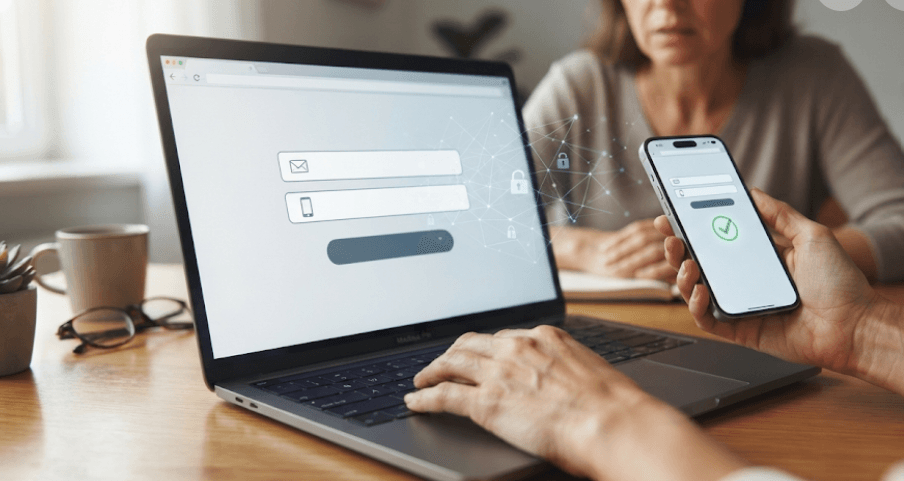
TL;DR: You can check whether your email address has appeared in known data breaches using services such as Have I Been Pwned, while checking a phone number is more complicated because searchable phone-number coverage is limited. A breach match does not automatically mean someone has accessed your account, but it does mean you should review what information was exposed, change any affected or reused passwords, enable two-factor authentication, and watch for suspicious emails, calls, and messages. A clean result is useful, but it cannot guarantee that your information has never been exposed.
What Is A Data Breach?
A data breach happens when information held by an organisation is accessed, disclosed, stolen, or exposed without proper authorisation. The information involved can vary significantly. Depending on the incident, a breach may expose email addresses, phone numbers, names, usernames, passwords, addresses, dates of birth, or other account information.
Not every breach exposes passwords, and not every exposed password is stored in a readable form. Some organisations store passwords using cryptographic hashing, although the security of that protection depends on how it was implemented. This is why simply seeing your email address listed in a breach does not necessarily mean your current password has been stolen.
The bigger concern is what an attacker can do with the information that was exposed. An email address or phone number can make phishing and impersonation attempts more convincing. If a password was exposed and you reused it elsewhere, attackers may also try those credentials on other websites, a technique commonly known as credential stuffing.
| Information exposed | Possible risk |
|---|---|
| Email address | Spam, phishing and targeted scams |
| Phone number | Scam calls, SMS phishing and impersonation |
| Username | Account targeting and impersonation |
| Password | Unauthorised login attempts |
| Address or date of birth | More convincing identity-based scams |
| Multiple data types | Greater risk of targeted fraud |
How To Check If Your Email Was In A Data Breach
Use Have I Been Pwned
One of the most straightforward ways to check an email address is Have I Been Pwned. The service allows you to search an email address against breach information it has collected and loaded into its database. The results can show which breaches included the address and the categories of information reported as exposed.
To perform the check, visit the official Have I Been Pwned website and enter your email address in its search field. You do not need to enter your password to perform an email breach search. If your address appears in one or more listed breaches, review the breach names and the types of data associated with each incident.
If the result says that your email was found in a breach, do not immediately assume that your email account itself has been hacked. The result means that the address appeared in breach data available to the service. You still need to determine what information was exposed and whether you reused any affected credentials elsewhere.
Check Every Email Address You Use
If you have several email addresses, check each one separately. This is particularly useful if you still have an old email address that you used for shopping, social media, college registrations, newsletters, or older online accounts.
Have I Been Pwned also offers a notification feature that can alert you when an email address appears in future breaches added to its service. You need to verify that you control the email address before activating notifications.
How To Check If Your Phone Number Was In A Data Breach
Phone Number Checks Are More Limited
Checking a phone number requires more caution because there is not the same level of broad public search coverage as there is for email addresses. Have I Been Pwned currently says its website search requires an email address, while phone-number searching is available only for a small number of historical breach datasets through its API. It also notes that it is unlikely that many future non-email datasets will be loaded.
This means you should be suspicious of websites promising that they can definitively tell you whether your phone number has ever been leaked. A service that does not find your number cannot prove that it was never exposed.
Instead, look for the original organisation involved in the suspected breach. If a company, app, bank, retailer, telecom provider, or other service announces a breach, check its official website or app for information about what data was affected. Avoid clicking links in unexpected breach notifications until you have independently confirmed that they belong to the organisation.
Check The Data Breach Notice Carefully
If a company tells you that your phone number was involved in an incident, look at exactly what information it says was exposed. There is an important difference between a breach containing your phone number and one containing your phone number alongside passwords, addresses or financial information.
The UK National Cyber Security Centre recommends contacting an organisation through its official website or established contact channels to confirm a breach and understand what information was affected. It also warns that scammers may use a real breach as an opportunity to send convincing follow-up messages.
How To Check If Your Password Was Exposed
Use A Trusted Password Check
Checking your email and checking your password are two different things. An email breach search can tell you that your address appeared in particular breach records, but it does not tell you which password was associated with that address. Have I Been Pwned maintains its breach data and Pwned Passwords service separately.
Have I Been Pwned's Pwned Passwords service can check whether an individual password has appeared in known breach data. If a password is found, it should no longer be used because its previous exposure makes it more vulnerable to credential-stuffing and other attacks.
You can also use security features built into your password manager or device. For example, Apple's Passwords app can identify saved passwords that have appeared in known data leaks, as well as passwords that are weak or reused.
Review Saved Passwords
If you use a password manager, check its security or password-health feature. Look specifically for passwords marked as compromised, reused, or weak.
Do not enter your current password into random websites claiming to perform a "leak check." A legitimate security service should clearly explain what it checks and how it handles the information. For maximum safety, you can simply change a questionable password through the affected service's official website instead.
What Does A Data Breach Result Mean?
If Your Email Was Found
A positive result means your email address appeared in breach data that the service knows about. It does not automatically mean that somebody currently has access to your email account.
Look at the information listed for the breach. If the incident involved only an email address, the immediate response may be different from a breach involving passwords or financial information.
If a password was exposed, however, take action immediately, especially if you have used that password on multiple websites. The FTC recommends changing passwords after a breach and specifically advises changing passwords that were reused on other accounts.
If Your Search Shows Nothing
A clean result is good news, but it is not a guarantee that your information has never been exposed. Have I Been Pwned explains that its database contains only breaches it has identified and loaded. Some breaches may never become public, may remain undetected, or may not be included in its database.
Think of a breach checker as a useful warning system rather than a complete record of everything that has happened to your personal information.
This is particularly important when checking phone numbers. Limited searchable coverage means a "not found" result should not be interpreted as proof that your number has never appeared in leaked information.
What To Do If Your Information Was Exposed
Change Affected Passwords
Start with the account connected to the breach. Create a new, strong and unique password rather than simply making a small change to the old one.
If you reused the same password anywhere else, change those accounts too. Password reuse is one of the reasons an old breach can remain a security problem years after the original incident.
A password manager can make this much easier because you can generate different passwords for every account without having to memorise each one.
Turn On Two-Factor Authentication
Two-factor authentication adds another verification step after your password. Depending on the service, that second factor could be an authenticator app, security key, passkey, or another supported verification method.
The FTC recommends enabling multi-factor authentication when it is available because it can help protect an account even when a password has been exposed.
For particularly important accounts, such as your primary email account, financial accounts, and password manager, prioritise stronger authentication options where available.
Watch For Phishing Attempts
A leaked email address or phone number can make future scams more convincing. You may receive a message pretending to be from a bank, shopping website, delivery company, social media platform, or the organisation involved in the breach.
Do not assume a message is genuine simply because it contains your name, phone number, or information about a real breach. The NCSC specifically warns that criminals can use breach-related information to create convincing follow-up scams.
If you receive an unexpected message, open the organisation's official website or app yourself rather than using the link or phone number included in the message.
How To Protect Your Email And Phone Number
Use Unique Passwords
The easiest way to reduce the impact of a single breach is to avoid reusing passwords. If one website is compromised, attackers should not be able to use the same credentials to enter your other accounts.
Use a password manager to generate and store unique passwords. For important accounts, consider using passkeys when the service supports them.
Secure Your Primary Email
Your main email account deserves extra attention because it may be used to reset passwords for other services. If an attacker gains access to your email, they may be able to request password-reset links for other accounts.
Use a unique password and enable multi-factor authentication. Also review recovery email addresses, phone numbers, logged-in devices, and recent security activity periodically.
| Security step | Why it matters |
|---|---|
| Unique passwords | Limits damage from credential reuse |
| Multi-factor authentication | Adds another layer beyond the password |
| Password manager | Makes unique passwords easier to manage |
| Security alerts | Helps identify suspicious activity |
| Updated recovery details | Helps you regain account access |
| Phishing awareness | Reduces the chance of handing over credentials |
When Should You Be More Concerned?
A breach involving only your email address is different from one involving your password or financial information. The more sensitive information exposed, the more carefully you should respond.
Pay particular attention if you notice password-reset messages you did not request, unfamiliar login alerts, changes to account recovery information, transactions you do not recognise, or messages sent from your account without your permission. These can be signs that someone has gained access rather than simply possessing your leaked information.
If financial information or identity-related information has been exposed and you notice suspicious activity, contact the relevant organisation through an official channel and follow its fraud or identity-theft guidance. In the US, the FTC directs affected consumers to IdentityTheft.gov for a personalised recovery plan. Other countries have their own reporting and identity-protection processes.
Frequently Asked Questions
Q. How can I check if my email was in a data breach?
Search your email address using a reputable breach-checking service such as Have I Been Pwned. Review the listed breaches and the categories of information involved.
Q. Can I check if my phone number was leaked?
Phone-number checking is more limited than email checking. Have I Been Pwned currently supports website searches primarily for email addresses, with phone-number data available only for a small number of historical datasets through its API.
Q. Is Have I Been Pwned safe to use?
It is a widely used breach-notification and lookup service. Its privacy documentation says email or phone searches retrieve matching data from its storage rather than explicitly storing the search itself.
Q. What does "pwned" mean?
In this context, "pwned" means that the searched information was found in breach data available to the service.
Q. Does an email breach mean my email account was hacked?
No. Your email address appearing in a breach does not by itself prove that someone accessed your email account. The breach may have occurred at another service where you used that address.
Q. What should I do if my password was exposed?
Change it immediately on the affected account and anywhere else you reused it. Use a unique password and enable multi-factor authentication where available.
Q. Can a clean breach-check result guarantee that my data is safe?
No. Breach databases do not contain every incident. A clean result means the information was not found in the particular database being searched.
Q. Should I change my password after an email-only breach?
If only your email address was exposed, a password change may not be necessary solely because of that exposure. However, it is a good opportunity to check that the account has a unique password and multi-factor authentication enabled.
Q. Can scammers use a leaked phone number?
Yes. A leaked phone number can make targeted scam calls and messages more convincing. Treat unexpected OTP requests, account alerts, links and urgent payment requests with caution.
Q. How often should I check for data breaches?
There is no need to repeatedly check every day. Use breach notifications where available, pay attention to legitimate breach notices from organisations you use, and regularly review your account security.
Final Recommendation
Checking your email for breach exposure is a useful first step, but it should not be treated as a complete security audit. Use a reputable service such as Have I Been Pwned to check your email, use a trusted password manager or breach-password service to review compromised passwords, and remember that phone-number checks have significantly more limited coverage.
If you discover an exposure, focus on what was leaked rather than simply how many breaches appear on the screen. Change exposed or reused passwords, enable multi-factor authentication, secure your primary email account, and be especially cautious of phishing messages that use leaked personal information to appear legitimate. Most importantly, do not panic if your information appears in an old breach. A breach record is a reason to strengthen your security, not proof that someone currently has access to your accounts.
Ready to upgrade your tech?
Browse our collection of quality refurbished products at unbeatable prices.