
Dell Precision Warranty Explained: What's Covered When You Buy Refurbished
Buying a refurbished Dell Precision? Learn how Dell warranty coverage works, what repairs are included, what is excluded, and how to verify remaining warranty before purchase.

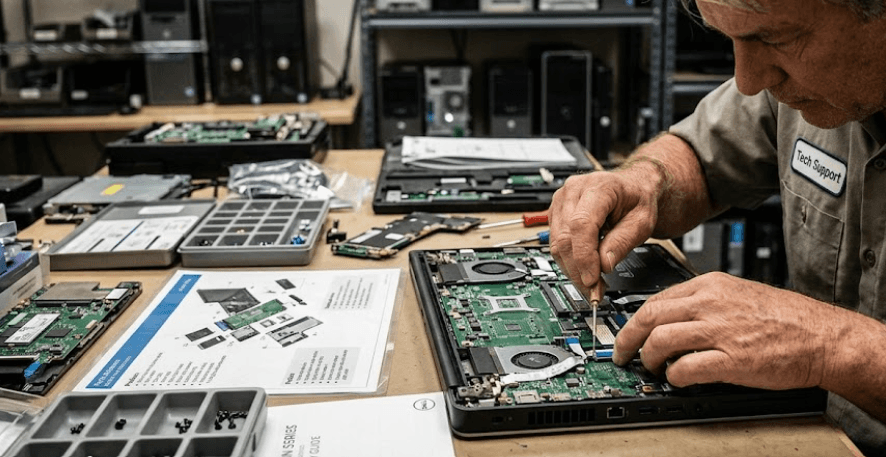
TL;DR Dell Precision workstations can be a strong refurbished purchase, but warranty coverage depends on where the system was originally sold, its current warranty status, and whether ownership information needs to be transferred. Dell Outlet certified refurbished systems are backed by Dell's standard limited warranty, while a used Precision purchased from a third-party seller may only have whatever Dell coverage remains on its Service Tag. Before buying, check the Service Tag, warranty expiration date, warranty type, seller invoice, and ownership-transfer requirements. Dell states that used or third-party purchases may require an ownership transfer to access applicable remaining warranty coverage.
What Dell Precision Warranty Means On A Refurbished Workstation
Buying a refurbished Dell Precision is different from buying a brand-new workstation because the word "refurbished" does not automatically tell you how much warranty coverage remains. Dell's own Outlet program separates certified refurbished products from new and scratch-and-dent products. Dell says its certified refurbished systems go through a refurbishing process and are backed by the same standard limited warranties offered on its new systems. That makes Dell Outlet coverage different from a used Precision sold independently by a reseller.
For a third-party refurbished Precision, the most important detail is the individual machine's Service Tag. Dell's warranty system lets buyers enter the Service Tag to see the warranty status, expiration date, and type of coverage associated with that specific computer. This matters because two Precision workstations that look identical can have completely different warranty situations depending on when they were originally purchased and what support plan was attached to them.
There is also an ownership issue to consider. Dell says that buyers who purchase a used Dell product through a third-party reseller may need to submit an ownership transfer request to use applicable remaining warranty coverage. Dell may request previous-owner information and proof of purchase as part of this process. For a refurbished Precision, therefore, the warranty should be treated as something you verify for the exact machine rather than something you assume from the model name.
Dell Precision Warranty At A Glance
| Purchase Type | Warranty Situation | What To Check |
|---|---|---|
| Dell Outlet Certified Refurbished | Dell states it carries the same standard limited warranties offered on new systems | Warranty terms and Service Tag |
| Third-Party Refurbished | Coverage depends on the individual system | Service Tag and remaining coverage |
| Used Precision With Remaining Dell Warranty | Applicable remaining coverage may be transferred | Ownership transfer |
| Out-of-Warranty Precision | Dell may offer paid out-of-warranty support where parts and service are available | Repair cost and parts availability |
What Does Dell Precision Warranty Cover?
A standard Dell limited warranty is primarily designed to address defects in materials and workmanship that affect normal use. Dell India's current consumer terms state that, unless another period is specified on the invoice, Dell-branded products are generally covered for one year from the invoice date under the standard warranty. However, the actual warranty attached to a particular Precision should always be checked through its Service Tag and original purchase documentation.
For a refurbished Precision, this generally means that eligible hardware failures can be handled through Dell's applicable warranty service. Dell's terms state that, when a valid warranty claim is made during the relevant warranty period, Dell may repair or replace the Dell-branded product, subject to the applicable terms. The exact repair method and service level can vary according to the support contract attached to the workstation.
This distinction is especially important with Precision workstations because configurations can include professional GPUs, high-capacity memory, multiple SSDs, specialized displays, and other workstation components. A warranty does not mean every problem is automatically covered. It covers eligible failures under the applicable warranty terms, not every form of damage or every component added after the system left the factory.
Typical Warranty Coverage
| Area | Usually Relevant To Warranty? | Important Detail |
|---|---|---|
| Hardware defect | Yes, when covered by the applicable warranty | Must fall within warranty terms |
| Dell-branded components | Yes, subject to coverage | Exact coverage depends on contract |
| Accidental damage | Not under standard warranty by default | Requires applicable accidental-damage coverage |
| Software problems | Generally not covered as hardware defects | Support terms may vary |
| Cosmetic wear | Generally not covered | Normal wear is excluded |
| Third-party components | Depends on the component and warranty terms | Check the applicable contract |
What Dell Precision Warranty Does Not Cover
One of the biggest mistakes buyers make is assuming that a warranty covers anything that stops working. Dell's India terms specifically exclude problems caused by external factors such as accidents, abuse, misuse, electrical problems, unauthorized servicing, improper installation or storage, normal wear and tear, fire, flood, and similar events. Missing or altered Service Tags and certain repairs performed by unauthorized parties can also affect warranty eligibility.
That matters even more when buying refurbished because cosmetic wear and previous use are part of the buying equation. A refurbished Precision may have minor marks or signs of previous ownership without having a hardware defect. Dell describes certified refurbished systems as previously owned products that can have observable minor blemishes that do not affect performance. A cosmetic mark should therefore not automatically be treated as a warranty issue.
You should also be careful when a refurbished workstation has been modified. Dell's standard warranty terms exclude certain accessories, parts added after shipment, and problems caused by components not supplied by Dell. This does not mean every RAM or SSD upgrade automatically voids coverage, but it does mean you should not assume that every component inside a refurbished Precision is covered in exactly the same way. Check the specific warranty terms before making a claim.
Common Warranty Exclusions
| Issue | Standard Warranty Treatment |
|---|---|
| Accidental physical damage | Generally excluded |
| Liquid damage | Generally excluded unless separately covered |
| Normal cosmetic wear | Excluded |
| Unauthorized repair | Can affect coverage |
| Electrical damage | Excluded under standard warranty terms |
| Misuse or improper installation | Excluded |
| Missing or altered Service Tag | Excluded |
| Certain third-party or added components | May be excluded |
Refurbished Dell Precision vs Used Dell Precision
The terms "refurbished" and "used" are often treated as interchangeable, but they do not necessarily mean the same thing. Dell's own certified refurbished products go through a defined refurbishing process, while a used Precision sold by an independent reseller could simply be a previously owned machine that has been cleaned, tested, upgraded, or resold. The seller's description alone should not be treated as proof of Dell-backed refurbishment or warranty coverage.
A Dell Outlet Precision has a particularly clear advantage in this area because Dell explicitly states that its Outlet systems are backed by the same standard limited warranties as its new systems. Dell also says Outlet customers can purchase warranty extensions or add-on warranty upgrades after purchase, subject to availability and applicable terms. That gives buyers a clearer path to Dell-backed support than an unknown used machine with no verified warranty history.
With a third-party refurbished Precision, the seller's warranty and Dell's warranty are two separate things. A reseller may provide its own limited warranty even when Dell's original warranty has expired. Conversely, a Precision may still have remaining Dell coverage even though the seller calls it refurbished. The important step is to verify both before paying, rather than assuming the word "refurbished" guarantees a particular level of protection.
Warranty Comparison
| Factor | Dell Outlet Refurbished | Third-Party Refurbished |
|---|---|---|
| Dell refurbishment process | Yes | Depends on seller |
| Dell standard limited warranty | Confirmed by Dell for Outlet systems | Depends on remaining coverage |
| Seller warranty | Dell's applicable terms | Depends on reseller |
| Service Tag verification | Recommended | Essential |
| Ownership transfer | May not be necessary in the same way | May be required for remaining coverage |
| Warranty extension | Dell says Outlet systems are eligible for add-on upgrades | Depends on eligibility |
How To Check A Dell Precision Warranty Before Buying
The easiest way to verify a Dell Precision warranty is to ask the seller for the machine's Service Tag before you purchase it. Dell's support system allows you to enter that Service Tag and view the system's warranty information. Dell's current support instructions specifically say that buyers can check the warranty status and expiration date by entering the Service Tag.
Do not stop at the warranty expiration date. Look at the actual type of service coverage shown for the workstation. A Precision with a basic limited warranty is not necessarily equivalent to one with a more comprehensive service contract. Dell says its service plans can vary in duration and repair method, so the exact coverage attached to the individual system matters more than a seller simply saying "Dell warranty available."
You should also ask for the seller's invoice and clarify whether the machine was originally purchased by an individual or organization. If it was purchased from a third-party source and ownership information has not been updated, Dell's ownership-transfer process may be required. Dell says the transfer request can require previous-owner details and may also require proof of purchase.
Warranty Verification Checklist
| Check | Why It Matters |
|---|---|
| Service Tag | Identifies the exact workstation |
| Warranty expiration | Shows whether Dell coverage remains |
| Warranty type | Indicates the level and nature of support |
| Original invoice | Helps establish purchase details |
| Ownership status | May matter for third-party purchases |
| Seller warranty | Provides additional protection if offered |
| Exact configuration | Helps identify replaced or upgraded components |
What To Check Before Buying A Refurbished Precision
The warranty is only one part of a refurbished workstation purchase. Start by matching the Precision model and configuration to your workload. A Precision 5000-series mobile workstation configured for office work is a different proposition from a high-end Precision with a professional NVIDIA RTX GPU, large memory capacity, and multiple storage drives. The warranty can protect the hardware, but it cannot make an unsuitable configuration fit your workflow.
Next, compare the seller's description with the actual machine. Check the processor, RAM, SSD capacity, GPU, display, battery condition, ports, and charger. If the workstation has been upgraded, ask which components were changed and whether the seller provides any documentation. This is particularly important for refurbished workstations because configurations can vary significantly within the same Precision model family.
Finally, calculate the price after considering warranty coverage. A cheaper Precision with no remaining Dell warranty may not represent the same value as a slightly more expensive machine with verified Dell coverage and a reputable seller warranty. Dell also notes that out-of-warranty support can depend on whether the required product and spare parts are still available. That is another reason to consider serviceability when buying an older Precision.
Refurbished Buying Checklist
| Before Buying | What To Confirm |
|---|---|
| Model number | Exact Precision generation and configuration |
| Service Tag | Matches the workstation being sold |
| Dell warranty | Current status and expiration |
| Seller warranty | Duration and covered components |
| RAM and storage | Capacity and whether components were replaced |
| GPU | Exact professional GPU model |
| Battery | Condition and expected usability |
| Charger | Correct Dell-compatible charger included |
| Return policy | Period and conditions for returns |
Common Dell Precision Warranty Mistakes
The first mistake is believing that every refurbished Dell Precision automatically comes with a fresh Dell warranty. That is not true for third-party refurbished systems. Dell explicitly distinguishes its Outlet certified refurbished products from other used or third-party purchases, and Dell's ownership-transfer guidance explains that used products purchased through third parties may require a transfer request to access applicable remaining warranty coverage.
Another mistake is checking only whether the warranty says "active." You should also look at when it expires and what service level applies. A workstation with a short amount of remaining coverage may be less attractive than one with longer coverage if the prices are close. Similarly, an independent seller's warranty should not be confused with Dell's own warranty. Ask exactly who will handle a repair if something goes wrong.
The final mistake is ignoring the Service Tag until after payment. A seller should be able to provide enough information for you to verify the machine before you commit, subject to legitimate privacy or security considerations. Dell itself recommends using the Service Tag to identify the product and check its warranty status. For a refurbished Precision, that simple check can prevent a surprisingly expensive misunderstanding later.
Frequently Asked Questions
Q. Does a refurbished Dell Precision come with a warranty?
It depends on where you buy it. Dell states that its Outlet certified refurbished systems are sold with the same standard limited warranties offered on new systems. A third-party refurbished Precision may instead have remaining Dell warranty, a seller warranty, both, or neither.
Q. How can I check the warranty on a refurbished Dell Precision?
Use the workstation's Service Tag on Dell Support. Dell's warranty tool shows the warranty status, expiration date, and applicable coverage information for the specific system.
Q. Does Dell warranty transfer to a second owner?
Applicable remaining warranty coverage may be transferred, but Dell says a used Dell product purchased through a third party may require an ownership-transfer request. Previous-owner information and proof of purchase may be requested.
Q. Does Dell warranty cover accidental damage on a Precision workstation?
Standard warranty coverage does not generally cover accidental damage. Dell's India terms exclude damage caused by accidents, misuse, abuse, and several other external causes unless applicable additional coverage provides otherwise.
Q. Does Dell warranty cover normal wear and tear?
No. Dell's standard warranty terms specifically exclude normal wear and tear. Cosmetic signs associated with previous use should therefore not automatically be treated as warranty defects.
Q. Is a Dell Outlet refurbished Precision covered like a new Dell system?
Dell says its Outlet systems are sold with the same standard limited warranties offered on new systems. The specific warranty terms and duration should still be checked for the individual product.
Q. Can I extend the warranty on a refurbished Dell Precision?
Dell says Dell Outlet systems are eligible for post-sale warranty extensions or add-on warranty upgrades, subject to applicable availability and terms. For a third-party refurbished system, eligibility should be confirmed using the Service Tag.
Q. Does a Dell warranty cover upgraded RAM or an SSD installed by a reseller?
Do not assume that every added component has the same coverage as the original Dell hardware. Dell's warranty terms exclude certain accessories and parts added after shipment and problems caused by components not supplied by Dell. Check the applicable warranty terms for the exact configuration.
Q. What should I ask a seller before buying a refurbished Dell Precision?
Ask for the Service Tag, current Dell warranty status, warranty expiration date, original or reseller invoice, seller warranty terms, exact specifications, battery condition, and return policy. These details help you understand both the hardware and your protection after purchase.
Q. Is a refurbished Dell Precision worth buying without a Dell warranty?
It can still make sense if the price, condition, specifications, seller warranty, and return policy are appropriate for your needs. However, a buyer should understand that an out-of-warranty system carries more repair-cost risk. Dell states that out-of-warranty support is subject to product and spare-parts availability.
Final Recommendation
A refurbished Dell Precision can offer strong value, particularly when you want workstation-class hardware without paying the original new-system price. The key is not simply finding the cheapest Precision. It is finding a machine with a verified Service Tag, clear warranty status, suitable configuration, and a trustworthy seller. Dell's own Outlet program provides the clearest warranty position because Dell explicitly states that its certified refurbished systems receive the same standard limited warranties offered on new systems.
For a third-party refurbished Precision, check the Dell warranty before you buy and do not rely solely on the seller's statement that the laptop is "under warranty." Verify the expiration date and coverage type, then confirm whether ownership transfer is required. If the Dell warranty has expired, examine the reseller's warranty, return policy, parts availability, and the workstation's overall condition before deciding whether the lower price justifies the additional risk.
The simplest rule is to buy the specific machine, not just the model name. A well-priced Precision with verified warranty coverage, a healthy battery, the right professional GPU, sufficient RAM and storage, and a reliable return policy can be a practical refurbished workstation. A cheaper unit with unclear ownership, no warranty verification, or questionable upgrades deserves much more caution. Checking the Service Tag before payment is one of the easiest steps you can take to make the purchase more predictable.







