
Dell Precision vs MacBook Pro: Which Should Creative Professionals Buy?
Dell Precision and MacBook Pro target different creative workflows. Compare performance, graphics, displays, software compatibility, portability, and memory before choosing a professional laptop.

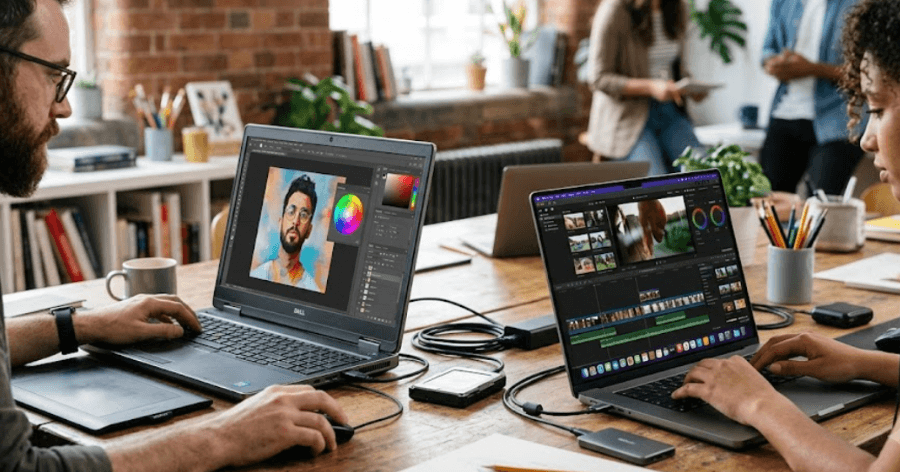
TL;DR Dell Precision and MacBook Pro are both designed for demanding professional workloads, but they take very different approaches. Dell Precision mobile workstations focus on Windows and Linux compatibility, professional NVIDIA RTX graphics, workstation-oriented configurations, and software that depends heavily on Windows or certified graphics hardware. The current MacBook Pro uses Apple silicon, with M5 Pro and M5 Max options, unified memory, a Liquid Retina XDR display, and strong media engines designed around creative workflows. For video editors working heavily in Final Cut Pro or optimised macOS workflows, MacBook Pro is a natural fit. For 3D, CAD, engineering, Windows-first applications, or workflows that specifically benefit from NVIDIA professional graphics, a Dell Precision can be more appropriate. The better choice depends less on the brand and more on the software, GPU requirements, memory needs, and working environment.
Dell Precision And MacBook Pro Approach Creative Work Differently
Dell Precision is built as a mobile workstation family rather than a conventional consumer laptop line. A representative model such as the Precision 5690 can be configured with Intel Core Ultra processors, NVIDIA RTX professional graphics ranging from the RTX 1000 Ada to the RTX 5000 Ada, up to 64GB of onboard LPDDR5X memory, and multiple SSD capacities. Dell also offers Windows and Linux operating system options on the Precision 5690. This gives creative professionals more flexibility when their work involves specialised Windows or Linux software, professional GPU acceleration, or applications that expect workstation-class graphics hardware.
The MacBook Pro takes a different approach. Apple designs the processor, GPU, memory architecture, media engines, operating system, and laptop hardware as one integrated platform. The current MacBook Pro range includes M5, M5 Pro, and M5 Max configurations, with the higher-end M5 Pro and M5 Max models offering substantially more CPU and GPU resources for demanding professional work. Apple also includes dedicated hardware for H.264, HEVC, ProRes, ProRes RAW, and AV1 workflows, which is particularly relevant to video professionals working with modern camera formats.
That difference becomes important when choosing between the two. A creative professional does not simply need the fastest processor available. A photographer may care more about colour and display quality, a video editor may care about media acceleration and sustained performance, while a 3D artist may prioritise GPU memory and application compatibility. The right platform therefore depends on what you actually create and which applications form the centre of your workflow.
Core Platform Differences
| Feature | Dell Precision 5690 | MacBook Pro |
|---|---|---|
| Platform | Windows/Linux workstation | macOS |
| Processor | Intel Core Ultra options | Apple M5, M5 Pro, M5 Max |
| Professional GPU | NVIDIA RTX Ada options | Integrated Apple GPU |
| Memory | Up to 64GB LPDDR5X | Up to 128GB unified memory on M5 Max |
| Display | FHD+ IPS or 4K OLED options | Liquid Retina XDR |
| Storage | Up to 4TB SSD | Up to 8TB depending on configuration |
| Thunderbolt | Thunderbolt 4 | Thunderbolt 5 on M5 Pro/Max |
| SD card | Available | Available |
| Linux | Supported on Precision 5690 | Not supported as a native Apple platform |
Performance And Graphics Matter More Than Brand
When comparing Dell Precision vs MacBook Pro for creative work, CPU specifications alone do not tell the complete story. The Precision 5690 can use Intel Core Ultra 5, Core Ultra 7, or Core Ultra 9 processors, depending on configuration, and Dell pairs these with either integrated Intel graphics or professional NVIDIA RTX Ada GPUs. The RTX options range from the RTX 1000 Ada with 6GB of GDDR6 memory to the RTX 5000 Ada with 16GB of GDDR6. That dedicated graphics hardware can be important for applications where GPU memory, CUDA, professional drivers, or NVIDIA acceleration are part of the workflow.
MacBook Pro approaches graphics differently because the GPU is integrated into the Apple silicon architecture and shares the system's unified memory. Current M5 Pro and M5 Max models provide substantially more GPU resources than the base M5 configurations, while M5 Max can be configured with up to a 40-core GPU. Apple also includes hardware-accelerated ray tracing and Neural Accelerators in the M5 family, alongside media engines for professional video formats. This architecture can be particularly efficient for creative applications that are optimised for Apple silicon.
The practical difference is that you should select the GPU based on the software you use rather than comparing GPU names in isolation. Adobe Premiere Pro supports both Windows and macOS and has specific recommended configurations for each platform. Adobe recommends 32GB or more of memory for 4K and higher-resolution work, while its current requirements also distinguish between Windows GPU memory and Apple silicon unified memory.
Performance Comparison
| Workload | Dell Precision | MacBook Pro |
|---|---|---|
| 4K video editing | Strong with suitable RTX configuration | Strong with M5 Pro/Max |
| ProRes workflows | Supported through software and hardware configuration | Strong hardware media acceleration |
| 3D rendering | Strong with NVIDIA RTX options | Strong in supported Apple-silicon applications |
| CAD and engineering | Broad Windows software compatibility | More limited depending on application |
| GPU-heavy workflows | Dedicated NVIDIA options | Integrated Apple GPU |
| AI and GPU workloads | NVIDIA CUDA ecosystem | Apple Neural Engine and GPU acceleration |
| Linux workflows | Supported on selected Precision configurations | Not a native option |
Displays And Creative Colour Work
Display quality is one area where both platforms can make sense, but their priorities are different. The Precision 5690 offers either a 16-inch FHD+ IPS display rated at 100% DCI-P3 or a 16-inch 3840 x 2400 OLED touchscreen rated at 100% DCI-P3. The OLED option is designed for professionals who want high resolution and wide colour coverage, although its listed brightness is 400 nits. The FHD+ option is rated at 500 nits and also covers 100% DCI-P3.
The MacBook Pro uses Apple's Liquid Retina XDR display. The 16-inch version has a 3456 x 2234 resolution, 254 pixels per inch, a 1,000,000:1 contrast ratio, up to 1,000 nits sustained full-screen XDR brightness, and up to 1,600 nits peak brightness for HDR content. It also supports P3 wide colour and ProMotion refresh rates up to 120Hz. These characteristics make the display particularly relevant for photographers, video editors, and creators who regularly work with HDR content.
For creative professionals, however, display quality should not be confused with colour accuracy in every individual workflow. A professional editor may still need an external calibrated monitor for colour-critical finishing, regardless of which laptop they choose. The built-in display is important for mobility and previewing work, but the final workflow may involve an external reference display, storage system, card reader, or production monitor.
Display Comparison
| Display Feature | Dell Precision 5690 | MacBook Pro 16 |
|---|---|---|
| Screen size | 16 inches | 16.2 inches |
| High-end panel | 4K OLED touchscreen | Liquid Retina XDR |
| Resolution | Up to 3840 x 2400 | 3456 x 2234 |
| Colour | Up to 100% DCI-P3 | P3 wide colour |
| HDR | Available on OLED configuration | XDR with HDR support |
| Refresh rate | 60Hz | Up to 120Hz adaptive |
| Touch | Available on OLED option | No touch display |
Software Compatibility Can Decide The Purchase
Software compatibility is arguably the most important difference in this comparison. Adobe Premiere Pro supports both Windows and macOS, and Adobe's current requirements recommend Apple silicon for macOS while also supporting Windows systems with Intel, AMD, NVIDIA, and other compatible GPU configurations. That means a Premiere editor can reasonably consider either platform, but the specific hardware configuration still matters for 4K and higher-resolution projects.
The situation changes when specialised professional software enters the workflow. Autodesk Maya 2026 supports Windows, macOS, and Linux, including Apple silicon on macOS. SOLIDWORKS 2026, however, lists Windows 11 as the operating system for the main client product, while its Mac support is centred on eDrawings rather than the full SOLIDWORKS desktop application. A creative professional who also works with engineering or CAD applications therefore needs to check application-level support before buying a MacBook Pro.
The same principle applies to plug-ins, scripts, peripherals, and studio workflows. A laptop can have excellent hardware and still create problems if a particular plug-in, driver, colour-management tool, capture device, or production application is unavailable on the operating system. Before purchasing, creative professionals should make a list of their five or ten most important applications and confirm current platform support rather than assuming that every professional program behaves identically on Windows and macOS.
Software Fit At A Glance
| Creative Workflow | Platform Consideration |
|---|---|
| Adobe Premiere Pro | Windows and macOS supported |
| Adobe Photoshop | Windows and macOS supported |
| Autodesk Maya | Windows, macOS, and Linux supported |
| SOLIDWORKS | Windows is the main client platform |
| Final Cut Pro | macOS workflow |
| Windows-only creative tools | Dell Precision has the advantage |
| Linux-based workflows | Dell Precision is the practical option |
Portability, Battery And Connectivity
Portability is another important difference. The Precision 5690 has a minimum weight of about 2.03kg and uses a 99.5Wh battery option. It is a professional workstation designed to provide substantial hardware inside a relatively mobile chassis, but it remains a larger and heavier machine than many mainstream laptops. For a photographer travelling between shoots or a designer moving between meetings, that difference can become noticeable over a long day.
The MacBook Pro 16 is also a substantial laptop, but Apple places considerable emphasis on battery efficiency. The current 16-inch MacBook Pro with M5 Pro has a 100Wh battery and Apple rates it for up to 24 hours of video streaming or up to 17 hours of wireless web use. The M5 Max version is rated for up to 22 hours of video streaming or 16 hours of wireless web use. These are Apple's controlled-test figures rather than guarantees of real-world creative battery life, because demanding rendering and editing workloads can consume considerably more power.
Connectivity is strong on both platforms, although the standards differ by generation and configuration. The Precision 5690 provides Thunderbolt 4, USB-C, HDMI 2.1, and an SD card slot, while M5 Pro and M5 Max MacBook Pro models provide three Thunderbolt 5 ports alongside HDMI, SDXC, MagSafe 3, and a headphone jack. For creators working with cameras, external drives, monitors, and docks, these built-in ports can reduce the number of adapters needed.
Mobility And Connectivity
| Feature | Dell Precision 5690 | MacBook Pro 16 M5 Pro/Max |
|---|---|---|
| Minimum weight | About 2.03kg | Varies by configuration |
| Battery | Up to 99.5Wh | 100Wh |
| High-speed ports | Thunderbolt 4 | Thunderbolt 5 |
| HDMI | HDMI 2.1 | HDMI |
| SD card | Yes | SDXC |
| Charging | DC power adapter | MagSafe 3 or USB-C |
| OS options | Windows/Linux options | macOS |
Which Creative Professional Should Buy Which?
A Dell Precision makes the most sense when your work depends on Windows, Linux, professional NVIDIA graphics, or applications that are strongly tied to the Windows workstation ecosystem. This includes many engineering, CAD, simulation, architecture, and GPU-intensive professional workflows. The Precision 5690's RTX Ada options also give professionals access to dedicated GPU memory, while its workstation positioning provides configurations designed around professional workloads rather than general consumer use.
A MacBook Pro makes strong sense for creators whose workflow is centred around macOS applications and Apple-silicon-optimised software. Video editors working in Final Cut Pro, photographers using Lightroom and Photoshop, and professionals working extensively with Apple's creative ecosystem can benefit from the combination of Apple silicon, unified memory, the Liquid Retina XDR display, and dedicated media engines. The current M5 Pro and M5 Max models also provide much higher memory configurations than earlier Apple silicon generations, with up to 128GB available on specific M5 Max configurations.
The most important buying decision is therefore not simply Dell versus Apple. It is whether your software and hardware requirements fit the platform. A video editor who mainly uses Premiere can choose based on display, performance, battery life, portability, and preferred operating system. A professional using SOLIDWORKS or a workflow dependent on NVIDIA CUDA should examine Dell Precision configurations much more closely. Similarly, a Final Cut Pro user who wants a mobile editing workstation has a very different set of priorities.
Creative Workload Guide
| If Your Main Work Is | Consider |
|---|---|
| Video editing in Final Cut Pro | MacBook Pro |
| Adobe Premiere Pro | Either, based on configuration |
| Photoshop and Lightroom | Either |
| 3D work using Windows/NVIDIA workflows | Dell Precision |
| CAD and SOLIDWORKS | Dell Precision |
| Apple-focused creative workflow | MacBook Pro |
| Linux professional workflow | Dell Precision |
| HDR video and mobile colour work | MacBook Pro or high-end Precision display |
Frequently Asked Questions
Q. Which is better for creative professionals, Dell Precision or MacBook Pro?
Neither is universally better because the two platforms target different professional workflows. MacBook Pro is particularly suited to macOS-based creative workflows and applications optimised for Apple silicon, while Dell Precision offers Windows/Linux options and professional NVIDIA RTX graphics. The software and GPU requirements of your work should determine the choice.
Q. Is Dell Precision a gaming laptop?
No. Dell Precision is a mobile workstation family. Some configurations use NVIDIA RTX professional graphics that can also run games, but the machines are designed primarily for professional applications, workstation workloads, and business environments.
Q. Is MacBook Pro good for 4K video editing?
Yes. Current MacBook Pro models support professional video workflows and include dedicated media engines for formats including H.264, HEVC, ProRes, and ProRes RAW. Adobe also lists Apple silicon Mac systems among its recommended configurations for Premiere Pro, with 16GB unified memory recommended for Apple silicon.
Q. Which is better for CAD, Dell Precision or MacBook Pro?
For applications such as SOLIDWORKS, Dell Precision is the more straightforward choice because SOLIDWORKS 2026 lists Windows 11 for its main client product. macOS users can access eDrawings, but that is not the same as running the full SOLIDWORKS desktop application natively.
Q. Can MacBook Pro run Autodesk Maya?
Yes. Autodesk Maya 2026 supports macOS and Apple silicon alongside Windows and Linux. Autodesk lists Apple Silicon arm64 support for macOS in its system requirements.
Q. Does Dell Precision have better graphics than MacBook Pro?
That depends on the configuration and application. Precision models can be configured with dedicated NVIDIA RTX Ada graphics, including GPUs with up to 16GB of dedicated GDDR6 memory on the Precision 5690. MacBook Pro uses integrated Apple GPU cores with shared unified memory. Different applications can perform differently on these architectures.
Q. How much RAM should a creative professional buy?
For professional creative work, 32GB is a sensible starting point for many demanding workflows, particularly 4K video editing. Adobe recommends 32GB or more for 4K and higher-resolution Premiere Pro work. Heavier 3D, large-scale video, and multitasking workloads can justify higher capacities.
Q. Does MacBook Pro have an advantage for Final Cut Pro?
Yes, if Final Cut Pro is central to your workflow, MacBook Pro is the natural platform because Final Cut Pro is Apple's professional video editing application for macOS. The current MacBook Pro also combines Apple silicon with dedicated media engines designed for professional video formats.
Q. Can Dell Precision be used for Photoshop and Premiere Pro?
Yes. Adobe provides Windows versions of Photoshop and Premiere Pro, and its current Premiere Pro requirements support Windows systems with compatible Intel, AMD, NVIDIA, and other supported graphics hardware. A suitably configured Precision can therefore be used for demanding Adobe workflows.
Q. Is MacBook Pro more portable than Dell Precision?
Portability depends on the exact model and configuration. The Precision 5690 weighs a minimum of about 2.03kg, while MacBook Pro models vary by screen size and chip configuration. Battery testing also varies by workload, so published battery figures should be treated as manufacturer test results rather than guaranteed editing runtimes.
Final Recommendation
For creative professionals, the Dell Precision vs MacBook Pro decision should start with software compatibility rather than brand preference. Choose a Dell Precision when your workflow depends on Windows, Linux, professional NVIDIA RTX graphics, CAD, engineering applications, or software that benefits from dedicated GPU memory and workstation-class graphics. The Precision 5690 demonstrates the flexibility available in this category, with Intel Core Ultra processors, NVIDIA RTX Ada graphics, up to 64GB onboard LPDDR5X memory, and multiple storage options.
Choose a MacBook Pro when your work is centred on macOS and applications that are well optimised for Apple silicon. The current M5 Pro and M5 Max models combine high-performance CPU and GPU resources, unified memory configurations reaching up to 128GB on selected M5 Max models, Liquid Retina XDR displays, Thunderbolt 5 connectivity, and dedicated media engines. That makes the platform particularly relevant for video editing, photography, design, and other creative workflows that fit naturally into macOS.
The safest buying approach is to identify your primary applications first, then choose the hardware around them. If your workflow is Final Cut Pro, Lightroom, Photoshop, or a heavily macOS-based video setup, MacBook Pro fits that environment naturally. If your work revolves around SOLIDWORKS, Windows-only applications, Linux, NVIDIA-dependent rendering, or workstation-certified graphics, Dell Precision is the more practical direction. In other words, the best laptop for a creative professional is the one that removes the most friction from the software and production workflow you already use.







