
Dell Precision Battery Life Tested: How Long Does It Really Last?
Dell Precision laptops can deliver close to a full workday in light workloads, but demanding CPU and GPU tasks reduce runtime quickly. Here is what real-world testing shows and what to expect from different Precision configurations.

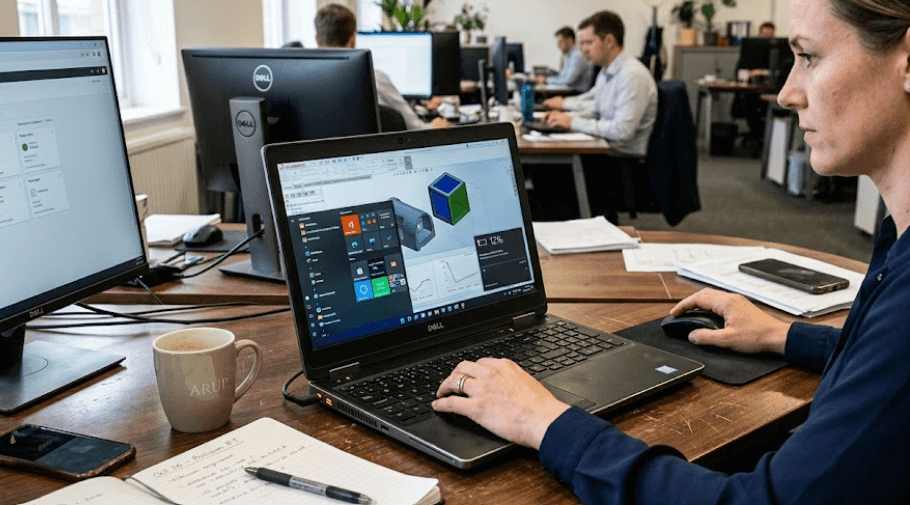
TL;DR Dell Precision mobile workstations can offer respectable battery life despite their powerful processors and professional GPUs, but runtime depends heavily on the exact model, battery capacity, display, GPU, and workload. Independent testing of the Precision 5690 recorded about 9 hours 9 minutes of Wi-Fi web browsing, while the higher-performance Precision 5680 test configuration reached about 9 hours 52 minutes in a similar WLAN test. Dell lists a 99.5 Wh battery for the Precision 5690, while the Precision 5680 was offered with 66 Wh and 99.5 Wh options. Under demanding workloads, battery life can fall dramatically, so buyers should think of these machines as mobile workstations rather than conventional long-battery-life laptops.
Understanding Dell Precision Battery Life
Dell Precision laptops are designed for professional workloads rather than maximum battery endurance. They are built to handle applications such as CAD, 3D modelling, engineering software, video production, data analysis, and other demanding professional tasks. That means their processors and professional GPUs can consume considerably more power than the components found in mainstream business laptops. The battery therefore has to balance mobility with the performance required from a workstation-class system. This is why a Precision laptop can have a large battery and still deliver much shorter runtime when you are using its CPU and GPU heavily.
The Precision 5690 is a useful example of this balance. Dell lists a 99.5 Wh lithium-ion battery for the model, which is a large capacity for a laptop. However, Dell also explicitly notes that operating time varies according to operating conditions and can decrease significantly during power-intensive workloads. In independent testing, a high-end Precision 5690 configuration with an Ultra 9 185H processor, RTX 5000 Ada Generation GPU, and roughly 98 Wh battery achieved 9 hours 9 minutes in a Wi-Fi web-browsing test. That result gives a more realistic idea of what light productivity can look like than simply quoting battery capacity.
The Precision 5680 shows why configuration matters just as much. Dell offered the workstation with either a 66 Wh or 99.5 Wh battery, while the Notebookcheck test system used a 98 Wh battery, a Core i9-13900H processor, an RTX 5000 Ada GPU, and a 4K OLED display. That system achieved 9 hours 52 minutes in Wi-Fi browsing, 17 hours 52 minutes in an idle or reader-style test, and only 1 hour 41 minutes under a maximum-load test. Those figures show the enormous difference between light productivity and sustained workstation workloads.
What Battery Tests Actually Tell You
Battery benchmarks should be treated as reference points rather than guarantees. A Wi-Fi browsing test generally represents a lighter workload than rendering, compiling, 3D modelling, gaming, or GPU-accelerated creative work. Screen brightness, refresh rate, wireless activity, background applications, processor power modes, and whether the discrete GPU is active can all change the result.
| Test Condition | Precision 5690 | Precision 5680 |
|---|---|---|
| Wi-Fi browsing | 9h 9m | 9h 52m |
| Idle/Reader-style test | 17h 54m* | 17h 52m |
| Maximum load | Not directly comparable | 1h 41m |
| Tested battery | Approx. 98-99.5 Wh | 98 Wh |
| Tested configuration | Ultra 9 + RTX 5000 Ada | Core i9 + RTX 5000 Ada |
*Battery results vary with test methodology and configuration. The figures above should not be interpreted as guaranteed everyday runtime.
How Long Does A Dell Precision Really Last?
For normal productivity, a modern Dell Precision can realistically provide several hours away from a charger, with high-capacity configurations reaching around nine to ten hours in controlled Wi-Fi browsing tests. The Precision 5690's 9-hour 9-minute result and Precision 5680's 9-hour 52-minute result demonstrate that these machines are not necessarily limited to short unplugged sessions. If your workload consists mainly of documents, email, browser tabs, presentations, and online meetings, these results suggest that a full working day is possible under favourable conditions, although real-world results will vary.
The situation changes when you start using workstation-class software. A CAD project with complex models, a long video export, a 3D rendering workload, or sustained GPU computation can push the processor and graphics hardware much harder than web browsing. Notebookcheck's Precision 5680 testing illustrates this clearly: the system lasted only 1 hour 41 minutes in its maximum-load test despite having a 98 Wh battery. That does not mean the battery is weak. Instead, it shows how much energy a high-performance workstation can consume when its hardware is operating near maximum capacity.
This distinction is particularly important for buyers comparing a Precision workstation with a thin business laptop. A business laptop may last considerably longer during light work because it uses lower-power components, while the Precision is designed to deliver substantially more computing and graphics performance. If you need a workstation for occasional mobile use, its battery life can be practical. If you expect to run demanding professional workloads for several hours without power, carrying the charger remains part of the ownership experience.
Light Work Vs Heavy Work
The easiest way to understand Precision battery life is to separate everyday productivity from sustained performance. Browsing, reading documents, writing emails, and working with moderate office applications generally allow the laptop to operate in lower-power states. Professional rendering, simulation, GPU acceleration, and sustained CPU workloads are fundamentally different because they keep high-performance components active for longer periods.
| Workload | Expected Battery Behaviour |
|---|---|
| Web browsing | Relatively efficient |
| Email and documents | Relatively efficient |
| Video meetings | Moderate consumption |
| Photo editing | Moderate to high consumption |
| Video editing | High consumption |
| CAD and 3D modelling | High consumption |
| 3D rendering | Very high consumption |
| Sustained CPU/GPU workloads | Very high consumption |
These categories are practical expectations rather than guaranteed runtime measurements. Dell itself states that battery operating time can decrease significantly under power-intensive conditions.
What Affects Dell Precision Battery Life?
The processor and GPU are two of the biggest factors affecting battery life. A Precision configuration with a powerful H-series or workstation-class processor and a discrete RTX professional GPU has considerably more performance available than an integrated-graphics configuration, but that performance can increase power consumption when those components are active. The Precision 5680 test system, for example, used a Core i9-13900H and RTX 5000 Ada Generation GPU, making it a particularly demanding configuration.
The display also matters. A high-resolution OLED panel can produce an excellent visual experience, but the display can consume more power than a lower-resolution panel depending on brightness and content. The Precision 5680 configuration tested by Notebookcheck used a 3840 x 2400 OLED touchscreen, and the review still recorded almost ten hours of Wi-Fi browsing because the system could operate efficiently during lighter use. However, increasing brightness or performing visually intensive work can change the power profile significantly.
Battery capacity itself is another important factor, but it should never be considered in isolation. Dell's Precision 5680 documentation lists both 66 Wh and 99.5 Wh battery options, while the Precision 5690 documentation lists a 99.5 Wh battery. A larger battery generally provides more energy to work with, but a high-power processor, discrete GPU, bright display, and demanding workload can consume that energy much faster.
Configuration Matters More Than The Name
Two Precision laptops carrying similar model names can behave differently if their processors, GPUs, displays, or batteries are different. This is particularly important when buying refurbished Precision workstations, because the exact configuration can vary between listings. Always check the processor, GPU, display resolution, and battery capacity instead of relying only on the Precision series name.
| Factor | Lower Power Configuration | Higher Power Configuration |
|---|---|---|
| CPU | Lower-power processor | High-performance CPU |
| Graphics | Integrated GPU | Professional discrete GPU |
| Display | Lower-resolution IPS | High-resolution OLED |
| Battery | 66 Wh | Around 99.5 Wh |
| Battery priority | Mobility | Performance |
The Precision 5680 is a clear example of this configuration flexibility because Dell documented both 66 Wh and 99.5 Wh battery options. That makes checking the individual configuration especially important before purchasing.
Dell Precision 5680 Vs Precision 5690 Battery Life
The Precision 5680 and Precision 5690 are useful benchmarks when looking at how Dell's workstation design handles battery life. Notebookcheck measured 9 hours 52 minutes of Wi-Fi browsing on its Precision 5680 test system and 9 hours 9 minutes on its Precision 5690 test system. The difference is relatively small despite the different generations, which suggests that battery life is influenced by the complete configuration rather than simply the model number.
Both tested machines used high-performance processors and RTX 5000-class professional graphics, yet they could still approach ten hours in a controlled browsing test. That is useful for professionals who spend part of the day working away from an outlet. At the same time, neither result should be interpreted as ten hours of CAD, rendering, or GPU-intensive work because those workloads can draw considerably more power.
The Precision 5680 also demonstrates the importance of looking at the extremes. Its 98 Wh test configuration lasted 17 hours 52 minutes in the reader or idle-style test but only 1 hour 41 minutes at maximum load. That enormous difference is exactly why a single battery-life number can be misleading when evaluating a mobile workstation.
Tested Battery Results
| Model | Battery | Wi-Fi Test | Maximum Load |
|---|---|---|---|
| Precision 5680 | 98 Wh tested | 9h 52m | 1h 41m |
| Precision 5690 | Approx. 98-99.5 Wh | 9h 9m | Not directly comparable |
The results are from independent testing and should be used as benchmarks rather than guaranteed daily runtime. Dell's official documentation confirms the battery capacities but does not promise a fixed number of hours because runtime varies with operating conditions.
How To Get Better Battery Life
The simplest way to improve Dell Precision battery life is to reduce unnecessary power consumption when maximum performance is not required. Lowering display brightness, closing unnecessary applications, reducing background activity, and using a balanced power profile can help during everyday work. Dell also provides power-management controls that can influence charging behaviour and battery settings. The goal is not to turn a workstation into a low-power laptop, but to avoid using maximum performance when the workload does not need it.
Using the integrated graphics path when possible can also help on configurations that support switching between integrated and discrete graphics. A professional GPU is valuable when applications require it, but keeping a powerful discrete GPU active during simple browser or document work can increase consumption. The exact behaviour depends on the Precision configuration and software, so users should check Dell's available power and graphics settings for their specific system.
Battery health matters over the long term as well. Dell recommends regular charging and provides battery and charging controls through its software ecosystem. Precision 5680 documentation also lists ExpressCharge and ExpressCharge Boost options on supported configurations, with the manual stating that the battery can reach 35% from empty in as little as 20 minutes under ExpressCharge Boost. Actual charging performance depends on the supported configuration and charger.
Everyday Battery-Saving Habits
If you regularly carry a Precision between meetings, classrooms, client locations, or job sites, simple habits can make the available battery last longer. Keeping brightness reasonable, using the appropriate power mode, and avoiding unnecessary background applications can help preserve runtime without significantly affecting productivity.
A workstation is ultimately designed to provide performance when you need it. The better approach is therefore not to restrict performance permanently, but to switch between efficient and performance-focused settings according to the task. That gives you the flexibility expected from a mobile workstation without treating every workload as if it requires maximum CPU and GPU output.
Who Should Buy A Dell Precision?
A Dell Precision makes sense for professionals who genuinely need workstation-class performance in a portable computer. Engineers, architects, designers, developers, content creators, analysts, and other users working with demanding professional applications can benefit from the combination of powerful processors, professional graphics options, and large displays. For these users, battery life should be evaluated alongside performance rather than treated as the only deciding factor.
The Precision is also suitable for users who split their day between desk-based and mobile work. A tested runtime of roughly nine hours in controlled Wi-Fi browsing on the Precision 5680 and 5690 demonstrates that high-end workstation hardware does not automatically mean extremely poor battery life. However, anyone planning to perform continuous rendering, simulation, or other heavy workloads away from an outlet should expect substantially shorter runtime.
Buyers who mainly use Word, web browsing, streaming, email, and basic productivity software may not need the extra hardware of a Precision workstation. A conventional business laptop can be a more appropriate fit for those workloads because its hardware is generally designed around lower power consumption and portability. The Precision becomes easier to justify when its additional processing and graphics capability directly supports the work you perform.
Frequently Asked Questions
Q. How long does a Dell Precision laptop battery last?
Battery life varies by model and configuration. Independent testing recorded 9 hours 9 minutes of Wi-Fi browsing on a high-end Precision 5690 and 9 hours 52 minutes on a high-end Precision 5680. Actual runtime depends on workload, display, processor, GPU, battery capacity, and power settings.
Q. Is Dell Precision good for battery life?
Dell Precision workstations can provide respectable battery life for their performance class. They are not designed primarily as ultra-long-battery-life laptops, so demanding CPU and GPU workloads can reduce runtime significantly.
Q. How many hours can a Precision 5690 last?
Notebookcheck measured 9 hours 9 minutes of Wi-Fi web browsing on a Precision 5690 configured with an Ultra 9 185H, RTX 5000 Ada GPU, and approximately 98 Wh battery. This is a controlled test result, not a guaranteed everyday runtime.
Q. Does the Precision 5680 have good battery life?
The tested Precision 5680 delivered 9 hours 52 minutes of Wi-Fi browsing with its 98 Wh battery. It also lasted 17 hours 52 minutes in an idle or reader-style test but only 1 hour 41 minutes under maximum load.
Q. What battery sizes are available on the Precision 5680?
Dell's documentation lists both 66 Wh and 99.5 Wh battery options for the Precision 5680. Buyers should therefore check the exact battery configuration before purchasing.
Q. What battery does the Dell Precision 5690 use?
Dell lists a 6-cell 99.5 Wh lithium-ion battery for the Precision 5690. Dell notes that operating time varies and can decrease significantly under power-intensive conditions.
Q. Does a discrete GPU reduce Precision battery life?
A discrete professional GPU can increase power consumption when it is active, particularly during demanding graphics workloads. How much it affects battery life depends on the workload and system configuration.
Q. Can a Dell Precision last a full workday?
It can under suitable conditions and lighter workloads. Independent Wi-Fi testing of the Precision 5680 and 5690 approached ten hours, but demanding professional applications can reduce that figure substantially.
Q. Is OLED bad for Dell Precision battery life?
An OLED display can consume different amounts of power depending on brightness and what is displayed. A high-resolution OLED configuration should therefore be evaluated as part of the complete laptop rather than judged separately.
Q. Should I buy a Precision for battery life?
Buy a Precision primarily when you need workstation-level performance and professional graphics capabilities. Its battery performance is respectable for the category, but users seeking the longest possible unplugged runtime may find a lower-power business laptop more suitable.
Final Recommendation
Dell Precision battery life is better understood as a balance between workstation performance and mobility rather than as a simple number of hours. The Precision 5690 and Precision 5680 demonstrate this clearly. Independent testing produced roughly nine to ten hours of Wi-Fi browsing on high-end configurations, while maximum-load testing on the Precision 5680 dropped to 1 hour 41 minutes. Dell's documentation also confirms that battery capacity and configurations vary, with the Precision 5680 available with 66 Wh and 99.5 Wh batteries and the Precision 5690 listed with a 99.5 Wh battery.
For professionals who need CAD, engineering, 3D, creative, or other demanding applications, that trade-off can be reasonable because the Precision's purpose is to deliver workstation-class performance while remaining portable. If your work is mostly browsing, documents, meetings, and light office applications, a conventional business laptop may provide a more power-efficient experience. Before buying a Precision, check the exact CPU, GPU, display, and battery capacity rather than relying on the model name alone.






