
Best Dell Precision for GIS and Mapping Professionals
Find the best Dell Precision workstation for GIS and mapping professionals. Compare RAM, graphics, processors, storage, displays, and workloads for ArcGIS Pro and advanced spatial analysis.

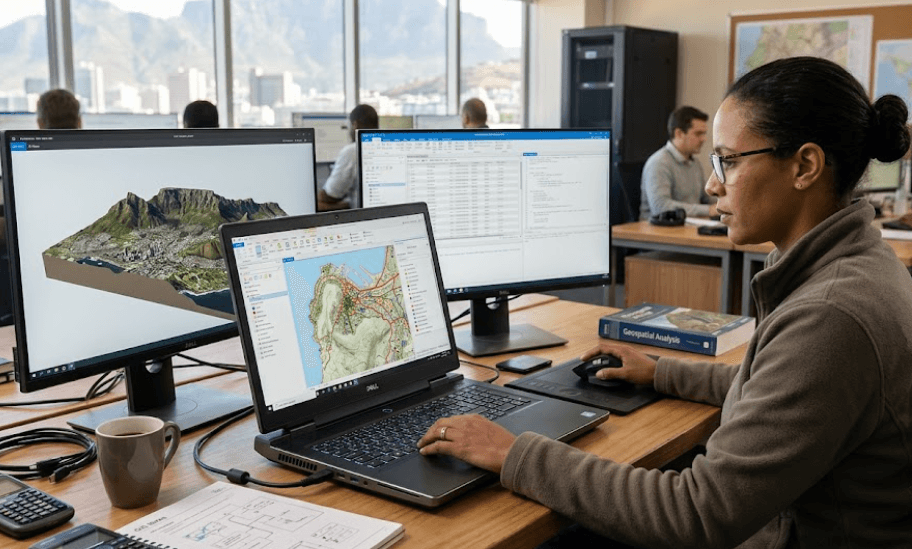
TL;DR Dell Precision workstations are a strong fit for GIS and mapping professionals because the range covers everything from everyday ArcGIS Pro work to advanced 3D visualization, spatial analysis, and data-heavy geospatial projects. For most professionals, the Precision 7680 offers the most useful balance of processing power, professional graphics, memory scalability, and a 16-inch display. The Precision 7780 makes more sense when a larger 17.3-inch screen and higher memory capacity are important, while older models such as the Precision 5680 can still be capable but should be evaluated carefully because Dell now lists that model as discontinued. For ArcGIS Pro, 32GB RAM and a dedicated GPU are sensible targets for professional workloads, while demanding 3D and deep-learning workflows can justify considerably more memory and graphics power.
Why Dell Precision Works Well For GIS
GIS workloads are different from ordinary office workloads because the laptop or workstation may have to handle large spatial datasets, multiple map layers, satellite imagery, geodatabases, 3D scenes, and other applications at the same time. ArcGIS Pro's current hardware guidance recommends 32GB of RAM for most recommended configurations and 64GB or more for optimal performance. It also recommends a discrete GPU with dedicated graphics memory for better visualization performance. That makes a professional workstation more appropriate for demanding GIS work than a general-purpose business laptop with limited graphics capability.
Dell's Precision range is designed around this type of professional workload. The company's own GIS workstation recommendations have historically mapped different Precision configurations to different ArcGIS Pro workloads, ranging from entry-level map creation and spatial analysis to advanced analysis, high-end cartography, database management, and 3D city creation. The important point is that there is no single Precision specification that suits every GIS professional. A person creating 2D maps and running basic geoprocessing tools does not need the same hardware as someone working with large 3D scenes or computationally intensive spatial analysis.
The Precision 7680 and Precision 7780 are particularly relevant when you need a mobile workstation rather than a conventional laptop. The 7680 offers a 16-inch 16:10 display and supports professional NVIDIA RTX graphics options, while the 7780 moves to a larger 17.3-inch display and offers up to 128GB of CAMM memory or 64GB using SODIMM configurations, depending on the configuration. That scalability is useful because GIS projects can grow over time, and buying enough memory at the start can be more practical than replacing the entire machine later.
What To Look For In A GIS Laptop
Processor And Memory
The processor matters in GIS because geoprocessing tasks do not all behave the same way. Some operations benefit from higher single-core performance, while other workflows can take advantage of additional cores. Esri currently lists four cores as its recommended CPU configuration for ArcGIS Pro and 10 cores as an optimal target. This does not mean every GIS professional needs a 10-core processor, but it shows why a workstation-class CPU can become useful when you regularly run demanding analysis instead of only creating maps.
RAM is even easier to underestimate. ArcGIS Pro lists 8GB as its minimum, 32GB as recommended, and 64GB or more as optimal. Large raster datasets, multiple applications, complex projects, and 3D visualization can all increase memory pressure. For that reason, 32GB is a sensible starting point for a professional GIS laptop, while 64GB becomes more attractive for users working with large datasets or running several demanding applications simultaneously.
This is one area where the Precision 7680 and 7780 have an advantage over thinner mobile workstations. The 7680 supports configurations ranging from 16GB to 128GB depending on the memory technology and configuration, while the 7780 supports up to 128GB through CAMM. That gives professionals more room to configure the system around their actual GIS workload instead of treating the factory RAM capacity as a permanent limit.
GPU, Storage, And Display
A dedicated GPU is useful when GIS work involves visualization, particularly 3D scenes. Esri recommends a discrete GPU for better visualization performance and recommends 8GB or more of dedicated graphics memory in its ArcGIS Pro 3.6 guidance. Deep-learning workloads have additional requirements, with NVIDIA CUDA support required for most ArcGIS Pro deep-learning functionality and 16GB or more of dedicated graphics memory recommended for those workloads.
Storage matters because GIS projects can involve large datasets and temporary visualization caches. Esri recommends at least 32GB of free space on an SSD, while its documentation notes that the ArcGIS Pro visualization cache itself can consume up to 32GB when space is available. In practice, a 1TB NVMe SSD is a much more comfortable starting point for professionals who keep project files, imagery, applications, and local datasets on the workstation.
The display also deserves attention because GIS professionals spend hours looking at maps, labels, satellite imagery, dashboards, and detailed spatial data. The Precision 7680 can be configured with a 16-inch FHD+ display or a 16-inch UHD+ OLED touchscreen, while the 7780 offers 17.3-inch FHD and UHD display options. A larger or higher-resolution display can make detailed mapping work easier, although a higher resolution also increases GPU demands in some visualization workflows.
| Component | Sensible GIS Target | Heavy GIS Target |
|---|---|---|
| CPU | Modern 8-core-class processor or better | High-performance 10+ core workstation CPU |
| RAM | 32GB | 64GB to 128GB |
| GPU | Dedicated GPU with 8GB VRAM | Professional GPU with 12GB to 16GB+ VRAM |
| Storage | 1TB NVMe SSD | 1TB to 2TB+ NVMe SSD |
| Display | 16-inch FHD+ or better | 16-inch/17.3-inch UHD+ |
| OS | Windows 11 Pro | Windows 11 Pro |
Dell Precision 7680 For GIS Professionals
The Precision 7680 is the most practical model to focus on if you want a powerful mobile GIS workstation without moving all the way to the largest 17-inch chassis. Dell lists 13th Gen Intel Core processors ranging from Core i5-13600HX to Core i9-13950HX, along with professional NVIDIA graphics options including the RTX A1000, A2000, A3000, A4500, and A5500. Depending on configuration, that gives the 7680 enough graphics flexibility for ordinary GIS visualization as well as substantially more demanding professional workloads.
The memory options are another reason the 7680 stands out. Dell lists configurations using both CAMM and SODIMM memory, with capacities reaching 128GB through CAMM. That matters for GIS professionals who expect their projects to become more demanding over time. A 32GB configuration can work well for mainstream ArcGIS Pro use, but 64GB is a more comfortable target if your workflow regularly involves large datasets, 3D visualization, or multiple professional applications running together.
The 16-inch 16:10 display is also practical for mapping because the extra vertical space gives you more room for application panels while retaining a relatively manageable footprint. Storage can be configured up to 4TB through supported M.2 NVMe options. For a professional who needs to carry a workstation between the office, field visits, and client meetings, the 7680 offers a useful compromise between workstation performance and mobility.
Dell Precision 7780 For Heavy GIS Work
The Precision 7780 is aimed at professionals who need more screen area and higher scalability. Dell positions it as a 17-inch mobile workstation, and its configuration options include high-end Intel Core i5, i7, and i9 HX processors together with professional NVIDIA graphics up to the RTX 5000 Ada Generation with 16GB of graphics memory. This makes it relevant to demanding GIS workflows involving large 3D scenes, complex visualization, advanced spatial analysis, and other workloads where GPU capacity matters.
Its memory architecture is particularly useful for workstation buyers. The 7780 supports CAMM configurations up to 128GB and SODIMM configurations up to 64GB, depending on the setup. That flexibility makes it easier to configure the machine around a growing GIS workload. If you regularly work with large geodatabases, high-resolution imagery, 3D environments, or several applications at once, having access to 64GB or more can make a meaningful difference in how comfortably the system handles the workload.
The tradeoff is portability. Dell lists a starting weight of about 3.05kg for the 7780, before accounting for the charger and other accessories. Its 17.3-inch display is excellent when screen real estate matters, but it is not the type of machine most people would choose for frequent commuting if a smaller workstation can handle their projects. The 7780 therefore makes more sense as a mobile workstation that occasionally travels rather than a lightweight laptop designed to be carried everywhere.
| Model | Screen | Maximum Listed RAM | Graphics Options | Best Fit |
|---|---|---|---|---|
| Precision 7680 | 16-inch | Up to 128GB | Up to RTX 5000 Ada | Professional GIS and 3D work |
| Precision 7780 | 17.3-inch | Up to 128GB CAMM | Up to RTX 5000 Ada | Heavy GIS and large-screen workflows |
| Precision 5690 | 16-inch | 64GB | Up to RTX 5000 Ada | Mobile GIS and visualization |
| Precision 5680 | 16-inch | 64GB | Up to RTX 5000 Ada | Older mobile workstation option |
Configuration availability varies by market. Dell currently lists the Precision 5680 as discontinued and the Precision 5690 as unavailable on its India pages, so these should not be treated as the primary current-buy recommendations.
Choosing The Right Precision Configuration
For everyday GIS work, you do not necessarily need the most expensive Precision configuration. If your routine involves 2D map creation, spatial queries, moderate geoprocessing, dashboards, and normal ArcGIS Pro or QGIS work, 32GB RAM, a modern multi-core CPU, a dedicated GPU, and a 1TB SSD provide a sensible starting point. QGIS itself is available across multiple operating systems, while ArcGIS Pro is Windows-based, so software choice should also be considered before selecting the operating system.
If your work involves 3D visualization, detailed terrain models, large raster datasets, or computationally demanding analysis, moving to 64GB RAM and a stronger professional GPU becomes more reasonable. ArcGIS Pro specifically recommends 8GB or more of dedicated graphics memory for recommended visualization performance, while deep-learning workflows can require significantly more GPU memory. This is where a higher-spec Precision 7680 or 7780 starts making practical sense rather than simply adding numbers to a specification sheet.
The right configuration also depends on how you work. A field GIS professional who moves between locations may prefer the 16-inch Precision 7680 because it provides substantial workstation hardware without the 17-inch footprint of the 7780. Someone who spends most of the day at a desk working with large maps and 3D scenes may prefer the 7780's larger screen and higher memory scalability. The best configuration is therefore the one that matches the datasets and applications you actually use.
| GIS Workload | Recommended Precision Direction | RAM Target | GPU Direction |
|---|---|---|---|
| 2D mapping and basic analysis | Precision 7680 | 32GB | Entry professional GPU |
| Regular ArcGIS Pro analysis | Precision 7680 | 32GB to 64GB | 8GB+ dedicated VRAM |
| Large raster and spatial datasets | Precision 7680/7780 | 64GB | Higher-end professional GPU |
| 3D mapping and visualization | Precision 7680/7780 | 64GB+ | RTX professional GPU |
| GIS deep learning | Precision 7780 or high-spec 7680 | 64GB+ | NVIDIA GPU with substantial VRAM |
Common GIS Laptop Buying Mistakes
One common mistake is buying a workstation based only on the processor name. A powerful CPU cannot compensate for insufficient RAM or an underpowered GPU when the workload involves large 3D scenes. Another mistake is treating ArcGIS Pro's minimum requirements as the ideal configuration. Esri explicitly distinguishes between minimum, recommended, and optimal hardware, with 8GB RAM listed as minimum, 32GB as recommended, and 64GB or more as optimal. Buying around the minimum may work, but it does not necessarily provide the experience a professional expects from a workstation.
Another issue is choosing integrated graphics for a workflow that depends heavily on visualization. ArcGIS Pro can run without a dedicated GPU, but Esri notes that using a configuration without one can result in emulated GPU operation and suboptimal performance for certain visualization workflows, including 3D views. For professionals who regularly work in 3D, a dedicated GPU should therefore be treated as a core part of the configuration rather than an optional extra.
Finally, do not overlook upgradeability and long-term support. The Precision 5690, for example, uses integrated LPDDR5x memory that Dell states is not replaceable or upgradeable. By comparison, the Precision 7680 and 7780 provide much greater memory scalability. If you expect your GIS workload to grow over several years, a workstation with a higher memory ceiling can be more practical than choosing a thinner model with a fixed memory configuration.
Frequently Asked Questions
Q. Which Dell Precision is best for GIS professionals?
The Precision 7680 is the most practical choice for many GIS professionals because it combines a 16-inch display, professional NVIDIA graphics options, powerful HX-series processors, and substantial memory scalability. The Precision 7780 is better suited to users who need a larger 17.3-inch display and very high memory capacity.
Q. How much RAM does a GIS professional need?
For ArcGIS Pro, Esri recommends 32GB of RAM, while 64GB or more is listed as optimal. For professional GIS work involving large datasets, 64GB provides more headroom for multitasking and demanding projects.
Q. Is 32GB RAM enough for ArcGIS Pro?
Yes. Esri currently lists 32GB as the recommended RAM configuration for ArcGIS Pro. Users working with particularly large datasets, 3D visualization, or multiple demanding applications may benefit from 64GB or more.
Q. Does GIS require a dedicated GPU?
Not for every GIS task, but a dedicated GPU is recommended for better visualization performance in ArcGIS Pro. It becomes particularly important for demanding 3D workflows and GPU-accelerated workloads.
Q. Is the Precision 7780 good for 3D GIS?
The Precision 7780 is well suited to demanding 3D GIS configurations because it supports professional NVIDIA graphics up to the RTX 5000 Ada Generation and memory configurations up to 128GB through CAMM.
Q. Is the Precision 7680 good for ArcGIS Pro?
Yes. The Precision 7680 offers powerful HX-series processors, professional NVIDIA graphics options, large-memory configurations, and 16-inch display choices, making it suitable for professional ArcGIS Pro workloads.
Q. Is 1TB SSD enough for GIS work?
A 1TB SSD is a sensible starting point for many professionals because GIS projects, applications, imagery, and cache files can consume considerable storage. Users working with very large local datasets may benefit from 2TB or more.
Q. Can GIS professionals use QGIS on a Dell Precision?
Yes. QGIS supports Windows, Linux, macOS, and other platforms, so Dell Precision systems can be used for QGIS workflows. QGIS also provides long-term release versions for users who prioritize stability.
Q. Is the Precision 5690 upgradeable?
Its memory is not upgradeable. Dell's documentation states that the Precision 5690 uses integrated LPDDR5x memory on the system board, with configurations up to 64GB.
Q. Should I choose the Precision 7680 or 7780 for GIS?
Choose the Precision 7680 if you want a powerful 16-inch workstation that is easier to manage as a mobile system. The Precision 7780 makes more sense when a 17.3-inch display, higher memory scalability, and heavier workstation workloads are more important than portability.
Final Recommendation
For most GIS and mapping professionals, the Dell Precision 7680 is the most practical workstation to focus on. Its 16-inch display provides useful workspace without reaching the size of the 7780, while its processor, professional NVIDIA graphics, NVMe storage, and memory options give it enough flexibility for professional ArcGIS Pro work. A configuration with 32GB RAM is a sensible starting point, while 64GB or more is worth considering for large datasets, 3D visualization, and heavier multitasking.
The Precision 7780 is the better direction when the GIS workload is genuinely heavy and screen size and memory scalability matter more than carrying weight. Its 17.3-inch display and support for up to 128GB CAMM memory make it appropriate for demanding professional environments, particularly when advanced visualization, large datasets, or computational workloads are part of the daily routine.
For buyers considering older Precision models such as the 5680 or 5690, check availability and the exact configuration carefully before purchasing. Dell currently lists the 5680 as discontinued and the 5690 as unavailable on its India pages. For a new GIS workstation in 2026, it makes more sense to prioritize a currently supported configuration with 32GB to 64GB RAM, a dedicated professional GPU, a 1TB or larger NVMe SSD, and a processor suited to your specific ArcGIS Pro or QGIS workload rather than buying the oldest Precision simply because its specification sheet looks impressive.







