
Best Dell Precision for Freelance Architects
Freelance architects need a laptop that can handle CAD, 3D modelling, rendering, and client work without becoming too bulky. Here is how recent Dell Precision models compare, and why the Precision 5690 stands out for mobile architectural workflows.

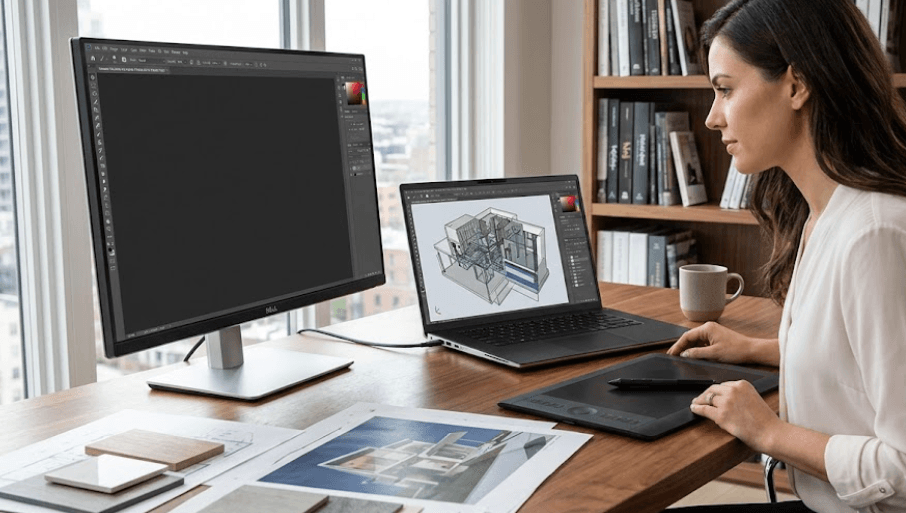
TL;DR For freelance architects, the Dell Precision 5690 is the most compelling recent Precision mobile workstation because it combines a 16-inch display, professional NVIDIA RTX graphics options, up to 64GB of onboard LPDDR5x memory, and up to 4TB of PCIe Gen 4 SSD storage in a relatively portable 2.01kg chassis. Dell specifically lists the Precision 5690 for CAD and CAM alongside graphic design, animation, video, and photo editing, making it a natural fit for architects who move between home, studio, client meetings, and site visits. The smaller Precision 5490 is better suited to architects who prioritize portability, while the larger Precision 7680 is more appropriate for heavier workstation workloads where upgradeable memory and higher graphics configurations matter more than weight. Dell now promotes its newer Pro Precision and Pro Max workstation families, so buyers looking for a brand-new 2026 system should also check the current lineup rather than assuming older Precision models remain in stock.
Why Freelance Architects Need A Workstation
Architecture software can make a laptop work much harder than a typical office machine. A freelance architect may move between AutoCAD drawings, Revit models, SketchUp scenes, Photoshop files, PDFs, browser tabs, and video calls during the same working day. Once 3D modelling and rendering enter the workflow, graphics performance becomes especially important. That is where a mobile workstation such as the Dell Precision range has an advantage over a conventional business laptop. The Precision family is designed around professional workloads, and Dell positions its workstation portfolio for advanced applications rather than everyday productivity alone.
A freelance architect also has a different set of priorities from someone working permanently at a large architectural firm. You may carry the laptop between a home office and client meetings, use it at a construction site, or connect it to an external monitor and drawing accessories. That makes portability, connectivity, display quality, and reliability just as relevant as raw processing power. A laptop that performs well but weighs several kilograms may become frustrating if you are carrying it around every day. On the other hand, an extremely thin machine may not provide enough graphics performance for complex 3D projects.
The right Dell Precision therefore depends on the type of architectural work you actually do. A freelancer working mainly with 2D CAD and moderate modelling does not necessarily need the highest-end GPU available. Someone creating detailed Revit models, working with complex 3D scenes, or producing rendered walkthroughs may benefit from a much stronger professional GPU. Dell's own Precision documentation identifies the 5690 for CAD and CAM and lists architects among its recommended users, which makes it particularly relevant to this audience.
What Matters Most For Architecture
The most important specifications are the processor, GPU, RAM, storage, display, and physical design. The GPU becomes particularly important once your workflow includes 3D visualization and rendering, while RAM affects how comfortably you can work with large models and multiple applications. Storage matters because architectural projects can quickly grow when you keep local CAD files, textures, renders, reference material, and client documents.
Dell Precision 5690 For Freelance Architects
The Precision 5690 is the most interesting recent model in this comparison because it sits between portability and workstation performance. Dell offered it with Intel Core Ultra 5, Core Ultra 7, and Core Ultra 9 H-series processors, alongside professional NVIDIA RTX 1000, RTX 2000, RTX 3500, RTX 4000, and RTX 5000 Ada Generation Laptop GPU options. That gives architects considerably more graphics headroom than an ordinary thin-and-light business laptop.
The display options are also useful for architectural work. Dell lists a 16-inch FHD+ panel with 500 nits and 100% DCI-P3 coverage, as well as a 16-inch UHD+ OLED touchscreen with 3840 x 2400 resolution and 100% DCI-P3 coverage. For architects who spend hours reviewing drawings, presentations, renders, and visual references, a larger high-resolution panel can make the workstation easier to use without immediately requiring an external display.
The 5690 can also be configured with 16GB, 32GB, or 64GB of LPDDR5x memory and up to a 4TB PCIe Gen 4 SSD. It weighs a minimum of 2.01kg, which is not ultralight, but is reasonable for a 16-inch mobile workstation. Dell also lists two Thunderbolt 4 ports, a USB-C port with DisplayPort support, HDMI 2.1, and an optional SD card slot. For a freelancer moving between locations, that combination makes the 5690 easier to integrate into a workstation setup.
| Specification | Precision 5690 |
|---|---|
| Display | 16-inch FHD+ or UHD+ OLED |
| Processor | Intel Core Ultra 5, 7, or 9 H-series |
| GPU Options | NVIDIA RTX 1000 to RTX 5000 Ada |
| RAM | Up to 64GB LPDDR5x |
| Storage | Up to 4TB PCIe Gen 4 SSD |
| Weight | From 2.01kg |
| Ports | Thunderbolt 4, USB-C, HDMI 2.1 |
| Architecture Fit | CAD, CAM, 3D modelling, rendering |
Precision 5490 For Portable Architecture
The Precision 5490 takes a different approach. Its 14-inch chassis makes it much easier to carry than the 16-inch 5690, with a minimum listed weight of about 1.48kg. Dell offered it with Intel Core Ultra 5, 7, and 9 processors, alongside NVIDIA RTX 1000, RTX 2000, and RTX 3000 Ada Generation graphics. For a freelance architect who travels frequently, that smaller footprint can be a meaningful advantage.
The 5490 also supports up to 64GB of onboard LPDDR5x memory and up to a 4TB PCIe Gen 4 SSD. Its display options include a 14-inch FHD+ 1920 x 1200 panel with 500 nits and 100% sRGB coverage, as well as a QHD+ 2560 x 1600 touchscreen with 500 nits and 100% sRGB coverage. These configurations are suitable for mobile productivity, although the smaller display naturally provides less working area than the 5690's 16-inch screen.
That difference becomes noticeable when working on detailed drawings or large modelling interfaces. A 14-inch screen is excellent for travelling, meetings, and reviewing work, but an architect who spends most of the day building models may appreciate the additional workspace of the 5690. The 5490 therefore makes more sense when portability is a major part of the brief rather than simply an occasional requirement. Dell's documentation also confirms that its memory is integrated onto the motherboard, so buyers need to choose their RAM configuration carefully at purchase.
| Specification | Precision 5490 |
|---|---|
| Display | 14-inch FHD+ or QHD+ |
| Processor | Intel Core Ultra 5, 7, or 9 |
| GPU Options | RTX 1000, 2000, or 3000 Ada |
| RAM | Up to 64GB LPDDR5x onboard |
| Storage | Up to 4TB PCIe Gen 4 SSD |
| Weight | From 1.48kg |
| Ports | Four Thunderbolt 4 ports |
| Best Fit | Mobile CAD and design work |
Precision 7680 For Heavy Workloads
If portability is less important, the Precision 7680 moves the discussion toward workstation scalability. Dell lists multiple professional NVIDIA graphics options, including RTX A1000, A2000, A3000, A4500, and A5500 configurations, along with a high-end GeForce RTX 4090 Laptop GPU option on the model page. It also supports substantially more memory configurations than the thinner Precision models, including options reaching 128GB.
The 7680 also gives architects more display choices, including a 16-inch FHD+ panel and a 16-inch UHD+ OLED display with 3840 x 2400 resolution, 100% DCI-P3 coverage, and a 60Hz refresh rate. The high-resolution OLED option can be useful for visual work, particularly when reviewing detailed renders and presentation material. However, the workstation's larger design makes it less attractive for someone whose main priority is carrying the laptop around every day.
For a freelancer working on complex BIM models, demanding visualization tasks, or other applications that benefit from substantial system resources, the 7680 offers more room to configure the machine around the workload. Its memory architecture is also more flexible than the onboard-memory approach of the 5490 and 5690. That flexibility can matter for professionals planning to keep a workstation for several years, although the additional performance and scalability come with a larger machine.
| Model | Main Strength | RAM Approach | GPU Range | Portability |
|---|---|---|---|---|
| Precision 5490 | Mobility | Up to 64GB onboard | Up to RTX 3000 Ada | Highest |
| Precision 5690 | Balance | Up to 64GB onboard | Up to RTX 5000 Ada | Moderate |
| Precision 7680 | Workstation performance | Up to 128GB options | Up to RTX A5500/RTX 4090 | Lowest |
How To Choose The Right Precision
For most freelance architects, the GPU should be selected according to the actual type of work rather than simply choosing the most expensive configuration. If your work is mostly 2D CAD, documentation, presentations, and moderate 3D modelling, an entry professional RTX configuration can be sufficient. If you regularly work with demanding 3D models and rendering applications, moving higher in the RTX range gives you more graphics resources to work with. Dell's Precision lineup offers several GPU levels specifically so that the workstation can be configured around different professional workloads.
RAM deserves similar attention. A 16GB configuration can handle ordinary productivity, but architectural workflows can quickly become more demanding when a large model is open alongside a browser, reference files, rendering software, and image-editing tools. The Precision 5490 and 5690 were available with up to 64GB onboard memory, while the Precision 7680 offered configurations reaching 128GB. Because the 5490 and 5690 use onboard memory, choosing enough RAM when purchasing is particularly important.
Storage should also be treated as part of the professional setup rather than an afterthought. A 1TB SSD is a practical starting point for a freelancer who stores active projects locally, while 2TB or 4TB can be more comfortable if large project files and renders are kept on the laptop. The 5690, 5490, and 7680 all offered configurations up to 4TB, although exact configurations depend on the model and market. For freelancers, the final choice should also consider external backup, because a workstation should not be the only copy of important client files.
Recommended Configuration
| Workload | Suggested Configuration |
|---|---|
| 2D CAD and documentation | 16GB to 32GB RAM, entry RTX GPU, 1TB SSD |
| BIM and moderate 3D work | 32GB RAM, RTX 2000/3000-class configuration, 1TB to 2TB SSD |
| Heavy 3D and rendering | 64GB RAM, higher RTX GPU, 2TB to 4TB SSD |
| Large professional projects | Precision 7680-class workstation with higher memory capacity |
Buying A Dell Precision In 2026
There is an important buying consideration in 2026: several recent Precision models are no longer shown as available for direct purchase on Dell India's website. Dell currently labels the Precision 5690, 5490, 5680, and 3591 as unavailable and directs customers toward similar products. Dell's current workstation pages also promote newer Pro Precision and Pro Max families. That means a freelance architect shopping today should distinguish between buying a recent Precision as refurbished or existing stock and buying Dell's current-generation workstation.
This does not make the Precision 5690 irrelevant. Its specifications remain well suited to professional architectural workflows, and Dell itself lists it for CAD and CAM use. It simply means that the price and condition become especially important if you are buying one in 2026. A refurbished Precision with a strong professional GPU, sufficient RAM, and a healthy SSD can be a practical workstation, but buyers should verify the exact configuration instead of relying on the model name alone.
Professional software support is another reason to look beyond raw specifications. Dell maintains an ISV certification database for its workstation portfolio, covering professional applications and certified hardware and driver combinations. Architects should check the certification information for the exact workstation, GPU, software version, and operating system they intend to use rather than assuming every configuration has identical certification.
Frequently Asked Questions
Q. Which Dell Precision is best for freelance architects?
The Precision 5690 is the most balanced recent Precision option for freelance architects because it combines a 16-inch display, professional NVIDIA RTX graphics options, up to 64GB RAM, and up to 4TB storage in a 2.01kg minimum-weight chassis. Dell also specifically identifies the 5690 for CAD and CAM workloads.
Q. Is the Dell Precision 5690 good for AutoCAD and Revit?
The Precision 5690 is designed for professional workloads and offers multiple NVIDIA RTX Ada graphics options. Dell lists CAD and CAM among its recommended use cases. For a specific AutoCAD or Revit version, checking Dell's current ISV certification information is still advisable.
Q. Is 32GB RAM enough for architectural work?
32GB can be a practical configuration for many freelance architectural workflows involving CAD, BIM, browser multitasking, and moderate 3D work. Heavier models, rendering, and multitasking can justify 64GB or more, particularly on a workstation designed for demanding professional applications.
Q. Is the Precision 5490 better than the 5690 for architects?
The two models prioritize different requirements. The 5490 is smaller and starts at about 1.48kg, while the 5690 has a larger 16-inch display and offers higher-end RTX graphics options. The 5490 therefore suits mobility-focused workflows, while the 5690 provides more graphics and screen options.
Q. Can the Dell Precision 5690 handle 3D rendering?
Yes, configurations of the Precision 5690 were offered with NVIDIA RTX 1000 through RTX 5000 Ada Generation Laptop GPUs, giving buyers a broad range of professional graphics performance. The appropriate configuration depends on the rendering software and project complexity.
Q. How much storage should an architect get?
A 1TB SSD is a reasonable starting point for many freelancers, but 2TB or 4TB can be more convenient when projects, textures, renders, reference files, and local backups are stored on the workstation. The Precision 5690, 5490, and 7680 were offered with storage configurations reaching 4TB.
Q. Is the Precision 7680 better for heavy architectural workloads?
The Precision 7680 provides considerably more memory and graphics configuration flexibility than the thinner 5490 and 5690. Dell lists configurations reaching 128GB memory and professional graphics options up to RTX A5500, making it better suited to workloads where scalability is more important than portability.
Q. Does the Precision 5690 have enough display space for architects?
Its 16-inch display provides more working area than the 14-inch Precision 5490. Dell offered both a 1920 x 1200 FHD+ option and a 3840 x 2400 OLED touchscreen option, so the exact display experience depends on the configuration selected.
Q. Is the Dell Precision 5690 available new in India in 2026?
Dell India's current product page marks the Precision 5690 as unavailable. Dell now directs customers toward similar products, so availability should be checked before treating the 5690 as a current new-stock purchase.
Q. Should freelance architects buy a Dell Precision or a regular laptop?
A Precision makes more sense when the workload includes professional CAD, BIM, 3D modelling, visualization, or other demanding applications. If the work is limited to documents, browsing, presentations, and light 2D design, a regular business or creator laptop may provide enough performance without workstation-class hardware.
Final Recommendation
For freelance architects looking specifically at the Dell Precision family, the Precision 5690 is the strongest all-round recent option because it brings together a large 16-inch display, professional NVIDIA RTX graphics, up to 64GB of onboard LPDDR5x memory, up to 4TB SSD storage, and a relatively manageable 2.01kg starting weight. Dell also explicitly lists architects, CAD, and CAM among its intended use cases, which makes its positioning particularly relevant to architectural work.
The Precision 5490 is the better fit when carrying weight matters more than screen size and graphics headroom. Its 14-inch chassis starts at about 1.48kg and still offers professional RTX graphics and up to 64GB of onboard memory. For architects who travel frequently between client meetings, studios, and sites, that smaller footprint can be valuable.
For the heaviest workloads, the Precision 7680 offers a different level of scalability, with substantially higher memory options and powerful professional graphics configurations. However, its larger workstation design is less convenient for daily travel. In 2026, buyers should also check Dell's newer Pro Precision and Pro Max range because the recent Precision models discussed here are no longer consistently available as new systems in India. The most sensible purchase is therefore the configuration that matches the actual CAD, BIM, rendering, and mobility requirements rather than simply choosing the highest specification available.







