
HP ZBook 15 G3 vs Dell Precision 7510 In 2026: Best Mobile Workstation?
A detailed comparison of HP ZBook 15 G3 and Dell Precision 7510 covering durability, cooling, display quality, upgradeability, and refurbished workstation value for professionals in 2026.

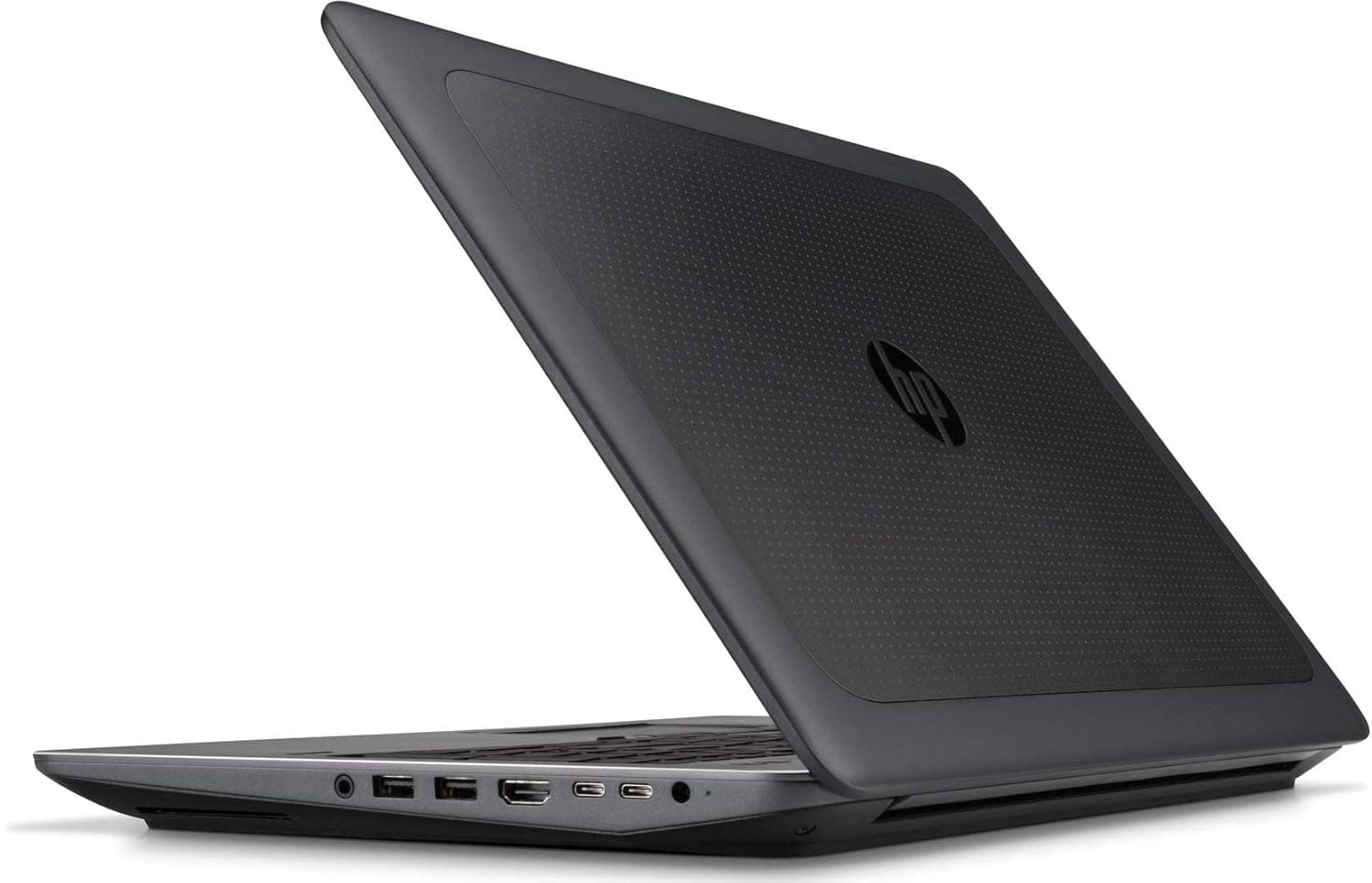
TL;DR The HP ZBook 15 G3 and the Dell Precision 7510 remain two of the most widely available refurbished enterprise workstations in India in 2026. Both machines were built around 6th-generation Intel Core i7/Xeon processors, NVIDIA Quadro graphics, and large 90Wh+ batteries. The ZBook 15 G3 emphasizes thermal stability, keyboard ergonomics, and HP’s enterprise service ecosystem, while the Precision 7510 focuses on modularity and Dell’s corporate IT integration. In refurbished markets, both offer strong performance-per-rupee value, but the better choice depends on priorities such as cooling behavior, serviceability, display calibration, and long-term reliability.
HP ZBook vs Dell Precision: Quick Decision Guide (2026)
When comparing HP ZBook 15 G3 Specs with Dell Precision 7510 specifications, both systems share similar hardware foundations. Each model typically features Intel Core i7-6700HQ or Xeon E3-1505M processors, DDR4 memory support up to 64GB, multiple storage slots including M.2 NVMe, and NVIDIA Quadro M1000M or M2000M graphics options. This means raw benchmark performance in CPU-bound tasks remains closely matched in 2026.
However, real-world differentiation appears in thermal behavior and firmware tuning. The HP ZBook 15 G3 Workstation Laptop is widely recognized for maintaining more consistent clock speeds under sustained load due to its dual-fan cooling design and balanced internal airflow. The Dell Precision 7510, while equally powerful, sometimes exhibits more aggressive fan acoustics during heavy rendering or compilation tasks. For engineers or analysts running prolonged simulations, sustained performance stability becomes more important than short burst speeds.
Refurbished buyers in India should also consider ecosystem factors. HP enterprise parts availability remains strong through corporate surplus channels, while Dell’s global IT presence ensures Precision spare components are equally accessible. For users purchasing through curated platforms such as Refurbo , condition grading and battery health verification often matter more than brand preference.
Quick Comparison Table (2026)
For most Indian refurbished buyers, both deliver strong workstation value under ₹45,000–₹55,000 depending on configuration.
Design Philosophy: Enterprise Engineering vs Corporate Mobility Approach
The HP ZBook 15 G3 Review frequently highlights HP’s approach to enterprise engineering durability. The chassis incorporates magnesium alloy and aluminum reinforcement, built to pass MIL-STD testing standards. HP designed this workstation to function as a transportable desktop replacement rather than a lightweight ultrabook. Its slightly thicker profile contributes directly to improved cooling and component spacing.
Dell’s Precision 7510 follows a similar industrial aesthetic but emphasizes corporate IT standardization. Dell engineered its Precision line to integrate seamlessly into enterprise fleet deployments, prioritizing modular repair access and standardized component layouts. While visually comparable to the ZBook, Dell’s design philosophy leans slightly more toward IT service convenience rather than user ergonomics.
In practical usage, the HP ZBook 15 G3 feels marginally more refined in keyboard deck rigidity and hinge stability. The Dell Precision feels equally durable but slightly more utilitarian in finish. Both systems exceed consumer laptop durability standards, but the ZBook’s chassis balance often earns praise for reduced flex under heavy typing.
For professionals in engineering, finance, architecture, or backend development, both machines provide workstation-grade build integrity far superior to modern thin consumer laptops. The decision here depends on whether the buyer values HP’s ergonomic polish or Dell’s standardized IT-centric modularity.
Build Quality and Chassis Durability Comparison
The HP ZBook 15 G3 and the Dell Precision 7510 were both engineered to meet enterprise durability expectations rather than consumer portability trends. HP built the ZBook 15 G3 with a magnesium alloy internal frame combined with aluminum outer panels. It was tested against MIL-STD-810G standards for vibration, shock, temperature variation, and altitude. This testing framework was designed to ensure the system could survive transportation between worksites, field engineering usage, and extended office deployment cycles. The keyboard deck feels rigid with minimal flex, and hinge stability remains one of the model’s strengths even after years of use.
Dell’s Precision 7510 follows a similar durability philosophy, using a reinforced chassis with a soft-touch matte exterior finish. It also meets MIL-STD durability benchmarks and was widely deployed across corporate IT environments globally. Structurally, the Precision 7510 is slightly more service-panel focused, with easier bottom access for field technicians. However, some refurbished buyers report cosmetic wear on Dell’s rubberized coating over time, whereas HP’s metallic finish tends to age more gracefully.
From a long-term ownership perspective in India’s refurbished market, both machines demonstrate exceptional structural longevity compared to consumer notebooks. Professionals who travel occasionally between offices benefit from the ZBook’s slightly more premium finish, while enterprise IT environments often favor Dell’s standardized service layout. In durability terms, both machines comfortably outperform modern thin ultrabooks in chassis rigidity and drop resistance.
Thermal Performance and Sustained Load Stability
Thermal engineering becomes a critical differentiator when evaluating workstation reliability in 2026. The HP ZBook 15 G3 Workstation Laptop incorporates a dual-fan cooling solution with dedicated heat pipes for CPU and GPU. This separation allows better thermal isolation during mixed workloads such as rendering combined with compilation or large spreadsheet processing. In long-duration stress tests, the ZBook typically maintains stable clock speeds without aggressive throttling, making it particularly reliable for CAD modeling, simulation, and backend development tasks.
The Dell Precision 7510 also uses a dual-fan cooling architecture but tends to adopt a more aggressive fan ramp profile under load. While raw performance between both machines remains comparable due to shared Intel 6th-generation HQ/Xeon processors, acoustic behavior differs slightly. Dell systems often become louder during extended GPU-intensive sessions, whereas HP systems prioritize smoother fan curve adjustments. For users operating in quiet office environments, this subtle difference becomes noticeable.
In real-world Indian office conditions where ambient temperatures can rise during summer months, thermal headroom becomes even more important. Both machines were engineered during an era when 45W CPUs were standard, meaning cooling systems were built with significant margin. Refurbished buyers should ensure thermal paste servicing is completed, as maintenance significantly impacts sustained performance. Overall, both deliver stable sustained load performance, but the ZBook 15 G3 often receives praise for slightly more balanced thermal acoustics.
Display Quality and Color Accuracy for Professional Users
Display configuration options on both systems reflect professional calibration priorities. The HP ZBook 15 G3 Specs included Full HD IPS panels, optional 4K UHD displays, and DreamColor variants offering enhanced color reproduction. DreamColor panels were specifically engineered for professionals requiring accurate color representation in media production, CAD visualization, and design review workflows. Even standard IPS panels on the ZBook deliver wide viewing angles and consistent brightness distribution.
The Dell Precision 7510 similarly offered Full HD and optional 4K IGZO panel configurations. Dell’s higher-end panels delivered excellent sharpness and respectable color accuracy, making them suitable for architects, engineers, and visual designers. However, HP’s DreamColor branding historically gained stronger recognition in color-critical industries due to factory calibration processes. In side-by-side comparisons, both displays remain competitive in brightness levels around 300 to 350 nits for FHD models.
For refurbished buyers in India, panel condition matters more than brand preference. Screen uniformity, absence of backlight bleed, and brightness retention should be evaluated during purchase. From a professional standpoint, both machines provide workstation-grade display reliability far exceeding entry-level business laptops. Users requiring strict color workflows may lean slightly toward DreamColor-equipped ZBook units, while general engi
Battery Life and Real-World Mobility Performance
The HP ZBook 15 G3 and the Dell Precision 7510 were both built during a period when mobile workstations prioritized performance over extreme portability. As a result, neither device competes with modern ultrabooks in battery endurance, but both offer dependable short-duration mobility. The ZBook 15 G3 typically shipped with a 90Wh battery option, while many Precision 7510 configurations also featured large 84Wh or 91Wh batteries depending on SKU.
In real-world 2026 usage scenarios involving Excel modeling, browser-based ERP systems, documentation, and moderate multitasking, both systems generally deliver between three to five hours on a healthy refurbished battery. Under heavier workloads such as CAD rendering or GPU-accelerated visualization, runtime can drop closer to two to three hours. The ZBook 15 G3 Review frequently notes slightly smoother battery discharge behavior, with less aggressive power throttling compared to Dell’s firmware tuning.
For Indian professionals dealing with intermittent electricity disruptions or working across multiple office locations, this level of backup provides functional reliability rather than all-day independence. Replacement batteries remain available in the refurbished market, making long-term mobility maintenance practical. Ultimately, both machines offer reliable workstation-grade backup, but buyers should treat battery life as operational support rather than a primary strength.
Upgradeability, Serviceability, and Long-Term Maintenance
Upgrade flexibility is one of the strongest reasons these workstations remain relevant in 2026. The HP ZBook 15 G3 Specs include support for up to 64GB DDR4 RAM across four memory slots, dual M.2 NVMe SSD slots, and a 2.5-inch SATA bay. This modularity allows professionals to significantly extend the system’s lifespan by upgrading storage or memory instead of replacing the entire device. The removable bottom panel and clearly organized internal layout simplify servicing.
The Dell Precision 7510 offers comparable expandability, also supporting up to 64GB RAM and multiple storage configurations. Dell’s service-oriented chassis design emphasizes easy field access, which corporate IT departments historically appreciated. RAM, SSD, Wi-Fi cards, and even thermal components can be replaced without excessive disassembly. In this category, both systems outperform most modern sealed ultrabooks that restrict upgrades.
From a refurbished market perspective in India, long-term maintenance economics favor both machines equally. Spare parts such as keyboards, batteries, cooling fans, and storage modules remain widely available. The HP ZBook 15 G3 Workstation Laptop may have a slight edge in keyboard durability over time, but Dell’s standardized parts distribution through enterprise channels keeps maintenance costs competitive. For professionals prioritizing long lifecycle ownership, both machines remain excellent choices due to their modular architecture.
Driver Stability, ISV Certifications, and Software Compatibility
Professional workstations differentiate themselves from consumer laptops through ISV certifications and driver stability. Both the HP ZBook 15 G3 and Dell Precision 7510 were certified for applications such as AutoCAD, SolidWorks, Adobe Creative Suite, and various engineering simulation platforms at launch. NVIDIA Quadro GPUs in both systems are supported by enterprise drivers optimized for stability rather than gaming performance spikes.
The ZBook 15 G3 Review often highlights HP’s driver management ecosystem, including HP Performance Advisor and BIOS-level configuration tools tailored for enterprise deployments. These tools assist users in maintaining consistent software compatibility even years after release. Dell similarly provides long-term driver archives and BIOS updates, which helps maintain operational reliability in professional settings.
In 2026, while these machines no longer receive cutting-edge firmware updates, core driver stability remains strong due to mature platform architecture. Windows 10 compatibility remains excellent, and many users deploy Windows 11 with appropriate configuration adjustments. For organizations using legacy professional software tools, stability often matters more than latest-generation hardware acceleration.
Both systems provide enterprise-certified reliability, making them safer investments for engineers, accountants, developers, and architects compared to gaming laptops repurposed for workstation tasks.
Port Selection, Connectivity, and Docking Ecosystem
The HP ZBook 15 G3 and the Dell Precision 7510 were designed during a time when professional users required extensive physical connectivity rather than relying solely on USB-C hubs. The HP ZBook 15 G3 Workstation Laptop includes Thunderbolt 3, multiple USB 3.0 ports, HDMI, VGA, RJ-45 Ethernet, SD card reader, and a docking connector. This broad selection allows direct connection to projectors, wired networks, legacy peripherals, and modern high-speed storage without adapters.
The Dell Precision 7510 offers a similarly strong port ecosystem, including Thunderbolt 3, USB 3.0 ports, HDMI, mini DisplayPort, RJ-45, SD reader, and Dell’s proprietary docking port. Dell’s docking stations historically integrated seamlessly into corporate desk setups, enabling single-connection expansion for dual monitors and wired networking. In enterprise offices, this reduced cable clutter and simplified workstation deployment.
For Indian professionals in 2026, extensive physical ports remain valuable, particularly in environments where wireless infrastructure may not always be stable. Unlike many modern ultrabooks that remove Ethernet and legacy display outputs, both these workstations allow immediate compatibility with older infrastructure. From a connectivity perspective, both machines deliver complete professional I/O flexibility, though HP’s inclusion of VGA may still benefit users working in legacy conference rooms.
Price Comparison in India: New vs Refurbished Workstation Value
By 2026, both models are primarily available in the refurbished market. The HP ZBook 15 G3 Price in India typically ranges between ₹38,000 and ₹55,000 depending on RAM, storage configuration, GPU variant, and battery health. Similarly, refurbished Dell Precision 7510 units generally fall within a comparable ₹35,000 to ₹50,000 bracket.
New equivalents with similar workstation-class durability would cost significantly more, often exceeding ₹1,20,000 in modern workstation categories. This price gap is why refurbished enterprise machines remain attractive for startups, freelancers, MBA students, and backend developers who need workstation-grade reliability without premium pricing.
Buyers exploring Refurbished HP ZBookf 15 G3 listings should verify battery condition, SSD health, and display uniformity. Reputed platforms provide graded enterprise systems with tested components, reducing purchase risk compared to unverified sellers.
India Price Comparison Table (2026)
For budget-conscious professionals needing high RAM capacity and Quadro graphics, both machines deliver outstanding cost efficiency.
Which Workstation Should You Buy in 2026?
Choosing between the HP ZBook 15 G3 and Dell Precision 7510 ultimately depends on workflow priorities rather than raw performance, as both share similar core hardware foundations. If your priority is slightly better thermal balance, refined keyboard feel, and historically strong DreamColor display options, the ZBook 15 G3 often emerges as the more polished workstation experience. Its chassis durability and cooling consistency make it a dependable long-term engineering companion.
On the other hand, professionals embedded in Dell-centric corporate ecosystems or those prioritizing slightly easier IT servicing may prefer the Precision 7510. Dell’s enterprise integration and docking infrastructure historically served large organizations effectively. In raw computational capability, both remain nearly identical when configured with similar CPU and GPU options.
For Indian buyers in 2026 seeking maximum performance per rupee, refurbished configurations represent the smartest purchase strategy. Both systems outperform modern consumer laptops in sustained load reliability and upgrade flexibility. If display calibration and balanced thermals matter slightly more, choose the HP ZBook 15 G3. If standardized enterprise familiarity and marginally lower pricing are priorities, the Precision 7510 remains equally capable. In either case, you receive true workstation-grade engineering at a fraction of modern workstation pricing.
Frequently Asked Questions
Q. Is the HP ZBook 15 G3 still worth buying in 2026?
A. Yes. In refurbished condition, it remains a strong choice for professional workloads that require high RAM capacity and NVIDIA Quadro graphics stability.
Q. How does Dell Precision 7510 compare in performance?
A. Performance is nearly identical when both systems are configured with similar Intel Core i7 or Xeon processors and Quadro GPU options.
Q. Which has better thermals?
A. The HP ZBook 15 G3 generally maintains slightly more balanced sustained cooling and smoother fan behavior under long workloads.
Q. Is the DreamColor display available on ZBook 15 G3?
A. Yes. Select configurations included DreamColor panels designed for improved color accuracy and professional visual workflows.
Q. Can both support 64GB RAM?
A. Yes. Both systems support up to 64GB of DDR4 memory, making them suitable for heavy multitasking and engineering applications.
Q. Are replacement parts available in India?
A. Yes. RAM, SSDs, batteries, cooling fans, and keyboards remain widely available through refurbished and enterprise spare part channels.
Q. Which is better for CAD and SolidWorks?
A. Both are ISV certified and perform reliably for professional CAD and 3D modeling workloads when equipped with Quadro graphics.
Q. How long does the battery last in 2026 usage?
A. Typically three to five hours depending on battery health, screen brightness, and workload intensity.
Q. Are these better than gaming laptops for professional work?
A. Yes. Quadro drivers and enterprise firmware tuning provide greater stability for professional applications compared to consumer gaming systems.
Q. Which offers better value?
A. Both provide excellent refurbished value in India, though the ZBook 15 G3 may offer a slight advantage in thermal refinement and display options.






