
HP ZBook 15 G3 For Creators In 2026: Editing, Design, And Colour Workflows
HP ZBook 15 G3 delivers reliable editing performance, DreamColor accuracy, and upgradeable workstation power for budget-conscious creators in 2026.

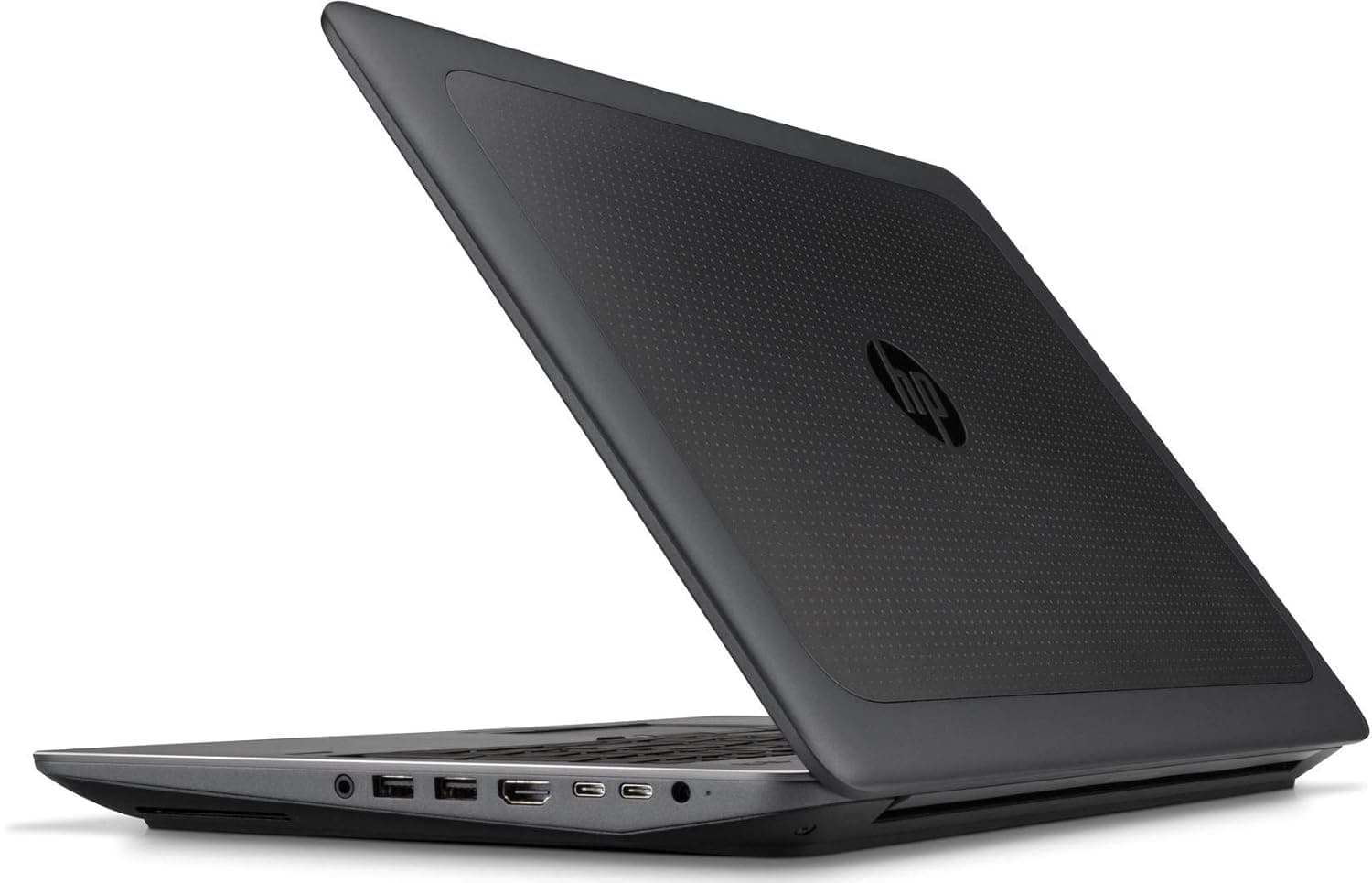
TL;DR The HP ZBook 15 G3 remains surprisingly relevant for creative professionals in 2026 when configured correctly and purchased as a refurbished workstation. Originally engineered as an enterprise mobile workstation rather than a consumer multimedia laptop, it offers advantages still valuable for creators today, including professional GPUs, upgradeable memory, color-accurate display options, and sustained performance under editing workloads. While it cannot compete with modern RTX-based creator laptops in AI acceleration or real-time rendering, it continues to handle photo editing, graphic design, Full HD video production, and color-managed workflows reliably. For Indian creators seeking stable performance without investing heavily in new hardware, a Refurbished HP ZBook 15 G3 provides a practical entry into professional creative computing.
Overview of HP ZBook 15 G3 for Creators in 2026
Creative workflows in 2026 increasingly demand balanced computing systems capable of sustaining long rendering sessions, handling large media libraries, and maintaining display accuracy during editing work. Unlike modern thin consumer laptops optimized for portability first, the HP ZBook 15 G3 Workstation Laptop was originally built for engineers, designers, and visualization professionals who required consistent performance under heavy loads. This workstation-first engineering approach allows the system to remain usable for creative professionals even years after its release.
The ZBook 15 G3 introduced enterprise-grade thermal systems, professional NVIDIA Quadro graphics, and upgrade flexibility rarely found in consumer laptops. These characteristics translate well into modern creator workloads such as Adobe Photoshop composition, Illustrator vector design, Lightroom catalog management, and timeline-based video editing. Sustained clock stability becomes more important than benchmark spikes when exporting projects or rendering layered compositions, and this is where workstation hardware maintains relevance.
For Indian buyers evaluating affordable creator machines, refurbished enterprise platforms available through curated workstation collections such as Refurbo, offer significantly better long-term reliability compared to similarly priced consumer gaming laptops. A properly refurbished ZBook 15 G3 provides workstation durability, replaceable components, and professional GPU drivers that remain compatible with many modern creative applications. In 2026, it positions itself not as a cutting-edge creator laptop but as a dependable production tool for budget-conscious designers and editors.
HP ZBook 15 G3 Specs Overview for Creative Workflows
Understanding HP ZBook 15 G3 Specs is essential when evaluating its suitability for editing and design environments. The system typically ships with Intel 6th-generation Core i7 HQ-series processors such as the i7-6700HQ or Xeon E3 variants. While older by modern standards, these quad-core CPUs still provide strong sustained multi-threaded performance for photo processing, layer rendering, and timeline exports in Full HD editing workflows.
A defining advantage of the workstation lies in its professional GPU options, particularly NVIDIA Quadro M1000M and M2000M graphics. Unlike consumer GPUs optimized primarily for gaming, Quadro drivers prioritize stability and certified performance in professional software environments. Applications such as Adobe Premiere Pro, After Effects, AutoCAD visualization, and certain 3D design tools benefit from this optimization, especially during viewport interaction and GPU-accelerated effects processing.
Memory expandability further strengthens creative usability. The ZBook 15 G3 supports up to 64 GB DDR4 RAM across multiple slots, allowing creators to manage large Photoshop files, RAW photo batches, or complex project timelines without frequent slowdowns. Storage flexibility is equally important, as the workstation supports SATA SSDs alongside NVMe configurations, enabling fast scratch disks essential for editing workflows.
Even in 2026, this combination of upgradeability, workstation GPU certification, and sustained thermal capability allows the ZBook 15 G3 to function effectively as a budget professional creation platform rather than an entry-level consumer device.
Resolution Options and Impact on Design Productivity (FHD vs WUXGA vs UHD)
Display resolution plays a direct role in creative productivity, particularly for designers working with layered compositions, timelines, or high-resolution media assets. The HP ZBook 15 G3 was offered with multiple professional display configurations, including Full HD (1920×1080), DreamColor UHD 4K (3840×2160), and select high-brightness IPS panels depending on enterprise configuration. Unlike consumer laptops where resolution upgrades mainly affect media consumption, workstation displays significantly influence workflow efficiency.
The Full HD panel remains the most common configuration found in refurbished units in India. For creators working primarily in social media design, web graphics, documentation visuals, or Full HD video editing, this resolution provides adequate workspace while maintaining better battery efficiency and GPU stability. Interface scaling remains comfortable, reducing eye strain during long editing sessions.
The UHD DreamColor panel transforms the workstation into a far more capable creative device. Higher pixel density allows accurate inspection of fine textures, typography edges, and detailed photo retouching work. Video editors benefit from viewing 4K footage at near-native resolution while retaining timeline visibility. However, UHD configurations increase GPU load and slightly reduce mobility efficiency, making them more suitable for desk-based creators.
In practical creative environments, resolution choice determines workflow comfort more than raw performance, making display configuration one of the most important purchase considerations in refurbished workstations.
Calibration Capabilities and Factory-Optimized Profiles
Professional creative work depends heavily on predictable color output rather than visually pleasing saturation. One major advantage of workstation-class systems like the ZBook 15 G3 is support for factory-calibrated display options, particularly in DreamColor variants designed for media production environments. These panels were originally engineered for industries requiring consistent visual standards such as animation, broadcast media, and digital publishing.
DreamColor-equipped units support wider color gamuts compared to standard consumer panels, enabling improved representation of gradients and tonal transitions. For photographers editing RAW images or designers preparing print-ready graphics, accurate color mapping reduces discrepancies between on-screen previews and final output. This becomes especially important when exporting projects for professional printing or client delivery.
Another advantage lies in calibration compatibility. The workstation supports external hardware calibration tools commonly used in professional environments. Creators using software such as Adobe Photoshop or DaVinci Resolve can recalibrate displays periodically, extending usable accuracy even years after manufacture. This ability significantly improves long-term value when buying refurbished systems.
Standard IPS panels, while narrower in color range, still provide acceptable consistency for web-based content creation. Many Indian creators producing YouTube thumbnails, marketing creatives, or digital advertising material may not require full DreamColor capability but still benefit from stable panel uniformity compared to budget consumer displays.
In 2026 workflows increasingly spanning multiple devices, calibrated workstation displays help maintain consistency across monitors, making the ZBook 15 G3 particularly attractive for freelancers handling professional client deliverables on limited budgets.
GPU Performance for Video Editing and 3D Design
Creative applications increasingly rely on GPU acceleration for rendering previews, visual effects processing, and viewport responsiveness. The HP ZBook 15 G3 integrates professional NVIDIA Quadro GPUs such as the M1000M and M2000M, which continue to provide functional acceleration for many editing workflows even in 2026. Although these GPUs predate modern RTX architectures, their driver optimization remains beneficial for professional software environments.
In video editing workflows using Adobe Premiere Pro, GPU acceleration assists playback smoothing, color correction layers, and transition rendering. Full HD timelines with moderate effects remain comfortably editable, while heavier 4K timelines require optimized proxy workflows. The workstation’s thermal headroom allows the GPU to sustain stable clock speeds during long exports, avoiding aggressive throttling often seen in thin consumer laptops.
For 3D creators working in Blender, Fusion 360 visualization, or product modeling tools, the Quadro architecture prioritizes viewport stability rather than gaming frame rates. Scene navigation remains smooth for small-to-medium complexity models. However, modern GPU rendering engines designed around RTX ray tracing exceed the capabilities of older Quadro hardware, positioning the ZBook primarily for modeling rather than final cinematic rendering.
For creators prioritizing stability, certified drivers, and reliable exports rather than real-time cinematic rendering, GPU performance remains adequate within realistic workload expectations.
CPU and RAM Considerations for Heavy Editing Software
Creative workloads depend heavily on sustained CPU performance and memory capacity, especially when working with layered timelines, RAW media, or multi-application workflows. The HP ZBook 15 G3 was originally configured with Intel Xeon E3 or 6th-generation Intel Core i7 quad-core processors such as the i7-6820HQ. While these processors are several generations old, their high sustained power limits still allow reliable performance in professional creative applications in 2026.
Unlike modern ultrabooks that prioritize efficiency cores, the ZBook 15 G3 operates with full-performance cores capable of maintaining consistent clock speeds during exports or batch processing tasks. Applications such as Adobe Premiere Pro, After Effects preprocessing, Photoshop batch actions, and Illustrator rendering depend more on sustained CPU stability than peak benchmark scores. This workstation design allows longer rendering sessions without abrupt slowdowns.
RAM scalability remains one of the strongest advantages for creators purchasing refurbished workstation hardware. The system supports up to 64 GB DDR4 memory, which dramatically improves performance when handling large PSD files, multi-layer compositions, or complex editing timelines. Creative professionals frequently running Lightroom alongside browsers, plugins, and asset libraries benefit significantly from higher RAM capacity.
In real-world creator environments, upgrading RAM often produces a greater workflow improvement than upgrading CPU generations, making refurbished high-memory configurations especially valuable.
Photo Editing and Color Grading Workflows (Lightroom, Capture One)
Photography and color-based creative workflows require consistent tonal accuracy, stable processing speeds, and dependable storage handling rather than extreme GPU power. The ZBook 15 G3 remains highly usable for photo editing workflows involving Adobe Lightroom Classic, Capture One, and Photoshop even in modern creative pipelines.
RAW image processing relies primarily on CPU performance and memory bandwidth. Importing large photo catalogs, generating previews, and applying batch corrections remain smooth when paired with SSD storage and at least 32 GB RAM. The workstation’s thermal design allows prolonged editing sessions without performance collapse, which becomes noticeable during large wedding or commercial photography projects involving thousands of images.
Color grading workflows also benefit from workstation display consistency. DreamColor-equipped variants provide improved tonal separation useful during exposure balancing and skin-tone correction tasks. Even standard IPS panels maintain better uniformity compared to many consumer laptops, reducing unexpected color shifts across editing sessions.
Another practical advantage lies in expandability. Creators often maintain extensive photo archives locally, and the ZBook 15 G3 supports multiple storage drives, allowing separation between operating system, active projects, and archival data. This structure improves catalog responsiveness inside Lightroom and Capture One databases.
For Indian freelance photographers and digital marketers working remotely or managing client revisions frequently, the system delivers dependable editing responsiveness without requiring expensive modern creator laptops, especially when purchased as refurbished professional hardware.
Storage Speed and Workflow Efficiency: SSDs and NVMe Drives
Storage performance directly affects creative workflow efficiency, particularly during file transfers, preview generation, and rendering exports. One of the overlooked strengths of the ZBook 15 G3 is its enterprise-grade storage flexibility, which remains highly relevant in 2026 creator environments.
The workstation supports SATA SSDs as well as PCIe NVMe drives depending on configuration. NVMe storage dramatically reduces loading times for creative software suites and large media libraries. Applications like Premiere Pro or After Effects launch faster, project timelines open more smoothly, and cache generation becomes significantly quicker compared to traditional hard drives.
Creators working with video footage or layered design projects benefit from separating workloads across drives. Installing the operating system and software on one SSD while maintaining active project files on another minimizes read/write conflicts. This workstation architecture was originally designed for enterprise engineering workflows but translates extremely well into modern creative production setups.
High-capacity SSD upgrades also enable local media workflows without immediate dependence on external drives. For Indian creators managing client footage across travel environments, internal storage reliability reduces risk associated with portable disks.
Efficient storage configuration often determines perceived system speed more than processor upgrades, making NVMe-equipped refurbished units particularly attractive for creators optimizing performance within budget constraints.
Portability vs Performance: Workstation Mobility for Creators
Creative professionals often face a practical trade-off between mobility and sustained performance. The HP ZBook 15 G3 was never designed as an ultralight creator notebook; instead, it prioritizes reliability and thermal capacity over extreme portability. Weighing roughly 2.6–2.7 kg, the system clearly belongs to the traditional workstation category rather than modern thin creator laptops.
However, this additional weight directly translates into advantages for creators working on demanding workloads. Larger internal cooling assemblies allow stable performance during long export sessions, timeline rendering, and batch processing operations. Thin laptops frequently throttle under sustained loads, whereas the ZBook 15 G3 maintains predictable performance during extended editing sessions lasting several hours.
For creators operating between studio environments, offices, or home setups, mobility remains practical rather than restrictive. The strong chassis construction and enterprise durability make it suitable for travel between shoots or client meetings without concerns about structural fragility. Many Indian freelancers and agency professionals use such systems as transportable workstations rather than daily handheld devices.
Battery-powered editing remains limited compared to modern thin laptops, meaning creators typically rely on plugged workflows during intensive tasks. Yet this aligns with real production environments where external storage, monitors, and power access are already required.
Creator Workstation Comparison (Aligned for HP ZBook 15 G3)
For creators prioritizing performance consistency over ultra-portability, workstation mobility remains a highly practical compromise.
Who Should Buy Based on Creative Workflow Needs
The ZBook 15 G3 continues to serve a clearly defined group of creators in 2026 whose workflows depend on reliability rather than cutting-edge GPU acceleration. Designers working primarily with Photoshop, Illustrator, CorelDRAW, or layout-based applications benefit from its strong CPU performance and expandable RAM architecture.
Freelance photographers handling RAW processing, wedding albums, catalog editing, and color correction workflows will find the workstation particularly effective when configured with SSD storage and higher memory capacity. These workloads rely more on sustained CPU throughput and display consistency than real-time GPU rendering power.
Video editors working with Full HD timelines, YouTube production, educational content, or corporate media projects also remain well supported. While 4K multi-layer cinematic editing may push system limits, optimized proxy workflows allow smooth editing even on older workstation platforms. The presence of professional GPU options like NVIDIA Quadro M1000M or M2000M further assists timeline acceleration and viewport responsiveness.
The system is less suited for creators specializing in modern GPU-heavy pipelines such as Unreal Engine environments, advanced 3D animation rendering, or AI-assisted video generation. Those workflows demand newer RTX-class GPUs.
For budget-conscious Indian creators entering professional workflows, refurbished workstation hardware offers unusually strong long-term value.
Why the HP ZBook 15 G3 Still Makes Sense for Creators in 2026
The HP ZBook 15 G3 continues to hold surprising value for creators in 2026 because it solves a problem many budget-conscious professionals still face: how to access workstation-grade reliability without paying modern creator laptop prices. While it no longer competes with new RTX-powered laptops in AI acceleration, real-time ray tracing, or ultra-fast 4K exports, that is not where its real strength lies. Its real value comes from sustained performance, professional-grade display options, Quadro driver stability, and exceptional upgradeability, all of which remain highly relevant for photographers, video editors, graphic designers, and freelance creators working on practical client workloads.
What makes this workstation especially compelling is that it still aligns well with the realities of modern creative work in India. Many freelancers, agency designers, and editing professionals do not need bleeding-edge GPU features every day. Instead, they need a machine that can reliably handle Lightroom catalogs, Photoshop composites, Illustrator projects, Full HD video timelines, proxy-based 4K workflows, and long export sessions without thermal instability. The ZBook 15 G3 continues to deliver exactly that when paired with 32 GB or 64 GB RAM, NVMe storage, and the Quadro M2000M configuration. Its DreamColor display variants further elevate its value for creators who depend on consistent colour output and print-accurate previews.
The bigger story is longevity. In an era where most thin laptops sacrifice repairability and thermal endurance, the ZBook 15 G3 still stands out as a true production-first workstation built for years of serviceability. Upgradeable RAM, multiple storage options, durable enterprise construction, and workstation cooling make it feel less like an outdated laptop and more like a dependable creative investment for realistic workflows. For creators entering freelancing, students building portfolios, or professionals wanting a dedicated secondary editing system, a refurbished ZBook 15 G3 remains one of the smartest value-focused workstation choices in 2026.
Frequently Asked Questions
Q. Is the HP ZBook 15 G3 still good for video editing in 2026?
Yes, it remains highly capable for Full HD video editing and proxy-based 4K workflows, especially with the Quadro M2000M, 32 GB RAM, and NVMe SSD setup. Adobe Premiere Pro, DaVinci Resolve proxy timelines, and timeline-based content editing remain smooth for creators working on YouTube videos, client projects, marketing edits, and educational content.
Q. Which display option is best for creators on the ZBook 15 G3?
The DreamColor UHD panel is the best choice for professional photographers, video editors, and designers who prioritise colour accuracy and precision work. The FHD IPS panel is still excellent for students, social media designers, and general content creators because it offers better battery efficiency and stable day-to-day workflow comfort.
Q. How much RAM should creators choose for the HP ZBook 15 G3?
For serious creative work in 2026, 32 GB RAM should be the practical minimum sweet spot. It handles Lightroom, Photoshop, browsers, plugins, and multiple active assets comfortably. 64 GB RAM is ideal for studio-level creators working with large PSDs, RAW batches, complex timelines, and heavier multitasking.
Q. Is the Quadro GPU still useful for creative software today?
Absolutely. While it lacks RTX-era AI features, the Quadro M1000M and M2000M still provide stable acceleration for Adobe apps, Blender viewport work, CAD visualisation, and GPU-assisted effects. Their certified drivers often make them more stable than similarly priced older gaming GPUs in professional workflows.
Q. Should creators choose this over a modern thin laptop?
If the priority is sustained rendering, upgradeability, colour consistency, and long editing stability, the ZBook is often the better refurbished value. Modern thin laptops may feel faster in short bursts, but many throttle under heavy exports. The ZBook remains better suited for creators who value production reliability over sleek portability.
Q. What is the best refurbished configuration to buy in 2026?
The ideal creator configuration is Core i7/Xeon + Quadro M2000M + 32 GB or 64 GB RAM + NVMe SSD + DreamColor display (if available). This setup gives the best balance of editing speed, display quality, multitasking headroom, and long-term creative usability in a refurbished budget.
Ready to upgrade your tech?
Browse our collection of quality refurbished products at unbeatable prices.






