
HP ZBook 15 G3 Display And Speakers In 2026: Pro Visuals And Media Quality
HP ZBook 15 G3 delivers reliable IPS visuals, DreamColor accuracy, anti-glare comfort, and clear workstation audio for professional productivity in 2026.

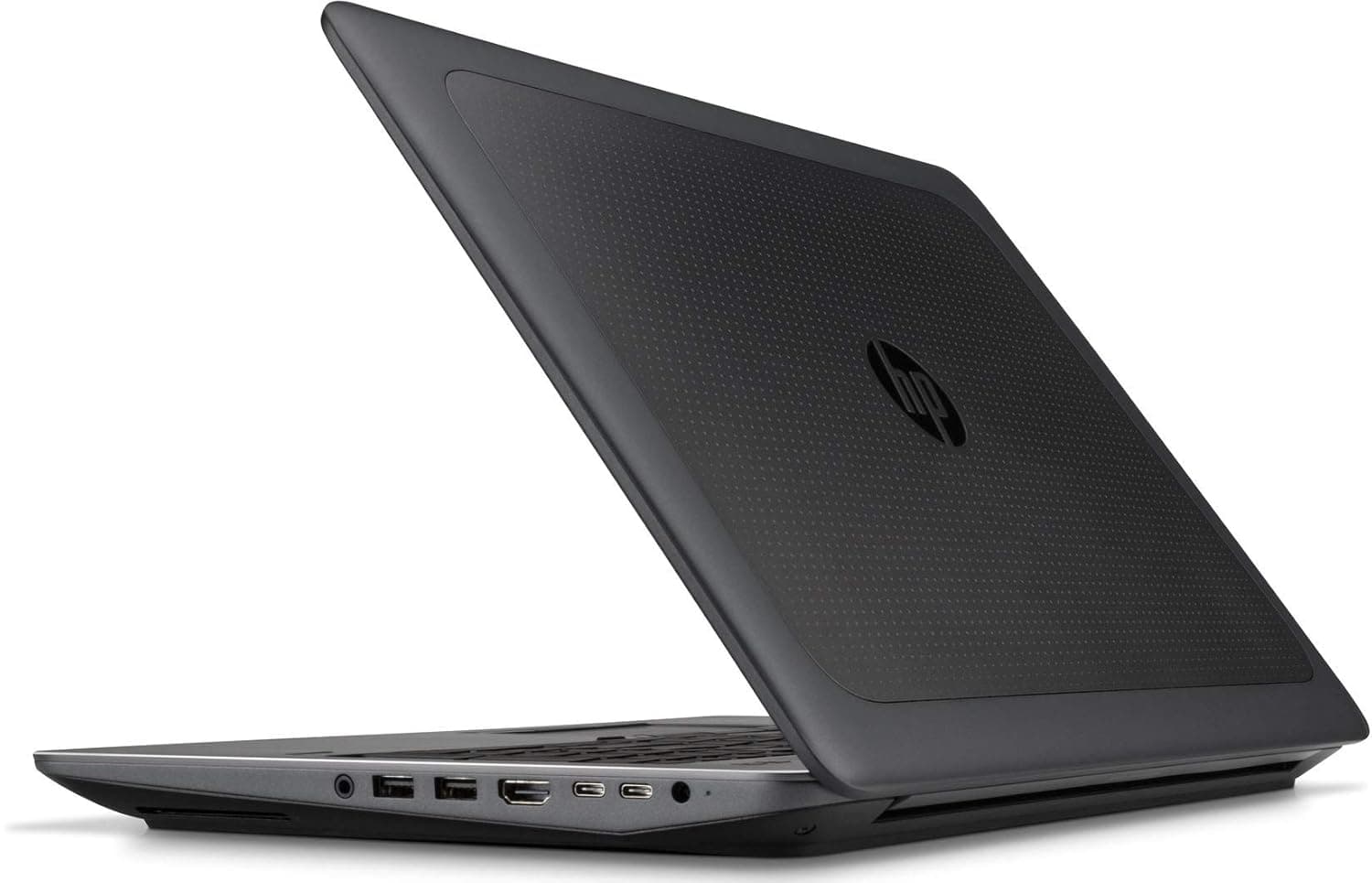
TL;DR The HP ZBook 15 G3 remains surprisingly relevant in 2026 for professionals who prioritize stable visuals over modern entertainment-focused displays. Built as a true enterprise workstation, its display options including Full HD IPS and DreamColor panels were originally engineered for CAD drafting, engineering visualization, and color-sensitive workflows rather than consumer multimedia consumption. Even today, refurbished units deliver dependable brightness, accurate color reproduction, and excellent anti-glare usability suited for long office sessions common among Indian professionals. Speaker performance is functional and meeting-ready rather than cinematic, aligning with business communication needs. When evaluated through productivity rather than modern OLED expectations, the HP ZBook 15 G3 Workstation Laptop continues to offer practical visual reliability for engineers, accountants, designers, and corporate users purchasing refurbished workstation systems in India.
HP ZBook 15 G3 Display Overview in 2026
The display system of the HP ZBook 15 G3 was designed during a period when workstation laptops prioritized visual consistency and professional accuracy instead of ultra-thin aesthetics. Unlike consumer laptops that focused on glossy panels and saturated colors, the ZBook series targeted engineers, architects, and technical professionals requiring predictable viewing performance under varied lighting conditions. In 2026, this philosophy still translates well for productivity-focused users purchasing refurbished enterprise machines.
Most configurations available today through refurbished enterprise channels include 15.6-inch IPS anti-glare panels with resolutions ranging from Full HD to optional 4K DreamColor displays. These panels were factory-validated for workstation applications such as CAD modeling, GIS visualization, simulation dashboards, and data analysis environments. Even after years of use, IPS technology ensures stable viewing angles, minimal color shift, and consistent brightness distribution across the screen qualities essential for spreadsheet-heavy or drafting workflows.
Indian buyers exploring the refurbished workstation market through platforms such as Refurbo often prioritize durability and usability over modern display trends. The HP ZBook 15 G3 Review consistently highlights that its matte display remains easier on the eyes compared to glossy modern laptops used in brightly lit offices or home setups. While bezels appear dated by modern standards, the actual working canvas remains large and comfortable for multitasking. For professionals evaluating HP ZBook 15 G3 Price in India within refurbished ranges, display reliability continues to be one of the strongest long-term advantages of this workstation platform.
Panel Technology Explained: IPS, DreamColor, and Standard Displays
The HP ZBook 15 G3 shipped with multiple display panel configurations, each targeting different professional requirements. The most common configuration found in refurbished units today is the IPS anti-glare panel. IPS technology was chosen specifically for workstation usage because it maintains consistent color and brightness even when viewed from off-axis angles. This becomes important in collaborative environments where multiple users review drawings, reports, or visual data simultaneously.
Higher-end configurations included HP’s DreamColor display technology, originally developed for media production and professional visualization industries. DreamColor panels offered wider color gamut coverage, improved factory calibration, and enhanced tonal accuracy compared to standard IPS displays. These panels were frequently used by video editors, photographers, and visualization engineers requiring dependable color representation without relying heavily on external monitors. Even in 2026, DreamColor-equipped refurbished HP ZBook 15 G3 units remain capable of semi-professional creative workflows.
Entry-level configurations sometimes included standard TN panels in early deployments, although these are far less common in refurbished enterprise circulation today. TN panels typically exhibit narrower viewing angles and reduced color accuracy, making them less suitable for professional visual tasks. Buyers researching Refurbished HP ZBook 15 G3 systems should therefore verify panel type before purchase, as IPS or DreamColor variants significantly enhance usability.
From a workstation perspective, HP prioritized panel consistency, reduced flicker behavior, and long-duration viewing comfort rather than high refresh rates. This design approach ensures that even older workstation displays continue delivering dependable productivity performance many years after release.
Resolution Options and Real Workspace Usability (FHD vs UHD vs WUXGA)
The HP ZBook 15 G3 was released with multiple resolution configurations, allowing enterprises to match display capability with professional workload requirements. In 2026, these resolution choices still directly influence usability depending on whether the system is used for documentation, engineering design, or visual production work. Most refurbished units in India commonly feature Full HD (1920×1080) IPS panels, while premium enterprise configurations include Ultra HD 4K DreamColor displays designed for visualization-heavy workflows.
Full HD panels remain the most practical option for business users even today. At 15.6 inches, FHD provides comfortable scaling without stressing older GPUs such as NVIDIA Quadro M1000M or M2000M. Applications like Excel dashboards, ERP platforms, coding environments, and AutoCAD drafting benefit from readable interface scaling and reduced GPU power consumption. This directly improves thermal stability and system responsiveness during long working sessions.
The 4K UHD DreamColor variant significantly increases workspace sharpness and visual density. Engineers working with dense drawings, photographers reviewing images, or analysts handling multi-window workflows gain additional usable screen real estate. However, UHD resolution increases GPU load and slightly impacts battery efficiency. For refurbished buyers evaluating HP ZBook 15 G3 Price in India, choosing resolution based on workflow remains more important than selecting the highest specification.
Color Accuracy, sRGB Coverage, and Professional Calibration Performance
Professional workstation displays differ from consumer panels primarily in calibration stability rather than visual vibrancy. The HP ZBook 15 G3 Review historically emphasized predictable color rendering, and this characteristic remains relevant in 2026. Standard IPS configurations typically deliver around 90 to 100% sRGB coverage depending on panel supplier, which remains sufficient for engineering visualization, presentation design, and professional documentation workflows.
DreamColor-equipped configurations elevate this capability further by offering wider color gamut reproduction and factory calibration tuned for professional accuracy. HP designed DreamColor panels to reduce deviation between displayed and exported visual output, an essential requirement for industries such as media production, product visualization, and architectural rendering. Even when used today as refurbished systems, these displays maintain consistent tonal separation and balanced white levels compared to budget modern laptops that prioritize brightness over calibration accuracy.
Another important advantage lies in long-term consistency. Enterprise-grade panels experience slower color degradation compared to consumer displays because they operate within controlled brightness and thermal limits. Professionals using software such as Adobe applications, visualization tools, or technical modeling platforms still benefit from dependable color reproduction without requiring constant recalibration.
For Indian buyers investing in Refurbished HP ZBook 15 G3 systems, display accuracy often exceeds similarly priced new consumer laptops. While modern OLED panels may appear visually richer, workstation IPS panels provide stable and neutral color output better suited to productivity and professional environments.
Eye Comfort, Anti-Glare Coating, and Long Working Hours Usage
One of the most underrated strengths of the HP ZBook 15 G3 Workstation Laptop is its focus on viewing comfort during extended professional usage. Unlike glossy consumer displays optimized for entertainment, HP implemented matte anti-glare coatings specifically to reduce reflections under office lighting conditions. This design decision becomes especially valuable in Indian workplaces where overhead LED lighting or sunlight exposure frequently causes screen reflections.
The anti-glare surface diffuses incoming light rather than reflecting it directly toward the user’s eyes. As a result, professionals working long hours in Excel sheets, documentation environments, or coding interfaces experience reduced visual fatigue. Engineers and accountants often spend eight to ten continuous hours in front of screens, and reflective displays can significantly increase strain over time. The ZBook’s matte panel ensures readability remains consistent across varying lighting environments without requiring excessive brightness levels.
Additionally, workstation displays were tuned to operate without aggressive brightness pulsing often associated with PWM flickering found in many budget laptops. Reduced flicker behaviour contributes to lower eye strain during prolonged sessions such as audit reporting, drafting projects, or remote office work. The larger 15.6-inch display further improves ergonomic viewing distance compared to smaller ultrabooks, allowing users to maintain natural posture.
In practical 2026 usage, the ZBook 15 G3 may not appear visually modern, but its comfort-oriented engineering aligns strongly with real professional needs. For users prioritizing sustained productivity over entertainment aesthetics, the display remains exceptionally usable even years after release.
Speaker Quality and Audio Output for Meetings and Media
The HP ZBook 15 G3 was never designed as a multimedia entertainment laptop, yet its speaker system reflects enterprise priorities focused on clarity rather than loudness. HP integrated stereo speakers tuned in collaboration with Bang & Olufsen, aiming to deliver balanced vocal reproduction suitable for conferencing, presentations, and professional communication environments. Even in 2026, this tuning philosophy remains practical for office workflows where speech intelligibility matters more than bass-heavy output.
The downward-facing stereo speaker placement produces moderate loudness levels adequate for personal workspace usage. During video meetings conducted through platforms such as Microsoft Teams or Zoom, voices remain clear without distortion even at higher volume levels. Unlike many thin consumer laptops where audio becomes sharp or compressed, the ZBook maintains stable mid-range frequencies, ensuring spoken dialogue remains understandable during long meetings or training sessions.
Media playback performance is functional rather than immersive. Watching training videos, webinars, or business presentations feels comfortable, though cinematic depth and low-frequency response remain limited due to chassis constraints typical of workstation designs from its era. Importantly, speaker output avoids excessive vibration or resonance across the keyboard deck, maintaining professional acoustic behaviour during desk usage.
For refurbished buyers evaluating HP ZBook 15 G3 Review insights today, the audio system continues to meet enterprise communication standards. Professionals primarily engaged in meetings, online learning, consulting discussions, or documentation review will find the speaker quality reliable, even if entertainment-focused users may prefer external audio solutions.
Real-World Audio Performance for Video Calls and Professional Usage
Real-world professional usage reveals why workstation audio tuning differs significantly from consumer laptops. The HP ZBook 15 G3 Workstation Laptop prioritizes consistent voice transmission during extended collaboration sessions rather than peak multimedia output. Integrated dual-array microphones combined with noise management firmware allow effective voice capture in office or home environments, which remains highly relevant for hybrid work setups in India.
During video conferencing, speech reproduction through internal speakers remains natural without exaggerated treble or muffled tones. This becomes important during long meetings where listener fatigue can occur due to overly sharp audio output. Professionals attending continuous client discussions or remote training sessions benefit from stable audio levels that do not require frequent adjustment.
Another advantage lies in predictable performance during multitasking. Running presentations, spreadsheets, or CAD viewers alongside live calls does not significantly degrade audio clarity because workstation drivers allocate system resources conservatively. Even older enterprise audio hardware performs reliably under simultaneous workload conditions compared to entry-level modern laptops that prioritize slim design over sustained usability.
In practical scenarios such as remote consulting, online certification courses, or collaborative project reviews, the system performs dependably without requiring headphones. However, professionals involved in audio editing or media production may still prefer external speakers or studio headphones. For mainstream business usage, refurbished HP ZBook 15 G3 systems continue delivering dependable communication-grade audio performance aligned with professional expectations in 2026.
Display and Audio Comparison With Similar Workstations in 2026
When evaluated against comparable workstation laptops from the same generation, the HP ZBook 15 G3 maintains competitive visual and audio performance even today. Systems such as the Dell Precision 7510 and Lenovo ThinkPad P50 were its primary enterprise competitors, all targeting engineering and corporate deployment environments rather than consumer multimedia markets.
Display quality across these machines remains broadly comparable due to shared enterprise-grade IPS panel usage. However, HP’s DreamColor option historically provided stronger factory calibration, making it particularly attractive for visualization and media professionals. Audio systems across all three platforms prioritize clarity over loudness, though HP’s Bang & Olufsen tuning often delivers slightly cleaner vocal reproduction during meetings.
In modern refurbished comparisons, differences between these machines are incremental rather than transformative. Buyers typically choose based on configuration availability rather than display superiority alone. The ZBook 15 G3 continues to stand out due to its balanced combination of screen comfort, accurate visuals, and dependable meeting-ready audio performance.
External Monitor Support and Multi-Display Productivity
The HP ZBook 15 G3 was engineered during a time when workstation users commonly relied on multi-monitor desk setups rather than single high-resolution laptop panels. As a result, external display support remains one of the strongest practical advantages of this system even in 2026. Unlike many modern thin laptops that depend heavily on USB-C dongles, the ZBook 15 G3 includes native professional I/O options such as Thunderbolt 3, DisplayPort, HDMI, and docking connector compatibility.
This hardware flexibility allows users to connect multiple external monitors simultaneously without performance instability. Professionals running accounting dashboards, CAD drawings, ERP platforms, or analytics tools benefit significantly from extended desktop environments. The NVIDIA Quadro GPU options available in many configurations handle dual or triple monitor workflows smoothly, ensuring window animations, spreadsheet scrolling, and visualization tools remain responsive.
For Indian office environments where desktop replacement usage is common, refurbished HP ZBook 15 G3 systems function effectively as permanent workstation hubs connected to large monitors. Docking solutions further simplify office setups by enabling single-cable connectivity for power, networking, peripherals, and displays. Even modern 4K monitors can be driven reliably for productivity workloads, making the system viable for long-term professional desk deployment.
In practical usage, users frequently operate the laptop display as a secondary reference screen while external monitors handle primary workloads. This capability transforms the ZBook 15 G3 Workstation Laptop into a scalable productivity system rather than a standalone portable device, extending its usability well beyond its original release generation.
Who Should Buy Based on Display and Audio Needs?
The display and audio characteristics of the HP ZBook 15 G3 align most strongly with productivity-driven professionals rather than entertainment-focused users. Engineers, architects, accountants, analysts, and corporate professionals benefit from its large matte display that prioritizes clarity and long-duration comfort. Individuals working extensively with spreadsheets, technical drawings, documentation platforms, or browser-based enterprise tools experience minimal eye fatigue due to the anti-glare IPS panel design.
Professionals attending frequent virtual meetings also gain practical advantages from the workstation’s communication-focused audio tuning. Clear speaker output combined with stable microphone performance ensures reliable participation in online collaboration without requiring additional accessories. Consultants, educators, and remote professionals conducting presentations or training sessions find the system particularly dependable for daily communication tasks.
Creative professionals operating within moderate visual workloads also remain well served, especially when using DreamColor configurations. While modern OLED laptops may appear visually richer, workstation displays provide neutral color reproduction better suited for accuracy-sensitive environments. However, users expecting cinematic media playback or premium entertainment audio may find the experience comparatively functional.
For buyers evaluating Refurbished HP ZBook 15 G3 options in India, the system makes the most sense when visual comfort, reliability, and workspace productivity outweigh modern design expectations. Those needing a large, stable professional screen and meeting-ready audio environment continue to find strong value in this workstation platform even in 2026.
HP ZBook 15 G3 Decision Framework
From a professional usability standpoint, the HP ZBook 15 G3 remains a productivity-first workstation whose display and audio systems were intentionally engineered for sustained enterprise workloads. In 2026, its strengths lie not in modern aesthetics but in dependable visual ergonomics, stable brightness behaviour, and comfortable long-session usability. The matte IPS panels continue outperforming many budget modern laptops when evaluated purely for work efficiency rather than entertainment appeal.
For Indian refurbished buyers comparing price-to-performance value, the workstation display experience often exceeds expectations within its segment. Large screen size, accurate color behaviour, and excellent anti-glare implementation make the device particularly suitable for finance professionals, engineers, consultants, and students handling extended academic or professional workloads. Combined with reliable meeting-grade audio output, the laptop functions effectively in hybrid work environments without requiring immediate peripheral upgrades.
The decision framework ultimately depends on usage intent. Users seeking immersive multimedia or ultra-modern thin-bezel visuals may prefer newer consumer machines. However, professionals prioritizing workspace comfort, multi-display productivity, and predictable communication performance will find the HP ZBook 15 G3 Workstation Laptop a rational and cost-efficient refurbished investment. When selected with IPS or DreamColor panels, it continues delivering practical professional value well beyond its original lifecycle.
Frequently Asked Questions (FAQs)
Q. Is the HP ZBook 15 G3 display still good for professional work in 2026?
A. Yes, IPS and DreamColor panel options continue to provide reliable clarity, color accuracy, and comfortable long-duration productivity usage.
Q. Does the HP ZBook 15 G3 support external 4K monitors?
A. Yes, it supports external 4K displays through Thunderbolt 3, DisplayPort, and HDMI connections for multi-monitor workstation setups.
Q. Is the DreamColor display worth choosing in refurbished ZBook 15 G3 units?
A. Yes, DreamColor panels offer superior color accuracy and are ideal for visualization, design review, and color-sensitive workflows.
Q. Are the speakers suitable for video calls and professional meetings?
A. Yes, the Bang & Olufsen tuned speakers provide clear voice output optimized for conferencing and business communication.
Q. Can HP ZBook 15 G3 replace a desktop workstation setup?
A. Yes, when connected to docking stations and external monitors, it functions effectively as a full professional workstation.
Q. Is the display comfortable for long Excel, CAD, or documentation usage?
A. Yes, the matte anti-glare IPS display reduces eye strain and is ideal for extended productivity sessions.
Q. How does the ZBook 15 G3 display compare with modern budget laptops?
A. It often provides better color stability, anti-glare usability, and professional calibration compared to similarly priced consumer laptops.
Q. Is HP ZBook 15 G3 suitable for video editing in 2026?
A. Yes, it supports moderate video editing workflows, especially with DreamColor configurations for better color accuracy.
Q. Does refurbished display quality degrade significantly over time?
A. No, enterprise workstation displays are built for longevity and usually maintain stable brightness and usable color performance.
Q. Who should avoid buying HP ZBook 15 G3 based on display and audio expectations?
A. Users seeking modern thin-bezel visuals, OLED media experience, or entertainment-focused multimedia performance may prefer newer laptops.






