
Lenovo ThinkPad T Series T470 Performance Guide in 2026 India
Explore ThinkPad T470 real world performance in India with CPU comparison RAM impact SSD benefits graphics limits and multitasking capability

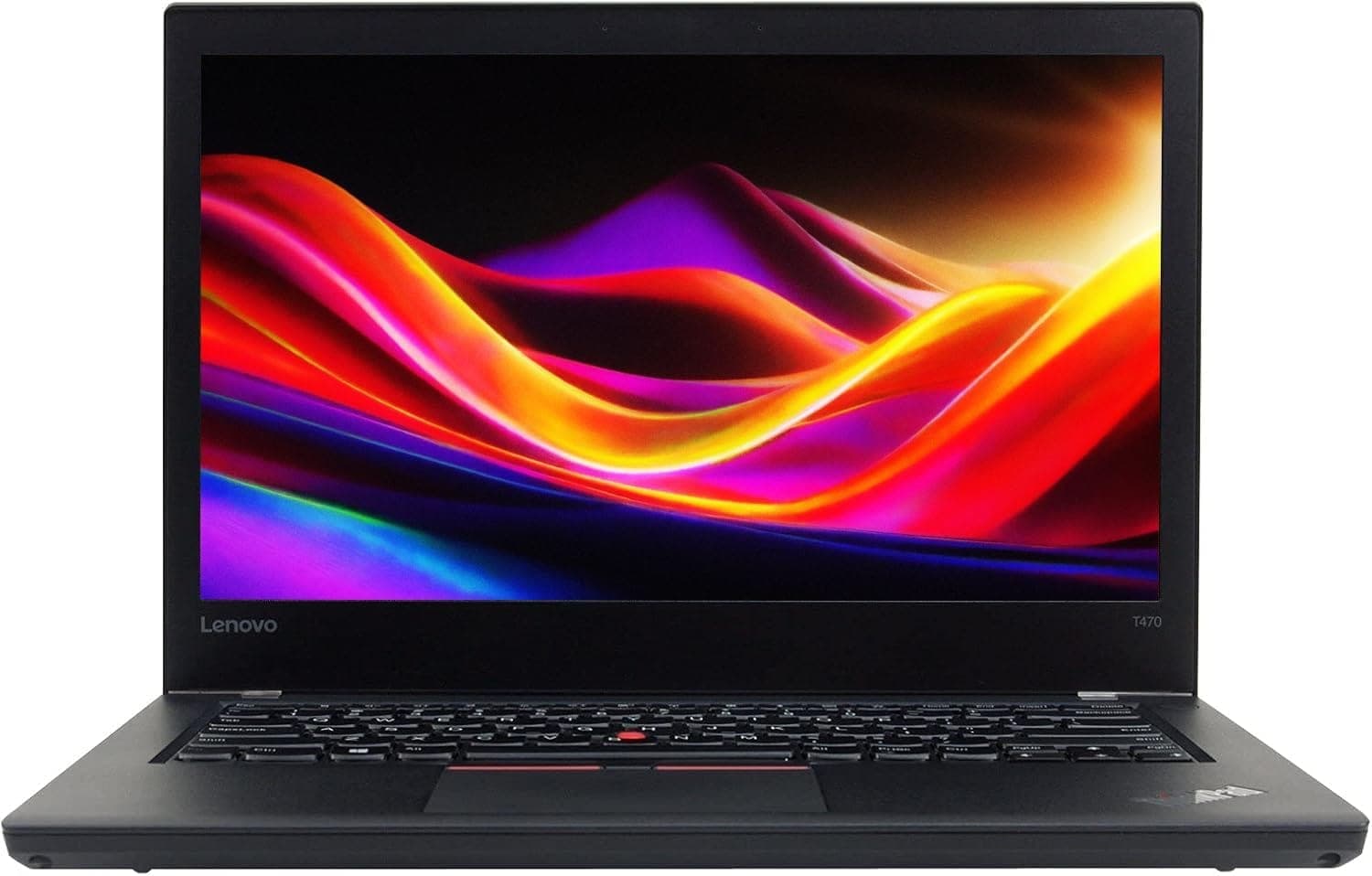
TL;DR The Lenovo ThinkPad T470 continues to be a competent business laptop in 2026, offering solid performance for office tasks, coding, and general multitasking. Equipped with Intel 7th-generation Kaby Lake i5/i7 processors, up to 32GB RAM, and SSD storage, the T470 can handle most productivity workloads efficiently. While it is not built for modern gaming or heavy multimedia production, its PowerBridge battery system, stable thermal design, and long-lasting build ensure consistent performance for Indian users who need a reliable, mobile workstation on a budget. Upgrading RAM and storage can further extend its usability, making it a viable option for professionals and students seeking durability and performance without breaking the bank.
Legacy Performance: How the T470 Stands Out
The ThinkPad T470 , launched in 2017, was designed as a high-end business laptop that improved on the T460’s foundation. Its chassis is magnesium-reinforced, with sturdy hinges and a spill-resistant backlit keyboard, reflecting the ThinkPad legacy of durability. In comparison with contemporary budget laptops in India, the T470’s build quality remains superior, providing a long-term investment that can survive daily commuting, office use, and student workloads.
Performance-wise, the T470 comes with 7th-generation Intel Core i5-7300U or i7-7600U processors, which are energy-efficient and maintain consistent performance under sustained office workloads. The laptop supports up to 32GB DDR4 RAM and SATA or NVMe SSDs, allowing users to optimize for multitasking and storage speed. These specifications, combined with the PowerBridge battery system, provide a reliable, consistent experience for business and academic tasks, even when running multiple applications simultaneously.
For Indian buyers, the T470’s legacy is relevant because it balances performance, portability, and durability. Unlike thin ultrabooks that compromise on cooling or serviceability, the T470 retains easy access to RAM, SSD, and battery replacements, ensuring that long-term usability is not hindered by aging components. Its combination of proven hardware and service-friendly design makes it one of the most dependable business laptops available in the second-hand or lightly used market in 2026.
CPU Performance: i5 vs i7 in Everyday Use
The ThinkPad T470 offers two main CPU configurations: the Intel Core i5-7300U and the Intel Core i7-7600U, both dual-core processors with Hyper-Threading. In everyday office tasks such as web browsing, document editing, spreadsheets, and coding, the i5 provides more than adequate performance. It efficiently handles multiple Chrome tabs, Microsoft Office applications, and IDEs without noticeable lag. The i7, however, adds slightly higher clock speeds (up to 3.9 GHz turbo vs 3.5 GHz for i5) and more cache, which translates to smoother multitasking and better performance for light virtualization or compiling large codebases.
It is important to note that CPU upgrades are not possible, as both i5 and i7 chips are soldered onto the motherboard. Therefore, selecting the right CPU at the time of purchase is crucial for long-term usability. For most productivity tasks in 2026, the i5-7300U is sufficient, while the i7 variant is recommended for users running heavier workloads, multiple virtual machines, or software development tasks that benefit from higher single-thread and turbo performance.
Thermal management of both CPUs is efficient due to the T470’s low-voltage Kaby Lake design and robust cooling system. Even under sustained workloads, the system rarely experiences throttling, allowing the processor to maintain consistent performance throughout extended office, coding, or remote work sessions. For Indian users, this combination of CPU efficiency and thermal stability ensures reliable performance in varied environments, from offices to home setups without AC.
T470 CPU Performance Comparison
RAM Matters: 8GB, 16GB, or 32GB?
Memory capacity is one of the biggest factors that determines how well a ThinkPad T470 performs in multitasking and modern productivity workloads. The T470 was designed to support DDR4 RAM, which was a significant jump from the DDR3 used in earlier T‑Series models. Officially, the laptop can support up to 32 GB of DDR4 memory through two SO‑DIMM slots. In practical use, 8 GB remains a functional baseline for basic office tasks, document editing, and light programming workflows, while 16 GB or 32 GB makes a noticeable difference in responsiveness when multiple heavy applications are open simultaneously.
In the context of 2026, 8 GB remains acceptable if your workflow is limited to essentials such as word processing, email, web browsing with a few tabs, and conferencing tools. However, many Indian professionals now juggle dozens of browser tabs, cloud applications, and development environments at once, which places pressure on smaller memory configurations. When shifting to 16 GB, users generally experience smoother switching between applications, fewer lags in large spreadsheets, and better performance when running database tools or integrated development environments like Visual Studio Code, IntelliJ, or Android Studio.
Upgrading to 32 GB DDR4 is beneficial primarily for users who run virtual machines, local databases, large datasets, or simultaneous heavy workflows. Because the T470’s RAM is not soldered and both slots are accessible, upgrading is straightforward and future‑proofs the laptop for evolving software demands. In the Indian market, RAM modules are widely available and relatively affordable compared to soldered memory found on thin-and-light consumer laptops. Because memory upgrades directly impact day‑to‑day responsiveness, many performance guides recommend prioritizing 16 GB or 32 GB configurations for a smoother experience in 2026.
T470 RAM Configuration Impact
SSD vs HDD: Why Storage Determines Speed
Storage choice matters tremendously for the ThinkPad T470 because it directly affects boot times, application loading, and overall system responsiveness. Original configurations often shipped with mechanical hard drives (HDDs), which are slow, generate more heat, and wear down faster over time. HDDs have moving parts and are more susceptible to failure as they age, especially in laptops that are carried frequently or exposed to vibration ,a common scenario for students and professionals in India.
In contrast, solid state drives (SSDs) use flash memory with no moving parts, which makes them inherently more reliable and much faster. In real‑world tests, an SSD‑equipped T470 can boot Windows 10/11 in approximately 15 - 20 seconds, compared with over a minute on a mechanical HDD. Application launch times, file searching, and software loading all improve significantly with an SSD. This speed benefit translates into real productivity gains when switching between tasks, opening large documents, or using tools like code editors and project suites.
Furthermore, SSDs tend to run cooler and consume less power, which can contribute to better battery life over long work sessions ,an important consideration in India where power availability may be inconsistent. SSDs also have lower failure rates compared to older HDDs, which strengthens the T470’s overall reliability as it ages. Trusted SSD brands like Samsung, Crucial, Kingston, and Western Digital are readily available in India and can be installed during refurbishment or by DIY upgraders, making this the most recommended storage choice for performance in 2026.
Storage Speed & Reliability Comparison
In summary, an SSD is an essential upgrade for anyone who values speed and long‑term reliability in the T470.
Graphics Performance: Integrated Intel HD 620 Limitations
The ThinkPad T470 employs Intel HD Graphics 620, an integrated GPU that is common in laptops with Intel Core i5 and i7 processors of the 7th generation. Integrated graphics are designed for power efficiency and compatibility, not for high‑end gaming or demanding creative workloads. In everyday use, the HD 620 handles Full HD video streaming, standard business graphics, and light photo editing without noticeable issues. Platforms such as YouTube, Netflix, and cloud‑based design tools run smoothly at 1080p resolution.
However, it is important to understand the limitations of the Intel HD 620 when considering performance in 2026. This graphics solution does not deliver hardware‑accelerated performance needed for modern 3D rendering, GPU‑accelerated video production, or AI inference tasks. Even lightweight gaming titles from recent years will struggle to maintain playable frame rates except at low settings and resolutions. It also lacks support for high‑end graphical APIs like modern Vulkan and DirectX 12 features found in discrete GPUs.
For Indian professionals whose workloads include casual media editing, streaming, and presentation graphics, the graphics performance of the T470 remains adequate. Users dealing with professional video editing, 3D modeling, or GPU‑accelerated machine learning should consider newer machines with discrete GPUs or modern integrated graphics from recent Intel/AMD generations. Within its intended productivity scope, the Intel HD 620 delivers reliable performance that aligns with the T470’s business‑oriented design.
Graphics Use‑Case Expectations
Thermal and Cooling Performance: Staying Efficient Under Load
The ThinkPad T470 features a dual-fan cooling system designed to manage heat efficiently under long working sessions. Despite its slim business-class chassis, Lenovo engineered the T470 with dedicated heat pipes and thermal vents, ensuring the CPU maintains stable temperatures during multitasking and moderate workloads. In typical office scenarios like coding, web browsing, or running multiple productivity applications, the laptop rarely exceeds 75°C, which is well within safe operational limits for the Intel Kaby Lake CPUs.
Under more demanding scenarios, such as compiling large projects or running several virtual machines, the fans can become noticeable but remain effective. Lenovo’s thermal management ensures consistent performance without throttling, even when the laptop is used for extended hours. Compared with modern budget ultrabooks in India, which often sacrifice thermal efficiency for thinness, the T470 maintains balanced cooling that prolongs component lifespan and prevents overheating-related performance drops.
For Indian users, this stability is particularly valuable in environments with high ambient temperatures or irregular air conditioning. The long-term reliability of fans, heat pipes, and chassis design also reduces maintenance concerns, making the T470 a dependable choice for professionals and students who require consistent performance throughout the day.
Battery and Power Management: Performance on the Go
One of the defining features of the ThinkPad T470 is its PowerBridge battery system, which combines an internal 3-cell battery with a removable external 3-cell or 6-cell battery. This dual-battery system allows the laptop to operate continuously even when swapping the external battery, providing unmatched flexibility for mobile professionals. Typical real-world usage delivers 5-7 hours of continuous productivity with both batteries, depending on screen brightness, connected peripherals, and workload intensity.
The PowerBridge system also ensures minimal performance degradation over time, as the internal battery protects against sudden power loss, and external battery replacement extends the overall lifespan. Battery management utilities in Windows 10/11 allow users to monitor health and calibrate the battery, which is critical for refurbished or second-hand T470 units. Indian users benefit from this system when commuting, attending classes, or working remotely without frequent access to power outlets.
Upgrading the external battery is straightforward, and replacement packs are widely available in India. Using an SSD instead of a mechanical HDD also improves battery efficiency, reducing boot times and background disk usage. Overall, the T470’s power management design ensures reliable performance on the go, making it ideal for professionals, students, and hybrid work setups.
Real-World Productivity: Office, Coding, and Remote Work
In practical testing scenarios, the ThinkPad T470 performs well for Indian users handling standard office applications, programming tasks, and remote work. Web browsing with multiple tabs, video conferencing, Microsoft Office suites, and IDEs run smoothly, particularly when paired with 16 GB or 32 GB RAM and an SSD. The dual-core Kaby Lake CPU, although older, remains sufficient for general productivity, lightweight coding, and cloud-based tasks, which constitute the majority of business workloads.
For remote workers, the T470’s stable Wi-Fi 5 and Ethernet connections, combined with reliable battery life and PowerBridge support, ensure consistent performance across home and office environments. Multitasking remains responsive, with minimal lag when switching between productivity applications, web browsers, and background cloud services. While graphics-intensive tasks remain limited due to the Intel HD 620 GPU, day-to-day productivity in the Indian context ,including spreadsheet-heavy tasks, documentation, and light media editing ,is fully supported.
Moreover, the T470’s build quality, thermal design, and serviceability contribute to long-term usability. Maintenance is simple, RAM and SSD upgrades are feasible, and battery replacements extend the life of the laptop. These factors make the T470 a cost-effective solution for Indian users seeking reliable performance in a refurbished or lightly used package.
Final Performance Verdict: Who Should Consider the T470?
The ThinkPad T470 remains a reliable and capable business laptop in 2026, particularly for Indian users who prioritize durability, performance, and long-term usability over gaming or high-end multimedia tasks. Its combination of Intel 7th-generation i5/i7 processors, DDR4 RAM support up to 32GB, and SSD storage ensures smooth day-to-day performance for office work, coding, remote productivity, and cloud-based applications. While it cannot compete with modern laptops in GPU-heavy tasks, it continues to excel in reliability, serviceability, and consistency.
Its thermal design and PowerBridge battery system allow extended work sessions without throttling or sudden power interruptions, and the build quality with spill-resistant keyboard and magnesium-reinforced chassis provides confidence for long-term use. RAM and storage upgrades are feasible, and components are widely available in India, making it easier to maintain the laptop over the next 3-5 years. For students, office professionals, coders, and hybrid workers, the T470 offers an excellent balance of performance, portability, and affordability in the refurbished market.
In conclusion, the T470 is best suited for users who need a dependable workhorse with upgrade options, reliable battery life, and consistent productivity capabilities. Its limitations include integrated graphics performance for intensive design or gaming workloads and older CPU architecture relative to 2026 standards. Buyers seeking a cost-effective, long-term productivity machine will find the T470 a worthwhile investment.
Frequently Asked Questions
Q. What processor options are available in the ThinkPad T470
A. The T470 is available with Intel Core i5 seven thousand three hundred U or Intel Core i7 seven thousand six hundred U processors which are dual core chips designed for productivity workloads
Q. Is the ThinkPad T470 still fast enough in 2026
A. Yes when equipped with SSD storage and at least sixteen gigabytes RAM it handles office work coding browsing and multitasking smoothly
Q. How much RAM should I choose for best performance
A. Eight gigabytes is usable for basic tasks while sixteen gigabytes is recommended for smooth multitasking and thirty two gigabytes suits advanced workflows
Q. Does upgrading to an SSD really improve performance
A. Yes an SSD significantly reduces boot time improves application speed and enhances overall system responsiveness
Q. Can the CPU be upgraded later
A. No the processor is soldered onto the motherboard so performance upgrades are limited to RAM and storage improvements
Q. How good is the battery performance with the PowerBridge system
A. With internal and external batteries working together the laptop typically delivers five to seven hours of real productivity use
Q. Is the ThinkPad T470 suitable for gaming or heavy graphics work
A. No the integrated Intel HD graphics is designed for productivity media playback and light editing rather than modern gaming or rendering
Q. Can the T470 handle modern productivity software and coding tools
A. Yes with proper configuration it runs office suites browsers conferencing apps and development tools reliably
Q. Are spare parts and upgrades easily available in India
A. Yes RAM SSD batteries and cooling components are widely available which helps extend the usable life of the laptop
Q. Who should consider buying the ThinkPad T470 for performance needs
A. Students office professionals coders and remote workers who want a reliable upgradeable productivity laptop will benefit most from the T470






