
Lenovo ThinkPad T Series T470 Battery Life Guide in 2026 India
Understand real ThinkPad T470 battery life in India with PowerBridge system runtime expectations battery health tips and efficiency factors

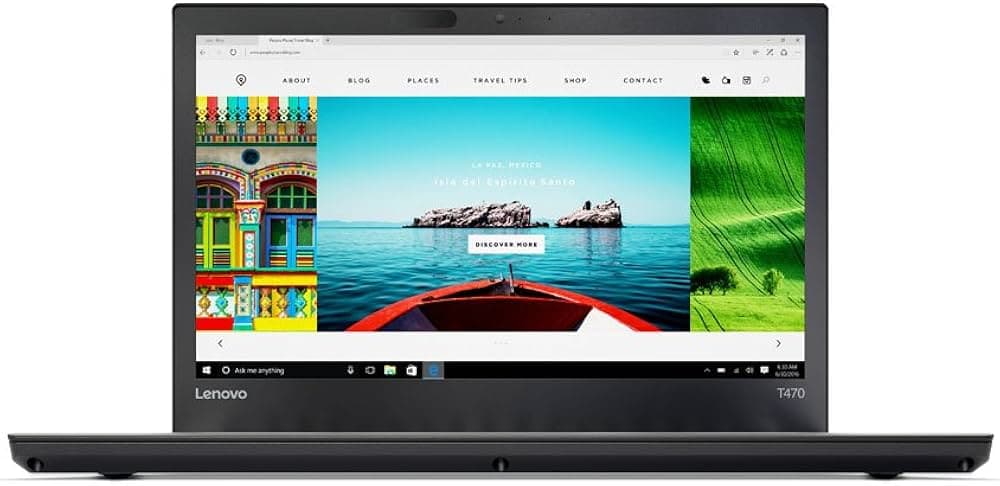
TL;DR The ThinkPad T470 remains one of the most dependable laptops for battery life in 2026, mainly due to its PowerBridge dual battery system. With a combination of internal and external batteries, users in India can expect 4 to 7 hours of real-world usage depending on configuration and battery health. Systems with a 6-cell external battery perform significantly better than smaller configurations. Tasks such as office work, browsing, and coding run efficiently without aggressive battery drain, especially when paired with an SSD. For students and professionals who need consistent, replaceable battery performance, the T470 still stands out as a practical and reliable option.
Understanding the PowerBridge System in the T470
The ThinkPad T470 uses Lenovo’s PowerBridge battery system, which combines an internal battery with a removable external battery. The internal battery is usually a 3-cell 24 Wh unit, while the external battery can vary between 3-cell (24 Wh) and 6-cell (48 Wh) options. This dual-battery setup allows the laptop to draw power from the external battery first, preserving the internal battery for later use.
One of the biggest advantages of this system is hot-swapping capability. Users can remove and replace the external battery without shutting down the laptop, which is particularly useful in Indian environments where power cuts or travel conditions demand flexibility. This design is rare in modern laptops, where batteries are sealed and not user-replaceable.
From a reliability standpoint, the PowerBridge system significantly extends usable life. Even if one battery degrades over time, the other can still function, and replacements are easily available. This modular approach ensures that the ThinkPad T470 maintains consistent uptime, making it ideal for professionals, students, and field workers who need uninterrupted usage.
T470 PowerBridge Configuration
Battery Capacity Options: 3-Cell vs 6-Cell Explained
The ThinkPad T470 offers multiple battery configurations, and understanding these options is essential for buyers in 2026. The most basic setup includes an internal 3-cell battery paired with an external 3-cell battery, giving a combined capacity of around 48 Wh. This configuration is lightweight and portable but delivers moderate runtime.
The more powerful configuration uses a 6-cell external battery (48 Wh) alongside the internal battery, increasing total capacity to approximately 72 Wh. This significantly improves battery life, especially for users who rely on extended usage throughout the day. However, the 6-cell battery adds a slight bulge and extra weight at the rear, which some users may notice during portability.
For Indian users, the choice between 3-cell and 6-cell depends on usage patterns. Those working in offices with easy access to charging may prefer the lighter setup, while students, travelers, and remote workers benefit more from the extended runtime of the 6-cell battery. In most cases, opting for the higher capacity battery ensures better long-term usability and fewer charging cycles.
3-Cell vs 6-Cell Battery Comparison
Real-World Battery Life in India (Office, Browsing, Coding)
The ThinkPad T470 was originally known for exceptional battery endurance, but real-world performance in 2026 depends on battery condition, configuration, and usage patterns. In controlled testing, the T470 delivered around 7 hours 18 minutes in Wi-Fi browsing tests and over 10 hours of video playback, with extended batteries pushing runtime even further. However, these figures were recorded on new units, and real-world results today are lower due to battery wear.
For Indian users performing typical tasks such as Microsoft Office, Chrome browsing, Zoom calls, and coding, a well-maintained T470 with a 3-cell + 6-cell setup (72Wh) generally delivers 5 to 7 hours of usage. Lighter workloads with reduced brightness can stretch this to around 7-8 hours, while heavier multitasking or continuous video calls may reduce it to 3-4 hours. Systems running only a 24Wh battery often struggle to exceed 2-3 hours, especially if the battery health has degraded.
Environmental factors in India also play a role. Higher ambient temperatures, frequent charging cycles, and inconsistent power supply can affect long-term battery performance. Users in cities with stable power may rely less on full battery cycles, improving longevity, while students or field workers relying heavily on battery usage may see faster degradation. Overall, the T470 remains reliable for half-day to full-day productivity, depending on configuration.
Real-World Battery Life (2026 Estimates)
Battery Health in Used and Refurbished Units
Battery health is the most important variable when evaluating a ThinkPad T470 in 2026. Lithium-ion batteries typically last around 300 to 500 charge cycles, after which their capacity gradually decreases. Many T470 units in the market today have already gone through several years of usage, meaning battery health can vary significantly from one unit to another.
In practical terms, a battery that originally had 72Wh capacity may now operate at 50-70 percent of its original capacity, resulting in shorter runtimes. Some users report excellent performance after replacing batteries, while others experience poor runtime when older or low-quality batteries are installed. Community discussions also highlight that degraded batteries can lead to sudden shutdowns or inaccurate charge readings, especially when nearing low charge levels.
The key advantage of the T470 is that battery replacement is simple and cost-effective. Buyers can restore performance by replacing either the internal battery, the external battery, or both. High-quality original or certified replacement batteries are widely available in India, making it easy to bring battery performance close to original levels. This flexibility ensures that even older units can deliver consistent and predictable battery life with proper maintenance.
Battery Health Expectations
Charging Speed and Power Efficiency in Daily Use
The ThinkPad T470 supports charging via 45W or 65W USB-C or slim-tip adapters, with higher wattage adapters providing faster charging speeds. Under normal conditions, the battery can charge from low to full in approximately 2 to 3 hours, depending on whether the system is being used during charging. Charging efficiency is generally stable, and the system intelligently prioritizes battery health through Lenovo’s power management system.
One important advantage of the T470 is its ability to charge one battery while using the other, thanks to the PowerBridge system. This reduces wear on individual batteries and ensures smoother power transitions. Users can also configure charging thresholds through Lenovo software to prevent overcharging, which helps extend long-term battery lifespan.
Power efficiency is also influenced by hardware configuration. The Intel 7th generation U-series processors used in the T470 are designed for low power consumption, allowing the laptop to maintain efficiency during everyday tasks. When combined with an SSD and optimized settings such as reduced brightness and power-saving mode, the system delivers stable and efficient power usage suitable for Indian working conditions.
Charging and Efficiency Overview
SSD vs HDD Impact on Battery Life
The ThinkPad T470 supports both traditional HDDs and modern SSDs, but in 2026, the choice of storage has a direct impact on battery life and overall efficiency. Mechanical hard drives rely on spinning platters, which consume more power during read and write operations. This constant mechanical activity not only slows down performance but also leads to higher battery drain, especially during multitasking or file-heavy operations.
In contrast, SSDs operate with no moving parts, making them significantly more power-efficient. A T470 equipped with a SATA SSD or NVMe SSD (in compatible configurations) consumes less energy during daily tasks such as booting, opening applications, and browsing. This translates into longer battery runtime by approximately 10-20 percent, depending on usage patterns. In addition, SSDs reduce heat generation, which indirectly improves power efficiency by reducing the load on cooling systems.
From a reliability perspective, SSDs also last longer and are less prone to physical damage, making them ideal for Indian users who frequently carry laptops between home, college, and office. For anyone planning to use the T470 for long hours on battery, upgrading to an SSD is one of the most effective ways to improve both performance and battery efficiency.
SSD vs HDD Battery Impact
Display Brightness, Wi-Fi, and Usage Impact on Battery
Battery life on the ThinkPad T470 is heavily influenced by real-world usage factors, especially display brightness, wireless connectivity, and workload intensity. The 14-inch IPS display, particularly the Full HD variant, consumes a noticeable amount of power when brightness is set above 70 percent. Reducing brightness to 40-60 percent can significantly extend battery life without compromising usability in indoor environments.
Wi-Fi usage is another major factor. Continuous browsing, cloud syncing, video streaming, and video conferencing place a consistent load on the wireless adapter. The T470’s Wi-Fi 802.11ac module is efficient, but heavy network activity still drains the battery faster. Users who rely on offline work or intermittent connectivity can achieve better battery performance compared to those constantly connected to the internet.
Workload intensity plays a crucial role as well. Light tasks such as document editing consume minimal power, while activities like coding with multiple IDEs, running virtual machines, or attending long video calls increase CPU usage and battery drain. In Indian usage scenarios where multitasking is common, managing these factors becomes important to achieve optimal runtime.
Battery Drain Factors
Battery Replacement and Availability in India
One of the strongest advantages of the ThinkPad T470 is its easy battery replacement system, which directly contributes to long-term usability. The external battery can be removed without tools, while the internal battery is accessible with minimal effort. This makes it easy for users in India to replace worn-out batteries and restore performance without needing expensive service support.
Replacement batteries for the T470 are widely available across India, both online and through local laptop repair shops. The cost typically ranges between ₹1,500 and ₹3,500 for external batteries, depending on capacity and quality. Internal batteries may cost slightly more but are still affordable compared to replacing an entire laptop. Choosing high-quality or original-compatible batteries is important to ensure safety, longevity, and accurate charge reporting.
From a long-term perspective, this replaceability makes the T470 far more practical than modern laptops with sealed batteries. Users can extend the laptop’s life by several years simply by replacing batteries when needed. This is especially valuable in India, where buyers prioritize cost efficiency and long-term reliability over frequent upgrades.
Battery Replacement Overview
Is the T470 Reliable for Daily Use?
The ThinkPad T470 continues to stand out as one of the most practical laptops for users who prioritize battery flexibility and long-term reliability in 2026. Its PowerBridge system, which combines an internal and removable external battery, gives it a clear advantage over modern laptops with sealed designs. For Indian users dealing with travel, college schedules, or occasional power cuts, this flexibility ensures uninterrupted productivity.
In real-world conditions, the T470 delivers consistent battery performance when paired with a healthy battery setup. A configuration with a 6-cell external battery typically provides 5 to 7 hours of mixed usage, which is sufficient for a full work session or classes. With proper power management, moderate brightness, and SSD storage, users can further optimize battery life. Even if the battery degrades over time, the ability to replace it easily ensures that the laptop does not lose its usability.
However, expectations should remain realistic. The T470 cannot match the all-day 10+ hour battery life of newer ultrabooks with highly efficient processors and larger integrated batteries. Heavy workloads such as continuous video conferencing, multitasking, or high brightness usage will reduce runtime significantly. Despite this, the T470’s replaceable battery system, stable power consumption, and affordable maintenance make it a dependable option for students, professionals, and budget-conscious buyers in India.
Overall, the ThinkPad T470 offers a balanced combination of endurance, flexibility, and long-term usability, making it a reliable choice for daily productivity in 2026.
Battery Performance Summary
Frequently Asked Questions
Q. What battery life can I expect from the ThinkPad T470 in 2026
A. With a healthy internal and six cell external battery most users get around five to seven hours of mixed productivity use
Q. Does the ThinkPad T470 support a dual battery system
A. Yes it uses the PowerBridge design which combines an internal battery with a removable external battery
Q. Can I hot swap the external battery without shutting down
A. Yes the external battery can be replaced while the laptop is running which helps maintain uninterrupted work sessions
Q. Which battery setup gives the best runtime on the T470
A. The internal battery combined with the higher capacity six cell external battery provides the longest usage time
Q. How long does it take to fully charge the ThinkPad T470
A. Charging usually takes about two to three hours depending on adapter wattage and whether the laptop is in use
Q. Does using an SSD help improve battery life
A. Yes SSD storage consumes less power than traditional hard drives which can slightly extend battery runtime
Q. How does battery health affect real world usage time
A. Older batteries lose capacity over time so runtime may drop significantly unless the battery is replaced
Q. Are replacement batteries easy to find in India
A. Yes both internal and external battery packs are widely available through online stores and local repair markets
Q. What factors reduce battery life the most on this laptop
A. High display brightness continuous WiFi usage heavy multitasking and worn batteries are the main reasons for faster drain
Q. Is the ThinkPad T470 still reliable for daily battery use in 2026
A. Yes with a good battery configuration and proper maintenance it remains dependable for study office work and travel productivity






