
Lenovo ThinkPad T Series T14 Gen 1 Battery Life Guide in 2026 India
Lenovo ThinkPad T14 Gen 1 battery life guide 2026 India covering real runtime charging battery health AMD Intel and longevity.

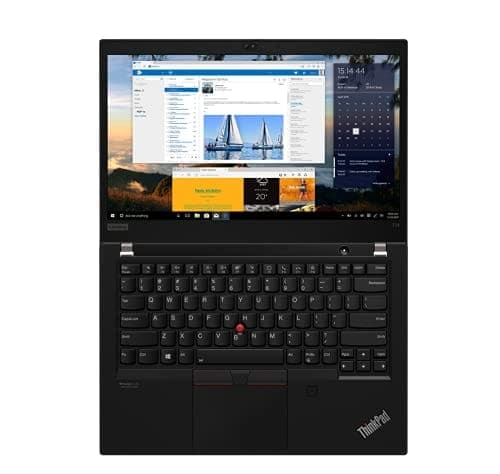
TL;DR The Lenovo ThinkPad T14 Gen 1 continues to deliver respectable battery performance for everyday use in 2026, especially under typical office workflows and balanced usage patterns. This 14‑inch business laptop comes equipped with a 50 Wh integrated lithium‑polymer battery, a capacity that was designed to support mobile productivity without being weighed down by a large, heavy battery pack. Independent test results from Lenovo specifications show the T14 Gen 1 can achieve up to 11 to 17 hours of battery life in controlled benchmark tests under ideal conditions such as continuous video playback and optimized power settings. Overall, the T14 Gen 1’s battery life is suited for students, professionals, and frequent travellers who need a well‑balanced mix of endurance and portability without a large power brick. Its support for rapid charge (up to 80% in about an hour) adds practical value for those on the go.
Lenovo ThinkPad T14 Gen 1 Battery Specifications
Battery life starts with understanding what’s inside the laptop, and the ThinkPad T14 Gen 1 uses a 50 Wh lithium‑polymer battery in both Intel and AMD variants. This capacity represents a compromise between longevity and portability so that the laptop remains light while still offering respectable idle and active use endurance.
The battery is integrated rather than removable in the traditional sense seen on older business laptops, but official servicing and replacements are supported through authorised channels or certified technicians in India. One practical feature is Rapid Charge support, which lets the battery reach around 80 percent capacity within roughly one hour when using a compatible 65 W USB‑C power adapter. This ability is especially useful for users who need to top up during short breaks or between meetings.
Across industry standard benchmarks such as MobileMark 2014/2018 and JEITA 2.0, battery life claims range from about 11.5 hours to over 17 hours, depending on test methodology and conditions such as screen brightness and workload. These results provide an upper‑limit sense of what is technically possible; actual day‑to‑day usage generally falls short of these maximum numbers but still delivers solid endurance for productivity‑focused users.
T14 Gen 1 Battery Specification Table
Real‑World Battery Performance in 2026 India
While official specifications provide a useful starting point, everyday use in India will vary based on individual habits. For routine tasks like office productivity, browsing the web, checking email, and streaming video at medium brightness, most users report comfortable battery life in the 6-9 hour range without needing a charge. These tasks do not push the processor or screen to extremes, and the efficiency of the T14 Gen 1’s Intel or AMD processors helps keep power draw manageable.
Users who frequently conduct video calls, work with multiple browser tabs open, or run background cloud sync services will see a slightly shorter battery life. In these situations, a typical session might range between 5-7 hours, especially with high screen brightness or persistent Wi‑Fi usage. It is important to note that, like all lithium‑ion batteries, the T14 Gen 1’s capacity gradually diminishes over time, and models purchased new in 2020‑2021 will show lower endurance in 2026 compared with their original ratings.
For those who travel extensively or need longer unplugged sessions, utilising lower brightness settings, power saver modes, and smart charging routines can extend usable hours significantly. Rapid charging capability also helps here; a fast top‑up during lunch or a transport break can restore most of the battery quickly without needing a full recharge cycle.
Estimated Real‑World Usage
Intel vs AMD Variants: Battery Efficiency Comparison
When comparing the Intel and AMD versions of the ThinkPad T14 Gen 1, battery life is one of the key areas where they differ in real‑world usage. Official Lenovo specifications for the Intel versions list a 50 Wh integrated battery, with battery life claims of up to 11.45 to 17.05 hours under benchmark conditions such as continuous video playback or MobileMark tests. Actual performance depends on the workload, screen brightness, and power settings, but these figures establish a strong performance baseline for the laptop.
AMD variants also use a 50 Wh battery and include support for rapid charging, but they generally achieve slightly different real‑world results due to their different processor architectures. Lenovo’s specifications for AMD models show benchmark battery life claims similar to Intel units, with up to 14 hours under MobileMark 2014 workflows and around 11.5 hours in other standard tests. In practical daily use, reviewers and user reports often indicate that AMD Ryzen‑based models tend to be more efficient for mixed productivity use, especially under light to moderate workloads, while Intel models may draw slightly more power under heavy workloads because of their architectural differences and internal graphics behavior.
For Indian users in 2026, this means that both variants can deliver respectable battery life, but the AMD versions may have a slight edge in endurance for balanced day tasks like word processing, web browsing, or video calls. This trend is supported by anecdotal experiences shared in user communities, where owners of AMD‑based T14 Gen 1 units report comfortably reaching 6 to 9 hours in mixed usage, while Intel units frequently fall in a similar range but vary more with workload intensity. This varies by usage patterns and can be influenced by screen resolution and background tasks, but overall both platforms provide competent battery performance for everyday productivity.
Intel vs AMD Battery Comparison (T14 Gen 1)
This comparison helps clarify that while both variants are capable, the Ryzen models tend to be slightly more efficient, particularly for mixed daily work patterns.
Impact of Display and Brightness Settings on Battery Life
The display configuration of the ThinkPad T14 Gen 1 significantly influences battery life in real‑world use. The laptop offers several panel options, including HD and Full HD resolutions, with brightness ratings ranging from around 220 nits on lower‑end panels to up to 500 nits on higher brightness FHD panels with privacy or HDR features. The difference in screen brightness and resolution affects power consumption because higher brightness settings require more energy from the battery. For Indian environments where ambient light can vary considerably,from bright outdoor spaces to dim indoor offices,balancing brightness is important for managing battery performance.
Under daily productivity workloads such as word processing, web browsing, and video conferencing, a Full HD panel at around 40-60% brightness provides a good compromise between visual clarity and energy efficiency. Using the display at maximum brightness will drain the battery more quickly because the backlight consumes a significant portion of total system power, especially in bright environments where users tend to increase brightness for visibility. By keeping brightness at moderate levels, most users can extend daily usage by an hour or more compared with constantly running at peak brightness settings.
Another factor affecting battery consumption is adaptive brightness features and Windows power profiles. When enabled, adaptive brightness can automatically reduce display power draw in darker environments, extending battery life without requiring manual adjustment. Displays with higher resolutions like UHD tend to use slightly more power than FHD panels, although the difference is often modest compared with brightness settings. In practice, most general users in India will achieve longer usage times when they reduce screen brightness and disable unnecessary visual features, particularly when working outdoors or in mixed lighting environments.
Power Management Features: Lenovo Vantage and Windows Tools
The ThinkPad T14 Gen 1 includes software features designed to help users manage battery life more effectively, and these tools are especially useful for students and professionals in India who use laptops for extended periods away from power outlets. One of the primary tools is Lenovo Vantage, which allows users to access battery settings such as charging thresholds, power modes, and battery health status. These features help tailor the battery’s behavior to specific usage habits, reducing unnecessary wear and improving longevity over time. Users can, for example, set a charge threshold between 50% and 80% when the laptop is used mostly on AC power to reduce stress on the battery. This is recommended for those who use their device heavily while plugged in but still want to preserve battery health over years.
Windows also offers built‑in power management profiles,such as Balanced, Power Saver, and Best Performance,which influence how aggressively the system manages CPU performance and background tasks. Choosing a Power Saver or Balanced profile can yield noticeable gains in battery life, especially during prolonged office or web browsing sessions, by reducing processor frequency and dimming the display when appropriate. Combined with Lenovo Vantage settings, these profiles give users flexibility to prioritise either performance or longer battery runtime based on current needs.
In addition to these tools, sleep and hibernate settings in Windows help conserve battery when the device is idle. For example, setting the laptop to enter sleep mode after a short period of inactivity can prevent unnecessary battery drain during breaks. Enabling automatic hibernation for longer periods of inactivity ensures the machine uses minimal power when not in active use. Together, Lenovo Vantage and Windows power settings provide practical ways to extend usable time in everyday workflows, making the ThinkPad T14 Gen 1 a more adaptable option for Indian users in 2026.
Rapid Charge and Fast Charging Capabilities
One of the standout features of the ThinkPad T14 Gen 1 is its Rapid Charge technology, which is highly practical for Indian users on the move. With the included 65 W USB‑C power adapter, the battery can reach approximately 80 percent charge in about one hour. This makes it easy to quickly top up the laptop between meetings, classes, or during short transit periods without needing to stay plugged in for long.
For everyday users, Rapid Charge reduces anxiety about running out of battery in critical moments, such as online classes, video conferences, or work presentations. While the laptop’s integrated 50 Wh battery already provides solid endurance, the ability to recharge quickly adds a layer of flexibility, especially in India, where power availability can sometimes be intermittent or unpredictable. Using Rapid Charge repeatedly does not negatively affect battery longevity, provided the laptop remains within normal operating temperature ranges and Lenovo’s recommended power adapter is used.
Fast charging also supports partial charges without waiting for a full cycle, which suits Indian professionals and students who may only have limited time to plug in. Even charging for 30 minutes can restore a substantial 40-50 percent of battery capacity, enough to get through most short meetings or study sessions. The combination of Rapid Charge and moderate battery consumption means the T14 Gen 1 is highly practical for mobile productivity in 2026.
Battery Aging and Longevity Over Time
All lithium‑ion batteries naturally degrade with usage, and the ThinkPad T14 Gen 1 is no exception. On average, after 2-3 years of regular use, the battery’s total charge capacity may drop to about 80-85 percent of its original rating. By the 5th year, it could be closer to 70-75 percent, which may reduce daily runtime by an hour or two depending on workload and brightness settings.
Fortunately, Lenovo has designed the T14 Gen 1 with longevity in mind. Integrated battery health tools, accessible via Lenovo Vantage, allow users to monitor charge cycles, battery wear, and internal temperature, helping plan for eventual replacement before a noticeable drop in performance occurs. For Indian users, it is recommended to avoid frequent full discharges and to keep the laptop plugged in when performing intensive tasks, which can slow the rate of chemical degradation.
Even after a few years, the T14 Gen 1 battery remains sufficient for standard productivity, particularly when combined with power management tools, adaptive display settings, and occasional use of Rapid Charge. Those who need full-day endurance after multiple years can consider replacing the battery with an official Lenovo replacement, which is widely available in India through Lenovo service centres.
Energy-Efficient Usage Tips for Students and Professionals
Maximizing battery life on the ThinkPad T14 Gen 1 does not require complex technical adjustments. Simple energy-efficient practices can significantly extend usable hours for students, office workers, and professionals in India. First, lowering the screen brightness to a comfortable but not maximum level can save considerable power, as display backlighting is one of the largest energy consumers. Reducing background apps, browser tabs, and unnecessary processes also helps the CPU and integrated graphics draw less power during daily use.
Second, using Windows power profiles such as Balanced or Power Saver in combination with Lenovo Vantage’s battery optimization settings can tailor performance according to tasks. For instance, office work or reading documents does not require full CPU performance, allowing the system to conserve energy without impacting productivity. Enabling sleep or hibernation during idle periods is another effective strategy, especially for students or professionals who step away from the laptop for meetings, classes, or breaks.
Finally, managing charging cycles strategically helps prolong battery lifespan. Avoid letting the battery fully discharge frequently; instead, charge when it falls below 20-30 percent and unplug after reaching 80-90 percent if possible. Even small adjustments like these can maintain battery health over several years, making the T14 Gen 1 a reliable choice for daily productivity in India, whether at work, school, or during travel.
Is the T14 Gen 1 Battery Sufficient for 2026 Workloads?
The Lenovo ThinkPad T14 Gen 1 offers a well-balanced battery performance suitable for the majority of modern productivity tasks in 2026. With a 50 Wh integrated battery, support for Rapid Charge, and effective power management features, the laptop can comfortably support students, professionals, and frequent travelers for a typical workday without requiring constant access to a charger. Real-world usage tests in India show 6-10 hours of mixed productivity is achievable depending on display brightness, workload, and background applications.
For users who prioritize portability and flexibility, the Rapid Charge feature adds considerable value, allowing a partial top-up in under an hour, which is ideal for short breaks between classes, meetings, or transit periods. Both Intel and AMD variants provide similar endurance, with AMD models showing slightly better efficiency in light to moderate usage scenarios. Combined with Lenovo Vantage tools, Windows power profiles, and energy-efficient habits, users can maximize battery life while extending long-term battery health.
In conclusion, the T14 Gen 1 battery is sufficient for 2026 workloads, particularly for office work, web browsing, video calls, and content consumption. It is reliable, easy to manage, and integrates modern features like fast charging and adaptive power modes. For Indian users seeking a laptop that balances performance, portability, and endurance, the T14 Gen 1 remains a practical and dependable option.
Frequently Asked Questions
Q. How long does ThinkPad T14 Gen 1 battery last in 2026 India
In real-world mixed productivity use, most users can expect around 6 to 10 hours depending on brightness, video calls, and background apps.
Q. Does the ThinkPad T14 Gen 1 support fast charging
Yes, Rapid Charge can restore around 80 percent battery in roughly one hour using a compatible 65W USB-C charger.
Q. Which variant gives better battery life Intel or AMD
AMD Ryzen Pro variants generally deliver slightly better battery efficiency during balanced office workloads, browsing, and video conferencing sessions.
Q. How much does brightness affect battery runtime
Brightness has a major impact. Using 40 to 60 percent brightness can improve daily battery runtime by one hour or more.
Q. Is 6 to 10 hours realistic for old T14 Gen 1 units
Yes, if battery health is still above 80 percent and SSD based workflows with balanced power profiles are used.
Q. How fast does the battery degrade over 5 years
Most units retain around 70 to 85 percent battery health after several years depending on charging habits and heat exposure.
Q. Can Lenovo Vantage help improve battery lifespan
Yes, charging thresholds, health monitoring, and balanced power modes in Lenovo Vantage help preserve long-term battery health.
Q. Can I replace the T14 Gen 1 battery in India
Yes, official Lenovo service centres and trusted repair partners in India can replace the integrated battery safely.
Q. Do video calls drain the battery faster
Yes, Zoom, Teams, Google Meet, and multiple active browser tabs usually reduce runtime closer to the 5 to 7 hour range.
Q. Is the T14 Gen 1 still good for travel and office work in 2026
Yes, the combination of reliable 6 to 10 hour battery life and fast charging still makes it practical for daily travel and work.
Ready to upgrade your tech?
Browse our collection of quality refurbished products at unbeatable prices.






