
Wireless vs Wired Mouse for Productivity: What Actually Matters
Wireless and wired mice can both deliver excellent productivity, but the better choice depends on desk setup, connectivity, battery needs, comfort, and how much freedom you want from cables.

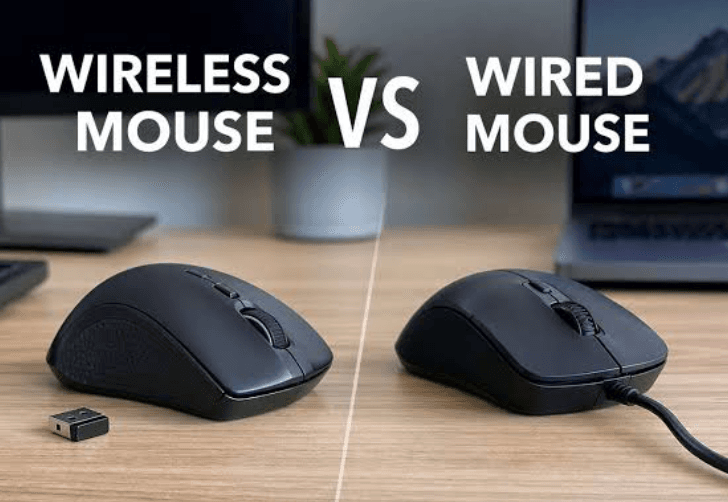
TL;DR For most productivity users in 2026, a good wireless mouse is the more convenient choice because it keeps the desk cleaner, makes it easier to switch between devices, and removes cable drag from everyday work. Wired mice still make sense if you want a plug-and-play setup with no battery or charging concerns and do not mind keeping the cable connected. The bigger point is that connection type is only one part of the decision. Sensor accuracy, shape, weight, scrolling, button placement, software support, battery life, and compatibility can have a much bigger effect on how comfortable a mouse feels after several hours of work. Modern wireless mice can use Bluetooth or a dedicated USB receiver, and premium models can offer reliable connections with little practical difference in everyday responsiveness. For example, Logitech's MX Master 3S for Business supports both Logi Bolt and Bluetooth Low Energy, offers 8000 DPI tracking, and is designed around long-hours productivity.
What Actually Matters When Choosing a Productivity Mouse?
The wireless versus wired debate sounds simple until you use the mouse for eight hours a day. For productivity, the most important factor is not whether the mouse has a cable but whether it stays comfortable and predictable throughout your workday. A mouse that fits your hand properly, tracks accurately, has a comfortable scroll wheel, and places its buttons where you naturally reach them can make repetitive tasks much easier. This becomes particularly noticeable when you spend your day moving between spreadsheets, browsers, presentations, design tools, and communication apps. A poor shape can cause more frustration than a cable ever will, while a well-designed mouse can disappear into your workflow because every movement feels natural.
Connection technology still matters, but modern wireless mice have narrowed the practical gap considerably. Bluetooth is convenient because it does not always require a dedicated receiver, which is useful on laptops with limited USB ports. A 2.4GHz wireless receiver can provide another option when you want a dedicated connection, and some mice support both technologies. Logitech's MX Master 3S for Business, for example, supports Logi Bolt through its USB receiver as well as Bluetooth Low Energy, giving users flexibility across different computers and operating systems.
A wired mouse has a simpler advantage: you plug it in and use it. There is no internal battery to recharge and no wireless receiver to lose. That simplicity can be valuable in an office, shared workstation, or desktop setup where the mouse stays in one place. However, the cable itself becomes part of the experience. Depending on the desk, the cable can catch on other objects or create drag when you move the mouse. For a user who spends hours navigating large spreadsheets or working across multiple monitors, that small physical inconvenience can become surprisingly noticeable over time.
The Main Factors That Matter
| Factor | Wireless Mouse | Wired Mouse |
|---|---|---|
| Desk freedom | Excellent | Limited by cable |
| Battery management | Required on rechargeable models | Not required |
| USB port usage | Receiver may use a port | Uses a USB port |
| Bluetooth option | Available on some models | Not applicable |
| Setup simplicity | Easy, but pairing may be required | Plug and play |
| Cable drag | None | Possible |
| Long-term convenience | High | High |
| Best for fixed desks | Good | Excellent |
| Best for flexible setups | Excellent | Less convenient |
Wireless Mice Are More Convenient for Modern Workspaces
The biggest advantage of a wireless mouse is freedom of movement. You can position your laptop, keyboard, monitor, and mouse independently without worrying about where the cable needs to reach. That matters more as home and office workspaces become more flexible. Someone working from a laptop at a desk in the morning and a meeting room in the afternoon can simply move the mouse with the laptop rather than dealing with a cable each time. A wireless mouse also makes a cleaner desk possible because there is one less cable crossing the workspace.
Wireless connectivity can also be useful when you work with multiple devices. Some productivity mice allow users to switch between computers, which can be particularly helpful if you use a personal laptop alongside a work machine. The MX Master 3S for Business, for example, can switch between up to three computers and supports both Bluetooth Low Energy and a Logi Bolt receiver. This type of feature can be more meaningful for productivity than chasing extremely high DPI numbers that you may never use.
The main disadvantage is that wireless mice introduce another thing to manage. Rechargeable models eventually need charging, while battery-powered models require replacement batteries. A wireless receiver can also be misplaced, and Bluetooth pairing can occasionally become inconvenient when moving between devices. None of these problems are necessarily serious, but they are real considerations. If you work in an environment where your mouse never leaves the desk, and you want the least complicated setup possible, wired still has a strong argument.
When Wireless Makes More Sense?
Wireless is particularly useful for laptop users, hybrid workers, students, people who regularly change workspaces, and anyone who dislikes cable clutter. It is also attractive for multi-device setups where the mouse can switch between computers. The important thing is to check the connection options before buying. A Bluetooth-only mouse may be convenient for a laptop but less useful if your main desktop does not have reliable Bluetooth. A mouse with both Bluetooth and a dedicated receiver gives you more flexibility.
Wired Mice Still Have a Strong Productivity Case
A wired mouse remains one of the easiest peripherals to recommend when your workstation is permanent. You connect the USB cable, the computer recognizes the device, and you can start working. There is no charging schedule and no concern about the battery becoming empty during an important presentation or deadline. For office desktops, reception desks, laboratories, classrooms, and other fixed environments, that reliability can be more useful than wireless freedom.
Wired connectivity also removes one layer of wireless troubleshooting. You do not have to think about Bluetooth pairing, receiver placement, interference, or whether the mouse has enough charge. This does not mean wireless mice are unreliable. Modern products can provide stable connections, and premium wireless mice are designed specifically to maintain dependable connections in busy environments. Logitech, for example, describes its Logi Bolt technology as designed for reliable connections even in congested wireless environments.
The main downside is physical rather than technical. A cable can restrict where you place the mouse and may create drag depending on its length and material. It can also make a laptop setup less convenient because you have to connect and disconnect it whenever you move. If your mouse is going to remain next to the same desktop monitor every day, however, this disadvantage becomes much less important.
Wired vs Wireless: Everyday Productivity
| Productivity Need | Better Choice |
| Fixed desktop setup | Wired |
| Laptop use | Wireless |
| Clean desk | Wireless |
| No charging | Wired |
| Multiple computers | Wireless |
| Maximum setup simplicity | Wired |
| Frequent travel | Wireless |
| Shared workstation | Either |
| Long spreadsheet sessions | Depends on ergonomics |
| Design and editing work | Depends on sensor and comfort |
Latency Is Usually Less Important Than People Think
Latency is one of the most commonly misunderstood parts of the wireless versus wired debate. A wired connection has an obvious advantage in simplicity because the signal travels through a physical cable. However, that does not automatically mean every wired mouse will feel faster or more responsive than every wireless mouse. Wireless performance depends on the connection technology, polling rate, sensor, firmware, and surrounding environment. Modern high-quality wireless mice can feel extremely responsive in normal productivity use.
For ordinary work such as browsing, writing documents, creating presentations, editing spreadsheets, or managing email, the difference between a good wired mouse and a good wireless mouse is generally far less important than the physical design. You are unlikely to gain a meaningful productivity advantage simply by switching from a well-designed wireless mouse to a wired model because of latency alone. In fact, recent high-end wireless gaming mice can support very high polling rates, although those features are aimed more at competitive gaming than everyday office work.
This is where buying based entirely on specifications can become misleading. A 30,000 DPI sensor or an 8000Hz polling rate may sound impressive, but productivity does not automatically improve because the numbers are higher. For office work, consistent tracking, comfortable movement, accurate scrolling, programmable buttons, and an appropriate shape are usually more useful. Logitech's MX Master 3S for Business, for example, offers up to 8000 DPI tracking and a MagSpeed scroll wheel, but its productivity appeal comes from the complete combination of tracking, scrolling, customization, connectivity, and ergonomics rather than DPI alone.
What to Prioritize Instead of Chasing Latency
If your work involves Excel, Google Sheets, browser research, coding, writing, or presentations, prioritize a comfortable grip and reliable tracking. A mouse should move smoothly without requiring excessive hand movement or pressure. The scroll wheel also deserves attention because you may use it hundreds of times during a workday. Programmable buttons can be valuable for repetitive workflows, especially if you regularly use shortcuts for navigation, copy and paste, window switching, or application-specific actions.
Battery Life Can Decide Whether Wireless Is Worth It
Battery life is the trade-off that wireless buyers should consider before purchasing. A wireless mouse is only convenient if you remember to charge it or replace its batteries. Fortunately, battery life varies considerably between products, and some productivity mice are designed to operate for weeks or months between charges. Logitech's MX Master 3S for Business documentation, for example, lists a rechargeable 500mAh battery and up to 70 days on a full charge, although actual battery life can vary depending on usage and computing conditions.
Charging convenience also matters. A mouse that needs frequent charging can become irritating, while one that lasts for weeks is much easier to forget about. Some rechargeable models can also be used while connected to a charging cable, reducing the practical impact of an empty battery. Before buying, check whether the mouse can operate while charging and what charging connector it uses. USB-C is particularly convenient if you already carry a compatible cable for your laptop and phone.
Wired mice completely eliminate this concern. That is one of their strongest practical advantages and a reason they continue to make sense for users who prioritize reliability over mobility. If your workday includes long periods of uninterrupted computer use and you do not move the mouse between locations, a wired mouse can be refreshingly simple. You never have to think about battery percentages because the computer provides power continuously.
Battery vs Cable Trade-Off
| Consideration | Wireless | Wired |
| Charging required | Yes for rechargeable models | No |
| Battery replacement | Depends on model | No |
| Works without power from PC | Yes | No |
| Cable-free desk | Yes | No |
| Long fixed sessions | Very good with long battery life | Excellent |
| Travel convenience | Excellent | Moderate |
Ergonomics Matter More Than Connection Type
For productivity, ergonomics should arguably be higher on your buying checklist than wired versus wireless connectivity. A mouse can be technically excellent and still be uncomfortable if its shape does not match your hand. Hand size, grip style, mouse weight, button placement, and thumb support can all affect how the mouse feels after several hours. This is especially important for people who use a mouse throughout the workday rather than for short bursts.
A larger ergonomic mouse can be useful for palm-grip users who want more support, while a smaller and lighter mouse may suit people who use fingertip or claw-style grips. There is no universally correct shape. That is why specifications such as dimensions and weight should be treated as useful information rather than automatic indicators of quality. Logitech's MX Master 3S for Business, for example, weighs 141 grams and uses a full-size ergonomic design intended for long periods of use.
The same principle applies to buttons and scrolling. A productivity mouse with additional buttons can reduce repetitive keyboard shortcuts, while a good scroll wheel can make long documents and spreadsheets easier to navigate. These are features you interact with constantly, so they can have a larger effect on productivity than whether the mouse is connected through USB or wirelessly.
Features Worth Paying For
| Feature | Why It Matters |
| Comfortable shape | Reduces fatigue during long sessions |
| Accurate sensor | Makes cursor movement predictable |
| Good scroll wheel | Helps with documents and spreadsheets |
| Programmable buttons | Speeds up repetitive workflows |
| Adjustable DPI | Useful across different screens |
| Multi-device switching | Helpful for hybrid setups |
| USB-C charging | Convenient for rechargeable models |
| Bluetooth | Useful for laptops and tablets |
Which Mouse Should You Choose for Productivity?
If you primarily work from a desktop, a wired mouse remains a sensible choice. It is simple, reliable, and always ready to use. You do not have to charge it, pair it, or keep track of a receiver. For a fixed office workstation, these advantages can outweigh the freedom offered by wireless connectivity. A good wired mouse with a comfortable shape can be a better productivity tool than an expensive wireless mouse that does not fit your hand.
Wireless is the better option for people who move between devices or locations. Laptop users, students, hybrid workers, and people with compact desks can benefit from removing the cable entirely. A Bluetooth model is especially convenient when USB ports are limited, while a mouse with Bluetooth and a dedicated receiver provides greater flexibility. The best wireless models can also offer multi-device switching, long battery life, and customizable controls, making them particularly useful for modern workflows.
The price difference should also be considered carefully. You do not need an expensive wireless mouse just because it is wireless, and you do not need a basic wired mouse just because you want value. Spend your budget on the features that affect your actual workflow. If you spend eight hours a day working in spreadsheets, comfort and scrolling matter. If you regularly switch between a laptop and desktop, connectivity matters. If you never move from your desk, the simplicity of wired connectivity may be all you need.
Common Mistakes to Avoid When Buying a Productivity Mouse
One common mistake is choosing a mouse based almost entirely on DPI. DPI describes sensitivity, not overall productivity quality. A higher number does not automatically mean a more accurate or comfortable mouse. Another mistake is ignoring weight and dimensions. A mouse that feels fine for ten minutes in a store may feel very different after several hours of work. You should also consider whether the mouse is designed for your preferred grip and whether the thumb buttons are positioned naturally.
Another mistake is assuming that wireless automatically means unreliable. Modern wireless mice can offer stable connections, and some business-oriented models are specifically designed for reliable operation in busy wireless environments. Logitech's Logi Bolt system, for example, is marketed around secure and reliable wireless connectivity, including use in congested environments. At the same time, you should not assume every inexpensive wireless mouse will provide the same experience as a premium model.
Finally, do not overlook compatibility. A mouse may work differently depending on whether you use Windows, macOS, ChromeOS, Linux, iPadOS, or Android. Basic pointer functions are often widely supported, but advanced customization software may be limited to certain platforms. Logitech explicitly notes that basic functions of the MX Master 3S for Business work across several platforms, while its customization app is supported on Windows and macOS.
Frequently Asked Questions
Q. Is a wireless mouse better than a wired mouse for productivity?
A wireless mouse is generally more convenient for laptop users, hybrid workers, and people who want a cleaner desk. A wired mouse is better if you prefer a simple setup with no charging or battery management.
Q. Does a wired mouse have lower latency than a wireless mouse?
A wired connection can offer very predictable communication, but modern quality wireless mice can also be highly responsive. For normal productivity tasks, latency differences are usually less important than comfort, tracking, and connectivity.
Q. Is Bluetooth or a 2.4GHz receiver better for a productivity mouse?
Bluetooth is convenient because it does not require a dedicated USB receiver. A 2.4GHz receiver can provide a dedicated wireless connection and may be preferable on systems where Bluetooth is unavailable or unreliable.
Q. Do wireless mice need to be charged every day?
No. Battery life varies widely by model. Some rechargeable productivity mice can operate for weeks or months between charges. Logitech's MX Master 3S for Business, for example, is rated for up to 70 days on a full charge.
Q. Is a wired mouse better for long working hours?
Not automatically. Comfort depends more on the mouse's shape, weight, grip, sensor, buttons, and scrolling system. Both wired and wireless mice can be suitable for long work sessions.
Q. Do I need a high-DPI mouse for office work?
No. High DPI is not essential for productivity. What matters more is consistent tracking and whether the sensitivity works comfortably with your display and workspace.
Q. Can a wireless mouse work while charging?
Some rechargeable models can, but this depends on the specific mouse. Check the manufacturer's specifications before buying if this feature is important to you.
Q. Is a wireless mouse good for laptops?
Yes. Wireless mice are particularly convenient for laptops because they eliminate cable clutter. Bluetooth models can also save a USB port when the laptop supports Bluetooth.
Q. Should I buy a mouse with programmable buttons for productivity?
It can be worthwhile if you perform repetitive tasks. Programmable buttons can provide shortcuts for navigation, application switching, or frequently used commands, depending on the software supported by the mouse.
Q. What matters most when buying a productivity mouse?
Comfort, shape, tracking accuracy, scrolling, connectivity, battery life, and software support should generally matter more than headline specifications such as extremely high DPI or polling rates.
Final Recommendation
For most people buying a productivity mouse in 2026, wireless is the better overall choice, particularly if you use a laptop, move between workspaces, or want a cleaner desk. Modern wireless mice can provide reliable connectivity, long battery life, multi-device support, and responsive tracking without forcing you to deal with a cable. A good example is the Logitech MX Master 3S for Business, which combines Bluetooth and Logi Bolt connectivity with an ergonomic design, customizable controls, and long battery life.
Choose wired if your computer stays on the same desk, you do not want to charge anything, and you value the simplest possible setup. Choose wireless if freedom of movement and flexibility matter more. Above all, do not let the connection type make the decision by itself. For productivity, the best mouse is the one that fits your hand, tracks reliably, scrolls comfortably, and matches the way you actually work.






