
Which Gaming Laptop Specs Do You Need for Valorant, CS2 and GTA 5?
Find the right gaming laptop specs for Valorant, CS2 and GTA 5 in 2026. Compare processors, graphics cards, RAM, SSD storage, and refresh rates before buying.

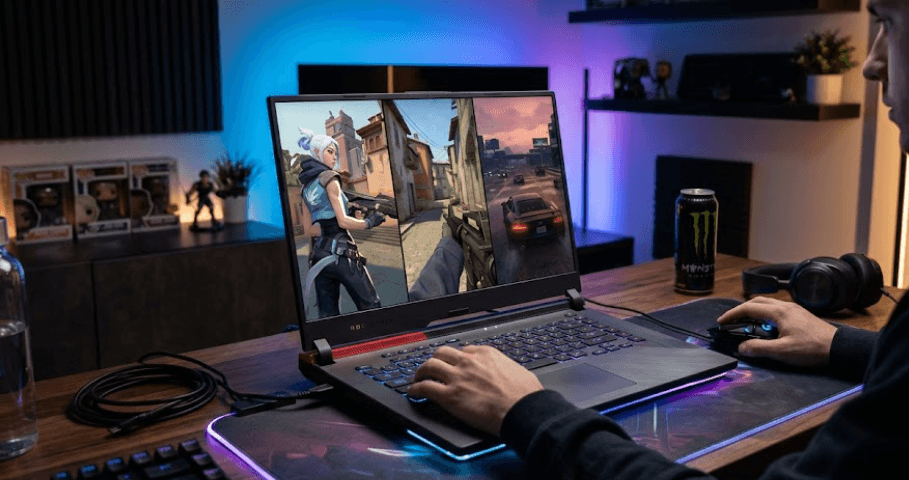
TL;DR If you want a gaming laptop that can run Valorant, Counter-Strike 2 (CS2) and GTA 5 comfortably in 2026, look for a modern Intel Core i5 or AMD Ryzen 5 processor, a dedicated NVIDIA GeForce RTX 4050 or comparable GPU, 16GB RAM and a 512GB SSD. This is a practical starting point for balanced 1080p gaming, although actual frame rates depend on the laptop's power limits, cooling and game settings. Valorant is relatively lightweight, CS2 benefits from strong CPU performance, and GTA V Enhanced requires more graphics power than GTA V Legacy. A 144Hz display is worth considering if competitive shooters are your priority.
Understanding Gaming Laptop Requirements
Buying a gaming laptop becomes easier when you understand that different games place different demands on the hardware. Valorant is designed to run on relatively modest systems, making it accessible to budget-conscious players. CS2 can be more demanding during intense firefights, especially when several players use utility and smoke effects. GTA 5, meanwhile, is an open-world game whose performance depends on the version you play, graphics settings, resolution and the complexity of the scene. A laptop that handles one game well will not necessarily deliver identical performance in another.
The distinction between minimum system requirements and recommended buying specifications is equally important. Minimum requirements indicate the hardware needed to run a game under supported conditions, not necessarily the experience you should expect from a new laptop. For example, Riot Games lists 4GB RAM and older processors among Valorant's official requirements, while Valve lists 8GB RAM for CS2. These figures are useful reference points, but they are not sensible targets for most people purchasing a gaming laptop in 2026.
For most buyers, the smarter approach is to choose a balanced configuration rather than spending heavily on one component. A powerful GPU paired with insufficient RAM, an entry-level processor or inadequate cooling may not deliver the experience you expect. Likewise, an expensive processor cannot compensate for weak graphics hardware when playing a visually demanding game. The following sections explain which components deserve the most attention and how to prioritize them for these three games.
Processor: The Foundation of Gaming Performance
The processor, or CPU, handles game logic, player interactions, background tasks and other calculations that influence responsiveness. This is particularly relevant in competitive shooters, where maintaining consistent frame rates can matter as much as achieving a high peak FPS figure. Valorant can perform well on modest processors, but CS2 benefits from stronger modern CPU performance, particularly when you want high frame rates on a high-refresh-rate display. For a new laptop, a current-generation Intel Core i5 or AMD Ryzen 5 is a sensible starting point.
You do not necessarily need an Intel Core i7 or AMD Ryzen 7 to play these games. A well-cooled Core i5 or Ryzen 5 laptop can provide a better gaming experience than a poorly designed laptop with a higher-tier processor. Model generation, sustained power limits and cooling all influence performance. When comparing laptops, check the exact processor model instead of relying only on labels such as Core i5, Core Ultra 5 or Ryzen 5. These names cover multiple generations and performance classes, so they should not be treated as interchangeable.
A stronger CPU becomes more useful when you play CS2 competitively, stream gameplay, record clips or keep multiple applications open. GTA V also benefits from adequate CPU performance when handling traffic, pedestrians and other world activity. For a laptop intended mainly for gaming, prioritize a balanced CPU and dedicated GPU rather than buying the highest processor tier available. The money saved can often be better spent on more capable graphics, additional storage or a display with a higher refresh rate.
Processor Recommendations
| Gaming Requirement | Practical CPU Target |
|---|---|
| Casual Valorant | Modern entry-level or midrange CPU |
| Competitive Valorant | Modern Intel Core i5 or AMD Ryzen 5 |
| Competitive CS2 | Strong modern Core i5 or Ryzen 5 |
| GTA V Legacy | Modern Core i5 or Ryzen 5 |
| GTA V Enhanced | Core i5 or Ryzen 5 class, with a compatible dedicated GPU |
| Gaming plus streaming | Consider a higher-performance Core i7 or Ryzen 7 |
Graphics Card: The Most Important Upgrade for GTA 5
The graphics processing unit (GPU) renders textures, lighting, shadows and other visual effects. If you want to play all three games, a dedicated graphics card is preferable to relying solely on integrated graphics. Valorant can run on relatively modest graphics hardware, but CS2 and GTA V Enhanced give you stronger reasons to invest in a capable GPU. A dedicated GPU also has its own video memory, helping it handle graphics workloads without relying entirely on system RAM.
For a new 1080p gaming laptop, an NVIDIA GeForce RTX 4050 Laptop GPU is a reasonable starting target, with a comparable AMD GPU also worth considering. However, the RTX 4050 is a practical recommendation, not a guarantee of a particular frame rate. Laptop GPUs can differ in their configured power limits and cooling, even when they carry the same product name. An RTX 4050 running at a lower power limit may perform differently from one with more generous power and cooling. Compare independent benchmarks for the exact laptop model before purchasing.
GTA V Enhanced deserves special attention because its official requirements are considerably higher than those for the Legacy version. Rockstar lists a GTX 1630 with 4GB VRAM or Radeon RX 6400 with 4GB VRAM as minimum graphics options for Enhanced, and an RTX 3060 with 8GB VRAM or Radeon RX 6600 XT with 8GB VRAM in its recommended specifications. These are the publisher's listed desktop-class GPU examples, not a direct promise of equivalent performance from every laptop GPU. Check the specific laptop's performance and compatibility before relying on a specification alone.
GPU Recommendations
| GPU Class | Best Suited For | Buying Consideration |
|---|---|---|
| Integrated graphics | Light gaming, particularly Valorant | Limited headroom for demanding settings |
| Entry-level dedicated GPU | Valorant and selected CS2 settings | Check benchmarks and VRAM |
| RTX 4050 Laptop GPU or comparable | Balanced 1080p gaming | Strong starting point for this game mix |
| RTX 4060 Laptop GPU or comparable | Higher settings and additional headroom | Compare price, power limits and cooling |
| Higher-tier GPU | More demanding settings and future games | May be unnecessary for Valorant alone |
RAM: Why 16GB Is the Practical Minimum
RAM helps your laptop keep the game, Windows and background applications running without constantly moving data between memory and storage. Although Valorant's official minimum is just 4GB and CS2 lists 8GB, those figures do not account for every modern multitasking situation. A browser with several tabs, Discord, a recording application and the game itself can use considerably more memory than the game alone. For a new gaming laptop in 2026, 16GB RAM is the practical baseline for the three games in this guide.
If your budget allows, 32GB is worth considering when you stream, edit recordings, run virtual machines or play more demanding games alongside other applications. However, extra RAM does not automatically produce higher frame rates. Once a game and its supporting applications have enough memory, the processor or graphics card may be the bigger performance limitation. That is why buying 32GB at the expense of a significantly weaker GPU is usually not the best choice for someone primarily interested in gaming.
Also check whether the RAM is upgradeable. Some thin laptops use soldered memory that cannot be expanded later, while many gaming laptops include replaceable SO-DIMM modules. If you buy a 16GB model, upgradeability gives you more flexibility as your needs change. Dual-channel memory can also affect performance, particularly on systems that use integrated graphics, so check the laptop's memory configuration rather than looking at capacity alone.
How Much RAM Do You Need?
| RAM Capacity | Recommendation |
|---|---|
| 8GB | Entry-level only; limited headroom for multitasking |
| 16GB | Best starting point for most gaming buyers |
| 32GB | Useful for streaming, creation and heavier multitasking |
| 64GB | Specialized workloads; unnecessary for these three games alone |
Storage and SSD: Leave Room for Your Games
A solid-state drive (SSD) improves boot times, application launches and game loading compared with a traditional hard drive. It will not, by itself, transform a low frame rate into a high one, but it makes the overall laptop experience more responsive. For a gaming laptop in 2026, a 512GB NVMe SSD is a sensible starting point. It offers enough space for Windows, common applications and several games, although your available capacity will be lower after system files and other software are installed.
GTA V Enhanced requires 105GB of storage according to Rockstar's published specifications, and the game requires an SSD. CS2 lists 85GB of available storage on Steam. These requirements can change with updates, and other games, recordings and downloaded content can quickly consume the remaining space. Keeping some free capacity also makes everyday file management easier. For buyers who intend to install a large library of games, a 1TB SSD is a more comfortable choice than repeatedly uninstalling titles to make room.
Before buying, check whether the laptop has an additional M.2 slot or whether its existing SSD can be replaced. Some compact models provide limited upgrade options, while others make storage expansion relatively straightforward. If you are choosing between 512GB and 1TB, consider how many large games you plan to keep installed at once. Storage expansion may be cheaper than buying a more expensive configuration upfront, but the upgrade depends on the laptop's design and warranty conditions.
Display and Refresh Rate: 144Hz or 165Hz?
The display determines how smoothly motion appears and how quickly you can see the results of your inputs. A 144Hz screen can refresh up to 144 times per second, while a 165Hz screen can refresh up to 165 times per second. This is particularly useful in Valorant and CS2, where fast camera movement and precise aiming are central to gameplay. However, a high refresh rate does not guarantee high FPS. The laptop must be capable of producing enough frames, and the benefits depend on the game, settings and your own sensitivity to motion.
For most buyers playing these titles at 1080p, a Full HD display with a 144Hz or 165Hz refresh rate offers a sensible balance. A higher-resolution screen can look sharper, but it also increases the graphics workload when games run at native resolution. If competitive performance is your main priority, a good Full HD panel with strong response times may be more useful than a higher-resolution display that places additional pressure on the GPU. Color quality and brightness still matter if you also use the laptop for work, films or content creation.
Do not compare displays by refresh rate alone. Look for reliable response-time information, brightness, viewing angles and screen quality. Advertised response times may use different testing methods, so independent reviews can help reveal whether motion clarity matches the marketing. Also consider whether you will connect an external monitor. A laptop with a suitable display output and enough graphics performance can serve as a flexible gaming setup at home while remaining portable for classes or work.
Display Specifications to Consider
| Feature | Practical Recommendation |
|---|---|
| Resolution | 1920 × 1080 for balanced 1080p gaming |
| Refresh rate | 144Hz or 165Hz for competitive shooters |
| Response time | Check independent measurements where available |
| Brightness | Choose a level suited to your room and lighting |
| Screen size | 15.6-inch or 16-inch for a common gaming format |
Cooling, Battery Life and Connectivity
Cooling has a direct effect on sustained performance. Gaming laptops generate substantial heat when the CPU and GPU work hard, and poor thermal management can cause components to reduce their operating speeds. This is one reason two laptops with similar headline specifications can deliver different results during longer sessions. Look for reviews that test gaming performance over time, report fan noise and discuss temperatures. A laptop that maintains stable performance is generally a better choice than one that briefly achieves high numbers before becoming noisy or slowing down.
Battery life should be considered realistically. Most gaming laptops perform best when connected to their charger, and battery-powered gaming may reduce performance depending on the device's power settings. If you regularly carry the laptop to college or work, compare its weight, power adapter size and battery performance during ordinary productivity tasks. A large battery does not guarantee long gaming sessions at full performance, because the CPU and GPU consume substantial power under load.
Connectivity and build quality also influence daily use. A wired Ethernet connection can provide a more consistent network experience when the router and internet connection support it, while modern Wi-Fi can be convenient for everyday gaming. Check for the USB ports you need, HDMI or USB-C display output, and a keyboard that feels comfortable during longer sessions. These features will not increase FPS directly, but they can make the laptop easier to use and more practical over several years.
Gaming Laptop Specifications Compared
A useful buying target for these three games is a balanced system with a modern midrange processor, a dedicated GPU, 16GB RAM and SSD storage. The table below provides practical targets rather than official minimum requirements. Actual results vary by laptop configuration, cooling, graphics settings and game updates, so treat the recommendations as a starting point for comparing models rather than a guarantee of specific FPS.
| Component | Budget Gaming | Balanced Gaming | More Headroom |
|---|---|---|---|
| CPU | Modern entry-level CPU | Modern Core i5 or Ryzen 5 | Higher-tier Core i7 or Ryzen 7 |
| GPU | Entry-level dedicated GPU | RTX 4050 Laptop GPU or comparable | RTX 4060 Laptop GPU or comparable |
| RAM | 16GB preferred | 16GB | 32GB |
| Storage | 512GB SSD | 512GB to 1TB SSD | 1TB SSD or more |
| Display | Full HD, 120Hz or higher | Full HD, 144Hz or 165Hz | Higher refresh rate if performance supports it |
| Best fit | Valorant and lighter gaming | All three games at sensible settings | Heavier settings and multitasking |
The budget configuration can make sense if Valorant is your main game and you are comfortable adjusting settings in more demanding titles. However, check that the GPU is genuinely suitable for your preferred version of GTA V. A laptop that handles Valorant easily may struggle to provide the same smooth experience in GTA V Enhanced at higher graphics settings. Avoid making a purchase based only on the word “gaming” in the product name.
The balanced configuration is the safest starting point for buyers who want one laptop for Valorant, CS2 and GTA 5 without paying for hardware they may never use. A dedicated RTX 4050-class GPU, a capable modern CPU, 16GB RAM and a 512GB or larger SSD offer a reasonable combination for 1080p gaming. If you find a laptop with a stronger GPU at a small price difference, compare the exact models and their cooling performance before deciding which offers better value.
Common Buying Mistakes to Avoid
One common mistake is buying a laptop based on advertised maximum FPS claims without checking how those numbers were measured. Results can differ depending on resolution, graphics settings, maps, game updates, background applications and whether the laptop is plugged in. Competitive games may also experience frame-rate fluctuations during intense scenes. Look for independent tests of the exact laptop configuration, especially if you intend to use a 144Hz or 165Hz display.
Another mistake is assuming that a larger RAM number or a newer processor label automatically makes a laptop faster for gaming. RAM beyond what the game needs will not compensate for a weak GPU, while an impressive CPU can be limited by inadequate cooling. The same applies to storage: a faster SSD improves loading and responsiveness, but it does not replace the graphics performance required to render a game smoothly. Prioritize the components according to the games you actually play.
Finally, do not overlook the difference between GTA V Legacy and GTA V Enhanced. Rockstar publishes separate system requirements for the two versions, and the Enhanced edition has higher hardware expectations. Check which version you plan to install before buying. Also confirm the laptop's warranty, upgrade options and local service availability. A well-balanced machine that you can maintain and use comfortably is often a better long-term purchase than a more powerful model with compromises you notice every day.
Frequently Asked Questions
Q. What gaming laptop specs do I need for Valorant in 2026?
A modern entry-level or midrange CPU, 16GB RAM and a capable integrated or dedicated GPU can provide a good starting point. For competitive play, consider a dedicated GPU and a 144Hz display, then check benchmarks for the exact laptop.
Q. Is 8GB RAM enough for CS2?
CS2's published minimum is 8GB RAM, but 16GB is a better target for a new gaming laptop. It provides more room for Windows, the game and background applications.
Q. Can an RTX 4050 laptop run GTA 5?
An RTX 4050 Laptop GPU is a reasonable target for 1080p gaming, but results depend on the laptop's power limits, cooling, resolution and settings. Check benchmarks for the exact model and the version of GTA V you intend to play.
Q. Is GTA V Enhanced more demanding than GTA V Legacy?
Yes. Rockstar publishes separate requirements, and GTA V Enhanced lists more demanding graphics and memory recommendations than Legacy. Check the official requirements before purchasing a laptop.
Q. Is a Core i5 good enough for gaming?
Yes. A modern Core i5 can be a strong gaming choice when paired with a suitable GPU and effective cooling. The exact processor generation and model matter more than the Core i5 label alone.
Q. Do I need 32GB RAM for Valorant, CS2 and GTA 5?
No. For these games, 16GB is a sensible starting point for most buyers. Choose 32GB if you also stream, edit videos or regularly run demanding applications alongside games.
Q. Is a 144Hz laptop display worth it?
A 144Hz display is useful for competitive shooters because it can show more frames per second than a 60Hz display. You will benefit most when your laptop can produce high and consistent frame rates.
Q. Is a 512GB SSD enough for gaming?
It can be enough if you keep a limited number of large games installed. A 1TB SSD is more comfortable if you play several large titles, record gameplay or store other media files.
Q. Should I prioritize the GPU or the processor?
For a laptop intended for all three games, balance both components. The GPU deserves particular attention for GTA V Enhanced, while CPU performance is important for high-frame-rate competitive gaming, especially in CS2.
Q. Can I play these games on a laptop without a dedicated graphics card?
Valorant can run on some systems with integrated graphics, depending on the processor and settings. CS2 and GTA V Enhanced are more demanding, so a dedicated GPU is the safer choice for a more consistent gaming experience.
Final Recommendation
For most buyers, the best gaming laptop for Valorant, CS2 and GTA 5 in 2026 is a balanced 1080p model with a modern Intel Core i5 or AMD Ryzen 5 processor, an NVIDIA GeForce RTX 4050 Laptop GPU or comparable graphics hardware, 16GB RAM and a 512GB SSD. This combination avoids overspending on premium components while providing a practical starting point for all three games. A 144Hz or 165Hz display is worth the extra consideration if competitive shooters are your main priority.
If you have more room in your budget, compare RTX 4060-class laptops and 1TB SSD configurations, especially if you plan to play GTA V Enhanced, install other large games or keep the laptop for several years. Do not assume that every laptop with the same GPU will perform identically; cooling, power limits and the exact processor configuration matter. Independent reviews of the model you plan to buy are more useful than a generic FPS promise.
Before making the final decision, confirm the game's version, compare the official requirements, and check the laptop's upgrade options, warranty and cooling performance. The goal is not to buy the most expensive gaming laptop available. It is to choose a machine that runs your preferred games smoothly, fits your budget and remains practical for everyday use.
Ready to upgrade your tech?
Browse our collection of quality refurbished products at unbeatable prices.






