
What Is ISV Certification and Why It Matters When Buying a Dell Precision
ISV certification confirms that a specific Dell Precision configuration has been tested for compatibility with professional software. Here is what the certification means and why it matters when choosing a workstation.

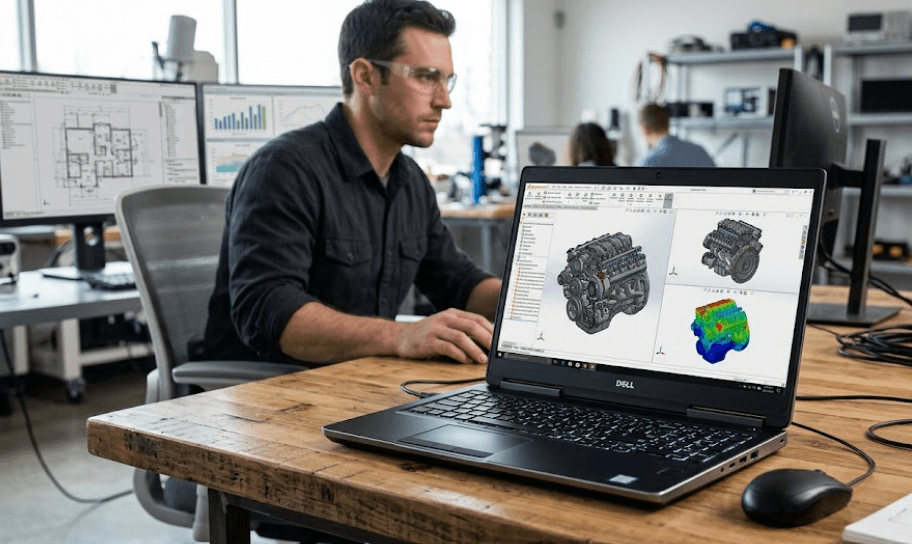
TL;DR ISV certification is one of the most important things to check when buying a Dell Precision workstation for professional software such as CAD, engineering, 3D design, simulation, and content creation. ISV stands for Independent Software Vendor, and Dell works with software vendors to test selected workstation configurations for specific applications, graphics drivers, operating systems, and application versions. The important detail is that certification is configuration-specific rather than a blanket guarantee for every Precision system. Dell’s certification database lists the workstation model, graphics card, graphics driver, ISV, application, application version, operating system, and certification status, so buyers should check the exact combination they plan to use before purchasing.
What Is ISV Certification?
ISV certification stands for Independent Software Vendor certification. In simple terms, it means a software company and a hardware manufacturer have worked together to verify that a specific hardware-software combination meets professional-use requirements. For Dell Precision workstations, this process is especially relevant because these systems are designed for demanding workloads such as computer-aided design, engineering, simulation, 3D modelling, and other professional applications. Dell describes its Precision workstations as being tested to ensure that demanding professional applications run smoothly.
The important point is that certification is more specific than simply saying that a laptop or desktop is powerful enough. A workstation may have a fast processor and professional GPU, but that does not automatically mean that every professional application has been certified on that configuration. Dell's certification database records the workstation model alongside the graphics card, graphics driver, software vendor, application, application version, operating system, and certification status. This makes ISV certification particularly useful when your work depends on software where stability and compatibility matter as much as raw performance.
ISV certification is therefore best understood as a compatibility and validation reference rather than a performance score. Autodesk, for example, maintains certified graphics hardware information based on testing that verifies whether its products support particular hardware and features. Autodesk also explains that hardware not listed on its certification pages may still work, but the company has not necessarily received or verified the relevant test results. That distinction is important because a non-certified system is not automatically a bad system, while a certified system gives you a clearer compatibility reference for a supported configuration.
How Dell Lists ISV Certifications
Dell's current certification database can be searched by workstation, application, vendor, product version, operating system, and graphics card. This means a buyer should look beyond the phrase "ISV certified" and examine the actual certification record for the software they plan to use.
For example, Dell's current database contains certification records for professional applications from vendors such as Autodesk and Siemens. Current records include Dell Pro Precision systems paired with specific professional graphics and applications such as Siemens NX and Autodesk Inventor. The database also shows the graphics driver and operating system associated with the certification.
This level of detail matters because professional software changes over time. A certification for one application version, operating system, or driver should not automatically be interpreted as certification for every future version. When buying a Precision workstation for business-critical software, checking the current certification record is more useful than relying only on the model name printed on a retailer's product page.
Why ISV Certification Matters On Dell Precision
The biggest reason ISV certification matters is reliability during professional workloads. CAD, engineering, architecture, simulation, and visualisation applications can place sustained demands on the CPU, GPU, memory, drivers, and operating system. If a workstation is being used for paid projects or production work, unexpected application crashes or graphics compatibility problems can cost considerably more than the original hardware price. Certification provides an additional level of confidence that the tested configuration has been validated with the relevant professional software.
Graphics drivers are particularly important in this context. Dell has historically provided ISV-certified drivers that were tested by both Dell and the relevant software vendor against supported operating systems, graphics cards, and applications. This illustrates why professional workstation certification is not simply about having a powerful GPU. The interaction between the graphics hardware, driver, operating system, and application can affect whether a professional workflow behaves as expected.
ISV certification can also matter when a business is standardising several workstations. If every employee is using a known certified configuration, IT teams have a clearer hardware baseline when deploying professional software and troubleshooting problems. It can reduce the number of variables involved when diagnosing an application issue, particularly in organisations where engineers, designers, architects, or content professionals depend on the same software every day.
Certification And Professional Workloads
A gaming laptop can have a powerful GPU and still not provide the same certification story as a professional workstation. The difference is not necessarily that one GPU is inherently incapable of running the application. Instead, professional workstation certification focuses on validating particular hardware and software combinations for professional applications.
For example, Siemens states that its Designcenter software is certified on selected Dell workstations and graphics configurations, with supported systems using recommended drivers. Siemens also recommends 32 GB of RAM or more for an optimum experience with large assemblies and complex parts. This shows why certification and hardware specifications need to be considered together rather than separately.
The same principle applies to Autodesk software. Autodesk's certification information is designed to show tested graphics hardware and related results. A buyer working with AutoCAD, Inventor, Maya, or another professional application should therefore check the software vendor's requirements and Dell's certification information before deciding which Precision configuration to purchase.
How Dell Precision ISV Certification Works
Dell's ISV certification process involves collaboration between Dell and software vendors. Dell describes its system-level certifications as a strategic collaboration designed to ensure compatibility for demanding professional workflows. The current certification database covers professional areas including CAD, engineering, content creation, and simulation.
The testing is not simply a generic check of whether Windows starts or whether an application can be installed. Dell's certification records identify the components involved in the certified combination. A current record can specify the Precision workstation, graphics card, graphics driver, software vendor, application and version, operating system, and certification status. That level of specificity is why two configurations carrying the same Precision family name should not automatically be assumed to have identical certification coverage.
There is another important detail that buyers should understand. Dell states that not all ISVs perform system-level certification testing. For some applications, Dell's database can identify certification based on alternative guidance, such as recommended specifications or graphics certification from the software vendor. Dell marks these cases with an asterisk in its certification database. This means buyers should read the certification record instead of assuming that every entry represents exactly the same type of testing.
What Gets Checked?
The exact testing process varies by software vendor and certification program, so it would be inaccurate to claim that every application goes through an identical test procedure. However, the certification records themselves show that the tested environment can involve the complete configuration, including the workstation, GPU, driver, operating system, and application version.
That matters because professional software can respond differently to different graphics hardware and driver combinations. A graphics card that performs well in general benchmarks may not provide the same validated experience in a specific engineering or design application. Certification gives buyers information about the combinations that have been tested and recognised by the relevant vendor or certification process.
For this reason, the most useful question is not simply "Is this Dell Precision ISV certified?" The better question is "Is this exact Dell Precision configuration certified for the professional application and version I use?" That small change in how you approach the purchase can prevent an expensive configuration mistake.
| Certification Detail | Why It Matters |
|---|---|
| Precision model | Identifies the workstation tested |
| Graphics card | Determines the tested GPU configuration |
| Graphics driver | Helps establish the validated software environment |
| ISV or vendor | Identifies the software company involved |
| Application version | Shows which software release was tested |
| Operating system | Identifies the tested OS environment |
| Certification status | Shows whether the listed combination is certified |
ISV Certification Vs Hardware Specifications
Specifications still matter, even when a workstation has ISV certification. Certification does not replace the need to choose an appropriate processor, GPU, RAM capacity, storage configuration, and display. Instead, it adds another layer to the buying decision by helping you determine whether the hardware configuration has been validated for the software you actually use.
For example, Siemens currently recommends 32 GB of RAM or more for an optimum Designcenter experience when working with large assemblies and complex parts. That means a buyer should not select a workstation simply because its graphics card appears on a certification list. The rest of the system still needs to meet the workload's requirements.
The same principle applies when comparing Precision configurations. A certified entry-level configuration may be appropriate for one professional workflow, while a more powerful configuration may be required for large simulations, complex assemblies, advanced rendering, or other demanding tasks. Certification tells you about validated compatibility, while the application's system requirements help determine the level of hardware you need.
Why The Exact Configuration Matters
Consider two Dell Precision workstations with different GPUs. Even if both belong to the same workstation family, their certification records may differ because the tested graphics hardware and driver combinations are different. Dell's database demonstrates this directly by listing individual graphics cards and drivers against specific applications and operating systems.
This is particularly important when buying refurbished or older Dell Precision workstations. A retailer may advertise a Precision model as "ISV certified," but the buyer should still check the actual CPU, GPU, operating system, driver support, and application version. Older certification records may relate to older software releases and should not automatically be treated as certification for current software.
The same caution applies when upgrading a workstation. Changing the graphics card, driver, operating system, or other major component can take the resulting system outside the exact configuration that was tested. Certification is therefore most useful when you treat it as a configuration reference rather than a permanent label attached to the chassis.
| Buying Factor | What To Check |
|---|---|
| ISV certification | Exact application and workstation combination |
| GPU | Certified graphics configuration |
| Driver | Driver version associated with certification |
| RAM | Application-specific recommended capacity |
| CPU | Workload and software requirements |
| Storage | Capacity and performance requirements |
| OS | Supported and certified operating system |
| Application version | Version covered by certification |
Should You Buy A Dell Precision With ISV Certification?
If you use professional software for engineering, CAD, architecture, simulation, 3D design, or other specialised work, ISV certification deserves serious attention. It is especially relevant when the workstation supports revenue-generating work, because compatibility problems can affect productivity and project deadlines. In these situations, a certified configuration provides useful evidence that the hardware and software combination has been validated.
For everyday office work, browsing, spreadsheets, presentations, and general productivity, ISV certification is much less important. You do not need a workstation certified for specialised CAD software simply because it carries the Precision name. A standard business laptop may be more appropriate if your workload does not depend on professional applications. The value of certification depends on the software you actually use.
For professional buyers, the safest approach is to start with the application and work backwards. Check the software vendor's requirements, identify the recommended CPU, GPU, RAM, and operating system, and then use Dell's certification database to find a matching Precision configuration. This approach is more reliable than choosing a workstation first and assuming that its certification will cover everything you intend to install.
When Certification Should Be A Priority
ISV certification should be high on your checklist when you regularly use applications such as CAD, engineering design, simulation, professional visualisation, or other specialised software where GPU and driver compatibility can affect your workflow. It becomes even more important when the workstation will be deployed across a business and consistency matters.
It is also worth checking certification when buying a refurbished Dell Precision. Refurbished workstations can offer access to professional hardware at a lower price, but older models may have certification records tied to older application versions, operating systems, and drivers. The certification database can help you determine whether the configuration is relevant to the software you use today.
If you are buying primarily for general productivity, certification should not become the deciding factor. Instead, focus on the actual workload, RAM, processor, storage, display, battery life for mobile models, warranty, and overall condition. ISV certification becomes valuable when professional software is central to why you are buying a Precision workstation in the first place.
How To Check A Dell Precision Before Buying
The first step is to identify the exact professional software you plan to use. Do not stop at a broad category such as "CAD software." Identify the application and, where possible, the version you expect to run. Autodesk, Siemens, and other software vendors publish their own hardware and certification information, while Dell provides its own searchable certification database for Precision systems.
Next, compare the exact Precision configuration with the certification record. Look at the workstation model, graphics card, driver, application version, and operating system. If one of those details does not match, do not describe the configuration as fully equivalent to the certified system. It may still work, but the available certification evidence does not necessarily cover that exact combination.
Finally, check the system requirements alongside certification. Certification does not mean that every workload will run at the same speed, and it does not replace the application's recommended hardware requirements. A certified workstation with insufficient RAM or an unsuitable configuration can still be a poor fit for a demanding workload. The strongest purchase decision combines certification information with the actual requirements of your software and workload.
| Step | What To Verify |
|---|---|
| 1 | Identify the exact application |
| 2 | Check the software version |
| 3 | Find the Precision certification record |
| 4 | Match the GPU and driver |
| 5 | Match the operating system |
| 6 | Check RAM, CPU, and storage requirements |
| 7 | Verify warranty and configuration before purchase |
Frequently Asked Questions
Q. What does ISV certification mean on a Dell Precision workstation?
ISV certification means that a specific Dell workstation configuration has been tested or recognised for compatibility with professional software from an Independent Software Vendor. The certification can be tied to the workstation, graphics card, driver, application version, and operating system.
Q. Is every Dell Precision workstation ISV certified?
No. Certification is not a blanket label covering every Precision configuration and every application. Dell's certification database lists specific combinations of workstation, graphics card, driver, software, application version, and operating system.
Q. Does ISV certification guarantee that software will never crash?
No. Certification should not be interpreted as a guarantee of zero crashes or problems. It indicates that the relevant configuration has been tested or certified for the specified professional software environment.
Q. Is ISV certification important for AutoCAD?
It can be important if AutoCAD is part of your professional workflow. Autodesk provides certified graphics hardware information, and buyers should check the relevant hardware and software combination rather than relying only on the Dell Precision model name.
Q. Does ISV certification matter for SOLIDWORKS?
Yes, it can be useful for professional SOLIDWORKS users because graphics hardware and drivers can affect professional CAD workflows. The exact certified configuration should be checked before purchase rather than assuming that every Precision model has identical certification.
Q. Is an ISV-certified Dell Precision better than a gaming laptop?
Not automatically. The two categories are designed around different priorities. A gaming laptop can deliver excellent performance, while a Precision workstation with relevant ISV certification provides a validated professional software configuration.
Q. Can a non-certified Dell Precision still run professional software?
Yes. Lack of certification does not automatically mean that software will not run. It means that the specific configuration may not have the same verified certification status for that application, version, operating system, and hardware combination.
Q. Does ISV certification apply to the entire Dell Precision series?
No. Certification can vary by specific workstation configuration. Dell's certification database identifies individual workstation models, graphics cards, drivers, applications, versions, and operating systems, so the exact configuration matters.
Q. Should I check ISV certification when buying a refurbished Dell Precision?
Yes, particularly if you are buying the workstation for professional software. Check the exact model and graphics configuration against the current or relevant certification information, and make sure the application version and operating system you use are covered or supported.
Q. Where can I check Dell Precision ISV certification?
Dell maintains an ISV certification database where you can search by workstation, application, vendor, product version, operating system, and graphics card. This is the most useful starting point when verifying a specific Precision configuration.
Final Recommendation
ISV certification is one of the most useful specifications to understand when buying a Dell Precision workstation for professional software, but it should not be treated as a simple quality badge. The key is the exact configuration. Dell's certification records connect specific Precision systems with graphics hardware, drivers, software vendors, application versions, and operating systems, while software vendors such as Autodesk and Siemens maintain their own certification and hardware guidance.
If you are buying a Precision for CAD, engineering, simulation, 3D design, or another demanding professional workflow, check the ISV certification before you compare prices. Match the application, version, GPU, driver, and operating system, then make sure the CPU, RAM, and storage meet the software's requirements. For general office use, ISV certification is less important, and other factors can reasonably take priority.
The most important takeaway is simple: do not buy a Dell Precision just because a listing says "ISV certified." Check what is actually certified. A properly matched configuration can give professional users a clearer compatibility path, while an incorrectly matched configuration can leave you paying for workstation hardware without getting the certification benefit you expected.






