
ThinkPad X1 Carbon Generations Explained: Which One Should You Buy?
Compare ThinkPad X1 Carbon Gen 9, 10, 11, 12, and 13 to find the right laptop for your budget. Explore processor differences, RAM limits, display options, refurbished buying tips, and recommendations for 2026.

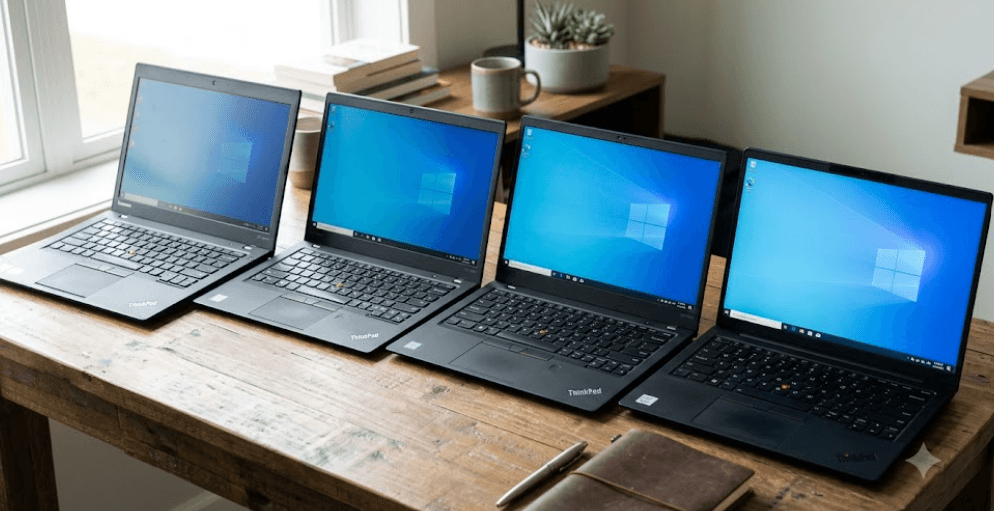
TL;DR: The Lenovo ThinkPad X1 Carbon is a premium business laptop known for its lightweight design, comfortable keyboard, and productivity-focused features. If you are shopping for one in 2026, the Gen 13 Aura Edition is the newest generation covered in this guide, offering newer processors and optional AI-focused capabilities. Gen 12 and Gen 11 can be attractive alternatives at the right price, while Gen 9 and Gen 10 may suit budget-conscious buyers. Before purchasing, compare the exact processor, RAM, display, battery condition, and warranty. Most importantly, RAM is soldered on these generations, so choose enough memory at the time of purchase.
What Makes The ThinkPad X1 Carbon Different?
A Premium Laptop Designed For Work
The ThinkPad X1 Carbon sits in Lenovo's premium business laptop range. Its appeal comes from a combination of portability, a business-oriented design, a comfortable keyboard, and features intended for people who work across documents, presentations, spreadsheets, and video calls. It is particularly appealing to professionals who travel frequently or carry their laptop between meetings, offices, and classrooms.
Across generations, the X1 Carbon has evolved with newer processors, display options, connectivity, cameras, and conferencing features. However, the overall purpose has remained consistent: provide a lightweight laptop for demanding everyday productivity rather than a machine built primarily for gaming. Integrated graphics are generally suitable for office work, browsing, and light creative tasks, but they are not a substitute for a powerful dedicated GPU.
The generation number tells you roughly how old the design and hardware platform are, but it does not tell the whole story. Two laptops from the same generation can differ significantly in processor, RAM, screen quality, storage, and battery capacity. That is why checking Lenovo's specifications for the exact model number is more useful than relying on a listing that simply says "ThinkPad X1 Carbon."
ThinkPad X1 Carbon Gen 9: A Budget-Friendly Option
Best For Basic Productivity
The ThinkPad X1 Carbon Gen 9 uses 11th-generation Intel Core processors, including options such as the Core i5-1135G7 and Core i7-1165G7. It introduced a 14-inch display with a 16:10 aspect ratio, giving users more vertical screen space than traditional 16:9 displays. This can make working with documents and spreadsheets more comfortable.
For everyday tasks such as email, online research, Microsoft Office, video calls, and basic multitasking, a well-maintained Gen 9 can still be useful. It may be particularly appealing to students or professionals who want a premium business laptop without paying for the latest generation. A configuration with 16GB or 32GB RAM is worth prioritizing, especially if you regularly work with several applications open.
The main consideration is age. A used Gen 9 may have a worn battery, cosmetic damage, or less remaining manufacturer support than a newer model. Windows 10 reached the end of standard support on October 14, 2025, so verify that the specific laptop can run a supported operating system and receives the necessary security updates. Buy this generation only when the price reflects its age and condition.
ThinkPad X1 Carbon Gen 10: A Practical Middle Ground
A Step Up In Processor Architecture
The Gen 10 moved to 12th-generation Intel Core processors, including U-series and P-series options. These processors use a hybrid architecture with performance and efficiency cores, although the exact core count depends on the processor. This generation can offer a useful performance improvement over Gen 9 in workloads that benefit from additional cores.
For office users, analysts, and students, Gen 10 can be a practical choice for multitasking, large spreadsheets, presentations, browser-heavy work, and regular video meetings. It retains the familiar lightweight business-laptop approach while offering a newer processor platform. However, performance and battery life depend on the specific processor, screen, power settings, and workload, so a higher processor number does not automatically mean a better overall experience.
When buying a refurbished Gen 10, pay attention to whether the laptop uses a U-series or P-series processor. P-series configurations can deliver stronger performance in some workloads but may consume more power under sustained load. Check the display resolution and brightness, battery condition, and RAM capacity before deciding whether the price difference over Gen 9 is justified.
ThinkPad X1 Carbon Gen 11: A Strong Refurbished Choice
Balanced Performance For Everyday Work
The Gen 11 uses 13th-generation Intel Core processors and continues the lightweight, productivity-focused design. It offers a range of configurations, including models with up to 64GB of soldered memory. That makes it important to check the exact configuration rather than assuming every Gen 11 has the same specifications.
For many buyers, Gen 11 is worth investigating as a refurbished business laptop. It can provide ample performance for office applications, online meetings, research, and multitasking without requiring the budget for a newer model. Its overall appeal is strongest when you find a well-maintained unit with sufficient RAM, a good screen, and a healthy battery.
There are trade-offs to consider. Because the RAM is soldered, it cannot be upgraded after purchase, and older units may have experienced several years of daily use. Compare its price with Gen 12 before buying. If the price gap is small, a newer generation may offer a better long-term purchase; if Gen 11 is substantially cheaper and in excellent condition, it can represent better value.
ThinkPad X1 Carbon Gen 12: Modern Features And More Memory Options
A Notable Platform Change
The Gen 12 introduced Intel Core Ultra processors, including options from the Core Ultra 100 series. These processors combine CPU cores with integrated graphics and an AI-focused neural processing unit, or NPU. The NPU can accelerate certain supported AI workloads, but its presence does not mean every AI application will run faster or that all AI features are available on every configuration.
One of the most useful features of Gen 12 is its broad memory range. Lenovo's specifications list configurations with 16GB, 32GB, and up to 64GB of soldered LPDDR5X memory, depending on the model. Certain configurations also offer high-resolution OLED displays. These options can make the Gen 12 attractive to users who want a modern business laptop with a premium screen or more memory for demanding multitasking.
The key limitation is that RAM is not upgradeable. Choose 16GB for typical office work only if your workload and future needs are modest; 32GB is a sensible target for heavier multitasking, large datasets, or longer-term use. The Gen 12 is worth considering when it is priced competitively against Gen 11 and Gen 13, particularly if you find a configuration with the memory and display you want.
ThinkPad X1 Carbon Gen 13 Aura Edition: The Newest Generation In This Guide
Best For Buyers Wanting Newer Hardware
The Gen 13 Aura Edition represents a newer step in the X1 Carbon range, with configurations based on Intel Core Ultra Series 2 processors. Depending on the model, these include Lunar Lake or Arrow Lake options. Certain configurations are designated Copilot+ PCs, while others have different AI capabilities. Therefore, check the processor and NPU specifications rather than assuming every Gen 13 model offers identical AI performance.
Display choices include 14-inch WUXGA IPS options and higher-resolution 2.8K OLED configurations, depending on the model. Some versions support high refresh rates, while others prioritize power efficiency and everyday productivity. Lenovo also lists configurations with 16GB, 32GB, or 64GB of soldered memory, with the available capacity depending on the processor platform and specific model.
Gen 13 is worth considering if you want newer hardware, modern connectivity, and a laptop you intend to use for several years. However, the premium price may not be justified for someone whose work consists mainly of email, documents, browsing, and presentations. Compare the cost with Gen 12 and Gen 11, and make sure you are paying for features that will genuinely improve your daily work.
ThinkPad X1 Carbon Generations Compared
Which Generation Offers The Best Value?
The best generation depends on your budget and how demanding your work is. Gen 9 and Gen 10 can make sense at lower prices, Gen 11 can offer a balanced refurbished option, and Gen 12 may provide an appealing combination of modern hardware and configuration flexibility. Gen 13 is the option to investigate when you want newer processors and features.
Remember that the generation alone does not determine performance. A Gen 12 with 16GB RAM may be less suitable for memory-intensive work than a Gen 11 with 32GB RAM, depending on the workload. Similarly, a high-resolution OLED screen may look better but can affect battery life compared with some low-power IPS panels.
Use this table as a practical shortlist rather than a ranking based on benchmark results. Actual performance and value depend on the exact configuration, condition, and price available in your market.
| Generation | Processor Platform | Best Suited For | Buying Advice |
|---|---|---|---|
| Gen 9 | 11th-generation Intel Core | Basic productivity on a budget | Buy only at a suitably low price |
| Gen 10 | 12th-generation Intel Core | Everyday work and multitasking | Compare U-series and P-series models |
| Gen 11 | 13th-generation Intel Core | Refurbished business use | Prioritize 16GB or 32GB RAM |
| Gen 12 | Intel Core Ultra Series 1 | Modern productivity and selected AI workloads | Check memory and display configuration |
| Gen 13 Aura Edition | Intel Core Ultra Series 2 | Newer hardware and selected AI PC features | Best considered when the premium fits your needs |
What To Check Before Buying A Used X1 Carbon
Inspect The Details, Not Just The Generation
Start with the processor, memory, and storage. For most buyers in 2026, 16GB RAM is a practical starting point for everyday productivity, while 32GB offers more room for heavy multitasking and demanding applications. Since the RAM is soldered on these generations, buying too little memory can become a permanent limitation. An SSD of 512GB is a useful target if you store many documents, media files, or work projects locally.
Next, inspect the display and battery. Check for dead pixels, pressure marks, uneven brightness, keyboard wear, loose hinges, damaged ports, and charging problems. Ask the seller for a battery-health report or battery-cycle information where available, and test the laptop unplugged. Battery performance varies with age and usage, so published battery-life figures for a new model should not be treated as a guarantee for a refurbished unit.
Finally, verify the seller's return policy, warranty coverage, and invoice. Check the exact model or machine type against Lenovo's official specifications, confirm that the laptop is not locked to a previous owner's account or organization, and ensure the operating system is properly activated. A clean-looking laptop is not necessarily a well-maintained one, so testing and after-sales protection matter as much as the advertised price.
Final Recommendation
For buyers seeking a premium business laptop at a lower price, the ThinkPad X1 Carbon Gen 11 is a sensible generation to investigate first, provided the refurbished unit is in good condition and has enough RAM. Gen 12 is worth comparing when you want newer Core Ultra hardware, optional OLED displays, and greater memory capacity choices. Gen 13 Aura Edition is the stronger candidate if newer hardware and supported AI features matter enough to justify its price.
Gen 9 and Gen 10 should not be dismissed, but they make the most sense when the price is meaningfully lower and the device passes thorough checks. Avoid choosing an older model solely because it has an i7 processor or a premium-looking design. Processor generation, battery health, RAM, display quality, software support, and warranty all influence the experience.
Before buying, compare at least two generations at similar prices and review the exact Lenovo model specifications. For most office users and students, a well-maintained X1 Carbon with 16GB or 32GB RAM, a healthy battery, and a suitable display is a better purchase than a newer generation with an unsuitable configuration. Choose the laptop that fits your actual workload and budget, not simply the one with the highest generation number.
Frequently Asked Questions
Q. Which ThinkPad X1 Carbon generation is best to buy in 2026?
Gen 11 and Gen 12 are worth comparing for value, while Gen 13 Aura Edition is suitable for buyers who want newer hardware. The best option depends on configuration, price, battery health, and warranty.
Q. Is the ThinkPad X1 Carbon Gen 9 still worth buying?
It can be suitable for basic productivity if the price is low and the device is in good condition. Verify operating system support, battery health, and security updates before purchasing.
Q. Is the ThinkPad X1 Carbon Gen 10 better than Gen 9?
Gen 10 uses 12th-generation Intel Core processors, while Gen 9 uses 11th-generation processors. Gen 10 can offer better performance in some workloads, but the exact processor and laptop condition matter.
Q. Is the ThinkPad X1 Carbon Gen 11 good for students?
Yes. A well-maintained Gen 11 can handle documents, presentations, research, video calls, and multitasking. Look for at least 16GB RAM and a healthy battery.
Q. What is the main advantage of the ThinkPad X1 Carbon Gen 12?
It introduces Intel Core Ultra processors and offers configurations with up to 64GB soldered memory. Selected models also feature high-resolution OLED displays and AI-focused hardware.
Q. Is the ThinkPad X1 Carbon Gen 13 an AI laptop?
Some Gen 13 Aura Edition configurations qualify as Copilot+ PCs, while others have different AI capabilities. Check the exact processor, NPU specifications, and supported features.
Q. Can I upgrade the RAM on a ThinkPad X1 Carbon?
No. RAM is soldered on the generations discussed here, so it cannot be upgraded later. Choose enough memory when purchasing the laptop.
Q. Is a refurbished ThinkPad X1 Carbon reliable?
It can be reliable if it has been properly tested and comes from a reputable seller. Check battery health, screen condition, ports, warranty, and return terms before buying.
Q. How much RAM should I get for a ThinkPad X1 Carbon?
For everyday office work, 16GB is a reasonable starting point. Choose 32GB for heavier multitasking, large datasets, and more demanding workloads if your budget allows.
Q. What should I check before buying a used ThinkPad X1 Carbon?
Verify the exact model, processor, RAM, SSD, battery condition, screen, keyboard, ports, operating system, warranty, and return policy. Confirm that the device is not locked to a previous owner or organization.
Ready to upgrade your tech?
Browse our collection of quality refurbished products at unbeatable prices.






