
ThinkPad T14 Gen 1 vs Gen 2: Is the Upgrade Worth It?
Compare the ThinkPad T14 Gen 1 and Gen 2 to understand their differences in performance, graphics, battery life, connectivity, and upgrade options. Find out which refurbished ThinkPad offers better value for your budget and everyday workload.

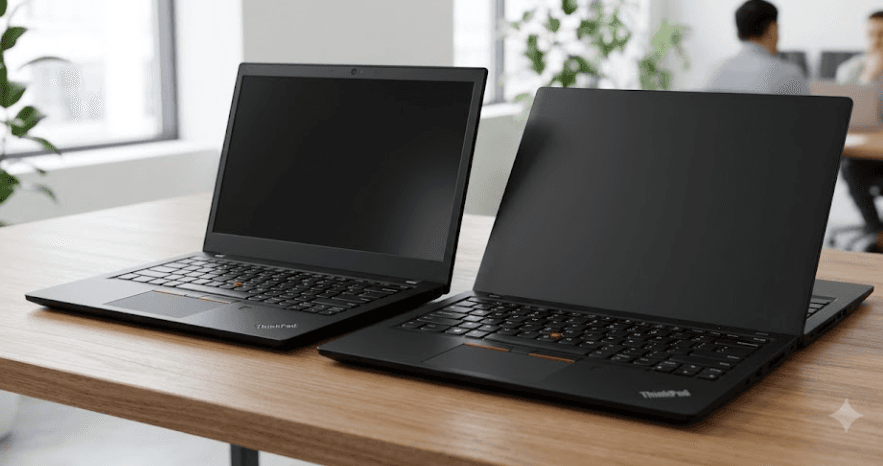
TL;DR: The Lenovo ThinkPad T14 Gen 2 is a worthwhile upgrade if you need better integrated graphics, newer connectivity, and improved performance in everyday workloads. However, the difference depends heavily on the processor: Gen 1 AMD models with Ryzen 4000 PRO chips can still compete with many everyday workloads, while Gen 2 Intel models benefit from 11th-generation processors and Intel Iris Xe graphics. Both generations offer business-friendly features, upgradeable storage, and a durable design. If you are buying refurbished, compare the exact processor, RAM, display, battery health, and price instead of choosing solely by generation.
ThinkPad T14 Gen 1 vs Gen 2: At A Glance
The Lenovo ThinkPad T14 Gen 1 and Lenovo ThinkPad T14 Gen 2 belong to Lenovo's business-oriented T-series lineup. Both are designed for professionals who need a practical laptop for office work, multitasking, and everyday productivity. Their familiar ThinkPad keyboard, extensive connectivity, and compact 14-inch form factor make them attractive options in the refurbished market.
The primary differences lie in their processor generations, graphics capabilities, memory speeds, and connectivity. Gen 1 models use AMD Ryzen 4000 PRO or 10th-generation Intel Core processors, while Gen 2 models use AMD Ryzen 5000 PRO or 11th-generation Intel Core processors. These distinctions matter because the Intel and AMD versions can perform quite differently, even within the same generation.
Neither laptop is automatically the better purchase in every situation. A well-maintained Gen 1 with a strong AMD processor, sufficient RAM, and a good display may be a better deal than a poorly configured Gen 2. The table below summarizes the main differences.
| Feature | ThinkPad T14 Gen 1 | ThinkPad T14 Gen 2 |
|---|---|---|
| Intel processors | 10th-generation Core i5/i7 | 11th-generation Core i5/i7 |
| AMD processors | Ryzen 4000 PRO series | Ryzen 5000 PRO series |
| Memory | DDR4-2666 on Intel; DDR4-3200 on AMD | DDR4-3200 on Intel and AMD |
| Graphics | Intel UHD or AMD Radeon; optional NVIDIA graphics on selected Intel models | Intel Iris Xe-capable graphics, AMD Radeon, and optional NVIDIA graphics on selected Intel models |
| Display | 14-inch HD, FHD, or selected UHD configurations | 14-inch FHD or selected UHD configurations |
| Battery | Integrated 50Wh battery | Integrated 50Wh battery |
| Storage | M.2 NVMe SSD | M.2 NVMe SSD |
| Connectivity | USB-C, HDMI, USB-A, and other configuration-dependent features | USB-C, HDMI, USB-A, and newer connectivity on selected configurations |
Specifications vary by processor, region, and individual configuration. Always verify the exact model before purchasing.
Performance: How Much Faster Is Gen 2?
Processor And Everyday Workloads
The Gen 1 Intel models feature 10th-generation processors such as the Core i5-10210U and Core i7-10510U. Gen 2 Intel models move to chips such as the Core i5-1135G7 and Core i7-1165G7. The newer processors bring architectural improvements and stronger integrated graphics, making Gen 2 an appealing choice for users who frequently multitask or work with graphics-intensive applications.
The AMD comparison is slightly different. Gen 1 offers processors such as the Ryzen 5 PRO 4650U and Ryzen 7 PRO 4750U, while Gen 2 includes Ryzen 5 PRO 5650U and Ryzen 7 PRO 5850U options. These processors are well suited to productivity, with the higher-tier models offering eight cores and sixteen threads. Performance still depends on cooling, power settings, and the workload, so the generation number alone cannot establish which machine is faster.
For everyday activities such as browsing, document editing, online meetings, spreadsheets, and presentations, both generations can perform well when equipped with sufficient RAM and a healthy SSD. Gen 2 is more attractive if you regularly run several demanding applications simultaneously, but a Gen 1 AMD model can remain a capable work laptop. For buyers comparing refurbished units, the processor model and actual condition matter more than a simple Gen 1 versus Gen 2 label.
Which Generation Handles Multitasking Better?
For office work, 16GB of RAM is a sensible target if your budget allows it. It provides more flexibility for keeping browser tabs, spreadsheets, communication tools, and other applications open simultaneously. An 8GB configuration can handle lighter workloads, but it may feel restrictive when several memory-intensive applications run together.
The T14 family combines soldered memory with one SO-DIMM slot, although the available configurations differ by model. Lenovo lists Intel Gen 1 configurations with DDR4-2666 memory and Gen 2 configurations with DDR4-3200. AMD versions use DDR4-3200 in both generations. The amount of soldered memory determines how much flexibility you have when upgrading later.
Verdict: Gen 2 offers a newer platform, but the performance advantage is configuration-dependent. A Ryzen 7 PRO 4750U Gen 1 may be a better productivity choice than an entry-level Gen 2 configuration for certain workloads. Compare actual processors, RAM, and your intended applications before deciding.
Graphics And Display: Is The Visual Experience Better?
Integrated Graphics And Creative Work
Graphics is one of the more meaningful differences between the Intel versions. Gen 1 Intel models generally use Intel UHD Graphics, although selected configurations include an NVIDIA GeForce MX330 discrete GPU. Gen 2 Intel models can feature Intel Iris Xe-capable graphics, which offer a significant improvement over older Intel UHD graphics in supported dual-channel memory configurations.
AMD models from both generations use integrated Radeon graphics. These can handle everyday visual tasks, video playback, and light creative work, although results depend on the processor, memory configuration, and software. Neither generation should be considered a dedicated gaming or professional graphics workstation simply because a particular configuration has stronger integrated graphics.
For office applications, presentations, photo adjustments, and occasional light editing, both machines are suitable when properly configured. If graphics performance is a priority, check the precise GPU and RAM arrangement. In particular, Intel Iris Xe capability depends on dual-channel memory; configurations that do not meet this requirement may operate with Intel UHD graphics instead.
Screen Quality And Resolution
Both generations offer a range of 14-inch displays, and not every unit has the same panel. Depending on the configuration, you may find a basic HD panel, a Full HD IPS display, or a higher-resolution UHD option. Full HD is generally the practical choice for everyday work because it provides a useful balance between sharpness, scaling, and power consumption.
Brightness and color reproduction also vary. Some configurations feature brighter panels and wider color coverage, while others have more basic displays. This matters if you spend long hours working with documents or need more accurate colors for visual content. A newer-generation laptop with a dim or low-quality panel may be less enjoyable to use than a Gen 1 with a better display.
Verdict: Gen 2 has an advantage in integrated graphics, especially in its Intel configurations, but the display comparison depends on the actual panel. When buying refurbished, check the resolution, brightness, viewing angles, and visible screen defects rather than assuming every Gen 2 model has a better screen.
Battery Life And Portability
Battery Capacity And Real-World Endurance
Both generations use an integrated 50Wh battery, so Gen 2 does not automatically provide a larger battery. Its newer processor platform may offer efficiency benefits in some workloads, but actual battery life depends on the display, processor, power settings, applications, and battery condition.
Lenovo's published battery-life estimates are based on specific test conditions and should not be treated as guarantees for everyday use. A refurbished laptop introduces another variable: battery wear. Two otherwise identical ThinkPads can have noticeably different endurance if one has a healthier battery than the other.
Before purchasing either generation, ask for a battery report or a check of the current full-charge capacity. Look for unexpected shutdowns, rapid battery drain, and charging problems. If you primarily use your laptop at a desk, battery health may be less important than display quality and processor performance. For frequent travel, it deserves more attention.
Build Quality And Everyday Comfort
Both models retain the ThinkPad T-series approach, with a practical chassis, business-oriented features, and a keyboard designed for extended typing. The 14-inch form factor makes either generation suitable for commuting, college, office work, and travel. Both also provide a selection of ports that can reduce dependence on adapters.
Their age means that the condition of an individual unit matters. Inspect the hinges, keyboard, trackpad, ports, chassis, and display. Check whether the charger is included and whether the laptop charges consistently. A well-maintained Gen 1 can offer a better ownership experience than a Gen 2 that has been heavily used.
Verdict: Neither generation has an inherent battery-life victory. Choose based on measured battery health and the display and processor configuration. For refurbished purchases, a battery report is more useful than relying on the original manufacturer's advertised runtime.
Connectivity, Storage, And Upgrade Options
Ports And Wireless Connectivity
The T14 series is designed for business use, so both generations provide practical connectivity for peripherals and external displays. Depending on the version, you can find USB-A ports, USB-C, HDMI, a headphone jack, and a microSD card reader. Selected configurations also offer additional enterprise features.
The Intel Gen 2 models introduce Thunderbolt 4, replacing the Thunderbolt 3 connectivity available on selected Intel Gen 1 configurations. This can be useful for compatible docks, external displays, and high-speed peripherals. However, do not assume every USB-C port on every T14 configuration supports Thunderbolt; AMD models use a different connectivity implementation.
Wireless networking and optional mobile connectivity also vary by configuration. Check the specific Wi-Fi card, Bluetooth support, and any WWAN or SIM-related hardware if these features are important to you. For users who mainly connect through Wi-Fi and use standard USB peripherals, the differences may not justify upgrading by themselves.
SSD And RAM Upgrades
Both generations support M.2 NVMe SSD storage, so you can generally replace or upgrade a compatible drive if more space is needed. Storage capacity and the supported drive format depend on the particular configuration. Before buying a refurbished unit, confirm the installed SSD capacity and check its health rather than assuming that all units ship with the same drive.
Memory requires more careful planning because part of the RAM is soldered to the motherboard. Lenovo's documentation lists configurations with 8GB or 16GB of soldered memory alongside one SO-DIMM slot, with supported capacities varying by model. A machine with 8GB soldered RAM and an available slot offers a different upgrade path from one that already has 16GB soldered memory.
Verdict: Gen 2 has the clearer connectivity advantage if you need Thunderbolt 4 on an Intel model. Otherwise, both generations offer practical storage and memory options. Verify the exact configuration before purchasing because the upgrade path can be more important than the generation itself.
Price And Value For Money
Is Gen 1 Still Worth Buying?
The ThinkPad T14 Gen 1 can be an excellent value when priced appropriately. Its AMD Ryzen 4000 PRO models offer capable productivity performance, while selected Intel models may include useful features such as Thunderbolt 3 or discrete graphics. For students, freelancers, and office users, a well-maintained Gen 1 with 16GB RAM and a Full HD IPS display can be a sensible choice.
The key is to avoid paying too much for a machine simply because it has the ThinkPad name. Older refurbished laptops can have worn batteries, lower-quality displays, damaged ports, or limited memory configurations. A low purchase price is less attractive if you immediately need a replacement battery, additional RAM, or repairs.
Gen 1 makes the most sense when the savings compared with a comparable Gen 2 are substantial. If the price difference is small, choosing the newer platform may offer better long-term value through its processor improvements and, on selected Intel models, Thunderbolt 4 support.
When Does Gen 2 Justify The Extra Cost?
Gen 2 is worth considering if you want newer processors, stronger integrated graphics in the relevant configurations, and newer connectivity. It may also make more sense if you expect to keep the laptop for several years and want the newer platform. However, it is still an older business laptop, so it should not be treated as equivalent to a current-generation device.
Operating system support is another consideration. Windows 10 support ended on October 14, 2025, so buyers should check Windows 11 compatibility and the installed operating system's update status. Both T14 generations have configurations that support Windows 11, but eligibility should be verified for the actual device rather than assumed from its product name.
Verdict: Gen 2 is the better choice when the price premium is reasonable and its specific improvements benefit your workload. Gen 1 remains attractive when it is significantly cheaper and has the right processor, RAM, display, and battery condition.
Final Recommendation
The ThinkPad T14 Gen 2 is generally the better option for buyers who want a newer processor platform, stronger integrated graphics in selected configurations, and Thunderbolt 4 on Intel models. It is a sensible choice for professionals and students who regularly multitask and want a capable refurbished business laptop. However, the upgrade is not essential for every user.
The ThinkPad T14 Gen 1 remains a strong budget option, particularly in AMD Ryzen 4000 PRO configurations. If your work involves browsing, office documents, online meetings, and spreadsheets, a properly configured Gen 1 can still deliver a satisfying experience. Spending less on Gen 1 and choosing a better display or more RAM may be more useful than paying extra for Gen 2.
Our recommendation: Compare the exact processor, 16GB RAM availability, Full HD IPS display, battery health, SSD capacity, and warranty before making a decision. Choose Gen 2 if the price difference is reasonable and its improvements matter to you. Choose Gen 1 if it offers a substantially better deal without compromising the features you need.
Frequently Asked Questions
Q. Is the ThinkPad T14 Gen 2 significantly faster than Gen 1?
It can be, particularly in certain Intel configurations, but the difference depends on the processors being compared. A strong AMD Gen 1 model can remain competitive for everyday productivity.
Q. Which is better, ThinkPad T14 Gen 1 Intel or Gen 1 AMD?
The AMD Ryzen 4000 PRO models generally offer strong multicore performance. Intel models may be preferable if you need specific Intel-only features or a configuration with discrete NVIDIA graphics.
Q. Does the ThinkPad T14 Gen 2 have better graphics?
Selected Gen 2 Intel models offer Iris Xe-capable graphics, which can outperform Gen 1 Intel UHD graphics. Actual performance depends on the configuration, including memory channel arrangement.
Q. Can I upgrade the RAM on both generations?
Both generations have soldered memory and one SO-DIMM slot in documented configurations. The available upgrade depends on how much RAM is soldered and the supported memory capacity.
Q. Does the ThinkPad T14 Gen 2 have better battery life?
Not necessarily. Both generations have a 50Wh battery, and real-world endurance depends on battery health, processor, display, and workload.
Q. Are both ThinkPad T14 generations good for students?
Yes. Both can handle typical student workloads, including research, assignments, presentations, and video meetings, when configured with sufficient RAM and a healthy SSD.
Q. Can the ThinkPad T14 Gen 1 run Windows 11?
Many configurations support Windows 11, but you should verify the exact device's compatibility and installed operating system before purchasing.
Q. Does the ThinkPad T14 Gen 2 support Thunderbolt?
Selected Intel Gen 2 models support Thunderbolt 4. AMD models use a different connectivity implementation, so check the exact specifications.
Q. Is the ThinkPad T14 Gen 1 still worth buying in 2026?
Yes, if it is priced competitively and has a suitable processor, sufficient RAM, a good display, and a healthy battery. Check operating system support before making a purchase.
Q. Should I buy a refurbished ThinkPad T14 Gen 1 or Gen 2?
Choose Gen 2 if its newer platform and features justify the price difference. Choose Gen 1 if it offers better value and meets your requirements. In either case, inspect the laptop's condition and warranty before buying.
Ready to upgrade your tech?
Browse our collection of quality refurbished products at unbeatable prices.






