
Thin Portable Workstation Laptops in India: Best Guide
Compare thin portable workstation laptops in India by specs, weight, and price to find the right fit for work, travel, and home use.

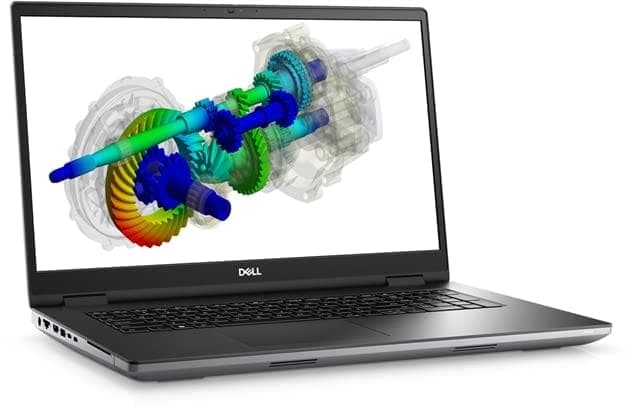
TL;DR Thin Portable Workstation Laptops in India give you more power than a consumer laptop while staying easier to carry than a full mobile workstation. The best choice depends on whether you value price, portability, display quality, or expansion.
Understanding Thin Portable Workstation Laptops
Thin Portable Workstation Laptops sit between bulky mobile workstations and ultrabooks.
That middle ground matters in India because many professionals use one laptop for office work, creative projects, and home use. A workstation that can still travel is useful when your day moves between a desk, a meeting room, and a living room table. The category matters because it gives you stronger processors, professional graphics, and more memory than a typical consumer laptop. That means better results in Adobe Premiere Pro, AutoCAD, Blender, Excel-heavy analysis, and other demanding apps. At the same time, the chassis is slimmer than older workstation designs, so the machine is easier to carry throughout the day. For home users, that matters because a workstation laptop can serve as a single machine for family files, editing, and professional projects. The best models also give you enough headroom to avoid slow exports and frustrating lag when your workload grows. That is why the category keeps coming up when buyers compare portability, performance, security, and long-term value.
Why The Category Exists
The main reason these laptops exist is that real work does not always happen in one place. A designer may review files at home, edit on the commute, and dock to a larger monitor at the office. A thin workstation makes those transitions easier while still keeping performance high enough for demanding tasks. This is also why buyers compare them against regular Windows laptops, an Apple MacBook Air, or premium consumer models like ASUS Zenbook and Lenovo Yoga. Those thinner consumer machines are excellent for lighter work, but they are not always enough for sustained professional tasks. The workstation category exists to close that gap without forcing you into a full-size mobile workstation. The answer is usually yes if your work depends on sustained performance, professional graphics, or a higher memory ceiling. If your workload is mostly browsing and office apps, you may not need this class of machine. If your work includes heavy creative or technical software, the extra capability can be worth the cost.
Who Should Care Most
Professionals are the obvious audience, but these machines also make sense for home use if you want one laptop to do multiple jobs. Thin portable workstation laptops for home use can handle family video editing, large spreadsheets, and occasional creative tasks without needing a separate desktop. They are especially useful if you want to save space and keep your file access simple. Lenovo ThinkPad models tend to appeal to buyers who want Windows flexibility and strong workstation options. Dell Pro Max and Dell Precision systems are often chosen for display quality and workstation-class connectivity. Apple MacBook Pro models suit users who want macOS performance and large SSD support. HP ZBook Studio models are attractive when portability matters as much as raw power. For most readers, the category is worth considering if you need more than a standard laptop but do not want to carry a heavy machine all day. That balance is the core reason these laptops exist.
When Choosing a Workstation Laptop
The first thing to evaluate is whether the laptop can handle your workload over time, not just during a short benchmark burst. The hardware lives or dies by processor class, graphics capability, memory capacity, and storage headroom. If you buy the wrong combination, the machine may look premium but still feel slow when you work on large files, multiple apps, or gaming tasks. Processor choice matters because workstation work is often sustained work. Intel Core Ultra and Intel Core HX chips are designed for heavier workloads than basic consumer processors, while Apple’s M4 Pro platform offers a different efficiency-focused approach. If your tasks include exporting video, compiling code, or running large spreadsheets, the CPU determines how responsive the laptop stays. Graphics is the next major decision point. NVIDIA RTX hardware is especially important for 3D rendering, CAD, and GPU-accelerated creative apps. Memory and storage are often underestimated, but they matter just as much when you work with virtual machines, large datasets, or complex creative projects. For gaming, these same components can also influence how smoothly the system performs.
Display And Portability
Display quality affects every hour you spend on the machine. The Dell Pro Max 16 Plus has a 16-inch OLED display with a resolution of 3860x2400, which is a strong fit for visual work where image quality and detail matter. The HP ZBook Studio 16 G11 uses a 3840 x 2400 panel and weighs 4.4 pounds, or 1.73 kg, which keeps it portable without feeling tiny. Weight is a real-world factor, not a minor detail. The Apple MacBook Pro 16 weighs 4.7 pounds, while the Lenovo ThinkPad P16 Gen 2 weighs 6.5 pounds, or 2.54 kg. That difference affects whether you actually carry the laptop daily or leave it at a desk most of the time. If you want a machine for home use and office travel, this is one of the most important decision criteria. A lighter chassis can make a workstation far easier to live with, while a heavier chassis can still make sense if you need more expansion and do not move it often.
Connectivity And Expansion
Port selection matters because workstation users usually connect to docks, storage, and external displays. If you work from a desk part of the week and a bag the rest of the time, that kind of flexibility can save time and reduce friction. The Dell Pro Max 16 Plus supports dual Thunderbolt 5 ports, which is especially useful for desk-based workflows. The Lenovo ThinkPad P16 Gen 2 can be configured with up to Intel i9-13980HX and NVIDIA RTX 5000 Ada graphics, which makes it a serious option for demanding users. The Apple MacBook Pro 16 can go up to 8TB SSD storage, which is useful if you keep large media libraries or want to avoid juggling external drives. Those capacities matter more than marketing language when you compare real-world use. Prioritize GPU power if you edit video, render 3D, or run CAD. Prioritize memory if you use virtual machines or large datasets. Prioritize display quality if you spend hours on visual work, and prioritize Thunderbolt and docking if you use external monitors daily.
Top Thin Portable Workstation Laptop Models and Specifications
The strongest builds in India solve the same problem in different ways. The Lenovo ThinkPad P16 Gen 2 is the value-heavy Windows choice, the HP ZBook Studio 16 G11 is the balanced portable option, the Dell Pro Max 16 Plus is the premium display-and-connectivity machine, and the Apple MacBook Pro 16 is the macOS workstation for buyers who want the M4 Pro platform. Each one makes sense for a different kind of professional, and even ASUS ROG buyers comparing premium systems will notice how differently these machines are positioned.
Processor And Graphics Differences
The Lenovo ThinkPad P16 Gen 2 can be configured with up to Intel i9-13980HX and NVIDIA RTX 5000 Ada graphics, which places it firmly in the high-end workstation class. The HP ZBook Studio 16 G11 uses an Intel Core Ultra 9 185H vPro processor and NVIDIA RTX 3000 Ada Generation GPU, which is still serious hardware but in a more portable package. The Apple MacBook Pro 16 (M4 Pro, 2024) features an Apple M4 Pro 14-core processor and 48GB of memory, making it a strong fit for macOS-based creative and development work. The Dell Pro Max 16 Plus uses an Intel Core Ultra 9 285HX processor and can be paired with workstation-class graphics, which is why it is aimed at premium buyers. The Dell Precision 5690 features up to NVIDIA RTX 5000 graphics, showing Dell’s workstation range extends across multiple tiers. For buyers comparing workstation laptop specifications, the key point is that these machines are not interchangeable even if they look similar, and that includes ASUS ROG alternatives in the same broad class.
Memory, Storage, And Screen Quality
Memory and storage can radically change how a workstation feels in daily use. The Lenovo ThinkPad P16 Gen 2 can reach 192GB of memory, while the Dell Pro Max 16 Plus supports up to 64GB DDR5. The Apple MacBook Pro 16 offers up to 8TB SSD storage, which is a huge advantage for users who keep local media libraries or large project archives on the machine. Screen quality also matters because workstation laptops are often used for long sessions. The Dell Pro Max 16 Plus has a 16-inch OLED display with a 3860x2400 resolution, which is excellent for detailed visual work. The HP ZBook Studio 16 G11 offers a 3840 x 2400 display, and that high resolution makes it suitable for design, editing, and multi-window review. The screen is not just a comfort feature. It changes how much information you can view at once, and that affects how efficiently you work. If you spend long hours in creative or technical apps, the display can influence your daily experience as much as the processor, whether you are comparing these models or looking at ASUS ROG options.
Weight And Practical Use
Portability separates the truly thin models from the heavy mobile workstations. The HP ZBook Studio 16 G11 weighs 4.4 pounds, or 1.73 kg, which is light for a workstation. The Dell Pro Max 16 Plus is portable for a workstation, but it is still heavy compared with ultrabooks. That makes it a practical choice for users who want workstation capability without going all the way to a desktop replacement. It is still not the easiest machine to carry every day, especially when compared with thinner ASUS ROG-style alternatives.
| Feature | Lenovo ThinkPad P16 Gen 2 | Dell Pro Max 16 Plus | Apple MacBook Pro 16 | HP ZBook Studio 16 G11 |
|---|---|---|---|---|
| Processor | Up to Intel i9-13980HX | Intel Core Ultra 9 285HX | Apple M4 Pro 14-core | Intel Core Ultra 9 185H vPro |
| Graphics | Up to NVIDIA RTX 5000 Ada | Workstation-class graphics | Apple integrated graphics | NVIDIA RTX 3000 Ada Generation |
| Memory | Up to 192GB | Up to 64GB DDR5 | 48GB | Not stated in fact sheet |
| Storage | Not stated in fact sheet | Not stated in fact sheet | Up to 8TB SSD | Not stated in fact sheet |
| Display | Not stated in fact sheet | 16-inch OLED, 3860x2400 | Not stated in fact sheet | 3840 x 2400 |
| Weight | 6.5 pounds, 2.54 kg | Portable for a workstation | 4.7 pounds | 4.4 pounds, 1.73 kg |
| Connectivity | Not stated in fact sheet | Dual Thunderbolt 5 | Not stated in fact sheet | Not stated in fact sheet |
Pricing Breakdown and Value Comparison in India
Pricing is where the category becomes much easier to sort. The Lenovo ThinkPad P16 Gen 2 is available at ₹1,80,000 and also appears at ₹2,11,990 in another listing, the HP ZBook Studio G11 is priced at ₹3,79,960, and the Dell Pro Max 16 Plus costs ₹7,49,565. That spread clearly separates budget, mid-range, and premium workstation buyers in India. At ₹1,80,000, the Lenovo ThinkPad P16 Gen 2 is the cheapest path into a true workstation-class machine. The ₹2,11,990 listing still keeps it below the HP and Dell models, so it remains a value-oriented choice even at a higher configuration. The HP ZBook Studio G11 at ₹3,79,960 sits in the middle. That price is easier to justify if you care about portability and want a lighter chassis for home and office use. The Dell Pro Max 16 Plus at ₹7,49,565 is clearly premium-priced. You are paying for the OLED display, dual Thunderbolt 5 ports, high-end processor platform, and workstation positioning. That kind of price only makes sense if the screen and connectivity are part of your daily workflow, because otherwise the cost jump is hard to defend.
Price Comparison Table
| Model | India Price | Value Position | Best Fit |
|---|---|---|---|
| Lenovo ThinkPad P16 Gen 2 | ₹1,80,000 | Cheapest entry point | Buyers who want workstation value |
| Lenovo ThinkPad P16 Gen 2 | ₹2,11,990 | Mid-range value | Buyers who want a stronger config |
| HP ZBook Studio G11 | ₹3,79,960 | Balanced mid-range | Buyers who want portability and pro use |
| Dell Pro Max 16 Plus | ₹7,49,565 | Premium | Buyers who need the display and ports |
To Think About Value
Buy the Lenovo ThinkPad P16 Gen 2 at ₹1,80,000 if budget matters most. Buy the Lenovo ThinkPad P16 Gen 2 at ₹2,11,990 if you want more headroom but still care about price. Buy the HP ZBook Studio G11 at ₹3,79,960 if portability is worth paying for. Buy the Dell Pro Max 16 Plus at ₹7,49,565 only if premium display quality is a priority. For a color-sensitive editor or a user who docks constantly, the Dell may justify itself. For a spreadsheet-heavy professional or a general home user, the Lenovo ThinkPad P16 Gen 2 is usually the smarter financial move and the more affordable option overall.
Common Mistakes When Buying Thin Portable Workstations
The biggest mistake buyers make is confusing a premium laptop with the right laptop. These components are built for specific workloads, so a shiny chassis or a famous brand does not guarantee the machine will fit your use case. If you buy too much laptop, you waste money, and if you buy too little, you end up with slow exports and frustrating lag.
Mistakes That Cost Money
One common error is overpaying for graphics you do not need. If your work is mostly Excel, browser tabs, and light photo editing, a top-tier workstation GPU may be unnecessary. On the other hand, if you do use Blender, CAD, or video editing, underbuying graphics becomes a real productivity problem. Another mistake is ignoring memory and storage. Workstation names can hide very different configurations, and that is why you should check the exact RAM and SSD limits before buying. A laptop that looks powerful can still run into errors with large files if storage is too small or if you rely too heavily on external drives.
Portability Mistakes
Weight is often underestimated, especially by buyers who read the spec sheet but never carry the laptop. The Lenovo ThinkPad P16 Gen 2 weighs 6.5 pounds, which is a meaningful difference from the HP ZBook Studio 16 G11 at 4.4 pounds. If you commute daily or work from multiple locations, that gap will affect whether you continue to enjoy using the laptop. Port selection is another overlooked issue. The Dell Pro Max 16 Plus includes dual Thunderbolt 5 ports, which is great for docks and external devices. If you skip that detail and later need faster connectivity for home use or office docking, you may end up with a machine that feels less flexible than expected.
Research Mistakes
Many buyers also rely too much on online threads without checking the actual configuration. Online opinions can be useful, but they often mix different models, different specs, and different price points. A recommendation for a Lenovo ThinkPad or Dell Precision workstation may not apply to the exact build you are considering. Check the exact CPU, GPU, RAM, and SSD configuration before paying. Check the weight if you plan to carry the laptop often. Check Thunderbolt, dock, and display support if you work at a desk, and check warranty and India service coverage before finalizing the purchase. If you are comparing the parts in India, this is the section where the tradeoffs become obvious: Lenovo is strongest for expansion, Dell for premium visuals, Apple for storage and platform efficiency, and HP for portability. That is the tradeoff of this category: you get more power than a MacBook Air M4 or Lenovo Yoga-class machine, but you still need to accept some extra weight and cost. Thin portable workstation laptops for sale often look similar on paper, so this extra review work helps you avoid expensive mistakes. Search threads about the hardware reddit can help surface real-world complaints, but they should never replace the spec sheet. If you need permission to spend more, let the workload decide, not the logo. The right view comes from matching the machine to the software you actually use.
- HP is the best balance of portability and workstation capability.
- Dell is the premium option for display and connectivity.
- Choose the Lenovo ThinkPad P16 Gen 2 if you want maximum memory headroom.
- Choose the Apple MacBook Pro 16 if you want macOS, 48GB memory, and up to 8TB SSD.
Frequently Asked Questions
Q. What is the lightest thin portable workstation laptop available in India?
The HP ZBook Studio 16 G11 is the lightest thin portable workstation laptop in this comparison at 4.4 pounds, or 1.73 kg. The Apple MacBook Pro 16 comes next at 4.7 pounds, while the Lenovo ThinkPad P16 Gen 2 is much heavier at 6.5 pounds, or 2.54 kg. If you carry your laptop every day, that difference matters a lot.
Q. Which thin portable workstation laptop offers the best graphics performance?
The Lenovo ThinkPad P16 Gen 2 offers the strongest graphics potential here because it can be configured with up to NVIDIA RTX 5000 Ada graphics. The HP ZBook Studio 16 G11 uses an NVIDIA RTX 3000 Ada Generation GPU, and the Dell Pro Max 16 Plus is positioned as a premium workstation with strong graphics support. If your work is centered on Blender, CAD, or rendering, the Lenovo is the most capable option.
Q. Are there affordable builds suitable for home use?
Yes, the Lenovo ThinkPad P16 Gen 2 is the most affordable serious option at ₹1,80,000, with another listing at ₹2,11,990. That makes it much easier to justify for home use than the HP ZBook Studio G11 at ₹3,79,960 or the Dell Pro Max 16 Plus at ₹7,49,565. If your home tasks include editing, spreadsheets, or occasional creative work, the Lenovo gives you workstation capability without premium pricing.
Q. Why does Thunderbolt 5 matter for workstation users?
Thunderbolt 5 matters most if you dock frequently, move large files, or connect to multiple displays and storage devices. The Dell Pro Max 16 Plus supports dual Thunderbolt 5 ports, which makes it especially flexible for desk-based workflows. If you mostly work unplugged, it is less critical, but for workstation users it is a meaningful feature.
Q. Can I upgrade RAM and storage easily in these laptops?
For long-term use, you should check the exact build before buying so you do not outgrow the machine too soon. The Lenovo ThinkPad P16 Gen 2 stands out because it can reach 192GB of memory, while the Apple MacBook Pro 16 offers up to 8TB SSD storage. Buying enough RAM and storage up front is the safest strategy because workstation names can hide very different configurations.
Q. What should I prioritize if I travel often with a workstation?
If you travel often, weight and display quality should come before raw expansion in many cases. The HP ZBook Studio 16 G11 weighs 4.4 pounds, or 1.73 kg, which makes it the easiest to carry in this group. The Dell Pro Max 16 Plus gives you a 16-inch OLED display with 3860x2400 resolution, but it is better suited to users who can accept a heavier machine.
Which Thin Portable Workstation Laptop Fits Your Workflow
The parts in India split into clear tiers. The Apple MacBook Pro 16 stands apart for buyers who want the M4 Pro platform and up to 8TB SSD storage. Choose Lenovo ThinkPad P16 Gen 2 if you want the lowest entry price into a serious workstation, need the biggest memory ceiling for demanding projects, prefer Windows flexibility for CAD, editing, or data work, and can live with a heavier 6.5-pound chassis. If your priority is saving money, the Lenovo ThinkPad P16 Gen 2 is the smarter buy for your build in India. The build makes the most sense when your work needs more than a consumer laptop but less than a full desktop replacement. Choose HP ZBook Studio 16 G11 if you want the lightest balanced workstation in this comparison, split time between home, office, and travel, want a mid-range price with strong portability, and work in 3D rendering, video editing, or general pro apps. Skip HP ZBook Studio 16 G11 if you need the deepest memory expansion possible, want the cheapest possible workstation entry, or prefer a heavier machine with maximum raw expansion. In this group, the thin portable workstation choice still comes down to how much you value price, portability, and expansion.
Is a Thin Portable Workstation Worth Buying in India?
Thin portable workstation laptops in India are a strong choice if you need professional power in a chassis that is still practical to carry. The HP ZBook Studio 16 G11 is the lightest balanced option at 4.4 pounds, so it is the easiest to live with if portability matters most. The Lenovo ThinkPad P16 Gen 2 is the best value entry point at ₹1,80,000, while the Dell Pro Max 16 Plus at ₹7,49,565 makes sense only when premium display quality and dual Thunderbolt 5 ports matter to your daily work. If you are choosing today, match the laptop to your workload, budget, and how often you actually carry it. That approach gives you the best chance of buying a machine that still feels right after the first year of use.






