
RTX 3050 vs 3060 vs 4050 vs 4060 Laptops: Which GPU is enough for smooth gaming?
Compare the RTX 3050, RTX 3060, RTX 4050, and RTX 4060 laptop GPUs by FPS, VRAM, DLSS features, and gaming performance to find the best option for 1080p gaming.

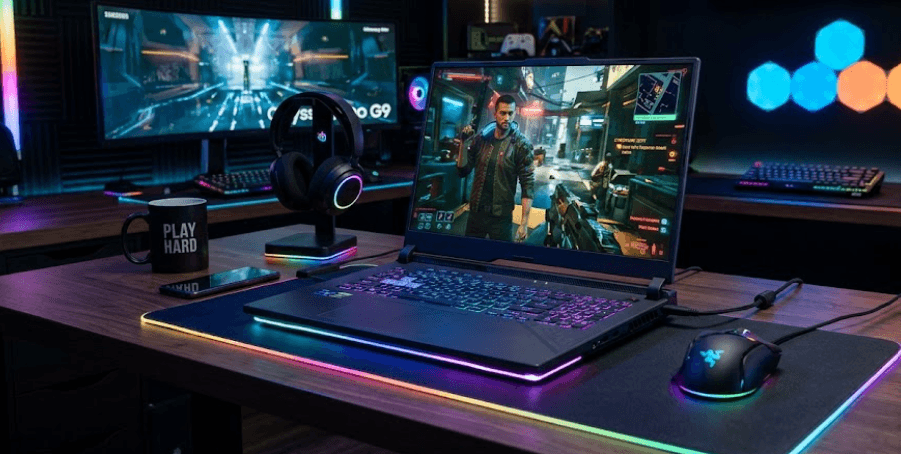
TL;DR: For 1080p gaming, the RTX 3050 is suitable for esports and older games, while the RTX 3060 offers stronger performance in demanding titles. The RTX 4050 adds DLSS Frame Generation and better power efficiency, making it a good choice for modern games. The RTX 4060 is the strongest overall option in this comparison, with 8GB VRAM and better headroom for demanding settings. However, FPS varies with GPU power limits, cooling, CPU performance, and game optimization. If you want a balance of high FPS, modern features, and long-term usability, the RTX 4060 is the best overall pick, while the RTX 4050 is a sensible midrange alternative.
RTX 3050 vs 3060 vs 4050 vs 4060: Quick Comparison
Choosing a gaming laptop GPU is easier when you compare the frame rates it can deliver rather than relying on its model number. Frames per second (FPS) indicate how many frames a game renders every second. Higher FPS generally m feel smoother, particularly in fast-paced shooters and competitive multiplayer games.
The four GPUs belong to different performance tiers. The RTX 3050 is an entry-level option, the RTX 3060 offers stronger traditional rendering performance, the RTX 4050 introduces newer-generation features, and the RTX 4060 combines higher performance with more video memory. However, the exact difference depends on the laptop's power configuration and the game being played.
| Feature | RTX 3050 Laptop | RTX 3060 Laptop | RTX 4050 Laptop | RTX 4060 Laptop |
|---|---|---|---|---|
| Architecture | Ampere | Ampere | Ada Lovelace | Ada Lovelace |
| Typical VRAM | 4GB | 6GB | 6GB | 8GB |
| GPU power range | 35–80W | 60–115W | 35–115W | 35–115W |
| DLSS Super Resolution | Yes | Yes | Yes | Yes |
| DLSS Frame Generation | No | No | Yes | Yes |
| Overall gaming tier | Entry-level | Midrange | Midrange | Upper midrange |
These specifications describe the standard laptop GPU configurations, not desktop graphics cards. Individual laptops can have different power limits and memory configurations, so always verify the specifications of the exact model before buying.
1. RTX 3050 Laptop: Is It Enough for 1080p Gaming?
The RTX 3050 laptop GPU is a reasonable starting point for gamers on a tight budget. It can handle esports titles such as Valorant and older games at high frame rates, provided the CPU and memory are adequate. However, demanding modern games may require medium graphics settings or other adjustments to maintain smooth gameplay.
In practical terms, an RTX 3050 laptop can often deliver around 60–100 FPS in lighter or moderately demanding games, while newer, graphics-intensive titles may run closer to 30–60 FPS. These are broad planning estimates, not guaranteed benchmark results. The original 4GB version can also struggle when a game requires more graphics memory, potentially causing stuttering or limiting texture quality.
Who Should Buy The RTX 3050?
Choose this GPU if you mainly play esports games, enjoy older titles, or want an affordable laptop for gaming alongside everyday work. It can be a sensible option when the purchase price is significantly lower than that of newer GPUs.
However, consider the RTX 3050 carefully if you play demanding single-player games or want to maintain high FPS over the next few years. Its limited VRAM and lower performance ceiling leave less room for demanding graphics settings. An RTX 3050 laptop makes the most sense when affordability matters more than maximum frame rates.
2. RTX 3060 Laptop: A Stronger Option For Traditional Gaming
The RTX 3060 laptop GPU belongs to NVIDIA's Ampere generation and generally offers a substantial performance improvement over the RTX 3050. Its 6GB VRAM configuration and stronger processing capabilities make it better suited to demanding games, particularly when the laptop has a generous power limit and effective cooling.
For many games, an RTX 3060 laptop can target approximately 60–100 FPS at 1080p with suitable settings. Esports games can run considerably faster, while demanding games with ray tracing may fall below 60 FPS unless you reduce settings or use supported upscaling. Actual results depend heavily on the title and laptop configuration.
RTX 3060 vs RTX 4050: Which Is Faster?
This comparison is more interesting than the model numbers suggest. A high-power RTX 3060 can match or outperform a lower-power RTX 4050 in some games, particularly when comparing native rendering without Frame Generation. However, the RTX 4050 has a newer architecture, improved power efficiency, and support for DLSS Frame Generation.
The RTX 3060 is worth considering when you find a well-maintained laptop at a compelling price. Nevertheless, many RTX 3060 laptops are older models, so battery condition, cooling performance, warranty coverage, and overall laptop condition matter if you are buying used or refurbished equipment.
3. RTX 4050 Laptop: The Best Middle Ground?
The RTX 4050 laptop GPU uses NVIDIA's Ada Lovelace architecture. It has 6GB of VRAM and supports DLSS Frame Generation, which can improve displayed frame rates in compatible games. It is also designed to deliver competitive performance at relatively low power consumption, making it attractive for gaming laptops that balance performance and portability.
At 1080p, an RTX 4050 laptop can often target approximately 60–100 FPS in demanding games with appropriate settings, while lighter games may run well above 100 FPS. More demanding titles, especially with ray tracing enabled, can perform below this range. Using DLSS Super Resolution or Frame Generation may improve the experience where supported.
Does DLSS Frame Generation Make A Difference?
DLSS Frame Generation uses AI to generate additional frames between conventionally rendered frames. This can make movement appear smoother, particularly in supported single-player games. However, generated FPS is not equivalent to native rendering performance, and the technology does not remove the underlying limitations of the GPU.
For competitive shooters, consistent native FPS and low input latency often matter more than a higher displayed frame-rate number. For cinematic games, Frame Generation can be more useful when you want smoother visuals. The RTX 4050 is therefore a strong choice for gamers who want modern features without paying for the RTX 4060 tier.
4. RTX 4060 Laptop: The Best Choice For Higher FPS
The RTX 4060 laptop GPU is the strongest option among these four in most overall gaming comparisons. Its 8GB of VRAM gives it more headroom than the RTX 3050, RTX 3060, and RTX 4050 configurations discussed here. This can be useful in modern games that use larger textures or require more graphics memory.
In many demanding games, an RTX 4060 laptop can target around 70–120 FPS at 1080p with suitable settings. Competitive games can exceed 144 FPS, depending on the CPU, game engine, and laptop configuration. More demanding games with ray tracing enabled can run considerably slower, so these ranges should be treated as estimates rather than guaranteed results.
Is The RTX 4060 Worth The Extra Cost?
The RTX 4060 is particularly attractive if you want to maintain higher FPS without lowering graphics settings as aggressively. Its 8GB VRAM capacity also gives it more breathing room in games where the 6GB or 4GB configurations can become restrictive.
However, a higher GPU tier does not automatically guarantee a better gaming experience. A poorly cooled RTX 4060 laptop with restrictive power limits may deliver less performance than expected. Before buying, compare independent reviews of the exact laptop model, including its sustained gaming performance, temperatures, and noise levels.
5. RTX 3050 vs 3060 vs 4050 vs 4060: Expected FPS
FPS varies considerably between games, so there is no single number that accurately represents a GPU's performance. Competitive games such as Valorant can deliver high frame rates on all four GPUs, while demanding titles such as Cyberpunk 2077 and Hogwarts Legacy place much greater pressure on graphics processing and VRAM.
The following table provides broad planning ranges for modern games at 1080p, using sensible settings without assuming maximum ray tracing or Frame Generation. These are illustrative estimates rather than results from a single controlled benchmark suite. Specific games, laptop power limits, and CPU configurations can produce results outside these ranges.
| GPU | Esports Games | Modern AAA Games | Demanding Games With Ray Tracing |
|---|---|---|---|
| RTX 3050 | 80–180 FPS | 30–60 FPS | Often below 40–50 FPS |
| RTX 3060 | 100–220 FPS | 45–85 FPS | Approximately 30–60 FPS |
| RTX 4050 | 100–220 FPS | 45–90 FPS | Approximately 30–65 FPS |
| RTX 4060 | 120–260 FPS | 60–110 FPS | Approximately 40–80 FPS |
These ranges overlap because different games place different demands on the GPU, and esports titles are often limited by the CPU at higher frame rates. DLSS, reduced graphics settings, and Frame Generation can also change the results. For a fair comparison, look for benchmarks that use the same game version, settings, CPU class, and rendering method.
6. What Actually Affects Gaming FPS?
The GPU is important, but it is not the only component that determines gaming performance. The CPU can limit frame rates in competitive games, particularly when you aim for 144 FPS or higher. RAM capacity, dual-channel memory, background applications, and storage performance can also affect smoothness, loading times, and occasional stuttering.
Laptop GPU power limits are another important consideration. NVIDIA specifies a wide power range for these mobile GPUs, meaning two laptops with the same graphics chip may deliver different results. A higher power limit can improve performance when the GPU is power-constrained, although cooling and the laptop's overall design determine whether it can sustain that performance.
Finally, distinguish average FPS from 1% lows. Average FPS shows overall rendering performance, while 1% lows help indicate how smooth gameplay feels during demanding moments. A laptop averaging 100 FPS but experiencing frequent drops can feel less consistent than one maintaining steadier frame delivery. Check both metrics when comparing gaming benchmarks.
Final Recommendation
If you want an affordable gaming laptop primarily for esports and older games, the RTX 3050 can be enough. The RTX 3060 remains a capable option when you find a good deal, particularly if the laptop has a strong cooling system and a higher GPU power limit.
For most buyers seeking a balance between modern features, performance, and price, the RTX 4050 is a sensible choice. It supports DLSS Frame Generation and offers good 1080p gaming performance without requiring the higher budget associated with many RTX 4060 laptops.
The RTX 4060 is the best overall choice if your priority is higher FPS, stronger performance in demanding games, and 8GB of VRAM. If the price difference is small, it is generally worth choosing over the RTX 4050. If the difference is substantial, a well-configured RTX 4050 laptop may offer better value. Always compare the exact laptop's GPU power limit, cooling, CPU, RAM, and independent gaming benchmarks before making the final decision.
Frequently Asked Questions
Q. Is the RTX 3050 enough for 1080p gaming?
Yes. The RTX 3050 can handle many esports games and older titles comfortably. Demanding modern games may require medium settings or upscaling to maintain smooth FPS.
Q. Is the RTX 3060 laptop GPU faster than the RTX 4050?
It can be in some games, especially when the RTX 3060 has a higher power limit. However, the RTX 4050 supports DLSS Frame Generation and generally offers better power efficiency.
Q. How much FPS can an RTX 4060 laptop deliver?
It can deliver around 60–110 FPS in many demanding games at 1080p with suitable settings, while esports titles can exceed 144 FPS. Actual performance varies by game and laptop.
Q. Is 6GB VRAM enough for modern gaming?
It can be sufficient for many 1080p games, but some demanding titles may require lower texture settings. The RTX 4060's 8GB VRAM provides additional headroom.
Q. Does DLSS increase FPS on the RTX 3050?
DLSS Super Resolution can improve performance in supported games by rendering internally at a lower resolution and upscaling the image. The RTX 3050 does not support NVIDIA's original DLSS 3 Frame Generation feature.
Q. Is the RTX 4050 good for competitive gaming?
Yes. It can deliver high FPS in many competitive titles, although the CPU and display refresh rate also matter. Consistent native FPS and low input latency are particularly important.
Q. Can an RTX 3060 laptop run games at 144 FPS?
Yes, particularly in esports titles and less demanding games. However, demanding AAA games may not sustain 144 FPS without lower graphics settings.
Q. Is the RTX 4060 worth buying over the RTX 4050?
Usually, if the price difference is reasonable. The RTX 4060 generally offers higher gaming performance and 8GB VRAM, giving it more headroom for demanding games.
Q. Does a higher GPU wattage always mean higher FPS?
No. Higher power limits can improve performance, but cooling, GPU design, CPU power sharing, and firmware also affect sustained gaming results.
Q. Which GPU is best for gaming over the next few years?
The RTX 4060 is the strongest overall choice in this comparison. Its higher performance and 8GB VRAM make it better suited to demanding games, although future performance will depend on game requirements and settings.
Ready to upgrade your tech?
Browse our collection of quality refurbished products at unbeatable prices.






