
ROG Ally vs Steam Deck vs Legion Go: Best Handheld Gaming PC in 2026
ROG Ally, Steam Deck OLED, and Legion Go take different approaches to handheld PC gaming. Here is how their performance, displays, battery life, software, and controls compare in 2026.

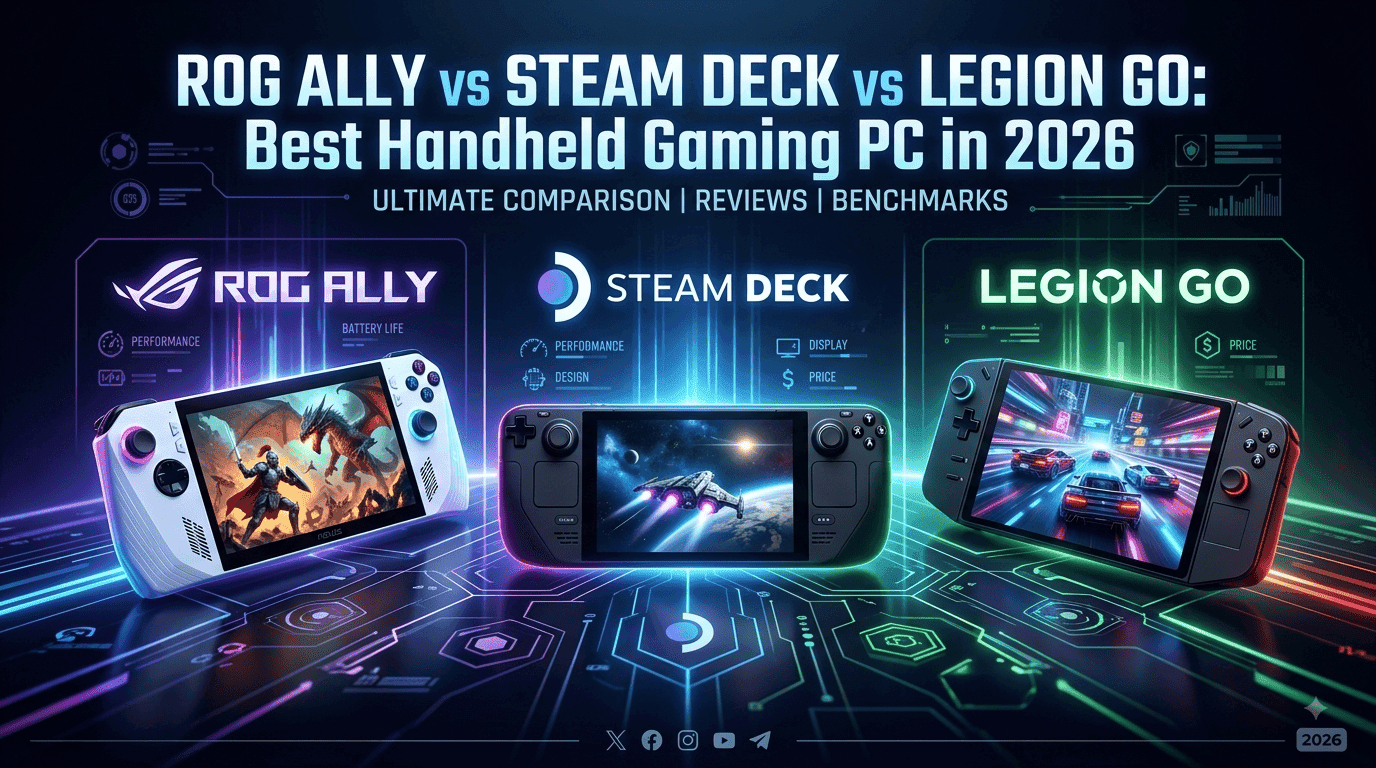
TL;DR The ROG Ally, Steam Deck OLED, and Lenovo Legion Go remain three of the most recognizable handheld gaming PCs, but they are built around different priorities. The ROG Ally offers a 1080p 120Hz display, Ryzen Z1 Extreme performance, Windows 11, and a relatively light 608g design. The Steam Deck OLED focuses on SteamOS, console-like simplicity, a 7.4-inch HDR OLED display, and strong battery efficiency. The original Legion Go goes in the opposite direction with a much larger 8.8-inch 2560 x 1600 144Hz display, detachable controllers, a built-in kickstand, and Windows 11. For pure convenience and the best integrated Steam experience, the Steam Deck OLED is the easiest recommendation. For Windows flexibility and a lighter body, the ROG Ally is more versatile, while the Legion Go is the better choice if a large high-refresh display and detachable controls matter most.
ROG Ally vs Steam Deck vs Legion Go: What Is Different?
The ROG Ally, Steam Deck OLED, and original Lenovo Legion Go may look like direct competitors, but they are not simply three versions of the same handheld. Each one makes a different trade-off between performance, screen quality, software, portability, and controls. The ROG Ally uses Windows 11 and AMD's Ryzen Z1 Extreme in the configuration most commonly compared here, giving it access to a broad range of PC game stores and Windows applications. The Steam Deck OLED uses Valve's SteamOS, which is built specifically around the Steam gaming ecosystem. The Legion Go uses Windows 11 and adds detachable controllers, a built-in kickstand, and a much larger display.
There is also an important 2026 naming issue to clear up before comparing them. This article compares the original ROG Ally from 2023, the Steam Deck OLED, and the original Lenovo Legion Go because those are the devices traditionally identified by those names. ASUS now also sells the newer ROG Xbox Ally family, while Lenovo has introduced newer Legion Go variants, including the Legion Go 8ASP2. Those newer products should not be treated as the same hardware as the original devices. For example, the newer Legion Go 8ASP2 has an 8.8-inch OLED display with a 144Hz refresh rate, while the original Legion Go uses an 8.8-inch IPS display at up to 144Hz.
That distinction matters when you are reading older reviews, checking prices, or comparing benchmark results. A 2026 search can easily return several generations under similar product names, making it possible to compare the wrong models without realizing it. The original ROG Ally weighs 608g, the Steam Deck OLED weighs approximately 640g, and the original Legion Go is significantly heavier at around 854g with its controllers attached. That difference is noticeable if you intend to use the handheld on long commutes, in bed, or while traveling.
Key Specifications At A Glance
| Feature | ROG Ally | Steam Deck OLED | Lenovo Legion Go |
|---|---|---|---|
| Processor | Ryzen Z1 Extreme | Custom AMD APU, Zen 2 | Ryzen Z1 Extreme |
| GPU | RDNA 3, 12 CUs | RDNA 2, 8 CUs | RDNA 3, 12 CUs |
| Display | 7-inch 1080p IPS, 120Hz | 7.4-inch 1280 x 800 HDR OLED, 90Hz | 8.8-inch 2560 x 1600 IPS, 144Hz |
| RAM | 16GB LPDDR5 | 16GB LPDDR5 | 16GB LPDDR5X |
| Storage | 512GB NVMe SSD | 512GB or 1TB NVMe SSD | 512GB NVMe SSD configuration |
| Battery | 40Wh | 50Wh | 49.2Wh |
| Operating System | Windows 11 Home | SteamOS 3 | Windows 11 Home |
| Weight | 608g | Approx. 640g | Approx. 854g |
Specifications are based on manufacturer documentation for the original models.
Performance And Gaming Experience
Performance is where the ROG Ally and Legion Go have an obvious hardware advantage over the Steam Deck OLED on paper. The ROG Ally uses AMD's Ryzen Z1 Extreme with eight Zen 4 CPU cores and 12 RDNA 3 graphics compute units, while the original Legion Go uses the same Ryzen Z1 Extreme platform. Both can operate across different power modes, allowing you to trade performance for battery life depending on whether you are plugged in or playing away from a charger. ASUS lists the Ally's operating range at 9W to 30W, with higher performance available when connected to AC power.
The Steam Deck OLED takes a different approach. Its custom AMD APU uses four Zen 2 CPU cores and eight RDNA 2 graphics compute units, with an APU power range of 4W to 15W. That means the Steam Deck OLED is not designed to win a raw hardware specification comparison against the Z1 Extreme handhelds. However, the numbers alone do not tell the complete story. SteamOS, the lower-resolution 1280 x 800 display, and the hardware's power-efficient design allow the Steam Deck OLED to deliver a particularly coherent handheld experience. Valve itself rates the OLED model for approximately 3 to 12 hours of gameplay depending on the content and settings.
For demanding modern PC games, the ROG Ally and Legion Go generally give you more performance headroom, particularly when their higher power modes are used. The trade-off is that higher power consumption can reduce battery life and increase heat and fan activity. The Steam Deck OLED is often more attractive for gamers who prefer a consistent console-style experience over chasing the highest possible frame rate. If your priority is playing demanding Windows games, using multiple PC launchers, or experimenting with graphics settings, the Ally and Legion Go are more flexible. If you mostly want to access a large Steam library with minimal setup, the Deck remains extremely compelling.
Performance Priorities
| Priority | Best Fit | Why |
| Raw hardware headroom | ROG Ally / Legion Go | Ryzen Z1 Extreme and RDNA 3 |
| Steam-focused gaming | Steam Deck OLED | SteamOS and optimized interface |
| Windows gaming | ROG Ally / Legion Go | Native Windows environment |
| Power-efficient handheld experience | Steam Deck OLED | Lower-power APU and 50Wh battery |
| Large-screen gaming | Legion Go | 8.8-inch display |
Display, Controls, And Portability
The display is probably the biggest physical difference between these three handhelds. The ROG Ally has a 7-inch 1920 x 1080 IPS touchscreen with a 120Hz refresh rate, 500-nit brightness, and FreeSync Premium. That combination makes it particularly suited to fast-paced games where variable refresh rate and a high refresh rate can move feel smoother. Its 608g weight also makes the Ally relatively easy to carry compared with the much larger Legion Go.
The Steam Deck OLED uses a 7.4-inch 1280 x 800 HDR OLED panel with a refresh rate of up to 90Hz. It also reaches up to 1,000 nits peak brightness in HDR and covers 110% of the DCI-P3 colour gamut according to Valve's specifications. The resolution is lower than the Ally and Legion Go, but the OLED panel gives the Deck a major advantage in contrast, black levels, and HDR presentation. The display is also closely matched to the Steam Deck's hardware, so games do not have to be rendered at an extremely high resolution to look good.
The Legion Go is the most unusual of the three. Its original 8.8-inch IPS touchscreen runs at 2560 x 1600 and up to 144Hz, giving you substantially more physical screen space than either competitor. The controllers can be detached, and Lenovo includes a built-in kickstand that allows the device to stand on a table. That flexibility is useful when you want to connect the handheld to a larger setup or use its FPS mode, but the larger chassis and roughly 854g weight make it much less comfortable for long handheld sessions than the Ally or Steam Deck OLED.
Battery Life And Everyday Use
Battery capacity is another area where the three devices take different approaches. The original ROG Ally has a 40Wh battery, while the Steam Deck OLED uses a larger 50Wh battery. The original Legion Go uses a 49.2Wh battery. Battery capacity alone does not determine runtime because processor power, display resolution, brightness, refresh rate, game workload, and operating-system behavior all influence how quickly a handheld consumes power.
The Steam Deck OLED has a particularly strong argument for portable use because Valve explicitly rates it for approximately 3 to 12 hours of gameplay depending on what you are doing. That is a broad range, but it reflects how dramatically game workloads can change battery consumption. Lightweight indie games can run much longer than demanding 3D titles. The OLED Deck also includes a 45W USB-C power supply, while the Ally and Legion Go are similarly designed around USB-C charging.
The Ally and Legion Go can be excellent portable systems, but their higher-performance hardware means you need to manage expectations when playing demanding AAA games away from a charger. Their biggest advantage is that you can often reduce power limits, resolution, or graphics settings when battery life matters more than performance. For someone who mostly plays near a power outlet, this is less important. For frequent travelers, the Steam Deck OLED's efficiency and the Ally's lighter design can both be more useful than the Legion Go's larger screen.
Battery And Portability Comparison
| Model | Battery | Weight | Portability Advantage |
| ROG Ally | 40Wh | 608g | Lightest |
| Steam Deck OLED | 50Wh | Approx. 640g | Strong balance |
| Legion Go | 49.2Wh | Approx. 854g | Best screen, weakest portability |
Software And Game Compatibility
Software is one of the biggest reasons to choose one handheld over another. The ROG Ally and original Legion Go run Windows 11, so they behave more like small gaming PCs than traditional consoles. You can install Steam, Epic Games Store, Xbox applications, Battle.net, Ubisoft Connect, or other Windows-compatible software without having to work around a Linux compatibility layer. That makes Windows handhelds particularly attractive to gamers whose libraries are spread across several launchers.
The Steam Deck OLED runs SteamOS 3, an Arch-based Linux operating system with KDE Plasma on the desktop. Valve has built the interface around handheld gaming, which is one of the Deck's biggest strengths. You can suspend games, return to the library, manage downloads, and navigate the system using a controller-focused interface. However, not every PC game works identically on SteamOS. Compatibility can depend on Proton support, anti-cheat systems, launchers, and the specific game.
This creates a straightforward choice. If you want the closest experience to a console while still having access to a PC gaming library, the Steam Deck OLED is hard to ignore. If you want the flexibility of a conventional Windows PC, the ROG Ally and Legion Go are safer choices. Windows does give you more freedom, but it also means dealing with a desktop operating system on a small touchscreen, which can feel less polished than SteamOS when you are simply trying to launch a game.
Storage, Connectivity, And Expandability
Storage matters more than it first appears because modern PC games can consume tens or even hundreds of gigabytes. The original ROG Ally comes with a 512GB PCIe 4.0 NVMe SSD and supports UHS-II microSD cards. The Steam Deck OLED is available with 512GB or 1TB NVMe storage and also includes a high-speed microSD slot. The original Legion Go configuration available through Lenovo India includes a 512GB PCIe Gen 4 SSD and a microSD card reader.
Connectivity is particularly useful if you plan to use the handheld as a small desktop. The Ally includes USB-C with DisplayPort support and a 3.5mm audio jack, while the Legion Go adds USB4 alongside USB-C and includes detachable controllers. The Steam Deck OLED provides USB-C connectivity with DisplayPort support and can be paired with Valve's official docking station or compatible third-party docks. This allows all three devices to connect to external displays, controllers, keyboards, and other peripherals.
The Legion Go has the most flexible physical design because its controllers detach and its kickstand is built into the device. The Steam Deck has the advantage of integrated trackpads, which can be extremely useful in strategy games, desktop navigation, and titles that were designed around a mouse. The Ally takes a simpler approach with conventional handheld controls, making it straightforward for games designed around a controller. These differences become more important the longer you own the device because they influence what kinds of games feel comfortable.
Best Handheld For Different Gamers
| Gamer Type | Best Choice | Main Reason |
| Steam library focused | Steam Deck OLED | SteamOS experience |
| Windows and multiple launchers | ROG Ally | Windows 11 flexibility |
| Large-screen gaming | Legion Go | 8.8-inch 144Hz display |
| Travel and portability | ROG Ally | 608g weight |
| OLED display quality | Steam Deck OLED | HDR OLED panel |
| Detachable controls | Legion Go | Controllers and kickstand |
| Mouse-heavy PC games | Steam Deck OLED | Dual trackpads |
Which Handheld Gaming PC Should You Buy In 2026?
The best choice depends less on benchmark numbers and more on the type of PC gaming experience you want. The ROG Ally is the most straightforward choice if you want a relatively lightweight Windows handheld with strong Ryzen Z1 Extreme performance and a 1080p 120Hz display. Its 608g weight is a major advantage when compared with the original Legion Go, and Windows gives it broad compatibility with PC gaming platforms.
The Steam Deck OLED is the better choice for someone who values simplicity, battery efficiency, and the Steam ecosystem. Its 7.4-inch HDR OLED screen is arguably its biggest hardware advantage, while SteamOS makes the device feel more like a dedicated gaming machine than a miniature Windows laptop. It is not the strongest option if your priority is running every Windows game or pushing the highest possible performance, but that is not really what the Deck is trying to do.
The Legion Go makes the most sense for a very specific type of gamer: someone who wants the biggest display, high refresh rate, detachable controllers, a kickstand, and Windows flexibility. Its original 8.8-inch 2560 x 1600 144Hz display is impressive, but the approximately 854g weight makes it a much less portable proposition. Lenovo's current 2026 line-up also includes newer Legion Go models, so buyers should check the exact generation before purchasing rather than assuming every Legion Go listing has the same specifications.
Frequently Asked Questions
Q. Which is better overall, the ROG Ally, Steam Deck OLED, or Legion Go?
For most buyers, the Steam Deck OLED is the easiest overall recommendation because its hardware, display, battery, and SteamOS experience work together particularly well. The ROG Ally is better for Windows flexibility and the Legion Go is better if you prioritize a large display and detachable controls.
Q. Is the ROG Ally more powerful than the Steam Deck OLED?
Yes, the Ryzen Z1 Extreme version of the ROG Ally has substantially newer CPU and GPU architecture than the Steam Deck OLED's custom Zen 2 and RDNA 2 APU. The Ally therefore has more raw hardware headroom, although actual gaming performance depends on power limits, resolution, settings, and the individual game.
Q. Does the Steam Deck OLED have better battery life than the ROG Ally?
The Steam Deck OLED has a larger 50Wh battery compared with the ROG Ally's 40Wh battery, and Valve rates it for approximately 3 to 12 hours of gameplay depending on the workload. Actual battery life varies significantly between games and settings.
Q. Is the Legion Go better than the ROG Ally for gaming?
The original Legion Go and ROG Ally both use the Ryzen Z1 Extreme in their comparable configurations, so their performance can be similar at equivalent power settings. The Legion Go's biggest advantages are its larger 8.8-inch display, detachable controllers, and built-in kickstand, while the Ally is considerably lighter.
Q. Which handheld has the best display?
There is no single answer because the strengths are different. The Steam Deck OLED has the best panel technology of the three because it uses HDR OLED, while the Legion Go has the largest and highest-resolution display. The ROG Ally offers a 1080p 120Hz IPS display with FreeSync Premium.
Q. Can the Steam Deck OLED run Windows games?
The Steam Deck OLED runs SteamOS rather than Windows by default. Many Windows games can run through Valve's Proton compatibility layer, but compatibility varies between games, particularly where anti-cheat systems or unsupported launchers are involved.
Q. Which handheld is easiest for Xbox Game Pass?
The Windows-based ROG Ally and Legion Go are generally more convenient for PC versions of Xbox Game Pass because they run Windows 11 natively. The Steam Deck can require additional workarounds depending on whether you want to stream games through Xbox Cloud Gaming or install unsupported software.
Q. Is the Legion Go too heavy for handheld gaming?
At approximately 854g with its controllers attached, the original Legion Go is substantially heavier than the 608g ROG Ally and approximately 640g Steam Deck OLED. It is not necessarily uncomfortable for everyone, but its size and weight are important considerations for long handheld sessions.
Q. Does the ROG Ally have expandable storage?
Yes. The original ROG Ally includes a UHS-II microSD card reader in addition to its 512GB PCIe 4.0 NVMe SSD. This gives you an easy way to add storage for games and other files without replacing the internal drive.
Q. Should I buy one of these handhelds in 2026?
Yes, but you should first identify the exact model and generation. The handheld market has expanded since the original ROG Ally, Steam Deck, and Legion Go launched, and newer ASUS and Lenovo devices now exist. If you find an older model at a strong discount, it can still make sense, but compare its price and specifications with newer alternatives before buying.
Final Recommendation
The Steam Deck OLED is the best overall choice for most handheld PC gamers in 2026 if the priority is a polished, simple, Steam-focused experience. Its 7.4-inch HDR OLED display, 50Wh battery, SteamOS interface, integrated trackpads, and approximately 640g weight give it a particularly balanced design. It does not have the raw hardware advantage of the Ryzen Z1 Extreme-powered ROG Ally and Legion Go, but it does not need to win every specification battle to be the easier device to live with.
Choose the ROG Ally if you want Windows 11, broad PC game compatibility, strong Z1 Extreme performance, and a lighter 608g body. It is the better fit for gamers who use several launchers or want their handheld to behave more like a conventional Windows gaming PC. Choose the original Legion Go if the 8.8-inch 144Hz display, detachable controllers, kickstand, and large-screen experience matter more than portability. Its approximately 854g weight is the biggest compromise.
Ultimately, there is no universal winner. Steam Deck OLED is the best balanced pick, ROG Ally is the better Windows-focused pick, and Legion Go is the best large-screen and flexible-design pick. In 2026, however, make sure you check the exact generation before purchasing because ASUS and Lenovo now have newer handheld families that use similar names but substantially different hardware.






