OLED Burn-In on a MacBook Pro: Is It a Risk and How to Prevent It?
OLED burn-in is a real but manageable concern on the 2026 MacBook Pro. Learn what causes it, how serious the risk is, and what you can do to protect the PROLED XDR display.

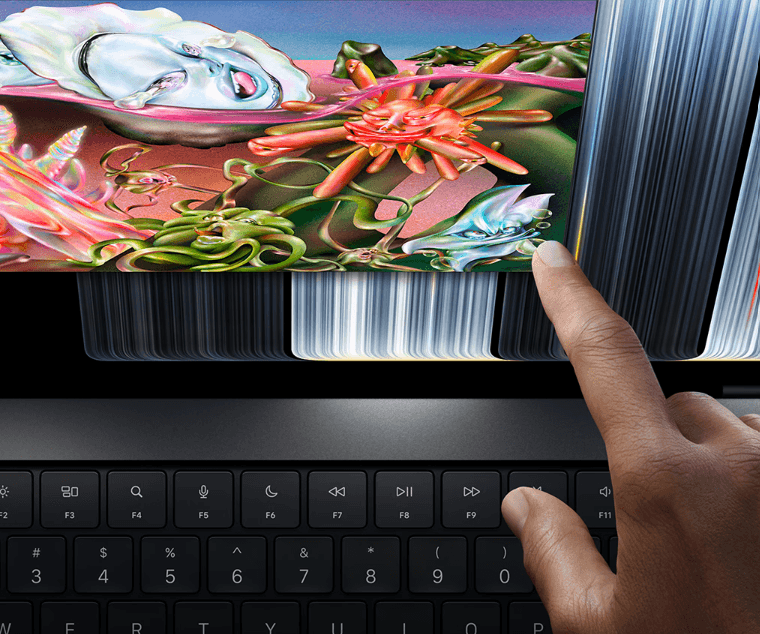
TL;DR OLED burn-in is a genuine technical possibility on the 2026 MacBook Pro, but that does not mean most users should worry about their display failing prematurely. Apple’s new PROLED XDR display uses a tandem OLED architecture with advanced pixel-level control and compensation techniques designed to improve uniformity and reduce display wear. The bigger concern is prolonged, repeated exposure to the same bright static elements, such as a fixed application interface, menu, toolbar, or other high-contrast content. For normal mixed use involving browsing, video, documents, photo editing, and changing applications, the risk should be considerably lower than it would be for a display showing the same static content for hours every day. Keeping brightness reasonable, allowing the display to sleep, using screen-saving features, and varying what stays on screen are sensible ways to reduce cumulative pixel wear.
What Is OLED Burn-In on a MacBook Pro?
OLED burn-in refers to permanent image retention caused by uneven wear among the individual pixels in an OLED display. Unlike an LCD panel, an OLED display produces light at the pixel level, so there is no conventional backlight illuminating the entire screen. Over a long period, pixels that repeatedly display bright content can age differently from pixels that are used less heavily. If that difference becomes large enough, traces of previously displayed content can remain visible even after the content has disappeared. This is why static logos, interface elements, taskbars, or other fixed graphics are generally considered the main burn-in concern for OLED displays.
The important distinction is between temporary image retention and permanent burn-in. Temporary retention can appear after displaying a high-contrast image for a while and may disappear after the display changes content or undergoes its normal compensation behavior. Permanent burn-in is different because it results from cumulative, uneven pixel wear and does not simply disappear after a few minutes. Apple itself describes image persistence and burn-in as different phenomena on its OLED display documentation for other products, noting that temporary image persistence can disappear with normal use while more extreme, prolonged static content can lead to burn-in.
For the 2026 MacBook Pro, the concern deserves some attention because this is Apple's first MacBook Pro generation using its new PROLED XDR tandem OLED display. Apple says the panel uses advanced algorithms that control each pixel in real time, along with custom compensation techniques intended to maintain brightness and grayscale uniformity. However, Apple has not published a specific number such as "the MacBook Pro display will last X hours before burn-in." Therefore, it would be inaccurate to promise that burn-in cannot happen or to assign a precise lifespan to the panel.
Burn-In vs Temporary Image Retention
The easiest way to understand the difference is to think about permanence. Temporary image retention is a short-lived visual trace that can fade after the content changes, while burn-in is associated with lasting uneven pixel wear. A user who briefly leaves a browser window open is not automatically creating permanent damage. The risk becomes more relevant when the same high-contrast elements remain in the same areas of the display for very long periods, especially at high brightness.
Why OLED Burn-In Can Matter on a MacBook Pro
A MacBook is different from a television because a laptop can display the same interface elements for many hours every day. A person may spend an entire workday in Chrome, Excel, Slack, Photoshop, Final Cut Pro, or a coding environment while the menu bar, application controls, side panels, and other interface elements remain in broadly similar positions. That makes laptops a particularly interesting use case for OLED because desktop-style workloads can contain more static content than ordinary video consumption. Long-term testing of OLED displays has consistently shown that repeated static elements are more likely to create uneven wear than varied content.
That does not mean normal MacBook Pro productivity work will automatically cause burn-in. The risk depends on several factors, including how long static elements remain visible, their brightness, the overall usage pattern, and how heavily particular areas of the panel are driven. If you spend an hour writing a document, then switch to a browser, watch a video, edit photos, and later work in another application, different parts of the display are being used in different ways. That is fundamentally different from displaying one bright static interface for thousands of hours. Current OLED testing indicates that mixed-content use generally carries a much lower risk than unusually static workloads.
Apple has also designed the PROLED XDR specifically with display longevity and uniformity in mind. The 2026 MacBook Pro uses a tandem OLED structure, advanced algorithms for real-time pixel control, custom compensation techniques, and factory calibration. These technologies are important because Apple is not simply placing a basic OLED panel into the MacBook Pro and leaving the display management entirely to the user. Still, these technologies reduce risk rather than making the underlying characteristics of OLED disappear. OLED remains a self-emissive display technology, so prolonged uneven use can still matter.
Static MacBook Content That Deserves Attention
Some workloads naturally contain more fixed elements than others. A video editor may have the same timeline and panels visible for hours, while a developer may keep a code editor with fixed sidebars and toolbars open throughout the day. Gamers can also have persistent HUD elements in the same locations. These situations do not guarantee burn-in, but they are more relevant to OLED longevity than watching changing video content.
| Usage Pattern | Relative Burn-In Concern | Why |
|---|---|---|
| Watching varied videos | Lower | Content changes continuously |
| Web browsing | Lower | Page content changes frequently |
| Photo editing | Moderate | Some toolbars and panels may remain fixed |
| Video editing | Moderate | Timelines and panels can stay in fixed positions |
| Coding for long hours | Moderate | Editors and UI elements can remain static |
| Same game for many hours | Higher | Fixed HUD elements may remain visible |
| Fixed interface all day at high brightness | Higher | Repeated static pixels receive greater cumulative stress |
How Apple’s Tandem OLED Display Changes the Picture
The 2026 MacBook Pro's PROLED XDR display is not a conventional OLED panel. Apple uses a tandem OLED architecture, which stacks OLED structures to improve performance and efficiency. The display is available in 14.2-inch and 16.3-inch sizes and supports up to 1,000 nits of sustained full-screen brightness and up to 2,000 nits peak brightness, depending on the content and operating conditions. It also supports ProMotion with adaptive refresh rates from 10Hz to 120Hz.
Apple also says the PROLED XDR display uses advanced algorithms that precisely control each pixel in real time. The company combines that with custom compensation techniques intended to maintain brightness and grayscale uniformity. These are meaningful details when discussing burn-in because they show that Apple's approach is not simply about achieving higher brightness and contrast. The display system also includes measures designed to manage the behavior of the OLED panel over time. However, these technologies should be described as risk-management measures rather than proof that permanent burn-in is impossible.
This distinction matters because there is currently no long-term MacBook-specific public burn-in test that can establish exactly how the 2026 PROLED XDR display will perform after five or ten years of desktop-heavy use. Independent OLED testing on other displays shows that modern panels can still experience permanent image retention under extreme static workloads. At the same time, those tests also show that mixed-content use is much less problematic for most people. In other words, the sensible position is neither "OLED will definitely burn in" nor "Apple has solved burn-in forever." The evidence supports a more practical middle ground.
PROLED XDR at a Glance
| Feature | 2026 MacBook Pro PROLED XDR |
|---|---|
| Display Technology | Tandem OLED |
| Sizes | 14.2-inch and 16.3-inch |
| Resolution | 3024 × 1986 on 14-inch model |
| Refresh Rate | Adaptive 10Hz to 120Hz |
| Sustained Full-Screen Brightness | Up to 1,000 nits |
| Peak Brightness | Up to 2,000 nits |
| Contrast Ratio | 10,000,000:1 |
| Color Gamuts | P3 and Adobe RGB |
| Pixel Management | Real-time pixel control |
| Display Protection Approach | Compensation and calibration technologies |
How to Prevent OLED Burn-In on a MacBook Pro
The simplest way to reduce OLED burn-in risk is to avoid unnecessarily running the display at very high brightness when you do not need it. Brightness is not the only factor involved in panel wear, but higher output can increase the cumulative stress placed on OLED pixels, particularly when bright static content is displayed repeatedly. Current OLED longevity research supports lowering brightness when possible as a sensible risk-reduction measure, although it cannot guarantee a specific increase in panel lifespan.
You should also let the MacBook Pro display sleep when you step away rather than leaving a static desktop or application visible for hours. This is particularly useful if you work from a desk and regularly leave your laptop unattended during meetings, lunch breaks, or other interruptions. macOS already provides display and sleep controls, so this does not require complicated maintenance. Using a screen saver can also help vary the content shown on the display, but allowing the screen to turn off is the more straightforward way to avoid unnecessary pixel activity when the computer is not being used.
Finally, do not panic about normal static interface elements. The goal is not to constantly rearrange your desktop or avoid using the MacBook Pro normally. Instead, focus on your overall pattern of use. If you spend eight hours every day in the same application with bright fixed panels, consider changing the layout occasionally, using darker interface elements where practical, lowering brightness, and allowing the display to sleep during breaks. These habits are particularly sensible for professionals who use the MacBook Pro as their primary workstation.
Practical Habits That Reduce Panel Stress
| Habit | Recommendation |
|---|---|
| Brightness | Use only as much brightness as you actually need |
| Screen Sleep | Enable automatic display sleep |
| Static Interfaces | Avoid leaving fixed screens visible unnecessarily |
| Workload | Vary applications and content where practical |
| Long Breaks | Let the display turn off |
| Dark Interfaces | Can reduce the amount of light emitted by OLED pixels |
| Gaming | Avoid thousands of hours with the same fixed HUD at high brightness |
Who Should Actually Worry About OLED Burn-In?
Most MacBook Pro buyers should not treat OLED burn-in as a reason to avoid the 2026 model. If your workload involves changing documents, websites, videos, presentations, photos, applications, and other content throughout the day, the display is being used in a relatively varied way. That is very different from the extreme static-content scenarios that have produced visible burn-in in long-term OLED testing. Current evidence suggests that mixed-content use generally presents a relatively low risk compared with prolonged exposure to the same bright static elements.
The people who should think more carefully are those with unusually static workflows. If you run a monitoring dashboard continuously, use the MacBook Pro as a permanently connected workstation, display the same software interface for most of the day, or play the same game with a fixed HUD for thousands of hours, the risk profile is different. That does not mean burn-in is guaranteed, but it makes the display's cumulative wear more relevant to your buying decision. For those users, brightness management and display-sleep habits become more important than they are for a casual user.
Professional creators also have a reason to think about the issue without becoming overly concerned. Photographers, video editors, designers, and colorists may appreciate the PROLED XDR display's wide P3 and Adobe RGB support, high contrast, brightness, and 120Hz ProMotion. However, if the MacBook is used for long editing sessions with fixed panels, timelines, or toolbars, sensible display management is still worthwhile. The screen is a major reason to buy the machine, so protecting it through ordinary usage habits makes more sense than avoiding OLED altogether.
Who Faces the Highest Practical Risk?
| User Type | Burn-In Concern | Recommendation |
|---|---|---|
| Student | Low | Normal use is fine |
| Office professional | Low to moderate | Use automatic display sleep |
| Content creator | Moderate | Manage brightness and static interfaces |
| Video editor | Moderate | Avoid unnecessary static display time |
| Developer | Moderate | Use sensible brightness and sleep settings |
| 24/7 dashboard user | Higher | Consider workload before buying |
| Heavy static-HUD gamer | Higher | Vary content and avoid maximum brightness |
Common Myths About OLED Burn-In
One common myth is that any static image will immediately damage an OLED screen. That is not how burn-in works. Permanent image retention is associated with cumulative uneven pixel wear, so a menu bar being visible for a few minutes is not equivalent to leaving the same high-contrast interface displayed for thousands of hours. Current testing shows that permanent burn-in is much more closely associated with prolonged repeated static content than ordinary mixed use.
Another myth is that tandem OLED means burn-in has been completely eliminated. Apple has made substantial engineering changes to the PROLED XDR display, including tandem OLED construction, real-time pixel control, and compensation techniques. Those features are designed to improve performance and manage display uniformity, but Apple does not claim that the panel is physically immune to burn-in. It would therefore be misleading to describe tandem OLED as a guarantee against permanent image retention.
The opposite myth is that every OLED laptop will inevitably develop burn-in. That is equally misleading. OLED longevity depends heavily on usage patterns, brightness, static content, and cumulative exposure. Current independent testing continues to show that burn-in remains possible, particularly under extreme static workloads, while varied everyday use is considerably less concerning. The right takeaway is not to fear OLED but to understand what actually increases its risk.
Myth vs Fact
| Myth | Fact |
|---|---|
| OLED burn-in happens immediately | Permanent burn-in is associated with cumulative pixel wear |
| Every OLED MacBook will develop burn-in | Risk varies significantly with usage |
| Tandem OLED eliminates burn-in | It is designed to improve performance and manage panel wear, not eliminate the underlying possibility |
| Lower brightness makes burn-in impossible | It can reduce panel stress but cannot guarantee immunity |
| Normal browsing will quickly damage OLED | Mixed content generally presents a much lower risk |
| You should never buy an OLED laptop | Static-heavy users should evaluate the trade-off, but most users can use OLED normally |
Is OLED Burn-In a Dealbreaker in 2026?
For most MacBook Pro buyers, OLED burn-in should be viewed as a manageable long-term consideration rather than a dealbreaker. Apple's 2026 PROLED XDR display is specifically engineered around a tandem OLED architecture, advanced pixel-level control, compensation techniques, and factory calibration. Those features make the panel significantly more sophisticated than a generic OLED screen, although they do not provide a published guarantee against permanent image retention.
The bigger question is how you intend to use the MacBook Pro. If you want a premium machine for writing, browsing, programming, photo editing, video work, presentations, media consumption, and general productivity, your content will naturally change throughout the day. That makes the burn-in scenario much less concerning than it would be for someone who keeps the same dashboard or application interface visible for most of the machine's operating life.
The display itself is one of the strongest reasons to consider the new MacBook Pro. The PROLED XDR panel combines tandem OLED technology with up to 2,000 nits peak brightness, a 10,000,000:1 contrast ratio, adaptive refresh rates up to 120Hz, and P3 plus Adobe RGB color gamuts. For users who care about image quality, those benefits can outweigh the relatively small but real long-term concern associated with OLED wear.
Frequently Asked Questions
Q. Can OLED burn-in happen on the 2026 MacBook Pro?
Yes. OLED burn-in is technically possible because OLED pixels can experience uneven cumulative wear. However, Apple has designed the PROLED XDR display with tandem OLED technology, real-time pixel control, and compensation techniques intended to manage display uniformity. That reduces the concern but does not make permanent image retention physically impossible.
Q. Is OLED burn-in a common problem with the MacBook Pro?
There is not yet enough long-term MacBook-specific data to call it common or provide a reliable failure rate. The 2026 PROLED XDR MacBook Pro is a new generation, so years of independent longevity testing are not yet available. Current OLED testing on other displays shows that mixed-content use generally carries a much lower risk than prolonged static workloads.
Q. What causes OLED burn-in on a laptop?
Burn-in is associated with uneven cumulative pixel wear. Repeatedly displaying the same bright static elements in the same areas can cause those pixels to age differently from surrounding pixels. Examples can include fixed application interfaces, toolbars, logos, dashboards, and persistent gaming HUDs when displayed for very long periods.
Q. Does lowering brightness prevent OLED burn-in?
Lowering brightness can reduce the amount of stress placed on OLED pixels, particularly when bright static content is involved, but it does not guarantee that burn-in cannot occur. It is better understood as a practical risk-reduction measure rather than a complete solution.
Q. Should I use dark mode on an OLED MacBook Pro?
Dark mode can reduce the amount of light emitted by OLED pixels because black areas can remain effectively unlit. It can therefore be a sensible option for OLED users, particularly in darker environments. However, dark mode should not be treated as a guaranteed burn-in prevention method.
Q. Does watching movies cause OLED burn-in?
Watching varied movies is generally less concerning than displaying the same static interface continuously. Moving video changes the content shown across the panel, while permanent burn-in is more strongly associated with repeated static elements. However, unusually static content displayed for very long periods can still contribute to uneven wear.
Q. Is temporary image retention the same as burn-in?
No. Temporary image retention can leave a faint trace that disappears after the display changes content or operates normally. Permanent burn-in is associated with cumulative uneven pixel wear and remains visible. Confusing the two can make normal OLED behavior seem more serious than it actually is.
Q. Is tandem OLED better for burn-in resistance?
Tandem OLED is a more advanced OLED architecture, and Apple combines it with pixel-level control and compensation techniques in the PROLED XDR display. These technologies are designed to improve display performance and manage uniformity, but Apple has not stated that tandem OLED makes the MacBook Pro completely immune to burn-in.
Q. Should developers worry about OLED burn-in on a MacBook Pro?
Developers with varied workflows generally have less reason to worry than users who display the same static dashboard continuously. However, coding environments can contain fixed toolbars, sidebars, panels, and other interface elements, so developers who work at high brightness for very long periods should use sensible brightness and display-sleep settings.
Q. Is the OLED MacBook Pro worth buying despite burn-in concerns?
For most users, yes. The 2026 MacBook Pro's PROLED XDR display offers major benefits in contrast, brightness, color, and refresh rate, while Apple has built display-management technologies into the panel. If your workload involves varied content, burn-in should be treated as a long-term consideration rather than an automatic reason to avoid the MacBook Pro.
Final Recommendation
The 2026 MacBook Pro with PROLED XDR is worth buying for most users, and OLED burn-in should not be the deciding factor against it. Apple has introduced a sophisticated tandem OLED display with real-time pixel control, compensation techniques, factory calibration, up to 2,000 nits peak brightness, 120Hz ProMotion, and support for both P3 and Adobe RGB color gamuts. Those are meaningful advantages for creators, professionals, and anyone who spends a lot of time looking at their laptop screen.
The people who should think twice are not ordinary MacBook users but those with unusually static workloads. If your MacBook is going to display the same dashboard, monitoring screen, application interface, or game HUD for thousands of hours, OLED's cumulative wear characteristics deserve more attention. In that situation, using reasonable brightness, allowing the display to sleep, varying static content when practical, and avoiding unnecessary high-brightness operation are sensible precautions.
For everyone else, the practical approach is simple: buy the MacBook Pro for its display benefits, then use the OLED panel intelligently. Burn-in is a real OLED characteristic, but it is not an inevitable outcome of owning an OLED laptop. As of 2026, the available evidence supports treating it as a manageable long-term risk rather than a reason to avoid Apple's PROLED XDR MacBook Pro altogether.
Ready to upgrade your tech?
Browse our collection of quality refurbished products at unbeatable prices.