
NVIDIA Quadro vs RTX A-Series in Dell Precision Laptops: What's the Difference?
NVIDIA Quadro and RTX A-Series GPUs both target professional workloads, but they belong to different generations. Here is how they compare in Dell Precision laptops for CAD, 3D, rendering, and creative work.

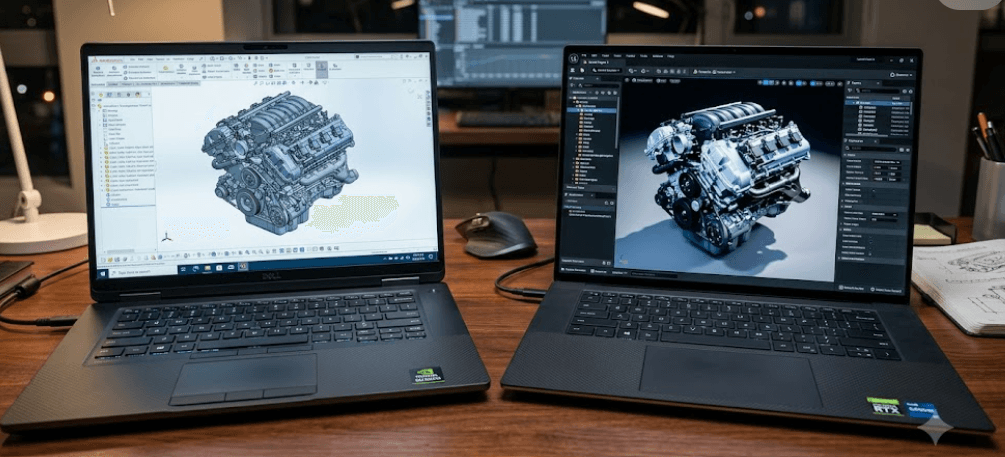
TL;DR NVIDIA Quadro and RTX A-Series GPUs are both designed for professional workloads, but they come from different generations of NVIDIA's workstation graphics line-up. Quadro RTX models such as the RTX 3000, RTX 4000, and RTX 5000 are based on the Turing generation, while RTX A-Series models such as the A2000, A3000, A4000, and A5000 moved to Ampere. In Dell Precision laptops, the RTX A-Series generally represents a newer generation with updated architecture and higher performance potential, while older Quadro RTX laptops can still be capable choices when their price, condition, CPU, RAM, and GPU configuration make sense. For refurbished Precision buyers, the important point is not simply the name on the GPU. The generation, VRAM, workload, thermals, and software requirements all matter.
What Is NVIDIA Quadro?
NVIDIA Quadro was NVIDIA's long-running brand for professional graphics hardware used in workstations. Dell used Quadro GPUs extensively across earlier Precision mobile workstations, including models such as the Precision 7550. Configurations could include the Quadro T1000, T2000, Quadro RTX 3000, Quadro RTX 4000, and Quadro RTX 5000. These GPUs were aimed at professional applications rather than being positioned simply as gaming graphics cards, making them common in machines used for CAD, engineering, 3D design, visualization, and content creation.
The important detail in 2026 is that Quadro is now a legacy brand. NVIDIA states that its professional visualization products are now branded NVIDIA RTX, while older Quadro products may still be available through partners. This means that when you see a refurbished Dell Precision with a Quadro RTX GPU, you are looking at an older professional GPU generation rather than a current NVIDIA naming convention. The name still matters when identifying the hardware, but it should not be treated as a sign that the laptop belongs to the latest workstation generation.
Quadro RTX also introduced NVIDIA's Turing-based professional RTX graphics into workstation laptops. The Quadro RTX 5000, for example, used Turing architecture and included 16GB of GDDR6 memory. That combination made it suitable for demanding professional visualization workloads at the time. Today, however, the question is less about whether Quadro was a professional product and more about how an older Quadro RTX configuration compares with the newer RTX A-Series generation.
Quadro RTX Examples In Dell Precision
Dell's Precision 7550 is a useful example of the Quadro era. Dell offered it with Quadro RTX 3000, Quadro RTX 4000, and Quadro RTX 5000 options, with 6GB, 8GB, and 16GB of GDDR6 memory respectively. These configurations were paired with high-performance workstation processors and large memory configurations, creating systems intended for professional workloads rather than basic office use.
| GPU | Generation | Typical Mobile VRAM | Position |
|---|---|---|---|
| Quadro RTX 3000 | Turing | 6GB GDDR6 | Professional entry |
| Quadro RTX 4000 | Turing | 8GB GDDR6 | Professional mid-range |
| Quadro RTX 5000 | Turing | 16GB GDDR6 | High-end professional |
The table also shows why simply comparing the number in the model name can be misleading. A Quadro RTX 5000 is not automatically comparable to every RTX A-Series GPU simply because both belong to a high-end professional family. Architecture, memory capacity, power limits, cooling, and the specific Dell Precision chassis all influence actual performance. That becomes particularly important when you are comparing a refurbished Precision laptop with a newer workstation.
What Is The RTX A-Series?
The RTX A-Series followed Quadro as NVIDIA's Ampere-era professional GPU family. Models such as the RTX A2000, RTX A3000, RTX A4000, and RTX A5000 appeared in Dell Precision mobile workstations and brought a newer GPU architecture to professional laptops. Dell's Precision 7560 and Precision 7760 are clear examples, with the latter offering RTX A3000, RTX A4000, and RTX A5000 configurations with 6GB, 8GB, and 16GB of GDDR6 memory.
The move from Quadro RTX to RTX A-Series was therefore more than a simple change in the label. Quadro RTX belonged to the Turing generation, while the A-Series was based on Ampere. NVIDIA's Ampere professional graphics introduced newer CUDA and RT core designs, along with improvements to ray tracing and AI-accelerated workloads. The result was a newer workstation GPU platform that could provide stronger performance within the same general professional market.
This is why the RTX A-Series is usually the more relevant generation when comparing similarly configured Dell Precision laptops. That does not mean every RTX A-Series laptop automatically beats every Quadro RTX laptop. A Precision with a higher-power Quadro RTX GPU can still outperform a lower-tier A-Series GPU in some workloads. The exact GPU model and laptop power configuration should always be checked before making a purchase.
RTX A-Series Examples In Dell Precision
The Precision 7760 illustrates the A-Series lineup particularly well. Dell listed the RTX A3000 with 6GB GDDR6, RTX A4000 with 8GB GDDR6, and RTX A5000 with 16GB GDDR6. The Precision 7560 offered a similar progression and also included an RTX A2000 option with 4GB GDDR6.
| GPU | Architecture | VRAM | Example Dell Precision |
|---|---|---|---|
| RTX A2000 | Ampere | 4GB GDDR6 | Precision 7560 |
| RTX A3000 | Ampere | 6GB GDDR6 | Precision 7560, 7760 |
| RTX A4000 | Ampere | 8GB GDDR6 | Precision 7560, 7760 |
| RTX A5000 | Ampere | 16GB GDDR6 | Precision 7560, 7760 |
These specifications make the A-Series particularly interesting in the refurbished market. A Precision 7560 or 7760 with an RTX A4000 or A5000 can still provide substantial GPU resources for professional applications. At the same time, buyers should remember that these are not current-generation GPUs in 2026. Newer Dell workstation systems now use newer NVIDIA RTX PRO branding, so an A-Series Precision should be evaluated primarily on its actual hardware configuration and price rather than on the assumption that its professional branding makes it current.
Quadro vs RTX A-Series Performance
The biggest technical difference is the GPU architecture. Quadro RTX mobile GPUs such as the RTX 3000, RTX 4000, and RTX 5000 belong to NVIDIA's Turing generation, while RTX A-Series mobile GPUs belong to the Ampere generation. Ampere introduced newer-generation CUDA and RT cores and improved the underlying GPU architecture. This gives A-Series hardware a generational advantage when comparing appropriately matched professional GPUs.
VRAM is another important consideration. A Quadro RTX 5000 laptop GPU can have 16GB of GDDR6, while an RTX A5000 laptop GPU also has 16GB of GDDR6. That means the newer A5000 is not automatically better simply because it has a newer name. In workloads where the available GPU memory is the limiting factor, both can offer a similar 16GB capacity. The performance difference comes from the architecture, implementation, power envelope, and software workload rather than VRAM capacity alone.
The same principle applies lower down the range. An RTX A2000 with 4GB should not automatically be compared with a Quadro RTX 5000 simply because both appear in professional Dell laptops. They occupy very different performance classes. If you are buying a refurbished Precision, compare the exact GPU model first, then examine its VRAM, processor, RAM, cooling design, and overall condition.
Performance Comparison
| Factor | Quadro RTX | RTX A-Series |
|---|---|---|
| Main generation | Turing | Ampere |
| Professional positioning | Workstation | Workstation |
| Ray tracing | Supported | Supported |
| AI acceleration | Supported | Supported |
| Typical Dell Precision era | Earlier models | Newer models |
| Current naming status | Legacy Quadro branding | Legacy A-Series branding |
| Best comparison method | Exact GPU model | Exact GPU model |
The table is useful because it avoids one of the most common mistakes in workstation buying: treating a product family as though every model inside it performs similarly. A Quadro RTX 5000 and RTX A2000 are not interchangeable, and neither should be judged solely by the age of the laptop. The GPU's position within its generation matters just as much as the generation itself.
For professional workloads, benchmark results can also vary significantly by application. A CAD workflow, 3D rendering application, video editor, and GPU-accelerated simulation program may use different parts of the GPU differently. Therefore, a newer architecture is useful context, but application-specific performance should remain part of the decision when the workload is demanding.
Drivers And Professional Workloads
Professional GPUs are designed around more than raw graphics performance. NVIDIA's workstation platform emphasizes professional application support, enterprise drivers, certifications, and reliability for workflows such as CAD, engineering, simulation, animation, and rendering. This is one reason a workstation GPU can make sense even when a consumer GeForce GPU has a similar or higher gaming specification.
Dell Precision laptops were built around this workstation concept. The Precision 7550, for example, supported professional Quadro RTX graphics, while later Precision systems such as the 7560 and 7760 offered RTX A-Series options. NVIDIA has also maintained certification programs for professional systems and applications, validating specific workstation configurations for professional use.
This distinction matters most when your laptop is a work tool rather than simply a personal computer. If you use professional software every day, stability and application compatibility can be more important than chasing a higher gaming benchmark. For buyers considering a refurbished Precision, checking the software requirements of the applications you actually use is therefore more useful than assuming that every newer GPU will provide the same experience.
Who Benefits From Workstation GPUs?
CAD users, architects, engineers, 3D artists, and other professionals can benefit from workstation-oriented hardware because their applications may depend on professional drivers and validated configurations. A Dell Precision with a Quadro RTX or RTX A-Series GPU can therefore be a practical choice for professional workloads where reliability and application support matter.
| Workload | What Matters Most |
|---|---|
| CAD | GPU compatibility, viewport performance, drivers |
| 3D modelling | GPU performance, VRAM, CPU performance |
| Rendering | GPU compute, VRAM, cooling |
| Video editing | GPU acceleration, VRAM, CPU, storage |
| Engineering simulation | CPU, GPU acceleration, memory |
| General office work | CPU, RAM, SSD, display |
The important point is that the GPU should match the application rather than the other way around. Someone using a Precision mainly for Word, Excel, browsing, and video calls does not necessarily need a high-end workstation GPU. Someone working with large assemblies, complex 3D scenes, or GPU-accelerated rendering has a much stronger reason to consider the dedicated graphics configuration.
Which Should You Buy In 2026?
If you are choosing between a Quadro RTX and RTX A-Series Dell Precision laptop in the refurbished market, the RTX A-Series is generally the newer generation and is therefore the more natural starting point when the comparable models are similarly priced and configured. An RTX A3000, A4000, or A5000 can offer the advantages of the newer Ampere architecture while retaining the professional workstation positioning that made Precision laptops popular.
However, price can change the calculation. A well-maintained Precision with a Quadro RTX 4000 or RTX 5000 may still be attractive if it costs substantially less than an A-Series system and your workload does not require the newer architecture. The Quadro RTX 5000's 16GB of GDDR6 memory, for example, can still be useful for memory-heavy professional workloads even though the GPU belongs to an older generation.
The laptop itself also matters. Dell offered different GPUs at different power levels across different Precision chassis, so the same GPU family does not guarantee identical performance in every machine. Check the processor, RAM, cooling, display, SSD, battery health, ports, and service history alongside the GPU. For a refurbished laptop, those details can determine whether the machine remains practical for several more years.
What To Check Before Buying
| Check | Why It Matters |
|---|---|
| Exact GPU model | Determines actual performance tier |
| VRAM | Important for large 3D and rendering workloads |
| CPU | Affects mixed and CPU-heavy applications |
| RAM | Important for large projects and multitasking |
| Cooling | Influences sustained performance |
| Battery health | Important for refurbished systems |
| SSD condition | Affects everyday responsiveness |
| Software compatibility | Ensures the workstation fits your workflow |
A common mistake is buying based on the phrase "RTX workstation" without checking the exact model. RTX A2000, A3000, A4000, and A5000 are not equivalent GPUs. The same applies to Quadro RTX 3000, 4000, and 5000. The number after the product family is essential when estimating the performance class.
Another mistake is ignoring the age of the complete laptop. A newer GPU inside a poorly maintained system may not be a better purchase than an older GPU in a well-maintained workstation at a substantially lower price. In the refurbished market, condition and configuration should be evaluated together rather than treating the GPU name as the entire product.
Frequently Asked Questions
Q. Is NVIDIA Quadro better than RTX A-Series?
Neither family is universally better. Quadro RTX models belong to the older Turing generation, while RTX A-Series models are based on Ampere. Compare the exact GPU model, VRAM, power configuration, and workload rather than the family name alone.
Q. Is RTX A-Series the same as Quadro?
No. RTX A-Series is a newer professional GPU family that followed the Quadro branding. NVIDIA now describes Quadro as a legacy brand and uses NVIDIA RTX and RTX PRO branding for its newer professional products.
Q. Which Dell Precision laptops used Quadro RTX GPUs?
Dell Precision models such as the Precision 7550 were available with Quadro RTX 3000, Quadro RTX 4000, and Quadro RTX 5000 graphics. These are older workstation configurations.
Q. Which Dell Precision laptops used RTX A-Series GPUs?
Dell Precision 7560 and 7760 models were offered with RTX A-Series options. Depending on the model, configurations included the RTX A2000, A3000, A4000, and A5000.
Q. Is the RTX A5000 better than Quadro RTX 5000?
The RTX A5000 is from the newer Ampere generation, while the Quadro RTX 5000 is based on Turing. Both can have 16GB of GDDR6 memory in mobile workstation configurations, so the comparison should consider architecture, power, cooling, and the application being used.
Q. Are Quadro RTX laptops still worth buying in 2026?
They can still make sense as refurbished workstations when the price and condition are appropriate. A Quadro RTX 4000 or RTX 5000 can remain capable for professional workloads, but buyers should account for its older generation and compare it with newer alternatives.
Q. Are RTX A-Series GPUs good for CAD?
RTX A-Series GPUs are professional workstation GPUs designed for workloads including CAD, visualization, engineering, and other professional applications. The appropriate model depends on the specific CAD software and complexity of the projects.
Q. Does more VRAM always mean better performance?
No. VRAM is important when an application needs to store large datasets, textures, models, or scenes, but it does not determine overall GPU performance by itself. Architecture, GPU resources, power limits, cooling, and software optimization also matter.
Q. Should I buy a Dell Precision with RTX A3000 or Quadro RTX 5000?
The answer depends on price and workload. The Quadro RTX 5000 has 16GB of GDDR6 memory, while the RTX A3000 has 6GB in the Dell Precision 7760. The A3000 is newer architecturally, but the Quadro RTX 5000 has substantially more VRAM, so the exact application and price need to be considered.
Q. What is the current replacement for NVIDIA Quadro?
NVIDIA says Quadro is now a legacy brand. Its current professional graphics products use NVIDIA RTX and RTX PRO branding, with newer generations including Ada and Blackwell-based professional GPUs.
Final Recommendation
For buyers comparing NVIDIA Quadro vs RTX A-Series in Dell Precision laptops, the RTX A-Series is generally the more attractive generation when you are comparing similar performance tiers and prices. Its Ampere architecture is newer than the Turing architecture used by Quadro RTX models, and Dell used RTX A-Series GPUs in later Precision workstations such as the 7560 and 7760. That makes an RTX A-Series Precision a sensible starting point for buyers looking for a newer refurbished workstation.
That does not make every Quadro RTX Precision a poor choice. A Precision with a Quadro RTX 4000 or RTX 5000 can still be useful for CAD, 3D work, rendering, and other professional workloads, particularly when its price is significantly lower. The Quadro RTX 5000's 16GB of GDDR6 memory can also be valuable for workloads that benefit from larger GPU memory capacity.
The safest way to buy in 2026 is to compare the exact GPU rather than the branding. Look at the GPU model, VRAM, processor, RAM, cooling, battery health, SSD, display, and the software you plan to run. If two refurbished Dell Precision laptops are similarly priced and configured, the newer RTX A-Series generation generally gives you the stronger starting point. If the Quadro RTX machine is substantially cheaper and still meets your workload requirements, its older generation does not automatically make it a bad workstation.






