
MacBook Pro M5 vs Windows AI Laptops
Battery life laptops in India, with verified runtimes, prices, and clear picks for work, travel, and everyday use.

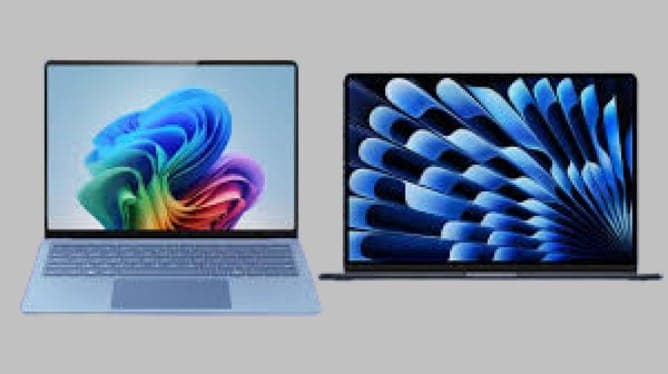
TL;DR MacBook Pro M5 is the better choice for sustained performance, battery consistency, and pro creative work, while the Zenbook S14 is the better value at ₹1,69,900 if you want a lighter Windows AI laptop for everyday use.
The Core Buying Split
If your day revolves around Final Cut Pro, Logic Pro, Photoshop, or coding in Xcode, the MacBook Pro M5 is the better fit. Its hardware is built to keep performance steady during long sessions, even when you unplug it. That matters more than peak speed if you edit on trains, in cafes, or between classes.
If you mainly live in Microsoft Office, Chrome, Teams, and web-based AI tools, the Zenbook S14 is easier to justify. It gives you a modern Windows AI laptop without forcing you into Apple’s premium pricing. For students, that lower entry price can be the difference between buying now and waiting another year.
The short version is simple: Apple gives you the stronger machine, and Windows gives you the cheaper one.
Performance and AI Capabilities Compared
The MacBook Pro M5 is built around a 20-core Neural Engine and hardware-accelerated ray tracing, which is why it behaves more like a compact workstation than a normal laptop. In practical terms, you get smoother previews, faster effects rendering, and fewer stalls in creative apps. That performance story matters most in software like Final Cut Pro, Blender, and Logic Pro.
Apple also says the machine can run demanding workflows efficiently, which is the difference between a laptop that feels fast for five minutes and one that stays fast for hours. The Mini-LED display helps make those creative workflows feel more polished, especially when you are working in apps that benefit from strong contrast and detail. The Zenbook S14 can handle everyday productivity, but it is not trying to match Apple’s chip, CPU, and GPU stack.
Real-World Workload Differences
The MacBook Pro M5 can handle 8K HDR timelines in Final Cut Pro, and that is the kind of task that exposes weak chips quickly. It also supports local AI model execution with enhanced privacy, so you can keep more work on-device instead of pushing everything to the cloud. For developers using local LLM tools, that is a real advantage on a multi-tasking setup.
Battery behavior is another big divider. Apple says the MacBook Pro M5 maintains performance consistency on battery power, so unplugging it does not immediately drag down the CPU or GPU. That makes it better for students taking notes in Notion, editors working in DaVinci Resolve, or developers compiling code in VS Code away from a desk.
What The Numbers Mean
- MacBook Pro M5: 20-core Neural Engine for local AI and pro app acceleration.
- MacBook Pro M5: hardware-accelerated ray tracing for creative and gaming workloads.
- MacBook Pro M5 Max: 40-core GPU for users who need even more graphics headroom.
The MacBook Pro M5 is the faster machine when the workload gets heavy. The Zenbook S14 is fine for everyday use, but it is not trying to win a race against Apple’s chip, CPU, and GPU stack. If your time is spent in Premiere Pro, Final Cut Pro, or a local AI assistant, the MacBook Pro M5 is the one with real headroom.
Specifications and Feature Set Comparison
The MacBook Pro M5 has the more complete specification sheet, especially if you care about display quality, ports, wireless, and audio. Apple’s 14.2-inch Liquid Retina XDR display has a 3024 × 1964 resolution and HDR support, so photos, video, and HDR content look more controlled and less flat. The Zenbook S14 is lighter and slimmer, but it does not match that media-focused panel.
Apple also gives the MacBook Pro M5 three Thunderbolt 5 ports and Wi-Fi 7. That matters if you use a dock, an external SSD, a mini monitor setup, or fast wireless transfers in a shared office. The machine is built on a 3 nm fabrication node, which helps explain why the Apple chip can stay efficient without giving up too much speed.
Display, Ports, and Mobility
The MacBook Pro M5 comes in 14-inch and 16-inch models, and that choice is more useful than it sounds. The 14-inch version is easier to carry, while the 16-inch model gives you more room for timelines, code, and spreadsheets. If you spend time in Excel, the extra screen space saves scrolling, and that adds up over a long day.
The Zenbook S14 keeps things simple with a lighter 1.2 kg frame and a 1.1 cm body. It is the more practical option if you walk around campus or commute daily. The MacBook Pro M5 is the better fit when you want a larger display and more flexibility in your work.
Audio, Cameras, and Build
The MacBook Pro M5 includes a six-speaker sound system and a studio-quality three-mic array. That is useful for Zoom calls, podcast drafts in GarageBand, and rough voiceovers in Logic Pro. You do not need extra speakers just to hear dialogue clearly, and your voice sounds cleaner on calls.
Apple also keeps the MacBook Pro M5 focused on a polished hardware experience. The Mac feels more complete for people who use one machine for work, media, and travel. The Zenbook S14 is still a capable Windows laptop, but it is not trying to compete on the same level of speaker quality, microphone quality, or display refinement.
What Buyers Should Notice
- MacBook Pro M5: better port selection for docks and external storage.
- Zenbook S14: lighter for commuting, lectures, and travel days.
- MacBook Pro M5 Max: the version to look at if you need maximum GPU headroom.
For creators, the MacBook Pro M5 is the more complete machine. For portability-first buyers, the Zenbook S14 stays easier to carry and easier to live with. That is the real trade-off, and it is not subtle.
Pricing and Value Analysis
The pricing gap is clear. The MacBook Pro M5 starts at ₹1,89,900, and the 16GB RAM with 1TB storage configuration reaches ₹2,49,900. The 14-inch MacBook Pro M5 with 16GB RAM and 512GB storage is priced at ₹1,69,900, which shows how much configuration changes the bill.
Apple is charging for the chip, the display, the GPU, and the pro hardware around them. That premium is easier to justify if you edit video, compile code, or work with local AI models. Apple says real-world battery life lands around 18 to 20 hours, which is the kind of number that matters on travel days.
The Zenbook S14 is the safer buy for students, office workers, and anyone who mostly uses browser apps, Office files, and Teams calls. It gives you a modern AI-ready Windows laptop without pushing you into premium Apple pricing.
Price Versus Use Case
If you need Final Cut Pro, Logic Pro, Xcode, or local AI work, the MacBook Pro M5 price makes more sense because the machine is built for those tasks. If your work stays in Microsoft 365, Chrome, and note-taking apps, the Zenbook S14 gives you more value for less money. The difference is not just about the sticker price, it is about whether you will use the extra performance.
For pure affordability, the Zenbook S14 wins. For pro software and long-term headroom, the MacBook Pro M5 justifies its premium more easily.
Choosing Between MacBook Pro M5 and Windows AI Laptops
Choosing between the MacBook Pro M5 and Windows AI laptops gets easier once you map the laptop to a real job. Apple’s 20-core Neural Engine, hardware-accelerated ray tracing, and three Thunderbolt 5 ports are not just spec-sheet filler, they matter when your projects stay open for hours. The Zenbook S14 is the better fit if your day is mostly Microsoft 365, Chrome, Slack, and note-taking in OneNote or Notion.
It is lighter, cheaper, and more practical for daily carry. For students, that usually makes the Windows option the easier recommendation unless the student is studying video, music, or software development. The MacBook Pro M5 is the stronger machine, but the Windows side is easier to live with for lighter workloads.
Where Apple Pulls Ahead
The MacBook Pro M5 makes more sense for people who want one machine that can cover editing, coding, and AI work without falling apart on battery. That is where Apple’s chip design, unified memory, and macOS optimization pay off. You feel it most when a single machine has to do everything at once.
Apple’s machine also has the stronger display, better port selection, and more complete audio setup. Those details matter when you are working all day and moving between meetings, classes, and creative sessions. The MacBook Pro M5 is the better long-session laptop.
Where Windows Makes Sense
Windows AI laptops are easier to recommend for buyers who value price and flexibility. The Zenbook S14 is lighter than the MacBook Pro M5, and that matters when you carry it every day. If your daily tasks are browser-based and your biggest game is a light title rather than a GPU-heavy project, the Windows route is enough.
You are not paying for the M5 Max class of hardware, and you are not locked into macOS-exclusive software. That keeps the total cost lower and the buying decision simpler. It also makes the Zenbook S14 the more approachable choice for general users.
What The Platform Choice Really Means
- MacBook Pro M5: better for Final Cut Pro, Logic Pro, and Xcode.
- Zenbook S14: better for Microsoft 365, Chrome, and lighter office use.
- Zenbook S14: better if you want a cheaper Windows machine with modern AI features.
Apple’s machine is the one to buy if your work depends on speed, consistency, and pro software. Windows is the safer pick if your work is lighter and your budget has a ceiling. That is the clearest way to separate the two.
MacBook Pro M5 vs Windows AI Laptops Overview
The hardware is less about brand loyalty and more about the performance you actually need. Apple’s MacBook Pro M5 is a premium macOS machine with a 20-core Neural Engine, three Thunderbolt 5 ports, Wi-Fi 7, and a Liquid Retina XDR display. It is built for creative professionals, developers, and anyone who wants the laptop to stay fast on battery.
Apple says the M5 chip is built on a 3 nm fabrication node, includes hardware-accelerated ray tracing, and supports local AI model execution with enhanced privacy. The MacBook Pro M5 Max pushes that further with a 40-core GPU, which is the version that 3D VFX artists and AI developers should look at. Apple also offers 14-inch and 16-inch models, giving buyers a choice between more portability and more screen space.
Windows AI Laptops for Everyday Use
The Windows side is more about value and portability. The Zenbook S14 is lighter, slimmer, and cheaper, which makes it easier to recommend for school, office work, and travel. If you use Microsoft Office, Chrome, Zoom, and a few light creative apps, you do not need the full MacBook Pro M5 stack.
For buyers comparing Apple silicon with Intel-based Windows AI laptops, the difference shows up in battery behavior, app optimization, and how hard the CPU and GPU are pushed under load. Apple’s market share in the AI-capable PC market is 45%, and that makes sense when you look at how well its chips and software are aligned. Apple’s share also rose to 16% in Q1 2025, reflecting a 27% year-on-year increase.
Intel machines can be perfectly fine for office work, but the MacBook Pro M5 is the one that stays composed when the workload gets serious. If you want an Apple MacBook that feels closer to a portable workstation, this is the one. No, Windows AI laptops do not match the MacBook Pro M5 in Final Cut Pro because Apple optimizes the machine for macOS-exclusive apps.
Frequently Asked Questions
Q. Is the MacBook Pro M5 better for students than Windows AI laptops?
The Zenbook S14 is usually better for students because it costs ₹1,69,900 and weighs 1.2 kg. The MacBook Pro M5 starts at ₹1,89,900 and is heavier at 1.6 kg in the 14-inch model. Students studying video editing, music production, or coding may still prefer the MacBook Pro M5.
Q. Does the MacBook Pro M5 have better battery life than Windows AI laptops?
The MacBook Pro M5 delivers around 18 to 20 hours of real-world battery life and can stay consistent on battery power. That is especially useful in Final Cut Pro, Logic Pro, and long Chrome sessions. The Zenbook S14 is portable, but Apple’s machine is the stronger all-day option.
Q. Can Windows AI laptops match the MacBook Pro M5 for gaming?
The MacBook Pro M5 is stronger for ray tracing and GPU-heavy creative work, but it is not a dedicated gaming laptop. Windows AI laptops can be better for some game libraries because of broader game support and Intel or AMD options. If gaming matters alongside work, the Windows side is usually the safer bet.
Q. What makes the MacBook Pro M5 better for creative software?
The MacBook Pro M5 has a 20-core Neural Engine, hardware-accelerated ray tracing, and support for 8K HDR timelines in Final Cut Pro. Those features matter in Photoshop, Final Cut Pro, and Logic Pro because they reduce waits during rendering and playback. The MacBook Pro M5 Max goes further with a 40-core GPU.
Q. Is the MacBook Pro M5 worth the higher price?
The MacBook Pro M5 is worth the higher price if you use Final Cut Pro, Logic Pro, Xcode, or local AI models every week. The ₹1,89,900 starting price is premium, and the ₹2,49,900 configuration is even more so. If your work is mostly Office and web apps, the Zenbook S14 is the better value.
Q. Which Windows AI laptop features matter most against the MacBook Pro M5?
The Zenbook S14’s 1.2 kg weight and 1.1 cm thickness make it easy to carry, while the MacBook Pro M5 wins on sustained power, display quality, and pro connectivity. That is the trade-off in plain terms. The lighter Windows laptop is easier to move around, but the Mac is stronger for demanding work.
Which Laptop Fits Your Workflow Best
Choose the MacBook Pro M5 if you edit in Final Cut Pro, mix in Logic Pro, compile in Xcode, or run local AI models. Choose the Zenbook S14 if you spend most of your time in Microsoft 365, Chrome, Zoom, and note apps, and you want to keep the purchase price lower. Choose the Zenbook S14 if you carry your laptop all day and care more about weight than raw GPU power.
It is also the easier pick for students who do not need macOS-exclusive software. The MacBook Pro M5 has the stronger headroom for heavier creative and development work, but that power is wasted on basic office tasks. Skip the MacBook Pro M5 if your budget is capped near ₹1,69,900, because the premium is hard to justify for basic office work.
Skip it too if you only need a lightweight machine for browsing, class notes, and streaming. Skip the Zenbook S14 if you edit 8K video, work in Final Cut Pro, or need the stronger Apple ecosystem. Skip it as well if you want more headroom for 3D work, AI development, or heavier graphics tasks.
The Zenbook S14 is the smarter budget buy, but Apple’s machine is the one that feels built for serious work. If your workload is light, buy for portability and value. If your workload is demanding, buy for sustained performance and long-term headroom.






