
MacBook Pro 16-inch A2485 Battery Life In 2026: Health, Backup, And Charging Real Life Usage
MacBook Pro 16-inch A2485 battery life in 2026 India is excellent only when battery health and cycles are still strong.

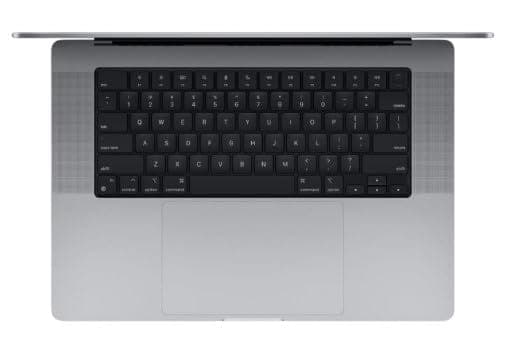
TL;DR If you are checking MacBook battery life 2026 real usage for the MacBook Pro 16-inch (Model A2485), you need to view it through a 2026 India lens. A2485 is an older big-screen MacBook Pro, and while it can still feel premium and stable, its battery experience depends more on battery health percentage and cycle count than on the model name. In 2026, the newest MacBooks set a higher standard for efficiency and “all day” backup, which means A2485 owners and buyers must understand what they are realistically getting. This guide explains whether Does MacBook battery last all day is still a reliable expectation for A2485 users, how battery health percentage actually translates into real usage hours, and why cycle count is one of the most important indicators of long-term reliability for older MacBooks. It also explains why MacBooks are still considered laptops that need less frequent plug-in, because macOS manages power and standby behavior intelligently. Finally, it provides MacBook battery backup charging tips, explains MacBook battery health management 2026 best practices, and includes India-specific backup power planning for long workdays, commuting, travel, and power cut scenarios.
Real-World Battery Test: 8-16 Hours?
For most buyers in India, the 16-inch MacBook Pro category is chosen for comfort and productivity rather than for battery performance alone. But battery is still the feature that determines whether the laptop feels like a premium tool or a constant charging problem. When people search MacBook battery life 2026 real usage for A2485, they usually want to know whether a big-screen Pro still feels like a “work all day” machine. The answer in 2026 India is that A2485 can still deliver impressive battery backup for productivity workloads, but the result varies significantly between units because it is an older model. The biggest factor is not the screen size alone, but the battery’s condition, which is defined by battery health percentage and cycle count.
In real daily usage, A2485 behaves best when you use it like a productivity workstation. Browsing, research, documents, spreadsheets, and reading-heavy work can still feel efficient, and the MacBook battery drain tends to be stable rather than unpredictable. This stability is the core reason people continue to trust MacBooks for long days. However, the A2485 is a 16-inch Pro, so its large screen naturally consumes more power than smaller models, especially at high brightness. Video calls, screen sharing, and heavy browser sessions with dozens of tabs can reduce backup more quickly. This is where older batteries show their limits. A unit with strong health still feels excellent. A unit with weaker health can feel average.
The “all day” question matters because many Indian buyers use these MacBooks in real-world conditions where charging access is not always convenient. College students carry laptops between classrooms, libraries, and hostels. Professionals travel to client offices, co-working spaces, and conferences where sockets may not be guaranteed. This is why Does MacBook battery last all day remains a primary intent keyword. In 2026, the answer is no longer purely model-based. It is condition-based. A2485 can still provide a long day of work, but only when the battery has been maintained well and the laptop has not lived an overly harsh charging life.
It is also important to acknowledge the “new baseline” in 2026. The latest MacBooks are more efficient and typically deliver stronger battery confidence under mixed workloads. That means the A2485 must be evaluated with realistic expectations. You are getting a big-screen Pro experience from an older generation, which can still be very satisfying, but it will not always match the modern battery efficiency story. Buyers should treat A2485 battery performance as a premium benefit that depends on battery condition, not as a guaranteed promise.
A2485 Battery Reality In 2026 India By Use Case
| Daily Work Pattern | Typical Battery Experience | What Changes It Most |
|---|---|---|
| Docs, browsing, research | Strong for a big-screen laptop | Brightness and tab load |
| Long meetings and calls | Moderate backup | Video, WiFi, screen sharing |
| Multi-app productivity day | Good but variable | Background apps and indexing |
| Creative exports and editing | Faster drain | Sustained load and heat |
| Travel day with hotspot use | Unpredictable backup | Network conditions and standby drain |
Battery Health Tips: Extend Lifespan
For older MacBooks in 2026, battery health is the difference between “premium daily laptop” and “constant charger anxiety.” This is why MacBook battery health management 2026 matters so much for A2485. Battery health percentage on a MacBook is Apple’s estimate of how much of the original maximum capacity is still available. When A2485 was new, the battery could store a certain amount of energy. As the years pass, that maximum reduces. A health percentage of 90 means you have roughly 90 percent of the original charge capacity left. That directly impacts how long the laptop lasts. A health drop does not usually feel dramatic at first, but over time it becomes very noticeable in longer work sessions.
Cycle count is another metric A2485 buyers should treat as essential. Many people assume that cycle count means how many times the laptop was charged. That is not how it works. A battery cycle is counted when the laptop uses a total of 100 percent battery capacity, even if that happens across multiple partial discharges. For example, if you use 60 percent one day and 40 percent the next, that equals one cycle. If you use 25 percent over four days, that still equals one cycle. This is why cycle count reflects long-term battery wear more accurately than simply counting how often you plugged in. It indicates how much total energy the battery has delivered over its life, which is a strong predictor of its remaining stability.
In 2026 India, A2485 owners must also think about heat. Heat accelerates battery degradation, and Indian weather conditions can make this worse. If you regularly use or charge the laptop in hot conditions, or if you charge it while running heavy tasks, the battery ages faster. That does not mean the laptop becomes unusable, but it means your backup will reduce faster over months. For a 16-inch Pro, where the screen and workload may already be heavier, heat control becomes even more important. Small lifestyle choices such as avoiding charging under heavy load, keeping the laptop ventilated, and not leaving it in direct sunlight can have a real impact on battery longevity.
The most practical MacBook battery backup charging tips are the ones that reduce extremes. Avoid deep discharges to 0 percent as a routine habit. Avoid keeping the laptop at 100 percent charge constantly in hot conditions. Let optimized charging work and keep charging patterns stable. The goal is not to preserve battery health perfectly. The goal is to keep battery behavior predictable and strong enough for your daily work. With older MacBooks like A2485, predictable battery is the real luxury.
Battery Health And Cycle Count Interpretation For A2485
| Metric | What It Represents | Why It Matters In 2026 |
|---|---|---|
| Battery Health Percentage | Remaining max capacity | Decides your real backup ceiling |
| Cycle Count | Total battery usage wear | Predicts battery stability over time |
| Heat exposure | Faster degradation | Big factor in Indian summers |
| Deep discharge habit | Increases wear | Makes battery less reliable long-term |
| Consistent charging habits | Slower aging | Keeps older MacBooks dependable |
Charging Strategy: Fast Charge vs Trickle
Charging strategy becomes a real ownership factor in 2026 because older MacBooks depend heavily on how the battery has been treated. A2485 is often used by professionals and creators who run long sessions, and that can push charging habits toward extremes. Some people constantly keep the laptop plugged in because they want “desktop mode.” Others run it down to low levels because they want to maximize unplugged work time. Both patterns can create long-term wear if combined with heat. That is why MacBook battery backup charging tips should focus on a balanced approach rather than strict rules.
Fast charging is convenient, especially in Indian work situations where you need a quick top-up before leaving home. It is useful for travel days, campus days, and meetings-heavy schedules. But fast charging should not become your default if you want long-term battery reliability. Charging generates heat and repeated fast charging can increase battery stress over time. This does not mean fast charging is “bad.” It means you should use it as a tool, not as a daily habit. For older MacBooks, the best strategy is to fast charge when needed and then return to stable charging patterns.
Trickle charging is the opposite extreme. This happens when the laptop stays plugged in for long periods, often at 100 percent charge. Some users do this because it is convenient, and many professionals treat the MacBook as a semi-desktop system. The problem is that keeping a lithium battery at full charge constantly, especially with heat exposure, can increase long-term wear. A better approach is to allow optimized charging to reduce how long the battery sits at full charge. If your workflow is desk-based, you can still keep the laptop plugged in, but you should ensure heat is controlled and charging behavior is stable.
A practical strategy for A2485 owners in 2026 India is to keep the laptop between 20 percent and 80 percent on most days, and use 100 percent only when you genuinely need maximum backup. This is not about being obsessive. It is about extending useful years. This matters because a big-screen MacBook Pro is usually bought for premium comfort. If battery becomes unreliable, that premium comfort disappears quickly. The charging strategy is the simplest way to keep a large Pro usable for longer.
Charging Strategy For A2485 Buyers In India
| Charging Pattern | Short-Term Convenience | Long-Term Result |
|---|---|---|
| Frequent deep discharges | Feels normal | Increases wear faster |
| Always plugged at 100 percent | Easy desk setup | Can reduce battery lifespan |
| 20 to 80 percent routine | Needs awareness | Best for longevity |
| Fast charge when required | Useful for busy days | Balanced risk and convenience |
| Charging under heavy load | Time efficient | Adds heat and accelerates aging |
macOS Battery Management Features
MacBooks are often considered laptops that need less frequent plug-in because Apple’s hardware and software integration keeps power usage predictable. macOS is optimized to reduce unnecessary background drain, control performance scaling, and manage sleep behavior better than many laptops. This is why the question Does MacBook battery last all day became part of the MacBook identity. In 2026, even older MacBooks can still feel better on battery than many alternatives, but only when the battery itself is healthy. macOS power management is an advantage, but it cannot reverse battery aging. It only improves efficiency and reduces waste.
One major reason MacBooks feel efficient is sleep behavior. Many users notice that MacBooks tend to lose less battery overnight compared to some Windows laptops, especially when the system is not running heavy background tasks. This matters for Indian users because many people close the lid and carry the laptop daily. If the battery drain is stable in sleep, the laptop feels ready in the morning. Another advantage is performance scaling. macOS typically avoids pushing full performance all the time, which helps conserve battery in light usage tasks such as browsing, writing, and reading.
Another important part of MacBook battery health management 2026 is optimized battery charging. When enabled, macOS learns your charging routine and delays charging beyond 80 percent until it predicts you will need full charge soon. This reduces the time the battery sits at 100 percent, which can help preserve long-term health. For older MacBooks like A2485, this feature becomes more valuable because preserving capacity is directly linked to real-world backup. Every percentage of battery health preserved translates into better daily confidence.
Finally, MacBooks often feel like they need less frequent charging because they remain smooth under battery usage. Many laptops reduce performance noticeably on battery, making users plug in to regain speed. MacBooks usually maintain a stable user experience for normal workloads, so the laptop still feels productive even when unplugged. That stable feel shapes the perception of better battery. For A2485 buyers in 2026 India, this is still a meaningful advantage, but it is only fully experienced when the battery condition is still strong.
Why MacBooks Need Less Frequent Plug-In (Practical Reasons)
| Reason | What You Notice In Daily Use | Why It Matters For A2485 In 2026 |
|---|---|---|
| Efficient background behavior | Slower battery drain | Keeps older Macs usable |
| Better standby sleep | Lower overnight loss | Improves daily confidence |
| Performance scaling | Smooth experience on battery | Feels premium in daily work |
| Optimized charging | Preserves battery health | Critical for older models |
| Stable ecosystem behavior | Less random drain | Reduces unpredictability |
Backup Power Solutions: External Chargers
A 16-inch MacBook Pro is often used as a primary work machine, which means battery planning matters more than many people expect. In 2026 India, power planning is not only for travelers. It is relevant for students working long campus days, professionals on client visits, and remote workers facing unstable electricity conditions. A2485 can still deliver strong backup in good condition, but because it is older, you should plan for the days when you need extra power confidence. This is not a weakness. It is the correct way to own older premium hardware without stress.
The first step is to identify what drains battery in your real daily life. For many A2485 users, the biggest drains are brightness, video calls, screen sharing, hotspot usage, and heavy multitasking. If your usage is mostly reading, writing, and browsing, you may not need any additional backup solution. But if your day is full of meetings, constant WiFi, and heavy multitasking, the battery can drop faster, especially if battery health has already reduced. In those cases, having a reliable charging plan matters more than having theoretical battery numbers.
Indian buyers should be careful about cheap third-party chargers and unstable power banks. The laptop needs stable power delivery, and unreliable charging can cause inconsistent behavior and long-term stress. The safest approach is to use reliable charging accessories and avoid pushing the laptop into hot charging conditions. For desk-based users facing power cuts, a small UPS setup can offer the most stable experience, not just for the laptop but also for the router. For students, planning your charging routine before long classes is often a better strategy than buying additional accessories.
This section matters because MacBook battery life 2026 real usage is not just a number you measure once. It is a strategy you build around your daily routine. If you plan correctly, A2485 can still feel like a premium laptop that supports long workdays. If you ignore battery planning, you might experience unnecessary stress and blame the model, even when the real issue is battery condition and usage habits.
Backup Power Options For A2485 Owners
| Situation | Best Backup Solution | Why It Helps |
|---|---|---|
| Long office day | Carry charger + top up before leaving | Reliable and simple |
| Remote work with power cuts | UPS for laptop and WiFi router | Prevents disruption |
| Travel-heavy schedule | Original charger + stable outlets | Safest approach |
| Meetings-heavy days | Start with full charge | Avoids sudden battery anxiety |
| Emergency backup | High-output charging solution | Adds peace of mind |
Final Verdict + Quick Decision Making
The MacBook Pro 16-inch A2485 can still deliver strong battery confidence in 2026 India, but the battery story depends more on condition than on the laptop’s reputation. Since A2485 is an older big-screen MacBook, buyers should understand that battery life is not guaranteed to match modern standards, especially when compared to the newest MacBooks. If battery health percentage is still strong and cycle count is reasonable, A2485 can still feel like the kind of laptop that does not need constant plugging in. This is exactly why MacBooks are seen as laptops that need less frequent plug-in. Their efficiency and macOS power management are genuinely strong, but they rely on a battery that has not been heavily degraded.
The best way to make A2485 work well in 2026 is to treat battery ownership as a long-term plan. Use charging habits that reduce wear, avoid heat exposure, and let macOS optimized charging do its job. For Indian users, building a realistic backup plan for travel and power cuts can remove stress completely. A2485 remains a premium-feeling laptop when you manage it properly, but it becomes frustrating if you ignore battery health and cycles.
To decide quickly, ask one question. Is the battery health strong enough that you can trust the laptop through a long day, and does the unit have a reasonable cycle count for its age. If yes, A2485 can still be a great older big-screen MacBook choice. If not, you must budget for battery replacement or skip the deal. In 2026 India, the right older MacBook purchase is always the one where battery condition and daily usage reality align.
Refurbo's Shop:
Here are all the MacBook laptops listed on that Refurbo's Apple page, with a direct link for each laptop:
- Apple Macbook A2442 - Refurbished
- Apple Macbook Pro A2485 - Refurbished
- MacBook Air 13" (2017) - Refurbished
- MacBook Pro 13" (2018) - Refurbished
- MacBook Pro 13" (2020) - Refurbished (Core i5)
- MacBook Pro 13" (2020) - Refurbished (Core i7)
- MacBook Pro 15" (2018–19) - Refurbished
- MacBook Pro 16" (2019) - Refurbished (Core i7)
- MacBook Pro 16" (2019) - Refurbished (Core i9)
- MacBook Air 13" M1 - Refurbished
- MacBook Pro 13" M1 - Refurbished
- MacBook Pro 14" M1 Pro - Refurbished
- MacBook Pro 16" M1 Pro - Refurbished
FAQ
Q. How accurate is MacBook battery life 2026 real usage for MacBook Pro A2485?
A. MacBook battery life 2026 real usage depends heavily on battery health percentage, cycle count, workload, brightness, and call usage, so results can vary between units.
Q. Does MacBook battery last all day in 2026 for a 16-inch older Pro like A2485?
A. Does MacBook battery last all day can still be true for productivity tasks if battery health is strong, but heavy calls, high brightness, and exports reduce backup.
Q. What does MacBook battery health management 2026 mean for used A2485 buyers?
A. MacBook battery health management 2026 means monitoring battery health percentage and cycles, controlling heat, and using optimized charging to slow long-term wear.
Q. What are the best MacBook battery backup charging tips for A2485 longevity?
A. The best MacBook battery backup charging tips are avoiding routine 0 percent discharges, reducing heat while charging, and keeping charging habits stable between 20 and 80 percent.
Q. How does MacBook M4 battery life hours compare to older A2485 in 2026 India?
A. MacBook M4 battery life hours is typically stronger due to better efficiency, so A2485 performance depends more on battery health and the specific unit condition.
Ready to upgrade your tech?
Browse our collection of quality refurbished products at unbeatable prices.






