
MacBook Pro 16-inch A2141 macOS Compatibility In 2026: Updates, Apps, And Limitations
MacBook Pro 16-inch A2141 is an Intel Mac, so macOS support may gradually diminish, but it is still usable in 2026 India.

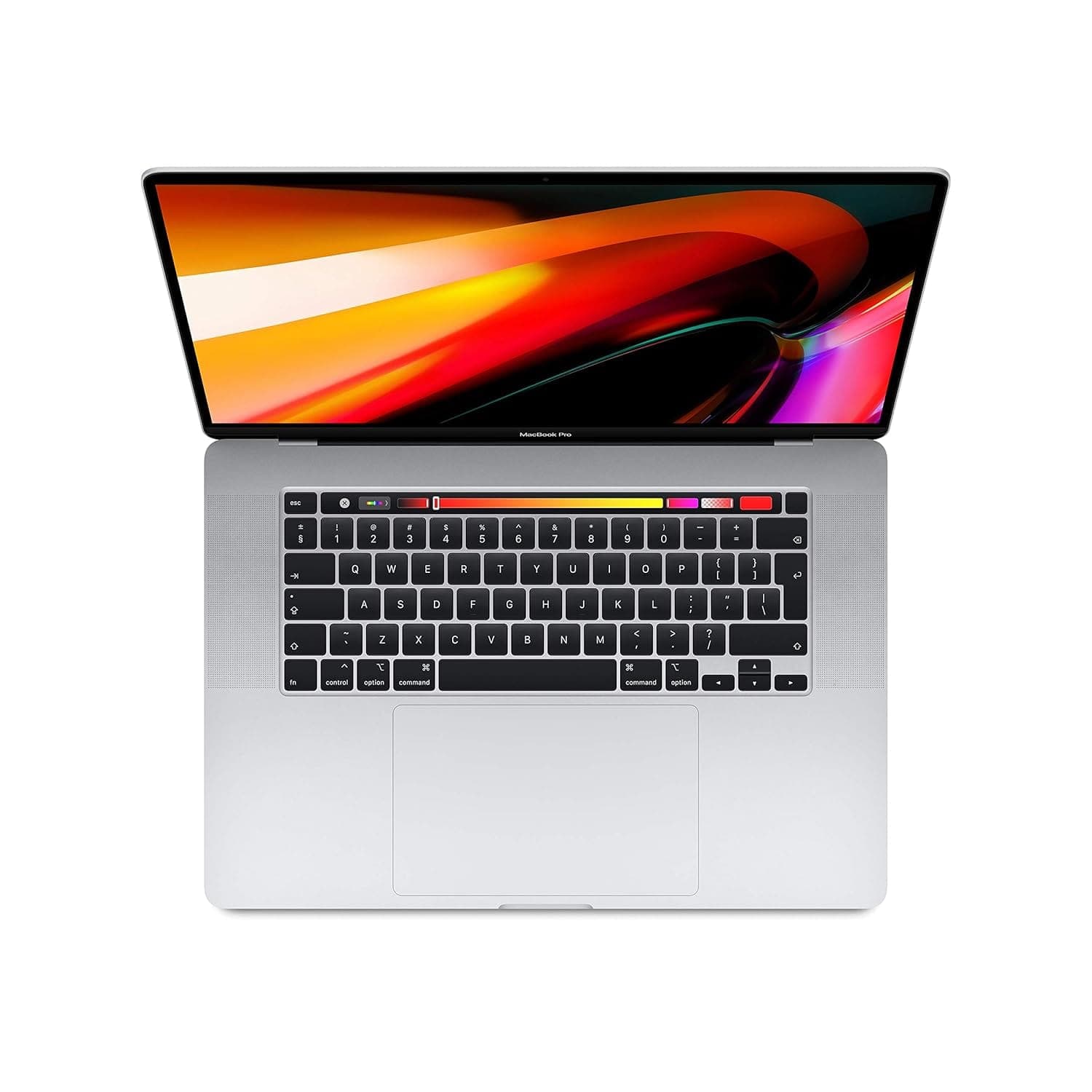
TL;DR If you are evaluating macOS 2026 compatibility apps updates on the MacBook Pro 16-inch (Model A2141) in 2026 India, the first thing to understand is that this is an Intel MacBook, not an M-chip Mac. In 2026, Apple Silicon Macs such as A2442, A2485, and A2338 are clearly prioritized for updates, performance optimization, and modern feature support, which means Intel MacBooks like A2141 may slowly diminish in long-term update attention. However, Intel Macs are still capable today, and for many everyday workflows, A2141 remains around 90 percent of what it has always been in usability, especially for productivity and business tasks. This guide explains macOS Tahoe features 2026, breaks down MacBook app compatibility 2026 across business, creator, and professional software needs, and clarifies macOS limitations for professionals where Intel-based Macs can face extra friction over time. It also explains the role of Apple’s own apps such as Final Cut Pro and Logic Pro, which tend to receive longer support than many third-party tools, making them safer choices for Intel users who want stable creator workflows. Finally, the guide frames macOS vs Windows software 2026 in a realistic way for Indian buyers who want long-term value from an older MacBook.
macOS Tahoe 2026: New Features
In 2026 India, people searching macOS 2026 compatibility apps updates are often deciding whether their MacBook will stay modern over the next few years. With the MacBook Pro 16-inch A2141, the biggest context is that it is an Intel Mac. That matters because macOS has entered a stage where Apple Silicon is the main future, and Intel systems are no longer the primary focus for long-term optimization. Still, macOS Tahoe in 2026 does not immediately make Intel Macs unusable. The real question is whether you will get the same quality of updates and feature support over time.
For users looking at macOS Tahoe features 2026, the most meaningful improvements are usually stability, efficiency, and workflow refinement rather than only visible design shifts. Intel Macs like A2141 can still benefit from many macOS improvements, but the experience can feel less optimized compared to Apple Silicon. Apple Silicon Macs typically show smoother responsiveness and better efficiency because macOS is tuned around them. That does not mean A2141 becomes slow overnight. It means the direction of the software is not primarily built for it anymore.
In practical day-to-day work, A2141 can still feel like a capable MacBook in 2026, especially for users doing meetings, documents, browsing, and general productivity. For many Indian professionals, this is enough. The machine’s large 16-inch format also adds comfort, which can make the overall experience feel more professional than smaller laptops even when the machine is older. Comfort matters because productivity depends on how easy it is to work for long hours without feeling constrained.
The biggest long-term question is future update confidence. Apple will continue to support Intel Macs for some time, but Intel will likely slowly diminish in priority as Apple Silicon remains the focus. That means A2141 can still be fine for macOS Tahoe in 2026 India, but it should be bought with the expectation that Apple Silicon is the safer platform for long-term updates.
Intel Mac Reality In macOS Tahoe 2026
| Compatibility Factor | A2141 Outcome | Why It Matters In 2026 |
|---|---|---|
| macOS feature support | Moderate | Intel gets less priority |
| Stability after updates | Good | Still usable for everyday work |
| Performance optimization | Moderate | Apple Silicon gets best tuning |
| Long-term update confidence | Moderate | Support may diminish gradually |
| Workflow comfort | Strong | 16-inch experience still helps |
App Compatibility: Professional Software Support
When users search MacBook app compatibility 2026, Intel Mac owners often have a different question than Apple Silicon owners. They are not only asking whether apps work today. They are asking whether apps will keep supporting Intel hardware over the next few years. A2141 can still run most mainstream apps in 2026 India, especially productivity apps, meeting tools, and common professional workflows. This is where the “90 percent” reality makes sense. For many people, A2141 still feels close to a modern MacBook in daily usage.
Business apps such as Microsoft Office, browsers, Google Workspace, Zoom, Teams, and Google Meet still run on Intel Macs in 2026. This is important because most Indian professionals rely on these categories of apps daily. For students, academic and productivity workflows still remain compatible. For many users, Intel Mac app compatibility in 2026 is not a daily problem.
Creators have a more complex compatibility story. Creative workflows depend heavily on performance, plugins, and software update cycles. Apple’s own apps, such as Final Cut Pro and Logic Pro, tend to receive longer updates than many third-party tools. That matters because Apple’s apps remain strongly aligned with macOS updates, and they often continue supporting older Macs longer than third-party ecosystems do. In 2026, this can be a practical advantage for Intel users. If your creator workflow is primarily Apple ecosystem based, you can often stay stable longer.
Third-party apps are where the risk slowly increases over time. Many third-party tools continue to support Intel Macs today, but as Apple Silicon becomes the default development target, Intel optimization may become weaker. Some apps may run fine but stop receiving the best performance improvements. Others may eventually reduce feature support. That does not make A2141 unusable, but it means Intel owners should treat compatibility planning more seriously than Apple Silicon owners in 2026 India.
A2141 App Compatibility In 2026 India
| App Category | Compatibility On A2141 | Practical Expectation |
|---|---|---|
| Productivity apps | Strong | Smooth for daily work |
| Meetings and collaboration | Strong | Stable business use |
| Developer tools | Good | Still workable for many workflows |
| Apple creative apps | Strong | Longer updates than many third-party |
| Third-party plugins | More variable | Intel support may slowly reduce |
macOS Limitations: What Won’t Work
The phrase macOS limitations for professionals does not only mean macOS restrictions. It also includes Intel-era limitations that can show up as Apple Silicon becomes the main focus. With A2141, you must consider both. macOS remains a strong professional platform for many workflows, but some software categories continue to be Windows-only, and Intel Macs may face earlier compatibility pressure compared to Apple Silicon.
Windows-only enterprise software remains one of the biggest limitations. In India, many corporate roles still depend on Windows-first internal tools, legacy reporting systems, and company environments built around Windows workflows. If your job requires those tools, macOS can still work through remote desktops or web replacements, but it adds complexity. This limitation is not about Intel vs M-chip. It is about macOS ecosystem differences.
Intel-specific limitations become relevant when you look at future-proofing. Over time, some apps may stop prioritizing Intel. That can show up as slower performance improvements or reduced compatibility. Many users will not notice immediately because mainstream workflows remain supported. But professional users in niche environments can feel this change earlier. If your work depends on very specific software versions, niche plugins, or special workflows, Intel can be riskier over time.
Gaming and certain GPU-heavy workflows remain limited on macOS regardless of Intel or Apple Silicon. But Windows still provides broader gaming library support and stronger compatibility. For many Indian users, gaming may be a deciding factor even if the laptop is primarily for work.
The realistic message is that A2141 can still work for macOS in 2026 India, but it has more limitations long term than Apple Silicon MacBooks. It remains usable for mainstream tasks, but it is not the safest platform for the next phase of macOS evolution.
macOS Limitations That Matter In India
| Limitation Category | Impact For A2141 Users | Who Should Care Most |
|---|---|---|
| Windows-only corporate apps | High | Enterprise professionals |
| Intel future-proofing risk | Moderate | Long-term planners |
| Niche specialized tools | Moderate | Specialists |
| Gaming ecosystem limits | High | Gamers |
| Web-first workflows | Low | Modern cloud-based teams |
Upgrade Path: Compatibility with Older Apps
Intel Mac users in India often ask a different upgrade question. They do not only ask “Should I update macOS?” They ask “If I update, will my workflow break?” The upgrade path on A2141 in 2026 can still be safe for mainstream apps, but it must be treated carefully for professional workflows. The more your workflow depends on niche tools, third-party plugins, or legacy software, the more careful you should be about upgrades.
For many mainstream users, macOS upgrades remain safe. Browsers, meeting apps, and productivity tools are usually compatible. The risk becomes more visible in creator workflows and professional plug-in environments. Audio production and video editing workflows can depend on plugins that are not updated quickly. If your income depends on these tools, updating too early can disrupt work.
Apple’s own apps remain a strong advantage for Intel Macs because they tend to receive long update support. Final Cut Pro and Logic Pro are the best examples. These apps often continue supporting older Macs longer than third-party ecosystems do. That means A2141 users who rely on Apple’s own creative apps may have a more stable upgrade path than users who depend on niche third-party tools.
The smartest approach in India is to treat upgrades as planned events. Update only after checking compatibility for the specific apps you rely on daily. A2141 can still run macOS Tahoe in 2026, but Intel users should avoid upgrading purely because it is available. Stability is more important than being on the newest version, especially for professionals.
Smart Upgrade Strategy For A2141 Users
| User Type | Upgrade Approach | Why It Works |
|---|---|---|
| Students | Upgrade early | Mostly mainstream apps |
| Business users | Wait and verify | Avoid workflow disruption |
| Creators | Test plugins first | Plugin risk is higher |
| Developers | Upgrade carefully | Toolchain support matters |
| Legacy app users | Delay upgrades | Older tools can break sooner |
Windows vs macOS Software Ecosystem
When Indian buyers search macOS vs Windows software 2026, they are often deciding between stability and compatibility. macOS offers a polished, stable experience for mainstream workflows, especially for productivity and Apple ecosystem apps. Windows offers broader software support, deeper enterprise compatibility, and better coverage for niche tools and gaming.
macOS remains strong for professionals who want reliability and consistent day-to-day performance. Many Indian professionals prefer macOS because meetings, documents, and communication workflows feel predictable. A2141 still delivers much of that macOS experience, especially because it is a premium 16-inch MacBook with a comfortable working environment. For mainstream work, it still feels professional and stable.
Windows remains stronger for people who depend on Windows-only enterprise apps and specialized workflows. Many corporate jobs in India still assume Windows compatibility. This can include internal tools, specific reporting systems, and old software environments. Windows also remains the better choice for gaming and for users who want hardware customization flexibility.
The most important nuance in 2026 is the Intel vs Apple Silicon divide inside the Mac world. Apple Silicon Macs are the priority for updates and app optimization. Intel Macs like A2141 may slowly diminish in support priority, but they still offer around 90 percent of the everyday usability for mainstream tasks today. The difference is that Apple Silicon is the safer long-term bet, while Intel is a practical option for users who buy at the right price and accept long-term limitations.
Intel vs Apple Silicon In 2026 India
| Factor | Apple Silicon Macs | Intel Macs (A2141) |
|---|---|---|
| Update confidence | Strong | Moderate and diminishing long-term |
| App optimization | Strong | Less priority over time |
| Everyday usability | Strong | Still about 90 percent for most |
| Apple pro apps support | Strong and long | Long support but less future focus |
| Third-party support | Strong | More uncertainty over time |
The Smarter 2026 Buying Decision for MacBook Pro A2141
The MacBook Pro 16-inch A2141 still remains a practical Intel MacBook in 2026 India, but the purchase decision now depends less on raw hardware and more on software direction. For mainstream workflows such as research, writing, office productivity, browser-heavy work, meetings, coding basics, and Apple’s own professional apps, the machine still feels highly usable. The large 16-inch display, premium keyboard, excellent speakers, and stable macOS experience continue to make it comfortable for long work sessions, which is why it still delivers close to 90 percent of the everyday usability most users expect from a MacBook.
The real shift is future confidence. Apple Silicon Macs are now clearly the centre of Apple’s optimisation roadmap, which means new macOS features, performance tuning, AI-based workflow enhancements, and long-term app optimisation increasingly favour models like A2442, A2485, and M-series MacBook Airs. The A2141 does not suddenly lose usefulness because of this, but it should now be seen as a value-driven large-screen Intel Mac rather than a future-first macOS investment. For Indian buyers, this distinction matters because the right price can still make it an excellent productivity machine.
The smartest way to decide in 2026 is simple. If your work revolves around mainstream apps, Apple’s own creator software, large-screen comfort, and a lower refurbished price, the A2141 still makes excellent sense. If your priority is maximum macOS longevity, stronger future software optimisation, and the safest long-term compatibility path, moving to Apple Silicon is the clearly better strategic choice.
Refurbo's Shop:
Here are all the MacBook laptops listed on that Refurbo's Apple page, with a direct link for each laptop:
- Apple Macbook A2442 - Refurbished
- Apple Macbook Pro A2485 - Refurbished
- MacBook Air 13" (2017) - Refurbished
- MacBook Pro 13" (2018) - Refurbished
- MacBook Pro 13" (2020) - Refurbished (Core i5)
- MacBook Pro 13" (2020) - Refurbished (Core i7)
- MacBook Pro 15" (2018–19) - Refurbished
- MacBook Pro 16" (2019) - Refurbished (Core i7)
- MacBook Pro 16" (2019) - Refurbished (Core i9)
- MacBook Air 13" M1 - Refurbished
- MacBook Pro 13" M1 - Refurbished
- MacBook Pro 14" M1 Pro - Refurbished
- MacBook Pro 16" M1 Pro - Refurbished
Frequently Asked Questions
Q. What does macOS 2026 compatibility and app updates mean for Intel MacBook A2141 in India?
The A2141 still supports most mainstream applications and remains highly usable in 2026, but Intel Macs are gradually receiving less optimisation priority compared to Apple Silicon models.
Q. Which macOS Tahoe 2026 features matter most for Intel Macs like A2141?
The most relevant improvements are workflow stability, app refinement, and system responsiveness, although Apple Silicon Macs receive better optimisation and future-facing features.
Q. How strong is MacBook app compatibility in 2026 on the A2141?
Compatibility remains strong for browsers, Office apps, meetings, coding tools, and Apple’s own professional software, while some third-party plugins and niche tools may become less Intel-focused over time.
Q. What macOS limitations should professionals using A2141 know in 2026?
The biggest limitations are Windows-only enterprise software, niche workflow tools, and the long-term uncertainty around Intel optimisation as Apple increasingly prioritises Apple Silicon.
Q. Is macOS or Windows better in 2026 for Indian professionals considering older Intel Macs?
macOS still offers a stable and premium productivity experience, while Windows remains stronger for enterprise compatibility, legacy tools, specialised software, and gaming workloads.






