
MacBook Pro 16-inch A2141 For Creators In 2026: Photo, Video, And Design Workflows
MacBook Pro 16-inch A2141 can still support creator workflows in 2026 India, but newer MacBooks are far more efficient.

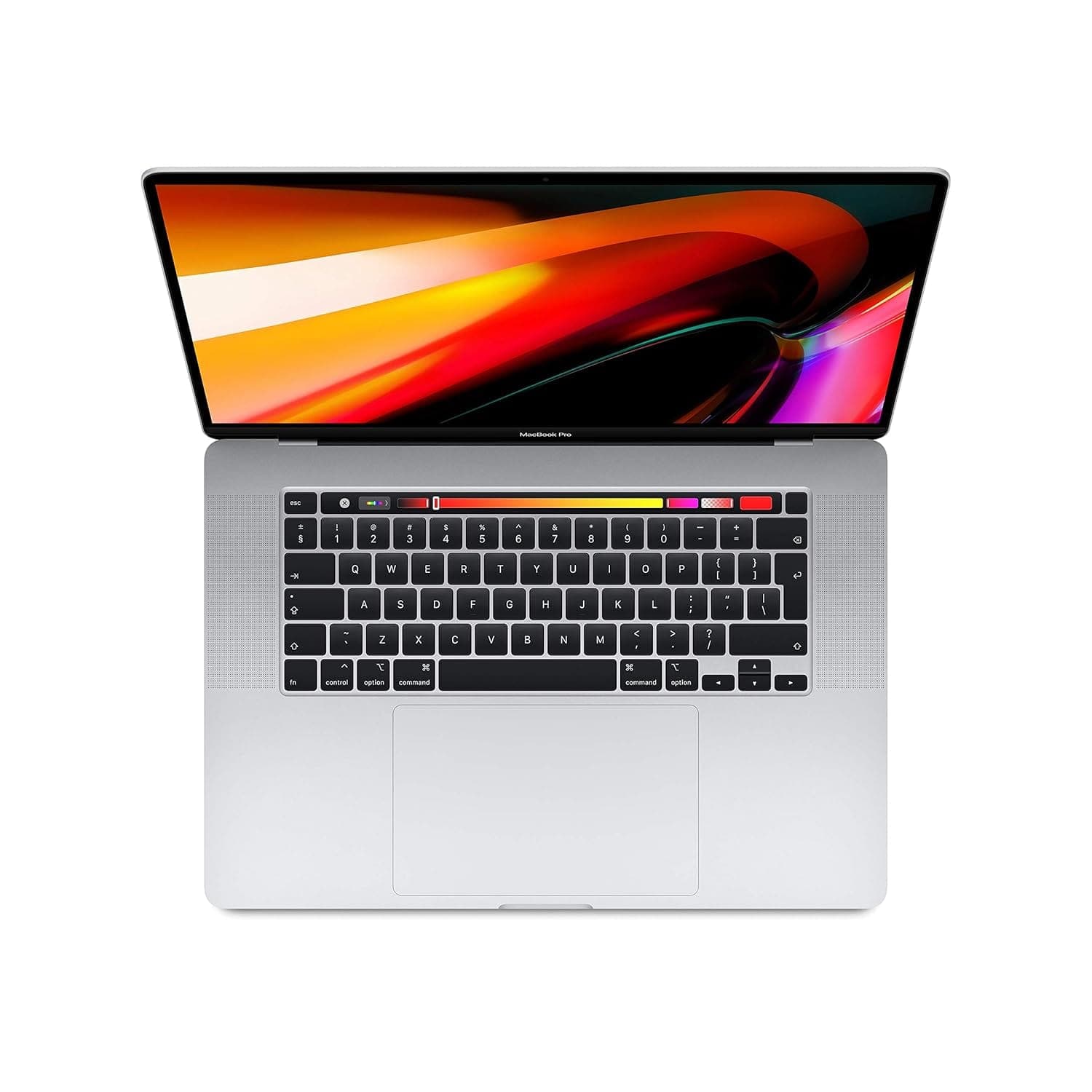
TL;DR If you are evaluating the MacBook Pro 16-inch (Model A2141) as a creator laptop in 2026 India, you must treat it as an older premium MacBook that can still deliver strong creative output, but with limits that modern creators should understand clearly. The 16-inch size helps creators because timelines, previews, and design panels feel less cramped, which improves comfort during long work sessions. This guide covers MacBook for video editing 2026 India through a realistic Final Cut Pro workflow view, explains how MacBook for photo editing Lightroom performs for both Lightroom and Lightroom Classic workflows, and breaks down MacBook for design work Adobe 2026 performance across Creative Cloud tasks like Photoshop and Illustrator. It also covers MacBook for podcasting music production through GarageBand, Logic Pro, and Ableton-style sessions, and closes with a creator benchmark view of render times and export speed, helping you judge whether A2141 is still practical for creator work in 2026 India. Throughout, the article keeps modern context clear by acknowledging that newer creator-focused MacBooks like the MacBook M4 Pro for content creators deliver faster exports and smoother heavy workflows, making it important to buy older MacBooks only when pricing and workflow fit make sense.
Video Editing on MacBook: Final Cut Pro Workflow
Creators searching MacBook for video editing 2026 India usually want to know whether their laptop can handle real editing without slowing down creativity. The MacBook Pro 16-inch A2141 can still support real editing workflows in 2026 India, but it must be judged with the right expectations because it is an older MacBook compared to the latest Apple Silicon generation. The biggest advantage A2141 still offers is comfort. The 16-inch display gives creators more room for timelines, previews, and editing panels, which makes long editing sessions feel easier. Comfort matters because video editing is not a short task. It is often hours of repeated decisions, and a larger workspace reduces friction.
Final Cut Pro workflows on A2141 remain usable for many creators working on 1080p projects and even some 4K editing workflows, but it depends heavily on how heavy the timeline becomes. If you are editing YouTube content, interviews, educational videos, travel edits, or marketing deliverables, A2141 can still be practical when your workflow is disciplined. The timeline stays smoother when you keep effects controlled, avoid stacking too many heavy plugins, and use proxies for high-resolution camera files. In India, many creators work in small home studios or hybrid setups, so stability and comfort can matter more than peak export speed.
Where the limitations appear in 2026 is in heavy workflows. If you add multiple layers of correction, noise reduction, motion effects, and complex plugins, the machine will start showing its age compared to newer Macs. Newer Apple Silicon machines handle these heavier workloads with more ease, especially in sustained export performance. That means A2141 is still workable, but it is not the best option for creators who push the heaviest effects consistently or run high-volume editing cycles daily.
The right way to view A2141 is that it can still produce professional results, but it may require more patience and workflow optimization in 2026 than newer MacBooks. If the price is fair and your workload is realistic, it can still be a valuable creator laptop in India. The big screen adds comfort, but performance efficiency is not on the same level as newer machines.
A2141 Video Editing Fit In 2026 India
| Creator Workflow Type | A2141 Editing Comfort | What Keeps It Smooth |
|---|---|---|
| YouTube and social video | Good | Clean timelines and organization |
| 4K editing with light grading | Moderate | Proxy workflow helps |
| Multi-layer heavy effects | Limited | Keep plugins controlled |
| Multi-cam editing | Variable | Depends on project complexity |
| High-volume studio exports | Not ideal | Newer Macs save time |
Photo Editing: Lightroom vs Adobe Lightroom Classic
For creators researching MacBook for photo editing Lightroom, A2141 can still be a usable tool in 2026 India, especially for creators who value screen size and comfort. Photo editing is a workflow where visual comfort matters a lot. A larger screen makes it easier to evaluate details, adjust exposure, and manage multiple images without constantly zooming. This is why many creators still prefer 16-inch laptops for photography work, even when those laptops are older.
Lightroom workflows on A2141 remain practical for small to moderate photo libraries. You can apply presets, adjust color and contrast, and export batches without major problems, as long as your workflow is consistent. The machine becomes more demanding under very large RAW libraries and heavy export cycles, especially if you try to edit actively while exporting large batches in the background. Newer MacBooks handle these workloads more smoothly, and that is why 2026 context matters. A2141 can still deliver, but it will not feel as effortless as a newer creator-grade Mac.
Lightroom Classic workflows are often heavier because they involve bigger catalog structures. A2141 can still manage them, but structure matters. External SSD usage, clean catalog organization, and a deliberate workflow can make the laptop feel significantly smoother. Many creators underestimate how much Lightroom performance depends on catalog discipline. The laptop matters, but the workflow matters equally. If you keep the catalog clean and avoid clutter, A2141 can still be usable for real client photo editing in India.
The most honest conclusion is that A2141 is still a workable photo editing laptop in 2026 for creators who want a large display and steady workflows. But if you are a high-volume professional photographer, the time savings and smoothness from newer Macs can be significant. A2141 remains good when the price is right and the workload is realistic.
Lightroom Workflows On A2141 In 2026
| Lightroom Workflow | A2141 Experience | Best Use Case |
|---|---|---|
| Casual editing sessions | Good | Students and hobby creators |
| Batch edits 200 to 600 photos | Good | Regular creator work |
| Large RAW catalogs | Moderate | Needs SSD and organization |
| Exporting while editing | Limited | Workflow discipline required |
| High-volume pro studio loads | Not ideal | Newer Macs handle better |
Design Work: Adobe Creative Cloud Performance
Creators looking up MacBook for design work Adobe 2026 usually want a laptop that can handle Adobe tools reliably without slowing down. A2141 can still run Creative Cloud software in 2026 India, but you need to frame it properly. It is an older premium MacBook Pro, and while it has a large screen that helps comfort and workflow visibility, the performance baseline for Adobe workloads has shifted upward in 2026.
Photoshop workflows on A2141 remain workable for many creators handling social media assets, marketing creatives, posters, and branding projects. Illustrator work can also be comfortable for vector design, logo work, and layout tasks. The benefit of a 16-inch laptop is that it gives you more room to work with panels, artboards, and references. That makes daily design tasks feel more comfortable and less cramped, which increases productivity even when the machine is older.
The limitation appears when you move into heavy modern design workflows. If you handle extremely large layered Photoshop files, complex compositions, heavy typography layouts, and multi-app workflows with constant exporting, A2141 will feel slower than newer Macs. The creator baseline today often references machines like the MacBook M4 Pro for content creators because those machines reduce friction in heavy creative pipelines. A2141 can still do the work, but it may require more patience and careful workflow management.
For many Indian creators, design work is not always extreme. It is steady client work, consistent output, and deliverables that need reliability more than maximum speed. In those use cases, A2141 can still be acceptable if priced properly. But for designers doing high-end production design daily, it is likely better to consider newer machines to reduce delays and increase workflow comfort.
A2141 Design Performance In 2026 India
| Design Workflow | A2141 Performance Feel | Who It Suits Best |
|---|---|---|
| Photoshop creatives | Good | Students and marketers |
| Illustrator vector design | Good | Brand designers |
| Multi-app workflow | Moderate | Early professionals |
| Large layered projects | Limited | Advanced designers |
| Heavy motion and 3D pipelines | Not ideal | Better on newer Macs |
Music Production: GarageBand, Logic Pro, Ableton
For creators searching MacBook for podcasting music production, stability matters more than raw performance. Podcast editing, voice recording, and audio mixing require clean playback and predictable behavior. In 2026 India, A2141 can still be used for podcast production and music workflows, but it must be treated as an older machine. That means you should keep projects realistic, use organized sessions, and avoid overloading the laptop with extremely heavy plugin chains.
GarageBand workflows can remain practical for podcast editing, voice tracks, and basic music layering. Logic Pro sessions can also work, especially for moderate sessions where track counts and plugin usage are controlled. Ableton-style workflows can work for loop-based production and mid-level music projects, but complex sessions with heavy plugin use will stress the machine more than newer Macs.
A major advantage of A2141 is the large screen, which makes music production workflows more comfortable. Editing waveforms, managing tracks, and controlling plugin panels feels easier on a 16-inch display. For creators in India working from smaller studios or home setups, this comfort improvement can matter. But comfort does not replace performance. If you are a music producer working at a studio level, exporting large sessions, running heavy virtual instruments, and relying on multiple third-party plugins, A2141 will not feel as comfortable as newer Apple Silicon MacBooks.
For most podcasters and entry-level music creators in India, A2141 can still be sufficient if it is priced correctly and the workflow is not extreme. The key is to treat it as a stable creative tool rather than a modern production powerhouse.
A2141 Music Production Fit In 2026 India
| Music Workflow | A2141 Comfort Level | Best For |
|---|---|---|
| Podcast editing | Good | Podcasters and educators |
| GarageBand projects | Good | Beginner creators |
| Logic Pro moderate sessions | Moderate | Indie creators |
| Plugin-heavy sessions | Limited | Advanced producers |
| Studio-grade production | Not ideal | Better on newer Macs |
Creator Benchmark: Render Times, Export Speed
In 2026 India, creators care about speed because publishing and client work depend on time-to-output. A2141 can still export creative work, but it will not match the speed of modern Macs, and it is important to be honest about that. Many creators today compare everything against newer machines, and this is where the MacBook M4 Pro for content creators becomes a meaningful reference point. It sets a modern baseline for faster exports, smoother heavy effects handling, and more reliable high-volume workflows.
A2141 remains acceptable for creators who publish on a steady schedule. If you export a few videos a week, deliver design assets regularly, and do consistent content work without daily high-volume exports, A2141 can still keep up. The friction becomes obvious when you scale. If you export multiple versions for clients, run heavy effects, or publish daily content at a high intensity, waiting times become more noticeable. In those workflows, newer Macs save time consistently.
The best buying logic for A2141 in India is to align it with cost savings. If you can buy it at a fair older-model price, it can still be a productive creator laptop, mainly because the large screen improves comfort for long sessions. But if the pricing is close to newer MacBooks, the performance and efficiency gap becomes hard to justify. Newer Macs offer better long-term value for creators who care about speed.
A2141’s creator value in 2026 is real, but it is limited by modern expectations. It supports creative work, but it does not deliver the effortless performance that newer Macs do. It is best for creators who want a large-screen MacBook experience at a reduced cost and who can accept longer export times in exchange for that value.
Creator Export Speed Expectations In 2026 India
| Creator Need | A2141 Outcome | Best Buying Logic |
|---|---|---|
| Weekly content schedule | Reliable | Works if priced fairly |
| Consistent client work | Good | Needs workflow planning |
| High-volume exports | Slow | Newer Macs save time |
| Heavy effect-heavy edits | Slower | Proxy workflows required |
| Studio-grade pipelines | Not recommended | Better with new Macs |
Why the MacBook Pro 16-inch A2141 Still Makes Sense for Creators in 2026 India
The MacBook Pro 16-inch A2141 continues to remain a practical creator laptop in 2026 India when it is purchased with the right expectations. Its biggest long-term strength is not raw benchmark leadership, but the combination of a spacious 16-inch display, comfortable timeline visibility, strong speaker quality, dependable macOS creative software compatibility, and enough headroom for disciplined workflows across Final Cut Pro, Lightroom, Photoshop, Illustrator, Logic Pro, and podcast production. For creators who prioritise screen comfort, macOS stability, and reduced upfront cost, it still remains a valuable large-screen MacBook option.
The real decision point comes down to workflow intensity. If your work involves weekly YouTube uploads, steady client edits, regular photo exports, podcast sessions, and moderate Adobe projects, the A2141 can still deliver professional output with proper proxy workflows and clean project organisation. However, for creators handling high-volume exports, heavy layered effects, advanced motion design, or studio-grade music production, the performance gap against newer Apple Silicon machines becomes impossible to ignore. In those scenarios, newer MacBooks save significant time and reduce friction in ways that directly improve earning efficiency.
The smartest way to conclude this laptop’s value in 2026 is simple: buy it for the display experience and price advantage, not for future-proof peak performance. When priced far below newer Apple Silicon options, the A2141 still offers genuine creator value as a large-screen editing and design machine. But if pricing starts approaching newer MacBook Pro models, the better long-term investment clearly shifts toward Apple Silicon for faster exports, better thermals, and more efficient sustained creative workflows.
Refurbo's Shop:
Here are all the MacBook laptops listed on that Refurbo's Apple page, with a direct link for each laptop:
- Apple Macbook A2442 - Refurbished
- Apple Macbook Pro A2485 - Refurbished
- MacBook Air 13" (2017) - Refurbished
- MacBook Pro 13" (2018) - Refurbished
- MacBook Pro 13" (2020) - Refurbished (Core i5)
- MacBook Pro 13" (2020) - Refurbished (Core i7)
- MacBook Pro 15" (2018–19) - Refurbished
- MacBook Pro 16" (2019) - Refurbished (Core i7)
- MacBook Pro 16" (2019) - Refurbished (Core i9)
- MacBook Air 13" M1 - Refurbished
- MacBook Pro 13" M1 - Refurbished
- MacBook Pro 14" M1 Pro - Refurbished
- MacBook Pro 16" M1 Pro - Refurbished
FAQ
Q. Is MacBook for video editing 2026 India still workable on MacBook Pro A2141?
A. Yes, MacBook for video editing 2026 India is workable on A2141 for lighter projects, but heavy timelines and effects run smoother on newer Macs.
Q. Is MacBook for photo editing Lightroom reliable on A2141 in 2026 India?
A. MacBook for photo editing Lightroom is reliable on A2141 for moderate photo libraries, but large catalogs and exports feel faster on newer models.
Q. How does MacBook for design work Adobe 2026 perform on A2141?
A. MacBook for design work Adobe 2026 performs acceptably on A2141 for everyday Photoshop and Illustrator tasks, but very large layered projects show limitations.
Q. Is MacBook for podcasting music production a good fit for A2141 in India?
A. Yes, MacBook for podcasting music production works on A2141 for podcast editing and moderate sessions, but heavy plugin projects need newer Macs.
Q. Is MacBook M4 Pro for content creators a major upgrade over A2141 in 2026?
A. Yes, MacBook M4 Pro for content creators is a major upgrade in export speed and heavy workflow headroom, while A2141 fits steady creator workloads only.






