
MacBook Pro 14-inch A2442 For Creators In 2026: Photo, Video, And Design Workflows
MacBook Pro 14-inch A2442 remains a creator-friendly MacBook in 2026 India, but newer models set higher expectations.

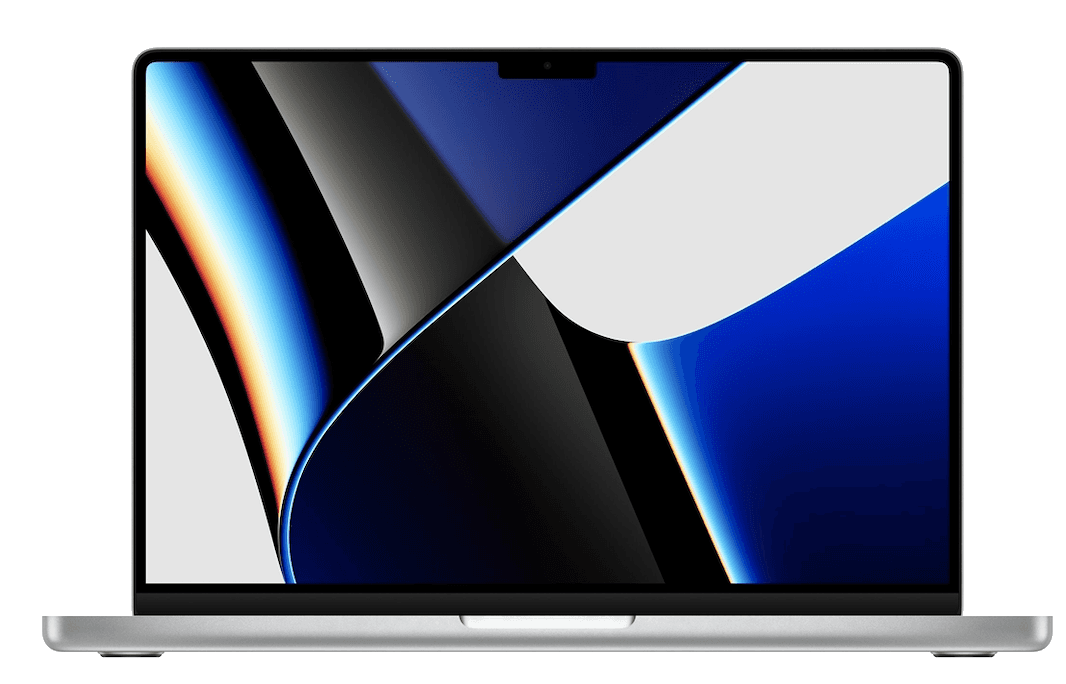
TL;DR If you are evaluating the MacBook Pro 14-inch (Model A2442) as a creator laptop in 2026 India, the most important truth is that it can still handle real creative work, but you must understand where it sits compared to the latest MacBooks. The newest MacBooks in 2026 deliver faster exports, smoother multi-layer workflows, and better long-term efficiency, which means an older model like A2442 should be chosen for the right type of creator. This guide covers MacBook for video editing 2026 India with a practical Final Cut Pro workflow view, explains what to expect from MacBook for photo editing Lightroom for both Lightroom and Lightroom Classic workflows, and breaks down MacBook for design work Adobe 2026 performance in Creative Cloud tasks like Photoshop, Illustrator, and Figma-style workflows. It also covers MacBook for podcasting music production using GarageBand, Logic Pro, and Ableton-style sessions, and ties it all together with a creator benchmark view of render times and export speed so you can judge whether A2442 is still worth buying for creator work in 2026 India. Throughout, the article keeps modern context clear by acknowledging that newer Apple Silicon machines, including the MacBook M4 Pro for content creators, have changed the performance baseline, making it important to buy older MacBooks only when the workflow fit and pricing make sense.
Video Editing on MacBook: Final Cut Pro Workflow
When creators search MacBook for video editing 2026 India, the real intent is not only about whether a laptop can open an editing app. It is about whether it can sustain a creator workflow without interrupting creativity. The MacBook Pro 14-inch A2442 still offers a serious editing experience in 2026 India because it was built as a “real work” MacBook, not just a lightweight everyday machine. Even though it is an older model compared to the newest MacBooks, it can still handle a wide range of video editing tasks, especially for creators who work in 1080p and 4K pipelines that are optimized and planned well.
A practical Final Cut Pro workflow on A2442 still feels surprisingly smooth when you edit with smart habits. If you are working with 4K footage, the timeline performance can remain stable as long as you keep effects and heavy color work under control. The moment you start stacking multiple color correction layers, noise reduction, motion effects, and advanced plugins on top of a long timeline, the workload becomes heavier. That is when older machines show their limits in 2026. The newest MacBooks have moved the baseline forward, especially in sustained export speed and multi-stream playback. That is why it is important to understand that A2442 still works, but it works best for creators who edit with discipline rather than creators who constantly push heavy effects across a long timeline.
In Indian creator life, the real-world workflow matters as much as performance. Many creators work from cafés, bedrooms, or small studios without dedicated editing setups. The A2442 still feels like a professional tool because the display is strong, the laptop is portable, and the overall macOS experience remains stable for editing tasks. But you should treat it as a creator laptop that needs workflow planning in 2026. If you edit weekly content, YouTube videos, client reels, wedding highlights, and social content with a sensible pipeline, A2442 can still feel reliable. If you are doing high-volume production or running multiple heavy creative apps at once, newer MacBooks may reduce friction significantly.
The most important thing is that A2442 remains a capable creator machine when you treat it like an older pro system with smart workflow choices. It can still be a strong choice for creators in India who want premium build quality and stable editing experience, but only if the price and condition make sense compared to newer models in the market.
A2442 Video Editing Fit In 2026 India
| Creator Workflow Type | A2442 Editing Comfort | What Keeps It Smooth |
|---|---|---|
| YouTube and social video | Strong | Simple effects, clean timelines |
| 4K editing with light grading | Very good | Proxy workflow and optimization |
| Heavy plugin-based edits | Moderate | Keep layers controlled |
| Long multi-cam sessions | Variable | Workflow planning matters |
| High-volume studio exports | Limited vs new Macs | Newer Macs reduce friction |
Photo Editing: Lightroom vs Adobe Lightroom Classic
For creators researching MacBook for photo editing Lightroom, it is important to separate two different experiences. Lightroom and Lightroom Classic are not identical in the way they behave in real workflows. In 2026 India, A2442 can still perform strongly for photo editing, but the experience depends on your volume of work and your editing style. If you are a photographer, student creator, or content creator managing regular image editing sessions, A2442 still offers a comfortable environment for editing, sorting, and exporting images.
Lightroom workflows on A2442 feel most stable when your job is consistent and structured. Editing hundreds of images, applying consistent presets, adjusting exposure, and exporting at reasonable quality levels can still be done smoothly. Where older machines start showing limits in 2026 is when you push very large RAW libraries, combine multiple editing tools, and run heavy background exports while trying to edit actively. Newer Apple Silicon machines have improved this experience by reducing waiting time, and that is why modern context matters. But that does not mean A2442 is weak. It simply means A2442 remains best for creators who work at a steady pace rather than those who demand maximum speed at all times.
Lightroom Classic, for many Indian creators, still feels like the more serious tool because it handles large libraries and professional workflows differently. If your work involves wedding photography catalogs, commercial shoots, and event libraries, you may find that A2442 still works well, but it needs careful file management. External SSD usage, organized catalogs, and a clean storage plan make a big difference. Many creators underestimate how much storage and workflow structure influence Lightroom performance. A smooth Lightroom experience is not only about the laptop. It is also about how the creator manages files and catalogs.
The practical takeaway is that A2442 still performs well for creators who need photo editing in 2026 India, but it should be chosen with the right expectations. It is not the newest MacBook, and it may not feel as instant as the latest machines. But for real-world creative work, it still supports professional editing results without feeling outdated.
Lightroom Workflows On A2442 In 2026
| Lightroom Workflow | A2442 Experience | Best Use Case |
|---|---|---|
| Casual editing sessions | Strong | Students and hobby creators |
| Batch editing 100 to 500 photos | Very good | Regular client work |
| Large RAW catalogs | Good but requires planning | Wedding and event photographers |
| Heavy exports while editing | Moderate | Needs workflow discipline |
| Pro-level high-volume workflows | Limited vs newest Macs | Faster on newer models |
Design Work: Adobe Creative Cloud Performance
When Indian creators search MacBook for design work Adobe 2026, they are usually looking for a laptop that can handle real design software without lag, crashes, or workflow interruptions. The MacBook Pro 14-inch A2442 still holds up well for design workflows because it was built for sustained professional usage. It can still run Adobe Creative Cloud tools comfortably for most daily design tasks, including Photoshop work, Illustrator vector projects, layout design, and prototyping workflows that require reliable performance.
For many creators in 2026 India, design work is not limited to one app. The real workflow often involves switching between Photoshop and Illustrator, exporting assets, using browser-based tools, handling client files, and keeping communication apps open. A2442 is still a strong choice for these multi-app realities as long as you do not overload it with extreme workloads. Basic UI design tasks, social media creatives, thumbnails, marketing assets, and brand deliverables remain very practical on this machine. This is where A2442 continues to feel like a creator laptop rather than a general laptop.
However, modern context matters. The newest MacBooks, especially those aimed at creators, have improved the baseline for running heavy assets and large layered projects without slowdown. That is why it is important to acknowledge the role of the MacBook M4 Pro for content creators in 2026 discussions. It represents the new performance expectation for creators who are working with large Photoshop files, huge Illustrator assets, or complex multi-layer design systems. A2442 can still do serious work, but it will not always feel as effortless as the newest machines under heavy load.
The best way to view A2442 for design in 2026 India is as a reliable professional design laptop for creators who do consistent work without constantly pushing extreme complexity. If your workflow is primarily client design, marketing assets, social content, and brand deliverables, A2442 can still feel premium. If your workflow includes advanced 3D, heavy motion design, and extremely large multi-layer projects, you may outgrow it faster compared to newer MacBooks.
A2442 Design Performance In 2026 India
| Design Workflow | A2442 Performance Feel | Who It Suits Best |
|---|---|---|
| Photoshop creatives | Strong | Social creators and marketers |
| Illustrator vector projects | Strong | Logo and brand designers |
| Multi-app design workflow | Very good | Agency-style work |
| Very large layered assets | Moderate | Advanced designers |
| Motion-heavy creative work | Limited vs new Macs | Better on newer Pro models |
Music Production: GarageBand, Logic Pro, Ableton
Creators searching MacBook for podcasting music production are usually looking for stability rather than raw power. Music production is one of those workflows where a laptop can feel perfect until it suddenly introduces glitches, audio dropouts, or latency problems. The good news is that A2442 still works well for music-related creator workflows in 2026 India, especially for podcast editing, vocal recording, basic music production, and mixing sessions that are not excessively heavy.
GarageBand workflows on A2442 remain comfortable for beginners and intermediate creators. It works well for podcast projects, background music layering, simple instrument tracks, and basic editing sessions. Logic Pro workflows can also run well on A2442 if you keep your sessions reasonable. The moment you start stacking heavy virtual instruments, multiple third-party plugins, and complex automation across long projects, the demand increases significantly. In that scenario, newer Macs provide more headroom, and they reduce the chance of workflow interruptions. But many creators in India do not need extreme sessions. They need stability and clean audio output, and A2442 still offers that.
Ableton-style workflows depend heavily on how you produce music. If your workflow involves live-style layering, quick loops, and creative sessions with multiple tracks, A2442 can still manage well as long as you keep track counts under control and avoid excessive plugin stacking. Many music creators in India use laptops for daily editing and production in smaller setups. In those setups, stability matters more than peak performance. A2442 remains valuable because macOS and Apple’s ecosystem tend to support stable creative workflows with fewer random disruptions.
The best way to frame A2442 for music production in 2026 India is as a creator-friendly laptop that can comfortably handle podcast production and entry to mid-level music workflows. It is not the best machine for extremely heavy studio production in 2026, but it is still a serious tool for creators who want to build consistent output without constant technical friction.
A2442 Music Production Fit In 2026 India
| Music Workflow | A2442 Comfort Level | Best For |
|---|---|---|
| Podcast recording and edits | Strong | Podcasters and YouTubers |
| GarageBand projects | Very good | Beginner creators |
| Logic Pro mid-level sessions | Good | Indie music creators |
| Plugin-heavy large sessions | Moderate | Advanced producers |
| Studio-grade production loads | Limited vs new Macs | Better on newer models |
Creator Benchmark: Render Times, Export Speed
In 2026 India, creators do not only care about whether the laptop can do creative work. They care about how fast they can deliver. Export speed matters because it affects consistency, deadlines, and productivity. This is where older models like A2442 must be evaluated carefully. A2442 can still export content reliably, but it may not match the speed expectations created by newer models. That is why the modern benchmark has shifted. When people discuss creators today, they often compare older machines against newer performance baselines, including the MacBook M4 Pro for content creators category, which sets a much faster expectation in many workflows.
In practical terms, A2442 export performance is still good enough for many creators, especially those producing weekly content rather than multiple daily client deliverables. If you create YouTube videos, Instagram reels, and podcast episodes in a steady rhythm, A2442 can still keep up. The friction happens when your workflow becomes high-volume or when you need fast turnaround with heavy edits. That is where newer Macs save time consistently. For creators in India who work with clients, time saved in exports directly translates into more projects handled and less waiting.
A2442 remains a strong creator choice when it is purchased for the right workflow intensity. Many creators in India still buy older MacBooks because they want professional build quality, stable macOS workflows, and a premium display experience without paying for the newest machine. That logic is valid, but export time should be part of the decision. If your creative career depends on high-volume output, you should prefer newer models. If your output is steady and your workflow is controlled, A2442 can still be more than enough.
The best way to decide is to look at how you create, not how others create. If your workflow is editing once or twice a week, A2442 can still feel efficient. If your workflow is daily heavy export cycles, you will feel the time cost more. This is the reality of using an older creator laptop in 2026 India.
Creator Export Speed Expectations In 2026 India
| Creator Need | A2442 Outcome | Best Buying Logic |
|---|---|---|
| Weekly content creation | Reliable | Solid choice if priced right |
| Client deliverables | Good | Works with workflow discipline |
| High-volume export schedule | Moderate | Newer Macs save time |
| Heavy effects and plugins | Slower | Use proxies and optimization |
| Studio-grade workloads | Limited | Better with newer Pro models |
Final Verdict + Quick Decision Making
The MacBook Pro 14-inch A2442 remains a practical creator MacBook in 2026 India because it can still handle real creative workflows across video, photo, design, and audio tasks. For creators searching MacBook for video editing 2026 India, A2442 can still deliver a stable Final Cut Pro experience when your workflow is structured and optimized. For MacBook for photo editing Lightroom, it remains a strong option for regular editing and consistent export workloads. For MacBook for design work Adobe 2026, it still performs well for most creative tasks, especially marketing, branding, and multi-app design workflows. For MacBook for podcasting music production, it remains reliable for podcast editing, GarageBand projects, and mid-level Logic Pro sessions.
The most important context is that A2442 is an older MacBook in 2026. The latest MacBooks have improved export speed, efficiency, and heavy workflow performance, which means A2442 should be chosen when it matches your workflow intensity and your budget. The existence of newer creator-grade machines such as the MacBook M4 Pro for content creators has changed the performance baseline, but it does not remove the value of A2442 for many Indian creators who want a stable, premium-feeling editing experience without paying for the newest generation.
To decide quickly, focus on your creative output pattern. If you produce steady content and want a reliable MacBook Pro that still feels professional, A2442 is still worth considering in 2026 India. If you run high-volume exports, heavy effects, and studio-level workloads daily, newer Macs will reduce friction and save time. A2442 is still a creator laptop, but it is best when chosen for the right type of creator.
Refurbo's Shop:
Here are all the MacBook laptops listed on that Refurbo's Apple page, with a direct link for each laptop:
- Apple Macbook A2442 - Refurbished
- Apple Macbook Pro A2485 - Refurbished
- MacBook Air 13" (2017) - Refurbished
- MacBook Pro 13" (2018) - Refurbished
- MacBook Pro 13" (2020) - Refurbished (Core i5)
- MacBook Pro 13" (2020) - Refurbished (Core i7)
- MacBook Pro 15" (2018–19) - Refurbished
- MacBook Pro 16" (2019) - Refurbished (Core i7)
- MacBook Pro 16" (2019) - Refurbished (Core i9)
- MacBook Air 13" M1 - Refurbished
- MacBook Pro 13" M1 - Refurbished
- MacBook Pro 14" M1 Pro - Refurbished
- MacBook Pro 16" M1 Pro - Refurbished
FAQ
Q. Is MacBook for video editing 2026 India still practical on MacBook Pro A2442?
A. Yes, MacBook for video editing 2026 India is still practical on A2442 for 1080p and 4K workflows, especially with proxy-based editing and optimized timelines.
Q. Is MacBook for photo editing Lightroom good enough for A2442 in 2026 India?
A. Yes, MacBook for photo editing Lightroom remains strong on A2442 for consistent editing and batch exports, but extremely large catalogs may feel slower than newer Macs.
Q. How does MacBook for design work Adobe 2026 perform on an older A2442?
A. MacBook for design work Adobe 2026 performs well on A2442 for Photoshop and Illustrator workflows, but very large layered projects run faster on newer models.
Q. Is MacBook for podcasting music production stable on A2442 in 2026 India?
A. Yes, MacBook for podcasting music production is stable on A2442 for GarageBand, Logic Pro mid-level projects, and podcast editing workflows.
Q. Is MacBook M4 Pro for content creators a major upgrade over A2442 in 2026?
A. Yes, MacBook M4 Pro for content creators is a major upgrade for heavy exports, multi-layer workflows, and high-volume creator pipelines, while A2442 suits steady creator output.






