
MacBook Pro 14-inch A2442 Battery Life In 2026: Real Life Backup And Charging Habits
MacBook Pro 14-inch A2442 battery life in 2026 India depends more on battery health and cycles than Apple’s original claims.

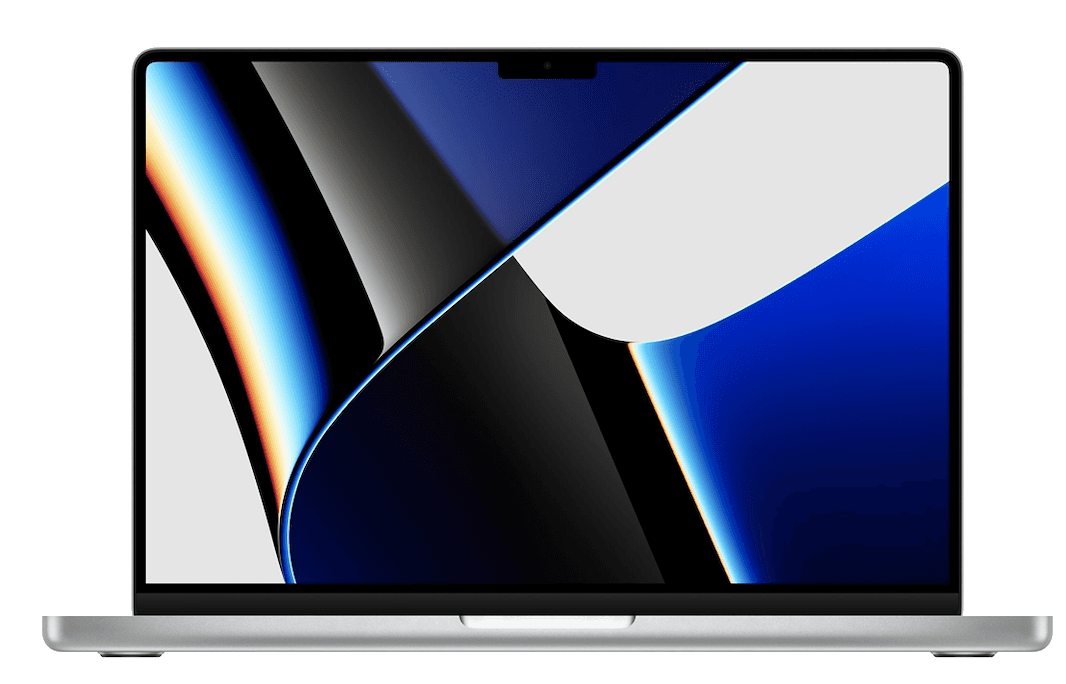
TL;DR If you are tracking MacBook battery life 2026 real usage for the MacBook Pro 14-inch (Model A2442), the most important thing to understand is that you are evaluating an older MacBook in a market where newer MacBooks have raised expectations. In 2026 India, the A2442 is still a premium-feeling laptop, but its battery backup is no longer just about the model name. It is about battery health percentage, cycle count history, your brightness habits, and the type of apps you run daily. This guide explains whether Does MacBook battery last all day is still a realistic expectation for A2442 users, what Apple’s battery health percentage really means in day-to-day terms, how cycle count is calculated and why it matters, and which MacBook battery backup charging tips actually improve long-term lifespan. It also places A2442 in context against the newest MacBooks that advertise stronger efficiency, so readers understand what they are getting when buying an older Pro. Finally, it explains MacBook battery health management 2026 best practices, charging patterns that reduce wear, and the backup solutions Indian users should consider for travel, long college days, and power cut scenarios.
Real-World Battery Test: 8-16 Hours?
When people search MacBook battery life 2026 real usage, they usually want a straight answer. Does the MacBook Pro 14-inch A2442 still deliver that “use it all day without worrying” experience, or has the battery aged enough that it behaves like a regular laptop. The honest answer in 2026 India is that A2442 can still feel impressive on battery, but the experience is no longer uniform. Your backup will depend heavily on battery health percentage and cycle count. Since A2442 is an older MacBook compared to the newest models available in 2026, you need to approach it with realistic expectations. You are not buying the latest efficiency story. You are buying a proven MacBook Pro experience that may still be strong, but only if the battery is in good condition.
In real usage, many A2442 owners can still see strong battery performance for productivity tasks such as Google Docs, browsing, email, presentations, and routine meetings. That is where the MacBook reputation still holds up. macOS is optimized in a way that keeps background drain relatively controlled, and the system does not behave like many Windows laptops that lose battery quickly under moderate use. This is one of the main reasons people still ask Does MacBook battery last all day in 2026. For light tasks, the answer can be yes. But if you push heavier workflows, such as frequent video calls, browser tabs running in the background, screen brightness at maximum, and long compiling or export tasks, the battery drops much faster. That is where older batteries reveal their age.
Indian usage patterns matter here. Many users carry MacBooks to college, co-working spaces, and client meetings where charging availability can be unpredictable. In those scenarios, battery confidence becomes a daily stress factor, especially for older models. That is why A2442 buyers should never judge battery performance based on marketing claims from launch years. Instead, treat battery backup as a condition-based feature. If the device has strong battery health and reasonable cycle count, you can get excellent real-world results. If it has weak health or high cycles, the same model can feel disappointing. The laptop is the same, but the battery story changes everything.
A2442 Battery Reality In 2026 India By Use Case
| Daily Work Pattern | Typical Battery Experience | What Changes It Most |
|---|---|---|
| Notes, docs, browsing, PDFs | Strong and stable | Brightness and tab count |
| Zoom, Teams, Meet calls | Noticeably lower backup | Camera use and WiFi strength |
| Coding with multiple tools open | Moderate backup | Compilation bursts and IDE load |
| Photo editing and exports | Faster drain | Sustained CPU load |
| Mixed student day with travel | Variable backup | Sleep drain and hotspot use |
Battery Health Tips: Extend Lifespan
If you are using an older MacBook in 2026, battery health becomes the most important ownership metric you can track. This is why MacBook battery health management 2026 is such a widely searched phrase. Battery health percentage on Apple MacBooks is not just a random number. It is an estimate of how much of the original maximum capacity the battery can still hold compared to when the laptop was new. For example, if your A2442 shows 90 percent health, it means the battery can hold roughly 90 percent of the charge it once could. That does not mean the laptop will shut down at 90 percent. It means your maximum backup potential has reduced, and that reduction becomes noticeable over long sessions.
Battery cycle count is just as important, and many buyers do not understand what it means. A battery cycle is not counted when you charge once. A cycle is counted when you use a total of 100 percent of battery capacity, even if it happens across multiple sessions. For example, if you use 50 percent today and 50 percent tomorrow, that is one cycle. If you use 25 percent across four different days, that still becomes one cycle. This is why cycle count is a better indicator than the number of times you plugged in. Cycle count reflects how much total battery wear has happened over time, while your plug-in count does not. When you are evaluating an older MacBook, cycle count tells you whether the battery has lived a heavily used life or a relatively controlled one.
In 2026, A2442 owners should treat battery health and cycle count as part of buying and ownership strategy. If you are buying used or refurbished, a strong rule is to treat battery health above 85 percent as a comfortable zone for reliable daily backup, while anything lower needs more careful budgeting for potential battery replacement. Cycle count expectations differ, but lower is always better. A well-maintained machine can still have reasonable cycles, while heavy usage can push cycles high. The real point is not to panic at a number, but to understand what the number indicates about future reliability. A battery with high cycles and low health will not only last fewer hours, it will also behave less predictably under load.
To extend battery lifespan, the simplest approach is to avoid extreme patterns. Running the battery to 0 percent regularly, letting the laptop sit at 100 percent on charge constantly with heat exposure, and using fast charging aggressively every day can increase wear over time. The better approach is to treat the battery like a long-term component. Keep temperatures controlled, avoid consistent deep discharges, and let macOS manage optimized charging rather than forcing the battery into extreme behavior. These are practical MacBook battery backup charging tips because they improve the actual ownership experience, not just theoretical battery health.
Battery Health And Cycle Count Interpretation For A2442
| Metric | What It Represents | Why It Matters In 2026 |
|---|---|---|
| Battery Health Percentage | Remaining usable capacity | Defines your real backup ceiling |
| Cycle Count | Total battery wear usage | Predicts long-term stability |
| Heat Exposure | Accelerates degradation | Common in Indian summers |
| Deep discharges | Increases long-term wear | Reduces lifespan faster |
| Stable charging habits | Preserves health longer | Makes older Macs dependable |
Charging Strategy: Fast Charge vs Trickle
Charging habits matter more for older MacBooks than most owners realize. In 2026 India, many people treat charging as a simple routine. Plug in when the battery is low, unplug when it is full. But for older models like A2442, how you charge affects how the laptop feels after months of use. This is why MacBook battery backup charging tips often focus on managing extremes. Fast charging is convenient, but repeated fast charging combined with heat can push battery wear faster over the long term. Trickle-style charging, where the laptop is always plugged in, can also be unhealthy if it keeps the battery at 100 percent for long periods while the device warms up. Neither extreme is ideal. The best strategy is a stable middle ground that supports long battery lifespan.
A realistic strategy for A2442 owners is to stop thinking in terms of perfection and start thinking in terms of consistency. If you charge the laptop in a controlled way most days, the battery will remain stable. The most practical approach for typical Indian usage is to keep the battery between 20 percent and 80 percent whenever possible, while still allowing the battery to hit 100 percent on days when you need full backup for travel or long office days. The biggest mistake is treating 0 percent as normal. Deep discharge events feel harmless, but they increase long-term wear and make the battery behave less predictably over time.
Fast charging has its place. If you are going to college or heading into a long meeting day, fast charging for a quick top-up is useful. But it should not become the daily default if you care about battery longevity. A2442 owners should also recognize that charging behavior changes the heat profile. Charging generates heat, and heat is the biggest battery health enemy. This is especially relevant in India where ambient temperatures can be high. If you charge while running heavy tasks or if you charge in a poorly ventilated environment, the battery will age faster. That is why charging strategy and usage strategy should be connected. Charge when the laptop is not under heavy load if possible, and avoid keeping it plugged in for days at maximum charge.
The long-term goal is to keep the battery healthy so that Does MacBook battery last all day stays a meaningful question. MacBooks are known for needing less frequent plug-ins because they usually deliver stable standby efficiency and strong power management. But an older battery can lose that advantage if charging habits have been rough. The best charging strategy is one that protects the battery’s long-term capacity and keeps the laptop dependable for day-to-day use.
Charging Strategy For A2442 Buyers In India
| Charging Pattern | Short-Term Convenience | Long-Term Result |
|---|---|---|
| Frequent deep discharges | Feels normal | Wears battery faster |
| Always at 100 percent plugged in | Easy desk setup | Can reduce lifespan over time |
| 20 to 80 percent habit | Requires awareness | Best for longevity |
| Fast charge only when needed | Useful for travel days | Balanced approach |
| Charging under heavy load | Time efficient | Adds heat and accelerates wear |
macOS Battery Management Features
MacBooks are widely considered laptops that need less frequent plug-in because Apple controls both hardware and software in a tightly integrated way. In practical terms, macOS manages background activity, sleep behavior, and performance scaling in a way that reduces unnecessary battery drain. This is why Does MacBook battery last all day has historically been an easy question for many users. Even in 2026, many older MacBooks still feel better on battery than several Windows laptops in the same price zone, especially for productivity usage. However, A2442 buyers must remember that being older in 2026 changes the baseline. The macOS advantage still exists, but the battery’s condition determines whether you feel that advantage consistently.
macOS battery management is not only about saving battery. It is about controlling how power is used. The system tends to scale performance intelligently based on what you are doing, rather than pushing maximum performance constantly. For example, if you are typing, reading, or watching content, the system does not behave like it is doing heavy work. This reduces drain. Sleep behavior also matters. Many laptops lose battery overnight due to background wake activity. MacBooks usually handle standby power well, which is part of the “less frequent plug-in” reputation. If A2442 has a healthy battery, this behavior still feels impressive for daily life.
Another major feature is optimized battery charging. This is part of MacBook battery health management 2026 because it helps reduce battery wear. When enabled, macOS learns your routine and can delay charging past 80 percent until it predicts you will need the laptop soon. This reduces the time your battery stays at full charge. That matters because keeping a lithium battery at 100 percent for long periods can increase wear over time. For older MacBooks, this feature becomes more valuable because every percentage of preserved health improves your real-world backup.
The final reason MacBooks often need less frequent charging is because performance remains stable at lower power states. Some laptops slow down aggressively on battery, forcing users to plug in for “full performance.” MacBooks often maintain a smooth daily experience on battery for normal tasks. That smoothness is why people perceive the battery to be “better.” But again, in 2026, A2442 owners must manage expectations. If battery health is low or cycle count is high, the laptop may not deliver the same confidence. The macOS features help, but they cannot reverse battery aging. They can only slow it down and make usage more efficient.
Why MacBooks Need Less Frequent Plug-In (Practical Reasons)
| Reason | What You Notice In Daily Use | Why It Matters For A2442 In 2026 |
|---|---|---|
| Efficient background behavior | Less sudden battery drops | Helps older Macs remain usable |
| Strong sleep standby | Lower overnight drain | Improves daily confidence |
| Performance scaling | Smooth everyday speed | Feels better than many laptops |
| Optimized charging | Slower battery aging | Important for older devices |
| Ecosystem stability | Fewer random battery drains | Reduces unpredictability |
Backup Power Solutions: External Chargers
In 2026 India, backup power planning is not only for travelers. It is relevant for students in long college days, professionals in client offices, and remote workers facing unpredictable power cuts. For an older MacBook like A2442, this matters because battery backup is no longer guaranteed to be at the level of a brand-new MacBook. This is not a negative. It is simply reality. You can still have a great ownership experience, but you should plan for power the way you plan for storage and connectivity. If your daily routine includes long sessions away from charging points, a backup power approach can prevent stress and maintain productivity.
The first part of backup planning is to decide whether you genuinely need external power or whether your usage habits can be adjusted. Many users waste battery through high brightness, unnecessary background apps, and always-on wireless usage. If you control those habits, you can extend battery performance significantly. But if your usage includes video calls, heavy browser usage, or frequent hotspot connectivity, battery drain is unavoidable. In that case, external chargers become useful. Many buyers in India rely on power banks for phones, but for laptops, you need a high-output solution. It must support the wattage required for stable charging, otherwise it will not provide meaningful benefit.
A2442 users should also be careful about cheap power accessories. The safest strategy is to use reliable, compatible charging sources that do not produce unstable output. Unstable charging can cause inconsistent behavior and can increase battery stress. The goal is not to charge faster. The goal is to charge safely and predictably. If you travel frequently, carrying the original charger and using stable wall sockets is still the most reliable solution. For power cut scenarios, a small UPS for your desk setup can be more practical than trying to run everything on a power bank. For students living in hostels, planning your charging routine before long class days can be more impactful than buying accessories.
The reason this section matters is that MacBook battery life 2026 real usage must be treated as a full ownership strategy, not just a number. A2442 can still give a premium daily experience, but you should reduce stress by planning power like a professional. When you do that, an older MacBook remains reliable even in challenging India usage scenarios, and you do not have to fear running out of battery at the worst time.
Backup Power Options For A2442 Owners
| Situation | Best Backup Solution | Why It Helps |
|---|---|---|
| Long college day | Carry charger + plan charging breaks | Reliable and simple |
| Remote work with power cuts | UPS for router and laptop | Keeps workflow stable |
| Frequent travel | Original charger + reliable outlets | Safest approach |
| Heavy meetings day | Top up before leaving | Prevents sudden drain |
| Emergencies | High-output charging solution | Adds peace of mind |
Final Verdict + Quick Decision Making
The MacBook Pro 14-inch A2442 can still deliver strong battery confidence in 2026 India, but only when the battery itself is healthy. Since this is an older MacBook, buyers must understand that battery life is no longer a fixed promise. It is a condition-based experience. If your battery health percentage is strong and your cycle count is reasonable, A2442 can still feel like the kind of laptop that does not need constant charging. That is why MacBooks continue to be seen as machines that need less frequent plug-in. They are efficient, well-managed by macOS, and often stable in everyday use. But those advantages do not override aging battery realities. That is why checking battery health and cycle count matters more than any single marketing claim.
If you are buying A2442 in 2026 India, the right expectation is not perfection. The right expectation is consistency. You should be able to get through most productivity-heavy days without stress if your battery is healthy and your usage habits are reasonable. If you push heavy workflows, battery drain will be faster. In that case, charging strategy and backup power planning become part of ownership. You do not need to treat the laptop as fragile. You simply need to manage it like a premium tool that you want to keep reliable.
To decide quickly, use this approach. If A2442 battery health is strong, cycle count is reasonable, and you want a MacBook Pro experience with dependable daily backup, it is still a good choice in 2026. If battery health is weak or cycles are high, you should factor battery replacement costs into your decision or skip the deal entirely. In 2026 India, the best older MacBook purchase is always the one where the battery condition matches your daily workload reality.
Refurbo's Shop:
Here are all the MacBook laptops listed on that Refurbo's Apple page, with a direct link for each laptop:
- Apple Macbook A2442 - Refurbished
- Apple Macbook Pro A2485 - Refurbished
- MacBook Air 13" (2017) - Refurbished
- MacBook Pro 13" (2018) - Refurbished
- MacBook Pro 13" (2020) - Refurbished (Core i5)
- MacBook Pro 13" (2020) - Refurbished (Core i7)
- MacBook Pro 15" (2018–19) - Refurbished
- MacBook Pro 16" (2019) - Refurbished (Core i7)
- MacBook Pro 16" (2019) - Refurbished (Core i9)
- MacBook Air 13" M1 - Refurbished
- MacBook Pro 13" M1 - Refurbished
- MacBook Pro 14" M1 Pro - Refurbished
- MacBook Pro 16" M1 Pro - Refurbished
FAQ
Q. How accurate is MacBook battery life 2026 real usage for MacBook Pro A2442?
A. MacBook battery life 2026 real usage depends heavily on battery health percentage, cycle count, brightness, and workload, so two A2442 units can perform very differently.
Q. Does MacBook battery last all day in 2026 for older models like A2442?
A. Does MacBook battery last all day can still be true for productivity workloads if battery health is strong, but heavy calls and exports reduce backup significantly.
Q. What does MacBook battery health management 2026 mean for used MacBooks?
A. MacBook battery health management 2026 refers to monitoring battery health percentage, avoiding heat, using optimized charging, and charging in stable patterns to slow aging.
Q. What are the best MacBook battery backup charging tips for long-term use?
A. The best MacBook battery backup charging tips include avoiding frequent 0 percent discharges, reducing heat while charging, and using consistent 20 to 80 percent charging habits.
Q. How does MacBook M4 battery life hours compare to older A2442 in 2026 India?
A. MacBook M4 battery life hours is typically stronger because newer models are more efficient, so A2442 must be evaluated realistically based on battery condition and age.
Ready to upgrade your tech?
Browse our collection of quality refurbished products at unbeatable prices.






