
MacBook Pro 13-inch A2251 Battery Life In 2026: Health, Backup, And Charging Real Life Usage
MacBook Pro 13-inch A2251 battery life in 2026 India depends more on battery health and cycles than most buyers expect.

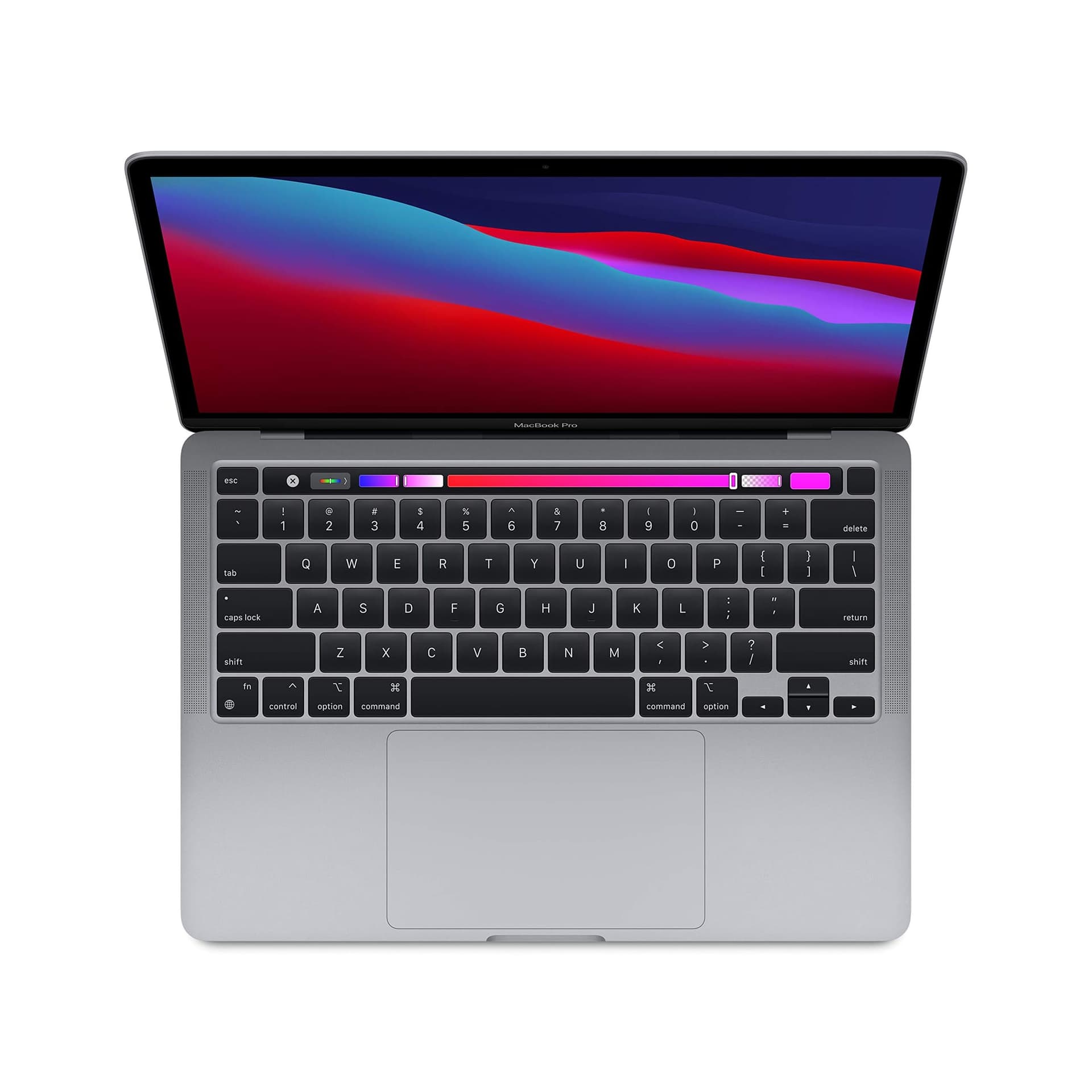
TL;DR If you are researching MacBook battery life 2026 real usage for the MacBook Pro 13-inch (Model A2251), you need to evaluate it as an older MacBook in 2026 India rather than as a current benchmark MacBook Pro. A2251 can still feel premium for daily productivity, and many buyers choose it because the 13-inch size is easier to carry while still feeling like a professional laptop. But in 2026, the battery experience depends far more on battery health percentage and cycle count than on the Pro label. This guide explains whether Does MacBook battery last all day is still realistic for A2251 users, what battery health percentage actually means in real terms, and how Apple calculates cycle count across real usage patterns. It also explains why MacBooks are widely considered laptops that need less frequent plug-in, largely because macOS manages power efficiently and keeps background drain controlled. Finally, it covers MacBook battery backup charging tips, a practical approach to MacBook battery health management 2026, and power planning advice for Indian students and professionals dealing with long days outside home, travel, and occasional power cut scenarios.
Real-World Battery Test: 8-16 Hours?
When people search MacBook battery life 2026 real usage for the MacBook Pro 13-inch A2251, they are usually trying to understand whether an older 13-inch Pro can still deliver the “MacBook battery advantage” in daily life. In 2026 India, A2251 is not the newest MacBook Pro category anymore, and newer MacBooks set much higher expectations for efficiency. But the A2251 can still offer a solid battery experience if it is in good condition. The biggest variable is not the laptop’s size or branding. It is battery health and cycle count.
For productivity usage, A2251 can still be dependable. Writing, researching, browsing, presentations, and moderate multitasking often feel smooth and stable. This is where the MacBook reputation still holds up, and why users continue to ask Does MacBook battery last all day. In many cases, it can, especially if brightness is controlled and the battery has not degraded heavily. macOS is also efficient in managing day-to-day tasks without causing unpredictable power drain, which improves battery confidence.
However, in 2026, real-world usage is heavier than it used to be. Students and professionals spend hours on video calls, browser sessions with heavy cloud apps, constant syncing, and sometimes hotspot use. These tasks drain the battery more aggressively than offline work. If you run long meetings with camera on, keep multiple tabs active, and maintain high brightness, the battery can drop faster. This is especially noticeable on older batteries because their maximum capacity is already reduced. Two A2251 units in 2026 can feel completely different depending on battery health. One can still feel like an “all day” machine. Another can feel like it needs regular charging breaks.
India-specific conditions also influence real battery experience. Many users move between home, campus, office, and cafés where sockets are not always available. Others deal with power cuts at home. This makes battery confidence a bigger deal than a benchmark number. For A2251, the correct approach is to treat battery backup as condition-based. You can still get a strong daily battery experience, but only if the battery itself is still healthy.
A2251 Battery Reality In 2026 India By Use Case
| Daily Work Pattern | Typical Battery Experience | What Changes It Most |
|---|---|---|
| Docs, browsing, research | Strong backup | Brightness and browser load |
| Online meetings and calls | Moderate backup | Camera, WiFi, screen sharing |
| Coding and multitasking | Good but variable | IDE and background tools |
| Media streaming | Steady drain | Brightness and speaker volume |
| Commute travel with hotspot | Faster drain | Network instability and sleep drain |
Battery Health Tips: Extend Lifespan
For older MacBooks in 2026, battery health is the single most important factor that decides whether the laptop still feels premium. This is why MacBook battery health management 2026 needs to be clearly understood by A2251 buyers. Battery health percentage is Apple’s estimate of how much maximum battery capacity remains compared to when the laptop was new. If A2251 shows 90 percent battery health, it means it can store about 90 percent of its original charge. That reduction directly impacts the number of hours you can realistically expect.
Cycle count is equally important, and it is often misunderstood. Apple counts a cycle when your battery has used a total of 100 percent capacity, even if that usage happens through multiple partial discharges. If you use 40 percent today and 60 percent tomorrow, that becomes one cycle. If you use 25 percent across four different sessions, that still becomes one cycle. This makes cycle count a strong indicator of long-term wear. It tells you how much total work the battery has done, which helps you predict how stable and reliable it will remain in 2026 and beyond.
For A2251 owners in India, the key is to treat battery health and cycle count as long-term reliability signals. An older MacBook with strong health and reasonable cycle count will feel comfortable and predictable. An older MacBook with low health and high cycle count may still be fast enough, but it will not feel dependable. This is why battery condition is so important. Many buyers focus only on storage and RAM, but battery condition is what decides whether the laptop feels easy to use every day.
Heat is one of the biggest battery health killers, and it is a real concern in India. Charging while running heavy workloads generates additional heat and increases wear. Using the laptop on soft surfaces that block airflow also increases temperature. Over time, these habits reduce battery health. The best MacBook battery backup charging tips are the ones that reduce heat exposure and reduce extreme discharge patterns. Avoid regular 0 percent drain, avoid constant full charge exposure in warm conditions, and let optimized charging do its work. These habits preserve battery stability, which is the most valuable battery feature in 2026.
Battery Health And Cycle Count Interpretation For A2251
| Metric | What It Represents | Why It Matters In 2026 |
|---|---|---|
| Battery Health Percentage | Remaining max capacity | Defines backup potential |
| Cycle Count | Total lifetime usage wear | Predicts future reliability |
| Heat exposure | Accelerates degradation | Common in Indian conditions |
| Deep discharge habit | Higher wear | Reduces lifespan faster |
| Balanced charging routine | Slower aging | Keeps older MacBooks usable |
Charging Strategy: Fast Charge vs Trickle
Charging habits shape how an older MacBook behaves after months of use. In 2026 India, A2251 users often fall into two patterns. Some keep it plugged in most of the time because they use it on a desk. Others rely on it unplugged through the day and charge only when needed. Both patterns can work, but the battery ages faster when exposed to extremes such as deep discharges, constant full charge exposure, and heat. That is why MacBook battery backup charging tips should be treated as an ownership plan rather than a list of rules.
Fast charging is useful when you need quick backup before leaving home. It is practical for students and professionals with busy schedules. But charging creates heat, and repeated fast charging can contribute to long-term wear if it becomes a daily habit. For older MacBooks, the best approach is to use fast charging when needed and rely on stable charging routines most of the time. Trickle charging, where the laptop stays plugged in at 100 percent, can also accelerate wear if the laptop stays warm for long periods. A better approach is to use optimized charging and keep the laptop cool.
The most practical long-term strategy is keeping the battery between 20 percent and 80 percent on most days, while charging to 100 percent only on days where you genuinely need maximum backup. This keeps battery stress lower and improves long-term reliability. For A2251, this matters because the laptop is often bought as a dependable daily machine. If battery health drops quickly, the ownership experience becomes frustrating.
The goal of charging strategy is not perfection. The goal is predictable battery behavior. A MacBook that loses stability becomes stressful. A MacBook that remains predictable feels premium. In 2026, predictable battery performance is the real sign of a good older MacBook purchase.
Charging Strategy For A2251 Buyers In India
| Charging Pattern | Short-Term Convenience | Long-Term Result |
|---|---|---|
| Frequent deep discharges | Feels normal | Increases wear quickly |
| Always plugged at 100 percent | Easy desk setup | Can reduce lifespan over time |
| 20 to 80 percent routine | Needs awareness | Best for longevity |
| Fast charge only when needed | Useful for busy days | Balanced approach |
| Charging during heavy tasks | Saves time | Adds heat and increases aging |
macOS Battery Management Features
MacBooks are widely considered laptops that need less frequent plug-in because macOS manages power efficiently. Apple controls both hardware and software, which means the system can reduce unnecessary drain and keep performance scaling stable. In daily use, this makes battery drain more predictable, especially for productivity workflows. This is why people continue to ask Does MacBook battery last all day even in 2026. The experience often still feels better than many laptops because the system avoids unnecessary background activity and manages sleep behavior more reliably.
One major advantage is standby behavior. Many users in India close the laptop and carry it between classes or meetings. If the laptop loses too much battery in sleep, it becomes stressful. MacBooks generally do better here, which supports the “less frequent plug-in” identity. Another advantage is performance scaling. macOS tends to run light tasks lightly, rather than burning battery constantly. This keeps browsing, reading, and writing sessions efficient.
Optimized battery charging is also important in MacBook battery health management 2026. When enabled, it learns your routine and delays charging past 80 percent until you are likely to need full charge. This reduces time spent at 100 percent, which can preserve battery health over time. For older MacBooks like A2251, this feature is more valuable because battery health preservation is directly tied to real-world backup.
Finally, MacBooks remain smooth on battery. Some laptops slow down significantly when unplugged, forcing users to stay plugged in for performance. MacBooks usually remain usable and smooth for normal work, which encourages people to work unplugged longer. For A2251, this advantage still exists, but the battery condition decides how long that comfort lasts. macOS can reduce waste, but it cannot restore capacity that has already been lost.
Why MacBooks Need Less Frequent Plug-In (Practical Reasons)
| Reason | What You Notice In Daily Use | Why It Matters For A2251 In 2026 |
|---|---|---|
| Efficient background behavior | Stable drain | Keeps older Macs usable |
| Better sleep standby | Low overnight loss | Improves daily confidence |
| Performance scaling | Smooth experience on battery | Feels premium for productivity work |
| Optimized charging | Slower battery degradation | Extends usable lifespan |
| Stable ecosystem behavior | Less random drain | Predictable battery ownership |
Backup Power Solutions: External Chargers
In India, power planning matters even for MacBooks, especially when your MacBook is an older model in 2026. A2251 can still deliver strong battery backup if in good condition, but real life includes travel days, long college schedules, meetings, and occasional power cuts. Backup planning removes stress completely. It ensures you are not dependent on perfect battery performance every day, and it makes the laptop feel reliable even when the battery is not at peak health.
The simplest backup strategy is to carry the charger and plan charging opportunities. For students, charging during breaks or in the library can be enough. For professionals, charging before leaving home and topping up in the office is usually sufficient. If you work remotely and deal with power cuts, a small UPS can keep both your laptop and WiFi router running for short periods. This is often more valuable than trying to run everything on a power bank.
Users should also be careful with cheap third-party charging solutions. Stability matters. Unstable charging can cause inconsistent behavior and additional long-term battery stress. The goal is not to charge faster. The goal is to charge safely and predictably. When you treat charging as part of your workflow, MacBook battery life 2026 real usage becomes less stressful because you always have a plan.
A2251 ownership works best when you combine efficient usage habits, balanced charging routines, and realistic backup planning. That is how an older MacBook can still feel premium and dependable in 2026 India.
Backup Power Options For A2251 Owners
| Situation | Best Backup Solution | Why It Helps |
|---|---|---|
| Long student day | Carry charger + charge during breaks | Simple and reliable |
| Meetings-heavy workday | Full charge start + quick top ups | Prevents anxiety |
| Remote work power cuts | UPS for laptop and router | Reduces disruption |
| Frequent travel routine | Original charger + stable outlets | Safest approach |
| Emergency backup planning | High-output charging support | Adds peace of mind |
Final Verdict + Quick Decision Making
The MacBook Pro 13-inch A2251 can still deliver a strong battery experience in 2026 India, but you need to treat it as an older MacBook and evaluate it based on battery condition. Battery health percentage and cycle count decide whether A2251 feels like a premium daily tool or a laptop that needs frequent charging breaks. If the battery health is still strong and cycle count is reasonable, A2251 can still feel like the kind of MacBook that does not need constant plug-in. This is because macOS power management remains efficient and daily drain stays predictable.
However, newer MacBooks in 2026 set a higher standard for efficiency, and A2251 will not always match that. The laptop can still be a smart choice for productivity-focused students and professionals, but only when the battery has been maintained well. The best ownership strategy is balanced charging, heat control, and using macOS optimized charging features to slow long-term degradation.
To decide quickly, check battery health and cycle count and compare them against your daily routine. If your lifestyle demands long battery backup and the unit is in strong condition, A2251 can still be dependable. If battery health is weak or cycles are very high, you should budget for battery replacement or skip the purchase. In 2026 India, older MacBooks are worth buying only when battery condition supports the real-world backup you need.
Refurbo's Shop:
Here are all the MacBook laptops listed on that Refurbo's Apple page, with a direct link for each laptop:
- Apple Macbook A2442 - Refurbished
- Apple Macbook Pro A2485 - Refurbished
- MacBook Air 13" (2017) - Refurbished
- MacBook Pro 13" (2018) - Refurbished
- MacBook Pro 13" (2020) - Refurbished (Core i5)
- MacBook Pro 13" (2020) - Refurbished (Core i7)
- MacBook Pro 15" (2018–19) - Refurbished
- MacBook Pro 16" (2019) - Refurbished (Core i7)
- MacBook Pro 16" (2019) - Refurbished (Core i9)
- MacBook Air 13" M1 - Refurbished
- MacBook Pro 13" M1 - Refurbished
- MacBook Pro 14" M1 Pro - Refurbished
- MacBook Pro 16" M1 Pro - Refurbished
FAQ
Q. How accurate is MacBook battery life 2026 real usage for MacBook Pro A2251?
A. MacBook battery life 2026 real usage depends on battery health percentage, cycle count, workload, brightness, and meeting usage, so different A2251 units can perform differently.
Q. Does MacBook battery last all day in 2026 for older 13-inch Pro models?
A. Does MacBook battery last all day can still be true for productivity use if battery health is strong, but long calls and heavy browser usage reduce backup.
Q. What does MacBook battery health management 2026 mean for A2251 owners?
A. MacBook battery health management 2026 means tracking battery health and cycles, avoiding heat, using optimized charging, and maintaining stable charging habits.
Q. What are the best MacBook battery backup charging tips for long-term battery life?
A. The best MacBook battery backup charging tips include avoiding frequent 0 percent discharges, minimizing heat during charging, and using 20 to 80 percent routines.
Q. How does MacBook M4 battery life hours compare to older A2251 in 2026 India?
A. MacBook M4 battery life hours is generally stronger due to modern efficiency improvements, so A2251 performance depends mainly on battery condition and age.
Ready to upgrade your tech?
Browse our collection of quality refurbished products at unbeatable prices.






