
MacBook Performance In 2026: Software Engineering, AI ML, And Data Science
Honest 2026 review of Intel MacBook Pro 16-inch A2141 for software engineering, AI ML, and data science with real-world developer use cases.

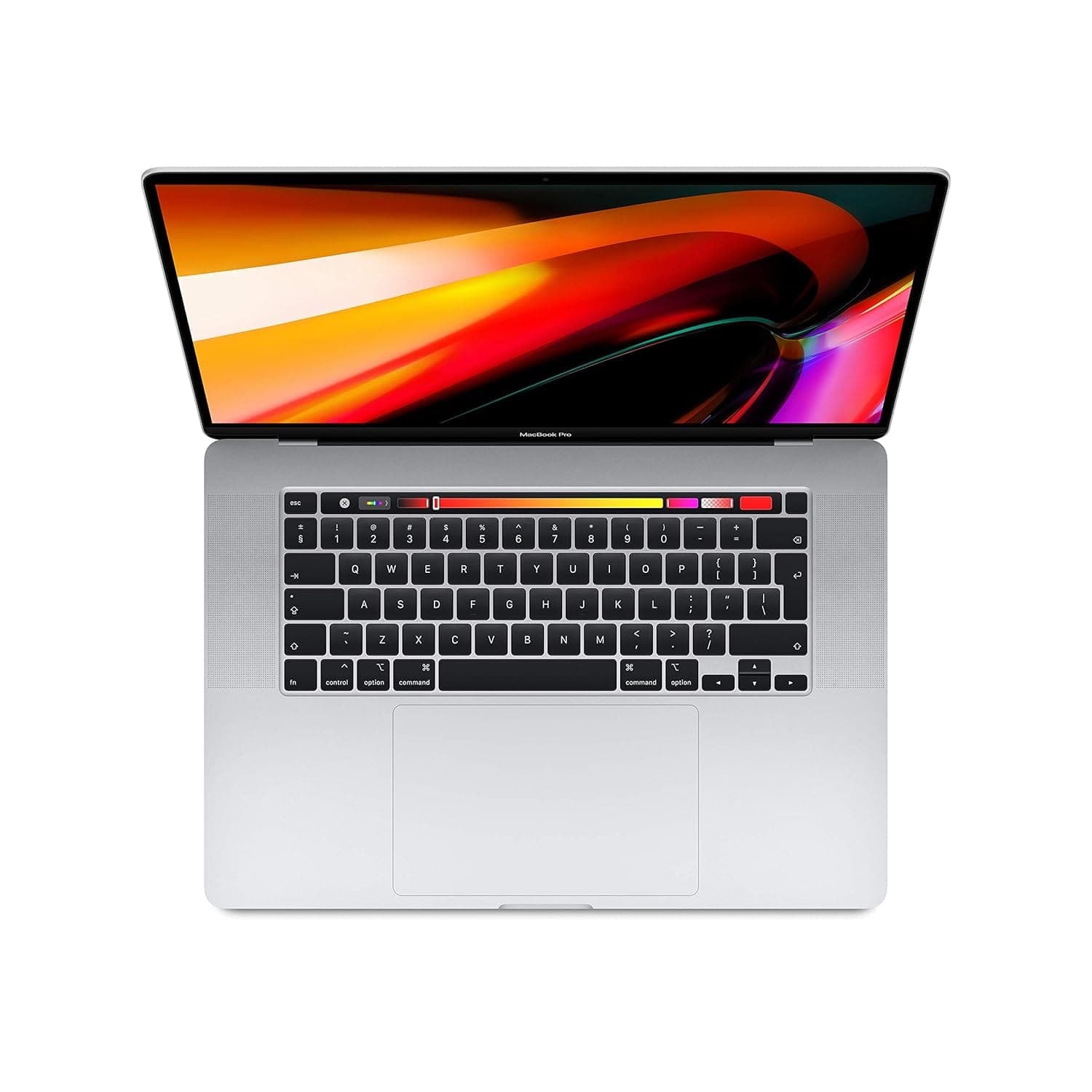
TL;DR In 2026, the Apple MacBook Pro 16-inch (Model A2141) stands as the final and most powerful Intel-era MacBook. As a MacBook for software engineering 2026, it remains viable for developers who prioritise CPU-heavy workloads, large-screen productivity, and macOS stability over battery efficiency. While it cannot match Apple Silicon in power efficiency or thermals, it continues to perform reliably for coding, full-stack development, data science, and AI experimentation when used realistically, especially in plugged-in or desk-based workflows.
Software Engineering, AI ML, And Data Science Performance Overview
The MacBook Pro 16-inch (A2141) represents Apple’s final high-end Intel-powered laptop. In 2026, it is no longer a modern architecture device, but it still occupies a distinct niche. Many developers continue to use it because it delivers predictable desktop-class performance in a portable macOS environment.
As a MacBook for software engineering 2026, the A2141 should not be evaluated against Apple Silicon benchmarks. Instead, it should be judged on how well it handles real-world workflows such as compiling large projects, running multiple services, working across large codebases, and sustaining long development sessions without instability.
Its strengths lie in sustained CPU performance, a large high-resolution display, and mature macOS compatibility. Its weaknesses show in battery efficiency, heat output, and overall power consumption compared to M-series MacBooks.
Coding Performance In 2026: Intel Reality Check
When developers search for MacBook M4 coding performance benchmarks in 2026, Intel-based MacBooks like the A2141 serve as a reference point rather than a competitor. This model does not use Apple Silicon, but it still performs well for many coding workloads that depend on raw CPU throughput rather than efficiency.
For tasks such as compiling large projects, running backend services, executing tests, and debugging complex applications, the A2141 remains capable. Its Intel Core i7 and i9 configurations handle sustained workloads well, especially when thermals are properly managed.
Where the difference becomes obvious is power consumption. Apple Silicon MacBooks complete similar tasks using far less energy. However, when plugged in — as many developers are during long work sessions — the A2141 still feels fast, stable, and responsive.
For developers who work primarily at a desk or in an office setup, the performance gap in day-to-day coding speed is often smaller than expected.
Coding Performance Snapshot
| Coding Task | Experience |
|---|---|
| Large code compilation | Strong and stable |
| Backend services | Reliable |
| Docker containers | Smooth |
| IDE multitasking | Consistent |
| Battery-based coding | Faster drain |
Best MacBook For Python, JavaScript, And Full-Stack Development
Python, JavaScript, and full-stack development remain the backbone of modern software engineering in 2026. In these areas, the A2141 continues to perform well.
Python environments run smoothly, virtual environments behave predictably, and CPU-bound tasks perform reliably. Libraries such as NumPy, Pandas, and Flask run efficiently, especially when memory is sufficient.
JavaScript and Node.js workflows also remain strong. Package installations, hot reloads, and local servers function without noticeable lag. The large 16-inch display significantly improves productivity by allowing multiple panes, logs, and terminals to be viewed simultaneously.
Full-stack development is one of the strongest use cases for the A2141. Running frontend frameworks alongside backend services and databases feels stable and uncluttered, especially compared to smaller laptops.
macOS plays a major role here. The Unix-based environment, stable shell tooling, and Homebrew ecosystem keep setup and maintenance friction low, which is why many developers still consider this a practical MacBook for software engineering 2026.
Stack Compatibility Overview
| Stack Type | Experience |
|---|---|
| Python backend | Smooth |
| JavaScript / Node.js | Fast |
| Full-stack development | Excellent |
| Package management | Stable |
| IDE responsiveness | Strong |
ML And AI Workflows Using TensorFlow And PyTorch
By 2026, most serious AI and ML training happens on cloud GPUs. However, local development remains essential for preprocessing, experimentation, and inference.
On the A2141, TensorFlow and PyTorch are best used for CPU-based workflows. Data preparation, experimentation, and inference tasks run reliably, though training speed is slower compared to Apple Silicon systems with Neural Engine support.
For ML students and developers, the A2141 works well as a preparation machine. Cleaning datasets, validating logic, testing pipelines, and running inference locally before moving to the cloud is a realistic and effective workflow.
The key strength here is stability. Even during extended runs, the system remains predictable, which is critical during experimentation.
ML And AI Suitability
| ML Task | Suitability |
|---|---|
| Data preprocessing | Good |
| Small model training | Moderate |
| Large model training | Limited |
| Inference testing | Strong |
| Experimentation | Reliable |
Data Science Tools: Pandas, NumPy, And Jupyter
Data science workflows rely heavily on interactive tools and visual clarity. In this area, the A2141 still performs well in 2026.
Pandas and NumPy handle medium-sized datasets smoothly, and Jupyter notebooks remain responsive even during longer sessions. Kernel stability is solid, and visualisations benefit significantly from the large 16-inch display.
For analysts and researchers who perform local exploration before scaling up to cloud environments, the A2141 remains a comfortable and reliable machine.
Data Science Experience
| Tool | Performance |
|---|---|
| Pandas | Smooth |
| NumPy | Stable |
| Jupyter | Responsive |
| Visualisation | Excellent on 16-inch |
| Large datasets | Moderate |
MacBook Vs Windows For Developers In 2026
In 2026, the MacBook vs Windows debate is less about raw performance and more about workflow preference.
Windows laptops often offer newer CPUs and stronger GPUs at similar prices, but the experience varies significantly by manufacturer. macOS continues to provide a clean, Unix-based development environment with reliable sleep behaviour, fewer driver issues, and consistent tooling.
The A2141 benefits from this mature macOS ecosystem, even as hardware efficiency lags behind Apple Silicon. For many developers, reduced friction and workflow predictability outweigh benchmark advantages.
Platform Comparison
| Aspect | MacBook A2141 | Windows Laptop |
|---|---|---|
| Unix tooling | Native | Requires setup |
| Sleep stability | Strong | Variable |
| GPU power | Moderate | Often higher |
| Battery efficiency | Lower | Variable |
| Developer comfort | High | Setup-dependent |
Final Verdict Plus Quick Decision Making
In 2026, the Apple MacBook Pro 16-inch (Model A2141) should be viewed realistically. It is not a future-facing machine in the Apple Silicon sense, but it remains a dependable professional tool when used for the right workloads. As a MacBook for software engineering 2026, it excels in coding, full-stack development, CPU-heavy workloads, and local data science. It handles IDEs, containers, and multitasking confidently, particularly in desk-based setups. AI and ML work is viable for experimentation and inference, with cloud resources filling the gap for heavy training.
Condition matters more than specifications. Battery health and thermal performance determine whether the experience feels premium or limiting. A well-maintained unit can still deliver a smooth and productive development environment. For developers who value screen space, macOS stability, and sustained CPU performance over battery efficiency, the A2141 remains relevant in 2026 especially when purchased refurbished at the right price. This is not an outdated MacBook. It is a specialised one. And for the right developer, it continues to earn its place.
Refurbo's Shop:
Here are all the MacBook laptops listed on that Refurbo's Apple page, with a direct link for each laptop:
- Apple Macbook A2442 - Refurbished
- Apple Macbook Pro A2485 - Refurbished
- MacBook Air 13" (2017) - Refurbished
- MacBook Pro 13" (2018) - Refurbished
- MacBook Pro 13" (2020) - Refurbished (Core i5)
- MacBook Pro 13" (2020) - Refurbished (Core i7)
- MacBook Pro 15" (2018–19) - Refurbished
- MacBook Pro 16" (2019) - Refurbished (Core i7)
- MacBook Pro 16" (2019) - Refurbished (Core i9)
- MacBook Air 13" M1 - Refurbished
- MacBook Pro 13" M1 - Refurbished
- MacBook Pro 14" M1 Pro - Refurbished
- MacBook Pro 16" M1 Pro - Refurbished
FAQs
Q. Is the MacBook Pro A2141 still good for software engineering in 2026?
A. Yes, for coding-focused and desk-based workflows it remains usable and stable.
Q. Can it handle full-stack development?
A. Yes, especially when running multiple services and IDEs together.
Q. Is it suitable for AI and ML?
A. Good for experimentation and inference, not large-scale training.
Q. How does it compare to Apple Silicon Macs?
A. Less efficient, but still powerful and reliable when plugged in.
Q. Is battery life a concern?
A. Yes, battery health is critical in 2026.
Q. Can it run Docker smoothly?
A. Yes, Docker and containers run reliably.
Q. Is it worth buying refurbished?
A. Yes, if battery and thermals are in good condition.
Q. Is it suitable for data science?
A. Yes, for local analytics and notebook-based workflows.
Q. Does macOS still support it?
A. Yes, macOS updates continue to keep it usable in 2026.






