
MacBook Model Numbers Explained: A1708, A2141, A2251 and More
Learn what MacBook model numbers such as A1708, A2141, and A2251 mean. This guide explains how to identify your MacBook, compare generations, check specifications, and avoid mistakes when buying a used or refurbished Apple laptop.

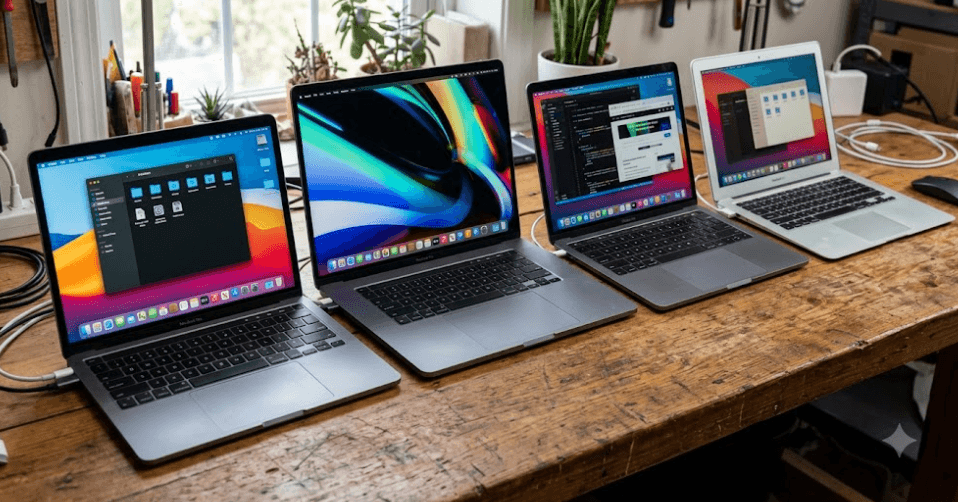
TL;DR MacBook model numbers such as A1708, A2141, and A2251 help identify a laptop's hardware design and narrow down its generation. However, the number alone does not always reveal the exact processor, RAM, storage, or configuration. For example, A1708 identifies the 13-inch MacBook Pro models from 2016 and 2017 with two Thunderbolt 3 ports, A2141 identifies the 16-inch MacBook Pro introduced in 2019, and A2251 identifies the four-port 13-inch MacBook Pro introduced in 2020. If you are buying a used or refurbished MacBook, check the model number alongside the model year, processor, serial number, battery condition, and specifications before making a decision.
What Are MacBook Model Numbers?
MacBook model numbers are hardware identification codes that help distinguish one laptop design from another. Numbers such as A1708 and A2141 are printed on the underside of many MacBooks, usually near the regulatory information. They are particularly useful when a seller advertises a refurbished laptop using a vague description such as "MacBook Pro 2019" or "Apple laptop with Retina display." Checking the model number gives you a more reliable starting point for identifying the device and comparing its physical design with Apple's official specifications.
It is important to understand that Apple uses several different identification systems. The A-number is the hardware model number, while the model identifier is a system-level name such as MacBookPro15,2. Apple part numbers, which often end in a regional suffix such as /A, identify particular sales configurations. The serial number is another distinct identifier that can help establish the device's identity and warranty information. These details are related, but they are not interchangeable, and confusing them can lead to incorrect conclusions when researching a MacBook.
For refurbished laptop buyers, the distinction matters because two laptops from the same product family may have different processors, memory capacities, storage options, and ports. A model number can narrow down the possible configurations, but it should not be treated as a complete specification sheet. Apple’s official model identification pages provide a better way to confirm the product family and year, while the individual technical specifications page provides details about the hardware.
How To Find Your MacBook Model Number
The quickest method is to turn the laptop over and inspect the small regulatory text on its underside. Look for a code beginning with the letter A followed by four digits. If the text is worn or difficult to read, open the Apple menu, select About This Mac, and check the model name and chip or processor details displayed there. On supported macOS versions, System Information provides additional hardware details that can help distinguish similar models.
If the MacBook does not turn on, inspect its underside, original packaging, or purchase documentation. You can also use Apple's account and device identification resources to help identify a Mac using its serial number. When purchasing a used MacBook, ask the seller for clear photographs of the device's identification details and verify that they match the laptop being offered. Avoid publishing your full serial number unnecessarily, since it is a unique device identifier.
Common MacBook Model Numbers Explained
Some older MacBook model numbers remain popular in the refurbished market because they identify recognizable MacBook Pro and MacBook Air designs. The A1708, for example, belongs to the 13-inch MacBook Pro generation introduced in 2016 and updated in 2017. It has two Thunderbolt 3 ports and an Intel processor, making it different from the four-port versions released in the same period. The distinction is useful when comparing ports, processor configurations, and the practical suitability of an older MacBook for daily work.
The A2141 identifies the 16-inch MacBook Pro introduced in 2019. This model belongs to the Intel era and offers a larger display and chassis than the 13-inch models. The A2251, meanwhile, identifies the four-Thunderbolt-3-port 13-inch MacBook Pro introduced in 2020. It is important not to confuse it with the M1-powered 13-inch MacBook Pro introduced later in 2020, which has the A2338 model number. Although the devices share a screen size and product family, their processors and internal platforms differ substantially.
Other codes can help buyers identify MacBook Air models and earlier MacBook Pro designs. A1932 corresponds to the Retina MacBook Air introduced in 2018, while A2179 identifies the Intel-based Retina MacBook Air introduced in 2020. A2337 identifies the M1 MacBook Air, which arrived in 2020. These examples show why checking the complete model number is more reliable than relying on the product name or screen size alone.
MacBook Model Number Reference Table
| Model Number | MacBook Model | Generation |
|---|---|---|
| A1708 | MacBook Pro 13-inch, two Thunderbolt 3 ports | 2016–2017 |
| A1989 | MacBook Pro 13-inch, four Thunderbolt 3 ports | 2018–2019 |
| A2141 | MacBook Pro 16-inch | 2019 |
| A2159 | MacBook Pro 13-inch, two Thunderbolt 3 ports | 2019 |
| A2251 | MacBook Pro 13-inch, four Thunderbolt 3 ports | 2020 |
| A2338 | MacBook Pro 13-inch, M1 | 2020 |
| A1932 | MacBook Air 13-inch, Retina, Intel | 2018–2019 |
| A2179 | MacBook Air 13-inch, Retina, Intel | 2020 |
| A2337 | MacBook Air 13-inch, M1 | 2020 |
| A1466 | MacBook Air 13-inch, older non-Retina design | Multiple years |
The years in this table refer to the relevant product generations, not necessarily the date a particular laptop was purchased. Some A-numbers cover more than one release year, and individual configurations can vary. Confirm the exact model and specifications through Apple's official identification pages before buying replacement parts or making a purchase decision.
A1708 vs A2141 vs A2251
The A1708, A2141, and A2251 are easy to confuse when browsing refurbished listings, but they represent noticeably different MacBook Pro designs. The A1708 is a compact 13-inch model from 2016–2017, the A2141 is a larger 16-inch model from 2019, and the A2251 is a 13-inch model introduced in 2020. Their screen sizes, chassis dimensions, and port layouts make a practical difference to people who connect external monitors, transfer files regularly, or carry a laptop between home, college, and work.
The A1708 has two Thunderbolt 3 ports, which support charging, data transfer, and compatible external displays. The A2141 provides a larger screen and four Thunderbolt 3 ports, making it more flexible for users who connect multiple accessories. The A2251 also has four Thunderbolt 3 ports, but its smaller 13-inch design makes it easier to carry than the 16-inch A2141. These port differences are worth checking because a seller's description may not make the configuration obvious.
Performance depends on the exact configuration rather than the A-number alone. The A1708 uses Intel processors and onboard memory, while the A2141 offers different Intel processor and graphics configurations. The A2251 is also Intel-based, but it belongs to a later 13-inch generation. None of these three models should be mistaken for an Apple silicon MacBook simply because it was sold around the transition to M-series chips. Buyers should verify the processor in About This Mac or the technical specifications before deciding whether a device meets their needs.
Which Model Suits Your Needs?
| Model | Main Advantage | Important Consideration |
|---|---|---|
| A1708 | Compact 13-inch design | Older Intel hardware and two ports |
| A2141 | Larger 16-inch display and four ports | Larger, heavier chassis |
| A2251 | Compact 13-inch design with four ports | Intel platform rather than Apple silicon |
The A1708 may suit basic office work, document editing, and web browsing if its condition and software compatibility are acceptable. The A2141 is worth considering for users who prefer a larger screen for spreadsheets, writing, or creative work. The A2251 offers a smaller body with more ports, but buyers should compare its price and condition with newer Apple silicon alternatives before committing.
How To Verify A MacBook Before Buying
The model number is only the first step when evaluating a used or refurbished MacBook. Start by checking the model name and processor in About This Mac, then compare those details with Apple's official technical specifications. Confirm the installed memory and storage, screen size, port layout, and release generation. This is particularly important when a listing uses a broad name such as "MacBook Pro 13-inch" without specifying the year or processor.
Next, inspect the device's physical condition and battery health. Check for screen damage, keyboard problems, trackpad issues, loose ports, unusual fan noise, and signs of liquid damage. If possible, ask the seller to demonstrate charging, Wi-Fi, audio, camera, and external display connectivity. For a refurbished laptop, request details about the warranty, return policy, battery condition, and any replaced components. A low price is not necessarily good value if the laptop needs an expensive repair soon after purchase.
Finally, check software compatibility before buying. Older Intel MacBooks and Apple silicon models have different operating-system support histories, and support can change over time. Confirm the newest compatible macOS version for the exact model on Apple's support site rather than assuming every MacBook Pro or Air can run the latest release. Also verify that the device is not locked to another owner's Apple Account and that the seller can complete the appropriate sign-out and reset process before handing it over. These checks help reduce the risk of buying a laptop that is difficult to use, repair, or resell.
Pre-Purchase Checklist
| Check | Why It Matters |
|---|---|
| A-number and model name | Confirms the hardware family |
| Processor or Apple chip | Establishes the platform and performance class |
| RAM and SSD capacity | Determines practical multitasking and storage limits |
| Battery condition | Helps estimate remaining battery life |
| macOS compatibility | Affects software support and security updates |
| Activation Lock and ownership | Helps prevent setup problems |
| Warranty and return policy | Provides protection if faults appear |
Common Mistakes When Reading Model Numbers
One common mistake is assuming the A-number tells you the complete year, processor, and specification. It does not. A-number identification is useful, but the same product family may have multiple configurations, and some model numbers cover more than one release year. Always verify the exact model and hardware before comparing prices or ordering replacement parts.
Another mistake is treating all 13-inch MacBook Pro models as equivalent. The A1708, A2251, and A2338 all belong to the 13-inch MacBook Pro family, but they differ in generation, ports, and processor platform. The A2338 uses Apple's M1 chip, whereas the A1708 and A2251 use Intel processors. Those differences can affect application compatibility, battery performance, and how long a machine stays suitable for a given workload.
A third mistake is buying based on appearance alone. Two MacBooks can look similar while having different internal hardware, battery wear, and software support. Judge a refurbished laptop by its exact configuration, tested condition, price, and seller protection. Model numbers are valuable because they help you ask the right questions, not because they guarantee that a laptop is in good condition or represents good value.
Frequently Asked Questions
Q. What does a MacBook model number such as A1708 mean?
A1708 is a hardware model number associated with the 13-inch MacBook Pro introduced in 2016 and updated in 2017. It identifies the two-Thunderbolt-3-port design, but you should check the processor, memory, storage, and condition separately.
Q. What MacBook is model A2141?
A2141 identifies the 16-inch MacBook Pro introduced in 2019. It uses Intel processors and has four Thunderbolt 3 ports. Exact processor, graphics, memory, and storage specifications depend on the configuration.
Q. What MacBook is model A2251?
A2251 identifies the 13-inch MacBook Pro introduced in 2020 with four Thunderbolt 3 ports. It is an Intel-based model and is different from the M1-powered A2338 MacBook Pro released later in 2020.
Q. How do I find my MacBook model number?
Check the regulatory text on the underside of the laptop for an A-number. You can also open Apple menu > About This Mac to find the model name and processor information, then use Apple's support pages to confirm the exact model.
Q. Are A1708 and A2251 the same MacBook?
No. Both are 13-inch Intel MacBook Pro models, but the A1708 belongs to the 2016–2017 generation and has two Thunderbolt 3 ports. The A2251 was introduced in 2020 and has four Thunderbolt 3 ports.
Q. Is A2141 an Apple silicon MacBook?
No. The A2141 is the 2019 16-inch Intel MacBook Pro. Apple silicon models use different hardware identifiers, so check the chip listed in About This Mac instead of relying on the MacBook Pro name alone.
Q. Does a MacBook model number tell me how much RAM it has?
Not by itself. The A-number identifies the hardware design, but configurations may differ in memory and storage. Check About This Mac or the device's original technical specifications to confirm the installed capacity.
Q. Can I use a MacBook model number to find compatible replacement parts?
It can help narrow down the correct device, but confirm the exact model and part compatibility before ordering. Similar-looking MacBooks can use different screens, batteries, keyboards, and internal components.
Q. Is an older Intel MacBook still worth buying in 2026?
It can be suitable for basic tasks if the price, battery condition, and software compatibility are acceptable. Compare it with newer Apple silicon models and verify current macOS support before making a decision.
Q. How can I check whether a refurbished MacBook is genuine?
Compare the model number, model name, serial number information, and hardware specifications. Test the laptop where possible, confirm that Activation Lock has been removed, and buy from a seller offering a clear warranty and return policy.
Final Recommendation
MacBook model numbers are a practical way to identify the generation and design of an Apple laptop, especially when shopping for a used or refurbished device. The A1708, A2141, and A2251 each point to a different MacBook Pro design, with differences in screen size, ports, and internal hardware that can influence everyday use. However, the A-number should always be treated as the starting point rather than the final word on specifications.
Before buying, verify the exact model through Apple's official support resources, check the processor and installed memory, inspect battery health, and confirm software compatibility. If you are choosing between an older Intel MacBook and a newer Apple silicon model, compare their actual prices and condition rather than assuming the newer-looking or more expensive option is automatically better. A careful check of the model number and the laptop itself will help you make a more informed purchase and avoid paying for a configuration that does not meet your needs.
Ready to upgrade your tech?
Browse our collection of quality refurbished products at unbeatable prices.






