
Lenovo ThinkPad T Series T490 Performance Guide in 2026 India
ThinkPad T490 performance guide India explaining CPU speed multitasking RAM needs SSD responsiveness graphics limits thermals and long term productivity reliability.

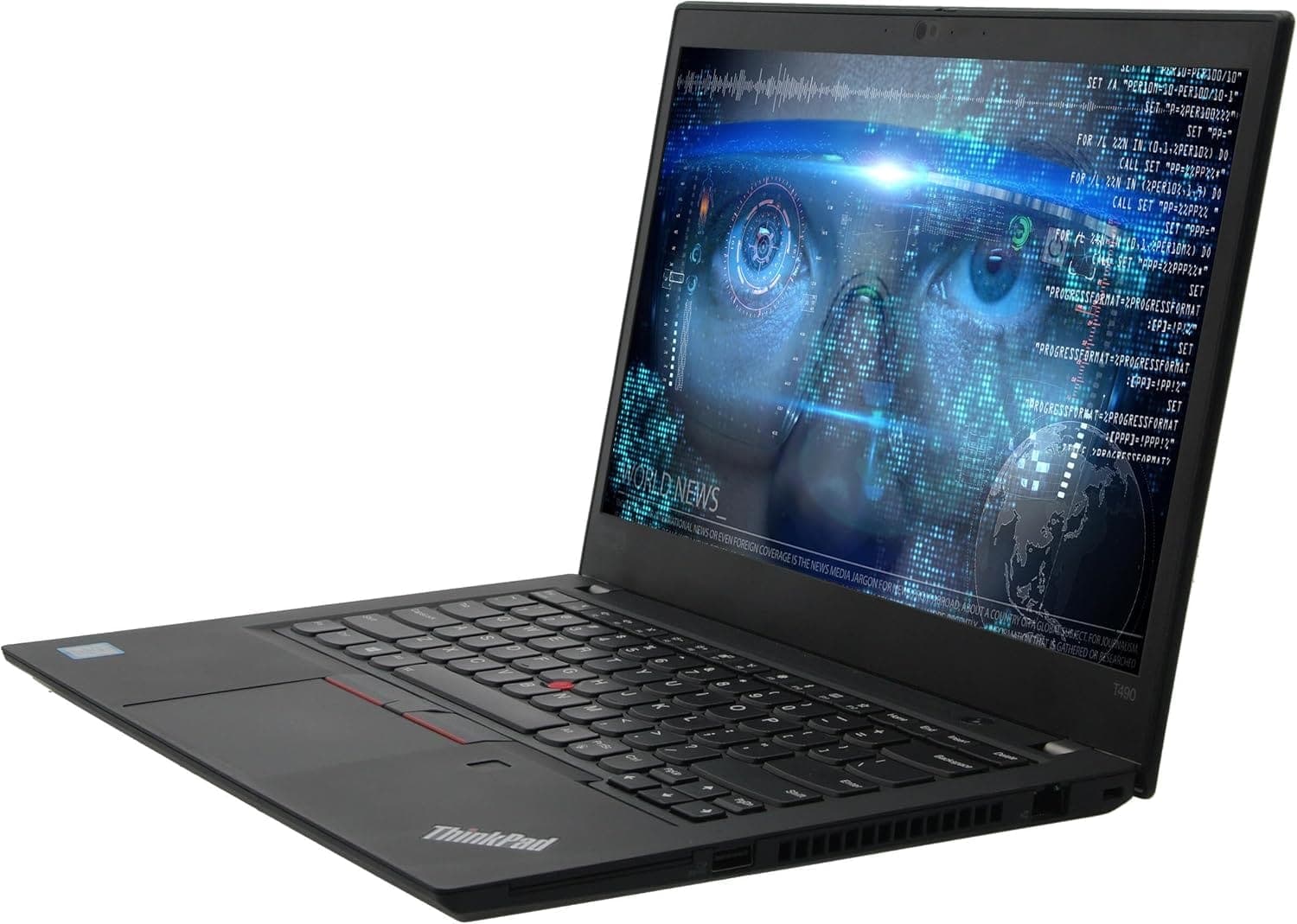
TL;DR The ThinkPad T490 remains a reliable choice for Indian users in 2026, offering smooth performance for office tasks, web browsing, and casual multimedia. Equipped with 8th and 10th generation Intel Core i5/i7 processors, up to 32GB RAM, and fast NVMe SSD storage, it handles multitasking, virtual meetings, spreadsheets, coding, and presentations efficiently. Integrated Intel UHD Graphics 620 supports light design work and video playback, though the laptop is not suited for high-end gaming or 3D rendering. With solid thermal management and long-term reliability, the T490 continues to be suitable for students, professionals, and general productivity workflows.
Understanding the ThinkPad T490 Platform: Intel Architectures Explained
The Lenovo ThinkPad T490 was originally released with 8th generation Intel Core i5 and i7 processors, with some later models offering 10th generation options. These CPUs combine low-power design with high efficiency, making them ideal for business and educational use. The 8th generation i5/i7 chips provide quad-core performance, sufficient for multitasking and office software, while 10th generation CPUs bring improved single-core speeds, slightly better integrated graphics, and efficiency gains.
In real-world Indian usage, the CPU choice primarily impacts multitasking and software responsiveness. For instance, an i5-8365U or i7-8665U is fully capable of running multiple browser tabs, spreadsheets, Zoom or Teams meetings, and IDEs for coding. Upgrading to a 10th generation processor can reduce load times and improve energy efficiency, especially during extended working hours. However, these CPUs are soldered onto the motherboard, so upgrading later is not possible, meaning buyers should choose the best configuration at purchase.
The T490 platform also supports LPDDR3 and DDR4 memory depending on model year, which affects data throughput and overall responsiveness. Indian users who frequently switch between applications or work with large datasets will notice the difference in RAM and CPU combination, which can make daily operations smoother. Overall, the T490 architecture remains relevant for 2026 productivity tasks, balancing performance and energy efficiency for long-term usability.
ThinkPad T490 CPU Options and Characteristics
CPU Performance in Real-World Tasks
In Indian workplaces and student environments, the T490 CPU performance is best evaluated by daily tasks rather than benchmark scores. Core applications such as Microsoft Office, Google Workspace, browser-based research, and light coding run smoothly even on mid-tier i5 CPUs. Data analysis in spreadsheets with hundreds of rows and pivot tables is handled efficiently, and switching between multiple applications does not cause significant slowdowns when paired with 16GB RAM or higher.
Integrated productivity tools like Zoom, Google Meet, and Teams work without stutter on T490 CPUs. Even with simultaneous video calls, document editing, and cloud-based applications, the T490 maintains stable performance. While CPUs are not intended for heavy rendering or AI workloads, the combination of energy-efficient Intel cores and quick SSD access allows the laptop to stay responsive under continuous usage.
Moreover, the T490’s thermal management ensures that CPUs sustain performance over long periods. Unlike older ThinkPads that may throttle under heavy load, the T490 maintains consistent processing speed for extended sessions, which is crucial for Indian users in offices with warmer climates or for students attending multiple online classes per day.
RAM Capacity and Multitasking Efficiency
RAM is a critical factor in the T490’s overall performance. The laptop comes with 8GB, 16GB, or 32GB configurations, allowing users to choose based on their workload. 8GB is sufficient for basic tasks such as browsing, document editing, and video streaming, while 16GB or 32GB enables smooth multitasking, virtual machines, and heavier software applications like development IDEs or statistical tools.
In practical usage, Indian students and office professionals often run multiple browser tabs, cloud apps, and office programs simultaneously. With 16GB RAM, the T490 can comfortably handle 10-15 active tabs, Microsoft Excel sheets, and online meetings without noticeable slowdowns. Configurations with 32GB, though rare, future-proof the device for years, ensuring responsiveness even as software demands increase.
The T490 also benefits from dual-channel memory support, which improves bandwidth and responsiveness in daily applications. For users upgrading to higher RAM, the soldered LPDDR3 or DDR4 memory cannot always be replaced entirely, but choosing the maximum RAM at purchase ensures long-term multitasking performance. For Indian buyers, this means less likelihood of performance bottlenecks as workflows become more demanding in the coming years.
T490 RAM Configurations and Performance Impact
Storage Speed and Responsiveness: Comparing SSD Options
One of the biggest factors contributing to how ThinkPad T490 feels in everyday use is its storage technology. The T490 supports M.2 NVMe SSDs up to 1 TB, and some configurations even include Intel Optane Memory in combination with an SSD for faster caching. NVMe SSD storage is significantly faster than SATA SSDs, particularly when it comes to booting the system, loading applications, copying large files, and launching productivity software. Users in India often notice that a T490 with a PCIe 3.0 x4 NVMe drive boots Windows 11 or Windows 10 home to the desktop in under 15-20 seconds, whereas older SATA alternatives are measurably slower.
Speed isn’t just about boot times. In daily workflows such as opening large Excel files, switching between cloud applications, or editing documents from OneDrive or Google Drive, NVMe SSDs deliver snappy responsiveness that improves the overall user experience. For students watching online lectures, professionals switching between tabs and apps, or coders compiling code, these speed differences make the machine feel “fast” even years after its original launch. Drives that use SATA interfaces remain adequate but show their limitations in comparison to NVMe storage, especially as software demands grow in 2026.
Reliability is also a major consideration. SSDs, with no moving parts, are more resistant to physical shock and vibration than mechanical drives ,a particularly relevant advantage for Indian users who carry laptops across campus or between home and office. Additionally, SSDs generate less heat and consume less power, which supports better battery efficiency. Given the relative affordability of SSD upgrades compared with overall laptop costs, choosing a T490 with a quality NVMe SSD is recommended for both speed and long‑term performance.
Typical T490 Storage Performance
Integrated Graphics Performance Analysis (Intel UHD Graphics 620)
The ThinkPad T490 typically relies on Intel UHD Graphics 620, built into its CPUs, for graphics processing. This integrated GPU is designed to be energy‑efficient and capable of handling everyday visual tasks without burdening the CPU excessively. For common activities like video streaming, web browsing, office presentations, and casual photo editing, UHD Graphics 620 performs reliably and smoothly. Even in Windows 11 environments, typical business and student applications remain responsive, ensuring a usable visual experience in 2026.
When it comes to multimedia performance, the GPU handles Full HD video playback with ease, including services like YouTube, Netflix, or video conferencing at 1080p. For light design tasks such as basic image editing in tools like Adobe Photoshop or Canva, the results are satisfactory for most users, provided the workload is not graphically demanding. However, the integrated graphics are not meant for modern 3D gaming or high‑resolution video editing workflows, and users should not expect high frame rates or GPU acceleration performance far beyond basic tasks.
The optional discrete GPU available in limited T490 configurations ,the NVIDIA GeForce MX250 ,offers better performance for slightly heavier graphics tasks. But most T490 units sold in India use the internal graphics, and this is sufficient for general productivity. UHD Graphics 620 also benefits from shared system memory, so having adequate RAM helps maintain smooth visuals. For general users, the ThinkPad T490 provides stable and consistent graphics performance that aligns well with its role as a productivity‑focused machine.
T490 Graphics Comparison
Thermal and Power Performance Under Load
Performance is tied closely to how a laptop manages heat, and the ThinkPad T490 balances thermal output efficiently. Powered mainly by low‑power Intel Core U‑series processors, the T490 generates less heat compared with higher‑TDP chips found in gaming or workstation laptops. Reviews have noted that the T490’s cooling system ,though compact ,maintains acceptable temperatures under sustained workloads such as multitasking, video playback, and long meetings.
The laptop’s chassis design spreads heat effectively to prevent hot spots that make the keyboard or palm rest uncomfortable. Even when running simultaneous tasks, such as coding while on video calls, the T490 rarely reaches thermal levels that significantly impact performance. This stability is beneficial for users in India where ambient temperatures can be higher, and it helps ensure that the CPU does not throttle excessively when handling daily workloads for extended periods.
Power consumption is another advantage. The T490’s efficient Intel CPUs help the laptop deliver competitive battery life while keeping the system cool. While configurations vary, many reviewers reported reliable all‑day performance without the laptop becoming uncomfortably warm. This makes the T490 a dependable machine for long productivity sessions, whether in office meetings, classrooms, or remote work environments.
Software Compatibility and OS Performance in India
The ThinkPad T490 remains fully compatible with modern operating systems, particularly Windows 11, while still supporting Windows 10 for users with legacy software requirements. In 2026, Windows 11 continues to run smoothly on the T490, leveraging its efficient Intel 8th and 10th generation CPUs and NVMe SSD storage. Users in India will notice quick boot times, seamless updates, and compatibility with essential productivity software, including Microsoft Office 365, Google Workspace, and Zoom/Teams video conferencing.
For specialized applications such as accounting software, statistical analysis tools, or light development environments, the T490 maintains stability and responsiveness. Linux distributions such as Ubuntu or Fedora are also supported, offering flexibility for developers or students who prefer open-source systems. System updates, driver support, and security patches remain available for core components, including Intel UHD Graphics 620, ensuring smooth long-term performance.
From a practical perspective, Indian users benefit from consistent software compatibility without having to upgrade frequently. The combination of efficient CPU, sufficient RAM, and fast storage ensures that even with multiple active applications, the T490 remains responsive. This makes it suitable for students, office professionals, and coders who rely on dependable performance for everyday workflows.
Performance in Professional Workflows
In real-world scenarios, the ThinkPad T490 excels in productivity-focused tasks. For coding environments such as Visual Studio, PyCharm, or VS Code, the laptop’s dual-core and quad-core Intel CPUs handle multiple files, extensions, and compilation processes without noticeable lag, particularly when paired with 16GB RAM or higher. Indian developers working remotely or in hybrid office setups benefit from this combination, as multitasking between IDEs, documentation, and video calls remains fluid.
Spreadsheet-heavy workflows in Excel or Google Sheets also perform well. Even large datasets with formulas, pivot tables, and charts can be processed efficiently, with NVMe SSDs minimizing loading times and improving responsiveness. Presentations in PowerPoint or Google Slides run smoothly, with fast transitions and multimedia embedding, making the T490 practical for students and office professionals preparing reports or conducting online meetings.
The integrated graphics, while not meant for gaming, can handle Full HD video playback and light image editing, which is sufficient for creating professional presentations or attending online classes. The combination of CPU, RAM, and SSD ensures that the T490 continues to deliver stable and reliable performance across diverse professional workflows, meeting the expectations of Indian users in 2026.
Long-Term Performance Lifecycle and Upgrade Potential
The T490’s performance lifecycle is strongly influenced by its RAM and storage configuration. While CPUs are soldered and cannot be upgraded, RAM can be configured up to 32GB in some models, and storage can be upgraded to faster NVMe drives. This allows the laptop to stay relevant for 3-5 years of productivity use, even as software and workflows evolve. Users who invest in higher RAM and NVMe SSD at purchase can expect minimal performance degradation over this period.
Thermal management and power efficiency contribute to long-term reliability. Efficient cooling prevents throttling, even during intensive tasks, while energy-efficient Intel CPUs help maintain battery performance over time. Indian users benefit from consistent productivity without experiencing performance bottlenecks that are common in older laptops.
Finally, the T490’s overall design ensures durability, and components like SSDs and RAM can be serviced or replaced locally if needed. This modularity, combined with Intel’s efficient platform and long-term driver support, makes the T490 a future-proof choice for students, professionals, and casual developers, ensuring solid performance through 2026 and beyond.
T490 Performance Summary Table
Frequently Asked Questions
Q. How does the ThinkPad T490 perform for daily office work in 2026
It runs office apps browsing video meetings spreadsheets and presentations smoothly especially with NVMe SSD storage and at least sixteen gigabytes RAM.
Q. Is the ThinkPad T490 good for coding and development tasks
Yes it supports common IDEs and handles compiling multitasking and documentation workflows effectively when configured with higher RAM and fast storage.
Q. How much RAM is recommended for smooth performance today
Eight gigabytes works for basic tasks but sixteen gigabytes is ideal for multitasking while thirty two gigabytes suits heavy productivity or virtual machines.
Q. Does NVMe SSD significantly improve ThinkPad T490 performance
Yes NVMe drives provide faster boot times quicker file transfers smoother app launches and better overall system responsiveness compared to SATA storage.
Q. Is Intel UHD Graphics 620 enough for multimedia and design work
It supports Full HD streaming presentations and light photo editing but is not designed for gaming high resolution video editing or 3D workloads.
Q. Can the processor be upgraded later for better performance
No the CPU is soldered on the motherboard so performance improvements depend mainly on RAM upgrades SSD speed and system optimization.
Q. How stable is performance during long work sessions
Efficient cooling and low power Intel processors help maintain consistent speeds without significant thermal throttling during extended productivity usage.
Q. Is the ThinkPad T490 compatible with Windows eleven in 2026
Yes both eighth and tenth generation models support Windows eleven smoothly and also run Windows ten for legacy software compatibility.
Q. How long will the ThinkPad T490 remain performant for productivity use
With proper maintenance sufficient RAM and fast SSD storage it can stay reliable for around three to five years of daily professional workflows.
Q. Who benefits most from the ThinkPad T490 performance in India
Students office professionals coders freelancers and remote workers who need stable multitasking speed reliable software support and long term productivity value.






