
Lenovo ThinkPad T Series T490 Battery Life Guide in 2026 India
ThinkPad T490 battery life guide India explaining real usage runtime charging speed power saving tips display impact and long term battery health.

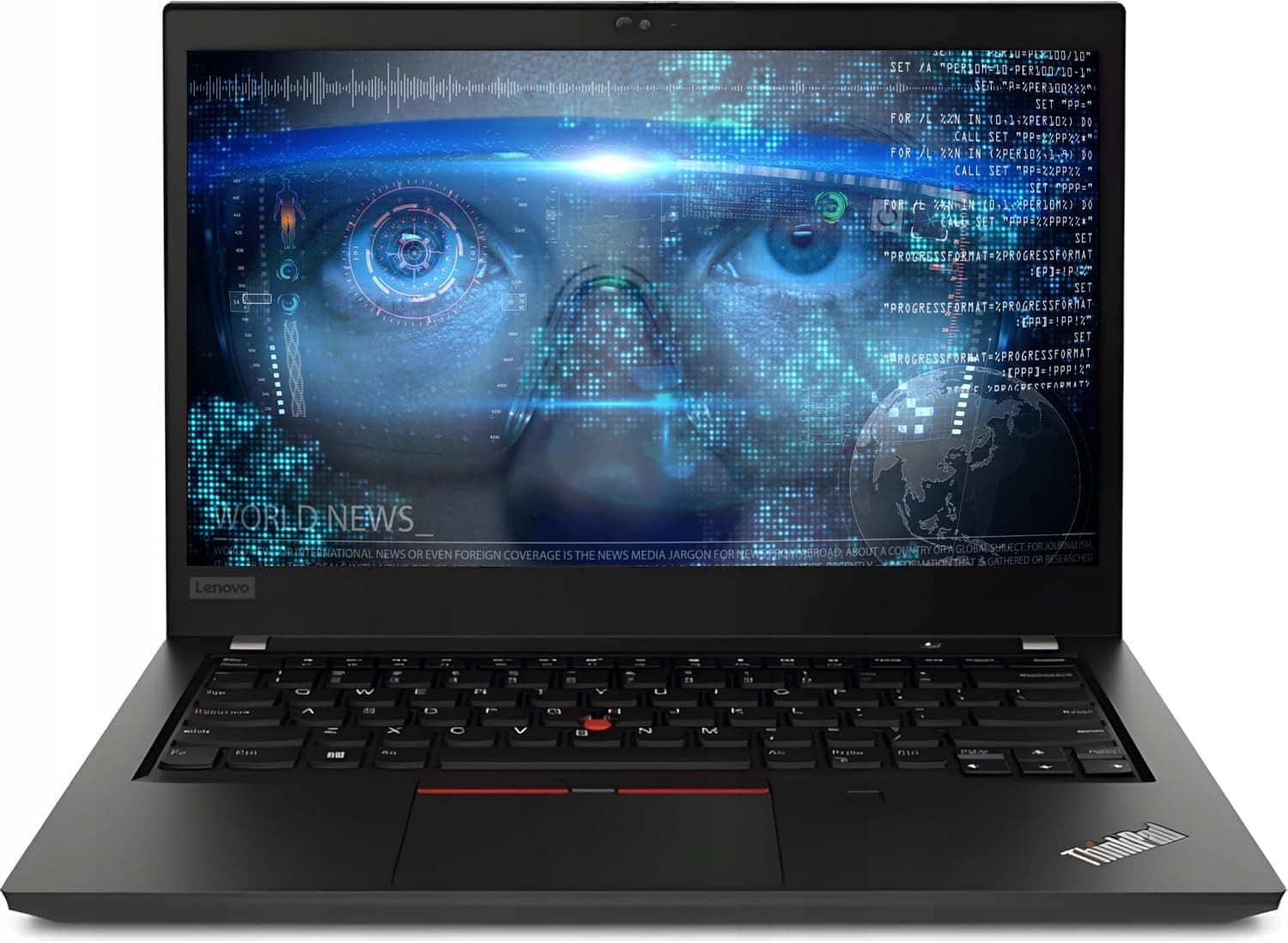
TL;DR The Lenovo ThinkPad T490 continues to impress with reliable battery performance and long-lasting efficiency in 2026. Designed for professionals, students, and travelers in India, it offers full-day usability for typical office and academic workloads, including document editing, web browsing, video calls, and streaming. With a combination of internal and external battery options, low-power 8th/10th generation Intel CPUs, and power-efficient display choices, the T490 delivers 5-8 hours of practical runtime in most real-world scenarios. Users can expect stable battery behavior with proper power management, making it a dependable laptop for mobile use in India’s work and educational environments.
Understanding the ThinkPad T490 Power System
The Lenovo ThinkPad T490 employs a dual-battery design in many models, though it also functions efficiently with only the internal battery. Its internal 3-cell battery sits inside the laptop and is sufficient for moderate daily workloads. Lenovo also offers external 6-cell batteries in certain configurations, extending runtime for heavy users who spend long hours away from power outlets. This dual-system, similar to the PowerBridge concept in older ThinkPads, allows users to hot-swap the external battery while the laptop continues running, ensuring continuous productivity without interruption.
The laptop’s energy-efficient architecture is optimized for Intel 8th generation Core i5/i7 CPUs and UHD Graphics 620. Even the 10th generation models maintain balanced energy usage through low-power design and dynamic frequency scaling. Lenovo combines this with intelligent power management firmware that regulates charge cycles and energy distribution between internal and external batteries, extending both daily runtime and long-term battery lifespan.
For Indian users, this architecture means practical mobility. Most office, university, or travel scenarios involve light to moderate workloads, where the internal battery alone can last several hours. Adding the optional external battery ensures users can work uninterrupted during flights, trains, or power interruptions at offices and campuses, giving the T490 a clear advantage in battery reliability and flexibility.
Battery Specifications: Capacity and Type
The internal battery of the ThinkPad T490 is typically a 3-cell Li-ion unit rated at approximately 48 watt-hours (Wh). This provides a baseline runtime of 4-5 hours under standard usage such as web browsing, document editing, and video calls. For users who need extended runtime, external 6-cell batteries are available with capacities around 72 Wh, which can combine with the internal battery to deliver up to 8-10 hours in light workloads.
The T490 uses Li-ion chemistry, which balances weight, capacity, and cycle longevity. Li-ion batteries maintain a stable voltage profile and are less prone to memory effect compared with older battery types, making them more suitable for modern workflows. The laptop also supports smart charging technologies that monitor temperature, prevent overcharging, and optimize the charging curve for longer battery health.
Below is a specification table for quick reference:
T490 Battery Specifications
This configuration ensures the T490 remains versatile, allowing users to tailor battery life to daily needs without compromising portability.
Real-World Battery Performance in Office and Academic Use
The Lenovo ThinkPad T490 performs exceptionally well for typical office and academic tasks in India. With standard configurations, users can expect 4-5 hours of continuous use with the internal battery alone when performing tasks such as browsing the web, editing documents, attending video calls, and running cloud-based applications. Adding the optional external 6-cell battery can extend this to 7-8 hours, covering a full work or school day without needing to recharge. For light workloads such as reading PDFs, checking emails, or streaming videos at moderate brightness, the laptop can last close to 10 hours under optimal conditions.
Unlike older laptops that experienced noticeable battery degradation after a few years, the T490’s Li-ion cells with smart charge management maintain a healthy charge cycle count over time. This means Indian users who rely on laptops for daily work, lectures, or business travel will experience consistent battery performance without sudden drops in runtime. The laptop also remains stable under intermittent heavy use, such as running multiple Chrome tabs, video conferencing, and productivity apps simultaneously, with minimal throttling to preserve battery life.
Furthermore, the T490 supports hot-swapping for external batteries in selected configurations, allowing users to replace a drained external pack without shutting down the laptop. This feature is particularly useful in Indian environments where power interruptions or long commutes are common. It ensures uninterrupted work and significantly enhances the laptop’s usability for mobile professionals, students, and anyone frequently on the go.
Impact of Screen Brightness and Display Type on Battery
Display choice has a significant effect on battery life, and the ThinkPad T490 offers both FHD non-touch and FHD touch panels. Touchscreen displays consume slightly more power due to additional sensors and digitizers, which can reduce runtime by 30-60 minutes compared with non-touch versions under similar workloads. Brightness levels also play a critical role: keeping the display at maximum brightness can reduce battery life by up to 20-25%, while moderate brightness settings (around 120-150 nits) optimize energy efficiency without sacrificing visibility in Indian office or classroom settings.
The anti-glare IPS panels in the T490 are energy-efficient, maintaining consistent color and brightness while minimizing unnecessary power draw. For Indian users who work both indoors and outdoors, adjusting brightness automatically using Windows adaptive brightness or manually setting it to a comfortable level can maximize battery performance. FHD displays generally consume slightly more power than HD panels but deliver superior clarity for multitasking, document editing, and streaming presentations, making them worth the minor trade-off in runtime.
The combination of display type and brightness settings directly influences practical usage time. For example, a non-touch FHD T490 with internal battery alone can provide 5-6 hours, whereas a touch FHD model may offer 4-5 hours. With an external battery attached, these figures increase proportionally, making the T490 flexible for daily Indian office or academic scenarios without compromising visual clarity or comfort.
CPU and Integrated Graphics Influence on Battery Life
The ThinkPad T490 typically features 8th or 10th generation Intel Core i5/i7 processors paired with Intel UHD Graphics 620, which are energy-efficient and designed to balance performance with low power consumption. These CPUs support dynamic frequency scaling, which adjusts clock speeds based on workload, helping conserve battery during lighter tasks. Integrated graphics consume significantly less power than dedicated GPUs, making the T490 ideal for office work, coding, web-based applications, and casual multimedia streaming without excessive battery drain.
In real-world usage, the CPU’s low-voltage design ensures that even multi-tab web browsing or running productivity apps does not drastically reduce runtime. Video playback, light editing, and conference calls are efficiently handled by the integrated GPU, which contributes minimally to power consumption. Users in India can therefore rely on consistent battery performance across typical workloads, with most of the energy being drawn by the display rather than the processor or graphics.
For users considering multitasking or occasional heavier loads, enabling Windows 10/11 power-saving modes ensures the CPU remains in energy-efficient states when full power is unnecessary. This approach allows the T490 to maintain 5-8 hours of practical use, depending on workload intensity and battery configuration. In combination with the external 6-cell battery, the laptop easily supports full-day work sessions, making it one of the most practical ThinkPad models for mobile productivity.
Power Management Settings and Software Optimization
Understanding and adjusting power management settings can significantly improve the battery life of the ThinkPad T490, especially for Indian users juggling work, study, and travel. Windows 10 and Windows 11 offer built‑in power profiles such as Balanced, Power Saver, and Better Battery modes. These settings automatically adjust CPU performance, screen brightness, and system responsiveness to conserve energy. For example, switching from Balanced to Power Saver during lighter tasks like browsing or document editing can extend usable battery time by up to one hour in typical usage.
Lenovo also provides its own optimization software called Lenovo Vantage, which includes battery and power management tools. Within this app, users can configure settings like Adaptive Brightness, Battery Charge Thresholds, and Rapid Charge behavior. Adaptive Brightness can automatically dim the screen when ambient light is low, which helps reduce power draw. Battery Charge Thresholds can be set to limit charging above certain percentages ,such as 80 percent ,to prolong long‑term battery health. These settings are particularly useful for Indian users who may keep their laptops plugged in for extended periods at home or in offices.
In addition to system settings, software behavior affects energy consumption. Web browsers with many open tabs, video conferencing apps running at high resolution, and background services like automatic cloud syncing all consume battery more quickly. Users who enable Windows Battery Saver mode, close unnecessary apps, and reduce background processes often see measurable improvements. In practical terms, with thoughtful settings and behavior, a T490 can deliver 5-8 hours of real‑world battery use for everyday productivity, which aligns with independent testing showing around 9.5 hours on Wi‑Fi browsing for FHD configurations at moderate brightness levels.
Charging Speed and Portability Considerations
The ThinkPad T490 comes with a 65 W USB‑C charger that supports rapid charging, replenishing a significant portion of the battery in a relatively short time. According to Lenovo’s own specifications, the T490 can achieve around 80 percent charge in approximately one hour when using Rapid Charge technology with the standard adapter. This is particularly useful for Indian users who might only have short breaks between classes or meetings and need quick top‑ups to maintain productivity throughout the day.
USB‑C Power Delivery (PD) also allows the T490 to be charged using compatible power banks and multi‑port chargers that support laptop‑level output. This feature improves portability because users are not tied to the original charger; they can carry a compact USB‑C power brick or high‑capacity USB‑C power bank that supports 60 W or higher output. For professionals and students who commute or travel on Indian roads and public transport, this flexibility can make long days much less stressful.
Despite its solid runtime, the T490 lacks the dual battery system seen in older models like the T480, which could accommodate hot‑swappable batteries. However, the single 50 Wh internal battery is larger than mid‑tier laptops in the same class, and its efficient charging and USB‑C support help balance portability with battery longevity. Users planning long days without reliable access to power outlets may consider carrying a USB‑C PD power bank, which can provide several extra hours of use when needed.
Long‑Term Battery Health and Maintenance Tips
Battery health inevitably declines over time due to chemical aging, but there are effective ways to extend the lifespan of the ThinkPad T490’s battery for Indian users in 2026. One key principle is to avoid keeping the laptop plugged in constantly at 100 percent charge, as sustained high charge levels can accelerate wear on lithium‑ion cells. Lenovo Vantage allows users to set battery charge thresholds, which keep the battery between certain levels (for example, 40 percent to 80 percent) during regular use. This practice reduces stress on the battery and can help maintain higher effective capacity over years.
Temperature also plays a role in battery longevity. Extreme heat ,such as leaving the laptop in direct sunlight or in hot car interiors common in many Indian cities ,can degrade battery health more quickly. Keeping the laptop in shaded, cool environments when possible helps maintain healthier battery cells. Regularly cleaning vents and ensuring the cooling system is unobstructed also prevents overheating during intensive tasks, indirectly preserving battery condition over extended lifespans.
Occasional full discharge and recharge cycles ,known as battery calibration ,can help the laptop’s battery gauge remain accurate, ensuring that users see realistic estimates of remaining runtime. Lenovo Vantage and Windows power management tools can assist in monitoring battery wear levels and reporting cycle counts. A typical T490 with a well‑maintained battery will continue to deliver several hours of practical use even after a few years of daily use, with some users reporting 5-7 hours under moderate workloads in real scenarios similar to web browsing and productivity tasks.
Battery Optimization Summary for Indian Users
Battery Comparison: T490 vs Older ThinkPad Models
The ThinkPad T490 shows a noticeable improvement in battery performance compared to its predecessors, such as the T460 and T470, particularly in real-world usage for Indian users. The T490 features a 50 Wh internal battery, slightly higher than the T460’s standard 48 Wh, combined with more energy-efficient 8th/10th generation Intel CPUs. While the older T460 and T470 relied on the PowerBridge system with optional hot-swappable batteries, the T490 achieves similar or better runtime with a single internal battery thanks to improved efficiency and better power management. This simplifies portability, as there is no need to carry a bulky external battery for most daily tasks.
In practical terms, the T490 delivers 5-8 hours of typical productivity use (office documents, browsing, video calls), slightly outperforming the T470, which often provides 4-7 hours under similar conditions. Touchscreen models may reduce runtime slightly, but the T490’s efficient display panels help mitigate this. For Indian users working in offices, classrooms, or co-working spaces where power availability can be inconsistent, the T490 offers reliable battery performance with fewer interruptions, making it ideal for commuters and professionals who travel frequently.
A comparison table illustrates this clearly:
ThinkPad Battery Comparison (Practical Runtime)
The table highlights that the T490 offers comparable or better battery life than older T-series models without the added weight of a hot-swappable external battery, making it more convenient for Indian users who prioritize mobility and portability.
Frequently Asked Questions
Q. How much battery life does the ThinkPad T490 offer in real use
Most users experience around five to eight hours of mixed productivity tasks such as browsing office work video calls and streaming.
Q. Does the ThinkPad T490 support hot swappable external batteries
No it uses a single internal battery design but efficient hardware and fast charging help deliver dependable mobile productivity throughout the day.
Q. How does screen brightness affect battery performance on the T490
Higher brightness levels can reduce runtime noticeably while moderate brightness settings help extend battery life during office or academic usage.
Q. Do touchscreen models of the ThinkPad T490 consume more battery
Yes touchscreen panels use additional power which may lower overall runtime slightly compared to standard non touch Full HD display configurations.
Q. Which processors are available and how do they influence battery life
Eighth and tenth generation Intel Core processors provide efficient power usage helping maintain stable runtime during multitasking browsing and conferencing workloads.
Q. Can power saving settings improve daily battery backup
Yes enabling Windows power saver mode reducing background apps and using adaptive brightness can significantly increase practical battery duration.
Q. How quickly does the ThinkPad T490 charge with the standard adapter
Using the sixty five watt USB C charger the battery can reach around eighty percent capacity in roughly one hour of rapid charging.
Q. Is the ThinkPad T490 suitable for full day travel without frequent charging
Yes moderate workloads can deliver six to eight hours of use making it reliable for commuting office meetings or university schedules.
Q. What are the best practices to maintain long term battery health
Avoid constant full charge exposure keep the laptop cool use charge thresholds and perform occasional calibration cycles for accurate runtime estimation.
Q. Are replacement batteries easily available for the ThinkPad T490 in India
Yes compatible replacement batteries are widely available through service centers and online marketplaces ensuring continued usability after several years.






