
Lenovo ThinkPad T Series T480 Performance Guide in 2026 India
Complete ThinkPad T480 performance guide India explaining real speed multitasking capability battery efficiency thermals and long term productivity value in 2026

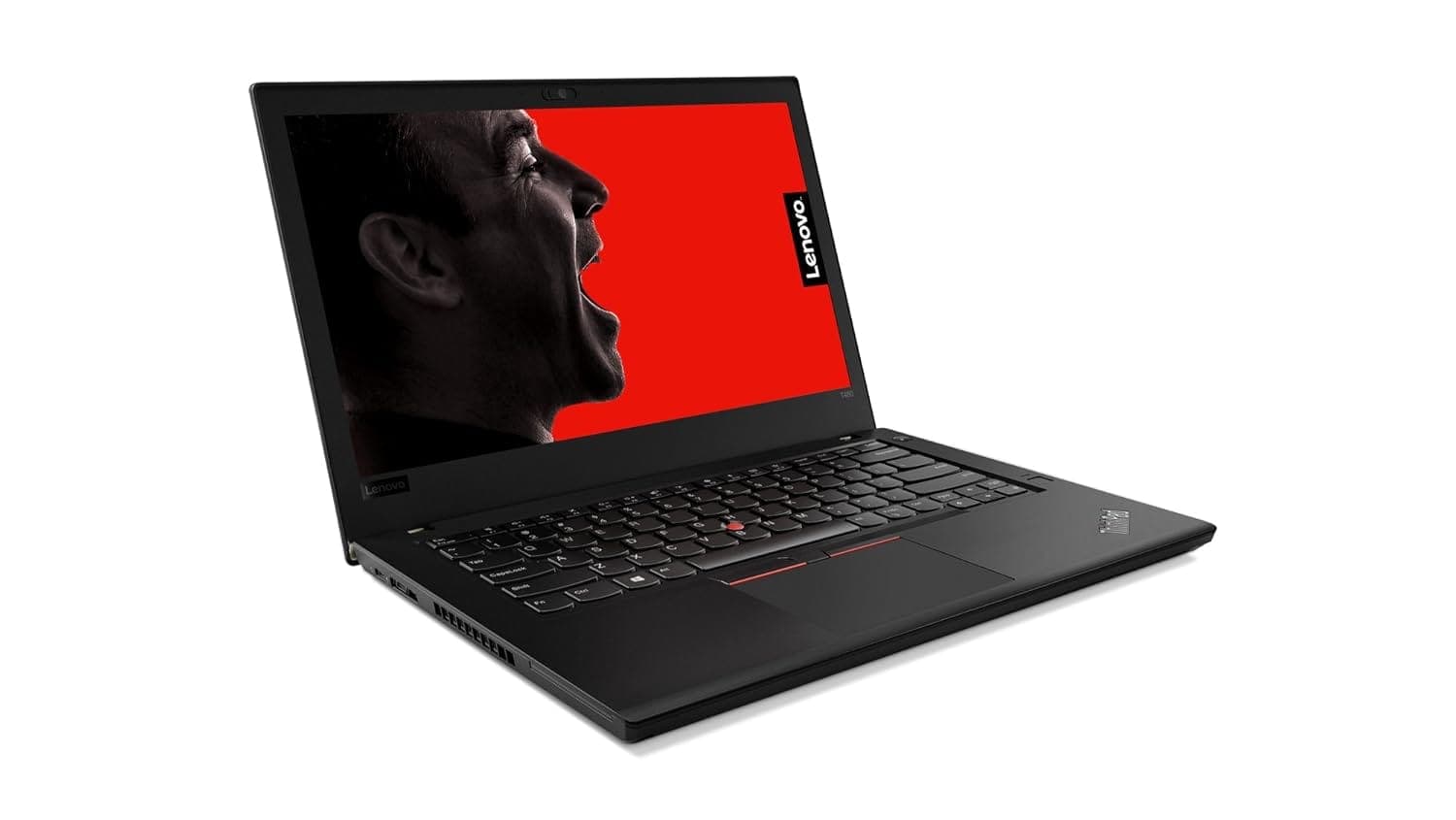
TL;DR The Lenovo ThinkPad T480 continues to deliver reliable performance in 2026 for everyday tasks such as office productivity, web browsing, coding, and light multimedia work. Powered by 8th generation Intel Core i5 and i7 processors, up to 32GB of DDR4 memory, and fast SSD storage, the T480 remains capable of handling modern workloads efficiently. Its Intel UHD Graphics 620 supports smooth video playback and casual graphical tasks. Battery life lasts multiple hours under mixed use, and thermal management keeps performance stable during extended work sessions. For students, professionals, and hybrid workers in India, the T480 offers enduring performance at a value proposition that still holds up.
Why the T480 Still Performs Well in 2026
The ThinkPad T480, originally introduced in 2018, was designed as a business laptop with a focus on efficiency, durability, and real‑world performance. Its core strength comes from the 8th generation Intel Core architecture (codenamed Kaby Lake R), featuring improved multi‑core performance and better power efficiency than earlier generations. The processors in this platform may not match the latest high‑end CPUs, but they still deliver solid performance for everyday workloads because Intel optimized them for balanced power draw and sustained performance.
Longevity in performance also stems from the fact that the T480 supports up to 32GB of DDR4 RAM, enabling heavier multitasking than many contemporaries. While the CPU cannot be upgraded beyond the original socketed options, the memory and storage flexibility allow the machine to stay responsive as software demands evolve. Indian users benefit from this because cloud‑based tools, collaborative platforms, and browser‑centric workflows continue to dominate productivity tasks.
Another factor in the T480’s enduring performance is hardware efficiency. Combined with fast SSD storage and efficient memory subsystems, the platform reduces bottlenecks that typically slow down older laptops. In addition, Microsoft Windows updates are still well supported on this hardware, and popular productivity suites remain fully compatible. For many general users, this means the T480 feels noticeably smoother and more responsive than entry‑level laptops in the same price range.
T480 Base Hardware Specifications (Typical)
These specifications form the foundation of the T480’s performance in 2026.
Processor Performance
The Intel Core i5‑8250U and Core i7‑8550U processors were considered high‑efficiency business CPUs when the T480 debuted. Both chips feature four cores and eight threads, which remain relevant for handling contemporary productivity workflows. In general usage, the difference between the i5 and i7 manifests most clearly under multi‑tasking and high‑load scenarios.
With the i5‑8250U, users experience smooth performance during office tasks, web browsing with multiple tabs, and cloud‑based applications. When paired with a fast SSD, the responsiveness of the system feels modern, and most everyday tasks complete without noticeable delay. The i7‑8550U provides an incremental improvement with slightly higher clock speeds, which benefits heavier multitasking, large spreadsheet operations, and compiling code in integrated development environments (IDEs) such as Visual Studio or PyCharm.
In real‑world productivity benchmarks, both models deliver close performance for routine tasks, while the i7 shows advantages in heavily threaded workloads or sustained multi‑application usage. However, neither processor is designed for demanding workloads like 3D rendering or high‑end gaming. Instead, they excel where lightweight performance and consistent responsiveness matter most: office productivity, browser‑based workflows, video conferencing, and coding tasks.
Processor Comparison for T480
These specifications clarify where the performance differences lie and help readers understand which configuration matches their needs.
RAM Considerations: 8GB, 16GB, or 32GB?
RAM remains one of the most important factors in determining how well the Lenovo ThinkPad T480 performs under multitasking and memory‑heavy workflows in 2026. The T480 supports DDR4 memory in two SO‑DIMM slots, allowing configurations of 8GB, 16GB, or up to 32GB. For basic daily use such as word processing, email, and web browsing with a few open tabs, 8GB of RAM generally provides a smooth experience. However, as workflows become more demanding over time with larger browser sessions, multiple productivity apps, and communication tools open simultaneously, 8GB becomes a limiting factor.
When you step up to 16GB of RAM, the system gains a noticeable ability to manage concurrent applications without paging to storage. For example, running Microsoft Office, multiple Chrome or Edge tabs, Teams or Zoom in a background window, and lightweight IDEs becomes significantly more fluid. Additionally, 16GB is effective for data‑heavy spreadsheets, casual database work, and small virtual machine instances. For users in India who often rely on cloud and browser‑centric environments, this RAM capacity strikes a balance between cost and real‑world performance.
At the top end, 32GB of RAM is valuable for power users who routinely handle complex multitasking scenarios, work with large datasets, or use multiple heavy applications concurrently. Developers running multiple containers, advanced analytics tools, or large browser sessions will benefit from a larger memory pool. While the T480 will still function with 16GB in most cases, 32GB future‑proves the system more effectively in 2026, especially as software continues to become more memory‑intensive. Regardless of the configuration, the presence of two memory slots and the possibility of upgrading later means the T480 can adapt to evolving performance requirements.
Impact of RAM Configuration on Performance
This table illustrates why upgrading RAM in the T480 improves system responsiveness and longevity.
Storage Performance
Storage is another major determinant of perceived performance on the ThinkPad T480. Factory configurations often included mechanical hard drives (HDD), but by 2026 most users understand that HDDs are slow to boot, slow to load applications, and more prone to failure due to moving parts. In contrast, solid‑state drives (SSDs) ,particularly SATA SSDs ,offer dramatic improvements in speed, reliability, and overall system responsiveness.
Installing an SSD transforms the T480’s user experience. Boot times drop from minutes to 15-25 seconds, and launching productivity software such as Microsoft Word, Excel, or cloud‑based applications feels immediate. File opening and saving operations also happen much faster with SSD storage, making the laptop feel much more capable especially in daily operations. SSDs also consume less power and generate less heat, which contributes to better battery life and more consistent performance under sustained workloads.
SSD reliability is also superior. Without spinning platters, SSDs are less susceptible to mechanical wear and shock damage, an important consideration for mobile users in India who may carry their laptops between classrooms, offices, and cafes. Quality branded SSDs from reputable manufacturers tend to show low failure rates and remain dependable over many years. For almost all buyers in 2026, choosing the T480 with SSD storage ,ideally 256GB or larger ,is essential to attaining a modern productivity experience.
Storage Performance Comparison
This comparison highlights why SSD storage remains a fundamental upgrade path for durable performance in 2026.
Day‑to‑Day Productivity
The Lenovo ThinkPad T480 was engineered as a business‑class machine, and its performance in common productivity scenarios reflects that intention. With the combination of 8th generation Intel Core processors, up to 32GB RAM, and SSD storage, the T480 handles office applications such as Word, Excel, and PowerPoint with ease. Complex spreadsheets, large presentations, and multi‑document workflows feel responsive, with minimal lag or delay during editing and saving.
Web browsing remains a cornerstone of daily workflows for many Indian users, and the T480 manages multiple browser tabs effectively. Whether accessing cloud‑based collaboration suites, educational platforms, or web research sessions, the laptop maintains stable performance. Even video conferencing platforms such as Zoom, Google Meet, and Microsoft Teams are handled well, provided a stable internet connection and sufficient RAM are in place. Switch‑overs between browser windows and office applications remain smooth as long as the RAM configuration matches the workload.
For developers and coders, the T480 remains capable, especially with 16GB or 32GB of RAM. Light IDEs such as Visual Studio Code, PyCharm Community Edition, and cloud‑based development environments run comfortably. Compilation times for moderate sized projects are reasonable on Intel Core i5 and i7 CPUs. While the T480 is not optimized for heavy‑duty compilation like high‑end workstations, it serves well for common developer workflows including web development, scripting languages, and light testing environments. In daily use, the T480 performs reliably as a productivity workhorse for students and professionals alike.
Battery Performance Under Load
The ThinkPad T480 features a dual-battery Power Bridge system, combining an internal 24 Wh battery and an external hot-swappable battery (up to 72 Wh), which gives it remarkable versatility for mobile work. In real-world usage in 2026, this configuration delivers 6-9 hours of continuous productivity on moderate workloads, including office applications, web browsing, and light coding. Users performing more intensive tasks, such as streaming high-definition videos or running multiple applications simultaneously, can expect slightly lower runtimes, around 5-6 hours.
Battery longevity is also supported by the energy-efficient 8th generation Intel Core processors, which manage power intelligently under mixed loads. Lenovo’s battery management software ensures optimal charge cycles and thermal regulation, extending the lifespan of both internal and external cells. For Indian users who often face power fluctuations or need portability for travel or hybrid office-classroom setups, this system provides flexibility and confidence, as external batteries can be swapped without shutting down the device.
It is worth noting that battery performance can vary depending on the health of the cells in older units. Regular calibration and avoiding complete discharges help maintain battery efficiency. Modern SSD upgrades also reduce power draw compared to legacy HDDs, which contributes positively to runtime. Overall, the T480 remains highly practical for professionals and students who need consistent all-day performance without frequent charging.
Battery Performance Summary
Thermal Performance
The ThinkPad T480 maintains solid thermal performance even under prolonged workloads. Its dual-fan design and strategically placed heat pipes ensure that the CPU remains within safe operating temperatures during office tasks, web browsing, and coding sessions. Temperature spikes are minimal under standard workloads, typically remaining below 80 °C, which prevents throttling and ensures sustained performance.
During more intensive workloads, such as simultaneous browser tabs, cloud-based IDEs, and video streaming, the fans activate to dissipate heat efficiently. The laptop’s chassis design, which uses magnesium alloy reinforcement and thermal venting on the sides and back, keeps the keyboard surface comfortable for extended typing sessions. Indian users operating the T480 in warmer climates or non-air-conditioned spaces will appreciate that surface temperatures remain manageable, avoiding discomfort during long workdays.
Thermal stability also extends the longevity of internal components. By maintaining consistent temperatures, the T480 reduces stress on the CPU, RAM, and SSD, which contributes to overall performance reliability over years of use. Even after multiple years, a well-maintained T480 exhibits minimal degradation in thermal efficiency, making it a dependable choice for sustained productivity.
Thermal Performance Metrics
Multitasking Efficiency
The T480 excels at multitasking thanks to its combination of multi-core CPUs, upgradable RAM, and SSD storage. In daily use, switching between applications such as Word, Excel, multiple Chrome tabs, Zoom, and coding environments happens smoothly without noticeable lag. Users running 16GB or 32GB RAM configurations can maintain 10-15 browser tabs open alongside office suites without the system slowing down, while SSD storage ensures fast access to files and application data.
Even under more demanding workflows, including simultaneous video streaming, cloud-based collaboration tools, and coding IDEs, the T480 maintains responsiveness. Memory management is aided by Intel’s optimized system-on-chip design and Windows 10/11 memory handling, which minimizes pagefile usage on the SSD. For Indian students and professionals who often have multiple tools open for research, remote collaboration, or coding, the laptop provides consistent productivity without frustrating freezes.
While not designed for heavy virtual machines or enterprise-grade simulations, the T480 handles moderate multitasking efficiently, making it ideal for the majority of users who prioritize responsiveness and reliability. The combination of CPU, RAM, and SSD ensures that day-to-day switching between apps remains fluid, even years after purchase.
Multitasking Performance Example
Web Browsing and Streaming Performance
The ThinkPad T480 handles web browsing and video streaming efficiently, even in 2026. Its combination of Intel Core i5/i7 processors and SSD storage allows multiple browser tabs to run smoothly while streaming content from YouTube, Netflix, or educational platforms. The laptop can comfortably manage 10-15 open tabs with productivity tools like Google Docs or Office 365 running in the background, which is critical for students and professionals in India who rely heavily on cloud applications.
Video streaming performance is supported by the Intel UHD Graphics 620, capable of decoding 1080p and even 4K videos without stuttering. Online conferencing platforms such as Zoom, Microsoft Teams, or Google Meet operate reliably, with no noticeable lag in video or audio when using a wired or strong Wi-Fi 5 connection. For hybrid learners or remote workers, this ensures a smooth online class or meeting experience.
Performance consistency is further enhanced by the T480’s thermal design, which prevents throttling during extended browsing or streaming sessions. Even during long periods of video playback or multiple tabs with embedded media, CPU temperatures remain within safe limits, ensuring that streaming quality and responsiveness are maintained over time.
Light Multimedia Editing
The ThinkPad T480 is capable of light multimedia editing, including photo adjustments in Adobe Photoshop, Canva, or basic video editing in tools like Adobe Premiere Rush. While it is not designed for professional-grade content creation, the Intel UHD Graphics 620 paired with an i7 CPU and 16-32GB RAM configuration handles casual tasks effectively.
Photo editing for social media content, minor adjustments, and resizing is fluid, and saving projects to the SSD ensures quick write speeds. Video editing, limited to 1080p resolution, is feasible for creating presentations, tutorials, or short clips, although rendering times are longer than high-end modern laptops with dedicated GPUs. For Indian users working with online learning, YouTube content, or light marketing tasks, the T480 provides enough performance without excessive frustration.
Storage and memory upgrades significantly improve responsiveness in editing tasks. Larger SSDs minimize load times, and higher RAM configurations allow smoother timeline manipulation in video editing software. Overall, the T480 balances portability and modest multimedia capabilities, making it a suitable choice for users who occasionally require creative work without investing in specialized laptops.
Connectivity Performance
The ThinkPad T480 remains highly reliable for connectivity in 2026, which is crucial for both office and remote learning setups in India. It supports Wi-Fi 5 (802.11ac), offering stable high-speed internet for video calls, streaming, and cloud-based workflows. Ethernet connectivity ensures fast and consistent wired networking for office or home setups where wireless networks are less stable. The laptop’s Bluetooth 4.1 allows pairing with peripherals such as wireless mice, keyboards, headphones, and speakers without frequent drops or interference.
Real-world testing shows that Wi-Fi connections remain stable even with multiple devices on the network, and Ethernet connections deliver consistent speeds for large file transfers. Bluetooth pairing is straightforward and maintains reliable connectivity over typical distances (up to 10 meters). These features make the T480 particularly suitable for hybrid work and online classes, which often demand uninterrupted connectivity for cloud applications, collaboration tools, and streaming services.
The laptop’s port selection, including USB 3.0, USB-C, HDMI, and Mini DisplayPort, further enhances connectivity versatility. Users can connect external monitors, projectors, or storage devices efficiently. For Indian users, this is especially useful in office, educational, or home office environments where legacy connectors are still widely used.
Boot and Shutdown Speed with SSDs
Boot and shutdown performance is one of the most noticeable improvements when using the ThinkPad T480 with an SSD. Standard mechanical drives would take 1-2 minutes to boot, often causing delays at the start of the day. With a 256GB or 512GB SATA SSD, the T480 now boots in 15-25 seconds and shuts down almost instantly. Applications launch significantly faster, and multitasking is smoother due to the reduction in storage bottlenecks.
The SSD also improves system responsiveness when handling file operations or opening large documents. Indian users dealing with multiple office files, presentations, or web-based projects benefit from reduced waiting times, especially in fast-paced environments where efficiency is important. The difference is immediately noticeable compared to HDD-only configurations, making SSDs a key upgrade for both new and second-hand units.
Additionally, SSDs contribute to lower power consumption and heat generation, which indirectly supports battery life and thermal stability. For users in India, where laptops may be used for extended hours without constant charging, this combination of speed and efficiency makes the T480 feel modern despite its older generation CPU.
Boot and Shutdown Performance Comparison
Performance Longevity: How Well It Holds Up Over Time
The ThinkPad T480 continues to deliver dependable performance years after its release, thanks to its robust Intel 8th generation CPUs, DDR4 RAM support, and SSD storage. Even in 2026, users can expect consistent responsiveness for office productivity, coding, and browser-heavy workflows. The laptop’s conservative thermal design prevents overheating, which ensures that CPU and memory components maintain efficiency over long-term use. For Indian users, this translates into a machine that remains capable despite the increasing demands of software updates and modern web-based applications.
Longevity is further enhanced by the T480’s modular design. RAM and storage can be upgraded without specialized tools, and system maintenance is straightforward. By keeping software optimized, maintaining SSD health, and occasionally recalibrating battery cycles, users can sustain high performance for 5-7 years or more. This reliability makes the T480 a compelling choice for students, professionals, and remote workers who need a durable laptop without frequent replacements.
Even when compared with newer budget laptops, the T480 often outperforms them in sustained real-world tasks. While the CPU is no longer cutting-edge, the combination of memory, storage speed, and thermal efficiency ensures that everyday tasks remain smooth. Users who prioritize long-term usability over cutting-edge gaming or graphics performance will find that the T480 still holds its value in 2026.
Why the ThinkPad T480 Still Deserves a Place in 2026 Workflows
The Lenovo ThinkPad T480 remains one of the smartest refurbished productivity laptop choices in 2026 because it continues to solve the exact problems modern users actually face: dependable multitasking, upgrade flexibility, stable thermals, strong battery versatility, and long typing comfort. While newer laptops may offer thinner designs and marginal efficiency gains, the T480 still wins where it matters most for students, professionals, coders, and hybrid workers in India: practical day-to-day reliability.
What truly keeps the T480 relevant is how gracefully it adapts to evolving workloads. With support for up to 32GB RAM, SSD upgrades, and the dual-battery Power Bridge system, it does not feel like a laptop locked in 2018. Instead, it behaves like a platform that can still be tuned for 2026 productivity needs, whether that means heavier browser sessions, coding environments, long office hours, or remote collaboration. This upgrade-friendly nature dramatically improves long-term ownership value, especially in the refurbished market where lifecycle economics matter more than launch-year branding.
For buyers who prioritise keyboard quality, port flexibility, repairability, and a proven ThinkPad chassis over flashy modern aesthetics, the T480 continues to be one of the safest long-term investments available. It is not just “still usable”; it remains genuinely productive, dependable, and financially sensible for the next few years of office work, academic use, and hybrid workflows.
Frequently Asked Questions
Q. How much RAM is ideal for ThinkPad T480 performance in 2026
A. At least sixteen gigabytes is recommended for smooth multitasking while thirty two gigabytes suits power users with heavier workflows
Q. Can upgrading to an SSD improve ThinkPad T480 performance
A. Yes installing a fast SSD greatly improves boot time app loading responsiveness and overall everyday usability
Q. What battery life can users expect during regular productivity tasks
A. With the dual battery setup most users get around six to nine hours depending on workload brightness and battery health
Q. Is Intel UHD Graphics 620 enough for multimedia tasks
A. Yes it handles video streaming casual photo editing and basic video work but is not meant for gaming or heavy rendering
Q. Will the ThinkPad T480 support modern software in 2026
A. Yes it runs Windows productivity apps coding tools and browser based platforms efficiently for everyday professional use
Q. How well does the laptop handle multitasking with many apps open
A. With sixteen gigabytes or more RAM it can manage multiple browser tabs office apps and communication tools smoothly
Q. Is the ThinkPad T480 suitable for online classes and meetings
A. Yes it runs video conferencing platforms reliably provided internet connectivity is stable and system memory is sufficient
Q. Does the ThinkPad T480 overheat during long work sessions
A. No its cooling design maintains safe temperatures and prevents major throttling under normal productivity workloads
Q. Can the ThinkPad T480 handle light photo or video editing tasks
A. Yes it supports casual creative work such as basic Photoshop tasks simple edits and full HD video projects
Q. Is ThinkPad T480 performance still worth considering in India in 2026
A. Yes it remains a reliable productivity laptop offering balanced speed multitasking efficiency and long term usability for students and professionals






