
Lenovo ThinkPad T Series T450 Performance Guide in 2026 India
ThinkPad T450 performance guide explaining real world speed multitasking ability SSD benefits RAM upgrades and productivity suitability for Indian buyers in 2026

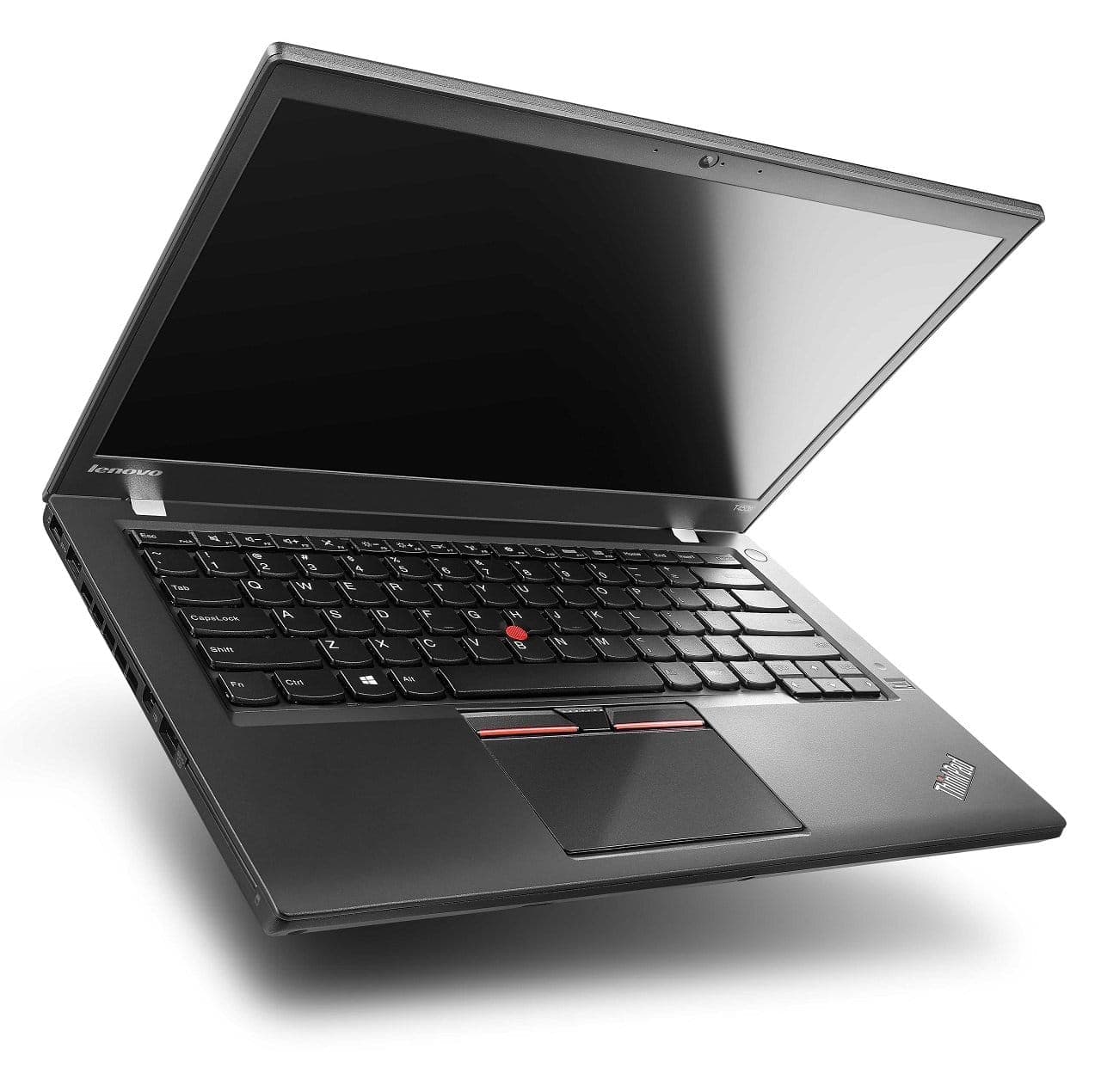
TL;DR The Lenovo ThinkPad T450 continues to deliver dependable productivity performance in 2026 thanks to its 5th generation Intel Core processors, upgradeable RAM up to 16GB, and SSD support. While it is not built for gaming or GPU-intensive workloads, the laptop still handles office applications, programming environments, web-based tools, and multitasking reliably. The combination of efficient Broadwell CPUs, good thermal design, and upgrade flexibility allows the T450 to remain a practical machine for students, developers, and professionals who prioritize stable performance and long-term usability.
Overview of Lenovo ThinkPad T450 Performance in 2026
Despite being launched in 2015, the Lenovo ThinkPad T450 remains a dependable performer for modern productivity tasks in 2026. Its 5th-generation Intel Core i5-5200U or Core i7-5600U processors, paired with upgradable DDR3L RAM and SSD storage, provide a balance of efficiency and responsiveness that keeps it relevant for office work, programming, and multitasking. Unlike many ultrabooks that limit upgrades, the T450 allows users to expand RAM up to 16GB and swap in faster SSDs, directly improving system speed and workload handling.
In real-world usage, the T450 handles multiple browser tabs, Microsoft Office, Google Workspace, and light coding projects without noticeable lag. Its Broadwell CPUs, while older by 2026 standards, efficiently manage everyday workflows with minimal power draw, keeping thermals under control and ensuring consistent performance for extended periods. SSD storage further accelerates boot times, file access, and application launches, allowing the T450 to rival some modern entry-level laptops for core productivity tasks.
The system’s hardware design emphasizes practicality over flashy specifications. A responsive keyboard, stable hinge, and legacy ports like USB-A, mini DisplayPort, VGA, and Ethernet make the T450 a versatile machine for professional and student environments. Combined with its serviceable architecture, this makes the T450 not just a functional laptop in 2026, but a cost-effective option for buyers seeking reliable performance without paying for the latest hardware.
Typical ThinkPad T450 Hardware Configuration
Because of this balanced hardware configuration, the ThinkPad T450 remains capable of supporting everyday productivity workloads, making it a viable system for users who value stability, keyboard comfort, and reliable performance.
CPU Capabilities: 5th Gen Intel i5 and i7 in 2026 Workloads
The ThinkPad T450 is powered by 5th generation Intel Core processors (Broadwell architecture). Common configurations include the Intel Core i5-5200U and Core i7-5600U, both dual-core processors with Hyper-Threading. The CPUs operate at base clock speeds of 2.2-2.6 GHz and can turbo boost to 2.7-3.2 GHz. While these processors are older by 2026 standards, they still provide sufficient performance for office productivity, coding, spreadsheet work, and web applications.
It is important to note that the CPU is soldered onto the motherboard, so upgrading to a newer processor is not possible. Therefore, buyers should select units that already feature the highest CPU available (i7-5600U) if they want the best performance. The soldered design, however, contributes to better thermal efficiency and battery optimization, which is a plus for long-duration use.
In real-world 2026 scenarios, a T450 with an i5 or i7 processor handles Microsoft Office, Google Workspace, multiple browser tabs, and light IDE usage without major slowdowns. The CPU also supports Intel’s virtualization technology, which is useful for running virtual machines or Docker containers for coding and testing. While the T450 is unsuitable for modern gaming, AI workloads, or 4K video editing, its CPU remains reliable for the primary use cases expected from a business laptop.
T450 CPU Performance Overview
The 5th-generation CPUs, when paired with sufficient RAM and an SSD, remain adequate for modern productivity and multitasking workloads in 2026.
RAM Upgrades and Multitasking Performance
One of the most important aspects affecting everyday responsiveness on the Lenovo ThinkPad T450 is memory capacity. Out of the box, many T450 units came with 4GB or 8GB of DDR3L RAM, but modern productivity workflows,especially in 2026,benefit significantly from 8GB or 16GB configurations. DDR3L is a low‑voltage memory standard that balances energy efficiency with respectable throughput for business‑oriented workloads. Because the RAM in the ThinkPad T450 is not soldered, users can upgrade memory using the two DIMM slots, which is a key advantage compared with many current laptops that lock memory onto the motherboard.
Upgrading to 8GB of RAM ensures smooth multitasking for day‑to‑day use cases such as running multiple browser tabs (10+), Slack or Teams, email clients, Office applications, and light IDEs like Visual Studio Code. 8GB is generally sufficient for typical students and office users, but for professionals who keep many processes running simultaneously,like browser sessions, local databases, virtual machines, and editors,16GB RAM delivers a noticeable improvement in overall responsiveness. With 16GB, the system experiences less swapping to storage, which is crucial when using memory‑demanding apps or running containers.
In real‑world workflows in India, where users often juggle Google Workspace, cloud‑based apps, and local productivity software together, RAM can quickly become the limiting factor. Without enough memory, even a capable CPU won’t prevent frequent slowdowns as the operating system shifts data between RAM and storage. In T450 units, upgrading RAM is one of the most cost‑effective ways to boost daily performance without needing to invest in a newer laptop.
T450 RAM Upgrade Impact
Upgrading RAM brings immediate benefits in multitasking stability, responsive browsing, and smoother transitions between applications, making the T450 relevant even in 2026 workflows.
SSD vs HDD: Storage Impact on Responsiveness and Speed
The type of storage installed in a Lenovo ThinkPad T450 India has some of the most dramatic impacts on system performance and responsiveness. Original T450 models frequently shipped with 5400‑RPM mechanical hard drives, which are significantly slower than modern storage solutions. Lenovo units that still have such hard drives suffer from long boot times, laggy application launches, and delayed file operations, which can make the overall experience feel outdated and sluggish.
Upgrading to a solid‑state drive (SSD) has one of the most noticeable effects on perceived performance. SSDs offer much faster random read and write speeds, which dramatically reduces operating system boot times, shortens software launch delays, and improves responsiveness across typical workflows. For example, a T450 with a proper SATA SSD boots into Windows 10 or Windows 11 in around 15-20 seconds, whereas a mechanical hard drive might take 60-90 seconds. Application load times and file open times also see proportional improvements.
In addition to speed, SSDs contribute to long‑term reliability because they lack moving parts and are more resistant to shock and vibration compared with HDDs. Given the context where longevity and reliability matter, SSD upgrades are essential. SSDs also consume less power than mechanical drives, which can contribute to slightly improved battery life,an important factor for mobile professionals and students in India.
Storage Type Performance Comparison
For anyone evaluating a buy used Lenovo T450 option in India in 2026, choosing a configuration with an SSD is one of the most impactful performance decisions you can make.
Integrated Graphics: Intel HD 5500 Performance for 2026 Use
The ThinkPad T450 uses Intel HD Graphics 5500, which is an integrated GPU built into the 5th‑generation Intel Core processors. This graphics solution was designed primarily for business and multimedia tasks, not gaming or GPU‑intensive workflows. In modern contexts, this means the T450 can handle video playback, screen sharing, light photo editing, and casual multimedia without significant issues, but it is not suitable for demanding graphical workloads.
In everyday usage, the HD 5500 can easily manage 1080p video streaming on platforms like YouTube, Netflix, or Team presentations. Web‑based graphics and lightweight canvas applications are also handled competently, which is particularly relevant for students and professionals who rely on browser‑based tools. The GPU supports DirectX 11.2 and OpenCL, which allows it to accelerate certain types of workloads, but performance remains modest compared with discrete GPUs or even newer integrated graphics like Intel Iris Xe.
When it comes to light photo editing tasks such as cropping, retouching, or color adjustments in software like Adobe Lightroom or Photoshop (standard definition work), the HD 5500 is serviceable but not fast. Smooth performance typically requires lower resolution images and modest edits. Video editing beyond basic trimming and transitions will quickly expose the limitations of the integrated graphics, resulting in long render times and lag during previews.
Intel HD 5500 Capabilities in 2026
For productivity‑oriented users evaluating the ThinkPad T450 performance guide, the integrated graphics are sufficient for everyday multimedia needs and general workflows but should not be expected to run graphics‑intensive applications or modern AAA games.
Battery Efficiency Under Modern Workloads
Battery life remains a critical factor for laptops, and the ThinkPad T450 was designed with energy efficiency in mind. Original models included removable 3-cell, 6-cell, or 9-cell batteries, with the 6-cell and 9-cell variants being most common in units today. In 2026, a properly tested 6-cell battery provides roughly 4-5 hours of real-world usage, while a 9-cell extended battery can reach 6-7 hours depending on workload, screen brightness, and background processes.
The T450’s 5th-generation Intel Core processors (Broadwell) are built on a 14nm process, which is more power-efficient than previous generations. This helps maintain battery longevity during office tasks, coding, or web browsing. Installing an SSD instead of an HDD further reduces power consumption, since SSDs draw less energy during read/write operations. Combined with Windows 10 or 11 power management features, the T450 achieves a balance between performance and efficiency, making it suitable for mobile professionals, students, and frequent travelers in India.
Battery reliability in units is a top concern. Trusted refurbishers test each battery for capacity and cycles, replacing those with significant wear. The removable battery design allows users to swap out aging batteries themselves, a feature that extends the T450’s usable life and ensures consistent mobility over time.
Battery Life by Workload
This reliability makes the T450 a practical choice for productivity on the go, even in 2026.
Thermal Management and Heat Performance
The ThinkPad T450 maintains good thermal performance under normal productivity workloads. Lenovo’s engineering emphasizes quiet cooling and heat dissipation, using a combination of heat pipes and a single fan to manage CPU temperatures. Under office, coding, or web browsing tasks, the CPU typically operates between 40-65°C, which is well within safe limits and prevents throttling.
For extended workloads, such as running multiple IDEs, browsers with numerous tabs, and cloud applications simultaneously, the CPU may briefly reach 75-80°C, but Lenovo’s thermal management ensures consistent clock speeds without performance drops. The magnesium-reinforced chassis also disperses heat efficiently, and the keyboard deck remains comfortable for typing during prolonged use.
Compared with modern ultrabooks, the T450 is slightly bulkier, which allows for more effective heat dissipation. This design helps avoid the thermal throttling issues commonly observed in thinner laptops when under sustained workloads. Additionally, the T450’s BIOS includes fan and thermal control options, allowing users to optimize for performance or quiet operation depending on their environment.
Thermal Performance Snapshot
Thermal reliability reinforces the T450’s status as a durable, long-lasting productivity laptop, even in condition.
Performance in Productivity Software: Office, IDEs, and Browsers
In real-world usage, the ThinkPad T450 excels in traditional productivity environments. With 8GB-16GB RAM and an SSD, the T450 can handle Microsoft Office, Google Workspace, coding IDEs like Visual Studio Code or PyCharm, and multiple browser tabs with ease. Users can open documents, spreadsheets, and presentations simultaneously without experiencing noticeable slowdowns.
Web-based tools and cloud applications, common in Indian office and academic settings, are fully supported. Google Docs, Sheets, and web-based project management platforms such as Trello or Asana operate smoothly. When multiple tabs (10-15) are open in Chrome or Edge, upgrading to 16GB RAM ensures minimal swapping, keeping performance fluid.
For coding and development tasks, the Intel Core i5 or i7 processor is sufficient for compiling code, running lightweight virtual machines, and testing small datasets. While the integrated Intel HD 5500 graphics is not suitable for GPU-intensive tasks, it can handle occasional rendering of simple graphics or diagrams in productivity software. Spreadsheets with large formulas and multiple sheets run acceptably, though very large datasets may take longer than modern laptops with newer CPUs.
Productivity Performance Table
With proper upgrades, the T450 remains highly functional for productivity in 2026, making it a solid choice for Indian buyers seeking a reliable laptop.
Upgrade Options to Boost Performance
One of the key advantages of the Lenovo ThinkPad T450 is its upgrade flexibility, which extends its relevance in 2026 despite being an older laptop. While the CPU is soldered and cannot be upgraded, users can make significant improvements through RAM, storage, and minor component upgrades.
- RAM Upgrades: The T450 has two DIMM slots supporting up to 16GB DDR3L RAM. Upgrading from the typical 4GB or 8GB configuration drastically improves multitasking capabilities, reducing slowdowns when running multiple browser tabs, IDEs, and office applications simultaneously. This upgrade is relatively inexpensive and has a significant impact on perceived system responsiveness.
- Storage Upgrades: Replacing a mechanical hard drive with an SSD is arguably the single most impactful upgrade. SSDs improve boot times, application launch speed, file transfer rates, and system responsiveness. Common choices for units include 256GB or 512GB SATA SSDs, which provide ample storage for typical productivity workflows while maintaining excellent reliability and longevity.
- Minor Upgrades: Users can also consider swapping out batteries for higher-capacity 6-cell or 9-cell units to extend runtime, replacing thermal paste for improved cooling, or upgrading Wi-Fi cards to Wi-Fi 6 for better network performance. These upgrades are straightforward due to the T450’s serviceable design, which includes easy access to internal components.
By combining RAM, SSD, and battery upgrades, the T450 can perform similarly to entry-level modern laptops for productivity, making it a cost-effective option for Indian students, office workers, and budget-conscious professionals.
Performance Comparison: T450 vs Modern Budget Laptops
When compared to modern budget laptops in India (priced roughly ₹25,000-₹35,000), the Lenovo ThinkPad T450 holds its ground in productivity and multitasking performance. While newer laptops feature current-generation CPUs and integrated graphics, the T450’s dual-core 5th Gen Intel i5/i7, paired with upgraded RAM and SSD, remains sufficient for most office, coding, and web-based workflows.
Advantages of T450 over modern budget laptops:
- Durable build: Magnesium-reinforced chassis and spill-resistant keyboard.
- Keyboard comfort: Legendary ThinkPad keyboard for long typing sessions.
- Upgrade flexibility: RAM, storage, and battery can be easily replaced.
- Multiple ports: USB-A, mini DisplayPort, VGA, and Ethernet for legacy device support.
Advantages of modern laptops over T450:
- Faster CPU architecture: Newer laptops often feature quad-core processors or low-power 12th/13th Gen CPUs.
- Better integrated graphics: Intel Iris Xe or AMD Vega provide improved multimedia and casual gaming performance.
- Lighter design: Modern ultrabooks are thinner and lighter than the T450.
- Higher-resolution displays: Full HD or 2K screens with better color reproduction.
Performance Comparison Table
In short, while modern budget laptops offer newer CPU and GPU features, the T450 still provides reliable, upgradeable, and durable performance for most productivity workloads, making it a smart purchase in India.
Frequently Asked Questions
Q. Is the Lenovo ThinkPad T450 still good for performance in 2026
A. Yes with SSD storage and eight to sixteen GB RAM it handles office work coding browsing and multitasking reliably
Q. Can the CPU be upgraded in the ThinkPad T450
A. No the processor is soldered so performance improvements depend mainly on RAM expansion and SSD upgrades
Q. How much RAM does the ThinkPad T450 support
A. It supports up to sixteen GB DDR3L memory using two slots which improves multitasking and responsiveness
Q. Should I use SSD or HDD for better performance on the T450
A. SSD is strongly recommended because it reduces boot time improves app loading speed and enhances overall system responsiveness
Q. Is the ThinkPad T450 suitable for coding and development work
A. Yes it can run IDEs web development tools and moderate programming workloads smoothly with adequate RAM and SSD
Q. Can the ThinkPad T450 handle multiple browser tabs efficiently
A. Yes eight GB RAM supports typical browsing while sixteen GB allows heavier multitasking with many tabs and apps
Q. How good is the battery efficiency during productivity tasks
A. A healthy six cell battery offers around four to five hours while extended batteries can reach six to seven hours
Q. Is Intel HD graphics 5500 enough for multimedia usage
A. Yes it supports full HD video streaming light photo editing and presentations but not modern gaming or heavy graphics work
Q. Does thermal performance affect long work sessions on the T450
A. No its business class cooling design maintains stable temperatures and consistent performance during prolonged productivity use
Q. Who should buy a refurbished ThinkPad T450 for performance needs
A. Students developers office professionals and budget users needing reliable productivity performance should consider it
Ready to upgrade your tech?
Browse our collection of quality refurbished products at unbeatable prices.






