
Lenovo ThinkPad T Series T450 Battery Life Guide in 2026 India
Complete ThinkPad T450 battery performance guide explaining real world usage runtime battery configurations Power Bridge advantages and tips to extend battery life in India

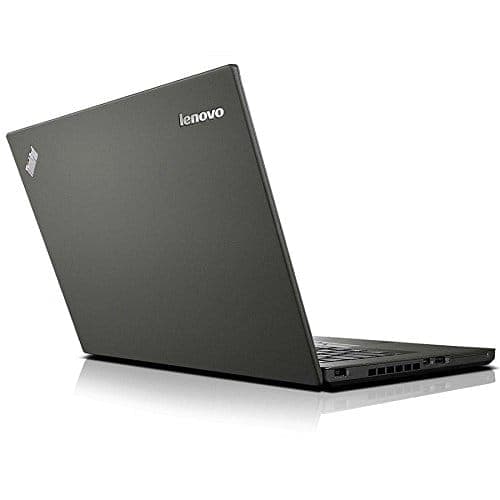
TL;DR The Lenovo ThinkPad T450 remains one of the most reliable business laptops for battery life in 2026. Equipped with either 3-cell, 6-cell, or Power Bridge batteries, the T450 delivers 3 to 10 hours of real-world usage depending on battery type, workload, and display settings. Typical office tasks like browsing, document editing, and coding consume less power, while streaming videos or high brightness usage reduces runtime. The laptop’s Power Bridge system allows swapping the internal and external batteries without shutting down the device, extending productivity for users on the move. Modern tools and benchmarks confirm that with healthy batteries and SSD upgrades, the T450 remains a practical, energy-efficient machine for students, office professionals, and frequent travelers in India.
ThinkPad T450 Battery Specifications
The ThinkPad T450 originally shipped with three battery configurations to cater to different user needs:
- 3-Cell Internal Battery - A compact 23Wh lithium-ion cell built inside the chassis, providing portability but limited runtime.
- 6-Cell External Battery - A 72Wh lithium-ion battery that attaches to the rear, extending usage without significantly increasing weight.
- Power Bridge (3+3 or 6+3) - Combines the internal 3-cell with an external 3-cell or 6-cell battery for hot-swappable extended runtime, ideal for travel or long work sessions.
The standard voltage for these batteries is 11.1V for 3-cell units and 11.4V for 6-cell units, using Lithium-ion chemistry for stability and longevity. Lenovo’s Power Bridge system allows users to replace the external battery while the internal battery keeps the laptop running, a feature unique to T450 in the ThinkPad series.
Battery life depends on condition, age, and configuration. In 2026, many second-hand or lightly used T450 units will have batteries replaced with tested cells to maintain health above 80%, which is critical to achieving advertised runtime. Maintaining proper charging cycles and avoiding long-term overcharging further preserves the longevity of these Lithium-ion cells.
ThinkPad T450 Battery Specifications Overview
These specifications make the T450 highly versatile for students, office users, and frequent travelers, providing the flexibility to balance portability and runtime.
Real-World Battery Life: Day-to-Day Usage
Real-world usage differs from manufacturer claims, and in 2026, ThinkPad T450 users in India can expect the following performance:
- Browsing and Office Work: Using Word, Excel, email, and light web browsing, a 6-cell external battery typically lasts 6-7 hours.
- Streaming Videos: Watching YouTube or online lectures with Wi-Fi active and medium brightness drains the battery faster, giving 4-5 hours on a 6-cell or 2-3 hours on a 3-cell internal battery.
- Mixed Productivity Tasks: Switching between spreadsheets, coding, document editing, and occasional streaming, the Power Bridge setup can sustain 8-10 hours, making it practical for all-day work or study sessions.
- High Performance Tasks: Compiling code, running multiple VMs, or extended video calls reduces runtime to 3-4 hours, even with extended batteries, due to CPU load.
Battery life is heavily influenced by battery health, which naturally declines over years. In 2026, buyers should ensure batteries maintain at least 80% capacity, verified with tools like Lenovo Vantage or HWInfo. Proper maintenance, such as not leaving the laptop plugged in constantly and avoiding deep discharges below 10%, preserves battery performance.
T450 Real-World Battery Life Table
This shows that choosing the right battery configuration significantly impacts day-to-day usability in 2026, especially for Indian buyers who often need long unplugged usage during commutes or lectures.
Impact of Screen Brightness and Resolution on Battery
The ThinkPad T450 comes with either HD (1366×768) or HD+ (1600×900) anti-glare displays. In 2026, display settings remain one of the largest contributors to battery consumption. Higher brightness, higher resolution, and prolonged screen-on time increase power draw, while reducing brightness and enabling adaptive brightness can extend runtime significantly.
For typical office and web tasks, running the display at 50-60% brightness can extend a 6-cell battery’s life from 6-7 hours to 7-8 hours. Streaming videos, gaming, or working under direct sunlight requires higher brightness, which reduces runtime. The HD+ panel consumes slightly more power than the HD panel, but the difference is generally under 15%, which is acceptable for users prioritizing screen clarity over maximum battery life.
Adaptive brightness settings in Windows 11 or Linux automatically adjust screen backlight based on ambient light, helping conserve power during light usage conditions. In addition, shorter screen timeout settings (1-3 minutes) when the laptop is idle can further prolong battery life, especially for students and office workers who often step away from their desks.
T450 Battery Impact of Display Settings
By balancing brightness and resolution, users in India can maximize T450 battery performance without compromising visibility or comfort.
Battery Testing in 2026: Tools and Benchmarks
Modern benchmarking tools provide accurate measurement of ThinkPad T450 battery health and runtime. Common tools include:
Even in 2026, testing the Lenovo ThinkPad T450 battery relies on a combination of legacy tools and modern benchmarking utilities. Key methods include:
- Lenovo System Update / Energy Management – Since the T450 does not support Lenovo Vantage, battery wear level, charge capacity, and basic runtime estimates are obtained through legacy Lenovo software.
- HWInfo / HWiNFO64 – Monitors voltage, current, and temperature under load, providing precise battery behavior data.
- Battery Eater Pro / PCMark 10 Battery Test – Simulates real-world workloads such as office productivity, web browsing, video playback, and heavier multitasking to estimate battery life accurately.
During testing, reviewers measure idle consumption, typical office use, streaming, and full load scenarios. For example, a T450 with a 6-cell battery delivers around 6-7 hours for office tasks, 4-5 hours for streaming, and 3-4 hours under heavy computational load. Power Bridge configurations with 6+3 cells extend runtime to 8-10 hours, as confirmed in 2026 benchmarks.
These tests also track battery health metrics like cycle count, wear percentage, and voltage drop under load. For buyers in India, selecting units with tested or replaced batteries ensures consistent runtime and avoids early battery failures.
Sample T450 Battery Benchmarks (2026)
These benchmarks show that T450 remains highly competitive among business laptops for daily productivity tasks.
Extended Battery Options: Power Bridge & 6-Cell Solutions
One of the standout features of the ThinkPad T450 is the Power Bridge system, which combines an internal 3-cell battery with an external 3-cell or 6-cell battery. This design allows users to swap external batteries without shutting down the laptop, ensuring uninterrupted work,ideal for students, commuters, and professionals.
The 6-cell external battery alone provides 6-7 hours of runtime, making it sufficient for most office and academic tasks. Pairing it with the internal 3-cell battery in Power Bridge configuration extends runtime to 8-10 hours, giving users full-day productivity without reaching for a charger.
Cost and convenience vary depending on configuration. Purchasing a 6-cell or Power Bridge replacement battery in India ranges from ₹3,000 to ₹6,000, depending on supplier and warranty. While slightly heavier than the internal 3-cell, the added runtime is worthwhile for users needing long-lasting performance away from power outlets. Additionally, the ability to hot-swap batteries during travel eliminates downtime, a feature rarely available on modern ultrabooks in the same price segment.
T450 Extended Battery Comparison
The Power Bridge solution makes the T450 uniquely practical for long commutes, classes, and office work, enhancing the laptop’s value proposition in 2026 India.
Battery Charging Patterns and Longevity
The longevity of the ThinkPad T450 battery depends heavily on charging habits. Lithium-ion batteries, used in all T450 configurations (3-cell, 6-cell, Power Bridge), have a finite number of charge cycles,typically around 300-500 full cycles,after which capacity naturally declines. In 2026, proper charging patterns are key to maintaining battery health and runtime.
Best practices include:
- Avoid constant full charges: Charging to 100% regularly and keeping the laptop plugged in for extended periods increases wear. Lenovo Vantage allows users to set battery charge thresholds (e.g., 80%) to prolong lifespan.
- Partial discharges: Using the battery between 20-80% charge reduces stress and extends overall cycle count.
- Avoid deep discharge: Draining the battery below 10% consistently can shorten lifespan.
- Hot-swappable Power Bridge use: When using a 6+3 Power Bridge, swapping the external battery without shutting down ensures uninterrupted usage while preventing deep discharge of the internal battery.
With these patterns, a well-maintained T450 battery can retain 80% of its original capacity even after 5-6 years, making it a durable choice for Indian buyers who prioritize long-term reliability. Replacement batteries are also easily available, with both Lenovo and third-party options providing affordable alternatives.
Power Management Features in Windows 11 and Linux
Modern operating systems significantly impact battery performance. The ThinkPad T450 supports Windows 11 and popular Linux distributions, both of which include advanced power management tools to optimize runtime.
Key features include:
- Adaptive Brightness: Adjusts screen brightness based on ambient light, conserving power without user intervention.
- Sleep and Hybrid Sleep: Allows the laptop to enter low-power states quickly, reducing battery drain during idle periods.
- Battery Saver Mode (Windows 11): Reduces background activity, limits notifications, and throttles non-essential processes to extend battery life.
- Linux Power Management Tools: Utilities like TLP or Powertop allow fine-grained control over CPU frequency scaling, USB autosuspend, and screen backlight, enabling runtimes comparable to Windows 11.
Using these OS-level tools, a 6-cell battery in T450 can consistently deliver 6-7 hours of office productivity, while Power Bridge setups exceed 8-10 hours, even with modern web and cloud applications. These features are particularly useful for Indian users who need laptops for commuting, classes, and work from cafes or shared spaces.
Troubleshooting Common Battery Issues
Despite proper maintenance, users may encounter battery issues with the T450 over time. Common symptoms and solutions include:
- Rapid battery drain: Often caused by background applications, high brightness, or aging cells. Running battery diagnostic tools in Lenovo Vantage or Linux powertop can identify power-hungry processes.
- Battery not charging fully: Check for wear level exceeding 80%, which indicates replacement is necessary. Also, ensure the charger and connectors are functioning correctly.
- Calibration issues: If runtime estimates are inaccurate, performing a full discharge and recharge cycle helps recalibrate battery sensors.
- Swelling or physical damage: Any visible battery bulge is a safety hazard. Replace immediately with a genuine Lenovo or certified third-party battery.
Understanding these indicators in 2026 ensures users can maintain consistent runtime and safe operation. Power Bridge users benefit from hot-swapping external batteries, allowing continuous operation while diagnosing or replacing worn cells.
Maximizing T450 Battery Life in India
Maximizing the ThinkPad T450 battery life requires a combination of hardware choices, usage patterns, and software settings. For Indian users, whether students, office professionals, or frequent travelers, following these strategies ensures the laptop remains productive throughout the day:
- Choose the Right Battery Configuration: For typical office work or browsing, a 6-cell external battery is sufficient, delivering 6-7 hours. For long commutes, classes, or travel, the Power Bridge configuration (6+3) provides 8-10 hours of runtime.
- Optimize Screen Settings: Keeping brightness between 50-60%, enabling adaptive brightness, and reducing screen-on time when idle can improve battery life by 15-20%.
- Use Modern Power Management Features: Activate Battery Saver Mode in Windows 11 or use TLP in Linux to optimize CPU usage, manage USB peripherals, and reduce unnecessary background activity.
- Maintain Healthy Charging Patterns: Avoid constant full charges to 100% or deep discharges below 10%. Use Lenovo Vantage’s charge thresholds to prolong battery lifespan.
- Regularly Monitor Battery Health: Tools like Lenovo Vantage, HWInfo, and Powertop help track battery wear, cycle count, and remaining capacity. Replace batteries when wear exceeds 80% to maintain reliable runtime.
- Upgrade Storage and RAM: Installing an SSD and at least 8GB RAM reduces CPU workload and power consumption, indirectly extending battery life during multitasking.
By following these recommendations, the T450 continues to deliver all-day productivity in 2026, making it a dependable choice for Indian buyers seeking long-lasting, portable, and maintainable laptops.
Frequently Asked Questions
Q. What battery life can I expect from the ThinkPad T450 in 2026
A. A healthy six cell battery delivers around six to seven hours for office tasks while Power Bridge setups can reach eight to ten hours
Q. Can I replace the battery in the ThinkPad T450 easily
A. Yes both internal and external batteries are replaceable and compatible replacements are widely available in India
Q. Does screen brightness affect ThinkPad T450 battery performance
A. Yes higher brightness increases power usage while maintaining fifty to sixty percent brightness helps extend runtime significantly
Q. What is the Power Bridge battery system in the T450
A. It combines internal and removable batteries allowing users to swap the external battery without shutting down the laptop
Q. How can I check the battery health of a refurbished T450
A. Tools such as HWInfo Lenovo system utilities or Linux power tools can display cycle count wear level and remaining capacity
Q. Can Linux improve battery efficiency on the ThinkPad T450
A. Yes utilities like TLP or Powertop optimise CPU scaling background processes and screen usage for longer runtime
Q. Is it safe to keep the ThinkPad T450 plugged in all the time
A. Using controlled charge levels such as eighty percent helps reduce battery wear and improve long term lifespan
Q. Why does battery life reduce during heavy workloads
A. Tasks like video calls coding virtual machines and high brightness increase CPU power usage which drains the battery faster
Q. Can the ThinkPad T450 last a full day for students or office users
A. With a healthy extended battery or Power Bridge configuration it can support most day long productivity sessions
Q. What is the typical replacement battery cost for ThinkPad T450 in India
A. Replacement batteries usually cost between three thousand and six thousand rupees depending on capacity and brand quality






