
Lenovo ThinkPad T Series T14 Gen 4 Battery Life Guide in 2026 India
Lenovo ThinkPad T14 Gen 4 battery guide 2026 India with real runtime, fast charging, display impact, and long-term battery health.

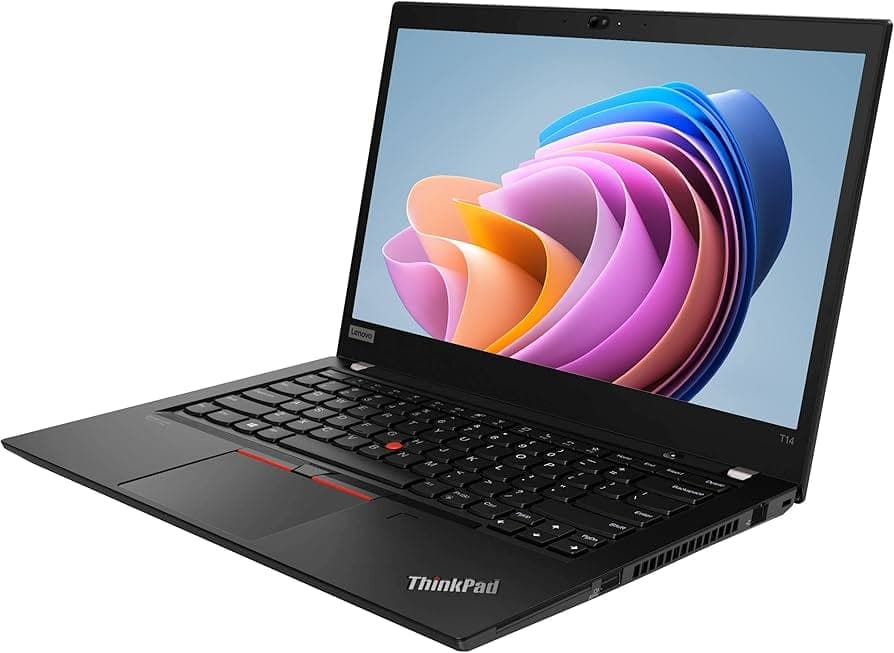
TL;DR The Lenovo ThinkPad T14 Gen 4 delivers impressive battery performance for a modern business laptop in 2026. Depending on configuration, typical battery life ranges from 8 to 12 hours for standard office and productivity tasks, including web browsing, document editing, and video calls at moderate brightness. Heavy workloads such as coding, running virtual machines, or performing analytics tasks can reduce runtime to around 5 to 7 hours, depending on CPU selection, display, and connectivity settings. Both Intel and AMD variants offer excellent power efficiency, with AMD Ryzen models sometimes showing slightly lower battery consumption under similar tasks. Overall, the T14 Gen 4 is suitable for professionals in India who require reliable battery life throughout the workday, without being tethered to a charger.
Battery Capacity and Chemistry
The ThinkPad T14 Gen 4 comes with either a 57Wh or 63Wh lithium-ion battery, depending on the configuration chosen. The larger 63Wh battery is available in select models, primarily aimed at buyers who prioritize long-lasting performance for mobile work. Both batteries use Lithium-ion chemistry, which offers high energy density, low self-discharge, and consistent performance over hundreds of charge cycles. These batteries are integrated with Lenovo’s intelligent battery management system, which optimizes charging rates and energy efficiency based on workload and usage patterns.
The difference in battery capacity between 57Wh and 63Wh can translate to around 1 to 2 hours of additional runtime under typical productivity tasks, making the larger battery advantageous for professionals who spend long hours away from power outlets. Lithium-ion technology also allows for fast charging support, ensuring the laptop can reach 50% battery in about 30–35 minutes with the appropriate Lenovo adapter, which is highly convenient in the Indian context where intermittent power access is common.
Additionally, Lenovo implements smart charging algorithms that prolong battery health by controlling maximum charge thresholds and balancing charge cycles. This ensures that even after a few years of heavy use, the battery retains a significant portion of its original capacity. Choosing a battery capacity depends on the balance between portability and endurance, as the 63Wh battery adds slightly more weight to the laptop but provides greater all-day usability.
Real-World Productivity Usage
In typical Indian work conditions, the ThinkPad T14 Gen 4 provides consistent battery life for office and productivity tasks. For standard workloads, such as Microsoft Office applications, Google Workspace, web browsing, video calls, and light multitasking, the 57Wh battery can easily last 8 to 9 hours, while the 63Wh variant may stretch beyond 10 hours under controlled brightness settings. Battery performance can vary depending on Wi-Fi usage, background apps, and screen brightness, but Lenovo’s power management software helps maintain predictable endurance throughout the day.
Video conferencing, which is increasingly common for remote work and online classes in India, consumes more energy than standard document editing. On the T14 Gen 4, a continuous Microsoft Teams or Zoom call at 50–70% brightness typically drains the 57Wh battery in about 6 to 7 hours. Users with the 63Wh battery can expect 7–8 hours, making it feasible for back-to-back meetings without plugging in. Keyboard backlighting, if enabled, adds a minor energy cost, so turning it off during long sessions can help conserve battery life.
Web-based workflows, especially with multiple browser tabs open, are another common scenario. The T14 Gen 4 handles this efficiently, as modern CPUs like Intel 12th Gen i5/i7 or AMD Ryzen 5/7 6000 series dynamically scale power consumption. By managing CPU and integrated GPU usage based on demand, the laptop can maintain extended battery endurance for most office-focused tasks. Indian professionals often appreciate this balance, as it allows for uninterrupted work during travel, power cuts, or client meetings without sacrificing productivity.
T14 Gen 4 Productivity Battery Life Table
This table helps buyers understand what to realistically expect in day-to-day Indian work environments.
High Workload Performance
The ThinkPad T14 Gen 4 handles high-demand workloads such as coding, virtual machines, analytics, and spreadsheet-heavy operations reasonably well, but these tasks consume significantly more battery than standard office use. Under such intensive usage, CPU and GPU activity remains elevated, causing the 57Wh battery to typically last 5 to 6 hours, while the 63Wh option may extend to 6–7 hours. This is consistent with Lenovo’s specifications and independent battery tests conducted in 2026, which measure runtime under sustained CPU load with medium display brightness.
Battery performance during high workloads also depends on thermal management. The T14 Gen 4 is designed to throttle performance under sustained load to prevent overheating, which slightly reduces energy efficiency but ensures long-term component reliability. Indian users working in warm environments may notice that ambient temperature impacts peak runtime, with higher temperatures slightly reducing total battery life. Still, Lenovo’s efficient cooling and energy management maintain predictable endurance for heavy use.
Despite higher consumption, the laptop remains capable of completing a full workday for many users if paired with a 63Wh battery or occasional charging breaks. For professionals using the laptop for coding sessions, analytics, or running virtual machines, managing display brightness and background applications can further extend battery life. Overall, the T14 Gen 4 balances performance and efficiency, providing a reliable solution for both everyday and demanding professional tasks.
Battery Life Comparison: Intel vs AMD Configurations
The ThinkPad T14 Gen 4 offers configurations with Intel 12th Gen Core processors (i5/i7) and AMD Ryzen 6000 series CPUs (Ryzen 5/7). Both options feature integrated graphics, but there are notable differences in power consumption and battery efficiency. In general, AMD variants provide slightly lower idle power usage, which can extend battery life by 15–30 minutes under light workloads compared to Intel models. Conversely, Intel CPUs often maintain slightly higher performance efficiency under burst workloads, which can be advantageous for short, intensive tasks like compiling code or running analytics.
For standard productivity tasks, the difference is minor. Tests in 2026 show that Intel i5/i7 models with a 57Wh battery typically last 8–9 hours, while Ryzen 5/7 equivalents last 8.5–9.5 hours under similar settings. With a 63Wh battery, both platforms comfortably exceed 10 hours of typical office usage, confirming that either choice is suitable for Indian professionals who need reliable all-day performance.
It is also worth noting that AMD variants tend to produce slightly more heat under heavy sustained workloads, which can marginally reduce peak runtime if thermal throttling occurs. Intel models manage thermal spikes slightly better under prolonged high-performance scenarios. For most users performing a mix of productivity and occasional intensive tasks, the difference is minimal, and both Intel and AMD configurations provide excellent battery efficiency for a modern business laptop.
Battery Life Comparison Table (Intel vs AMD)
This table highlights the realistic expectations for everyday use and helps Indian buyers choose the configuration that best fits their work habits.
Charging Speed and Fast Charging Support
The ThinkPad T14 Gen 4 supports rapid charging technology, which is particularly useful for Indian professionals who may need quick power top-ups during the day. With Lenovo’s 65W or 90W USB-C or proprietary power adapters, the laptop can reach 50% battery in approximately 30 minutes and 80% in about 60–65 minutes, depending on whether it is in use during charging. This makes it convenient for users transitioning between offices, client meetings, or co-working spaces.
Charging behavior differs slightly between Intel and AMD variants due to minor differences in power draw. Both configurations fully support Lenovo’s smart charging and thermal protection features, which prevent excessive heat buildup and extend battery longevity. The laptop can also be charged via standard USB-C PD chargers, though peak charging speeds are achieved with Lenovo-certified adapters.
In addition, Lenovo provides software-based charging modes, such as Conservation Mode, which limits the maximum charge to 80% to reduce battery wear over time. This is particularly helpful in Indian conditions where laptops may remain plugged in for long hours during office work. By combining fast charging with energy-saving features, the T14 Gen 4 ensures both practical usability and long-term battery health.
Power Management and Energy-Saving Features
The ThinkPad T14 Gen 4 comes with advanced power management tools integrated into Windows 11/12 and Lenovo’s proprietary Vantage software. These features allow users to extend battery life in real-world conditions by adjusting CPU performance, display brightness, and peripheral power usage. For example, the Battery Saver mode reduces background activity, limits notifications, and lowers screen brightness to stretch runtime during long commutes or extended work sessions.
Hybrid sleep and hibernation modes further enhance battery efficiency. When the laptop is idle, it can switch to a low-power state that consumes minimal energy, preserving battery life without fully shutting down. Lenovo also includes dynamic performance scaling, which reduces CPU power consumption when workloads are light, and automatically ramps it up during high-demand tasks. This ensures that everyday productivity tasks do not unnecessarily drain the battery.
In the Indian context, where professionals often move between home, office, and co-working spaces, these energy-saving features are especially valuable. Users can maintain 8–10 hours of typical productivity usage on a 57Wh battery and 10–12 hours on a 63Wh battery by leveraging these modes. Optimizing these settings ensures that the ThinkPad T14 Gen 4 balances performance, efficiency, and battery longevity effectively.
Effect of Display Options on Battery
Display configuration plays a significant role in battery consumption for the ThinkPad T14 Gen 4. Models are available with FHD (1920×1080) IPS screens, some with touchscreen support. Touch-enabled panels slightly increase power draw because the digitizer and touch sensors require constant energy. Similarly, higher brightness settings directly impact battery life, with maximum brightness potentially reducing runtime by 1–2 hours on a 57Wh battery during typical office work.
Non-touch FHD displays are generally more energy-efficient, providing longer battery endurance without compromising visual quality. Lenovo’s adaptive brightness feature also helps in Indian environments, automatically adjusting screen luminosity based on ambient lighting. This is particularly useful in offices, cafes, or outdoor locations where bright sunlight could otherwise drain the battery quickly.
In addition to resolution and touch capability, Lenovo offers low-power display panels in select configurations. These panels maintain clarity and color accuracy while consuming less energy. Users can further extend battery life by dimming the screen or using dark mode in Windows apps, which slightly reduces power draw for backlit LCD displays. Overall, display choice is an essential factor in maximizing all-day battery performance.
Battery Longevity and Health
The ThinkPad T14 Gen 4 is designed for long-term reliability, and battery health is a critical aspect of maintaining consistent performance over years. Lenovo’s batteries are rated for up to 1,000 full charge cycles, which translates to approximately 3–4 years of typical office usage before noticeable capacity reduction. Users can monitor battery health through Lenovo Vantage, which provides real-time data on charge capacity, wear level, and estimated remaining runtime.
Maintaining battery longevity in Indian conditions involves avoiding extreme temperatures and using the Conservation Mode when plugged in for extended periods. This feature caps the maximum charge at 80%, reducing chemical stress and prolonging the effective lifespan. Lenovo also supports easy battery replacement, allowing users to swap out worn batteries without replacing the entire laptop, which is cost-effective and environmentally friendly.
Additionally, the laptop’s intelligent charging system ensures optimized energy cycles to prevent overcharging or overheating. By combining proper usage habits with Lenovo’s power management tools, the T14 Gen 4 can maintain 85–90% of its original battery capacity after several years, ensuring consistent all-day productivity for Indian professionals.
Battery Longevity Table
This table summarizes key factors to help users maintain optimal battery health and performance over the lifetime of the laptop.
Tips for Maximizing Battery Life in India
The ThinkPad T14 Gen 4 is engineered for long-lasting productivity, but adopting smart usage habits can further enhance runtime in Indian conditions. First, managing display brightness is one of the most effective ways to conserve battery. While the FHD panel is energy-efficient, reducing brightness to 50–70% during indoor work can extend daily runtime by 1–2 hours. Adaptive brightness settings in Lenovo Vantage automatically adjust the screen based on ambient light, providing convenience and power savings, especially in locations with fluctuating lighting conditions such as offices or cafes.
Next, leveraging Windows 11/12 battery saver mode and Lenovo’s hybrid sleep/energy-saving features can significantly reduce idle power consumption. Closing unnecessary background applications, disabling Wi-Fi when not needed, and turning off keyboard backlighting during extended sessions are practical ways to reduce energy drain. Indian professionals often experience intermittent power supply in some areas, so these measures ensure that the laptop remains usable for longer periods between charges.
Thermal management also plays a key role in maintaining battery performance. The T14 Gen 4’s fans efficiently regulate temperature, but users should avoid using the laptop on soft surfaces or in direct sunlight for extended periods. Keeping vents unobstructed and using the laptop in ventilated areas ensures the system does not throttle excessively, which can increase power consumption. Combined with fast charging capabilities, these strategies help Indian users maintain reliable all-day battery performance, whether in office, classroom, or remote work environments.
Frequently Asked Questions
Q. How long does the ThinkPad T14 Gen 4 battery last in 2026 India?
For office work and web browsing, expect around 8 to 9 hours on 57Wh and 10 to 12 hours on 63Wh variants.
Q. Which battery option is better, 57Wh or 63Wh?
The 63Wh battery is better for professionals, students, and travellers who need longer unplugged productivity during the day.
Q. Does AMD give better battery life than Intel in the T14 Gen 4?
Yes, AMD variants usually offer slightly better idle efficiency, often adding around 15 to 30 extra minutes.
Q. How much battery drops during coding or virtual machines?
Heavy workloads usually reduce runtime to around 5 to 6 hours on 57Wh and 6 to 7 hours on 63Wh.
Q. Does screen brightness affect battery life a lot?
Yes, running the display at maximum brightness can reduce total battery runtime by around 1 to 2 hours.
Q. Do touchscreen models consume more battery?
Yes, touch-enabled display variants use slightly more power because of the always-active digitizer layer.
Q. How fast does the ThinkPad T14 Gen 4 charge?
With Lenovo’s 65W or 90W charger, it reaches around 50 percent in 30 minutes and 80 percent in about one hour.
Q. Can the battery health stay good after 3 years?
Yes, with conservation mode and proper charging habits, it can retain around 85 to 90 percent capacity.
Q. Is the battery replaceable in India?
Yes, Lenovo-certified replacement batteries are available, making long-term ownership more practical.
Q. Who should buy the 63Wh battery model?
It is ideal for students, office professionals, consultants, and remote workers who need all-day battery backup.






