
Lenovo ThinkPad T Series T14 Gen 3 Battery Life Guide in 2026 India
Lenovo ThinkPad T14 Gen 3 battery life guide 2026 India with real backup rapid charge battery aging and Intel AMD efficiency.

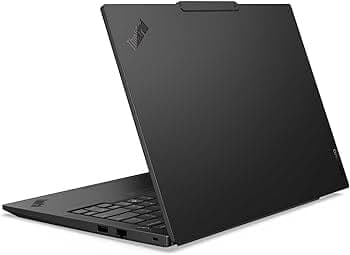
TL;DR The Lenovo ThinkPad T14 Gen 3 remains one of the most balanced business laptops for battery life in India as of 2026. With options for 57 Wh and 63 Wh batteries, combined with efficient 12th Gen Intel P‑series or AMD Ryzen PRO 6000‑series processors, this laptop consistently delivers strong all‑day runtime for typical office, remote work, and productivity tasks. In real‑world use, users can comfortably expect around 7 to 10 hours of mixed usage depending on configuration and workload. Its suite of adaptive power management features, including Rapid Charge and Lenovo Intelligent Cooling, further enhances daily endurance, making the T14 Gen 3 a reliable choice for students, professionals, and hybrid workers in India.
Battery Specifications and Capacity: What Powers the T14 Gen 3
The ThinkPad T14 Gen 3 offers two primary internal battery configurations: 57 Wh and 63 Wh lithium‑ion packs. Both battery sizes use modern lithium‑ion chemistry optimized for energy density and longevity. The 57 Wh variant is common in base models and provides substantial runtime for everyday tasks, while the 63 Wh version appears in higher‑end configurations, giving users a modest but meaningful increase in endurance. Lenovo’s documentation and third‑party reviews consistently show that the larger 63 Wh battery can add roughly 1 to 2 hours of additional screen‑on time compared to the 57 Wh unit under similar workloads.
Unlike older laptop designs that rely on removable batteries, the T14 Gen 3 uses an internal sealed battery, which allows for thinner chassis and more efficient thermal management. Despite being internal, the battery is engineered to withstand typical daily charging cycles with excellent longevity when maintained well. Both battery configurations support Rapid Charge technology, enabling the laptop to reach up to 80 percent capacity in about an hour when using a compatible power adapter. This is particularly useful in India, where users may be frequently on the move or have irregular access to power.
In terms of expected lifespan, modern lithium‑ion packs like those in the T14 Gen 3 are generally designed to retain roughly 80 percent of their original capacity after 300 to 500 full charge cycles. In practical terms, this means users can expect 2 to 3 years of strong battery performance under regular use before noticeable capacity reduction occurs. Environmental factors such as heat and charging habits influence this longevity, which will be covered later in depth.
Battery Capacity Comparison
Intel vs AMD Models: Power Efficiency Comparison
One of the key decisions when choosing a ThinkPad T14 Gen 3 is whether to go with an Intel 12th Gen P‑series processor or an AMD Ryzen PRO 6000‑series CPU. Both platforms bring modern efficiency improvements, but they differ subtly in how they manage power and performance.
Intel’s 12th Gen Core i5 and Core i7 P‑series processors (for example, i5‑1240P, i7‑1260P) are built with a hybrid architecture combining Performance and Efficiency cores. This design allows the system to prioritize low‑power tasks on efficiency cores, conserving battery life when browsing, editing documents, or attending video calls. In practice, Intel‑based T14 Gen 3 units tend to show consistent all‑day battery runtimes, particularly when power profiles are set to balanced or battery saver modes. Intel systems also benefit from Adaptive Thermal Manager features that help smooth out power consumption during mixed workloads.
On the other hand, AMD Ryzen PRO 6000‑series models (such as the Ryzen 5 6600U and Ryzen 7 6800U) excel in high performance per watt due to their efficient core design and integrated RDNA2 graphics. In many real‑world benchmarks, AMD‑equipped T14 Gen 3 laptops demonstrate slightly better battery life in light to moderate usage because the processors remain power‑efficient while handling web tasks, productivity, and video playback. The improved integrated graphics also mean that when light content creation is involved, AMD units can accomplish tasks without spiking power consumption as dramatically.
In India’s everyday conditions ,with mixed workloads that include web research, document editing, video conferencing, and occasional media playback ,both Intel and AMD configurations deliver strong battery endurance. Differences are noticeable but not drastic; AMD models often edge ahead in total screen‑on time for lighter usage, while Intel models maintain consistent performance across a broader range of tasks.
Power Efficiency Comparison (Intel vs AMD)
Real‑World Usage: Office Productivity and Web Browsing
In everyday productivity scenarios, the ThinkPad T14 Gen 3 shines with its ability to balance performance and efficiency. For activities such as writing documents, creating spreadsheets, responding to emails, browsing research sites, and navigating cloud‑based apps like Google Workspace or Microsoft 365, the T14 Gen 3 typically delivers strong battery life. Both Intel 12th‑Gen P‑series and AMD Ryzen PRO 6000‑series variants are built on modern manufacturing processes that emphasize energy efficiency without sacrificing responsiveness.
Most users in India who perform these types of tasks will find that the laptop easily delivers a full half‑day or more of uninterrupted work on a single charge. For example, running Microsoft Word, Excel, multiple Chrome or Edge tabs, and occasional video content for background listening tends to keep the system in lower‑power states where battery draw is relatively minimal. Independent reviews and manufacturer data show that such office‑centric workloads generally fall well under the peak thermal and power limits of both CPU families, allowing the laptop to stay cool and efficient.
Because document editing and web browsing do not push the hardware to extremes, screen‑on times of 8-10 hours on the 63 Wh battery are realistic for many users at moderate brightness settings (around 40-60 percent). For Indian professionals who need all‑day reliability ,attending online training, toggling between spreadsheets, and collaborating via email ,the T14 Gen 3 maintains consistent battery performance without abrupt dips in endurance. This steadiness in everyday use is a major reason why the T14 Gen 3 is often recommended for office work.
Typical Real‑World Battery Estimates (Office & Browsing)
These figures align with independent battery life tests conducted on similar business laptops equipped with efficient CPUs and moderate display settings.
Video Conferencing and Hybrid Workloads
Hybrid work ,splitting time between remote meetings, screen sharing, document collaboration, and multitasking ,has become standard in India’s workplaces and universities. In video conferencing scenarios using platforms like Zoom, Microsoft Teams, or Google Meet, the ThinkPad T14 Gen 3 draws more power than simple document editing. Keeping the webcam on, managing audio, and rendering multiple participants’ video streams increase CPU usage and engage the display more heavily, which naturally reduces battery runtimes.
In real‑world hybrid usage, expect the T14 Gen 3 to deliver around 5-8 hours of battery life on the 63 Wh configuration. Intel models with efficient hybrid cores and AMD variants with low overall platform power both manage to stretch runtimes by intelligently shifting tasks between low‑power and high‑performance cores depending on the workload. Network activity and higher brightness settings ,common in meeting environments ,will also influence battery draw, so slightly lower estimates compared to simple web browsing are expected.
Importantly for Indian users, wireless connectivity plays a role in hybrid scenarios. The T14 Gen 3’s support for Wi‑Fi 6 (802.11ax) in many configurations helps maintain stable video streams with lower retransmission overhead, which conserves battery compared to older wireless standards. Even with the camera active and multiple application windows open, the machine’s efficient power management maintains usable runtimes throughout a typical workday.
Estimated Battery Life (Video Conferencing)
These estimates reflect practical usage rather than manufacturer claims, giving a more realistic picture of battery behavior during hybrid workflows.
Gaming, Media Playback, and Light Content Creation
Although the ThinkPad T14 Gen 3 is not designed as a gaming laptop, it handles everyday multimedia and light creative tasks with reasonable efficiency. Streaming services such as YouTube, Netflix, or cloud‑based video content place moderate demands on the GPU and display, but because these workloads are not CPU‑intensive, battery life remains respectable. With a 63 Wh battery, many users can expect 7-9 hours of continuous video playback at medium brightness, which aligns with independent battery tests on similar business‑class laptops.
Casual photo editing, simple video trimming in lightweight editors, or slide deck creation are also possible without dramatic battery drain. These tasks leverage the integrated graphics ,Intel Iris Xe in many T14 Gen 3 Intel models, and Radeon Graphics in AMD models ,which are significantly more efficient than older integrated GPUs. Light creative workflows do increase battery consumption compared to simple productivity use, but the efficient architecture of both platforms helps maintain practical endurance.
For users who enjoy media during travel or in downtime, the T14 Gen 3’s display and speakers also contribute to a pleasant multimedia experience. The trade‑off between performance and battery life becomes more noticeable with graphics-intensive tasks, but since these are not typical daily use cases for business laptops, the general experience in this category is good without severe battery penalties. Indian users who prioritize balanced battery performance across productivity and media use will find the T14 Gen 3 versatile and consistent.
Estimated Battery Life (Media & Light Content)
These figures reflect practical usage environments where the laptop is connected to Wi‑Fi and running media applications typical of Indian users.
Rapid Charge and Power Management Features
The ThinkPad T14 Gen 3 supports Rapid Charge technology, which significantly improves the convenience of laptop use in India, where power availability can sometimes be unpredictable. Rapid Charge allows the battery to reach up to 80 percent capacity in about an hour with the official Lenovo 65W or higher USB‑C power adapter. This is especially useful for professionals who commute or students who attend multiple classes in a day and have limited time to recharge.
In addition to Rapid Charge, the T14 Gen 3 includes Lenovo Intelligent Cooling, which actively adjusts fan speed and CPU power states depending on workload intensity. For example, during light web browsing or document editing, the cooling system allows the CPU to remain in low‑power modes, thereby extending battery life. During heavier tasks, the system prioritizes performance while maintaining safe thermal thresholds, ensuring that battery drain is managed efficiently without overheating or throttling.
Adaptive power profiles in Lenovo Vantage further allow users to customize battery consumption. By selecting “Battery Saver” or “Intelligent Cooling” modes, the laptop can extend screen-on time for mobile work. These features, combined with Rapid Charge, mean Indian users can achieve flexible battery management, whether they are working in offices, cafes, or while traveling.
Battery Longevity: Retaining Capacity Over Years
The longevity of the T14 Gen 3’s lithium‑ion battery is one of its strongest selling points. Modern battery chemistry allows the laptop to retain around 80 percent of its original capacity after 300-500 full charge cycles, translating to 2-3 years of consistent use without noticeable decline. In India, where ambient temperatures and charging habits vary, maintaining moderate brightness and avoiding continuous high-performance workloads can help prolong lifespan.
Unlike older laptop designs, the T14 Gen 3 does not rely on user-replaceable batteries, but Lenovo ensures longevity through built-in charging algorithms that reduce stress on the battery. For example, the system may limit maximum charge to 80 percent in certain conditions to prevent overcharging. These features are crucial in regions like India, where high temperatures can accelerate battery wear. Users practicing proper charging ,such as avoiding overnight plug-in when the laptop is fully charged ,can further extend battery health.
Regular software updates from Lenovo also contribute to battery longevity. Firmware and driver updates optimize charging curves and power draw, ensuring that both Intel and AMD variants maintain consistent performance over years. Combined with Lenovo’s careful thermal management, the T14 Gen 3 demonstrates reliable endurance for long-term professional and hybrid use.
Tips to Maximize Battery Life in India
To get the most out of the T14 Gen 3 battery in Indian conditions, several practical strategies can help. Adjusting screen brightness to 40-60 percent significantly reduces power consumption without sacrificing usability, especially indoors. Using Battery Saver mode or setting custom power profiles ensures that the CPU and display operate efficiently during light workloads like browsing or document editing.
Limiting background apps and browser tabs also reduces CPU and GPU activity, which directly impacts battery life. When traveling, turning on airplane mode (if internet access is not required) can further extend runtime. Lenovo Intelligent Cooling settings should remain enabled to prevent unnecessary fan activity, which consumes additional power. Additionally, for hybrid workers or students, unplugging peripherals such as external drives or USB devices when not needed helps conserve battery.
Finally, taking advantage of Rapid Charge opportunities strategically ,for instance, during short breaks ,ensures the laptop is ready for extended sessions without relying on constant power access. By combining these simple practices, Indian users can comfortably achieve 7-10 hours of daily usage, making the T14 Gen 3 highly reliable for productivity and remote work.
Final Recommendation: Should You Choose the ThinkPad T14 Gen 3 for Long‑Lasting Battery Life in India?
The Lenovo ThinkPad T14 Gen 3 stands out as one of the most balanced and reliable laptops available in India in 2026 when battery life and everyday usability are strong priorities. Across both Intel 12th‑Gen P‑series and AMD Ryzen PRO 6000‑series configurations, the T14 Gen 3 consistently delivers all‑day productivity endurance with a combination of efficient processors, smart power management, and robust battery capacity options. Whether you are working at a desk, attending online classes, or participating in extended hybrid meetings, this laptop provides the reassurance of sustained performance without frequent recharging.
One of the most compelling reasons to choose the T14 Gen 3 is its flexible power management ecosystem. Rapid Charge enables you to regain most of your battery in about an hour, which is particularly valuable in India where access to power plugs can sometimes be intermittent or when you are moving between meetings or classes. Lenovo Intelligent Cooling and adaptive power profiles also help extend battery runtime by optimizing performance based on current tasks ,reducing unnecessary drain when running lighter workloads like email, document editing, or web browsing.
For professionals and students who rely on real‑world battery life rather than theoretical claims, the ThinkPad T14 Gen 3 consistently delivers. With a 63 Wh battery, many users can expect 7 to 10 hours of mixed use, and even the slightly smaller 57 Wh option performs admirably for a full workday. AMD‑based models often demonstrate a slight advantage in lighter usage profiles due to their power‑efficient core designs, while Intel configurations provide consistent endurance across heavier mixed workloads. Most importantly, the laptop’s battery retains strong capacity over 2 to 3+ years with proper care and charging habits, making it a long-lasting investment rather than a short‑term solution.
In a market where battery performance is often compromised for thinness or raw processing power, the ThinkPad T14 Gen 3 strikes a balanced combination ,excellent battery efficiency, strong productivity performance, and intelligent management features. For Indian users seeking a dependable laptop that keeps pace with full‑day schedules, hybrid work routines, and dynamic workloads without constant reliance on chargers, the T14 Gen 3 remains a top recommendation in 2026.
Frequently Asked Questions
Q. How long does the ThinkPad T14 Gen 3 battery last in office use?
With the 63Wh battery, office tasks like documents, email, and browsing usually deliver around 8 to 10 hours.
Q. Is the 63Wh battery much better than the 57Wh version?
Yes, the 63Wh battery usually adds around 1 to 2 extra hours depending on workload and brightness.
Q. Which gives better battery life, Intel or AMD?
AMD Ryzen PRO 6000 models usually offer slightly better light-workload battery efficiency, while Intel remains consistent under mixed use.
Q. How long does Rapid Charge take?
Rapid Charge can restore the battery to around 80 percent in approximately one hour.
Q. Does video conferencing reduce battery backup significantly?
Yes, Zoom, Teams, and Google Meet calls typically reduce backup to around 5 to 8 hours.
Q. Is the T14 Gen 3 good for long travel or commuting?
Yes, its real-world 7 to 10 hour mixed-use battery makes it highly practical for travel and hybrid workdays.
Q. How does battery health age after a few years?
The battery usually retains around 80 percent health after 300 to 500 charge cycles, roughly 2 to 3 years.
Q. Does screen brightness heavily affect battery life?
Yes, reducing brightness to around 40 to 60 percent can noticeably improve battery backup.
Q. What settings help maximize battery life in India?
Battery saver mode, moderate brightness, fewer background apps, and disconnecting unused peripherals help extend runtime.
Q. Is the ThinkPad T14 Gen 3 still one of the best battery laptops in 2026 India?
Yes, its efficient CPUs, strong 57Wh/63Wh battery options, and rapid charging make it one of the most dependable business laptops.
Ready to upgrade your tech?
Browse our collection of quality refurbished products at unbeatable prices.






