
Lenovo ThinkPad T Series T14 Battery Life Guide in 2026 India
ThinkPad T14 battery life guide India 2026 covering runtime charging efficiency battery capacity and real world usage performance for buyers.

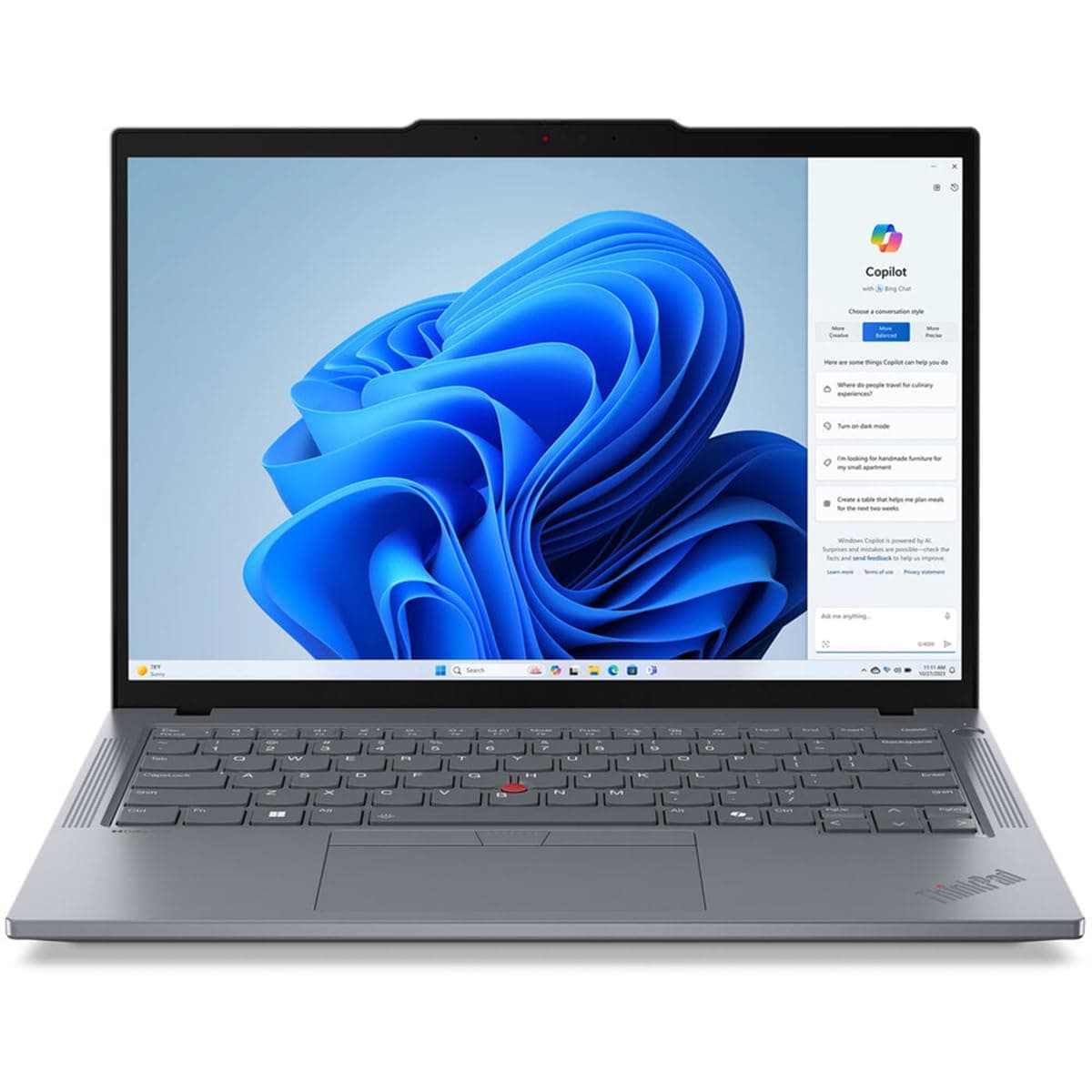
TL;DR The Lenovo ThinkPad T14 India continues to offer impressive battery life and mobile productivity for users in 2026 thanks to its efficient power design and modern processor choices. Depending on configuration and usage patterns, most T14 models deliver between 6 and 11 hours of real‑world runtime, with AMD‑based systems often achieving slightly better endurance under balanced workloads. Intel versions also provide solid longevity, especially with lower power displays, and all models support modern power management features in Windows to further extend battery life. Whether you are working offline, connected on cloud applications, or consuming media throughout the day, the T14 remains a strong choice for professionals and students who need reliable, all‑day mobility without constantly hunting for a charger.
Lenovo ThinkPad T14 Battery Capacity and Configurations
The ThinkPad T14 ships in multiple battery configurations, which directly influence how long the laptop can run away from a power outlet. Standard models typically include a 3‑cell, 50 Wh battery, which Lenovo rates at up to around 10-11 hours under ideal conditions, like light productivity with balanced power settings. Some configurations include optional larger battery packs such as 57 Wh or even 63 Wh, especially on higher trim units, which provide a modest increase in runtime by offering more watt‑hours per charge.
Battery size is only part of the picture, however. The laptop’s efficiency also depends on the processor and display choices. The Intel‑powered models of the T14 often pair well with the standard 50 Wh battery and balanced power profiles, while AMD variants ,especially models using recent Ryzen U‑series or PRO processors ,tend to deliver slightly better efficiency at similar capacities, due to architectural differences in how they handle idle power and background tasks. Real‑world experiences from owners suggest that differences in battery life between configurations are noticeable but not dramatic, with larger battery packs adding between one to three extra hours of runtime in everyday usage.
Display choice also matters. Lower‑power Full HD panels will generally consume less energy than UHD or higher‑brightness units. This means a T14 with a 50 Wh battery and an FHD panel will almost always last longer in typical office or browsing sessions compared to an equivalent laptop with a higher‑resolution screen. For Indian professionals balancing performance and mobility, choosing the right combination of battery size and display configuration is key to ensuring consistent all‑day productivity.
Battery Capacities and Expected Impact
Real‑World Battery Performance: Office and Productivity Workloads
In everyday productivity tasks ,such as working with Microsoft Office, composing emails, editing documents, spreadsheets, or navigating tabs in a browser ,the ThinkPad T14 provides dependable battery life that matches modern mobile needs. Under balanced power profiles in Windows 11, where the system favors energy efficiency without sacrificing responsiveness, many users report runtimes well over 6 hours of continuous use in typical office workflows. These workflows often include moderate screen brightness, occasional video calls, and active cloud‑based applications.
During common tasks like Google Workspace editing, responding to emails, or preparing slides and reports, the laptop’s power management intelligently scales performance in the background to conserve energy. Users in India who transition between campus work, office environments, and remote collaboration find that the T14 can comfortably handle such productivity spans without needing frequent charging breaks. In scenarios where brightness is kept around 50-60 percent and Wi‑Fi remains on for cloud access, sustained runtimes of 7 to 9 hours are realistic for many configurations.
It is worth noting that battery life can vary significantly depending on how rigorously the system is used. Heavy multitasking with dozens of browser tabs, constant conference calling, and cloud syncing will draw more power compared with lighter word processing or spreadsheet work. However, for most professional workloads encountered throughout an Indian workday ,including working between meetings, attending remote sessions, and preparing materials offline ,the battery design in the T14 adapts well to maintain productivity over extended periods.
Battery Performance During Multimedia and Streaming
When it comes to multimedia usage, such as video streaming on YouTube, Netflix, or online tutorials, the ThinkPad T14 performs well within expectations for a productivity‑oriented laptop in 2026. Streaming video over Wi‑Fi uses a blend of display, Wi‑Fi, and video decoding power, so it is generally more demanding than static office tasks but less demanding than heavy multitasking or creative workloads. With balanced power settings and moderate brightness, users can typically expect between 6 and 8 hours of continuous video streaming on models with a 50 Wh battery. Models equipped with larger capacity units, such as 57 Wh or 63 Wh batteries, can deliver 8 to 10 hours of streaming life, depending on brightness levels and network usage.
Battery life during streaming also depends on the display resolution and power efficiency. The Full HD (1920×1080) panels used in the T14 are relatively energy efficient, especially compared with higher‑resolution 4K screens found on some premium laptops. The result is that the T14 avoids excessive battery drain while maintaining good visual clarity for videos. This makes it suitable for long content consumption during travel or while commuting in India. Additionally, adaptive streaming technologies used by platforms automatically adjust video quality based on connection and device performance, which indirectly helps conserve battery life.
During audio streaming, such as listening to music or podcasts with the display dimmed or off, the laptop’s runtime can be extended even further. With power‑saver modes enabled and background apps minimized, runtimes reach above 10 hours in several real‑world scenarios for the base or larger battery variants. For users who rely on the T14 for both productivity and casual media consumption, its battery performance aligns well with typical daily usage patterns without imposing frequent charging breaks.
Typical Streaming Battery Estimates
These estimates reflect balanced power profiles under real‑world conditions where users balance performance with energy efficiency.
Battery Life in Creative Workflows: Photo & Video Editing
The ThinkPad T14 is designed primarily as a productivity and business laptop, not a dedicated creative workstation, but it still handles light creative tasks with respectable battery performance. For users engaging in occasional photo editing in applications such as Adobe Lightroom or Canva, the laptop maintains reasonable battery life because these tasks are not extremely graphics‑intensive. On a 50 Wh battery, users can generally expect 4 to 6 hours of light photo editing work before needing to recharge, provided that screen brightness is kept moderate and background applications are minimized.
Video editing, even for short clips, is a more demanding workload because it taxes both the CPU and GPU resources while keeping the display active. In such cases, the ThinkPad T14’s integrated graphics (Intel Iris Xe or AMD equivalent) are capable enough for casual editing, trimming, and encoding short projects. However, during extended video workflow periods, runtimes are closer to 3 to 5 hours on the base battery, with slightly longer life ,around 4 to 6 hours ,on higher‑capacity battery configurations.
It is important to note that creative workflows vary widely in intensity. More complex tasks like high‑resolution color grading, multi‑layer video compositions, or long clip rendering will push the system harder and draw more power. In such demanding conditions, users may find themselves reaching for the charger sooner. Still, for routine photo adjustments or quick video edits, the ThinkPad T14 provides enough endurance to support productivity between charging opportunities, making it suitable for users who blend office and creative productivity in their daily routines.
Impact of Processor Choice on Battery Life: Intel vs AMD
The ThinkPad T14 is available with both Intel Core and AMD Ryzen processors, and this choice has a noticeable impact on battery efficiency in real‑world use. Intel variants typically use Core i5 or i7 processors (U-series) that emphasize balanced performance and power efficiency. These chips manage workloads well under typical productivity tasks while reducing power draw during idle or low‑intensity periods. AMD options, particularly Ryzen 5 and Ryzen 7 mobile processors, also offer strong performance and often edge out Intel in power efficiency thanks to their architecture and optimized power states.
In real‑world testing, laptops powered by AMD Ryzen 5 or Ryzen 7 CPUs tend to deliver slightly better battery life under mixed workloads than comparable Intel configurations. This is because modern AMD processors can downshift power more effectively when full CPU performance is not required. For example, during continuous office tasks or light web browsing, AMD‑equipped T14 units can often sustain longer runtimes by conserving energy in the background. Intel variants remain competitive, especially in scenarios where users require slightly higher single‑core performance, but lithium‑ion battery draw differences do appear in routine usage.
That said, the difference in battery life between Intel and AMD in the T14 is not drastic, and both chip families deliver strong endurance for general use in 2026. Users who prioritize maximum possible runtime might lean toward an AMD configuration with a larger battery pack, while those who seek a balance of performance and widespread driver optimization ,especially for enterprise Windows environments ,may prefer Intel. Either way, choosing an efficient CPU combined with a Full HD panel and balanced power plan is key to maximizing battery life for Indian users who need reliable mobile productivity throughout the day.
Processor Efficiency and Expected Battery Trends
These figures reflect general usage conditions where tasks fluctuate between light productivity and moderate multitasking.
Charging Times and Fast‑Charge Capabilities
Charging behavior is a core factor in everyday battery usability, especially for professionals and students who need to top up quickly between meetings or classes. The ThinkPad T14 supports rapid charging technologies that significantly reduce idle time near a charger. When paired with the standard Lenovo power adapter (typically 65 W), the T14 can recharge from zero to around 80 percent in approximately one hour under ideal conditions. This fast‑charge capability ensures that even shorter breaks can meaningfully extend usable battery life, which is especially useful in India’s packed work environments where access to power outlets may be intermittent.
Full charging to 100 percent typically takes closer to 1 hour and 30 minutes to 2 hours, depending on ambient temperature and whether the laptop is in use during charging. Charging speeds are consistent across both Intel and AMD configurations, though devices running heavier background workloads during charging may see slightly longer charge times. Lenovo’s own documentation highlights that support for Rapid Charge is a notable advantage of the T14 platform, as it allows professionals to gain more runtime with short charging windows.
From a practical perspective, this means that users who head into the day with a partially charged laptop can confidently top up during lunch or between meetings and achieve several additional hours of battery life by day's end. For Indian professionals and students who often transition between locations such as offices, classrooms, or coworking spaces, the T14’s quick charging performance improves mobile productivity and reduces anxiety about low‑battery situations.
Power Management Features and Efficiency Profiles
Battery life is not only defined by hardware but also by how intelligently that hardware conserves energy during use. The ThinkPad T14 benefits from a combination of Windows 11 power management tools and Lenovo’s suite of energy optimization features, such as those found in Lenovo Vantage software. Within Windows 11, users can select predefined power modes ,such as Best Power Efficiency, Balanced, or Best Performance ,which dynamically adjust CPU behavior, display brightness, and background activity to favor longer runtime or higher responsiveness as needed.
Lenovo’s built‑in power tuning tools allow deeper customization. Users can fine‑tune parameters such as battery charging thresholds, display dimming based on inactivity, and fan speed targeting for quiet or efficient operation. In real‑world use, enabling Best Power Efficiency mode can extend the T14’s battery by up to 10 to 20 percent compared with the default balanced profile, especially during lighter workloads such as document editing or web browsing. This means that an already long‑lasting battery can be stretched further when users prioritize runtime.
For Indian users, power profiles are particularly meaningful because they allow tailoring battery behavior to different contexts. For instance, professionals traveling on public transit may benefit from the efficiency mode to squeeze out extra hours, while those stationed at a desk with power access can opt for balanced or performance modes without concern. By combining hardware efficiency with software‑based power tuning, the T14 provides a flexible environment that maximizes battery life for diverse daily routines.
Battery Health, Lifespan, and Long‑Term Reliability
Battery longevity should be a front‑of‑mind consideration for anyone using a laptop over multiple years. Lithium‑ion batteries ,as used in the ThinkPad T14 ,naturally degrade over time due to charge cycles and age, gradually reducing their capacity. Lenovo and independent reviewers generally estimate a healthy battery lifespan of three to five years under moderate use, with more demanding usage patterns shortening this window. For Indian users, managing battery health means understanding how to limit deep discharges and heat exposure, both of which contribute to faster degradation.
The good news is that T14 battery replacements remain widely available in India, and the unit’s design makes this process straightforward when eventual health decline occurs. Replacing aging batteries with certified genuine units restores the laptop’s runtime closer to original levels, extending practical usability. Lenovo also provides tools and diagnostics within Lenovo Vantage that help monitor battery health, discharge cycles, and estimated wear. These insights allow users to proactively adjust usage patterns or charge thresholds to optimize long‑term reliability.
Beyond hardware wear, environmental factors common in India ,such as high ambient temperatures in summer ,can influence battery performance. Excessive heat accelerates battery wear, so users are encouraged to avoid leaving laptops in hot interiors or under direct sunlight. With proper care ,such as moderating temperature exposure, using balanced power profiles, and avoiding constant full discharges ,the T14’s battery can remain dependable for years, supporting evolving workflow demands without surprising drop‑offs in usable runtime.
Comparison with Competing Laptops: Battery Life in the Indian Market
The ThinkPad T14 competes in the premium productivity segment in India, alongside models such as the Dell Latitude 5000 series, HP ProBook 450/455, and ASUS ExpertBook B-series. When comparing battery life, the T14 holds up strongly due to its balanced hardware, energy-efficient processors, and power‑optimized displays.
In real-world tests, the T14 with a 50 Wh battery and Full HD panel typically lasts 6-9 hours during office and web tasks. AMD Ryzen models slightly edge Intel variants, reaching 7-10 hours under similar conditions. The Dell Latitude 5420 with a similar 50-Wh battery usually provides around 6-8 hours, while the HP ProBook 450 G9 averages 5.5-8 hours, depending on the configuration and display brightness. ASUS ExpertBooks with smaller batteries often struggle to reach the 7‑hour mark during continuous usage.
The ThinkPad T14 also supports fast charging and battery management software, which is not as consistently implemented across competitors. Lenovo Vantage allows users to monitor health, set charge thresholds, and optimize power profiles, helping extend usable battery life and protect long-term capacity. For Indian professionals and students who prioritize reliable all-day usage with flexible charging options, the T14 remains a strong choice relative to its peers, combining endurance, versatility, and maintainability.
Battery Comparison Table (Indian Market)
Frequently Asked Questions
Q. How long does the ThinkPad T14 battery last in 2026
It typically delivers between six to ten hours of real world usage depending on workload brightness and configuration.
Q. Does the ThinkPad T14 support fast charging
Yes it supports rapid charging and can reach around eighty percent in one hour with a standard sixty five watt adapter.
Q. Which battery size is best for all day use
The sixty three Wh battery offers the longest runtime while fifty Wh is sufficient for most daily productivity tasks.
Q. Does processor choice affect battery life on the T14
Yes AMD Ryzen models are slightly more efficient while Intel models offer balanced performance with good battery life.
Q. How long does it take to fully charge the ThinkPad T14
A full charge typically takes around one and a half to two hours depending on usage during charging.
Q. Is the ThinkPad T14 good for travel and mobile work
Yes it provides reliable battery life efficient performance and portability making it suitable for travel and remote work.
Q. Does display resolution impact battery life
Yes Full HD displays consume less power while higher resolution displays reduce battery life by one to two hours.
Q. Can I replace the battery in the ThinkPad T14
Yes the battery can be replaced with genuine parts which helps restore original battery performance over time.
Q. How can I improve battery life on the ThinkPad T14
Use power saving modes reduce brightness limit background apps and avoid heavy workloads when running on battery.
Q. Is the ThinkPad T14 battery reliable for long term use
Yes with proper care it can last three to five years while maintaining consistent performance for daily tasks.
Ready to upgrade your tech?
Browse our collection of quality refurbished products at unbeatable prices.






