
Huawei MatePad Air 2026 vs iPad Air: the laptop-replacement tablet test
Huawei MatePad Air 2026 brings a 12-inch 144Hz OLED display and large battery, while the iPad Air M4 offers stronger software and app support. Here is which tablet works better as a laptop replacement.

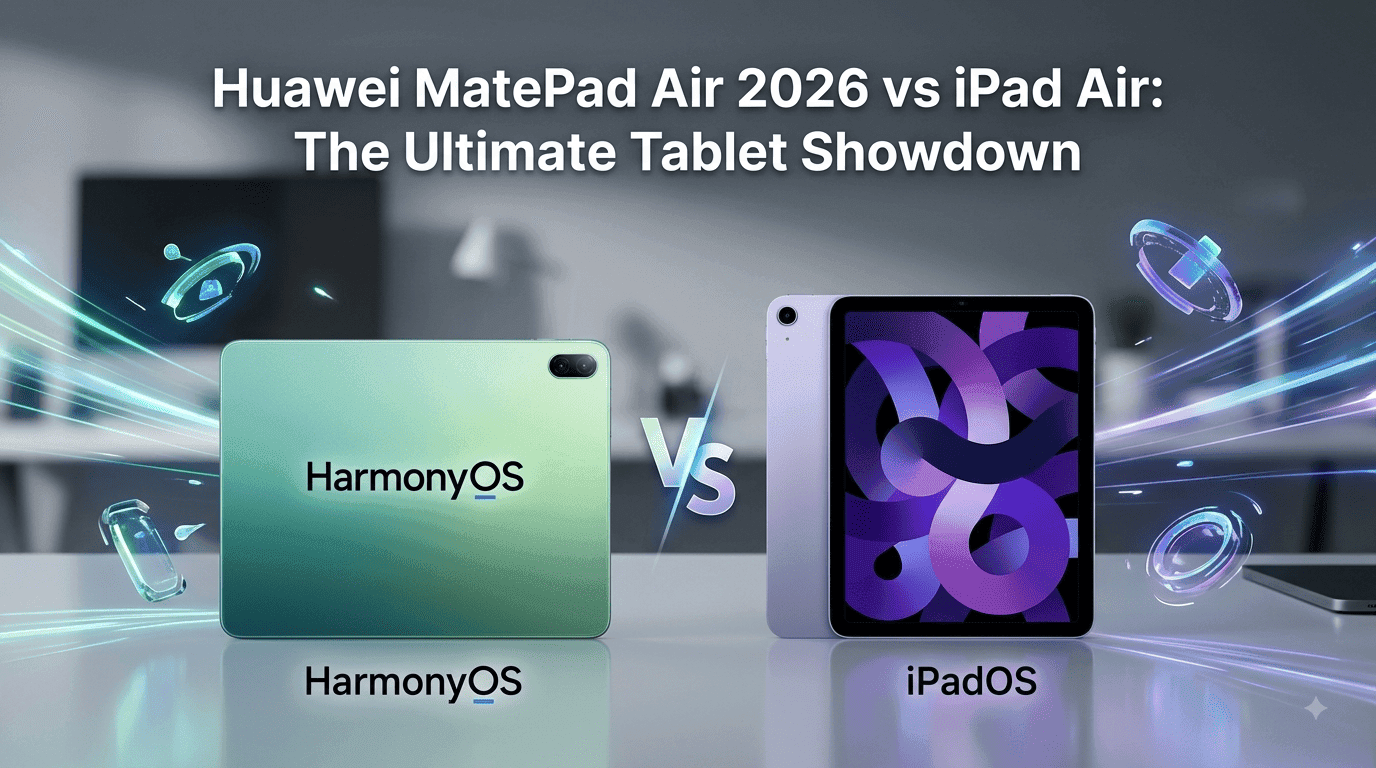
TL;DR The Huawei MatePad Air 2026 and Apple iPad Air take very different approaches to the laptop-replacement tablet idea. Huawei focuses on a large 12-inch 144Hz OLED display, a 10,100mAh battery, 66W charging, a slim 509g body, and productivity accessories, while the current iPad Air uses Apple's M4 chip, 12GB unified memory, iPadOS 26, and support for the Magic Keyboard and Apple Pencil Pro. On hardware, the MatePad Air has some clear advantages for display quality, refresh rate, battery capacity, and charging, but the iPad Air is the safer laptop replacement because iPadOS has a broader productivity app ecosystem and Apple's M4 platform offers substantial performance headroom. Huawei's biggest limitation is software availability, particularly the lack of native Google Mobile Services on international HarmonyOS 4.3 devices.
Huawei MatePad Air 2026 Vs iPad Air: What Is Actually Different?
The Huawei MatePad Air 2026 is designed around the idea that a tablet can replace several everyday devices without becoming as heavy as a traditional laptop. Its 12-inch OLED display runs at up to 144Hz and offers 2800 x 1840 resolution, while the tablet itself measures about 5.3mm thick and weighs around 509g. Huawei also pairs it with a 10,100mAh battery and 66W charging, giving the tablet a specification sheet that looks particularly attractive for people who spend long hours reading, watching content, taking notes, or working away from a desk. Huawei officially lists the 2026 MatePad Air as compatible with the M-Pencil Pro, while its productivity accessories include a Smart Magnetic Keyboard.
The current iPad Air takes a different route. The 2026 model uses Apple's M4 chip and comes in both 11-inch and 13-inch versions. The 11-inch model weighs 464g for Wi-Fi, while the 13-inch version weighs around 616g, making the smaller model particularly portable and the larger model more useful for laptop-style work. Both use a Liquid Retina IPS display rather than OLED, with 500 nits on the 11-inch model and 600 nits on the 13-inch model. The iPad Air also supports Apple Pencil Pro and the Magic Keyboard for iPad Air, giving it a more mature accessory ecosystem for people who want to move between touch, handwriting, and keyboard-based work.
The important point is that these tablets are not direct copies of each other. The MatePad Air is more ambitious with its display hardware and battery, while the iPad Air puts more emphasis on processing power, software, accessories, and the wider Apple ecosystem. That difference becomes much more important when you stop asking which tablet has better specifications and start asking whether either device can actually replace a Windows or Mac laptop for your particular workload. For basic documents, browsing, video meetings, note-taking, presentations, and media consumption, both can get surprisingly close. For specialist desktop software, complex file management, or workflows that depend on Google and Microsoft services behaving exactly as they do on a laptop, the answer becomes more complicated.
Huawei MatePad Air 2026 Vs iPad Air: Key Specifications
| Feature | Huawei MatePad Air 2026 | iPad Air 11-inch M4 | iPad Air 13-inch M4 |
|---|---|---|---|
| Display | 12-inch OLED | 11-inch Liquid Retina IPS | 13-inch Liquid Retina IPS |
| Resolution | 2800 x 1840 | 2360 x 1640 | 2732 x 2048 |
| Refresh Rate | Up to 144Hz | Not specified by Apple | Not specified by Apple |
| Processor | Kirin T93C | Apple M4 | Apple M4 |
| Memory | 8GB / 12GB | 12GB unified memory | 12GB unified memory |
| Storage | 256GB | 128GB to 1TB | 128GB to 1TB |
| Battery | 10,100mAh | 28.93Wh | 36.59Wh |
| Charging | Up to 66W | USB-C charging | USB-C charging |
| Weight | Approx. 509g | 464g | Approx. 616g |
| Stylus | Huawei M-Pencil Pro | Apple Pencil Pro | Apple Pencil Pro |
| Keyboard | Huawei Smart Magnetic Keyboard | Magic Keyboard | Magic Keyboard |
| Operating System | HarmonyOS 4.3 on global launch listings | iPadOS 26 | iPadOS 26 |
Huawei's specifications are based on the 2026 model information available from Huawei and launch coverage, while Apple's figures come directly from Apple's 2026 technical specifications.
Display And Design: Huawei Has The More Impressive Screen
The MatePad Air 2026 has the most obvious display advantage in this comparison. Its 12-inch OLED panel offers a 2800 x 1840 resolution and up to a 144Hz refresh rate, with P3 wide colour coverage and HDR brightness that Huawei lists at up to 1200 nits under specified conditions. The PaperMatte version is designed to reduce reflections and provide a more paper-like surface for writing with the M-Pencil Pro. That combination makes the MatePad Air particularly appealing for reading, digital art, video consumption, and anyone who simply spends several hours looking at a tablet every day.
The iPad Air's display is less ambitious on paper, but that does not make it a poor screen. The 11-inch model uses a fully laminated Liquid Retina IPS panel with 2360 x 1640 resolution, 264ppi, P3 wide colour, True Tone, an anti-reflective coating, and 500 nits of brightness. The 13-inch model increases the resolution to 2732 x 2048 and brightness to 600 nits. The iPad Air does not advertise a 120Hz or 144Hz refresh rate, so the MatePad Air is the more interesting choice for users who care about high-refresh scrolling, animation, and gaming.
Design is closer than the display comparison suggests. The MatePad Air is extremely thin at around 5.3mm and weighs approximately 509g, which is impressive for a 12-inch tablet with a 10,100mAh battery. The 11-inch iPad Air is slightly lighter at 464g, while the 13-inch version is substantially heavier at around 616g. If you want the largest working area without carrying a traditional laptop, Huawei's combination of a 12-inch screen and roughly 509g body is compelling. If portability matters more than screen size, the 11-inch iPad Air remains the easier tablet to carry.
Which Display Is Better For Work?
| Display Factor | MatePad Air 2026 | iPad Air M4 |
| Panel technology | OLED | IPS LCD |
| High refresh rate | Up to 144Hz | Not specified |
| Color gamut | P3 | P3 |
| Large-screen option | 12 inches | 13 inches |
| Anti-reflection option | PaperMatte variant | Anti-reflective coating |
| Best suited for | Media, drawing, reading, high-refresh use | Productivity, editing, general work |
For pure display hardware, the Huawei MatePad Air 2026 wins. The iPad Air's screen is still very good, but Huawei gives you OLED, a higher refresh rate, and a large panel without moving into the weight class of many laptop-sized tablets.
Performance And Battery: Two Different Priorities
The performance comparison is where the iPad Air becomes much harder to beat. Apple's M4 chip in the current iPad Air has an 8-core CPU, 9-core GPU, hardware-accelerated ray tracing, a 16-core Neural Engine, and 120GB/s memory bandwidth. Apple also lists 12GB of unified memory. This is laptop-class silicon in terms of architecture and gives the iPad Air considerable performance headroom for video editing, graphics work, demanding games, and other workloads that can take advantage of Apple's optimized software.
Huawei's MatePad Air 2026 uses the Kirin T93C and comes with 8GB or 12GB RAM and 256GB storage according to current launch specifications. The problem is not necessarily that the tablet will feel slow in normal use. A modern tablet with this hardware can comfortably handle browsing, documents, video calls, note-taking, split-screen work, and media. The bigger issue is that there is much less independent benchmark information available for the Kirin T93C than for Apple's M4, so it would be misleading to declare a precise performance winner based purely on the chipset names. What can be said confidently is that the M4 has substantially more established high-end performance credentials.
Battery capacity is a different story. Huawei gives the MatePad Air a large 10,100mAh battery and supports up to 66W wired charging. Huawei's launch material also claims up to 14 hours of local video playback, although real-world endurance will depend on brightness, refresh rate, connectivity, applications, and workload. Apple does not present the iPad Air battery in mAh terms because its official specification is a 28.93Wh battery for the 11-inch model and 36.59Wh for the 13-inch model, with up to 10 hours of web browsing or video playback on Wi-Fi. You should therefore avoid comparing Huawei's 10,100mAh figure directly with Apple's Wh figures as if they were equivalent measurements.
Performance And Battery At A Glance
| Area | MatePad Air 2026 | iPad Air M4 |
| Processor | Kirin T93C | Apple M4 |
| RAM | 8GB / 12GB | 12GB unified memory |
| Battery | 10,100mAh | 28.93Wh / 36.59Wh |
| Wired charging | Up to 66W | USB-C charging |
| Best advantage | Battery capacity and charging | Processing power and software optimization |
For demanding creative work and applications that are available on both platforms, the iPad Air is the safer performance choice. For long periods away from a charger and users who value fast top-ups, the MatePad Air's battery and charging combination is more attractive.
Laptop Replacement Test: Keyboard, Apps And Multitasking
A tablet does not become a laptop replacement simply because you can attach a keyboard. The real test is whether you can sit down, open your usual work applications, manage files, switch between windows, use external accessories, and finish a normal working day without constantly finding workarounds. Huawei has clearly moved in this direction with its PC Software Engine, which can provide PC-style versions of supported applications such as WPS Office, including windowed interfaces and keyboard and mouse interaction on supported tablets and regions. The MatePad Air also supports Huawei's Smart Magnetic Keyboard and M-Pencil Pro.
The iPad Air has a more established route to laptop-style productivity. Apple's Magic Keyboard for iPad Air includes a trackpad and a 14-key function row, and the keyboard connects through the Smart Connector rather than requiring Bluetooth pairing. iPadOS 26 also brings a more desktop-like windowing approach than earlier versions of iPadOS, while the iPad Air supports an external display up to 6K at 60Hz through USB-C. This combination makes the iPad Air much more convincing when your work involves keyboard shortcuts, multiple windows, external displays, and professional applications that have strong iPad versions.
The biggest weakness for the MatePad Air is not the hardware but the app ecosystem. Huawei's international HarmonyOS 4.3 devices do not ship with native Google Mobile Services or the Google Play Store. Huawei itself says that newer Mate devices do not come with GMS and recommends web versions of Google applications where applicable. That means someone whose work depends heavily on Gmail, Google Drive, Google Docs, Google Meet, YouTube, or other Google-dependent services needs to check compatibility before buying. Workarounds may exist for some applications, but a workaround is not the same as native support, particularly for business accounts, notifications, location services, authentication, and future updates.
Laptop-Replacement Scorecard
| Laptop Replacement Factor | MatePad Air 2026 | iPad Air M4 |
| Keyboard support | Yes | Yes |
| Trackpad | Keyboard case may not include one | Magic Keyboard includes trackpad |
| Stylus | M-Pencil Pro | Apple Pencil Pro |
| Desktop-style apps | Select supported apps | Broad iPad app ecosystem |
| Google services | No native GMS | Strong native Google app support |
| External display | USB-C capabilities depend on software/accessory support | Up to 6K at 60Hz |
| Multitasking | Strong HarmonyOS multitasking | Strong iPadOS multitasking |
| Laptop replacement | More conditional | More convincing |
For someone who mainly writes documents, browses the web, attends meetings, takes notes, and uses Huawei's supported productivity tools, the MatePad Air can work as a laptop substitute. For a student or professional who depends on a broad range of mainstream applications, the iPad Air is the safer choice.
Software And Ecosystem: The Deciding Factor
HarmonyOS is one of the most important parts of the MatePad Air experience. Huawei has built features around split-screen work, floating windows, cross-device collaboration, stylus input, and its own productivity applications. If you already use Huawei hardware, the experience can become more useful because Huawei's ecosystem features allow supported devices to interact and share files or screens. The tablet also has six speakers, which makes it a strong media and presentation device alongside its productivity features.
The iPad Air has the advantage of a much broader and more mature tablet application ecosystem. Apps such as Final Cut Pro, Microsoft 365, Adobe applications, Google applications, creative tools, note-taking software, and professional productivity apps are widely available through the App Store, although individual desktop applications may still have limitations compared with their macOS or Windows counterparts. The M4 chip also gives developers a strong hardware platform to target, and Apple Intelligence is supported on the current iPad Air.
This makes the buying decision unusually simple for many people. If your workflow is built around Google Workspace, Microsoft services, Adobe applications, cloud storage, and a wide range of third-party apps, the iPad Air creates fewer compatibility questions. If your priorities are writing, drawing, reading, entertainment, WPS Office, Huawei ecosystem features, and a high-quality screen, the MatePad Air can be an excellent productivity tablet. The hardware gap is therefore not the main reason to choose the iPad. Software compatibility is.
Which Tablet Fits Which User?
| User Type | Better Choice | Why |
| Student using Google Workspace | iPad Air | Better app compatibility |
| Digital artist | MatePad Air / iPad Air | Strong stylus support on both |
| Video editor | iPad Air | M4 and mature creative apps |
| Heavy document user | iPad Air | Strong keyboard and app ecosystem |
| Media-focused user | MatePad Air | OLED, 144Hz and six speakers |
| Huawei ecosystem user | MatePad Air | Better cross-device integration |
| Frequent traveler | MatePad Air | Large battery and fast charging |
| Traditional laptop replacement | iPad Air | More mature software experience |
Price And Value In India: Check Availability Before Buying
There is an important fact-checking point for Indian buyers. The Huawei MatePad Air 2026 was announced for global markets in July 2026, but Huawei has not published a confirmed Indian launch price in the official information currently available. Some Indian listings quote an expected price of around ₹84,990, while 91mobiles currently says the model is not going to release in India. These are not equivalent to a confirmed official India price, so it would be risky to present ₹84,990 as the final retail price.
The iPad Air is easier to evaluate because Apple currently sells the M4 iPad Air in India. Apple's official store lists the 11-inch model from ₹64,900 and the 13-inch model from ₹84,900, although storage and connectivity configurations increase the price. Apple also officially supports the Magic Keyboard and Apple Pencil Pro for the iPad Air. This makes the total cost of ownership easier to calculate because the tablet, keyboard, and accessories have established Indian pricing.
The keyboard cost is worth including in any laptop-replacement calculation. A tablet that looks inexpensive can become considerably more expensive once you add a keyboard, stylus, storage, and other accessories. The same applies to the iPad Air, although Apple's accessory ecosystem is well established. For Huawei, the final Indian value will depend heavily on whether the MatePad Air officially launches in India, which configurations are sold, what accessories are bundled, and how Huawei handles after-sales support. Until those details are confirmed, the iPad Air has the clearer value proposition for Indian buyers.
Current India Pricing Picture
| Product | Current India Price Status |
| Huawei MatePad Air 2026 | Official India price not confirmed |
| Huawei MatePad Air 2026 expected listing | Around ₹84,990, but not official |
| iPad Air 11-inch M4 | From ₹64,900 officially |
| iPad Air 13-inch M4 | From ₹84,900 officially |
| Magic Keyboard | Additional cost |
| Apple Pencil Pro | Additional cost |
Prices can change with promotions and configurations, so buyers should check the official store before purchasing. Huawei's Indian availability for the 2026 MatePad Air should be confirmed before treating third-party pricing as a final buying figure.
Frequently Asked Questions
Q. Which is better overall, Huawei MatePad Air 2026 or iPad Air M4?
The iPad Air M4 is the better overall laptop replacement because it combines the M4 chip, iPadOS 26, a mature app ecosystem, Magic Keyboard support, Apple Pencil Pro support, and established Indian availability. The MatePad Air 2026 has the better display and stronger battery-and-charging specification, but its software limitations make it a more conditional recommendation.
Q. Does the Huawei MatePad Air 2026 have an OLED display?
Yes. The 2026 MatePad Air moves to a 12-inch OLED display with 2800 x 1840 resolution and up to a 144Hz refresh rate. Huawei also offers a PaperMatte finish designed to reduce reflections and provide a more paper-like writing surface.
Q. Does the iPad Air M4 have an OLED display?
No. The current iPad Air M4 uses a Liquid Retina LED-backlit IPS display. The 11-inch model has 500 nits brightness, while the 13-inch model reaches 600 nits.
Q. Which tablet has better performance, MatePad Air 2026 or iPad Air M4?
The iPad Air M4 is the safer performance choice. Apple's M4 has an 8-core CPU, 9-core GPU, hardware-accelerated ray tracing, a 16-core Neural Engine, and 12GB unified memory. Independent performance information for Huawei's Kirin T93C is much more limited, so a precise benchmark comparison should not be invented.
Q. Can Huawei MatePad Air 2026 replace a laptop?
It can replace a laptop for lighter workloads such as documents, browsing, meetings, note-taking, presentations, media, and supported productivity applications. However, it is not a universal laptop replacement because HarmonyOS 4.3 international devices do not include native Google Mobile Services, and some desktop applications are unavailable or require alternatives.
Q. Does Huawei MatePad Air 2026 support a keyboard?
Yes. Huawei supports the MatePad Air 2026 with a Smart Magnetic Keyboard, and the tablet is positioned around productivity use. Huawei also supports the M-Pencil Pro for the 2026 model.
Q. Does the Huawei MatePad Air 2026 support Google Play Store?
The international HarmonyOS 4.3 MatePad Air does not ship with native Google Mobile Services or the Google Play Store. Huawei states that newer Mate devices do not come with GMS, so buyers who rely heavily on Google applications should check their exact workflow before purchasing.
Q. Which tablet has better battery and charging?
The MatePad Air 2026 has a 10,100mAh battery and supports up to 66W charging, giving it a strong advantage in battery capacity and charging speed on paper. Apple rates the iPad Air for up to 10 hours of web browsing or video playback and uses 28.93Wh or 36.59Wh batteries depending on the size.
Q. Which is better for students, MatePad Air 2026 or iPad Air?
The iPad Air is the safer choice for most students because of its broad app ecosystem, Apple Pencil Pro support, keyboard options, and compatibility with mainstream Google and Microsoft applications. The MatePad Air can be attractive for students who prioritize reading, handwriting, media, battery life, and Huawei's ecosystem, but app compatibility should be checked first.
Q. Is Huawei MatePad Air 2026 officially available in India?
As of August 2026, a confirmed official Indian launch price was not found in the available Huawei information. Some Indian sites list an expected price of around ₹84,990, while 91mobiles currently says the model is not going to release in India. Buyers should therefore wait for an official India announcement rather than treating third-party expected pricing as confirmed.
Final Recommendation
The iPad Air M4 is the better laptop-replacement tablet for most buyers in India. Its biggest advantage is not simply the M4 processor. It is the combination of strong performance, iPadOS 26, a mature application ecosystem, Magic Keyboard support with a trackpad, Apple Pencil Pro compatibility, external-display support, and confirmed Indian availability. If your daily work involves Google Workspace, Microsoft 365, creative applications, video editing, research, presentations, and multiple productivity tools, the iPad Air is the safer device to build your workflow around.
The Huawei MatePad Air 2026 is the more interesting hardware choice. Its 12-inch 144Hz OLED display, 10,100mAh battery, 66W charging, six speakers, slim 509g body, and M-Pencil Pro support make it particularly attractive for media consumption, reading, handwriting, drawing, and lightweight productivity. If your work can be completed through Huawei's supported apps, web applications, and PC Software Engine, it can feel much closer to a laptop than its tablet form factor suggests.
The deciding factor, however, is software rather than specifications. If you need Google services and a broad selection of professional applications without workarounds, choose the iPad Air. If you care more about the display, battery, charging speed, and Huawei's productivity ecosystem, and you have already verified that every application you use is supported, the MatePad Air 2026 is a compelling alternative. For most Indian buyers looking for one tablet to genuinely replace a laptop, buy the iPad Air M4; choose the MatePad Air 2026 only when its hardware advantages directly match your workflow and its software limitations do not get in your way.






