
HP ZBook Firefly Z11 Refurbished Checklist 2026: GPU, Battery, Warranty, And Condition
This 2026 refurbished checklist for the HP ZBook Firefly Z11 explains what to check before buying including GPU, battery health, warranty, RAM, storage and physical condition. A practical guide for smart workstation purchases.

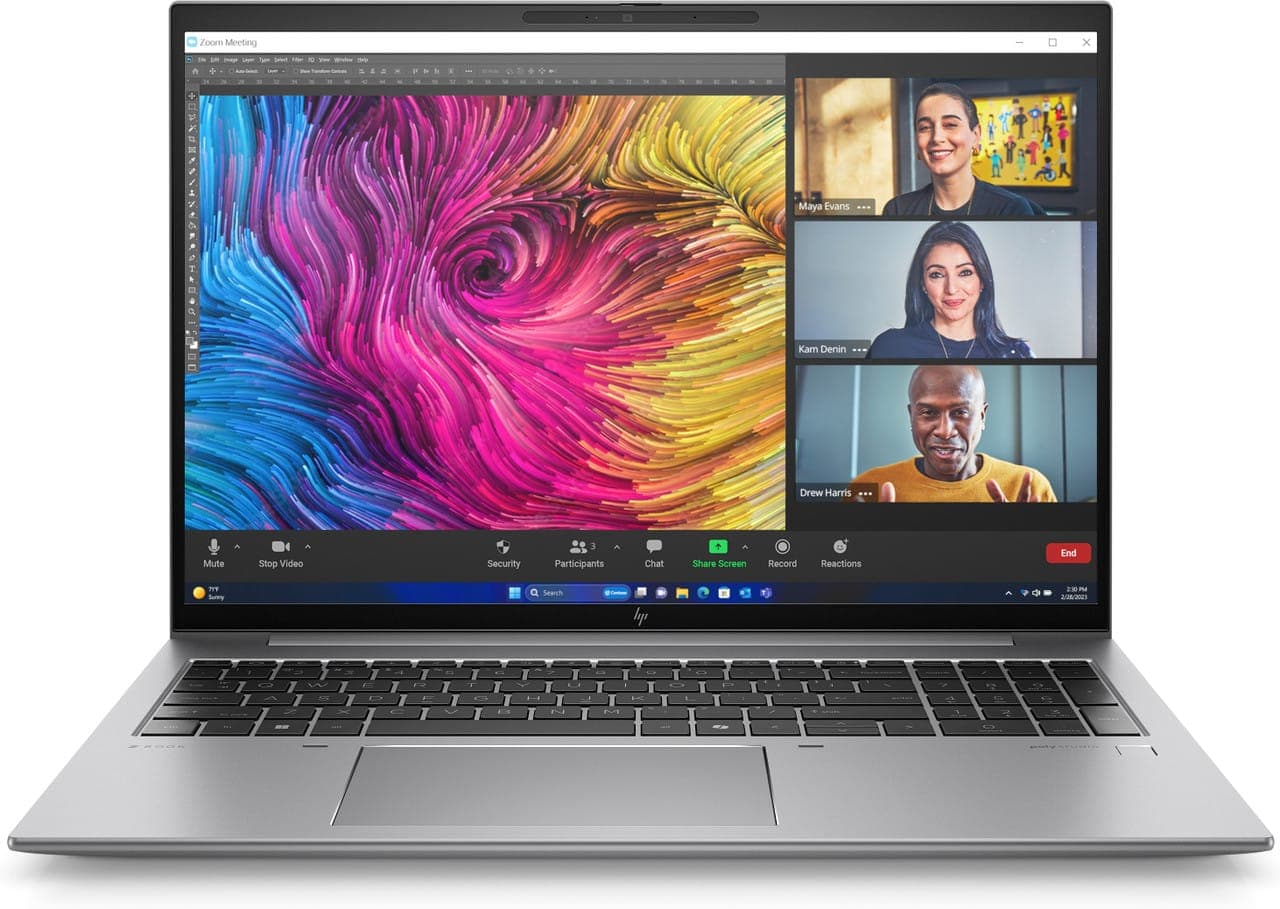
In 2026, refurbished workstation laptops have become a reliable and cost-effective choice for engineering students, professionals, content creators, and corporate users. Rather than purchasing brand new hardware at premium prices, many users now opt for refurbished enterprise systems that provide professional-grade performance at a fraction of the cost.
Among these, the HP ZBook Firefly Z11 stands out as a lightweight yet capable mobile workstation. It combines certified hardware, enterprise build quality, and professional connectivity, making it popular in both academic and workplace environments. However, because refurbished units vary in age, configuration, and previous usage conditions, a thorough inspection is crucial before finalising a purchase.
This comprehensive HP ZBook Firefly Z11 refurbished checklist walks you through every important factor to verify before buying in 2026, including GPU, battery health, warranty coverage, physical condition, RAM, storage, ports, performance, and long-term value.
Understanding The HP ZBook Firefly Z11 Workstation

The HP ZBook Firefly Z11 represents HP’s 2026 generation of thin and light professional machines. It is designed for moderate engineering tasks, productivity workflows, CAD modelling, MATLAB analysis, and business-class multitasking. Compared to consumer laptops, the Firefly Z11 emphasises stability under sustained workloads, certified graphics drivers, and enterprise-grade components.
Refurbished units may come from corporate fleets, lease returns, warranty replacements, or overstock inventory. Since configurations and wear levels vary, inspecting each element before purchase ensures a wise investment.
Step 1: Verify GPU Configuration
Graphics capability is one of the most critical components in a workstation purchase. Many Firefly Z11 units have integrated graphics, which work well for general tasks but are not ideal for CAD, simulations, or GPU-accelerated workloads.
Before you buy, confirm:
- Whether the unit has a dedicated professional GPU
- The exact GPU model and its dedicated VRAM
- Certification status for engineering and design software
- No display glitches, flicker, or artefacts during load
Professional GPU options in the Firefly Z11 ensure stable 3D performance in applications that depend on ISV-certified drivers. Because workstation GPUs are often soldered, ensuring the correct GPU configuration upfront is essential.
Step 2: Check Battery Health And Cycle Count
Battery condition significantly affects portability. Even if a refurbished unit functions properly on mains power, poor battery health undermines productivity during travel, classes, or remote work.
Battery checks should include:
- Current health percentage reported by diagnostics
- Cycle count and estimated wear level
- Ability to sustain moderate workloads unplugged
- Proper charging behaviour
As a general rule, a battery health figure above 80 percent with a reasonable cycle count indicates a unit capable of lasting through daily usage scenarios without sudden shutdowns.
Step 3: Inspect Physical Condition
The external condition affects not just aesthetics but long-term durability. Minor wear is expected, but structural damage or major flaws should raise concerns.
When examining the unit:
- Look for screen issues such as dead pixels or uneven brightness
- Test keys for responsiveness and uniform travel
- Check the trackpad for smooth control
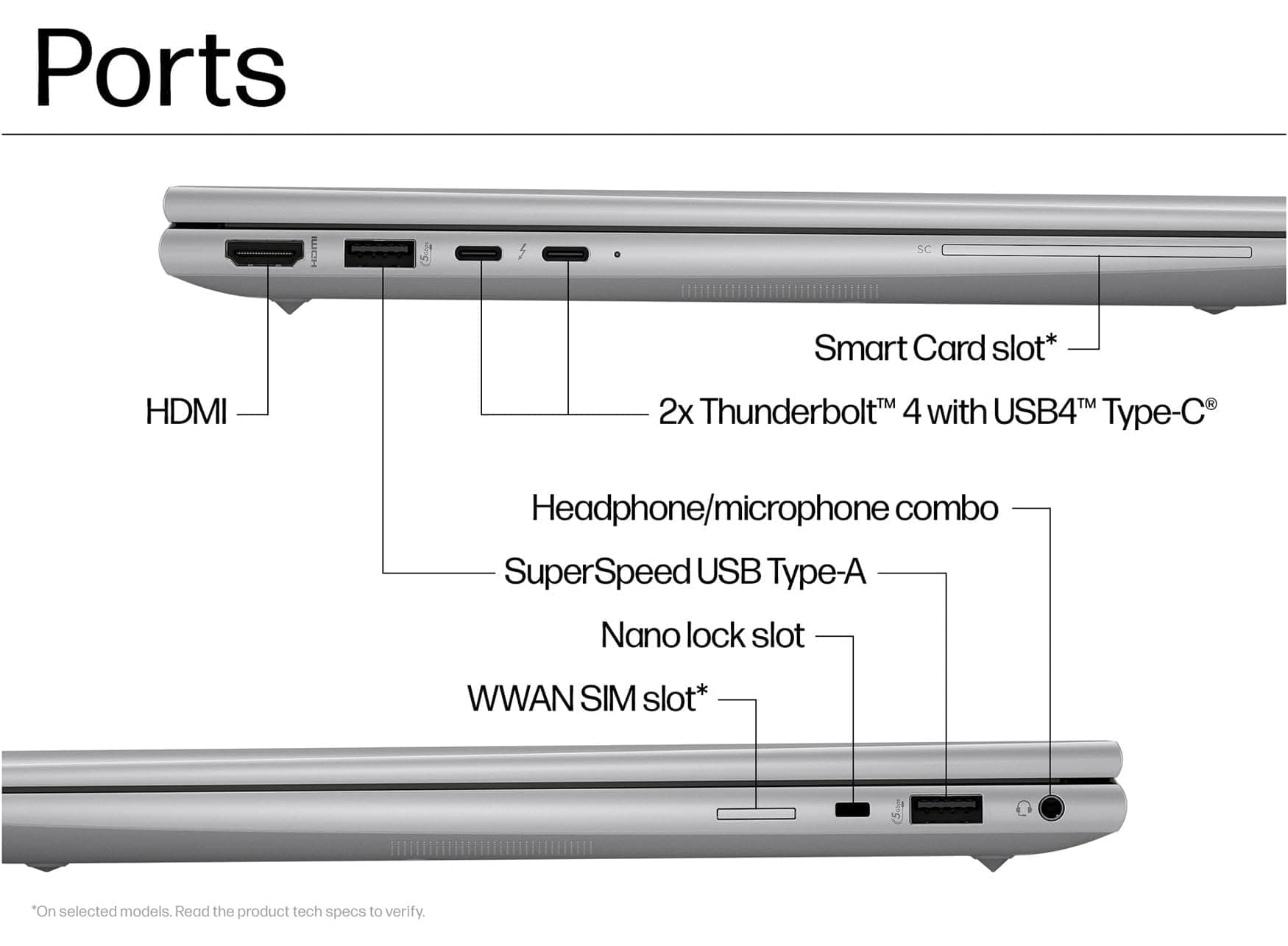
- Inspect all ports for looseness or damage
- Ensure the hinges are firm and free from wobble
Well-kept professional laptops often show minimal wear. If buying online, ask for detailed photos of the chassis, keyboard, and display.
Step 4: Confirm Warranty And Support
A warranty provides financial protection and peace of mind. Refurbished units should always come with clear coverage terms.
Verify:
- Manufacturer warranty still valid via serial number check
- Seller-provided warranty duration and what it includes
- Whether parts, labour, or technical support are part of the coverage
Ideally, refurbished units offer at least a three to six month warranty from the seller. Active manufacturer warranty that transfers with ownership adds additional confidence.
Step 5: Verify RAM Capacity And Upgrade Potential
RAM size directly impacts multitasking, data manipulation, simulation workloads, and large dataset handling. Firefly Z11 configurations may vary significantly.
Before purchase:
- Confirm total installed RAM and type
- Check whether additional RAM can be added
- Understand the maximum supported RAM capacity
- Match memory size to your workflow requirements
As a guideline, for engineering, data analysis, and multitasking:
- 16GB RAM serves as a baseline
- 32GB RAM is recommended for heavier workloads
- Upgradeability adds future-proofing value
If RAM is soldered, ensure the existing capacity is sufficient because it may not be expandable later.
Step 6: Check SSD Health And Storage Performance
Fast and healthy storage is essential for smooth project handling, application launch times, and large file access.
Ensure:
- SSD health and wear level through diagnostics
- No unusual delays during file transfer
- Boot drive performance is consistent
- No read/write errors or slowdowns
Engineering files, simulation outputs, datasets, and shared libraries can quickly occupy storage. A 1TB NVMe SSD strikes a good balance for most workflows.
Step 7: Test Ports And Connectivity

Ports are among the most frequently used components on any workstation. They also tend to show wear from regular use.
Verify that:
- Thunderbolt and USB-C ports support data and charging
- HDMI port outputs reliably to external displays
- USB-A ports transfer data consistently
- SD card reader detects cards promptly
- Audio jack and optional enterprise ports function correctly
Loose, unresponsive, or broken ports will impair daily productivity — especially for engineers relying on monitors, docks, and external media.
Step 8: Evaluate Thermal Performance And Fans
Sustained workload performance depends on cooling efficiency. Dust-clogged heatsinks or worn fans reduce long term reliability.
Where possible:
- Observe fan behaviour under CPU load
- Check internal temperatures during modelling tasks
- Listen for unusual noises or grinding sounds
- Look for signs of throttling or overheating
Consistent thermal behaviour indicates that the refurbished unit has been maintained well or adequately restored.
Step 9: Confirm BIOS Lock And Security Readiness
Refurbished enterprise laptops sometimes carry BIOS security locks or management profiles from their previous organisation.
Ensure:
- No BIOS password is set
- No management locks restrict configuration access
- Secure Boot and TPM are functioning correctly
- Windows activation is valid and not restricted
Without this verification, you may face restricted access to system settings or difficulty installing software.
Step 10: Compare Price With Condition Grade
Refurbished units are usually graded — such as Excellent, Good, or Acceptable — based on cosmetic wear and functionality.
A balanced purchase weighs:
- Cosmetic condition
- Hardware configuration
- Battery health
- Warranty coverage
- Price difference from new units
If the price is only marginally lower than new, reconsider the value. Refurbished purchases should offer meaningful savings.
Who Should Consider A Refurbished Firefly Z11 In 2026
A refurbished Firefly Z11 appeals to:
- Engineering and design students
- Freelance CAD and simulation professionals
- Small business or startup workstations
- Corporate users seeking cost savings
- Field engineers and consultants
With proper inspection and a reliable seller, refurbished workstations can deliver years of dependable performance.
Limitations And Risks
While refurbished purchases are economical, they come with some uncertainty:
- Cosmetic wear that is not always visible online
- Reduced battery lifespan
- Fixed hardware configuration (non-upgradeable parts)
- Limited warranty compared to new units
However, when evaluated carefully, these risks can be managed or mitigated.
Why Careful Inspection Matters More Than Specifications
The most important takeaway is simple, buying a refurbished HP ZBook Firefly Z11 is not just about getting a cheaper workstation. The real value comes from identifying a professionally maintained unit that can still deliver stable engineering, productivity, and workstation-level performance for years without creating reliability problems later. Specifications on paper may look impressive, but battery condition, GPU configuration, thermals, SSD health, and seller transparency ultimately determine the real ownership experience.
Another important factor is that workstation laptops are fundamentally different from standard consumer laptops because they are designed for sustained workloads, certified graphics environments, multitasking stability, and long-session professional usage. A properly refurbished Firefly Z11 can comfortably support CAD workflows, simulations, data analysis, MATLAB usage, remote work, and productivity-heavy tasks while still remaining lightweight and portable. However, poorly refurbished systems often suffer from hidden issues such as degraded batteries, throttling, unstable thermals, weak SSD health, or locked BIOS configurations that reduce long-term usability significantly.
At the same time, buyers should understand that refurbished workstation purchases are successful only when value is evaluated holistically instead of focusing on low pricing alone. A slightly more expensive unit with strong battery health, verified thermals, valid warranty coverage, clean internals, and upgrade flexibility almost always becomes the smarter long-term investment. For engineering students, professionals, consultants, and technical users who want enterprise-grade reliability without paying premium new-device pricing, a carefully inspected refurbished Firefly Z11 remains one of the most practical workstation choices available.
Frequently Asked Questions
Q. Is the HP ZBook Firefly Z11 good for engineering workloads?
Yes, the Firefly Z11 is designed specifically for professional and technical workflows such as CAD, MATLAB, simulations, productivity multitasking, and moderate engineering tasks. Its workstation-focused design prioritises sustained stability and certified graphics environments. Proper configuration matters significantly for heavier workloads.
Q. Why is GPU verification important before buying a refurbished workstation?
Workstation GPUs directly affect CAD performance, simulation stability, and professional software compatibility. Many Firefly Z11 units may include only integrated graphics, which limits engineering and 3D workloads. Since GPUs are often non-upgradeable, verifying configuration before purchase is critical.
Q. What battery health percentage is considered acceptable in refurbished laptops?
Battery health above 80 percent is generally considered acceptable for everyday portability and workstation usage. Lower battery health can reduce mobility and create inconsistent runtime during classes, travel, or field work. Battery condition strongly affects long-term usability.
Q. Is 16GB RAM enough for engineering and workstation usage?
16GB RAM works well as a baseline for general engineering tasks, multitasking, and productivity workflows. However, users handling simulations, larger datasets, or heavier CAD projects often benefit significantly from 32GB RAM configurations. Workflow intensity should guide memory requirements.
Q. Why should buyers check thermals and fan behaviour carefully?
Thermal performance directly affects workstation stability during sustained workloads such as rendering, simulations, and multitasking. Dust-clogged cooling systems or worn fans can cause throttling, overheating, and reduced hardware lifespan. Stable thermals indicate better refurbishment quality and maintenance history.
Q. Is warranty coverage important for refurbished workstation laptops?
Yes, warranty coverage is extremely important because refurbished laptops still carry some level of hardware uncertainty. Even short-term warranty support improves buyer confidence and reduces financial risk in case of hardware failure. Seller transparency and support quality matter greatly in refurbished purchases.
Ready to upgrade your tech?
Browse our collection of quality refurbished products at unbeatable prices.






