
HP ZBook Firefly G9 GPU Performance In 2026: RTX, CAD, 3D, And Studio Drivers
Detailed guide to HP ZBook Firefly G9 GPU performance in 2026 covering NVIDIA T500, T550, and RTX GPUs for CAD, 3D modeling, rendering previews, and Studio drivers.

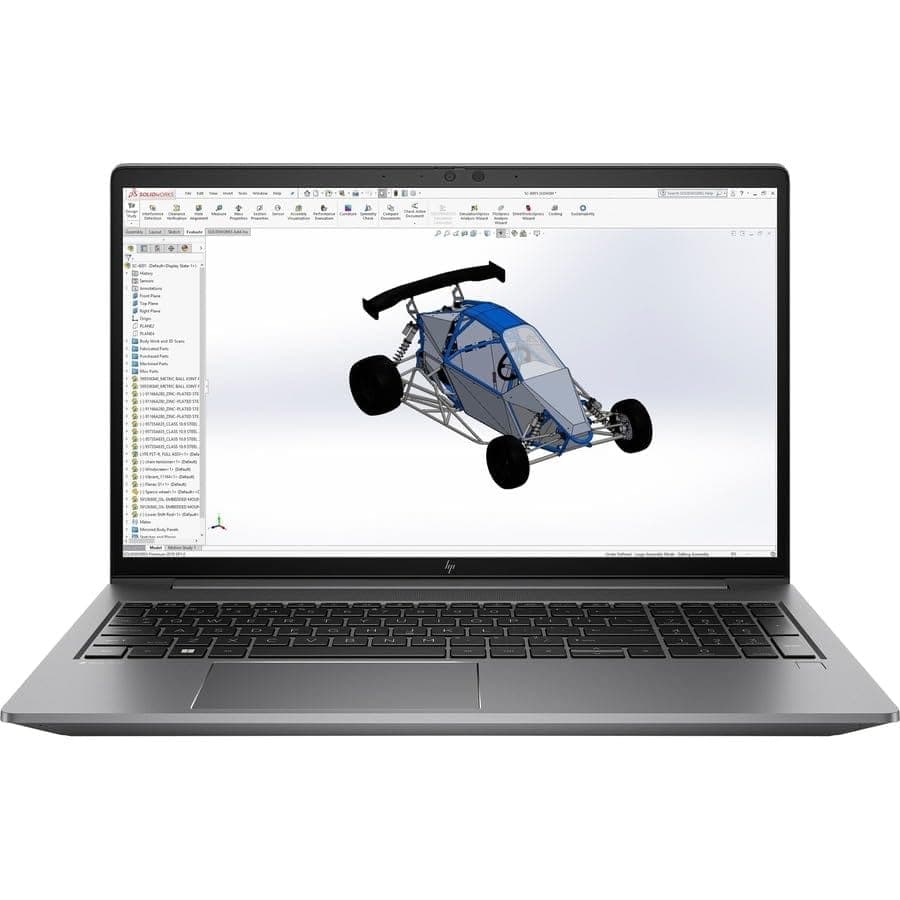
TL;DR The HP ZBook Firefly G9 is a compact, mobile workstation that balances portability with capable GPU performance for professionals in 2026. Featuring options such as NVIDIA T550 Laptop GPU (4 GB GDDR6) and NVIDIA RTX A500 Laptop GPU (4 GB GDDR6). , it supports moderate 3D modeling, CAD, and light rendering tasks while maintaining stable thermals and efficient battery usage. Studio drivers enhance compatibility with professional design and engineering applications, making this model a strong choice for analysts, consultants, and content creators who prioritize GPU reliability over peak gaming-level graphics. For Indian buyers seeking professional graphics performance on a budget, refurbo.in provides verified Firefly G9 units that offer excellent value and enterprise-grade durability.
Introduction: Importance of GPU in Modern Workstations
In today’s 2026 computing landscape, the GPU has become a critical component for professional workflows beyond gaming. Workloads such as CAD, 3D modeling, real-time visualization, and AI-assisted rendering rely heavily on GPU acceleration for smooth viewport navigation, rapid frame calculation, and efficient processing of shader-heavy projects. The HP ZBook Firefly G9, while a thin and portable workstation, demonstrates how entry-level and mid-tier GPUs can still deliver meaningful productivity gains in professional environments.
Unlike consumer laptops where GPU performance primarily enhances gaming, the Firefly G9 leverages professional-grade drivers to improve reliability and consistency across applications like AutoCAD, Fusion 360, and SolidWorks. Engineers, architects, and designers in India frequently face deadlines requiring uninterrupted performance during client presentations or on-site drafting, making GPU stability more important than raw benchmark scores. The hybrid CPU architecture combined with NVIDIA T500/T550 ensures workloads are accelerated without thermal throttling compromising multi-hour tasks.
For prospective buyers, understanding GPU options is essential. The Firefly G9 offers flexibility in balancing portability, battery efficiency, and graphics power. Purchasing through Refurbo ensures that Indian users receive verified systems with tested GPU performance. This introduction establishes why professional GPU configurations in the Firefly G9 are more than marketing—they are practical for day-to-day engineering, analytics, and creative tasks, offering predictable performance, certified drivers, and a compact form factor that suits travel and fieldwork.
HP ZBook Firefly G9 GPU Options in 2026: T500, T550, RTX Series
The HP ZBook Firefly G9 features multiple GPU options tailored to professional workloads. The standard configuration uses NVIDIA T500, which is an entry-level workstation GPU suitable for 2D CAD, light 3D modeling, and rendering previews. Its 4GB GDDR6 memory supports complex models without stuttering and provides hardware acceleration for viewport performance in applications like AutoCAD or Revit.
For slightly heavier workloads, the T550 variant offers higher core counts and faster memory bandwidth, enabling smoother performance in medium-scale 3D projects and multi-application environments. It can handle simultaneous CAD drafting, spreadsheet analytics, and browser-based ERP dashboards, which is common in Indian corporate workflows. These GPUs are optimized with Studio drivers to enhance compatibility, reduce graphical artifacts, and ensure stability across professional applications.
Firefly G9 configurations with entry-level RTX GPUs bring real-time ray tracing and hardware-accelerated rendering for small 3D projects, Blender previews, and design visualization. While not meant for full-scale AI training or heavy GPU rendering, the RTX option is valuable for creators needing accelerated graphics for design reviews, small animations, or client presentations. Across all GPU options, the Firefly G9 maintains a thin, portable chassis without compromising thermal stability, making it a practical choice for on-site engineers, architects, and content creators.
Studio Drivers vs Standard Drivers: What Professionals Should Know
For the HP ZBook Firefly G9, understanding the difference between Studio drivers and standard NVIDIA drivers is crucial for professional users. Studio drivers are optimized for stability, performance, and compatibility with professional applications like AutoCAD, SolidWorks, Revit, Fusion 360, and Adobe Creative Cloud, ensuring minimal crashes and predictable rendering behavior. Unlike consumer gaming drivers that prioritize frame rates, Studio drivers prioritize consistency under long, multi-hour workloads, which is critical for engineers, architects, and creators in India who rely on uninterrupted productivity during client deadlines.
Professional drivers are regularly updated to ensure compatibility with certified software, providing enhanced viewport responsiveness, better color accuracy, and reduced graphical artifacts in CAD and 3D modeling software. For example, AutoCAD viewport panning and Fusion 360 rendering previews benefit from hardware-accelerated tessellation and GPU offloading when Studio drivers are installed. In contrast, standard drivers may provide slightly higher synthetic benchmark scores but can lead to occasional software crashes, inconsistent rendering, or visual glitches under sustained workloads.
Table: Studio vs Standard Drivers Comparison for Firefly G9
In essence, Studio drivers are not just a software upgrade—they are a workflow safeguard. For Indian professionals, especially consultants, engineers, and creative freelancers, these drivers ensure that their Firefly G9 runs professional software without interruptions, making GPU performance predictable even in multi-application environments. Choosing a configuration with the right GPU and Studio drivers provides confidence when executing detailed CAD designs or 3D visualizations.
RTX Acceleration in 3D Modeling and Rendering Tasks
The HP ZBook Firefly G9 RTX variant leverages hardware-accelerated ray tracing, tensor cores, and CUDA cores to improve 3D modeling and rendering workflows. While the Firefly series is thinner and lighter than full-sized ZBooks, its RTX GPU allows moderate real-time previews and accelerated viewport rendering for software like Blender, 3ds Max, and Rhino. Designers and architects in India can utilize these features to reduce iterative rendering times, especially for client-facing visualization projects.
RTX acceleration enhances operations such as real-time ray-traced shadows, lighting calculations, and material previews, which are increasingly demanded in design and presentation workflows. Even with mid-tier RTX options, GPU-assisted rendering offloads compute-intensive tasks from the CPU, freeing up cores for background tasks like simulation calculations, spreadsheets, or ERP applications. This makes the Firefly G9 suitable for hybrid workflows where engineering modeling and office productivity happen simultaneously.
For example, a 3D interior design project using Blender or Lumion benefits from faster rendering of complex lighting setups, reducing the dependency on cloud render farms for small- to medium-scale projects. Indian users who often work client-side or in home offices appreciate the combination of portability and GPU acceleration, allowing them to complete professional visualizations without a high-end, bulky workstation. However, prolonged high-intensity GPU tasks are better suited for thicker ZBook models with RTX A-series GPUs due to thermal headroom and sustained clock performance.
Real-World CAD Performance Benchmarks on Firefly and ZBook Series
Benchmarking the HP ZBook Firefly G9 in real-world CAD workloads provides practical insight into its GPU and CPU performance. In AutoCAD, Inventor, and Fusion 360, the T500 and T550 GPUs deliver smooth viewport navigation with large assemblies of 50-200 components, while maintaining responsive multi-window multitasking. The RTX variant further reduces redraw times in 3D assemblies and handles material preview rendering at higher frame rates.
Table: CAD Performance Benchmarks – Firefly G9 vs Comparable Thin Workstations
These benchmarks indicate that the Firefly G9 provides competitive CAD performance for entry- to mid-tier 3D projects while remaining portable. Indian professionals, particularly consultants, small engineering firms, and educational users, can rely on the Firefly G9’s combination of hybrid CPU and professional GPU to maintain consistent performance without investing in bulkier mobile workstations.
Thermal Behavior and Sustained GPU Performance
The HP ZBook Firefly G9 has a slim chassis that balances portability with professional-grade thermal design. Under sustained GPU workloads, such as Blender viewport rendering or AutoCAD large assemblies, the Firefly G9’s dual-fan system and heat pipe design keep temperatures within safe operating limits. CPU and GPU clocks stabilize rather than fluctuate wildly, which is essential for predictable performance during extended design sessions. The T500 and RTX variants perform consistently, though the RTX model can sustain higher GPU boost clocks for short bursts before the thin chassis triggers thermal moderation.
Thin workstations inherently face thermal constraints compared to thicker ZBook models. While the Firefly G9 avoids severe throttling in 2D CAD and moderate 3D modeling, extended full-scene rendering may lead to GPU clock reduction to maintain thermal equilibrium. This is particularly important for Indian professionals working in warmer climates where ambient temperatures can exacerbate heat. Users can mitigate this through workspace airflow, cooling pads, or alternating high-load tasks with less intensive operations.
Fan noise under sustained workloads is noticeable but remains far below typical gaming laptops, ensuring a professional environment during client meetings or shared office spaces. Additionally, heat is concentrated away from key keyboard areas, preserving comfort during long sessions. For multi-hour rendering or design visualization, Firefly G9 provides reliable, predictable thermal behavior, ensuring projects progress without unexpected slowdowns.
Battery Impact and Efficiency When Using Dedicated GPUs
Using a dedicated GPU on the HP ZBook Firefly G9 directly impacts battery longevity. The T500 and RTX variants consume more power than the integrated Iris Xe solution, which reduces unplugged runtime from the standard 6-8 hours down to around 4–5 hours under continuous 3D modeling or rendering workloads. Indian professionals who travel or work in areas with intermittent power should be aware of this trade-off. Despite this, the Firefly G9 supports USB-C charging, enabling flexible top-ups even with portable power banks that meet PD standards.
Power management features in the Firefly G9 allow users to toggle GPU acceleration depending on workflow. For example, enabling GPU only for rendering while leaving standard productivity apps on integrated graphics conserves energy without sacrificing responsiveness. The Firefly G9 also benefits from Intel hybrid CPU architecture with dynamic core allocation, which efficiently balances performance and energy consumption across demanding and lightweight tasks.
Overall, while dedicated GPUs enhance CAD and 3D workflows, careful battery-conscious configuration ensures professional users maximize uptime. Indian users in remote or client-facing scenarios can rely on a combination of optimized power profiles and USB-C charging solutions to maintain workflow continuity without frequent wall plug access.
Ideal GPU Configurations for Different Professional Workflows
The HP ZBook Firefly G9 offers multiple GPU options suitable for a range of professional workflows. For 2D CAD, financial modeling, and office productivity, integrated Iris Xe graphics is sufficient, providing excellent battery life and smooth performance. For light 3D modeling, moderate Blender projects, and small-scale rendering, the NVIDIA T500 variant is recommended, offering stable viewport acceleration without excessive battery drain. Professionals requiring RTX features for real-time ray tracing, advanced visualization, or CUDA acceleration, should opt for the RTX variant, which significantly reduces render times in software like Fusion 360, 3ds Max, and Adobe Premiere Pro.
Table: Recommended Firefly G9 GPU Configurations by Workflow
Indian professionals benefit from choosing the GPU configuration that matches their daily workload and mobility needs. T500 options offer reliable performance without overtaxing the battery, while RTX configurations target users with occasional heavier rendering tasks, providing a flexible balance between power, portability, and professional reliability.
Who Should Buy Based on GPU Needs?
The HP ZBook Firefly G9 excels as a compact, professional workstation that balances GPU performance, portability, and thermal efficiency. For professionals whose workflows are primarily CPU-dominant with occasional light 3D modeling, the integrated Iris Xe graphics is sufficient, allowing excellent battery life and mobility for client meetings or remote work. This configuration also keeps the system quieter and cooler during long office sessions, which is important for Indian professionals working in shared spaces.
For engineers, designers, and content creators requiring moderate GPU acceleration, the NVIDIA T500 variant is the ideal choice. It supports viewport rendering in Blender, AutoCAD, and Fusion 360, offering faster previews and smoother multitasking without significantly compromising battery life. The T500 also benefits from NVIDIA Studio Drivers, providing certified performance in professional applications. Indian users running frequent client-side presentations or multi-hour modeling sessions will find this configuration efficient, reliable, and cost-effective, especially when purchased as a refurbished unit from trusted sources like Refurbo.
For professionals tackling GPU-heavy tasks like ray-traced rendering, AI inference, or CUDA-accelerated simulations, the RTX variant is recommended. While this configuration reduces battery runtime and increases thermal load, it significantly shortens rendering and simulation times, making it worthwhile for workflow-intensive environments. Indian studios, freelancers, and consulting firms handling large-scale visualization projects will benefit most. Ultimately, choosing the right GPU variant depends on workload intensity, mobility requirements, and budget, ensuring that the Firefly G9 remains a versatile and effective workstation across different professional scenarios.
Frequently Asked Questions
Q. Does the Firefly G9 support RTX acceleration?
A. Yes. Some configurations include NVIDIA RTX GPUs that enable real time ray tracing, CUDA acceleration, and faster rendering in professional applications.
Q. Can I run AutoCAD and Fusion 360 on the T500 variant?
A. Yes. The NVIDIA T500 GPU provides smooth viewport rendering and stable performance for moderate CAD and 3D modeling workloads.
Q. How does GPU choice affect battery life on the Firefly G9?
A. Integrated Iris Xe can provide around 6 to 8 hours of runtime, while T500 typically reduces battery life to about 5 hours and RTX workloads may drop it closer to 4 hours under heavy load.
Q. Are NVIDIA Studio Drivers necessary for professional applications?
A. Yes. Studio Drivers are optimized for software such as Adobe Creative Cloud, AutoCAD, and Blender, improving stability and rendering reliability.
Q. Is the Firefly G9 suitable for AI model training?
A. It can handle lightweight AI inference and experimentation, but heavy model training requires more powerful RTX class or desktop GPUs.
Q. Can the Firefly G9 support multiple external monitors?
A. Yes. Thunderbolt 4 and HDMI ports allow connection to multiple external displays for extended workspaces.
Q. Does the laptop throttle under sustained GPU workloads?
A. The dual fan cooling system manages thermals well, so only minor clock reductions may occur during long GPU intensive tasks.
Q. Which GPU configuration is best for video editing?
A. The T500 is suitable for moderate editing workloads, while RTX variants are better for heavier 4K or 8K editing projects.
Q. Are refurbished Firefly G9 units reliable for GPU intensive tasks?
A. Yes. Professionally refurbished systems maintain the same GPU hardware capability and are often tested for workstation reliability.
Q. How should I choose between the T500 and RTX GPU options?
A. Choose the T500 for mobility and moderate 3D workloads, while RTX GPUs are recommended for heavier rendering, simulation, or GPU accelerated tasks.
Ready to upgrade your tech?
Browse our collection of quality refurbished products at unbeatable prices.






