
HP ZBook Firefly G8 Refurbished Checklist 2026: GPU, Battery, Warranty, And Condition
A detailed 2026 refurbished checklist for the HP ZBook Firefly G8. Learn how to test GPU, battery, warranty, display, storage, and condition before buying.

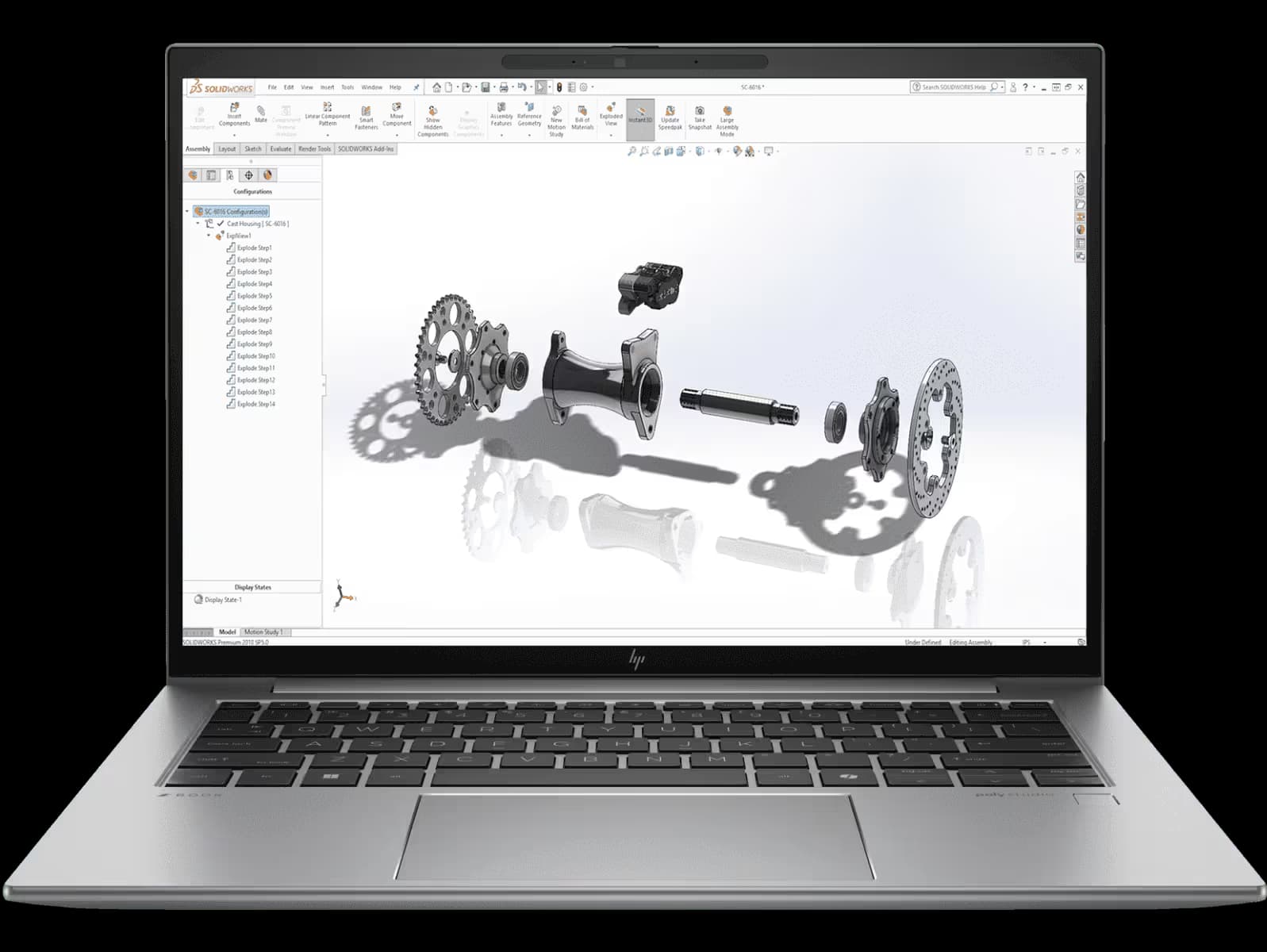
Refurbished workstation laptops can be excellent investments in 2026, but only if you know exactly what to check before you buy. The HP ZBook Firefly G8 is one of the most popular thin and light mobile workstations in the refurbished market thanks to its blend of performance, portability, and professional features. However, not all refurbished units are equal. Some sellers replace faulty parts and certify the hardware, while others resell used units with minimal inspection.
This detailed checklist will help you assess GPU performance, battery health, warranty coverage, physical and internal condition, display integrity, and more so you can confidently choose a refurbished ZBook Firefly G8 that meets your expectations.
GPU And Graphics Subsystem
Graphics performance is critical, especially if you use CAD, 3D modelling, simulation tools, or GPU-accelerated workflows. Even integrated graphics need to be error-free for stable professional use.
What To Check
- Confirm the exact GPU included (e.g., NVIDIA T500 or Intel Iris Xe).
- If it has a discrete GPU, verify VRAM size and supported performance level.
- Test for artefacts, flickering, or crashes during stress tests.
- Confirm that drivers are correctly installed and up to date.
How To Test
Run a GPU benchmark tool like FurMark or Heaven Benchmark and look for:
- Stable performance without glitches
- No sudden crashes or thermal throttling
- Consistent clock speeds under load
A properly refurbished Firefly G8 should pass these tests without errors.
Battery Health And Power System
Battery health is one of the most overlooked aspects of refurbished laptops. Many sellers do not replace old batteries, leaving you with poor runtime.
What To Check
Battery diagnostics should include:
- Cycle count
- Design capacity versus current full charge capacity
- Charging behaviour
- Genuine power adapter inclusion
How To Test
Use built-in diagnostics or battery utilities to check:
- Health percentage (80% or higher is good)
- Cycle count (lower is better)
- Runtime under moderate load
If battery health is poor, negotiate a replacement or avoid the unit.
Warranty, Return Policy, And Seller Reputation
Buying refurbished means accepting some risk. A solid warranty and return policy protect you if the unit fails early.
What To Look For
- Warranty length (minimum 3 months, ideally 6–12 months)
- What the warranty covers (parts, labour, accidental)
- Return window (7–14 days minimum)
- Seller feedback and ratings
Practical Steps
- Ask for warranty documentation before purchase.
- Check marketplace ratings and reviews.
- Avoid vague refurbishment descriptions or sellers with low feedback.
A strong warranty indicates confidence in quality.
Physical Condition And Cosmetic Inspection
This helps assess how well the unit was treated before refurbishment and how durable it is now.
What To Inspect
- Chassis integrity (no deep dents or bent frames)
- Hinges that open smoothly
- Keyboard and trackpad responsiveness
- Ports that are firmly seated, not loose
- Bottom panel condition and screw completeness
How To Inspect
- Open and close the lid multiple times.
- Type on the keyboard for a few minutes.
- Check every port with a plug to ensure solid connections.
Minor cosmetic wear is normal, but structural damage is a red flag.
Display And Panel Evaluation
The display is one of the most expensive components to fix or replace, so inspect it carefully.
What To Check
- Dead pixels or stuck pixels using solid-colour backgrounds
- Backlight uniformity at low brightness levels
- Colour consistency and accurate viewing angles
- Brightness range and clarity
If the seller cannot confirm the panel condition, avoid buying.
Storage, Memory, And Upgrade Potential
Storage speed and capacity are essential for professional workflows.
What To Test
- SSD health via SMART diagnostics
- Verify RAM capacity and slot configuration
- Check if storage and RAM are upgradeable
A worn SSD or insufficient RAM can be costly to replace later.
Thermal Performance And Fan Health
Sustained workloads reveal cooling efficiency and fan condition.
What To Look For
- Temperature stability under CPU and GPU load
- Fan noise and consistent operation
- No overheating or throttling behaviour
Open vents should be clean with no visible dust buildup.
Connectivity And Peripheral Checks
Peripheral hardware must function reliably for everyday use.
What To Test
- WiFi and Bluetooth stability
- Webcam and microphone quality
- USB, Thunderbolt, and HDMI port functionality
- Audio clarity from speakers and headphone jack
Confirm all ports work as expected.
BIOS, Firmware, And Clean Software Environment
A clean software environment and up-to-date firmware are essential for reliability.
What To Verify
- Updated BIOS version
- Clean OS installation with no leftover accounts
- Latest driver installations
- Recovery options available
Ask the seller to reset the system and remove all bloatware.
Final Acceptance Checklist
Before accepting the refurbished ZBook Firefly G8:
- Boot and verify hardware info
- Run GPU, CPU, and storage diagnostics
- Monitor temperatures under load
- Test battery runtime
- Verify warranty and return window
Document any issues and report them within the return period.
Conclusion
The HP ZBook Firefly G8 can be one of the best refurbished professional laptops in 2026 if you inspect it meticulously. Focus on GPU stability, battery health, warranty strength, physical and internal condition, display quality, and overall performance tests. A well-tested refurbished unit can deliver years of dependable performance, but without careful verification, hidden issues can become expensive problems.
Frequently Asked Questions
1. What is the most important test for a refurbished ZBook Firefly G8?
Testing the GPU and graphics stability is crucial, especially for CAD and professional workflows. Run benchmarks and check for glitches or crashes.
2. How do I check battery health on a refurbished unit?
Use built-in diagnostics or third-party battery utilities to examine cycle count, full charge capacity, and overall health percentage.
3. How long should warranty coverage be?
Ideally at least 6 months for certified refurbished units, but a minimum of 3 months is recommended for seller-refurbished laptops.
4. What display issues should I avoid?
Dead or stuck pixels, uneven backlight bleed, and colour inconsistency are common problems to watch for in used screens.
5. Should I buy a Firefly G8 without upgradeable RAM?
Only if you are sure the existing RAM is sufficient. G7 and G8 models with upgradeable RAM are preferable for long-term use.
Ready to upgrade your tech?
Browse our collection of quality refurbished products at unbeatable prices.






