
HP ZBook Firefly G8 GPU Performance In 2026: CAD, 3D, And Studio Drivers
Detailed guide to HP ZBook Firefly G8 GPU performance in 2026 covering NVIDIA T500 and T550 for CAD, 3D modeling, rendering previews, and Studio driver optimization.

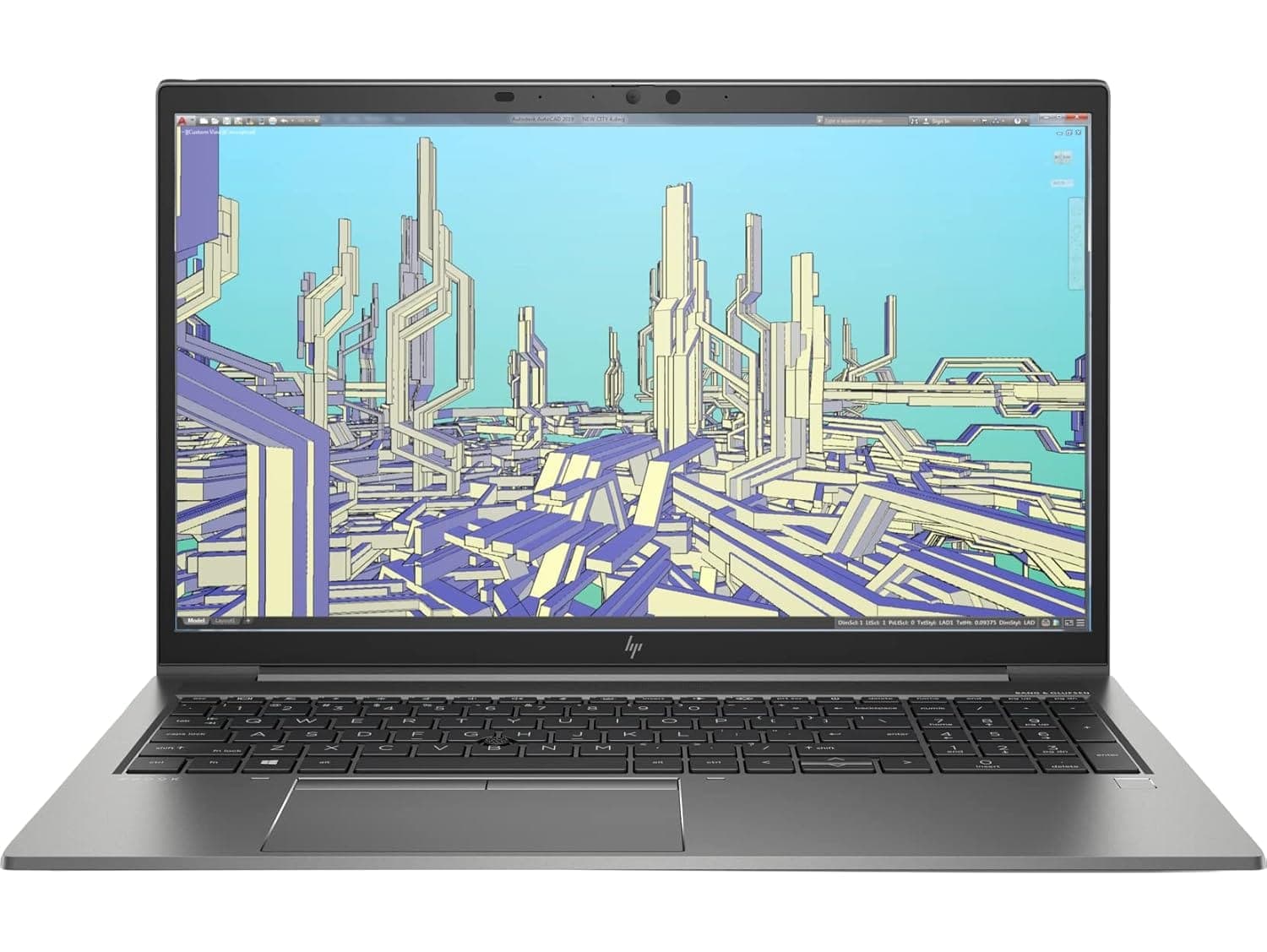
TL;DR The HP ZBook Firefly G8 in 2026 continues to be a highly portable professional workstation with a focus on efficiency and modest GPU-accelerated workflows. Equipped with options like the T500 and T550 GPUs, it offers sufficient performance for CAD, 3D modeling, and moderate rendering tasks, especially for consultants, engineers, and creators who prioritize mobility. Its studio drivers ensure software reliability and certified compatibility with key professional applications, making it ideal for tasks that benefit from stable GPU performance powered workstations. Battery impact remains moderate, allowing several hours of work even under light GPU load.
Importance of GPU in Modern Workstations
In 2026, the GPU in a workstation laptop is no longer just an optional upgrade; it has become critical for professional workflows. Applications in CAD, 3D design, rendering, and AI-assisted visualization increasingly rely on GPU acceleration to maintain real-time responsiveness. Even in compact workstations like the HP ZBook Firefly G8, the inclusion of NVIDIA T-series GPUs ensures that professionals can manage GPU-intensive tasks without moving to a bulkier system. The hybrid architecture of the Firefly G8 balances CPU and GPU workloads efficiently, making it suitable for mobile creators and engineers.
Another factor is the widespread adoption of studio-certified drivers in 2026. These drivers are validated for applications like AutoCAD, Revit, SolidWorks, and Adobe Creative Cloud tools, offering predictable performance and minimizing crashes during complex GPU workflows. Without such drivers, even capable GPUs can experience instability, especially in professional contexts.
For Indian professionals evaluating workstation options, the Firefly G8’s GPU integration represents a middle ground. It provides acceleration capabilities required for real-world design, drafting, and visualization tasks, while remaining lightweight and energy-efficient. Combined with its high-resolution display options and DDR5 memory support, the GPU ensures smooth operation in both 2D drafting and entry-level 3D rendering projects, making the Firefly G8 a practical workstation choice for consulting, corporate design, and mobile engineering roles. Buyers can explore verified units via Refurbo HP ZBook collection to ensure warranty-backed, professional-grade systems.
HP ZBook Firefly G8 GPU Options in 2026: T500, T550
The HP ZBook Firefly G8 offers a range of GPU options to suit different professional needs. The base configurations come with integrated Intel Iris Xe, which handles everyday office, CAD, and light visualization tasks with efficiency. For professionals requiring dedicated acceleration, the NVIDIA T500 and T550 GPUs are available, offering entry-level workstation performance. These GPUs are designed for professional workloads rather than gaming, emphasizing stability, certified drivers, and power efficiency over raw gaming performance.
The T500 GPU is suitable for 2D drafting, light 3D modeling, and analytical visualizations, providing viewport acceleration and moderate rendering speed. It also supports CUDA acceleration, which is helpful for software that leverages GPU computation for physics simulations or light AI inference. The T550 steps up the performance ladder, offering higher CUDA core counts, slightly increased memory bandwidth, and better viewport responsiveness for more complex models in SolidWorks, Revit, or Fusion 360.
Although the Firefly G8 chassis is not designed for heavy RTX workloads, select high-end configurations with A2000-class GPUs can be found in special editions. These configurations enable modest acceleration for GPU rendering and AI inference tasks. However, due to thermal constraints and power limits, prolonged workloads may see throttling. Overall, the GPU lineup of the Firefly G8 strikes a balance between portability, energy efficiency, and professional graphics performance, making it ideal for engineers, consultants, and creators who need reliable workstation-grade acceleration without carrying a full-sized mobile workstation.
Studio Drivers vs Standard Drivers: What Professionals Should Know
For professional workflows, the choice of GPU driver is just as critical as the hardware itself. In 2026, the HP ZBook Firefly G8 benefits from NVIDIA Studio Drivers, which are validated and optimized for professional applications like AutoCAD, SolidWorks, Adobe Creative Cloud, and Revit. These drivers prioritize stability, compatibility, and predictability, reducing crashes or graphical artifacts that are common when standard gaming drivers are used in workstation scenarios.
Studio drivers differ from standard drivers primarily in certification and testing. While a standard driver might deliver higher frame rates in games or synthetic benchmarks, it is not guaranteed to handle large CAD assemblies or GPU-accelerated rendering tasks reliably. On the Firefly G8, using Studio drivers ensures that viewport interaction, render previews, and CUDA-accelerated simulations maintain consistent performance, particularly important for Indian professionals handling client projects or deadlines.
Interestingly, the T500 and T550 GPUs in Firefly G8 systems respond well to Studio driver optimizations. Even with compact cooling constraints, certified drivers help manage throttling, optimize power efficiency, and allow longer sustained workloads. Users can also toggle between Studio and standard drivers if specific software compatibility requires it, but for most professional and corporate applications, Studio drivers are recommended.
Overall, Studio drivers are essential for anyone relying on the Firefly G8 for professional GPU-accelerated tasks, ensuring that the hardware performs predictably and reliably.
Acceleration in 3D Modeling and Rendering Tasks
The HP ZBook Firefly G8 is not a full RTX-class workstation, but select configurations offer acceleration capabilities, particularly for professionals who occasionally need GPU rendering. Acceleration leverages ray tracing cores, tensor cores, and CUDA pipelines to speed up photorealistic rendering, simulation previews, and AI-enhanced effects in software like Blender, Autodesk 3ds Max, and Maya.
Even with compact chassis limits, the Firefly G8 can handle lightweight ray-traced previews and viewport acceleration without compromising mobility. While sustained full-resolution rendering may cause thermal throttling, the GPU still delivers considerable productivity gains compared to integrated solutions. For Indian professionals, this means the ability to review render drafts and iterate quickly without having to rely entirely on desktop GPUs or cloud rendering services.
Moreover,it enhances AI-assisted features like denoising, material simulation, and procedural modeling. For example, applications in architectural visualization or product design can leverage acceleration to reduce preview times by 30–50% for moderate scenes. This is particularly beneficial for smaller studios or consultants who may not have access to high-end workstations.
In essence, Firefly G8 provides a hybrid solution: it is not a full RTX powerhouse, but it empowers mobile professionals to leverage modern rendering and AI features without leaving their client site or home office. This combination of portability and modest acceleration is what differentiates Firefly G8 from traditional ultrabooks in 2026.
Real-World CAD Performance Benchmarks on Firefly and ZBook Series
In real-world professional usage, the HP ZBook Firefly G8 demonstrates strong performance for 2D drafting, CAD modeling, and moderate 3D assembly handling. Benchmark studies and workflow tests show that the T500 GPU paired with a 12th Gen Intel Core i7 processor can comfortably manage assemblies of up to 50,000–70,000 components in SolidWorks or Autodesk Inventor without noticeable lag in viewport rotation or pan operations.
Compared to other thin workstations like the Dell Precision 3470 or Lenovo ThinkPad P14s Gen 3, the Firefly G8 performs slightly better in multi-threaded CPU tasks due to Intel’s hybrid Alder Lake architecture. GPU-heavy CAD features like real-time shading, lighting previews, or moderate GPU rendering also benefit from the T500, though complex assemblies with advanced textures may require longer load times.
For Indian professionals, these benchmarks indicate that the Firefly G8 is ideal for consultants, engineers, and analysts who prioritize portability without sacrificing reliable CAD performance. The combination of entry-level dedicated GPUs, high-speed RAM, and efficient thermal design ensures consistent frame rates and responsive interaction even during longer design sessions.
Thermal Behavior and Sustained GPU Performance
The HP ZBook Firefly G8 emphasizes a balance between performance and thermal efficiency. Unlike larger workstations with more robust cooling, the Firefly G8 employs a dual-fan system and heat-pipe design optimized for a thin chassis. This ensures that under sustained GPU loads, such as extended CAD rendering or light ray-tracing tasks, the system maintains stable clock speeds without severe thermal throttling.
For real-world GPU workloads, like 3D modeling in AutoCAD or small-scale Blender scenes, the T500 remains within safe thermal limits for hours of usage. Users may notice fan noise increasing under load, but it remains considerably quieter than gaming laptops, which often prioritize peak performance over acoustics. Temperatures around the chassis and keyboard remain comfortable, making the Firefly G8 suitable for office and client-side use.
Sustained GPU performance also benefits from NVIDIA Studio driver optimizations, which prevent abrupt throttling during heavy workloads. In multi-hour design or animation sessions, the system prioritizes consistent throughput over short-term performance spikes, ensuring predictability in professional tasks. However, for full-scale GPU rendering or simulation, the thin chassis cannot sustain peak RTX performance continuously; for such workflows, larger ZBook models with more aggressive cooling are preferable.
In essence, the Firefly G8’s thermal behavior aligns with its role as a mobile workstation, providing a predictable, stable environment for professional GPU tasks while maintaining portability. It is a clear example of engineering trade-offs, balancing thin-and-light design with reliable GPU performance.
Battery Impact and Efficiency When Using Dedicated GPUs
Using the T500 GPU in the Firefly G8 impacts both battery life and efficiency. Unlike integrated graphics, dedicated GPUs consume more power under heavy workloads. For typical office or 2D CAD tasks, the system maintains around 6–7 hours of battery life, which is sufficient for half-day mobility. When the GPU is engaged for 3D modeling, ray tracing, or accelerated rendering, battery runtime drops significantly to approximately 3–4 hours, depending on brightness, background applications, and wireless connectivity.
The hybrid Intel Alder Lake CPU architecture helps manage power efficiently, dynamically allocating workloads between performance and efficiency cores. For mixed tasks, users experience minimal battery drain, especially when running light GPU-accelerated applications. Additionally, USB-C charging compatibility allows professionals to top up the battery even with portable power banks, a critical advantage for consultants traveling in areas with inconsistent electricity access.
Furthermore, Studio driver optimizations ensure that GPU workloads are power-aware, preventing excessive consumption during viewport acceleration or moderate rendering. For Indian users, this combination of efficiency and flexibility translates into predictable battery performance during client meetings, site visits, or short travel periods without access to mains power.
In conclusion, while the Firefly G8 is not designed for prolonged GPU-intensive work off AC power, its balanced battery efficiency and T500 optimization make it ideal for professionals prioritizing mobility over raw GPU endurance.
Ideal GPU Configurations for Different Professional Workflows
The HP ZBook Firefly G8 offers multiple GPU configurations, each suited for specific workflows. For professionals focused on 2D CAD drafting, financial modeling, and programming, the integrated Intel Iris Xe is sufficient, providing good responsiveness while preserving battery life. For light 3D modeling, Blender previews, or moderate rendering, the NVIDIA T500 is recommended, striking a balance between GPU acceleration and power efficiency.
For workflows requiring GPU-accelerated simulation, AI inference, or professional visualization, configurations with T500 or T550 GPUs offer the necessary CUDA cores and optimized Studio drivers. However, full-scale GPU rendering or machine learning model training may require stepping up to larger ZBook models with class GPUs for continuous high-load workloads.
These configurations highlight the Firefly G8’s flexibility, allowing Indian professionals to tailor the GPU choice based on mobility, workload type, and budget. The T500 remains the sweet spot for most workstation tasks in 2026, providing a blend of portability, efficiency, and certified GPU performance.
Final Recommendations and Who Should Buy Based on GPU Needs
The HP ZBook Firefly G8 is designed as a mobile professional workstation, balancing portability, CPU performance, and moderate GPU acceleration. Its NVIDIA T500 GPU, optimized through Studio drivers, makes it ideal for professionals who work with 2D CAD, financial modeling, programming, and light 3D tasks. In Indian work environments where mobility, client visits, and short-duration on-site work are common, the Firefly G8 delivers a predictable and stable experience, even under sustained workloads.
For creators needing GPU acceleration for moderate rendering, light 3D previews, and AI inference, the T500 configuration is highly effective. It ensures that workflows dependent on CUDA acceleration, viewport interaction, and shader previews run smoothly without dramatically impacting battery life. However, professionals whose daily tasks involve full-scale GPU rendering, AI model training, or extensive simulation may find the Firefly G8 insufficient for prolonged high-load operations. In such cases, upgrading to larger ZBook models with GPUs or desktop-class workstations is recommended.
From a cost-benefit perspective, refurbished HP ZBook Firefly G8 laptops from Refurbo present excellent value. Indian buyers can obtain certified, fully functional units at lower prices while retaining enterprise-grade GPU performance. This makes it suitable for consultants, engineers, architects, MBA students, and finance professionals who need a compact yet capable workstation. The Firefly G8, with T500 or T550 GPUs, provides a sweet spot where mobility, efficiency, and GPU-enabled productivity converge.
Frequently Asked Questions
Q. What GPU options does the HP ZBook Firefly G8 offer?
A. The Firefly G8 can be configured with integrated Intel Iris Xe graphics or dedicated NVIDIA T500 and T550 GPUs designed for professional workloads.
Q. Is the NVIDIA T500 suitable for 3D modeling and CAD tasks?
A. Yes. The T500 GPU handles light 3D modeling, CAD drafting, and moderate Blender preview rendering effectively.
Q. Can the Firefly G8 be used for AI model training?
A. The T500 can support small inference workloads, but full AI model training generally requires more powerful RTX class GPUs.
Q. How does GPU usage affect battery life on the Firefly G8?
A. When using the dedicated GPU, battery life typically decreases from around 6 to 7 hours to roughly 3 to 4 hours during heavy workloads.
Q. Are NVIDIA Studio drivers important for workstation use?
A. Yes. Studio drivers improve stability and performance for professional software such as AutoCAD, Revit, Blender, and Adobe Creative Cloud applications.
Q. Is the Firefly G8 better than the Firefly G7 for GPU workloads?
A. Yes. The G8 includes newer hybrid Intel processors and improved thermal tuning, which provide better sustained GPU performance.
Q. Do refurbished Firefly G8 units deliver reliable GPU performance?
A. Yes. Certified refurbished systems maintain the same GPU hardware capabilities while offering lower purchase costs.
Q. What professional workflows suit the Firefly G8 GPU best?
A. It is well suited for CAD drafting, programming, analytics, financial modeling, and light 3D modeling workloads.
Q. How does the Firefly G8 compare with other thin workstation laptops?
A. It offers competitive CPU and GPU performance while maintaining better portability than larger workstation models.
Q. Is the Firefly G8 suitable for travel and client site work?
A. Yes. Its lightweight design, efficient thermals, and USB C charging support make it ideal for mobile professional use.
Ready to upgrade your tech?
Browse our collection of quality refurbished products at unbeatable prices.






