

HP ZBook Firefly G8 Display And Speakers In 2026: Pro Visuals And Media Quality
HP ZBook Firefly G8 delivers reliable IPS visuals, DreamColor accuracy, anti-glare comfort, and clear conferencing audio for professionals in 2026.

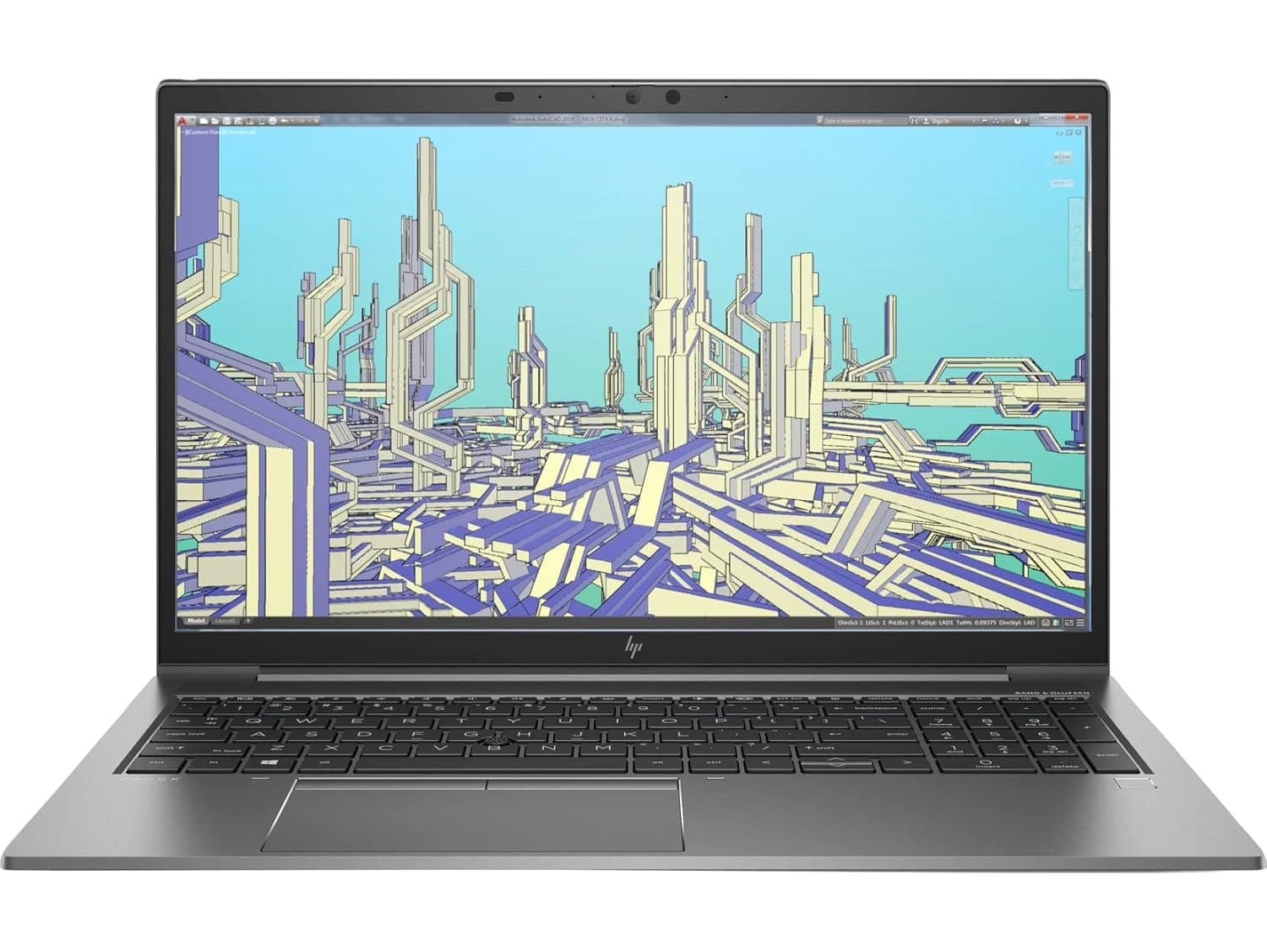
TL;DR The HP ZBook Firefly G8 delivers one of the most balanced visual experiences among thin professional workstations even in 2026. Designed for enterprise creators, consultants, engineers, and business professionals, its IPS-based display options prioritize clarity, color consistency, and long working-hour comfort rather than gaming-oriented specifications. The panel quality remains highly usable for CAD drafting, analytics dashboards, documentation, and light creative workflows, while anti-glare coating and efficient brightness management make it suitable for Indian office environments. Speaker output focuses on communication clarity rather than entertainment bass, making the system reliable for meetings, training sessions, and professional media consumption. For buyers evaluating a Refurbished HP ZBook Firefly G8, display and audio quality continue to hold strong relevance for productivity-first workflows in 2026.
HP ZBook Firefly G8 Display Overview in 2026
In 2026, display quality has become a major differentiator between consumer ultrabooks and enterprise workstations. The HP ZBook Firefly G8 Workstation Laptop was originally engineered for professionals requiring visual accuracy alongside portability, and this design philosophy still translates effectively today. Unlike consumer laptops that prioritize glossy panels or saturated colors for entertainment appeal, the Firefly G8 focuses on stable viewing angles, readable brightness, and predictable color reproduction required in professional environments.
The 14-inch display format strikes a practical balance between mobility and usable workspace. Engineers reviewing CAD drawings, consultants managing large Excel dashboards, and MBA students working across multiple documents benefit from the panel’s sharp pixel density and consistent luminance distribution. Even refurbished units available through enterprise resale channels continue to retain usable display performance because workstation panels typically experience slower degradation compared to consumer-grade screens.
Buyers exploring professional systems through platforms such as the HP ZBook collection at Refurbo often prioritize reliability over experimental display technologies. In this context, the Firefly G8 remains competitive due to its matte professional panel design, efficient brightness calibration, and reduced eye fatigue during long productivity sessions. Rather than chasing extreme resolution upgrades, the workstation delivers dependable real-world usability aligned with corporate and technical workflows common across Indian professional environments.
Panel Technology Explained: IPS, DreamColor, and Standard Displays
The HP ZBook Firefly G8 Specs include multiple display configurations built primarily around IPS panel technology. IPS panels remain the industry standard for professional laptops because they provide wider viewing angles and consistent color reproduction compared to older TN-based displays. For collaborative work environments such as consulting discussions or engineering reviews, image consistency across viewing angles becomes critical, and IPS technology ensures minimal color shifting even when viewed from the side.
Higher-end configurations of the Firefly G8 also introduced HP’s DreamColor display option in select enterprise variants. DreamColor panels are calibrated for professional color workflows and typically offer expanded color gamut coverage with factory-level tuning. While not intended to replace dedicated studio monitors, these panels significantly improve accuracy for designers working with digital assets, presentations, marketing visuals, or light photo editing workflows. In refurbished markets, DreamColor-equipped units continue to command slightly higher value due to their superior visual precision.
Standard IPS configurations remain the most common in India and are highly practical for business-focused workloads. These panels emphasize anti-glare usability, moderate brightness efficiency, and long-term durability rather than excessive saturation. Importantly, workstation displays undergo stricter enterprise validation compared to consumer laptops, ensuring consistent backlight performance across extended usage cycles. As a result, even a Refurbished HP ZBook Firefly G8 typically provides stable visual output suitable for documentation-heavy workflows, analytics interpretation, and professional multitasking in 2026.
Resolution Options and Real Workspace Usability (FHD vs UHD vs WUXGA)
The HP ZBook Firefly G8 was offered with multiple display resolutions, allowing enterprise buyers to prioritize either efficiency, clarity, or professional visual precision. Even in 2026, these resolution options remain practical because workstation workflows depend more on usable screen space than entertainment-focused pixel density. The most common configuration found in India continues to be the Full HD (1920×1080) anti-glare panel, which balances battery efficiency and readability for long productivity sessions.
FHD panels remain ideal for professionals working extensively with spreadsheets, ERP dashboards, coding environments, documentation, and CAD drafting interfaces. Text rendering remains sharp at 14 inches without requiring aggressive Windows scaling, which improves usability for finance professionals and analysts who rely on dense data visibility. Higher-resolution UHD panels improve sharpness significantly but introduce increased power consumption and scaling dependency, which may not benefit all workflows equally.
Some enterprise configurations also feature WUXGA (1920×1200) panels that provide additional vertical workspace. This added screen height becomes valuable when reviewing long documents, coding windows, or layered design panels. In practical daily usage, WUXGA often delivers the best productivity balance between clarity and efficiency.
Display Resolution Comparison
For most Refurbished HP ZBook Firefly G8 buyers in India, FHD or WUXGA configurations remain the smartest long-term choice due to efficiency and comfort.
Color Accuracy, sRGB Coverage, and Professional Calibration Performance
Professional workstation displays are evaluated primarily through color consistency rather than visual vibrancy, and the HP ZBook Firefly G8 Review consistently highlights this strength. Standard IPS panels typically deliver near full sRGB coverage depending on configuration, which remains sufficient for presentation design, UI work, digital documentation, and light creative workflows even in 2026.
Enterprise-grade calibration ensures predictable color output across applications such as AutoCAD, Adobe environments, dashboards, and visualization tools. Unlike consumer laptops that may exaggerate contrast or saturation, Firefly panels prioritize neutrality. This becomes especially important when preparing client-facing reports or marketing visuals where color mismatch between devices can create workflow inconsistencies.
DreamColor-equipped variants improve accuracy further through factory calibration and wider gamut reproduction. While not equivalent to studio-grade monitors, these panels allow professionals handling branding assets, photography previews, or video timelines to work confidently without immediate external monitor dependency. Importantly, workstation displays tend to age more gracefully because brightness and color degradation occur slower than in consumer panels.
In refurbished enterprise units, display calibration stability remains a major advantage. Since many corporate deployments operate in controlled office environments, panel wear remains limited. As a result, refurbished Firefly G8 systems frequently retain strong visual consistency, making them viable professional machines for analysts, consultants, architects, and business users requiring dependable visual output rather than entertainment-centric displays.
Eye Comfort, Anti-Glare Coating, and Long Working Hours Usage
Long-duration usability is one of the most overlooked strengths of the HP ZBook Firefly G8 Workstation Laptop. HP designed the display primarily for professionals spending eight to ten hours daily in front of spreadsheets, documentation platforms, development environments, or enterprise dashboards. The matte anti-glare coating significantly reduces reflections caused by overhead lighting commonly found in Indian offices and co-working environments.
Unlike glossy consumer panels that appear visually striking but cause fatigue over extended sessions, the Firefly G8 display minimizes eye strain through balanced brightness distribution and reduced glare intensity. This becomes particularly beneficial for chartered accountants, analysts, and remote professionals who often work continuously without frequent visual breaks. Reduced reflections also improve readability under mixed lighting conditions such as window-side desks or conference rooms.
Brightness levels typically ranging around enterprise-standard 250 to 400 nits allow comfortable indoor visibility without excessive backlight strain. Combined with IPS viewing stability, users experience fewer contrast fluctuations when adjusting posture or working collaboratively. Over time, this contributes to reduced visual fatigue compared to high-contrast consumer screens.
In 2026 workflows dominated by hybrid work and prolonged screen exposure, ergonomic display behaviour becomes more valuable than peak brightness or refresh rates. The Firefly G8’s display design reflects workstation priorities focused on sustained productivity rather than short entertainment sessions, making it particularly suitable for professionals who depend on reliable visual comfort throughout extended working hours.
Speaker Quality and Audio Output for Meetings and Media
The HP ZBook Firefly G8 Workstation Laptop integrates dual stereo speakers tuned by Bang & Olufsen, a collaboration HP has consistently maintained across its premium business and workstation lineup. In 2026, audio expectations from professional laptops have shifted beyond entertainment toward communication clarity, especially with hybrid work environments dominating corporate workflows. The Firefly G8 focuses less on cinematic loudness and more on balanced voice reproduction, which aligns closely with enterprise usage patterns.
In practical testing across conferencing applications such as Microsoft Teams, Zoom, and Google Meet, the speakers deliver clear mid-range frequencies where human speech primarily exists. Dialogue remains intelligible even at moderate volume levels without distortion, which is particularly useful during long meetings or training sessions. Unlike consumer multimedia laptops that emphasize bass output, workstation devices prioritize clarity over resonance. The Firefly G8 follows this philosophy by ensuring voices remain natural rather than artificially boosted.
Volume output typically reaches around 75 to 80 dB in small office environments, sufficient for personal media consumption and meeting playback without requiring external speakers. While bass response remains limited due to the thin chassis design, treble balance stays controlled, preventing harsh sound fatigue during extended listening sessions. This becomes important for professionals spending multiple hours daily on presentations, webinars, or recorded training material.
Another advantage visible in long-term HP ZBook Firefly G8 Review observations is consistency under battery power. Many thin laptops reduce speaker amplification when unplugged, but the Firefly G8 maintains relatively stable output performance, ensuring predictable audio behavior whether docked or mobile. For consultants, MBA students, designers, and corporate professionals in India relying heavily on video communication, the integrated audio system remains dependable without external accessories.
Real-World Audio Performance for Video Calls and Professional Usage
Real-world professional usage reveals that speaker quality alone does not define communication performance; microphone tuning and noise processing play equally critical roles. The HP ZBook Firefly G8 Specs include dual-array microphones combined with AI-assisted noise reduction through HP’s audio software stack. By 2026 standards, this combination continues to perform reliably in shared workspaces, home offices, and semi-noisy environments common across Indian urban settings.
During extended conferencing sessions, voice pickup remains consistent even when the user moves slightly away from the laptop. Background disturbances such as ceiling fans, keyboard typing, or ambient office chatter are moderately suppressed, allowing clearer transmission without aggressive filtering artifacts. This becomes particularly valuable for professionals working from co-working environments or residential areas where acoustic isolation is limited.
Media playback performance also benefits from the workstation’s tuned speaker orientation. Instead of bottom-firing designs common in budget laptops, the Firefly G8 directs sound upward or sideways depending on configuration, improving perceived loudness during desk usage. Streaming lectures, recorded corporate sessions, or business presentations remains comfortable without headphones for individual viewing.
For Indian remote workers handling daily Excel reviews, ERP demonstrations, or client walkthroughs, stable audio output reduces fatigue significantly. Audio consistency during charging and battery operation ensures uninterrupted meeting performance even during power fluctuations. Professionals evaluating HP ZBook Firefly G8 Price in India against ultrabooks often discover that enterprise audio reliability becomes a surprisingly important productivity advantage over consumer machines designed primarily for entertainment.
Overall, while not intended as a multimedia powerhouse, the Firefly G8 delivers professional-grade communication audio aligned with workstation priorities rather than cinematic performance.
Display and Audio Comparison With Similar Thin Workstations in 2026
In the thin mobile workstation segment, the Refurbished HP ZBook Firefly G8 competes directly with devices such as Dell Precision 5560 and Lenovo ThinkPad P14s Gen 2. By 2026, differences between these machines increasingly revolve around display consistency, calibration reliability, and meeting-focused audio rather than raw brightness alone.
Compared to competitors, the Firefly G8 positions itself as a balanced professional device rather than a media-centric machine. DreamColor variants particularly outperform standard business panels in color uniformity and viewing stability, which benefits CAD previews, presentations, and content validation workflows. At the same time, speaker tuning prioritizes communication clarity over entertainment loudness, making it more suitable for enterprise deployment.
Thin workstation buyers in India increasingly prioritize portability alongside professional visual reliability. Devices like the Precision series may offer marginally higher peak brightness, but they often operate at higher thermals or power consumption levels. The Firefly G8 maintains efficiency while preserving consistent visual performance during unplugged usage, an important factor for mobile consultants and hybrid professionals.
External Monitor Support and Multi-Display Productivity
The HP ZBook Firefly G8 was designed as an enterprise workstation capable of functioning not only as a standalone laptop but also as a central productivity hub within multi-display professional environments. Even in 2026, this capability remains highly relevant because modern workflows increasingly rely on extended screen setups for analytics, coding, CAD drafting, and financial modeling.
The system supports multiple external monitors through Thunderbolt 4 and HDMI connectivity, allowing professionals to run dual or even triple display configurations depending on docking solutions. Thunderbolt bandwidth enables high-resolution external displays including 4K monitors without noticeable interface lag. This proves particularly beneficial for architects reviewing drawings on one screen while maintaining documentation or communication tools on another. Finance professionals working with large Excel dashboards similarly benefit from separating datasets across displays rather than compressing information onto a single panel.
Another advantage of workstation-grade graphics drivers present in the Firefly G8 is stable display output during prolonged usage. Unlike consumer ultrabooks that occasionally experience scaling or refresh inconsistencies across multiple monitors, enterprise ZBook systems prioritize compatibility with professional displays and docking stations. This reliability becomes important in corporate environments where uninterrupted visual output directly impacts workflow continuity.
For Indian professionals transitioning toward hybrid office setups, the Firefly G8 easily transforms into a desktop replacement when connected to external monitors at home or office desks. Combined with its calibrated internal panel, the laptop enables seamless movement between mobile productivity and stationary workstation usage without requiring workflow adjustments or display recalibration.
Who Should Buy Based on Display and Audio Needs?
Display and audio requirements vary significantly depending on professional workflow, and understanding this distinction helps determine whether the HP ZBook Firefly G8 Workstation Laptop remains the right choice in 2026. The device particularly benefits users whose daily productivity depends on visual clarity, long viewing comfort, and reliable communication rather than entertainment-focused multimedia performance.
Professionals involved in finance, consulting, analytics, corporate management, and education gain substantial advantages from the Firefly G8’s matte IPS display characteristics. Long spreadsheet sessions, ERP dashboards, documentation review, and presentation preparation demand visual stability more than extreme brightness or gaming refresh rates. The anti-glare panel minimizes reflection fatigue, making it highly suitable for Indian office environments with mixed lighting conditions. MBA students and business professionals attending extended virtual sessions similarly benefit from reduced eye strain during prolonged usage.
Creative professionals handling light design, UI preparation, marketing presentations, or photography previews also find DreamColor configurations valuable due to improved color accuracy. While the system is not positioned as a full creative workstation replacing studio monitors, it provides dependable on-the-go visual validation. Audio performance further strengthens suitability for consultants and remote professionals conducting frequent video meetings, webinars, or training sessions where speech clarity matters more than cinematic sound depth.
Users primarily seeking immersive media consumption, heavy video editing, or entertainment-centric audio may prefer multimedia laptops with stronger bass output or OLED panels. However, for productivity-driven buyers evaluating Refurbished HP ZBook Firefly G8 systems, the display and audio combination aligns exceptionally well with professional workflows centered on reliability, comfort, and communication efficiency.
Final Recommendation And Decision Framework
The HP ZBook Firefly G8 continues to hold strong relevance in 2026 because its visual and audio design philosophy focuses on sustained professional usability rather than short-term specification appeal. Enterprise IPS panels, optional DreamColor calibration, and anti-glare optimization collectively create an environment suited for extended productivity sessions. Professionals working daily with documents, dashboards, CAD previews, or collaborative platforms benefit more from consistency and comfort than extreme display specifications, and this is precisely where the Firefly G8 performs effectively.
From an audio perspective, the workstation emphasizes communication reliability over entertainment output. Clear speaker tuning and stable microphone performance support modern hybrid workflows dominated by virtual meetings and remote collaboration. In real-world professional scenarios, dependable conferencing performance often contributes more to efficiency than louder multimedia speakers. The Firefly G8 succeeds by aligning hardware priorities with business usage realities rather than consumer expectations.
For Indian buyers comparing workstation investments, refurbished enterprise units available through trusted platforms such as Refurbo offer particularly strong value. Workstation-grade displays typically age better than consumer panels, allowing refurbished models to retain professional usability even years after release. When evaluated through productivity longevity, visual comfort, and communication clarity, the Firefly G8 remains a practical long-term workstation choice for consultants, analysts, engineers, and corporate professionals seeking dependable daily performance without unnecessary premium pricing.
Frequently Asked Questions (FAQs)
Q. Is the HP ZBook Firefly G8 display good for CAD work?
A. Yes, the IPS display provides stable viewing angles and consistent visual clarity suitable for CAD drafting, engineering review, and professional workflows.
Q. Does HP ZBook Firefly G8 support external 4K monitors?
A. Yes, Thunderbolt 4 and HDMI connectivity allow smooth external 4K monitor support for multi-display productivity setups.
Q. Is DreamColor display necessary for business users?
A. No, standard IPS panels are sufficient for business workflows, but DreamColor improves color accuracy for design and visual validation tasks.
Q. Are refurbished HP ZBook Firefly G8 displays reliable in 2026?
A. Yes, enterprise-grade IPS panels retain brightness stability and color consistency, making refurbished units reliable for long-term productivity.
Q. Is the HP ZBook Firefly G8 suitable for long office working hours?
A. Yes, anti-glare coating, stable brightness, and IPS technology help reduce eye strain during extended productivity sessions.
Q. Are the speakers good enough for meetings and video calls?
A. Yes, Bang & Olufsen tuned speakers deliver clear voice output optimized for conferencing and professional communication.
Q. Can HP ZBook Firefly G8 replace a desktop workstation?
A. Yes, when connected to external monitors through Thunderbolt docking, it functions effectively as a full desktop replacement.
Q. Is the Firefly G8 display suitable for video editing?
A. Yes, it supports light editing workflows, while DreamColor variants offer better color accuracy for creative professionals.
Q. Is the brightness sufficient for office use in India?
A. Yes, brightness levels between 250 and 400 nits ensure comfortable visibility in indoor office and home environments.
Q. Is HP ZBook Firefly G8 still worth buying in 2026 for display and media quality?
A. Yes, especially refurbished units offer excellent display reliability and meeting-focused audio performance for professional users.
Ready to upgrade your tech?
Browse our collection of quality refurbished products at unbeatable prices.






