
HP ZBook Firefly G8 Best Config In 2026 India: CPU, GPU, RAM, SSD, Display Selection
Guide to choosing the best HP ZBook Firefly G8 configuration in 2026 including CPU, GPU, RAM, SSD, and display options for professional workloads.

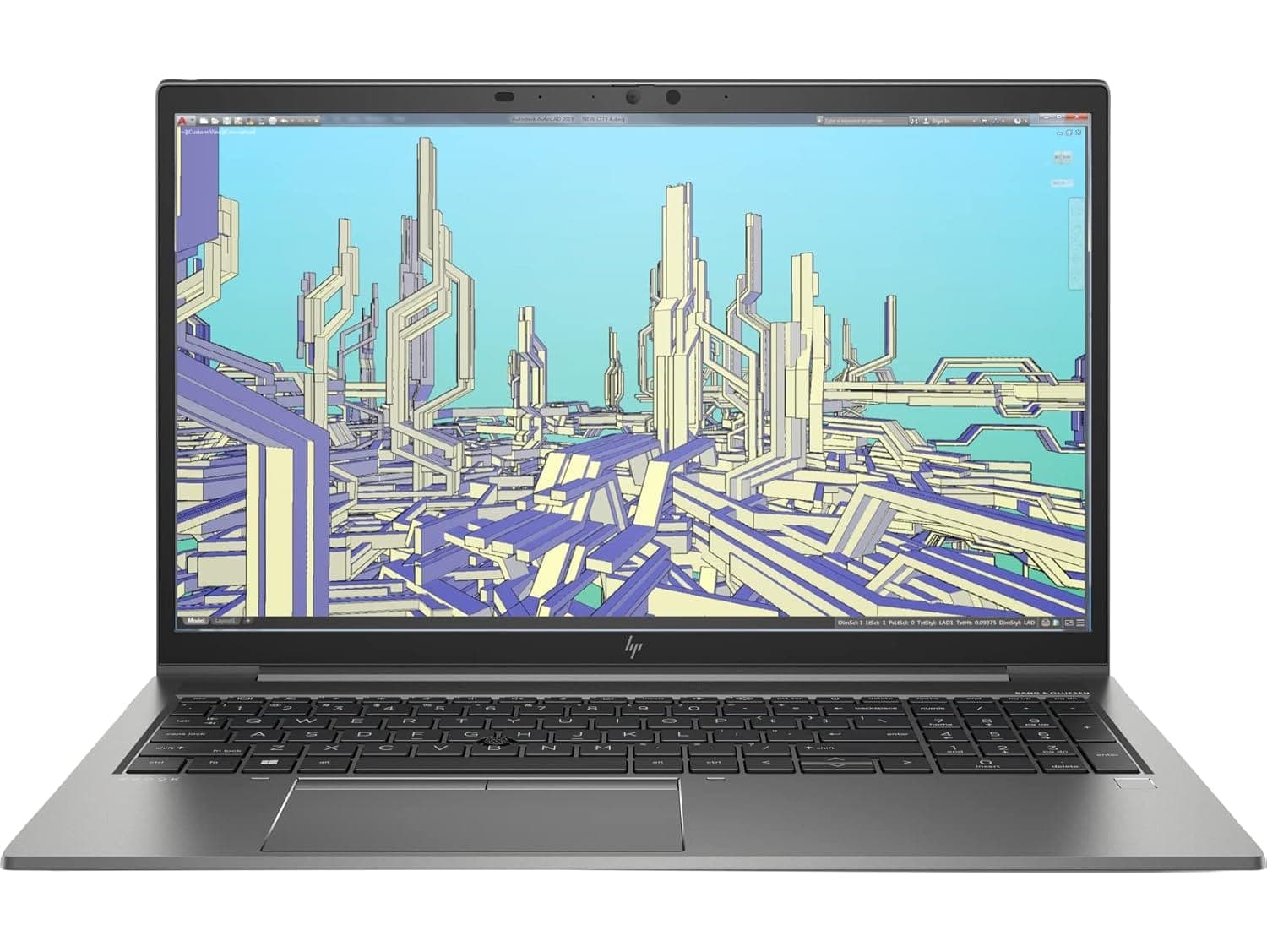
TL;DR The HP ZBook Firefly G8 in 2026 continues to be one of the most practical mobile workstations for Indian professionals seeking a balance between portability and performance. With flexible configurations spanning Intel Core i5 to i9, NVIDIA T500/T550 GPUs, up to 64 GB DDR5 RAM, and various display options including FHD, WUXGA, and DreamColor, the Firefly G8 can handle tasks ranging from 2D CAD drafting to light 3D modeling and AI inference. Refurbished units from verified platforms provide excellent value, making workstation-grade performance more accessible. This guide helps Indian buyers select the right CPU, GPU, RAM, SSD, and display to match their workflow requirements.
Introduction: Choosing the Right ZBook in 2026
Selecting a HP ZBook Firefly G8 for professional work in 2026 requires understanding both your workflow and the laptop’s hardware options. Unlike generic consumer laptops, ZBooks are designed for enterprise-grade reliability and sustained performance under heavy workloads. Whether you are an engineer, analyst, consultant, or MBA student managing spreadsheets, CAD projects, or light AI workloads, choosing the right CPU, GPU, RAM, and display is critical for efficiency. The market also offers tremendous value for Indian buyers, providing well-maintained units at a fraction of new retail pricing.
The availability of Intel Core i5, i7, and i9 processors, along with Intel Core Ultra options, allows professionals to select a CPU suited to their specific task. Combined with NVIDIA T-series GPUs, DDR5 memory, and NVMe SSD storage, the Firefly G8 adapts to workloads ranging from 2D drafting to moderate 3D rendering. For professionals working on tight budgets, refurbished units from Refurbo provide reliable performance without compromising on enterprise reliability or certified hardware.
Display selection is another crucial aspect. Buyers must choose between FHD, WUXGA, UHD, or DreamColor panels depending on whether their workflow prioritizes portability, color accuracy, or visual real estate. The 16:10 aspect ratio in newer panels improves vertical workspace, which is ideal for coding, analytics dashboards, and document review. For Indian buyers, balancing performance, battery efficiency, and cost is essential, and understanding these factors helps ensure the selected ZBook configuration aligns with professional requirements while offering excellent value in the market.
CPU Options: Core i5, i7, i9, and Intel Core Ultra Comparisons
The HP ZBook Firefly G8 offers a spectrum of CPU configurations tailored to varying professional workloads. For general productivity, Intel Core i5 (12th Gen) processors provide adequate multi-threaded performance for spreadsheets, lightweight CAD, and browser-based ERP tasks. They are power-efficient and allow longer battery life, making them ideal for professionals who are constantly mobile. Upgrading to Core i7 increases multi-core performance, benefiting users who work with larger datasets, heavier Excel simulations, or small-scale 3D modeling.
At the top end, Intel Core i9 and Intel Core Ultra variants deliver significant performance for highly parallelized workloads, including moderate AI model inference, simulation tasks, and multi-tab heavy analytical workflows. Core Ultra processors leverage hybrid architecture, combining Performance (P) cores and Efficient (E) cores for sustained high performance without drastically compromising thermals. While the physical size of the chassis constrains absolute thermal output, ZBook tuning ensures stable sustained frequencies over extended sessions.
Comparison Table: HP ZBook Firefly G8 CPU Options
In 2026, Indian professionals must weigh CPU performance against portability, battery life, and budget. HP ZBook Firefly G8 units with i7 or i9 processors provide enterprise-level performance at lower cost, while i5 variants remain cost-effective for less intensive workflows. Selecting the correct CPU aligns with the intended workload and ensures the workstation can deliver reliable performance under sustained professional use.
GPU Options: NVIDIA T500, T550, and RTX Variants
Graphics capability plays a crucial role in determining how well the HP ZBook Firefly G8 Workstation Laptop performs in professional workloads such as CAD visualization, viewport rendering, and light GPU-accelerated computing. The Firefly G8 belongs to the thin-and-light workstation category, meaning it prioritizes mobility and efficiency over extreme GPU power. As a result, most configurations ship with Intel Iris Xe integrated graphics or entry-level NVIDIA T-series workstation GPUs such as the T500 or T550.
The Intel Iris Xe GPU included with many Firefly G8 configurations is surprisingly capable for everyday professional tasks. It handles 2D CAD drafting, Excel dashboards, web-based analytics tools, and general productivity workloads without difficulty. For professionals who primarily use AutoCAD in 2D mode or run business applications, the integrated GPU is usually sufficient and helps preserve battery life and thermals.
For users requiring stronger graphical capability, the NVIDIA T500 GPU becomes the preferred configuration. Based on the Turing architecture, the T500 includes dedicated VRAM and certified drivers for professional software, which improves performance in applications like SolidWorks, Autodesk products, and Blender viewport rendering. Some higher-end enterprise configurations also include the NVIDIA T550, which offers a modest increase in CUDA cores and graphics throughput.
The Firefly G8 is not designed for RTX-class rendering pipelines or large GPU simulation workloads. However, it performs reliably in moderate 3D modeling and visualization workflows, which aligns with the workstation’s design philosophy of combining portability with professional reliability.
For most Indian professionals buying a HP ZBook Firefly G8, the T500 configuration offers the best balance of power, efficiency, and cost.
RAM Requirements: DDR5 vs DDR4, 16GB, 32GB, and 64GB Configurations
Memory configuration is one of the most important decisions when selecting the HP ZBook Firefly G8 Specs for professional use. The Firefly G8 platform supports DDR4 memory, typically operating at speeds around 3200 MHz, which remains perfectly adequate for most enterprise workloads in 2026. While newer ZBook generations adopt DDR5, the optimized memory controller and dual-channel architecture of DDR4 still provide stable performance for multitasking and data-heavy applications.
A 16 GB RAM configuration remains the minimum recommended setup for professional productivity in 2026. This level of memory comfortably supports multitasking environments involving Excel modeling, multiple browser tabs, ERP platforms, and video conferencing tools. For students, consultants, and analysts working with moderate workloads, 16 GB delivers smooth everyday performance while keeping system cost lower.
However, professionals dealing with larger datasets, CAD assemblies, programming environments, or virtualization tools benefit significantly from upgrading to 32 GB RAM. This configuration allows complex spreadsheets, data processing scripts, and heavier multitasking to run without memory bottlenecks. Engineers working with design tools or financial analysts running complex simulations often prefer this level for stability.
For advanced professional workflows, 64 GB RAM configurations are available through workstation-grade upgrade paths. While not necessary for typical office tasks, this level of memory benefits AI experimentation, software development environments, and large 3D design files. The dual-slot design of the Firefly G8 makes such upgrades feasible even after purchase.
For most buyers considering the HP ZBook Firefly G8 Price in India, the 32 GB RAM configuration represents the ideal balance between cost and long-term performance.
SSD Selection: NVMe vs SATA, 512GB, 1TB, and Expansion Options
Storage configuration significantly influences both performance and usability of the HP ZBook Firefly G8 Workstation Laptop. Modern professional workflows rely heavily on fast storage for loading large project files, launching software quickly, and managing multiple datasets. The Firefly G8 supports PCIe NVMe solid-state drives, which provide dramatically faster read and write speeds compared to older SATA SSD technology.
An NVMe SSD communicates directly with the system through the PCIe interface, enabling speeds often exceeding 3000 MB/s, while SATA drives are typically limited to around 500 MB/s. This performance difference becomes noticeable when opening large CAD assemblies, importing datasets into analytics software, or loading complex project files in design applications.
The most common configuration for the HP ZBook Firefly G8 is a 512 GB NVMe SSD, which balances speed and affordability. This capacity is sufficient for operating systems, productivity software, and several active projects. However, professionals dealing with large design files, virtual machines, or datasets frequently benefit from upgrading to a 1 TB NVMe SSD, which provides more comfortable storage headroom.
Another advantage of the Firefly G8 workstation platform is upgrade flexibility. Many refurbished units allow SSD upgrades or replacements, enabling professionals to expand storage as workflow requirements grow. This makes the system more future-proof compared to consumer ultrabooks where storage is often soldered.
For most professionals evaluating the HP ZBook Firefly G8 Review and performance potential, a 1 TB NVMe SSD configuration offers the best balance of speed, capacity, and long-term productivity.
Display Panel Selection: FHD, WUXGA, UHD, DreamColor Considerations
The display configuration plays a major role in determining the usability of the HP ZBook Firefly G8 Workstation Laptop, especially for professionals working long hours with spreadsheets, design interfaces, or visual content. The Firefly G8 was released with several display options including Full HD (1920×1080) panels, WUXGA (1920×1200) variants in some enterprise configurations, and higher-end UHD 4K displays for users requiring enhanced clarity and color accuracy.
The most common configuration in the HP ZBook Firefly G8 market is the FHD IPS anti-glare panel. This display offers balanced brightness, good viewing angles, and efficient battery usage. For professionals working in Excel modeling, documentation, coding environments, and web dashboards, FHD remains practical because it scales comfortably on a 14-inch screen without excessive UI scaling issues.
For users who need more vertical workspace, WUXGA displays provide slightly taller resolution compared to standard FHD. This becomes beneficial when working with CAD toolbars, coding environments, or data dashboards, as the additional vertical space reduces the need for scrolling.
Higher-end Firefly G8 configurations also offer UHD (4K) displays with significantly improved sharpness and wider color coverage. These panels are better suited for designers, visual professionals, and content creators who require improved image fidelity. However, higher resolution panels also consume more power, which can reduce battery life during mobile usage.
Some enterprise models include HP DreamColor technology, which is designed for color-critical workflows. DreamColor panels offer better calibration capability and higher color accuracy, making them suitable for professionals involved in media production, photography, or color-sensitive design tasks.
For most buyers evaluating HP ZBook Firefly G8 Price in India, the FHD IPS panel remains the most balanced choice due to its efficiency and comfortable usability for long work sessions.
Ideal Configuration for CAD and 2D Drafting Workflows, 3D Modeling and Rendering
Professionals working with engineering design software, architectural drafting tools, or mechanical modeling applications require a balanced hardware configuration that ensures stable performance during prolonged work sessions. When configuring the HP ZBook Firefly G8 Workstation Laptop, the focus should remain on CPU performance, adequate memory, and a reliable professional GPU.
For 2D CAD workflows, which include drafting in applications such as AutoCAD or similar design tools, the workload is primarily CPU-dependent. A configuration featuring a Core i7 processor, 16–32 GB RAM, and NVMe SSD storage provides more than sufficient responsiveness. In such scenarios, the Intel Iris Xe graphics integrated into the processor is usually capable of handling viewport rendering smoothly.
However, when projects move into 3D modeling environments, the graphics subsystem becomes more important. Applications like Fusion 360, SolidWorks, and Blender viewport rendering benefit from dedicated workstation GPUs. The NVIDIA T500 GPU available in many HP ZBook Firefly G8 units provides hardware acceleration and certified drivers optimized for professional applications.
For moderate 3D rendering tasks, the Firefly G8 can handle smaller projects effectively, although it is not designed for extremely heavy rendering pipelines. Larger simulations or full-scale GPU rendering workloads are typically better suited for larger workstation models with RTX-class GPUs.
For engineers and architects in India evaluating HP ZBook Firefly G8 Review, the Core i7 + 32 GB RAM + T500 GPU configuration offers the most balanced professional setup.
Ideal Configuration for Simulation Tasks
The role of learning workloads in professional computing has grown rapidly in recent years, and even lightweight workstations like the HP ZBook Firefly G8 are increasingly used for development, experimentation, and inference tasks. However, selecting the correct configuration becomes essential because AI workflows can place significant demands on both CPU and GPU resources.
For professionals performing data preprocessing, analytics modeling, or lightweight machine learning experimentation, the Firefly G8 performs well when equipped with a Core i7 processor, 32 GB RAM, and NVMe storage. These components allow efficient handling of datasets, coding environments such as Python notebooks, and data visualization tools commonly used in analytics workflows.
For GPU-accelerated frameworks such as TensorFlow or PyTorch, the NVIDIA T500 GPU provides entry-level CUDA acceleration. While it cannot compete with high-end RTX GPUs designed for deep learning training, it remains suitable for small neural networks, experimentation, inference testing, and academic projects.
In real-world professional scenarios, many data scientists and analysts rely on hybrid workflows where heavy model training is performed on cloud GPU platforms, while the local workstation handles development, debugging, and inference tasks. In this type of workflow environment, the Firefly G8 remains practical due to its portability and balanced hardware configuration.
Another factor influencing AI performance is system memory and storage speed. Larger datasets benefit from 32 GB or 64 GB RAM configurations, while NVMe SSD storage ensures fast loading of datasets and models.
Overall, the HP ZBook Firefly G8 Workstation Laptop works best as a development and experimentation machine for workflows rather than a full-scale training system. Professionals seeking heavy GPU acceleration should instead consider larger workstation platforms with dedicated RTX-class GPUs.
Comparison of Recommended ZBook Configurations for Different Workloads
Selecting the correct configuration of the HP ZBook Firefly G8 Workstation Laptop depends heavily on the professional workload. While the Firefly G8 is designed as a thin mobile workstation, its flexibility in CPU, memory, storage, and GPU configurations allows it to support a wide variety of professional environments ranging from finance and analytics to engineering design.
For general business workloads, such as heavy Excel modeling, ERP dashboards, accounting software, or coding environments, a configuration featuring Intel Core i5 or Core i7 processors with 16 GB RAM and a 512 GB NVMe SSD is typically sufficient. These tasks rely primarily on CPU responsiveness and fast storage rather than heavy GPU acceleration.
For professionals working in CAD drafting, engineering documentation, or product design, additional RAM and dedicated graphics become beneficial. A configuration including Core i7, 32 GB RAM, and the NVIDIA T500 GPU provides improved viewport stability and smoother interaction with design software interfaces.
When workflows involve 3D modeling, simulation tools, or heavier multitasking, a higher configuration with 32–64 GB RAM and 1 TB NVMe storage improves system responsiveness during complex project handling. While the Firefly G8 is not designed for full-scale GPU rendering pipelines, it remains effective for moderate modeling tasks.
For data science, AI experimentation, or analytics development, memory capacity and storage speed become the primary factors. Configurations with 32 GB or 64 GB RAM allow better handling of datasets, notebooks, and local testing environments.
For buyers comparing HP ZBook Firefly G8 Price in India, selecting the right configuration ensures the system remains productive for several years without unnecessary hardware overspending.
HP ZBook Firefly G8 Decision Framework for Indian Buyers
Choosing the best configuration of the HP ZBook Firefly G8 in 2026 should be approached as a practical decision based on workflow requirements rather than simply selecting the highest specifications available. The Firefly G8 was engineered as a portable professional workstation, and its strength lies in balancing performance, mobility, and efficiency.
For most Indian professionals working in corporate environments, consulting roles, analytics, accounting, or programming, the optimal configuration is typically Core i7 processor with 16–32 GB RAM and 512 GB or 1 TB NVMe storage. This setup delivers strong multitasking performance while maintaining efficient battery usage and reasonable thermal performance within the thin workstation chassis.
Engineers, architects, and designers working in CAD drafting or light 3D modeling benefit from adding the NVIDIA T500 GPU and increasing system memory to 32 GB RAM. This configuration improves viewport performance and ensures stable operation when working with complex project files.
For professionals exploring data science or AI experimentation, the most important upgrade is memory capacity. Configurations with 32 GB or 64 GB RAM significantly improve dataset handling, development environments, and simulation workflows.
Another major consideration for Indian buyers is value efficiency. Purchasing a HP ZBook Firefly G8 often provides a significantly better cost-to-performance ratio compared to buying new enterprise hardware. Professionally refurbished units retain enterprise-grade reliability while offering substantial price advantages.
The decision framework is therefore simple. If your work focuses on productivity, analytics, CAD drafting, or development workflows, the Firefly G8 remains an excellent mobile workstation choice. However, if your workload relies heavily on GPU rendering, large simulations, or deep learning model training, a larger RTX-based workstation platform may be more appropriate.
Frequently Asked Questions
Q. Is the HP ZBook Firefly G8 still worth buying in 2026?
A. Yes. The Firefly G8 remains a reliable mobile workstation for analytics, programming, CAD drafting, and general professional productivity tasks.
Q. What is the best configuration for the HP ZBook Firefly G8?
A. A Core i7 processor with 32 GB RAM, 1 TB NVMe SSD, and NVIDIA T500 GPU provides the most balanced professional setup.
Q. Can the HP ZBook Firefly G8 handle CAD software?
A. Yes. Applications like AutoCAD and Fusion 360 run smoothly, especially when the laptop includes the NVIDIA T500 GPU.
Q. Is the Firefly G8 suitable for programming and development work?
A. Yes. With adequate RAM and NVMe storage, it performs well for coding environments, compilers, and development tools.
Q. Can the Firefly G8 run machine learning workloads?
A. It supports AI experimentation, inference, and development tasks, but heavy model training usually requires more powerful GPUs.
Q. What RAM configuration is recommended for long term use?
A. Most professionals should choose 32 GB RAM to ensure smoother multitasking and better future readiness.
Q. Is the NVIDIA T500 GPU necessary for professional use?
A. It is not required for office productivity tasks but significantly improves performance in CAD and 3D modeling workloads.
Q. How much storage is ideal for professional workloads?
A. A 1 TB NVMe SSD is recommended because it provides sufficient space for large project files and datasets.
Q. Are refurbished HP ZBook Firefly G8 units reliable?
A. Yes. Certified refurbished units from trusted sellers maintain enterprise level build quality and cooling performance.
Q. How does the Firefly G8 compare to newer ZBook models?
A. Newer models offer updated processors and DDR5 memory, but the Firefly G8 still provides strong performance and value for many professional workflows.
Ready to upgrade your tech?
Browse our collection of quality refurbished products at unbeatable prices.






